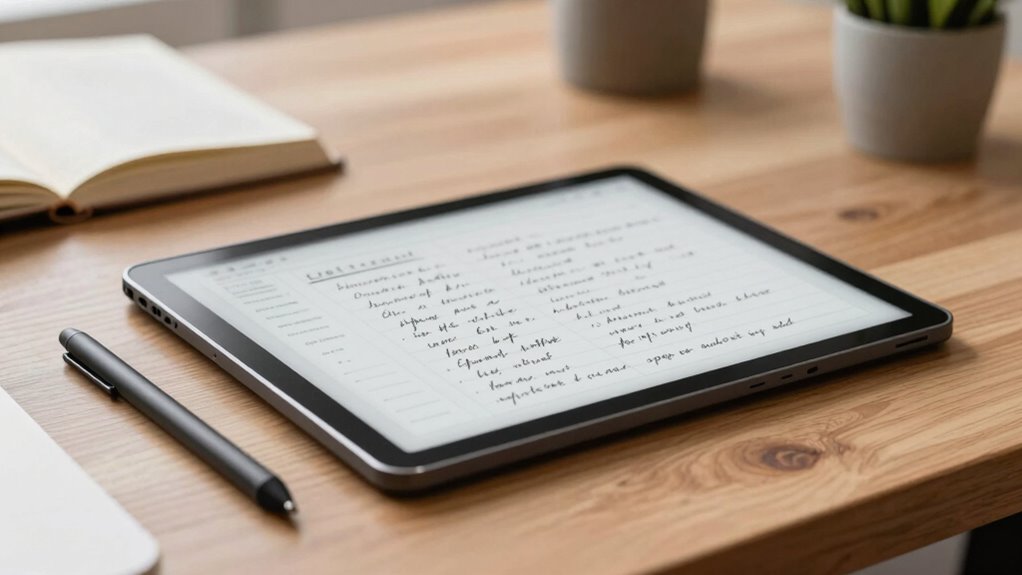

The best E Ink tablet for note taking depends on whether you value a distraction-free writing surface, access to books and documents, or a portable color display. I’d put the reMarkable Paper Pure first for focused handwriting, while the Kindle Scribe 64GB is a strong fit for readers who also want to annotate documents, and the VIWOODS AiPaper Mini suits buyers who want a smaller format. The biggest tradeoffs are screen size, writing tools, software features, and how much you want your tablet to do beyond notes. More features can add flexibility, but they can also make a device less focused or less comfortable for long writing sessions. Read on for how all 11 options compare and which one fits your note-taking habits.

Get business pricing on monitors, keyboards and dev gear
- Business-only prices and quantity discounts
- Tax-exempt purchasing
- Multiple users, one account, clear invoices
Key Takeaways
- Focused writing favors purpose-built notebooks: the reMarkable Paper Pure leads the lineup for buyers who want handwriting to be the main event rather than one feature among many.
- Reading and writing together point toward Kindle Scribe: its place in the lineup reflects the appeal of a large reading display with pen input, while it may not suit buyers seeking a notebook-first workflow.
- Screen size changes the job a tablet does: the 10-inch-class models suit full-page notes and documents, while the VIWOODS AiPaper Mini is better matched to brief notes and portable use.
- Color is a preference, not an automatic upgrade: Kindle Scribe Colorsoft gives color a place in this roundup, but buyers should weigh that against their need for simple, focused handwriting.
- Several listings represent distinct purchase situations: the like-new Kindle Scribe and the bundled reMarkable models call for checking condition and included accessories, not just comparing device names.
| reMarkable Paper Pure with Marker Plus and Ocean Blue Sleeve Folio |  | Best for Focused Handwriting | Display: 10.3-inch black-and-white E Ink | Model: RM95A | Weight: 360 g | VIEW ON AMAZON | See Our Full Breakdown |
| Geniatech Kloudnote Slim 10.3″ Digital Notebook, E Ink Tablet and ePaper Notepad |  | Best for Cloud-Connected Workflows | Screen: 10.3-inch E Ink | Resolution: 1404 × 1872, 227 ppi | Processor: 1.8 GHz A55 quad-core | VIEW ON AMAZON | See Our Full Breakdown |
| reMarkable Paper Pro with Marker Plus |  | Best Premium Color Notebook | Display: 11.8-inch color E Ink | Connectivity: USB-C, Wi-Fi, and Bluetooth | Included components: reMarkable Paper Pro, Marker Plus, six spare Marker tips, and USB-C cable | VIEW ON AMAZON | See Our Full Breakdown |
| Ocean 64GB + 4GB 7” eBook Reader Supports Handwriting and Long Battery Life |  | Best Compact Reader for Quick Notes | Display: 7-inch E Ink | Storage and RAM: 64GB storage and 4GB RAM | Processor: 2.2 GHz octa-core | VIEW ON AMAZON | See Our Full Breakdown |
| VIWOODS AiPaper 10.65″ AI E Ink Tablet, Digital Notebook Bundle with Pen |  | Best for AI-Assisted Notes | Display: 10.65-inch Carta 1300 E Ink | Resolution: 2560 × 1920 | Stylus: W2 Stylus Pro | VIEW ON AMAZON | See Our Full Breakdown |
| Kindle Scribe 64GB (3rd Generation) – 11″ Display with Pen Included |  | Best for Reading Alongside Notes | Display: 11-inch glare-free, 300 ppi | Storage: 64 GB | Weight: 14.1 oz (400 g) | VIEW ON AMAZON | See Our Full Breakdown |
| Like-New Amazon Kindle Scribe (32GB) with Premium Pen |  | Best for Kindle Note-Taking on a Smaller Screen | Display: 10.2-inch glare-free, 300 ppi front-lit | Storage options: 16 GB, 32 GB, or 64 GB | Weight: 15.3 oz (device only) | VIEW ON AMAZON | See Our Full Breakdown |
| reMarkable Paper Pro Move with Marker Plus and Basalt Book Folio |  | Best Compact Note-Taking Pick | Display: 7.3-inch Canvas Color | Model: reMarkable Paper Pro Move | Generation: 1st Generation | VIEW ON AMAZON | See Our Full Breakdown |
| Kindle Scribe Colorsoft 64GB (Newest Model) – 11″ Color Display with Pen Included |  | Best for Color Notes and Markups | Display: 11-inch Colorsoft; 300 ppi black and white, 150 ppi color | Storage: 64 GB | Weight: 400 g | VIEW ON AMAZON | See Our Full Breakdown |
| Penstar eNote 2 E-Ink Digital Notebook with Pen, 10.3″ AI eNote Tablet |  | Best for Flexible Files and Android Tools | Display: 10.3-inch electronic ink, 2480 x 1860, 300 ppi | Stylus pressure sensitivity: 8192 levels | RAM: 4 GB | VIEW ON AMAZON | See Our Full Breakdown |
| VIWOODS AiPaper Mini 8.2″ AI E Ink Tablet, Digital Notebook Bundle with Pen |  | Best Compact AI Note-Taking Pick | Display size: 8.2 inches | Display resolution: 1920 x 1440 | Weight: 230g | VIEW ON AMAZON | See Our Full Breakdown |
| e ink tablets for note taking | Display | Weight | Connectivity | Storage |
|---|---|---|---|---|
| reMarkable Paper Pure with Mar | 10.3-inch black-and-white E Ink | 360 g | Wi-Fi | — |
| Geniatech Kloudnote Slim 10.3" | — | — | — | 64GB |
| reMarkable Paper Pro with Mark | 11.8-inch color E Ink | — | USB-C, Wi-Fi, and Bluetooth | — |
| Ocean 64GB + 4GB 7” eBook Read | 7-inch E Ink | 14.9 ounces | Bluetooth, Wi-Fi, and USB | — |
| VIWOODS AiPaper 10.65" AI E In | 10.65-inch Carta 1300 E Ink | — | — | 128GB |
| Kindle Scribe 64GB | 11-inch glare-free, 300 ppi | 14.1 oz (400 g) | Wi-Fi 2.4 GHz and 5.0 GHz | 64 GB |
| Like-New Amazon Kindle Scribe | 10.2-inch glare-free, 300 ppi front-lit | 15.3 oz (device only) | Wi-Fi 5, Bluetooth 5.2 | — |
| reMarkable Paper Pro Move with | 7.3-inch Canvas Color | Not specified | — | — |
| Kindle Scribe Colorsoft 64GB | 11-inch Colorsoft; 300 ppi black and white, 150 ppi color | 400 g | Wi-Fi 2.4 GHz and 5.0 GHz | 64 GB |
| Penstar eNote 2 E-Ink Digital | 10.3-inch electronic ink, 2480 x 1860, 300 ppi | 0.97 kg | Wi-Fi | 128 GB |
| VIWOODS AiPaper Mini 8.2" AI E | — | 230g | Bluetooth, USB, Wi-Fi | 128GB |
More Details on Our Top Picks
reMarkable Paper Pure with Marker Plus and Ocean Blue Sleeve Folio
I’d put the reMarkable Paper Pure near the top for people who want a dedicated digital notebook rather than a general-purpose tablet. Its 10.3-inch black-and-white E Ink screen, handwriting recognition, and folders and tags all serve the central task of capturing and finding notes. At 360 g, it’s also a more clearly specified portable option than the larger reMarkable Paper Pro, whose listed display is 11.8 inches and color.
The tradeoff is focus: the monochrome screen won’t suit notes that rely on color-coded diagrams, and the supplied details don’t state battery life. I’d choose the Paper Pro for color and an adjustable reading light; I’d choose Paper Pure for a simpler writing-first setup. Its Wi-Fi and cloud integration help move notes beyond the tablet, though the specific services and future software support aren’t detailed.
Pros:- 10.3-inch high-contrast E Ink display is sized for full-page notes while staying portable.
- Handwriting recognition can make handwritten notes easier to reuse as text.
- Folders and tags provide ways to organize notes by project or subject.
- Wi-Fi and cloud-service integration support sharing and storing work.
Cons:- Black-and-white display cannot show color distinctions in diagrams or annotations.
- Battery-life details are not provided.
- The supplied information does not specify supported cloud services or software-update plans.
Best for: People who want a lightweight, monochrome notebook for handwritten work notes, folders, and searchable text.
Not ideal for: Readers and students who depend on color-coded annotations, or buyers who need a stated battery-life figure before choosing.
- Display:10.3-inch black-and-white E Ink
- Model:RM95A
- Weight:360 g
- Dimensions:8.98 × 7.37 inches
- Connectivity:Wi-Fi
- Operating system:reMarkable OS
- Included accessories:Marker Plus and Ocean Blue Sleeve Folio
- Warranty:1-year limited
Our verdict“Choose the Paper Pure if focused monochrome handwriting and organized notes matter more than color or detailed battery-life information.”
Geniatech Kloudnote Slim 10.3″ Digital Notebook, E Ink Tablet and ePaper Notepad
The Kloudnote Slim is a practical fit for note takers who also want a reading device and a choice of cloud destinations. Its 10.3-inch, 227-ppi E Ink screen gives handwriting and documents room to breathe, while the listed OneDrive, Dropbox, and Baidu Network Disk support makes it more explicit about cloud options than the reMarkable Paper Pure, whose description doesn’t name services.
The 39 note templates and 64GB of storage support varied routines, and the stated battery life of up to 40 hours gives buyers a useful reference absent from several alternatives here. The limits are its app ecosystem and a listed 2GB of RAM: this is better viewed as a notebook and reader than a flexible app tablet. I’d pick the VIWOODS AiPaper for its stated pressure-sensitive stylus and AI tools, but the Kloudnote is a stronger match when named cloud services and battery-life information lead the decision.
Pros:- 10.3-inch, 1404 × 1872 display provides a roomy page for notes and reading.
- Lists support for OneDrive, Dropbox, and Baidu Network Disk.
- Up to 40 hours of battery life is specified.
- 39 note templates and 64GB storage support different note-taking and reading needs.
Cons:- App availability outside its AppStore is limited.
- PDF books are not supported for listening.
- The listed 2GB of RAM may limit expectations for app-heavy multitasking.
Best for: Students and office workers who want a large-format E Ink notebook, multiple cloud-storage options, and a stated battery-life estimate.
Not ideal for: Buyers who need a broad app selection, or readers who want PDF books read aloud.
- Screen:10.3-inch E Ink
- Resolution:1404 × 1872, 227 ppi
- Processor:1.8 GHz A55 quad-core
- RAM:2GB
- Storage:64GB
- Battery life:Up to 40 hours
- Note templates:39
- Cloud services:Microsoft OneDrive, Dropbox, and Baidu Network Disk
Our verdict“Pick the Kloudnote Slim if you want a large E Ink notebook with named cloud integrations and a stated battery-life estimate, not a wide-open app platform.”
reMarkable Paper Pro with Marker Plus
For note takers who want color on a paper-like screen, the reMarkable Paper Pro is the clearest premium choice in this group. Its 11.8-inch color E Ink display gives diagrams, annotations, and sketch notes more visual range than the black-and-white reMarkable Paper Pure. An adjustable reading light also makes it more adaptable for reading and writing in dimmer rooms, while tools for organizing PDFs and converting handwriting to text suit people who work across handwritten and document-based material.
That larger, color-first setup brings tradeoffs. The supplied details don’t give its weight or battery life, and the device is positioned for writing, sketching, and reading—not multimedia use. The VIWOODS AiPaper lists a higher resolution and 128GB of storage, along with AI tools, but the Paper Pro’s named reading light and reMarkable note workflow may appeal more to buyers who prioritize a focused notebook. I’d skip it if monochrome notes meet your needs.
Pros:- 11.8-inch color E Ink display supports color-coded notes and sketches.
- Adjustable reading light can help when working in dimmer spaces.
- Handwriting-to-text conversion supports turning handwritten notes into editable text.
- Includes Marker Plus and six spare Marker tips.
Cons:- Battery-life details are not specified.
- Weight is not specified in the supplied product data.
- Its stated focus on note-taking and reading does not suit buyers seeking multimedia features.
Best for: Professionals, students, and visual thinkers who annotate PDFs or sketch with color and want a large E Ink writing surface.
Not ideal for: Buyers who need a general multimedia tablet, or who require listed weight and battery-life figures before purchasing.
- Display:11.8-inch color E Ink
- Connectivity:USB-C, Wi-Fi, and Bluetooth
- Included components:reMarkable Paper Pro, Marker Plus, six spare Marker tips, and USB-C cable
- Reading light:Adjustable
- Note features:Note and PDF organization; handwriting-to-text conversion
- Model year:2024
- Warranty:1-year limited
Our verdict“Choose the Paper Pro if color, a large writing area, and an adjustable reading light matter more than a stated battery or weight specification.”
Ocean 64GB + 4GB 7” eBook Reader Supports Handwriting and Long Battery Life
The Ocean stands apart from the 10.3-inch reMarkable Paper Pure and Kloudnote Slim by shrinking the writing surface to 7 inches and putting reading first. That smaller footprint is useful for carrying a book reader that can also handle quick annotations, lists, or short handwritten notes. Android, Wi-Fi, and support for document formats such as PDF, DOCX, and XLSX give it broader file flexibility than the more dedicated reMarkable notebooks.
It is not an equal substitute for a full-page digital notebook: longer notes and detailed diagrams will feel more constrained on this compact display. The stylus is sold separately, and “long-lasting” battery life comes without a duration, so buyers have less certainty than with the Kloudnote Slim’s stated up-to-40-hour figure. I’d favor the Ocean for reading-led use and occasional writing, not for someone building a daily, handwritten work archive.
Pros:- Compact 7-inch E Ink display suits portable reading and short annotations.
- Android and Wi-Fi support a more flexible device setup than a dedicated notebook.
- 64GB storage and 4GB RAM are specified.
- Supports a broad set of document, ebook, image, and audio formats.
Cons:- Stylus is sold separately, adding a required accessory for handwriting.
- Battery life is described as long-lasting without a duration.
- The 7-inch screen is cramped for extended notes and full-page document work.
Best for: Readers who want a compact E Ink device for books and documents, with occasional handwritten notes using a compatible stylus.
Not ideal for: People taking long meeting notes or drawing detailed diagrams, and buyers who expect a stylus in the box.
- Display:7-inch E Ink
- Storage and RAM:64GB storage and 4GB RAM
- Processor:2.2 GHz octa-core
- Dimensions:6.2 × 5.46 × 0.27 inches
- Weight:14.9 ounces
- Connectivity:Bluetooth, Wi-Fi, and USB
- Operating system:Android
- Stylus:Compatible stylus required; not included
- Supported formats:Includes PDF, EPUB, MOBI, DOCX, XLSX, and PPTX
Our verdict“Choose the Ocean for portable reading with occasional stylus notes, but pick a 10.3-inch notebook for sustained handwriting.”
VIWOODS AiPaper 10.65″ AI E Ink Tablet, Digital Notebook Bundle with Pen
The VIWOODS AiPaper is the most feature-forward pick here for people who want help working with notes after writing them. Its AI tools are described as supporting translation, summarizing, and organization, which gives it a different role from the writing-focused reMarkable Paper Pure. The 10.65-inch Carta 1300 display, included W2 Stylus Pro, and 128GB of storage also make it well suited to readers and note takers who keep a large library of documents and handwritten material.
The listed 4096 pressure levels support more expressive strokes for sketches as well as notes. Still, the product data flags long E Ink refresh latency, which may frustrate people expecting quick visual updates, and it doesn’t specify battery life or software-update plans. Compared with the Kloudnote Slim, AiPaper offers more storage and named AI functions, while the Kloudnote gives buyers a stated battery-life estimate and named cloud services. I’d favor AiPaper for its tools, not for predictable refresh or long-term software clarity.
Pros:- 10.65-inch, 2560 × 1920 Carta 1300 E Ink display offers a high-resolution writing and reading surface.
- Included W2 Stylus Pro supports 4096 pressure levels for varied strokes.
- AI tools are listed for translating, summarizing, and organizing notes.
- 128GB storage and included folio cover, replacement nibs, and USB-C cable provide a ready-to-use bundle.
Cons:- Long E Ink refresh latency may interrupt fast writing or reading workflows.
- Battery-life details are not specified.
- Software-update plans are not described.
Best for: Students and professionals who want a large digital notebook with AI-assisted summaries, translation, and ample storage.
Not ideal for: People sensitive to slow screen refresh, or buyers who need clear battery-life and software-update commitments.
- Display:10.65-inch Carta 1300 E Ink
- Resolution:2560 × 1920
- Stylus:W2 Stylus Pro
- Stylus pressure levels:4096
- Pen gap:750 microns
- Storage:128GB
- Included accessories:Folio cover, replacement nibs, and USB-C cable
- Warranty:14 months
Our verdict“Choose AiPaper if AI tools, pressure-sensitive writing, and large storage matter more than refresh speed and clearly stated battery or update details.”
Kindle Scribe 64GB (3rd Generation) – 11″ Display with Pen Included
I’d choose the Kindle Scribe 64GB when reading and writing on the same large screen matter more than broad file flexibility. Its 11-inch, 300 ppi glare-free display gives notes and document markups room to breathe, while the included Premium Pen has an eraser and shortcut button for quicker edits. Compared with the Kindle Scribe Colorsoft, this model sticks to a monochrome display but offers longer stated battery life: up to 12 weeks for reading and three weeks for writing. The tradeoff is a more controlled document workflow: supported formats are limited, so some files may need conversion, and it does not support ad-hoc Wi-Fi networks. I’d pick it for Kindle-centered reading and annotation, not for someone who wants an open-ended tablet experience.
Pros:- Large 11-inch, 300 ppi glare-free screen provides space for notes and document markup.
- Premium Pen includes an eraser and shortcut button.
- Stated battery life reaches up to 12 weeks for reading and three weeks for writing.
- Cloud integration supports importing and exporting documents.
Cons:- Limited supported formats may require file conversion.
- Does not support ad-hoc Wi-Fi networks.
- Monochrome display lacks the color annotations available on the Kindle Scribe Colorsoft.
Best for: Readers who want a large monochrome screen for Kindle books, handwritten notes, and document annotation in one device.
Not ideal for: People who regularly use varied file types or ad-hoc Wi-Fi networks and want to transfer documents without format or connection workarounds.
- Display:11-inch glare-free, 300 ppi
- Storage:64 GB
- Weight:14.1 oz (400 g)
- Dimensions:7.4 x 9.6 x 0.21 inches
- Connectivity:Wi-Fi 2.4 GHz and 5.0 GHz
- Battery life:Up to 12 weeks for reading; up to 3 weeks for writing
- Included:Premium Pen, USB-C cable, replacement tips
Our verdict“Choose this Scribe if you want a large, long-running monochrome notebook that doubles as a Kindle reader and can live with format limits.”
Like-New Amazon Kindle Scribe (32GB) with Premium Pen
The Like-New Kindle Scribe 32GB suits readers who want handwriting tools and Kindle access without needing the newer 11-inch models. Its 10.2-inch, 300 ppi front-lit display supports book reading, document markup, and notes, while the Premium Pen and built-in AI tools add handwriting conversion and summarization. Compared with the Kindle Scribe 64GB (3rd Generation), it has less listed storage and a smaller screen, but its described format support is broad, including PDF, EPUB, DOCX, and image files. The main compromise is the like-new condition: packaging may be generic, and setup or content transfer requires Wi-Fi. I’d favor this option for a Kindle-focused reader who wants extra document flexibility, but skip it if new-device presentation or a larger writing area is a priority.
Pros:- 10.2-inch, 300 ppi front-lit display combines reading and note-taking.
- Premium Pen is included for handwriting and document markup.
- AI tools support note summarization and handwriting conversion.
- Listed format support includes PDF, EPUB, DOCX, and common image files.
Cons:- Like-new condition may come with generic packaging.
- The listed device weight is 15.3 oz, heavier than the 14.1 oz 3rd-generation Kindle Scribe.
- Wi-Fi is required for setup and content transfer.
Best for: Kindle readers who want a front-lit e-ink screen, AI note tools, and support for common document and image formats in a like-new device.
Not ideal for: Buyers who require a new-in-box device, prefer a larger writing surface, or need to set up and transfer content without Wi-Fi.
- Display:10.2-inch glare-free, 300 ppi front-lit
- Storage options:16 GB, 32 GB, or 64 GB
- Weight:15.3 oz (device only)
- Battery life:Up to 12 weeks for reading; up to 3 weeks for writing
- Connectivity:Wi-Fi 5, Bluetooth 5.2
- Supported formats:AZW3, AZW, TXT, PDF, MOBI, EPUB, DOCX, DOC, HTML, RTF, JPEG, GIF, PNG, BMP, AAX
- Warranty:1-year limited; optional extended warranty available
- Color:Tungsten
Our verdict“Pick this like-new Scribe if Kindle reading, AI writing tools, and broad listed file support matter more than getting a new device or the largest screen.”
reMarkable Paper Pro Move with Marker Plus and Basalt Book Folio
The reMarkable Paper Pro Move makes the most sense for people who want a notebook they can carry easily, rather than a tablet-sized page for long writing sessions. Its 7.3-inch Canvas Color display and included Marker Plus keep the focus on handwritten notes, while the folio and spare tips make this bundle ready for everyday carry. Compared with the Kindle Scribe Colorsoft, the Move is far smaller and built around a distraction-free note-taking approach; the Scribe gives you a much roomier screen for reading and reviewing documents. That portability has a clear cost: a 7.3-inch canvas offers less space for diagrams, PDFs, and multi-page work. The supplied details also omit weight and resolution, so it is harder to judge portability and screen sharpness from specs alone. I’d choose it for brief notes on the move, not as my main document-markup tablet.
Pros:- Compact 7.3-inch color display favors portable note-taking.
- Marker Plus, Basalt Book Folio, and six spare tips are included.
- Handwriting-to-text conversion and cloud syncing support note organization.
- Distraction-free writing focus suits users who want a dedicated digital paper device.
Cons:- Small screen gives less room for long notes and full-page document annotation than either Kindle Scribe.
- Weight and screen resolution are not specified in the supplied product data.
- Stated 15-day battery life may vary with use.
Best for: People who take short handwritten notes while commuting or moving between meetings and want a folio and pen included.
Not ideal for: Students and professionals who regularly annotate full-page PDFs, build large diagrams, or want a roomy screen for extended writing.
- Display:7.3-inch Canvas Color
- Model:reMarkable Paper Pro Move
- Generation:1st Generation
- Battery life:15 days
- Battery type:Lithium-Cobalt
- Processor:Qualcomm or MediaTek
- Included items:Marker Plus, Basalt Book Folio, 6 spare tips, USB-C cable
- Weight:Not specified
Our verdict“Choose the Paper Pro Move for portable, focused handwriting, but pick a larger Scribe if document reading and annotation take up much of your day.”
Kindle Scribe Colorsoft 64GB (Newest Model) – 11″ Color Display with Pen Included
I’d pick the Kindle Scribe Colorsoft when color helps make handwritten notes, highlights, or document markups easier to scan. Its 11-inch display keeps the generous writing area of the monochrome Kindle Scribe, while adding color at a listed 150 ppi; black-and-white resolution is 300 ppi. Compared with the Kindle Scribe 64GB (3rd Generation), the Colorsoft makes color-coded notes possible but has shorter stated battery life: up to eight weeks for reading and two weeks for writing, versus 12 and three weeks on the monochrome model. It also weighs the same listed 400 g, so the main difference is the display, not portability. I’d choose it for visual organization and color annotations, while readers who mostly write in black and white may prefer the longer-running standard Scribe.
Pros:- Large 11-inch screen provides room for handwriting and document markup.
- Color display supports color-coded notes and annotations.
- 64 GB storage and listed support for common document and image formats.
- Premium Pen and cloud-connected note features are included.
Cons:- Listed color resolution is 150 ppi, below the 300 ppi black-and-white resolution.
- Stated battery life is shorter than the monochrome 3rd-generation Kindle Scribe.
- Does not support ad-hoc Wi-Fi networks.
Best for: Readers and professionals who use color to organize handwritten notes, mark up documents, or distinguish information at a glance.
Not ideal for: People who write and read almost entirely in black and white and would rather prioritize the longer stated battery life of the standard Kindle Scribe.
- Display:11-inch Colorsoft; 300 ppi black and white, 150 ppi color
- Storage:64 GB
- Weight:400 g
- Dimensions:7.4 x 9.6 x 0.21 inches
- Pen:Premium Pen, 6.1 x 0.35 inches
- Battery life:Up to 8 weeks for reading; up to 2 weeks for writing
- Connectivity:Wi-Fi 2.4 GHz and 5.0 GHz
- Supported formats:AZW3, AZW, TXT, PDF, MOBI, EPUB, DOCX, DOC, HTML, RTF, JPEG, GIF, PNG, BMP, AAX
- Warranty:1-year limited
Our verdict“Choose the Colorsoft if color-coded notes are useful enough to accept lower color resolution and shorter stated battery life than the monochrome Scribe.”
Penstar eNote 2 E-Ink Digital Notebook with Pen, 10.3″ AI eNote Tablet
The Penstar eNote 2 is the flexible-workflow pick in this group: its Android 14 system, 128 GB storage, and listed support for formats from PDF and EPUB to DOCX and audio files suit people managing more than Kindle documents. The 10.3-inch, 300 ppi e-ink screen gives it a practical writing area, while 8192 pressure levels and voice-to-text add options beyond basic handwriting. Compared with the Kindle Scribe 64GB (3rd Generation), Penstar offers more storage and broader stated format support, but the Scribe is lighter at 400 g versus Penstar’s listed 0.97 kg. Android also brings more setup and file-management decisions than a focused Kindle notebook. I’d choose this for users comfortable configuring a multifunction device; those who want a simpler, lighter reading-and-writing tool should look at the Scribe instead.
Pros:- 10.3-inch, 2480 x 1860 display is listed at 300 ppi.
- 128 GB storage and broad stated format support suit varied files.
- Android 14 offers a more flexible software environment than the Kindle Scribe models.
- Stylus lists 8192 pressure levels, and the device supports voice-to-text.
Cons:- Listed weight of 0.97 kg is substantially higher than the 400 g Kindle Scribe models.
- Android and digital file management may take more setup than a focused e-ink notebook.
- The supplied product details do not identify an included stylus model or specific note-taking app.
Best for: Android-comfortable students and professionals who work across varied document formats and want generous storage for notes and files.
Not ideal for: People seeking a light, simple notebook for handwritten notes and reading; its listed 0.97 kg weight and Android file-management demands may feel like extra baggage.
- Display:10.3-inch electronic ink, 2480 x 1860, 300 ppi
- Stylus pressure sensitivity:8192 levels
- RAM:4 GB
- Storage:128 GB
- Battery capacity:6500 mAh
- Battery life:Up to 4 weeks
- Operating system:Android 14
- Connectivity:Wi-Fi
- Weight:0.97 kg
Our verdict“Choose the Penstar eNote 2 if flexible Android file handling and storage matter more than a lightweight, streamlined note-taking device.”
VIWOODS AiPaper Mini 8.2″ AI E Ink Tablet, Digital Notebook Bundle with Pen
The 8.2-inch AiPaper Mini suits note-takers who want a tablet that slips easily into a small bag without giving up a pen or reading light. Its 230g weight, included stylus and folio cover make it a more portable option than the 10.65-inch VIWOODS AiPaper, though the smaller screen leaves less room for annotating full-page PDFs or keeping notes beside a document. Handwriting-to-text, calendar sync and AI meeting summaries add organization tools beyond basic handwriting, while Android 13 and Wi-Fi, Bluetooth and USB provide several ways to work with files. The adjustable warm front light helps when reading in dim rooms. The tradeoff is E Ink refresh latency, which is less suited to fast, fluid screen interactions, and the product details do not clarify how long software updates or specific AI features will be supported.
Pros:- Light 230g design is easy to carry throughout the day.
- Adjustable warm front light supports reading in varied lighting.
- Includes a stylus, folio cover and five replacement nibs.
- 128GB storage and Wi-Fi, Bluetooth and USB connectivity give several options for keeping and transferring files.
Cons:- The 8.2-inch screen offers less room for full-page PDF markup than the larger VIWOODS AiPaper model.
- E Ink refresh latency can make rapid interaction feel slower than on a conventional tablet.
- Software update support and the scope of AI features are unspecified.
Best for: Students, commuters and meeting-heavy professionals who want a lightweight E Ink notebook for handwritten notes, reading and occasional PDF markup.
Not ideal for: People who regularly annotate full-size documents, need a large writing canvas, or expect quick screen refreshes for frequent app switching.
- Display size:8.2 inches
- Display resolution:1920 x 1440
- Weight:230g
- Storage:128GB
- Operating system:Android 13
- Connectivity:Bluetooth, USB, Wi-Fi
- Stylus pressure sensitivity:4096 levels
- Additional features:Front light, handwriting-to-text, AI meeting summaries, PDF annotation, calendar sync
- Included accessories:Stylus, folio cover, 5 replacement nibs, USB-C cable
Our verdict“Choose the AiPaper Mini if portability and built-in note organization matter more than a roomy screen for document work.”

How We Picked
I ranked these tablets by how well their design and feature mix serve everyday note taking: handwriting comfort, screen size, document and reading utility, portability, and the clarity of the device’s role. I also weighed practical differences such as whether a pen or folio is bundled and whether a listing is new or like-new, since those details shape the complete purchase.
The order favors devices with a clear fit for sustained handwritten notes, then accounts for readers who want a broader reading-and-annotation tool, color, or a smaller format. A tablet with more features does not automatically rank higher: software complexity, screen compromises, and a less focused writing experience can matter more than a longer feature list. Product names and configurations come from the supplied listings; buyers should verify current bundle contents and condition before ordering.
| e ink tablets for note taking | Connectivity |
|---|---|
| reMarkable Paper Pure with Mar | Wi-Fi |
| Geniatech Kloudnote Slim 10.3" | — |
| reMarkable Paper Pro with Mark | USB-C, Wi-Fi, and Bluetooth |
| Ocean 64GB + 4GB 7” eBook Read | Bluetooth, Wi-Fi, and USB |
| VIWOODS AiPaper 10.65" AI E In | — |
| Kindle Scribe 64GB | Wi-Fi 2.4 GHz and 5.0 GHz |
| Like-New Amazon Kindle Scribe | Wi-Fi 5, Bluetooth 5.2 |
| reMarkable Paper Pro Move with | — |
| Kindle Scribe Colorsoft 64GB | Wi-Fi 2.4 GHz and 5.0 GHz |
| Penstar eNote 2 E-Ink Digital | Wi-Fi |
| VIWOODS AiPaper Mini 8.2" AI E | Bluetooth, USB, Wi-Fi |
Factors to Consider When Choosing E Ink Tablets For Note Taking
Choosing an E Ink tablet for notes is less about finding one perfect spec and more about matching the device to how you capture, revisit, and share information. These factors can help you avoid paying for features you will rarely use—or choosing a screen that gets in the way of your usual work.
Choose a screen size for your actual notes
Think about the page you write on most often: a full notebook page, a document margin, or a few lines during a meeting. A larger screen gives diagrams and marked-up pages more room, but it takes up more bag space and can feel awkward for quick notes on the move. Compact tablets are easier to carry and hold, yet they ask you to write smaller or turn pages more often. A common mistake is choosing the smallest option based only on portability, then finding that handwriting feels cramped. If you regularly annotate letter-sized documents, favor screen area over pocketability. If your notes are mostly short reminders, a compact screen may be a better daily companion.
Decide whether you need a notebook or a reading device
Some buyers want a quiet, dedicated surface for handwriting; others expect one device to handle books, documents, and notes. A reading-first tablet can be appealing if you already keep an e-book library or often write in document margins. A notebook-first model may offer a more direct path from opening the device to writing, which matters when you take notes throughout the day. Do not assume that pen support makes every e-reader equally capable as a notebook. Check how notes are organized and whether your preferred documents can be marked up in the way you need. Paying for a broader reading ecosystem makes sense only if you will use it alongside writing.
Treat color as a workflow choice
Color can help separate categories in a planner, distinguish annotations, or make diagrams easier to scan. It is less useful if your notes are mostly plain text and you value a simple, paper-like display above all else. Before choosing a color model, ask whether color will change how you organize or review notes, rather than whether it simply looks appealing. Color displays can involve different visual tradeoffs from monochrome screens, so check the product details and sample images for the look you prefer. Buyers who rarely use color may get more from prioritizing writing comfort and software workflow. Buyers who mark up color-coded materials should judge the screen by their own documents, not by the feature label alone.
Check where your notes go after you write them
A comfortable writing surface is only part of a useful note system; you also need to find notes later and move them where they belong. Consider whether you mainly keep handwritten pages on the device, search and organize them, or share them with a computer or phone. These habits can affect your choice more than small hardware differences. Before buying, confirm the available export, sync, and file-handling options for your own devices and accounts. A common mistake is assuming every E Ink notebook will fit into an existing cloud or work setup without extra steps. If your notes are work records or study materials, test the expected workflow on paper before deciding which features matter.
Budget for the complete writing setup
Compare what is included in the exact listing, not only the tablet name. A pen, folio, or other accessory can change what you need to buy separately, and bundles may differ even when the core device is similar. Check whether the pen supports the writing functions you expect and whether the folio adds protection without making the device cumbersome. Listings marked like-new deserve an extra condition check, since a different purchase condition is not the same as a different model. Avoid choosing based on an accessory bundle if the core tablet does not fit your screen and software needs. The best value is the setup that is ready for your routine, not the package with the longest included-accessory list.
Frequently Asked Questions
Should I choose a notebook-first tablet or a Kindle Scribe for handwritten notes?
Choose a notebook-first device if writing, organizing pages, and returning to notes are the main reasons you want a tablet. A Kindle Scribe makes more sense if reading e-books and annotating documents are just as important as handwriting. The distinction is less about whether both accept a pen and more about which activity shapes the device’s software and daily use. List the three tasks you do most often, then check that each is supported in the way you expect. If you mostly write meeting notes, a reading feature set may not justify giving up a more focused notebook workflow.
Is a smaller E Ink tablet large enough for class or meeting notes?
It can be, especially if you take short notes, use outlines, or want a device that is easy to carry between rooms. A smaller screen becomes limiting when you write large, draw detailed diagrams, or keep a full document beside your notes. Try to match the screen to your handwriting size rather than assuming you will adapt quickly. For lecture notes that span several pages, a larger screen can reduce page changes and give you more room to structure ideas. For reminders and quick meeting points, portability may matter more than having a full-page canvas.
Will color make a meaningful difference for note taking?
Color is most helpful when it carries information: marking priorities, separating subjects, or annotating charts that already use color. If you mostly write in one ink style and review plain text, it may add little to your routine. Compare how color appears on the device with the material you plan to read, since an E Ink color screen is not the same visual experience as a tablet LCD. Also consider whether color tools are convenient within the note workflow you intend to use. Choose it to support a real organizational habit, not just as a substitute for a larger or more comfortable writing surface.
What should I check before buying a bundled or like-new tablet?
Confirm the exact device model, included pen, folio, and condition stated on the listing. A bundle may be ready to use out of the box, but included accessories can vary between configurations. For a like-new item, review the seller’s condition description, return terms, and what is included rather than assuming it matches a new package. Check that the pen and tablet support the note-taking features you want, since a name match alone does not confirm every accessory detail. If a case or pen is central to your setup, verify those items before comparing the listing with a standard configuration.
How can I tell whether an E Ink tablet will fit my work or study workflow?
Start with the materials you already use: PDFs, e-books, meeting notes, planners, and any files you need to share. Check whether the tablet can open, annotate, organize, and export those materials in a way that fits your existing devices and accounts. Think about retrieval as well as writing; notes are less useful if you cannot find or move them when needed. If your work requires frequent file exchange or collaboration, verify those steps before choosing a device based on screen feel alone. A simple workflow check can reveal whether you need a dedicated notebook or a reading-and-document tool.
Conclusion
For most people who want a focused writing device, I recommend the reMarkable Paper Pure as the best overall fit in this lineup. The Kindle Scribe 64GB is my pick for readers who also want to write on documents, while the reMarkable Paper Pro is the best premium direction for buyers who want a higher-end notebook experience. For beginners, I’d start by comparing the straightforward writing focus of the Paper Pure with the familiar reading-and-writing mix of the Kindle Scribe, then choose the workflow that feels more natural. Buyers who prioritize portability should look at the VIWOODS AiPaper Mini; those who need color should consider the Kindle Scribe Colorsoft. I’d choose the device around the notes I need to make and retrieve most often, then verify the specific listing’s pen, folio, and condition before buying.
Halloween Picks

HOPOCO Halloween Pumpkin Fog Machine with 12 LED Colors and 4 Light Modes

Vexalify 11-Inch Halloween Pumpkin Fog Machine with 12-Color Lights

Panefright Halloween Window Projector – Scary Projector for Spooky Decor
As an affiliate, we earn on qualifying purchases.