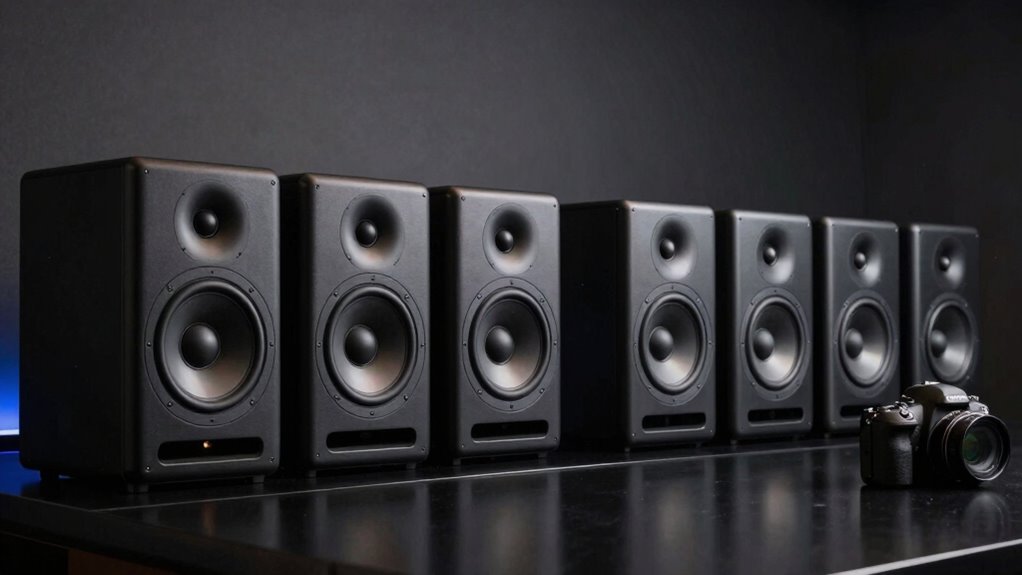

For most home studios, I’d start with the JBL 305P MkII: its five-inch design and room-control options make it a capable all-rounder for mixing and editing. The Yamaha HS5 is a strong alternative for listeners who want a more revealing reference, while the PreSonus Eris 3.5 suits compact desks and tighter budgets. The main tradeoffs are speaker size and bass reach, connection options, and how much placement flexibility your room needs. Bluetooth and desktop controls add convenience, but they do not automatically make a speaker a more reliable mixing reference. Read on for the full breakdown of all 14 studio monitor speakers and how I’d match each one to a workspace.

Get business pricing on monitors, keyboards and dev gear
- Business-only prices and quantity discounts
- Tax-exempt purchasing
- Multiple users, one account, clear invoices
Key Takeaways
- The JBL 305P MkII leads this comparison for buyers who want a five-inch monitor with room-control adjustments; its larger footprint makes it less suited to a crowded desktop than the Eris 3.5.
- The Yamaha HS5 and HS4 prioritize a reference-focused listening approach, while the smaller HS4 is easier to fit when desk space matters more than larger-driver output.
- Compact models such as the PreSonus Eris 3.5, Edifier MR3, and Mackie CR3.5 suit close desktop listening, but their smaller cabinets limit low-frequency reach compared with larger monitors.
- Bluetooth appears on several Edifier and Ortizan options, but wireless convenience is a playback feature, not a substitute for choosing appropriate inputs and monitoring conditions for production work.
- Several listings are near-duplicates or finish variants, including the Yamaha HS4 and PreSonus Eris 3.5 entries; buyers should compare the exact model and included pair rather than treating color listings as different performance tiers.
| PreSonus Eris 3.5 Powered Studio Monitors (Pair) |  | Best Compact Pick | Speaker size: 3.5 inches | Tweeter diameter: 1 inch | Power: 50 watts | VIEW ON AMAZON | See Our Full Breakdown |
| Yamaha HS4 Powered Studio Monitor – Black Pair |  | Best for Small-Space Mixing | Woofer size: 4.5 inches | Tweeter: 1-inch dome | Frequency response: 60 Hz–22 kHz (-10 dB) | VIEW ON AMAZON | See Our Full Breakdown |
| Edifier MR4.5 Bi-Amped Studio Monitor, 80W RMS Bookshelf Speakers – Black |  | Best Feature-Rich Pick | Power: 80W RMS | Drivers: 4.5-inch woofer, 1-inch tweeter | Frequency response: 40 Hz–40 kHz | VIEW ON AMAZON | See Our Full Breakdown |
| Yamaha HS5 Powered Studio Monitor, Pair |  | Best for Critical Mixing | Number of monitors: 2 | Woofer diameter: 5 inches | Tweeter diameter: 2.54 cm | VIEW ON AMAZON | See Our Full Breakdown |
| Edifier MR3 Powered Studio Monitor Speakers, Hi-Res Audio Certified Bluetooth V5.4 Active Bookshelf Loudspeakers, 2.0 Computer Speaker with Headphone Output RCA AUX Balanced TRS Input |  | Best for Hybrid Desk Use | Power output: 36 watts | Woofer diameter: 3.5 inches | Frequency response: 52 Hz–40 kHz | VIEW ON AMAZON | See Our Full Breakdown |
| JBL 305P MkII 5-inch 2-Way Active Powered Studio Reference Monitors (Pair) |  | Best for Wide, Precise Imaging | Speaker type: Active monitor | Woofer: 5 inches | Tweeter: 25 mm | VIEW ON AMAZON | See Our Full Breakdown |
| Ortizan C7 Powered Studio Monitors Pair with Bluetooth 5.3, Black |  | Best for Wireless Desktop Flexibility | Speaker type: Powered monitor pair | Woofer: 3.5 inches | Tweeter: 0.75 inches | VIEW ON AMAZON | See Our Full Breakdown |
| Edifier R1280T Powered Bookshelf Speakers – 2.0 Near Field Studio Monitor |  | Best for Living-Room Listening | Speaker type: Powered bookshelf speakers | Power output: 42 watts RMS | Frequency response: 80 Hz listed | VIEW ON AMAZON | See Our Full Breakdown |
| PreSonus Eris E4.5 Near Field Studio Monitor Pair |  | Best for Small Studio Desks | Woofer: 4.5 inches | Tweeter: 1-inch silk dome | Amplification: 50 watts Class AB, 25 watts per side | VIEW ON AMAZON | See Our Full Breakdown |
| Yamaha HS4 Powered Studio Monitor in White, Pair |  | Best for Compact, Straightforward Monitoring | Speaker size: 4.5 inches | Tweeter: 1-inch dome | Power output: 26 W + 26 W | VIEW ON AMAZON | See Our Full Breakdown |
| PreSonus Eris 3.5 Powered Desktop Studio Monitors, Pair – 50W, White |  | Best Compact Monitor for Flexible Desktop Setups | Power: 50W | Woofer: 3.5-inch woven-composite | Tweeter: 1-inch silk-dome | VIEW ON AMAZON | See Our Full Breakdown |
| Ortizan C7 Powered Studio Monitors Pair with Bluetooth 5.3, White |  | Best for Wireless Desktop Convenience | Woofer: 3.5 inches | Tweeter: 0.75 inches | Connectivity: Bluetooth, RCA, AUX, TRS, Type-C | VIEW ON AMAZON | See Our Full Breakdown |
| Mackie CR3.5 Studio Monitors (Pair), 3.5″ Woofers, Tone Knob, Black |  | Best Starter Pair with Included Accessories | Power output: 50 watts | Woofer: 3.5 inches | Tweeter: 1 inch | VIEW ON AMAZON | See Our Full Breakdown |
| Edifier MR3 Powered Studio Monitor Speaker Hi-Res Active Bluetooth |  | Best for a Larger Desktop Listening Setup | Speaker size: 4 inches | Woofer: 3.5 inches | Power output: 42 watts | VIEW ON AMAZON | See Our Full Breakdown |
| studio monitor speaker | Connectivity | Dimensions | Frequency response | Tweeter |
|---|---|---|---|---|
| PreSonus Eris 3.5 Powered Stud | TRS, RCA, aux input | 5.5"D x 6"W x 8.3"H | 80 Hz–20 kHz | — |
| Yamaha HS4 Powered Studio Moni | — | — | 60 Hz–22 kHz (-10 dB) | 1-inch dome |
| Edifier MR4.5 Bi-Amped Studio | XLR, TRS, RCA, AUX, Bluetooth 6.0 | 8.19"D x 5.51"W x 9.61"H | 40 Hz–40 kHz | — |
| Yamaha HS5 Powered Studio Moni | — | — | 54 Hz–30 kHz | — |
| Edifier MR3 Powered Studio Mon | Bluetooth, RCA, AUX, balanced TRS | 6.9"D x 12.1"W x 16.2"H | 52 Hz–40 kHz | — |
| JBL 305P MkII 5-inch 2-Way Act | XLR/TRS | 9.9 × 7.3 × 11.75 inches | — | 25 mm |
| Ortizan C7 Powered Studio Moni | Bluetooth 5.3, RCA, AUX, TRS | — | — | 0.75 inches |
| Edifier R1280T Powered Bookshe | Dual AUX, wired | 14.6 × 23.4 × 19.6 inches | 80 Hz listed | — |
| PreSonus Eris E4.5 Near Field | — | — | — | 1-inch silk dome |
| Yamaha HS4 Powered Studio Moni | — | 8.4 × 5.9 × 9.4 inches | 60 Hz–22 kHz (-10 dB) | 1-inch dome |
| PreSonus Eris 3.5 Powered Desk | — | 6"D × 5.5"W × 8.3"H | — | 1-inch silk-dome |
| Ortizan C7 Powered Studio Moni | Bluetooth, RCA, AUX, TRS, Type-C | — | — | 0.75 inches |
| Mackie CR3.5 Studio Monitors | RCA, TRS | 7.1"D × 5.5"W × 8.1"H | — | 1 inch |
| Edifier MR3 Powered Studio Mon | Bluetooth, balanced TRS, RCA, auxiliary | 6.9"D × 12.1"W × 16.2"H | 40 kHz (as listed) | — |
More Details on Our Top Picks
PreSonus Eris 3.5 Powered Studio Monitors (Pair)
The PreSonus Eris 3.5 earns its place for desk setups where speakers need to fit without giving up useful connection options. Its 50 watts of power and adjustable high- and low-frequency controls let me tailor the sound to a workspace, while TRS, RCA, and aux inputs make it easy to switch between audio sources. Compared with the Yamaha HS4, this pair has a smaller woofer and less stated bass extension, so it is a better fit for nearfield listening than for judging deep low-end. The headphone output is handy for private editing, but the compact cabinet is the main compromise: bass-heavy mixes may need headphones or a separate subwoofer for checking the bottom octave. I would skip it for a room-filling setup.
Pros:- Compact dimensions suit crowded desks and small workspaces.
- High- and low-frequency controls allow basic adjustment for placement and room character.
- TRS, RCA, and aux inputs support a range of audio sources.
- Built-in headphone output supports quiet editing and listening.
Cons:- The 80 Hz lower frequency limit leaves deep bass outside its stated range.
- Requires an external power source, so it is not a portable speaker option.
- Less suited to spacious rooms than larger monitors such as the Yamaha HS5.
Best for: Desktop music makers, streamers, and gamers who need compact monitors with several wired inputs and a headphone output.
Not ideal for: Producers who need to judge deep bass on speakers alone or fill a large room; the 3.5-inch drivers limit low-frequency reach.
- Speaker size:3.5 inches
- Tweeter diameter:1 inch
- Power:50 watts
- Frequency response:80 Hz–20 kHz
- Connectivity:TRS, RCA, aux input
- Dimensions:5.5″D x 6″W x 8.3″H
- Weight:6.4 pounds
Our verdict“Choose the Eris 3.5 for a small, flexible desktop setup, but look to a larger monitor if low-end assessment is a priority.”
Yamaha HS4 Powered Studio Monitor – Black Pair
The Yamaha HS4 is the stronger fit for a compact production desk when monitoring accuracy matters more than extra features. Its 4.5-inch woofer and stated 60 Hz–22 kHz response give it more low-end reach on paper than the PreSonus Eris 3.5, while its XLR/TRS combo, RCA, and stereo mini inputs cover both studio gear and everyday devices. Room-control and high-trim buttons offer useful adjustment, though they are less flexible than the customizable EQ described for the Edifier MR4.5. The tradeoff is modest output power at 26 watts, alongside the bass limits that come with a small enclosure. I would choose it for a nearfield workstation, not a large room or bass-critical work that needs broader low-frequency monitoring.
Pros:- 4.5-inch woofer and stated response reach lower than the PreSonus Eris 3.5.
- XLR/TRS combo, RCA, and stereo mini inputs make it adaptable to studio and desktop sources.
- Room-control and high-trim buttons provide basic sound adjustment.
- Compact tabletop format suits smaller workspaces.
Cons:- The 26-watt maximum output is modest compared with higher-powered options such as the Edifier MR4.5.
- Small woofer limits deep-bass monitoring.
- Does not offer the customizable EQ and room-calibration features listed for the Edifier MR4.5.
Best for: Music producers and video editors working at a small desk who want a compact monitor with balanced professional and consumer inputs.
Not ideal for: Users mixing bass-heavy material at high volume or seeking extensive room EQ; its listed power and basic controls are limited for those needs.
- Woofer size:4.5 inches
- Tweeter:1-inch dome
- Frequency response:60 Hz–22 kHz (-10 dB)
- Maximum output power:26 watts
- Inputs:XLR/TRS combo, RCA, stereo mini
- Mounting type:Tabletop
- Control method:Buttons for room control and high trim
Our verdict“Pick the HS4 for compact, wired nearfield monitoring with a wider input selection than the Eris 3.5, but not for powerful low-end playback.”
Edifier MR4.5 Bi-Amped Studio Monitor, 80W RMS Bookshelf Speakers – Black
The Edifier MR4.5 stands out for buyers who want monitoring connections and everyday wireless listening in one pair. Its 80W RMS output, XLR and TRS inputs, and Bluetooth 6.0 make it more versatile than the wired-only Yamaha HS5; room calibration and customizable EQ also offer more ways to shape the setup. The listed 40 Hz–40 kHz response is broad, but specifications alone do not establish how reliably a speaker translates a mix, so I would not choose it on range figures alone. This is also a physically larger option than the PreSonus Eris 3.5, and its controls may take more effort for a beginner. It suits a desk or small studio with room for placement, but is less compelling when simplicity and a compact footprint matter most.
Pros:- 80W RMS power provides more output headroom than the Yamaha HS4’s listed 26 watts.
- XLR, TRS, RCA, AUX, and Bluetooth 6.0 cover studio and everyday listening sources.
- Room calibration and customizable EQ allow more setup adjustment than the Yamaha HS5.
- Two-year warranty is specified.
Cons:- Larger dimensions demand more room than compact options such as the PreSonus Eris 3.5.
- Multiple controls and adjustment features may feel complex to first-time monitor buyers.
- Bluetooth convenience may be unnecessary for users who want a strictly wired mixing setup.
Best for: Home producers who want XLR or TRS monitoring, Bluetooth playback, and adjustable EQ in one speaker pair.
Not ideal for: Beginners who want simple controls or desk users with very little space; this model is larger and offers more adjustment than a basic setup may need.
- Power:80W RMS
- Drivers:4.5-inch woofer, 1-inch tweeter
- Frequency response:40 Hz–40 kHz
- Connectivity:XLR, TRS, RCA, AUX, Bluetooth 6.0
- Bluetooth range:10 meters
- Dimensions:8.19″D x 5.51″W x 9.61″H
- Warranty:2 years
Our verdict“Choose the MR4.5 if you want flexible wired and wireless playback plus EQ options, and have enough space to set it up properly.”
Yamaha HS5 Powered Studio Monitor, Pair
The Yamaha HS5 is the most mix-focused choice in this group: its 5-inch woofer, bi-amplified design, and stated 54 Hz–30 kHz response are aimed at revealing balance decisions rather than adding wireless convenience. That makes it a more direct studio tool than the Bluetooth-equipped Edifier MR4.5, while its larger driver gives it more stated low-frequency reach than either the Yamaha HS4 or PreSonus Eris 3.5. The tradeoff is a narrower feature set: connectivity is limited to XLR and TRS, with no RCA, aux, or Bluetooth listed. Proper placement also matters, and the supplied dimensions are unusually large for a nearfield monitor, so I would verify the footprint before buying. This pair makes sense when a wired mixing workflow takes priority over convenience.
Pros:- 5-inch woofer and 54 Hz lower response extend beyond the smaller PreSonus Eris 3.5.
- Bi-amplified design is specified for separate high- and low-frequency performance.
- XLR and TRS inputs suit common studio connections.
- Pair format provides two monitors for stereo nearfield work.
Cons:- No Bluetooth, RCA, or aux input is listed, unlike the Edifier MR4.5.
- The stated dimensions are large for a nearfield monitor and may complicate desk placement.
- Proper positioning is needed to get the intended monitoring performance.
Best for: Home-studio mixers who want a wired nearfield pair for balance and detail decisions and have suitable stands or desk space.
Not ideal for: Casual listeners seeking Bluetooth or multiple consumer inputs, and buyers with a cramped desk who cannot accommodate the stated dimensions.
- Number of monitors:2
- Woofer diameter:5 inches
- Tweeter diameter:2.54 cm
- Power output:70 watts
- Frequency response:54 Hz–30 kHz
- Inputs:XLR and TRS phone jack
- Weight:5.3 kg
Our verdict“Choose the HS5 for a straightforward wired mixing setup with a larger driver, provided its listed footprint fits your workspace.”
Edifier MR3 Powered Studio Monitor Speakers, Hi-Res Audio Certified Bluetooth V5.4 Active Bookshelf Loudspeakers, 2.0 Computer Speaker with Headphone Output RCA AUX Balanced TRS Input
The Edifier MR3 bridges basic studio monitoring and everyday desk audio: balanced TRS sits alongside RCA, AUX, and Bluetooth 5.4, with customizable sound modes and app EQ for changing use cases. Its 3.5-inch woofer makes it a closer size match to the PreSonus Eris 3.5 than to the 5-inch Yamaha HS5, but the MR3 lists a lower 52 Hz frequency limit and a wider upper range. That range does not remove the physical bass limits of a compact driver, and its 36-watt output is less suited to large rooms than the Edifier MR4.5’s 80W RMS. I would pick this for a small production and listening station where wireless playback matters; for a strictly mix-first setup, the HS5’s larger woofer is the more purpose-built choice.
Pros:- Balanced TRS, RCA, AUX, and Bluetooth 5.4 support varied sources.
- Custom sound modes and app EQ allow adjustment for different listening tasks.
- Listed 52 Hz lower limit reaches below the PreSonus Eris 3.5’s stated 80 Hz limit.
- Wood cabinet and 2-year warranty are specified.
Cons:- 36 watts of total output is less than the Edifier MR4.5’s 80W RMS.
- The 3.5-inch woofer is not a substitute for larger monitors when checking deep bass.
- The listed dimensions may take more desk space than the small woofer size suggests.
Best for: Desktop creators who alternate between wired monitoring and Bluetooth listening and want app-based sound adjustment.
Not ideal for: Producers needing substantial low-end output or high playback levels in a large room; the 3.5-inch woofer and 36-watt output are limiting factors.
- Power output:36 watts
- Woofer diameter:3.5 inches
- Frequency response:52 Hz–40 kHz
- Connectivity:Bluetooth, RCA, AUX, balanced TRS
- Material:Wood
- Dimensions:6.9″D x 12.1″W x 16.2″H
- Weight:3.85 kg
- Warranty:2 years
Our verdict“Pick the MR3 for a compact hybrid studio-and-listening desk with Bluetooth and flexible inputs, not for loud or bass-heavy mixing.”
JBL 305P MkII 5-inch 2-Way Active Powered Studio Reference Monitors (Pair)
The JBL 305P MkII is the strongest fit here for producers who need to judge stereo placement across a broader listening area. Its wide sweet spot and precise imaging make panning decisions less dependent on sitting in one exact spot, while the 5-inch woofer gives it more low-frequency reach than the PreSonus Eris E4.5 and Yamaha HS4. Room controls offer some help when desk or wall placement affects the sound. That extra scale comes with a footprint that needs more planning than those compact monitors, and the XLR/TRS connections suit an audio interface or other studio source rather than a casual wireless setup. I’d choose it for focused production work, not for a simple Bluetooth desktop system. Its powered design also means it does not need a separate amplifier.
Pros:- Wide listening sweet spot supports stereo decisions from more than one precise head position.
- 5-inch woofer offers more low-frequency reach than the smaller Eris E4.5 and HS4.
- Room controls provide adjustment options for different placements.
- XLR/TRS inputs connect readily to common studio interfaces.
Cons:- Larger cabinets need more desk or stand space than compact 4.5-inch monitors.
- Professional-style wired inputs are less convenient for casual consumer sources.
- No wireless connectivity.
Best for: Home-studio producers who want reliable stereo imaging and have room to position a pair of 5-inch monitors.
Not ideal for: Desktop listeners who need Bluetooth, a small footprint, or speakers for use without audio gear.
- Speaker type:Active monitor
- Woofer:5 inches
- Tweeter:25 mm
- Amplifier power:112 watts listed
- Connectivity:XLR/TRS
- Dimensions:9.9 × 7.3 × 11.75 inches
- Weight:10.4 pounds
- Warranty:5 years
Our verdict“Choose the JBL 305P MkII if stereo imaging and a larger monitoring sound matter more than compact size or wireless convenience.”
Ortizan C7 Powered Studio Monitors Pair with Bluetooth 5.3, Black
The Ortizan C7 is the most flexible pick for a desktop that serves both creative work and everyday listening. Bluetooth 5.3 sits alongside RCA, AUX, and TRS inputs, so a computer, interface, and phone can all fit into one compact setup. That makes it more convenient than the wired-only Edifier R1280T, while the stated 3.5-inch woofer keeps the cabinets suited to a desk rather than a large room. Its built-in 24-bit DAC is a useful connection feature, but the product information does not give a frequency response or amplifier power figure, so buyers have less data for judging reference accuracy than with the Yamaha HS4. I’d treat it as a versatile near-field option, not a substitute for a larger monitor when mixing bass-heavy material.
Pros:- Bluetooth 5.3 adds convenient playback without disconnecting wired studio sources.
- TRS, RCA, and AUX inputs accommodate a variety of devices.
- Compact 3.5-inch woofer format suits desktop placement.
- Built-in 24-bit DAC is included.
Cons:- Small woofer limits low-frequency authority for bass-focused production.
- Listed specifications omit amplifier power and frequency response.
- Requires corded power and is intended for indoor use.
Best for: Desktop creators and listeners who want one compact speaker pair for wired studio sources and Bluetooth playback.
Not ideal for: Mixers who need documented response and power specifications, deep bass, or a fully controlled wired monitoring chain.
- Speaker type:Powered monitor pair
- Woofer:3.5 inches
- Tweeter:0.75 inches
- Connectivity:Bluetooth 5.3, RCA, AUX, TRS
- Bluetooth range:18 meters
- DAC:24-bit
- Control method:Touch
- Power source:Corded electric
Our verdict“Pick the Ortizan C7 if Bluetooth and multiple desktop connections matter more than detailed published performance specifications or deep bass.”
Edifier R1280T Powered Bookshelf Speakers – 2.0 Near Field Studio Monitor
The Edifier R1280T leans more toward a home listening setup than a mix-first monitor, which is exactly why it has a different place in this group. Dual AUX inputs, a remote, and bass and treble controls make it easy to connect everyday sources and adjust playback from across the room. Its wood finish also blends into a living space more naturally than the utilitarian JBL 305P MkII. For production decisions, though, the R1280T is a less direct choice: the listed 80 Hz frequency figure does not provide a full response range, and its bookshelf-style design prioritizes convenience over the clearer studio-specific input options found on the PreSonus Eris E4.5. The larger listed dimensions also make it harder to fit on a crowded desk. I’d favor it for mixed home use, not critical low-end work.
Pros:- Dual AUX inputs allow two wired sources to stay connected.
- Remote control makes volume and everyday playback adjustments convenient.
- Bass and treble controls offer straightforward sound tailoring.
- Wood finish suits home interiors better than typical studio cabinets.
Cons:- Bookshelf-focused feature set is less suited to precise studio monitoring than the JBL or PreSonus options.
- Large listed dimensions can crowd a desktop or small workspace.
- Wired-only connectivity excludes Bluetooth playback.
Best for: Home listeners and casual creators who want powered speakers with a remote, tone controls, and more than one AUX source.
Not ideal for: Mix engineers who need balanced studio inputs, compact desk placement, or clearly specified low-frequency performance.
- Speaker type:Powered bookshelf speakers
- Power output:42 watts RMS
- Frequency response:80 Hz listed
- Impedance:4 ohms
- Connectivity:Dual AUX, wired
- Drivers:100-inch woofer and 13 mm tweeter (as listed)
- Dimensions:14.6 × 23.4 × 19.6 inches
- Warranty:2 years
Our verdict“Choose the R1280T for flexible home playback and simple tone adjustment, rather than for a strictly reference-focused mixing setup.”
PreSonus Eris E4.5 Near Field Studio Monitor Pair
The Eris E4.5 makes the most sense when desk space is limited but a dedicated studio monitor still matters. Its 4.5-inch woofer and room-tuning controls give it a more production-oriented setup than the home-focused Edifier R1280T, while TRS, RCA, and AUX inputs let it work with both an interface and everyday devices. A front headphone output with its own amplifier is particularly handy for switching from speakers to private reference checks without reaching behind the desk. Compared with the JBL 305P MkII, the E4.5 is easier to place but has less low-end reach; its small woofer is not a replacement for a subwoofer when judging deep bass. I’d choose it for editing, podcasts, and modest-room production where compact size outweighs full-range output.
Pros:- Compact 4.5-inch format is easier to place than the JBL 305P MkII.
- Balanced TRS, RCA, and AUX inputs accommodate studio and consumer sources.
- Front headphone output with built-in amplifier makes quick private checks convenient.
- Room-tuning controls provide adjustment for desk or bookshelf placement.
Cons:- Small woofer limits deep-bass monitoring.
- No integrated subwoofer for extended low-frequency playback.
- Room controls may require adjustment to suit the listening position and surroundings.
Best for: Bedroom producers, editors, and podcasters who need multiple inputs and headphone monitoring on a compact desk.
Not ideal for: Producers mixing bass-heavy music who need substantial low-end extension without adding a subwoofer.
- Woofer:4.5 inches
- Tweeter:1-inch silk dome
- Amplification:50 watts Class AB, 25 watts per side
- Inputs:¼-inch TRS balanced, RCA unbalanced, ⅛-inch TRS AUX
- Headphone output:Front panel with built-in amplifier
- Room controls:High- and low-frequency tuning
- Power saver:Auto after 40 minutes idle
Our verdict“The Eris E4.5 is a practical choice for compact production desks, provided you can accept limited deep-bass output.”
Yamaha HS4 Powered Studio Monitor in White, Pair
The Yamaha HS4 is a compact choice for producers and video editors who want a clear, practical monitor pair without moving up to larger cabinets. Its 4.5-inch woofer, 1-inch dome tweeter, and room and high-trim controls give it a focused role: fit into a limited workspace and adapt the output to placement. The listed response reaches 60 Hz at -10 dB, while the PreSonus Eris E4.5 offers a front headphone output and more explicit input detail, making that model more convenient for frequent source switching. The HS4 counters with XLR/TRS combo, RCA, and stereo mini inputs, plus a stated 26 watts per side. It still cannot provide the low-end scale of the JBL 305P MkII, so bass-heavy mixes may call for larger monitors or a subwoofer.
Pros:- Compact cabinet dimensions suit limited desks and work areas.
- XLR/TRS combo, RCA, and stereo mini inputs support varied source equipment.
- Room and high-trim controls help adapt response to placement.
- 26 watts per side provides a clearly stated powered configuration.
Cons:- 4.5-inch woofer limits deep-bass judgment compared with the JBL 305P MkII.
- No front-panel headphone output is listed, unlike the PreSonus Eris E4.5.
- Listed warranty is one year.
Best for: Video editors and home-studio musicians who need a compact, powered pair with both studio and consumer inputs.
Not ideal for: Bass-focused producers who need strong sub-bass monitoring or buyers seeking a longer stated warranty.
- Speaker size:4.5 inches
- Tweeter:1-inch dome
- Power output:26 W + 26 W
- Frequency response:60 Hz–22 kHz (-10 dB)
- Inputs:XLR/TRS combo, RCA, stereo mini
- Dimensions:8.4 × 5.9 × 9.4 inches
- Weight:15 pounds
- Warranty:1 year
Our verdict“Choose the HS4 when compact, powered monitoring and flexible inputs are priorities, but look to larger monitors for bass-heavy mixing.”
PreSonus Eris 3.5 Powered Desktop Studio Monitors, Pair – 50W, White
The PreSonus Eris 3.5 is a sensible pick when desk space and connection flexibility matter more than room-filling volume. Its 3.5-inch woofer and adjustable high- and low-frequency controls give you a way to tailor playback around a desktop, while balanced TRS, RCA, and front-panel aux inputs accommodate both studio gear and everyday devices. The front headphone jack also makes quick switching practical in a shared workspace. Compared with the Mackie CR3.5, the Eris puts more emphasis on separate frequency adjustments rather than a single tone knob. Its 50W output and compact cabinet suit nearfield listening, but the 80 Hz lower frequency limit and modest size are less suited to judging deep bass or filling a large room. Choose it for a tidy home-studio desk, not as a substitute for larger monitors.
Pros:- Compact cabinet fits desktop and nearfield setups
- Balanced TRS, RCA, and front-panel aux inputs support varied sources
- Adjustable high- and low-frequency controls allow basic room and placement compensation
- Front headphone jack makes private listening easy
Cons:- 80 Hz lower frequency limit leaves deep bass underrepresented
- 50W output is better suited to nearfield listening than large rooms
Best for: Home-studio owners and desktop creators who need compact, wired monitors with connections for both studio equipment and consumer audio devices.
Not ideal for: Producers working in larger rooms or making bass-critical decisions who need stronger low-frequency extension and more output.
- Power:50W
- Woofer:3.5-inch woven-composite
- Tweeter:1-inch silk-dome
- Frequency range:80 Hz–20 kHz
- Inputs:Balanced TRS, RCA, front-panel aux
- Dimensions:6″D × 5.5″W × 8.3″H
- Color:White
Our verdict“Choose the Eris 3.5 for a small, flexible desktop studio, but pick a larger monitor if you need deeper bass or higher room-filling output.”
Ortizan C7 Powered Studio Monitors Pair with Bluetooth 5.3, White
The Ortizan C7 is the lineup’s clearest choice for a desktop listener who wants Bluetooth alongside wired studio connections. Its Bluetooth 5.3, TRS, RCA, AUX, and Type-C options make it easier to move between a computer, phone, and compatible audio gear than with the wired-only PreSonus Eris 3.5. That versatility is useful for switching between editing and casual playback, though Bluetooth is less appropriate than a wired connection for latency-sensitive production work. The compact 3.5-inch woofer design fits a desk, but the listed specifications do not give a frequency range or power output, making it harder to judge its monitoring headroom and bass reach against the Eris or the 4-inch Edifier MR3. I’d choose the C7 for flexible everyday desktop use, not when documented performance specifications are a priority.
Pros:- Bluetooth 5.3 adds wireless playback alongside wired connections
- TRS, RCA, AUX, and Type-C connectivity suit mixed desktop setups
- Compact 3.5-inch speaker format is practical for small workspaces
- Listed Bluetooth range is up to 18 meters
Cons:- Bluetooth is not the best choice for latency-sensitive monitoring
- No frequency range or power output is provided in the supplied specifications
- Corded power means wireless playback does not make the speakers portable
Best for: Desktop creators who want a compact speaker pair for wired production connections and convenient Bluetooth playback from a phone or tablet.
Not ideal for: Mixers who rely on fully wired, latency-sensitive monitoring or need published frequency-response and power figures to evaluate system performance.
- Woofer:3.5 inches
- Tweeter:0.75 inches
- Connectivity:Bluetooth, RCA, AUX, TRS, Type-C
- Bluetooth version:5.3
- Bluetooth range:18 meters
- Control method:Touch
- Power source:Corded electric
- Color:White
Our verdict“Pick the Ortizan C7 if Bluetooth convenience is a priority, but favor the PreSonus Eris 3.5 or Edifier MR3 when clearer published monitoring specifications matter more.”
Mackie CR3.5 Studio Monitors (Pair), 3.5″ Woofers, Tone Knob, Black
The Mackie CR3.5 makes a strong case for first-time desktop monitor buyers who want useful setup extras in the box. Its foam isolation pads and speaker cables reduce the number of separate purchases and help with basic desk placement, while RCA and TRS inputs cover common consumer and studio sources. The tone control offers a quick way to adjust playback, but it is less specific than the PreSonus Eris 3.5’s separate high- and low-frequency controls when you want to compensate for a particular desk or room. At 50 watts with 3.5-inch woofers, the Mackie is aimed at close listening rather than large rooms or deep-bass work. I’d favor it over the Ortizan C7 for a straightforward wired setup with supplied accessories, but skip it if wireless playback or more detailed adjustment is central to your needs.
Pros:- Includes foam isolation pads and speaker cables
- RCA and TRS inputs accommodate common desktop and studio sources
- Tone control provides a simple way to adjust playback
- Compact tabletop format fits small studios
Cons:- 3.5-inch woofers and 50W output limit bass reach and large-room use
- Single tone control offers less targeted adjustment than the Eris 3.5’s separate frequency controls
- Corded power limits placement to locations near an outlet
Best for: New home-studio owners who want a compact wired pair with included speaker cables and isolation pads for a desktop setup.
Not ideal for: Buyers who need Bluetooth, deep bass, larger-room output, or more granular frequency adjustment than a single tone control provides.
- Power output:50 watts
- Woofer:3.5 inches
- Tweeter:1 inch
- Connectivity:RCA, TRS
- Included accessories:Foam isolation pads, speaker cables, speaker-to-speaker wire
- Dimensions:7.1″D × 5.5″W × 8.1″H
- Weight:10.2 pounds
- Mounting type:Tabletop
Our verdict“Choose the CR3.5 as a ready-to-set-up wired desktop pair, but look elsewhere for Bluetooth or more precise tonal adjustment.”
Edifier MR3 Powered Studio Monitor Speaker Hi-Res Active Bluetooth
The Edifier MR3 stands apart from the other compact picks with its listed 4-inch speaker size and an app-based approach to sound customization. That gives desktop users a different balance from the 3.5-inch PreSonus Eris and Mackie CR3.5: a larger stated driver size may better suit a listening setup that needs more presence, while Bluetooth and app control add convenience for everyday playback. The supplied specifications list 42 watts, an 85 dB signal-to-noise ratio, and a 40 kHz frequency-response figure; that last figure does not provide a lower bass limit, so it is not enough on its own to judge low-frequency extension. Compared with the Ortizan C7, the MR3 offers app control rather than touch control. Its size and feature mix fit a versatile desk, but buyers needing verified bass extension or a compact footprint should compare alternatives closely.
Pros:- Listed 4-inch speaker size differentiates it from the 3.5-inch desktop options
- Bluetooth plus auxiliary, RCA, and balanced TRS connectivity
- App control and customizable sound modes support playback adjustments
- Stereo two-channel output suits desktop listening and editing
Cons:- The supplied frequency figure does not state a lower bass limit
- 42W output may not suit very large spaces
- Listed dimensions are larger than the compact PreSonus Eris 3.5
Best for: Desktop creators and listeners who want app-based sound modes, Bluetooth, and a larger stated speaker size in one active pair.
Not ideal for: Buyers prioritizing a clearly documented bass cutoff, a very small desk footprint, or outdoor use.
- Speaker size:4 inches
- Woofer:3.5 inches
- Power output:42 watts
- Frequency response:40 kHz (as listed)
- Signal-to-noise ratio:85 dB
- Connectivity:Bluetooth, balanced TRS, RCA, auxiliary
- Bluetooth range:10 meters
- Dimensions:6.9″D × 12.1″W × 16.2″H
Our verdict“Choose the MR3 for app-adjustable, Bluetooth-capable desktop listening with a larger stated speaker size, but compare carefully if bass extension or desk space is a deciding factor.”
How We Picked
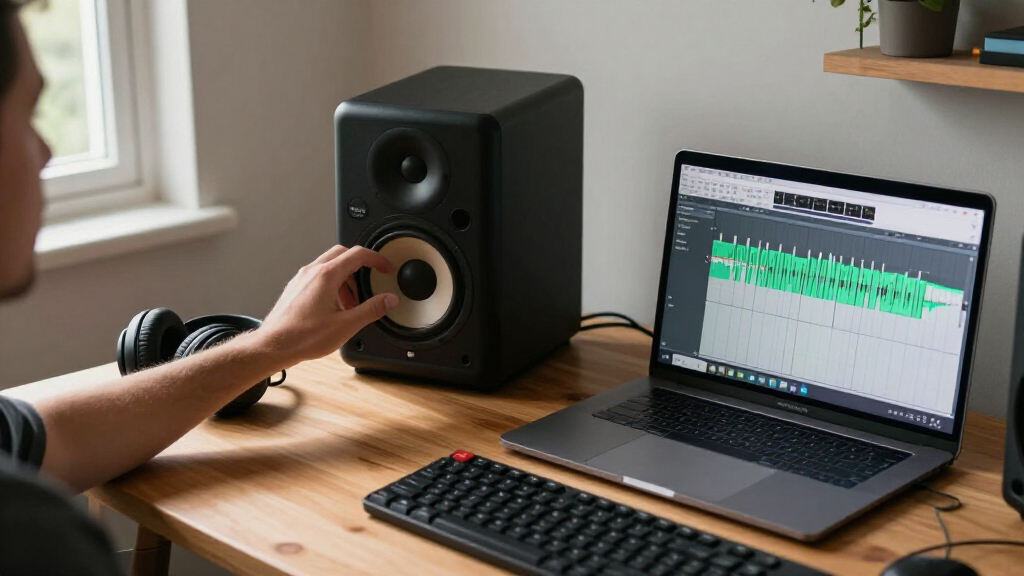
I compared these studio monitor speakers by their fit for practical recording and editing setups: driver and cabinet size, stated power and configuration, available inputs, listening controls, and the demands each design places on desk space and room placement. I also separated production-oriented features from conveniences such as Bluetooth, tone controls, and headphone outputs, since those features serve different needs.
The ranking favors speakers that balance useful monitoring capability with flexible placement and a clear role for a home studio. The JBL 305P MkII ranks first for its combination of five-inch format and room adjustments; the Yamaha HS5 follows for buyers who value a reference-focused presentation. Smaller, more accessible models rank well for desktop fit and everyday value, while Bluetooth-focused and bookshelf-style options are better matches for mixed listening than for buyers seeking a dedicated mixing reference. Duplicate color or naming entries are treated as variants, not separate performance breakthroughs.
Factors to Consider When Choosing Studio Monitor Speakers
Choosing a monitor is less about chasing the largest spec and more about matching the speaker to your room, listening distance, and work. I’d settle those practical details before choosing between a reference-oriented model and a more convenient desktop speaker.
Match Speaker Size to Your Room and Listening Distance
A larger woofer can support fuller low frequencies, but it also needs enough space and sensible placement to work well. In a small untreated room, moving up in size may make bass harder to judge rather than more accurate. For close listening at a desk, compact models can be a better fit if you accept that the lowest notes will be less present. Avoid choosing solely by woofer diameter: cabinet design, room boundaries, and listening distance all affect what reaches your ears. If your work depends on deep bass, a suitable subwoofer and room setup may be more useful than simply buying the biggest pair you can fit.
Prioritize the Inputs Your Setup Actually Uses
List the sources you need to connect before comparing speakers. A music interface with balanced outputs may call for balanced inputs, while a computer or phone setup may benefit from simpler consumer connections or Bluetooth. Extra input types can reduce adapter clutter, but they do not improve the sound of a signal by themselves. Check whether the product listing describes a pair or a single speaker, and confirm what cables are included. A common mistake is buying for a convenient wireless feature, then discovering the wired connection needed for production is missing or requires an adapter.
Treat Room Controls as Placement Tools, Not Room Correction
Boundary and tone controls can help compensate for a speaker placed near a wall or on a reflective desk. They cannot fix major room problems such as strong echoes, uneven bass, or a poor listening position. Before spending more for adjustments, plan for symmetrical placement, tweeters near ear height, and a consistent distance between the two speakers and your seat. Small changes in position can matter more than a setting on the rear panel. If you cannot move your desk or speakers, prioritize models with useful adjustment options, then make modest changes and compare familiar recordings.
Decide Whether You Need a Mixing Reference or an Everyday Speaker
Studio monitors are intended to help you hear details and judge a mix, while many desktop and bookshelf models also emphasize convenience for casual playback. Bluetooth, headphone outputs, and tone controls can be practical when one pair serves work and entertainment. Those features should not be mistaken for proof that a speaker will translate every mix accurately. If production is the main task, favor an appropriate wired connection and a consistent listening setup. If you mainly edit audio, watch videos, or listen to music at a desk, flexibility may matter more than a strictly reference-focused presentation.
Budget for the Whole Monitoring Setup
The speakers are only one part of a useful monitoring system. Stands or isolation pads can reduce desk vibration, and a basic audio interface may give you cleaner, more practical connections than a computer’s headphone output. Room treatment and careful placement can improve decision-making more than a small upgrade between neighboring models. At the same time, accessories cannot make an undersized speaker reproduce bass it was not designed to handle. Spend first on a pair that fits your room and workflow, then add equipment only when a specific limitation becomes clear.
Frequently Asked Questions
Are Bluetooth studio monitors suitable for mixing?
Bluetooth is useful for casual playback and checking how a track sounds from a phone, but I would not make it the only connection for mixing. Wireless playback can add processing or latency, and it may not match the wired signal path you use for production. Choose a model with a suitable wired input for your interface or computer, then treat Bluetooth as an extra convenience. If you mainly need speakers for editing and everyday listening, wireless support may be a welcome feature. The right choice depends on whether reference work or flexible playback comes first.
Should I buy a three-inch, four-inch, or five-inch monitor for a small room?
Start with your listening distance and available space, not a rule that one woofer size suits every small room. A three-inch model can fit a tight desk and close listening position, while a four- or five-inch speaker may offer more body if you can place it properly. Larger speakers can excite room bass problems, especially when pushed close to walls. Smaller models may leave low notes harder to judge, which matters for bass-heavy work. If possible, plan your placement first and choose the largest pair your room can support without crowding your listening position.
Do I need an audio interface to use active studio monitors?
No; active monitors can often connect directly to a computer or another source if the inputs match. An audio interface is useful when you need appropriate outputs, microphone recording, lower-latency workflows, or more control over monitoring. Check the speaker inputs and your source outputs before buying, since a mismatch may call for cables or adapters. For simple desktop playback, a direct connection may be enough. For recording and mixing, an interface can make the setup more practical even though it is not required to power active speakers.
Can one pair of studio monitors work for both mixing and everyday listening?
Yes, if the speakers fit your room and you are comfortable using them for both tasks. Reference-oriented monitors can reveal mix details, while models with Bluetooth, headphone outputs, or tone controls may make daily use easier. Switching between familiar reference tracks and your own work helps you avoid judging a mix only by whether it sounds pleasing on one pair. Keep the listening position and level reasonably consistent when making production decisions. If convenience features matter more than mix translation, a desktop-oriented model may suit you better than a more specialized monitor.
Is a subwoofer necessary with compact studio monitors?
A subwoofer is not required for every compact setup. It can help when you regularly work with deep bass, but adding one without careful crossover and level matching can make low-frequency decisions less reliable. First learn what your compact speakers can reproduce and check your mixes on headphones or another playback system. A well-positioned subwoofer can extend the range, but it also takes space and may excite room modes. If your work rarely depends on very low frequencies, investing in placement and room treatment may be a better first step.
Conclusion
For the best overall balance in this roundup, I’d choose the JBL 305P MkII, especially if room adjustments and a five-inch format suit your setup. The Yamaha HS5 is my best premium-style reference pick for buyers who want a more focused production tool, while the PreSonus Eris 3.5 is the best value and beginner-friendly choice for a compact desk. Choose the Yamaha HS4 when footprint matters but you still want a monitor-oriented setup; pick an Edifier MR3 or Ortizan C7 if Bluetooth and flexible everyday playback are high priorities. For buyers who need more room to grow than a tiny desktop pair can offer, compare the larger-format options and plan for placement before choosing. Match the speaker to the work you do most, rather than paying for features your room or workflow cannot use.
Fall Picks
fall essentials
As an affiliate, we earn on qualifying purchases.