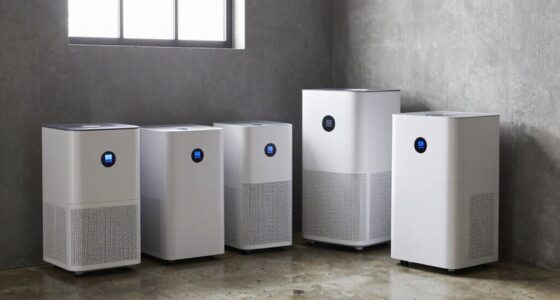
When selecting a mini PC for virtualization, it’s essential to prioritize CPU power, RAM capacity, and expandability, as these directly impact performance and scalability. The TK Node Mini PC stands out as the best overall choice due to its robust AMD Ryzen processor and ample RAM, making it versatile for various virtual environments. For those needing high-speed network connectivity, the Qotom Q20342G9 with 10G SFP+ ports offers superior network performance, ideal for enterprise setups. Meanwhile, the GEEKOM A8 with Ryzen 7 8745HS provides a powerful CPU for intensive workloads but comes with a higher price tag. Continue reading to see how these and other options compare to meet different virtualization needs in 2026.

Get business pricing on monitors, keyboards and dev gear
- Business-only prices and quantity discounts
- Tax-exempt purchasing
- Multiple users, one account, clear invoices
Key Takeaways
- High CPU core count and RAM are critical for smooth virtualization performance.
- Expandability options like additional RAM slots and multiple network ports set top-tier mini PCs apart.
- Powerful processors like Ryzen 7 outperform lower-tier chips in demanding virtual environments.
- Network connectivity features, especially 10G Ethernet, are essential for enterprise or heavy data transfer tasks.
- Compact form factors often trade off upgradeability, so consider future scalability needs carefully.
| TK Node Mini PC – Proxmox + Home Assistant, AMD R2514, 16GB RAM, 512GB SSD |  | Best Overall for Versatile Virtualization and Automation | Processor: AMD R2514, 8-thread, 2.1 GHz (up to 3.7 GHz) | RAM: 16GB DDR4 SDRAM, expandable to 64GB | Storage: 512GB SSD, supports up to 4TB NVMe SSDs | VIEW ON AMAZON | See Our Full Breakdown |
| KAMRUI AK1PLUS Mini PC Computer, Intel N5030, 12GB RAM, 256GB SSD, Dual 4K Support, Expandable Storage, WiFi, Bluetooth, Ethernet |  | Best for Light Productivity and Dual 4K Display Use | Processor: Intel N5030, up to 3.1GHz | RAM: 12GB LPDDR4 | Storage: 256GB SSD, expandable to 4TB | VIEW ON AMAZON | See Our Full Breakdown |
| GEEKOM A8 Mini PC, Ryzen 7 8745HS, 16GB DDR5 RAM, 1TB SSD |  | Best for Power Users and Creative Workloads | Processor: Ryzen 7 8745HS, up to 4.9GHz | RAM: 16GB DDR5, upgradeable to 128GB | Storage: 1TB PCIe 4.0 NVMe SSD | VIEW ON AMAZON | See Our Full Breakdown |
| Qotom Mini PC Q20342G9 Atom C3808, 4x10G SFP+ & 5×2.5G LAN Barebone |  | Best for High-Speed Networking and Industrial Environments | Processor: Intel Atom C3808, 12-core, 2.00 GHz | Memory: Up to 64 GB DDR4 SODIMM | Storage: 2x M.2 NVMe SSD slots, 2x 2.5-inch SATA bays | VIEW ON AMAZON | See Our Full Breakdown |
| Qotom Q20332G9 S20 Mini PC Intel C3758 Barebone |  | Best DIY Network and Virtualization Barebone | Main Ports: VGA, SIM Slot, Type C, Mini SAS, 5 LAN, 4 SFP(+) | CPU: Intel Atom C3758, 8 cores, 2.2GHz | Configuration: Barebone (no RAM, SSD, OS) | VIEW ON AMAZON | See Our Full Breakdown |
| C4 SE Mini PC, Ryzen 5 3500U, 8GB DDR4, 256GB NVMe SSD |  | Best Overall for Versatile Business Use | Processor: Ryzen 5 3500U (up to 3.7GHz) | RAM: 8GB DDR4 (expandable up to 32GB) | Storage: 256GB NVMe SSD | VIEW ON AMAZON | See Our Full Breakdown |
| GEEKOM iX12 Mini PC Fanless, Intel N95, DDR5 8GB, 256GB SSD |  | Best for Industrial and Edge Environments | Processor: Intel N95 | Memory: 8GB DDR5 4800MHz | Storage: 256GB SSD | VIEW ON AMAZON | See Our Full Breakdown |
| BOSGAME E5 Plus Mini PC Ryzen 5400U, 8GB Upgradable RAM, 256GB SATA SSD |  | Best for Power and Upgradability in Office Tasks | Processor: AMD Ryzen 5400U, 2.6GHz base, 4.0GHz boost | RAM: 8GB DDR4 (upgradable to 64GB) | Storage: 256GB SATA SSD, additional M.2 NVMe slot | VIEW ON AMAZON | See Our Full Breakdown |
| BOSGAME E5 11 Pro Mini PC, AMD Ryzen 5300U, 8GB RAM, 256GB SSD |  | Best for Business Multitasking and Dual Network | Processor: AMD Ryzen 3 5300U (up to 3.8GHz) | RAM: 8GB DDR4 | Storage: 256GB NVMe SSD | VIEW ON AMAZON | See Our Full Breakdown |
| C4 SE Mini PC with Ryzen 5 3500U, 8GB DDR4 RAM, 256GB SSD, Triple Display Support, Dual Gigabit Ethernet, WiFi 5, Bluetooth 5.0, Upgradeable |  | Best for Compact Multi-Display Productivity | Processor: Ryzen 5 3500U (up to 3.7GHz) | RAM: 8GB DDR4 (expandable to 32GB) | Storage: 256GB SSD | VIEW ON AMAZON | See Our Full Breakdown |
| mini pcs for virtualization | Processor | Storage | RAM | Graphics |
|---|---|---|---|---|
| TK Node Mini PC | AMD R2514, 8-thread, 2.1 GHz (up to 3.7 GHz) | 512GB SSD, supports up to 4TB NVMe SSDs | 16GB DDR4 SDRAM, expandable to 64GB | Integrated AMD Radeon graphics |
| KAMRUI AK1PLUS Mini PC Compute | Intel N5030, up to 3.1GHz | 256GB SSD, expandable to 4TB | 12GB LPDDR4 | Intel UHD Graphics |
| GEEKOM A8 Mini PC | Ryzen 7 8745HS, up to 4.9GHz | 1TB PCIe 4.0 NVMe SSD | 16GB DDR5, upgradeable to 128GB | AMD Radeon 780M integrated |
| Qotom Mini PC Q20342G9 Atom C3 | Intel Atom C3808, 12-core, 2.00 GHz | 2x M.2 NVMe SSD slots, 2x 2.5-inch SATA bays | — | — |
| Qotom Q20332G9 S20 Mini PC Int | — | — | — | — |
| C4 SE Mini PC | Ryzen 5 3500U (up to 3.7GHz) | 256GB NVMe SSD | 8GB DDR4 (expandable up to 32GB) | Radeon Vega 8 |
| GEEKOM iX12 Mini PC Fanless | Intel N95 | 256GB SSD | — | — |
| BOSGAME E5 Plus Mini PC Ryzen | AMD Ryzen 5400U, 2.6GHz base, 4.0GHz boost | 256GB SATA SSD, additional M.2 NVMe slot | 8GB DDR4 (upgradable to 64GB) | AMD Radeon Vega 8 |
| BOSGAME E5 11 Pro Mini PC | AMD Ryzen 3 5300U (up to 3.8GHz) | 256GB NVMe SSD | 8GB DDR4 | AMD Radeon Graphics |
| C4 SE Mini PC with Ryzen 5 350 | Ryzen 5 3500U (up to 3.7GHz) | 256GB SSD | 8GB DDR4 (expandable to 32GB) | Radeon Vega 8 |
More Details on Our Top Picks
TK Node Mini PC – Proxmox + Home Assistant, AMD R2514, 16GB RAM, 512GB SSD
The TK Node Mini PC stands out for its preinstalled Proxmox VE and Home Assistant, making it an excellent choice for those who want an out-of-the-box solution for virtualization and home automation. Its compact size belies its capability, supporting multiple 4K displays and expandable RAM and storage—up to 64GB and 4TB—offering future-proofing. Compared to the GEEKOM A8, which excels in raw processing power, the TK Node’s advantage is in its flexibility for varied virtual environments. Its limited HDMI port and lack of a dedicated GPU mean it isn’t suited for graphics-intensive tasks, but for continuous virtual server operation, it’s hard to beat. This pick is ideal for tech-savvy users seeking a reliable, space-efficient virtualization hub with automation features.
Pros:- Preinstalled with Proxmox VE and Home Assistant for immediate use
- Supports multiple 4K displays for versatile setups
- Compact size with flexible placement options
- Expandable RAM up to 64GB and storage to 4TB
Cons:- Limited to 1 HDMI port, reducing simple multi-display options
- Requires technical knowledge to customize and optimize
Best for: Tech enthusiasts and home lab builders looking for an integrated virtualization and automation device
Not ideal for: Users requiring high-end graphics or gaming performance, or those with limited technical skills needing plug-and-play solutions
- Processor:AMD R2514, 8-thread, 2.1 GHz (up to 3.7 GHz)
- RAM:16GB DDR4 SDRAM, expandable to 64GB
- Storage:512GB SSD, supports up to 4TB NVMe SSDs
- Graphics:Integrated AMD Radeon graphics
- Display Outputs:HDMI, DisplayPort, USB-C
- Network:Gigabit Ethernet, WiFi, Bluetooth
- Dimensions:5 x 5 x 1.7 inches
- Ports:7 USB ports, 1 HDMI port, 2 NVMe slots
Our verdict“This device is perfect for experienced users needing a reliable, space-saving virtualization platform with automation capabilities.”
KAMRUI AK1PLUS Mini PC Computer, Intel N5030, 12GB RAM, 256GB SSD, Dual 4K Support, Expandable Storage, WiFi, Bluetooth, Ethernet
The KAMRUI AK1PLUS offers a balanced blend of performance and simplicity, powered by an Intel N5030 processor that handles everyday multitasking with ease. Its support for dual 4K displays makes it suitable for productivity setups, especially compared to the Qotom Q20342G9, which is more focused on networking than user-facing tasks. While it can support expansion up to 4TB, it’s primarily suited to light workloads—heavy virtualization or server tasks are outside its scope. Its lack of a dedicated GPU means it isn’t fit for gaming or intensive graphics work, but its multiple connectivity options make it versatile for office and home use. This device makes sense for casual users who want reliable dual-display capability in a compact form.
Pros:- Supports dual 4K display output for enhanced productivity
- Expandable storage up to 4TB for media and files
- Multiple connectivity options including USB, HDMI, Ethernet
- Compact and space-efficient design
Cons:- Limited to light computing tasks, not suited for intense workloads
- No dedicated graphics card for high-end visual tasks
Best for: Home users and small office workers needing dual 4K display support for general tasks
Not ideal for: Heavy virtualization or demanding workloads, or users needing dedicated graphics for gaming or multimedia editing
- Processor:Intel N5030, up to 3.1GHz
- RAM:12GB LPDDR4
- Storage:256GB SSD, expandable to 4TB
- Graphics:Intel UHD Graphics
- Display Outputs:2× HDMI 2.0 (supports 4K@60Hz)
- Connectivity:WiFi, Bluetooth, Gigabit Ethernet, 4× USB 3.2, 3.5mm audio
- Expansion Support:Supports M.2 SATA/NVMe SSD up to 2TB
- Size:Compact, space-saving design
Our verdict“This mini PC is ideal for users seeking a reliable, dual-4K display setup for everyday tasks and light multitasking.”
GEEKOM A8 Mini PC, Ryzen 7 8745HS, 16GB DDR5 RAM, 1TB SSD
The GEEKOM A8 delivers serious processing power with a Ryzen 7 8745HS and DDR5 RAM, making it suitable for demanding virtualization environments and creative tasks. Its VESA-compatible, compact 0.5-liter form factor is a plus for space-constrained setups, and its 1TB PCIe 4.0 SSD ensures fast data access. Compared to the TK Node, the GEEKOM excels in raw CPU performance, but it’s limited to integrated AMD Radeon 780M graphics, which restricts its suitability for high-end gaming or GPU-accelerated workloads. Its cooling system keeps noise levels low, and the upgraded RAM makes it future-proof. However, its integrated graphics mean it’s not ideal for GPU-accelerated virtual machines or graphics-intensive tasks. This model makes the most sense for professionals needing a powerful, space-efficient machine for AI, editing, or multitasking.
Pros:- Powerful AMD Ryzen 7 8745HS processor for demanding workloads
- Supports up to 128GB DDR5 RAM for extensive multitasking
- VESA mountable and space-efficient design
- Fast 1TB PCIe 4.0 SSD for quick data access
Cons:- Limited to integrated AMD Radeon graphics, not suitable for GPU-intensive tasks
- Requires external peripherals for complete setup
Best for: Creative professionals and power users requiring high CPU performance in a compact form
Not ideal for: Gamer or users needing dedicated graphics for intensive visual tasks or high-end gaming
- Processor:Ryzen 7 8745HS, up to 4.9GHz
- RAM:16GB DDR5, upgradeable to 128GB
- Storage:1TB PCIe 4.0 NVMe SSD
- Graphics:AMD Radeon 780M integrated
- Operating System:Windows 11, Linux compatible
- Dimensions:4.4 x 4.4 x 1.5 inches
- Network:Wi-Fi 6E, 2.5GbE LAN
- Cooling:IceBlast 2.0 cooling system
Our verdict“This mini PC is best suited for creative professionals and power users needing strong CPU performance in a small footprint.”
Qotom Mini PC Q20342G9 Atom C3808, 4x10G SFP+ & 5×2.5G LAN Barebone
The Qotom Q20342G9 excels in network-heavy roles, featuring 10GbE and 2.5GbE ports with dual SFP+ fiber interfaces, ideal for high-throughput virtualized network environments. Its 12-core Atom C3808 processor is modest in performance but sufficient for routing, firewall, or server tasks that prioritize bandwidth over raw CPU power. Compared with the GEEKOM A8, which targets creative workloads, the Qotom’s strength lies in its extensive network options and rugged, fanless design, making it suitable for industrial or enterprise settings. Its multiple M.2 NVMe slots and SATA bays allow for substantial storage expansion, but it’s a barebone system requiring your own SSD, RAM, and OS. This makes it perfect for experienced users building dedicated network appliances or virtualization hosts in challenging environments.
Pros:- High-speed 10GbE and 2.5GbE networking for demanding network tasks
- Fanless, rugged aluminum case suitable for industrial use
- Multiple expansion options including M.2 NVMe and SATA bays
- Compatible with various open-source operating systems
Cons:- Requires setup and additional components like RAM, SSD, OS
- Heavy and less portable due to its robust build
Best for: Network administrators and industrial users needing high-speed, reliable networking hardware
Not ideal for: General users or those seeking a plug-and-play mini PC for everyday tasks or virtualization with GUI
- Processor:Intel Atom C3808, 12-core, 2.00 GHz
- Memory:Up to 64 GB DDR4 SODIMM
- Storage:2x M.2 NVMe SSD slots, 2x 2.5-inch SATA bays
- Networking:4x 10G SFP+ fiber ports, 5x 2.5G RJ45 LAN
- Dimensions:8.7 x 4.76 x 2.44 inches
- Operating System:Windows 10 (or Linux)
Our verdict“This device is ideal for networking professionals needing a rugged, high-bandwidth virtualization host or network appliance.”
Qotom Q20332G9 S20 Mini PC Intel C3758 Barebone
The Qotom Q20332G9 S20 is a barebone system tailored for experienced builders, featuring a versatile array of ports—including VGA, SIM slot, Type C, Mini SAS, and multiple LAN connections. Its Intel Atom C3758 processor offers 8 cores and 8 threads, providing a solid foundation for custom virtualization projects—once paired with your chosen RAM, SSD, and OS. Compared to the other Qotom model, the Q20342G9, this version offers a broader port selection suitable for complex networking and DIY setups. Its lack of pre-installed software and components means it’s less suited for beginners but excels in flexibility for advanced users. This is an excellent choice for those comfortable assembling their own mini virtualization server, especially in network-heavy environments.
Pros:- Versatile port array for complex networking and virtualization setups
- Compatible with multiple open-source operating systems
- High customization potential for advanced users
- Compact, DIY-ready hardware design
Cons:- Requires additional components like RAM, SSD, and OS
- No pre-installed software or OS, so setup is more involved
Best for: Advanced users and network professionals looking to build custom virtualization or networking appliances
Not ideal for: Beginners or users seeking ready-to-run mini PCs for simple virtualization tasks
- Main Ports:VGA, SIM Slot, Type C, Mini SAS, 5 LAN, 4 SFP(+)
- CPU:Intel Atom C3758, 8 cores, 2.2GHz
- Configuration:Barebone (no RAM, SSD, OS)
Our verdict“This barebone is best suited for experienced builders wanting full control over their virtualization and networking environment.”
C4 SE Mini PC, Ryzen 5 3500U, 8GB DDR4, 256GB NVMe SSD
The C4 SE Mini PC stands out for its impressive balance of power and flexibility, especially with its Ryzen 5 3500U processor and support for three 4K displays. Compared to the BOSGAME E5 Plus, it offers more advanced connectivity options like dual Gigabit Ethernet and extensive display output, making it ideal for digital signage or office multitasking. Its main tradeoff is limited storage at 256GB, which, while expandable, may require additional investment. The integrated Radeon Vega 8 graphics and expandable RAM make it suitable for light media tasks and business applications, but it won’t handle high-end gaming or intensive graphics workloads. Overall, this model is best suited for users needing a reliable, expandable mini PC with multi-monitor support in a business or digital signage setting.
Pros:- Powerful Ryzen 5 processor with integrated Radeon Vega 8 graphics
- Supports three 4K displays simultaneously
- Expandable RAM up to 32GB and storage options
- Rich connectivity including dual Gigabit Ethernet and WiFi 5
Cons:- Limited to 256GB SSD storage, requiring upgrades for large files
- No dedicated graphics card for demanding gaming or graphics-intensive tasks
Best for: Small business owners, digital signage operators, and office environments needing multi-display setups
Not ideal for: Gamers or users requiring dedicated high-performance graphics or large storage capacity without upgrades
- Processor:Ryzen 5 3500U (up to 3.7GHz)
- RAM:8GB DDR4 (expandable up to 32GB)
- Storage:256GB NVMe SSD
- Graphics:Radeon Vega 8
- Display Output:Triple 4K@60Hz (HDMI 2.0, DP, USB-C)
- Network:Dual Gigabit LAN, WiFi 5, Bluetooth 5.0
Our verdict“This mini PC is an excellent choice for users who need flexible display options and expandability for business or signage tasks.”
GEEKOM iX12 Mini PC Fanless, Intel N95, DDR5 8GB, 256GB SSD
The GEEKOM iX12 is designed for continuous operation in demanding industrial settings, with its fanless, rugged metal chassis and enterprise security features. Unlike the BOSGAME E5 Plus, which is targeted at general business and multimedia tasks, the iX12 excels in environments where noise, durability, and security matter most. Its support for virtualization, TPM 2.0, and AES-NI makes it suitable for secure edge computing, but it is limited to Linux OS and lacks a dedicated GPU, restricting high-end graphics or gaming. The complex setup and industrial build make it less accessible for typical home or office users. This pick makes the most sense for organizations needing reliable, silent, and secure mini PCs for 24/7 operation in industrial or control room settings.
Pros:- Fanless design ensures silent operation and durability
- Built for 24/7 industrial reliability
- Supports enterprise security, TPM 2.0, and virtualization
- Multiple high-speed network ports with cellular failover
Cons:- Limited to Linux OS, restricting software flexibility
- No dedicated GPU, unsuitable for graphics-intensive tasks
- Setup complexity may require technical expertise
Best for: Industrial operators, edge computing deployments, and secure enterprise environments
Not ideal for: Home users or gamers seeking high-performance graphics or plug-and-play simplicity
- Processor:Intel N95
- Memory:8GB DDR5 4800MHz
- Storage:256GB SSD
- Video Output:HDMI
- Network Ports:Four 2.5G ports, optional 5G failover
- Power Consumption:15 watts
Our verdict“This device is ideal for industrial, edge, or security-sensitive deployments where durability and silent operation are priorities.”
BOSGAME E5 Plus Mini PC Ryzen 5400U, 8GB Upgradable RAM, 256GB SATA SSD
The BOSGAME E5 Plus offers a robust AMD Ryzen 5400U processor with up to 64GB RAM support, making it a strong candidate for multitasking and productivity. Compared with the BOSGAME E5 11 Pro, it has a slightly more powerful CPU and better upgrade potential. Its triple 4K display outputs and dual 2.5GbE LAN ports cater well to multi-monitor setups and high-speed networking. However, its initial 8GB RAM means some users will need to upgrade for heavier multitasking, and the total storage at 256GB could require additional investments. Its compact size coupled with Windows 11 Pro makes it suitable for professional environments needing flexible, upgradeable hardware.
Pros:- Powerful AMD Ryzen 5400U CPU with support for up to 64GB RAM
- Supports three 4K displays for increased productivity
- Dual 2.5GbE LAN ports for fast network connectivity
- Pre-installed with Windows 11 Pro, ready for work
Cons:- Initial 8GB RAM may limit heavy multitasking
- 256GB SSD might require upgrades for large data storage
- Limited details on power supply and upgrade paths
Best for: Office professionals, multimedia users, and small business owners who want upgrade flexibility
Not ideal for: High-end gamers or users needing large out-of-the-box storage without upgrades
- Processor:AMD Ryzen 5400U, 2.6GHz base, 4.0GHz boost
- RAM:8GB DDR4 (upgradable to 64GB)
- Storage:256GB SATA SSD, additional M.2 NVMe slot
- Graphics:AMD Radeon Vega 8
- Network:Dual 2.5GbE LAN, Wi-Fi 5, Bluetooth 5.0
- Display Outputs:HDMI, DisplayPort, USB-C
Our verdict“This mini PC is best for users who need powerful multitasking capabilities and future-proof upgrade options in a compact form.”
BOSGAME E5 11 Pro Mini PC, AMD Ryzen 5300U, 8GB RAM, 256GB SSD
The BOSGAME E5 11 Pro is designed for business environments, combining a Ryzen 3 5300U processor with dual 2.5GbE LAN ports, making it particularly suited for network-intensive tasks. While less powerful than the BOSGAME E5 Plus, it offers solid multitasking with 8GB RAM and supports triple 4K displays. Its quiet cooling system and VESA mount add to its versatility for office spaces. The main limitation is its initial 8GB RAM, which might need upgrading for demanding multitasking, and the absence of an included second SSD, requiring additional storage investments. Its compact size and Linux support make it well-suited for small business or home office applications.
Pros:- Multi-core AMD Ryzen 3 5300U processor
- Supports triple 4K display outputs
- Dual 2.5GbE LAN ports for high-speed networking
- VESA mount and quiet cooling design
Cons:- Pre-installed 8GB RAM limits immediate multitasking capacity
- Additional storage needed for large files
- Power supply details are not specified
Best for: Small offices, home workers, and network-heavy multitaskers needing dual LAN ports
Not ideal for: High-end gaming or graphics-intensive creative work out of the box
- Processor:AMD Ryzen 3 5300U (up to 3.8GHz)
- RAM:8GB DDR4
- Storage:256GB NVMe SSD
- Graphics:AMD Radeon Graphics
- Display Outputs:HDMI, DisplayPort, USB-C
- Network:Dual 2.5GbE LAN
Our verdict“This mini PC is a solid choice for network-heavy office tasks and small business setups with its dual Ethernet and multi-monitor support.”
C4 SE Mini PC with Ryzen 5 3500U, 8GB DDR4 RAM, 256GB SSD, Triple Display Support, Dual Gigabit Ethernet, WiFi 5, Bluetooth 5.0, Upgradeable
The C4 SE Mini PC combines a Ryzen 5 3500U processor with support for three 4K displays, making it ideal for productivity setups that demand multiple screens. Compared to the GEEKOM iX12, which is industrial and security-focused, the C4 SE offers a more consumer-friendly design and Windows support, suited for office and home environments. While its 256GB SSD is manageable for lighter use, it can be upgraded for more storage. The device’s expandable RAM and broad connectivity make it adaptable for various multi-monitor applications, though it lacks a dedicated GPU for gaming or heavy graphics tasks. This pick is perfect for users prioritizing display versatility in a small, upgradeable package.
Pros:- Supports three 4K displays with multiple output options
- Powerful Ryzen 5 processor with integrated Vega graphics
- Expandable RAM and storage for future needs
- Rich connectivity including dual Gigabit Ethernet
Cons:- Limited initial storage at 256GB SSD, may require upgrades
- No dedicated graphics card for demanding visual tasks
Best for: Professionals, remote workers, and digital signage users needing multiple high-res displays
Not ideal for: High-end gamers or users requiring intensive graphics processing without upgrades
- Processor:Ryzen 5 3500U (up to 3.7GHz)
- RAM:8GB DDR4 (expandable to 32GB)
- Storage:256GB SSD
- Graphics:Radeon Vega 8
- Display Output:Triple 4K@60Hz (HDMI 2.0, DP, USB-C)
- Network:Dual Gigabit Ethernet, WiFi 5
Our verdict“This mini PC is a versatile choice for multi-monitor setups and productivity-focused environments needing expandability.”

How We Picked
In evaluating these mini PCs for virtualization, I focused on core performance metrics like CPU power, RAM capacity, and storage options, since they directly impact the ability to run multiple virtual machines smoothly. Usability factors such as expandability, network connectivity, and build quality were also critical, as they influence long-term value and flexibility. I prioritized models that balance performance with reliability and considered how each device suits different user needs—from home labs to enterprise environments. The ranking reflects a combination of raw specs, upgrade potential, and real-world versatility, ensuring options appeal to a range of virtualization scenarios.| mini pcs for virtualization | Graphics | Network |
|---|---|---|
| TK Node Mini PC | Integrated AMD Radeon graphics | Gigabit Ethernet, WiFi, Bluetooth |
| KAMRUI AK1PLUS Mini PC Compute | Intel UHD Graphics | — |
| GEEKOM A8 Mini PC | AMD Radeon 780M integrated | Wi-Fi 6E, 2.5GbE LAN |
| Qotom Mini PC Q20342G9 Atom C3 | — | — |
| Qotom Q20332G9 S20 Mini PC Int | — | — |
| C4 SE Mini PC | Radeon Vega 8 | Dual Gigabit LAN, WiFi 5, Bluetooth 5.0 |
| GEEKOM iX12 Mini PC Fanless | — | — |
| BOSGAME E5 Plus Mini PC Ryzen | AMD Radeon Vega 8 | Dual 2.5GbE LAN, Wi-Fi 5, Bluetooth 5.0 |
| BOSGAME E5 11 Pro Mini PC | AMD Radeon Graphics | Dual 2.5GbE LAN |
| C4 SE Mini PC with Ryzen 5 350 | Radeon Vega 8 | Dual Gigabit Ethernet, WiFi 5 |
Factors to Consider When Choosing Mini Pcs For Virtualization
Choosing the right mini PC for virtualization involves balancing several key factors. While raw power is vital, consider how much expandability you need for future growth. Network capabilities can be decisive depending on your workload, especially for enterprise use. Additionally, the form factor and build quality impact longevity and ease of maintenance. Finally, be wary of overpaying for features you won’t use, and consider the ecosystem for managing and updating your virtual environment.Performance and CPU Power
For virtualization, a powerful CPU with multiple cores is essential to handle concurrent virtual machines without lag. AMD Ryzen and Intel Core processors with at least four cores are common starting points, but higher core counts significantly improve multitasking. Avoid underpowered chips, which can bottleneck your environment. Remember, investing in a stronger CPU often results in better long-term value, especially if your workload grows over time.
Memory and Storage Options
RAM is a critical factor; at minimum, 8GB is the baseline, but 16GB or more is preferable for multiple VMs. Look for mini PCs with expandable RAM slots, as this provides flexibility for future upgrades. Storage speed and capacity also matter—NVMe SSDs offer faster VM performance, and additional storage options can help manage large data sets. Be mindful of how easy it is to upgrade these components later to maximize your investment.
Network Connectivity
For virtualization environments that involve network-heavy workloads, multiple Ethernet ports and high-speed options like 10G Ethernet are game-changers. Integrated WiFi is convenient but less reliable for high-performance tasks. Choosing a mini PC with robust network features prevents bottlenecks and ensures smooth data flow, especially in server or enterprise settings. Don’t overlook the importance of future-proofing your network capability in your initial selection.
Expandability and Upgradability
Many mini PCs are limited in upgrade paths, so assess how much room there is to add RAM, storage, or network cards. Devices with accessible slots save money and extend lifespan by allowing hardware upgrades. However, compact designs often restrict expansion, so if scalability is a priority, select models that balance size with upgrade options. This approach can be particularly valuable as virtualization needs evolve over time.
Form Factor and Reliability
Mini PCs should fit seamlessly into your workspace without sacrificing durability. Look for sturdy build quality and quiet operation, especially if the device will run continuously. Smaller form factors may limit cooling, which can affect performance during prolonged workloads. Consider models with proven reliability, especially for long-term virtualization projects that demand consistent uptime and stability.
Frequently Asked Questions
Can I run multiple virtual machines on a mini PC with 8GB of RAM?
Running multiple VMs on a mini PC with 8GB of RAM is possible, but it depends on the workload. For light use or a few small VMs, it can suffice, especially if you optimize settings and use lightweight OS images. However, for more intensive or numerous virtual machines, 16GB or more is recommended to prevent performance bottlenecks. Always consider your specific workload and plan for future expansion if needed.
Is a high-core-count CPU necessary for virtualization?
While a quad-core or higher CPU greatly improves performance, the necessity depends on your workload. For basic tasks or home lab setups, a lower-core CPU may be adequate. For running multiple VMs or demanding applications, higher-core CPUs like Ryzen 7 or Intel i7 are beneficial, providing better multitasking and responsiveness. The key is matching CPU power to your expected VM load for smooth operation.
Should I prioritize network speed over CPU power?
Network speed becomes critical if your virtual environment involves high data transfer rates, such as enterprise workloads or media streaming. In these cases, investing in a mini PC with 10G Ethernet or multiple network ports can prevent bottlenecks. However, for most home or development setups, CPU power and RAM tend to have a more immediate impact on VM performance. Balance your choice based on the primary use case.
Are mini PCs with passive cooling suitable for virtualization?
Fanless mini PCs are silent and energy-efficient but may face thermal challenges under heavy workloads. Prolonged virtualization tasks generate heat, which can throttle performance if cooling isn’t adequate. For light or intermittent use, fanless models work well, but for sustained, high-load environments, active cooling models are more reliable. Always check thermal specifications and cooling solutions for your intended workload.
How important is upgradeability in a mini PC for virtualization?
Upgradeability is vital if you plan to expand your virtual environment over time. Devices with accessible RAM slots, additional storage bays, or expansion ports allow you to enhance performance without replacing the entire unit. Compact designs often limit this flexibility, so consider your future needs when selecting a model. Investing in upgrade-friendly hardware can extend the useful life of your mini PC and accommodate growing workloads.
Conclusion
For users seeking the best overall performance and flexibility, the TK Node Mini PC stands out as the top choice, especially for multi-VM setups. Those prioritizing network speed and enterprise features will find the Qotom Q20342G9 with its 10G ports ideal. Budget-conscious buyers or beginners should consider models like the C4 SE or BOSGAME E5 11 Pro, which offer solid performance at a lower price. Advanced users or those with demanding workloads may lean toward the GEEKOM A8 with its Ryzen 7 CPU, while scalability-focused buyers should look for units with more upgrade options. Match your specific virtualization needs with these recommendations to get the best value and performance in 2026.
Fall Picks
fall essentials
As an affiliate, we earn on qualifying purchases.