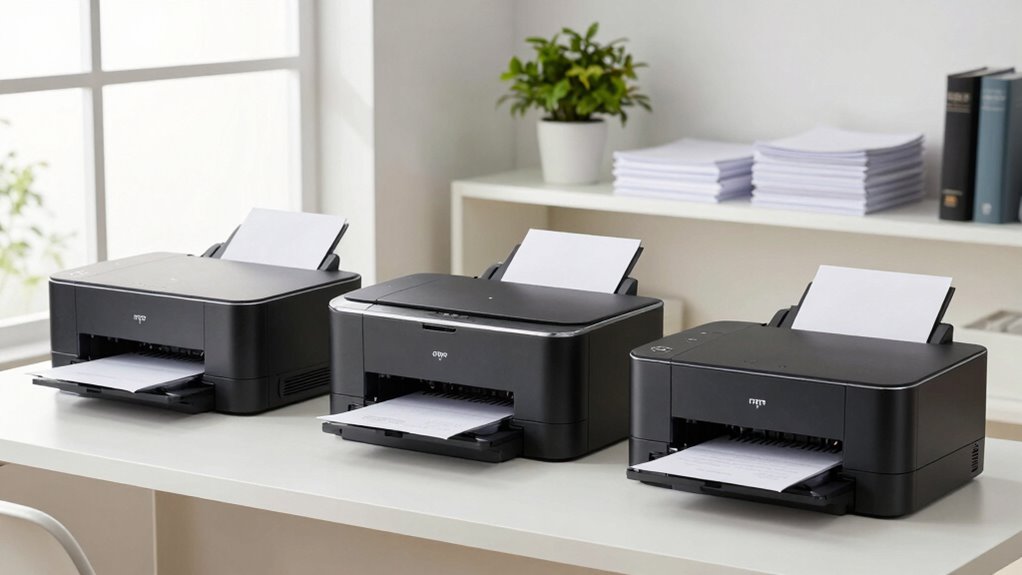

Choosing the right laser printer for a home office involves balancing print quality, speed, cost, and ease of use. The Brother HL-L2460DW stands out as the best overall pick thanks to its reliable performance and wireless capabilities. For those prioritizing color printing, the Canon Color imageCLASS LBP646Cdw offers crisp color output, though at a higher price. Many options in this category require tradeoffs between upfront cost, ongoing supplies, and features like scanning or duplexing. Continue reading for a detailed breakdown of each model to find the best fit for your needs.

Get business pricing on monitors, keyboards and dev gear
- Business-only prices and quantity discounts
- Tax-exempt purchasing
- Multiple users, one account, clear invoices
Key Takeaways
- Most top-performing laser printers balance speed and print quality without excessive ongoing costs.
- Color laser printers tend to be more expensive upfront and in toner replacements but are essential for specific home office needs.
- Multi-function models offer scanning and copying but often add to complexity and cost, making them better suited for those who need all-in-one capabilities.
- Wireless and mobile printing features are common in newer models, but compatibility and ease of setup vary.
- Compact designs are available but may sacrifice paper capacity or durability, so consider your volume requirements carefully.
| Brother HL-L2460DW Wireless Monochrome Laser Printer with Duplex and Mobile Printing |  | Best Overall for Small Home Offices | Print Speed: 36 pages per minute | Connectivity: Wi-Fi (dual-band), Ethernet, USB 2.0 | Paper Capacity: 250 sheets | VIEW ON AMAZON | See Our Full Breakdown |
| Brother HL-L2480DW Wireless Monochrome Multi-Function Laser Printer with Copy and Scan |  | Best for Small Teams Requiring Multi-Functionality | Print Speed: 36 pages per minute | Paper Capacity: 250 sheets | Connectivity: Wi-Fi, Ethernet, USB | VIEW ON AMAZON | See Our Full Breakdown |
| Brother DCP-L2640DW Wireless Monochrome Multi-Function Printer |  | Best for Small Business with Fast Printing & Scanning | Print Speed: 36 pages per minute | Scan Speed: 23.6/7.9 ipm | Auto Document Feeder: 50 pages | VIEW ON AMAZON | See Our Full Breakdown |
| HP LaserJet M110w Wireless Black & White Printer |  | Best for Solo Users or Very Small Teams | Print Speed: Up to 21 pages per minute | Connectivity: Wireless, Mobile Printing | Color: Black & White | VIEW ON AMAZON | See Our Full Breakdown |
| Canon Color imageCLASS LBP646Cdw Wireless Laser Printer, Duplex, 26 PPM, Print Only, White |  | Best for Color Printing in Small Spaces | Print Speed: 26 pages per minute | Print Technology: Laser | Color: Color | VIEW ON AMAZON | See Our Full Breakdown |
| Canon imageCLASS MF273dw Monochrome Wireless Laser Printer, Multifunction with Scanner and Copier | 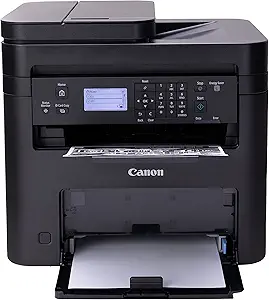 | Best Overall for Versatile Home Office Use | Print Speed: 30 PPM | First Print Out Time: 5.3 seconds | Functions: Print, Copy, Scan | VIEW ON AMAZON | See Our Full Breakdown |
| HP LaserJet Pro MFP 3105sdw Wireless Printer |  | Best for Fast, Secure Office Workflows | Print Speed: up to 33 ppm | Functions: Print, Scan, Copy | Connectivity: Wi-Fi | VIEW ON AMAZON | See Our Full Breakdown |
| HP LaserJet Pro MFP 3101sdw Wireless Black and White All-in-One Laser Printer |  | Best for Small Teams Needing High Capacity | Print Speed: up to 35 ppm | Input Tray Capacity: 250 sheets | Auto Document Feeder: 50 sheets | VIEW ON AMAZON | See Our Full Breakdown |
| HP LaserJet MFP M140w Wireless Black & White Printer, Print, Scan, Copy, Fast Speeds, Easy Setup, Mobile Printing |  | Best for Compact, Solo or Small Team Use | Printer Type: Laser | Functions: Print, Scan, Copy | Wireless: Yes | VIEW ON AMAZON | See Our Full Breakdown |
| HP LaserJet MFP M234sdw Wireless Printer, Print, Scan, Copy, Fast Speeds, Easy Setup, Mobile Printing |  | Best for Small Teams with Moderate Volume | Printer Type: Laser | Functions: Print, Scan, Copy | Print Speed: Up to 30 ppm | VIEW ON AMAZON | See Our Full Breakdown |
| Brother MFC-L2820DW Wireless Monochrome All-in-One Laser Printer | 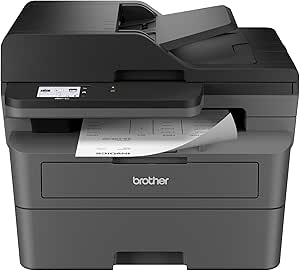 | Best Overall for Small Office Efficiency | Print Speed: 36 ppm | Scan Speed: 23.6/7.9 ipm | Auto Document Feeder: 50 pages | VIEW ON AMAZON | See Our Full Breakdown |
| Canon imageCLASS LBP646Cdw Wireless Color Laser Printer Bundle with Deco Gear Printing eBook & USB Cable |  | Best for Professional Color Output on a Budget | Print Speed: 26 ppm | Functionality: Print only | Connectivity: Wireless, USB | VIEW ON AMAZON | See Our Full Breakdown |
| Brother HL-L2405W Wireless Monochrome Laser Printer with Mobile Printing |  | Best Value for Basic Monochrome Printing | Print Speed: 30 pages per minute | Connectivity: Wi-Fi (dual-band), USB | Paper Capacity: 250 sheets | VIEW ON AMAZON | See Our Full Breakdown |
| HP Color LaserJet Pro MFP 3301sdw Wireless All-in-One Color Laser Printer |  | Best for Small Teams Requiring All-in-One Functionality | Print Speed: up to 26 ppm | Functions: Print, Scan, Copy | Connectivity: Wireless | VIEW ON AMAZON | See Our Full Breakdown |
| laser printers for home office | Print Speed | Connectivity | Functions |
|---|---|---|---|
| Brother HL-L2460DW Wireless Mo | 36 pages per minute | Wi-Fi (dual-band), Ethernet, USB 2.0 | — |
| Brother HL-L2480DW Wireless Mo | 36 pages per minute | Wi-Fi, Ethernet, USB | Print, Scan, Copy |
| Brother DCP-L2640DW Wireless M | 36 pages per minute | Wireless (2.4GHz / 5GHz), Ethernet, USB | Print, Scan, Copy |
| HP LaserJet M110w Wireless Bla | Up to 21 pages per minute | Wireless, Mobile Printing | — |
| Canon Color imageCLASS LBP646C | 26 pages per minute | Wireless | — |
| Canon imageCLASS MF273dw Monoc | 30 PPM | Wireless | Print, Copy, Scan |
| HP LaserJet Pro MFP 3105sdw Wi | up to 33 ppm | Wi-Fi | Print, Scan, Copy |
| HP LaserJet Pro MFP 3101sdw Wi | up to 35 ppm | Wireless Wi-Fi | Print, Scan, Copy |
| HP LaserJet MFP M140w Wireless | Up to 21 ppm | — | Print, Scan, Copy |
| HP LaserJet MFP M234sdw Wirele | Up to 30 ppm | Wireless, Ethernet | Print, Scan, Copy |
| Brother MFC-L2820DW Wireless M | 36 ppm | Wi-Fi (2.4GHz/5GHz), Ethernet, USB | — |
| Canon imageCLASS LBP646Cdw Wir | 26 ppm | Wireless, USB | — |
| Brother HL-L2405W Wireless Mon | 30 pages per minute | Wi-Fi (dual-band), USB | — |
| HP Color LaserJet Pro MFP 3301 | up to 26 ppm | Wireless | Print, Scan, Copy |
More Details on Our Top Picks
Brother HL-L2460DW Wireless Monochrome Laser Printer with Duplex and Mobile Printing
This model stands out for its combination of speed, versatility, and compact design, making it ideal for small home offices where space is at a premium. Its 36 ppm print speed surpasses many competitors like the HP LaserJet M110w, which maxes out at 21 ppm, providing quicker turnaround for busy households. The dual-band Wi-Fi, Ethernet, and USB options offer flexible connectivity, while automatic duplex printing helps reduce paper waste. However, the need to enroll in a subscription service for toner savings can be a hurdle for cost-conscious users, and its monochrome-only output limits its use for color needs. Compared to multi-function models like the Brother HL-L2480DW, this printer delivers faster single-function printing but lacks scanning or copying features. It’s a solid choice for those prioritizing speed and simplicity in a small footprint, with some tradeoffs on feature breadth.
Pros:- Fast printing speed of 36 ppm, ideal for quick document output
- Multiple connectivity options including wireless, Ethernet, and USB
- Automatic duplex printing reduces paper use
Cons:- Requires subscription enrollment for toner savings, adding ongoing costs
- Limited to monochrome printing only
Best for: Small home offices needing quick, reliable monochrome printing with minimal space.
Not ideal for: Users requiring color printing or multi-function capabilities like scanning or copying.
- Print Speed:36 pages per minute
- Connectivity:Wi-Fi (dual-band), Ethernet, USB 2.0
- Paper Capacity:250 sheets
- Automatic Duplex Printing:Yes
- Supported Toner:TN830, TN830XL, TN830XL 2PK
- Energy Star:Yes
Our verdict“Best suited for small home offices that prioritize speed and straightforward monochrome printing in a compact form.”
Brother HL-L2480DW Wireless Monochrome Multi-Function Laser Printer with Copy and Scan
This printer makes sense for small home offices or tight spaces needing more than just printing, as it combines printing, scanning, and copying into a compact device. Its 36 ppm speed matches the Brother HL-L2460DW, but with the added benefits of scanning and copying, making it more versatile than single-function models. The 2.7-inch touchscreen simplifies operation, and it supports wireless and Ethernet connectivity for flexible placement. However, it remains monochrome-only, which limits its utility for color documents, and it lacks fax functionality that some small business users may need. Compared with the DCP-L2640DW, this model is slightly more user-friendly with the touchscreen but doesn’t add fax, which might matter for some. It’s well-suited for users who need a multifunction device in a small footprint without sacrificing speed.
Pros:- Combines print, scan, and copy functions in a small footprint
- Easy-to-use 2.7-inch touchscreen interface
- Wireless and Ethernet connectivity for flexible setup
Cons:- Limited to monochrome output only
- No fax functionality included
Best for: Home-based small businesses or users who need printing, scanning, and copying in a compact device.
Not ideal for: Those who need color printing or fax capabilities, or high-volume color output.
- Print Speed:36 pages per minute
- Paper Capacity:250 sheets
- Connectivity:Wi-Fi, Ethernet, USB
- Touchscreen:2.7 inches
- Functions:Print, Scan, Copy
- Automatic Duplex:Yes
Our verdict“Ideal for small offices needing a space-efficient, multifunction monochrome printer with easy operation.”
Brother DCP-L2640DW Wireless Monochrome Multi-Function Printer
The DCP-L2640DW is tailored for small offices or busy home setups that need reliable, fast monochrome printing and scanning. It offers the same 36 ppm print speed as the HL-L2480DW but adds a high-capacity 50-page auto document feeder, boosting productivity for scanning multi-page documents efficiently. Its dual-band Wi-Fi, Ethernet, and USB support ensure flexible placement options, and mobile printing via Brother Mobile Connect adds convenience. Compared to the HL-L2460DW, this model emphasizes multifunctionality over basic printing, yet it still lacks color printing and fax options, limiting its scope for some users. Its compact size makes it perfect for tight spaces but sacrifices some advanced features found in larger models. It’s a good choice for small business users who prioritize speed, document handling, and multi-functionality in a small package.
Pros:- Fast printing and scanning speeds for productivity
- 50-page auto document feeder streamlines multi-page scanning
- Multiple connectivity options including wireless and Ethernet
Cons:- Limited to monochrome printing; no color option
- No fax functionality for small business needs
Best for: Small business owners or home workers needing quick print, scan, and copy in a compact device.
Not ideal for: Users requiring color printing or fax functionality, or those with very high volume needs.
- Print Speed:36 pages per minute
- Scan Speed:23.6/7.9 ipm
- Auto Document Feeder:50 pages
- Connectivity:Wireless (2.4GHz / 5GHz), Ethernet, USB
- Functions:Print, Scan, Copy
- Toner Options:Brother Genuine TN830 or TN830XL
Our verdict“Great for small business environments that need rapid monochrome document handling in a compact form.”
HP LaserJet M110w Wireless Black & White Printer
This compact printer is designed for individuals or tiny teams of 1-3 people who need fast, straightforward monochrome printing. Its 21 ppm speed is adequate for light use, and its small size ensures it can fit almost anywhere, including tight desks or apartments. Wireless and mobile printing support via the HP Smart app makes setup and printing from smartphones simple. However, it’s limited to black-and-white output, making it unsuitable for color documents or presentations. Its reliance on original HP cartridges can lead to higher ongoing costs, especially for frequent users. Compared with larger multifunction printers, this model sacrifices scanning and copying, focusing solely on printing. It’s best for those who need a quick, reliable printer for occasional use without extra features or high-volume capacity.
Pros:- Extremely compact size fits into tight spaces
- Fast printing speeds for small-volume tasks
- Supports wireless and mobile printing from various devices
Cons:- Limited to monochrome printing, no color option
- Works only with original HP cartridges, which may increase costs
Best for: Individuals or small households needing a compact, reliable monochrome printer for occasional printing.
Not ideal for: Teams needing multi-functionality or color printing for presentations or graphics.
- Print Speed:Up to 21 pages per minute
- Connectivity:Wireless, Mobile Printing
- Color:Black & White
- Intended Use:Small teams (1-3 people)
- Size:Smallest in its class
- Toner:Original HP cartridges
Our verdict“Perfect for single users or very small teams seeking a compact, simple monochrome printer without the bells and whistles.”
Canon Color imageCLASS LBP646Cdw Wireless Laser Printer, Duplex, 26 PPM, Print Only, White
This Canon model makes the cut for users who want vibrant color output without sacrificing speed or convenience. Its 26 ppm rate, while slightly slower than the Brother monochrome options, is respectable for a color laser printer in a home setting. The standout feature is its color capability, which sets it apart from all monochrome models like the Brother HL-L2460DW or HP M110w. The 5-inch LCD screen simplifies setup and management, and its wireless and duplex features make it suitable for small offices or creative home projects. The main tradeoff is that it’s a print-only device, so it’s not suitable if scanning or copying are needed. Also, the color print resolution is not specified—something to consider if high-quality color is a priority. Overall, this is a solid pick for those who need fast, reliable color printing in a home environment.
Pros:- Fast 26 ppm color and monochrome printing speeds
- Wireless connectivity and duplex printing for convenience
- High-capacity toner options for longer usage
Cons:- Print only, no scanning or copying functions
- Limited to color printing; no mention of high-resolution color detail
Best for: Home users or small offices that need high-quality color prints regularly.
Not ideal for: Users requiring multifunction capabilities like scanning or copying, or those on a tight budget due to higher color toner costs.
- Print Speed:26 pages per minute
- Print Technology:Laser
- Color:Color
- Connectivity:Wireless
- Duplex Printing:Automatic
- Paper Capacity:250 sheets
Our verdict“Ideal for small spaces where vibrant color output and speed are essential without multi-function needs.”
Canon imageCLASS MF273dw Monochrome Wireless Laser Printer, Multifunction with Scanner and Copier
The Canon imageCLASS MF273dw stands out for combining fast printing—up to 30 pages per minute—with multifunctionality, making it ideal for busy home offices that need a reliable all-in-one device. Its wireless connectivity simplifies setup, and auto duplex printing helps save paper over time. Compared with the HP MFP models, this printer’s monochrome focus means it’s less versatile for color needs but excels in speed and efficiency for black-and-white tasks. The main tradeoff involves its monochrome-only limitation, which could be a drawback for those who occasionally need color prints. This model suits users who prioritize speed and multifunctionality without needing color, but it’s less suitable for those requiring color printing or high-volume photo jobs.Pros:- Fast printing at 30 pages per minute, ideal for busy home offices
- Wireless connectivity simplifies setup and device sharing
- Includes scanning and copying functions for multifunctionality
- Auto duplex printing saves paper and time
Cons:- Limited to monochrome printing, unsuitable for color needs
- Requires toner replacements, which can add to maintenance costs
Best for: Home office users who need fast, multifunction monochrome printing with reliable wireless connectivity
Not ideal for: People who require color printing or occasional photo printing, as this model only supports monochrome output
- Print Speed:30 PPM
- First Print Out Time:5.3 seconds
- Functions:Print, Copy, Scan
- Connectivity:Wireless
- Automatic Duplex Printing:Yes
- Toner:071 / 071 High-Capacity Toner
Our verdict“This printer is perfect for users seeking fast, multifunction monochrome printing with wireless convenience.”
HP LaserJet Pro MFP 3105sdw Wireless Printer
The HP LaserJet Pro MFP 3105sdw offers a slight edge in speed, printing up to 33 pages per minute, which makes it suitable for small home offices with higher document throughput. Its advanced security features, including HP Wolf Pro Security, provide peace of mind for sensitive work, especially compared with the Canon MF273dw’s basic security. The device’s auto duplex printing and scanning streamline workflows efficiently, but it relies solely on original HP cartridges with chips, increasing ongoing costs. It’s best suited for users who prioritize security and speed, but those looking for a more budget-friendly, monochrome-only device may find it less appealing.Pros:- Fast printing speeds of up to 33 ppm
- Enhanced security features protect sensitive data
- Auto duplex printing and scanning improve workflow efficiency
- Supports mobile printing via app
Cons:- Requires original HP cartridges with chips, increasing ongoing costs
- Designed primarily for office environments, not high-volume home use
Best for: Small home offices needing secure, fast printing with integrated scanning and copying
Not ideal for: Home users on a tight budget or those who prefer to avoid proprietary cartridges, as it requires original HP chips
- Print Speed:up to 33 ppm
- Functions:Print, Scan, Copy
- Connectivity:Wi-Fi
- Auto Duplex:Yes
- Security:HP Wolf Pro Security
- Compatibility:Original HP cartridges with chips
Our verdict“This printer suits home offices that need quick, secure, all-in-one printing with mobile integration.”
HP LaserJet Pro MFP 3101sdw Wireless Black and White All-in-One Laser Printer
The HP LaserJet Pro MFP 3101sdw is designed for small teams or busy home offices that handle frequent black-and-white documents. Its 250-sheet input tray and 50-sheet auto document feeder enable continuous work without frequent refilling, unlike smaller capacity models like the M140w. Its speed of up to 35 ppm makes it suitable for higher-volume tasks, but it only prints in black and white, limiting versatility for color jobs. The device offers reliable wireless connectivity and duplex printing, yet the reliance on HP chips or compatible cartridges can increase operational costs. It’s a good fit for small teams needing volume and speed, but not for those requiring color or multi-user flexibility.Pros:- High-capacity 250-sheet input tray reduces refilling
- Fast print speeds of 35 ppm suitable for busy environments
- Auto duplex printing and large auto document feeder improve productivity
- Wireless connectivity supports multiple users
Cons:- Limited to monochrome printing, no color option
- Bulkier design may not fit small desks comfortably
Best for: Small teams or home offices with high-volume monochrome printing needs
Not ideal for: Users who need color printing or more compact space-saving solutions, as it’s bulkier and limited to black-and-white output
- Print Speed:up to 35 ppm
- Input Tray Capacity:250 sheets
- Auto Document Feeder:50 sheets
- Functions:Print, Scan, Copy
- Connectivity:Wireless Wi-Fi
- Duplex Printing:Auto 2-sided
Our verdict“This model is best for small teams needing high-volume, fast monochrome printing with minimal interruptions.”
HP LaserJet MFP M140w Wireless Black & White Printer, Print, Scan, Copy, Fast Speeds, Easy Setup, Mobile Printing
The HP LaserJet MFP M140w makes a strong case for users with limited space and light print volumes, offering a compact footprint that easily fits on small desks or shelves. Its speed of up to 21 pages per minute is decent for individual or small team use, and the wireless setup is straightforward, with mobile printing capabilities that simplify workflow. Compared to larger models like the M234sdw, it’s less suitable for high-volume environments but shines in its simplicity and affordability. The single paper tray and basic LCD display mean it’s not ideal for frequent large jobs or complex workflows, but for everyday document printing, it’s reliable and easy to use.Pros:- Compact size fits easily into small spaces
- Fast for its class, up to 21 ppm
- Wireless and mobile printing support
- Simple setup and user-friendly interface
Cons:- Limited to monochrome printing only
- Single paper tray may require frequent refills for larger jobs
- Basic LCD display without advanced features
Best for: Single users or small teams with limited space needing basic monochrome printing and scanning
Not ideal for: High-volume users or those who need color printing, due to its monochrome-only output and small tray capacity
- Printer Type:Laser
- Functions:Print, Scan, Copy
- Wireless:Yes
- Print Speed:Up to 21 ppm
- Maximum Copies Per Run:99
- Dimensions:10.4″D x 14.2″W x 7.8″H
- Control Method:LCD
Our verdict“Ideal for individuals or small teams seeking a simple, space-saving monochrome laser printer with mobile support.”
HP LaserJet MFP M234sdw Wireless Printer, Print, Scan, Copy, Fast Speeds, Easy Setup, Mobile Printing
The HP LaserJet MFP M234sdw offers a compelling combination of speed—up to 30 ppm—and security features that appeal to small teams handling sensitive documents, making it comparable to the HP 3105sdw but with a focus on larger volumes. Its auto duplex printing, 40-page auto document feeder, and wireless flexibility support busy workflows, yet it shares the same limitation as others in this segment: monochrome-only output. For users who need a straightforward, reliable device without the bulk of larger office printers, this model hits a sweet spot, though it may be overkill for very light or occasional printing needs.Pros:- Fast printing at up to 30 ppm
- Auto duplex printing and 40-page auto document feeder
- Secure printing features protect sensitive data
- Wireless and mobile support for flexible workflows
Cons:- Limited to monochrome printing, no color option
- Single paper tray may limit capacity for larger jobs
Best for: Small teams or home offices with moderate print volumes requiring security and speed in monochrome output
Not ideal for: Those who need color printing or have very low-volume needs, as the device prioritizes speed and security over affordability for casual use
- Printer Type:Laser
- Functions:Print, Scan, Copy
- Print Speed:Up to 30 ppm
- Auto Document Feeder:40 pages
- Connectivity:Wireless, Ethernet
- Security:Built-in security features
Our verdict“This device is best for small teams needing fast, secure monochrome printing with automatic duplexing and mobile support.”
Brother MFC-L2820DW Wireless Monochrome All-in-One Laser Printer
The Brother MFC-L2820DW stands out as the best choice for small offices needing a compact, versatile machine. It combines fast print, scan, copy, and fax functions within a space-saving design, making it ideal for environments where desk real estate matters. Compared to the monochrome Brother HL-L2405W, this model offers a broader set of features, including a color touchscreen, which simplifies operation. However, its monochrome-only output limits its usefulness for those who require color printing. The wireless and cloud integration makes remote printing straightforward, yet the need for frequent toner replacements—especially without a subscription—can be a downside for high-volume users. Its 36 ppm speed and 50-page auto document feeder support busy workloads, but the absence of color limits its versatility. Overall, this printer is best suited for small office teams focused on monochrome documents and space efficiency.
Pros:- Compact and space-efficient design suitable for small offices
- Fast printing and scanning speeds of 36 ppm and 23.6 ipm
- Wireless and cloud connectivity options for flexible printing
Cons:- Limited to monochrome printing, not suitable for color needs
- Toner replacement can be costly without a subscription plan
- No scanning or copying functionalities beyond basic copies
Best for: Small office teams needing a compact, fast monochrome multifunction printer with wireless features
Not ideal for: Home users requiring color printing or occasional document copying, due to its monochrome-only output and higher toner costs
- Print Speed:36 ppm
- Scan Speed:23.6/7.9 ipm
- Auto Document Feeder:50 pages
- Connectivity:Wi-Fi (2.4GHz/5GHz), Ethernet, USB
- Touchscreen:2.7 inches
- Includes:Refresh Subscription Trial
Our verdict“This model is ideal for small office environments prioritizing speed and space savings in monochrome tasks.”
Canon imageCLASS LBP646Cdw Wireless Color Laser Printer Bundle with Deco Gear Printing eBook & USB Cable
The Canon imageCLASS LBP646Cdw makes the most sense for users who need high-quality color printing in a home office or small business setting. Its 26 ppm speed is respectable, especially given its focus on color, which sets it apart from monochrome-only options like the Brother HL-L2405W. Compared with multifunction models like the HP Color LaserJet Pro 3301sdw, this printer is single-function, but it excels in delivering vibrant, professional-looking reports and marketing materials. Its auto duplex feature reduces paper costs, although the absence of scanning or copying functions limits its versatility. The 5-inch LCD is less intuitive than full touchscreen interfaces but still straightforward to operate. This model is best for users whose primary need is high-quality color documents, not multifunctionality or scanning.
Pros:- High-quality, vibrant color laser output
- Fast print speed of up to 26 ppm
- Automatic duplex printing reduces paper consumption
Cons:- Lacks scanning and copying functions, limiting versatility
- No touchscreen display, only a basic LCD
- Designed primarily for printing, not multifunction tasks
Best for: Small business owners or home office users focusing on high-quality color printing without multifunction features
Not ideal for: Users needing scanning, copying, or document management in a single device, as it only prints
- Print Speed:26 ppm
- Functionality:Print only
- Connectivity:Wireless, USB
- Duplex Printing:Auto 2-sided
- Paper Capacity:250 sheets
- Display:5-inch LCD
Our verdict“This printer suits those who prioritize premium color printing over multifunction capabilities in a small office setting.”
Brother HL-L2405W Wireless Monochrome Laser Printer with Mobile Printing
The Brother HL-L2405W offers a straightforward, budget-friendly solution for users who primarily need black-and-white printing. Its 30 ppm speed is competitive among monochrome models, and the large 250-sheet paper tray minimizes refills during high-volume printing. Compared to multifunction options like the Brother DCP-L2640DW, this model sacrifices copying and scanning to keep costs down and simplify operation. Its basic design lacks advanced features but makes up for it with reliable wireless connectivity and mobile printing capabilities, including a toner subscription trial that can lower ongoing costs. The absence of duplex printing is a notable limitation for those aiming to save paper, but for straightforward printing needs, it remains a solid choice.
Pros:- Fast 30 ppm printing speed
- Large 250-sheet paper tray for high-volume tasks
- Wireless and mobile printing support
Cons:- No duplex printing, increasing paper use for double-sided documents
- Limited to black-and-white printing, not suitable for color needs
- Basic design without advanced features or touchscreen
Best for: Home users or small offices needing reliable, fast monochrome printing with mobile support at a low price
Not ideal for: Users requiring duplex printing or multifunction features like scanning and copying, as this model is purely print-focused
- Print Speed:30 pages per minute
- Connectivity:Wi-Fi (dual-band), USB
- Paper Capacity:250 sheets
- Printer Type:Monochrome Laser
- Warranty:1 year
Our verdict“This printer is perfect for those prioritizing straightforward, high-speed monochrome printing on a budget.”
HP Color LaserJet Pro MFP 3301sdw Wireless All-in-One Color Laser Printer
The HP Color LaserJet Pro 3301sdw is designed for small office teams that need a dependable, all-in-one color laser printer. Its impressive 26 ppm speed in color and monochrome, combined with scanning and copying, makes it versatile for busy environments. Compared to the Canon LBP646Cdw, which is solely a printer, this model offers the added benefit of copying and scanning, making it more adaptable for small groups. Its auto duplex feature helps save paper, although it relies on HP’s proprietary toner cartridges with embedded chips, which can be more costly and limit third-party options. The device’s wireless setup and reliable performance make it suitable for daily multi-user workflows, though it may be less appealing to those who want to avoid ongoing toner costs or firmware restrictions.
Pros:- Fast color and black-and-white printing at 26 ppm
- All-in-one functions: print, scan, copy
- Auto duplex printing and 250-sheet input tray
Cons:- Requires original HP toner cartridges with HP chips, increasing ongoing costs
- Firmware updates may restrict third-party toner use
- Designed primarily for small office use, not for high-volume or enterprise environments
Best for: Small office teams needing a reliable, multifunction color laser printer with fast output and easy wireless connectivity
Not ideal for: Individuals or small setups that only need a single-function printer, or those seeking budget-friendly toner options, as HP cartridges can be costly
- Print Speed:up to 26 ppm
- Functions:Print, Scan, Copy
- Connectivity:Wireless
- Automatic Duplex:Yes
- Input Tray Capacity:250 sheets
- Compatible Cartridges:HP 218A, 218X
Our verdict“This model works well for small teams needing a reliable, all-in-one color laser device, despite ongoing toner costs.”

How We Picked
The products in this roundup were evaluated based on performance, usability, build quality, and value. I prioritized models that deliver reliable print speeds and quality appropriate for home office environments, avoiding overly complex setups or high ongoing costs. Ease of use, connectivity options, and maintenance requirements also influenced rankings. Models were compared directly on features like duplex printing, scanning, and color capabilities, with a focus on balancing affordability and functionality for typical home office needs. This approach ensures that each product serves a distinct role, helping buyers find the best fit for their specific circumstances.| laser printers for home office | Functions |
|---|---|
| Brother HL-L2460DW Wireless Mo | — |
| Brother HL-L2480DW Wireless Mo | Print, Scan, Copy |
| Brother DCP-L2640DW Wireless M | Print, Scan, Copy |
| HP LaserJet M110w Wireless Bla | — |
| Canon Color imageCLASS LBP646C | — |
| Canon imageCLASS MF273dw Monoc | Print, Copy, Scan |
| HP LaserJet Pro MFP 3105sdw Wi | Print, Scan, Copy |
| HP LaserJet Pro MFP 3101sdw Wi | Print, Scan, Copy |
| HP LaserJet MFP M140w Wireless | Print, Scan, Copy |
| HP LaserJet MFP M234sdw Wirele | Print, Scan, Copy |
| Brother MFC-L2820DW Wireless M | — |
| Canon imageCLASS LBP646Cdw Wir | — |
| Brother HL-L2405W Wireless Mon | — |
| HP Color LaserJet Pro MFP 3301 | Print, Scan, Copy |
Factors to Consider When Choosing Laser Printers For Home Office
When choosing a laser printer for a home office, several key factors should influence your decision. Beyond initial cost, consider ongoing expenses like toner replacements and maintenance. Print volume is critical—if you print frequently, a model with higher paper capacity and faster speeds will save time and reduce refills. Connectivity options, such as Wi-Fi and mobile printing, improve convenience but vary in ease of setup. Finally, multi-functionality, like scanning and copying, can add value but also complexity and cost. Being aware of these tradeoffs helps ensure you select a model that truly matches your needs.Performance and Speed
For a home office, print speed and reliability are essential. Faster models reduce wait times, especially if you have multiple documents to print regularly. Look for printers with at least 20 pages per minute (PPM) for monochrome models, which balances speed with cost. However, faster printers often come with a higher price tag and potentially more complex maintenance. Assess your typical printing volume; if it’s low, a slower, less expensive model might suffice without sacrificing quality.Cost of Supplies and Maintenance
Toner cartridges are the main ongoing expense with laser printers. Some models offer high-yield cartridges that lower the cost per page, making them more economical over time. Beware of models with proprietary toner that can be expensive or hard to find. Regular maintenance, such as replacing drums or cleaning, also impacts total ownership costs. Choosing a model with widely available and affordable toner can save money and reduce downtime.Connectivity and Mobile Printing
Wireless capabilities are nearly standard now, but setup quality and compatibility vary. If you rely on mobile printing, confirm that the printer supports your devices’ operating systems and apps. Ethernet ports are less common but useful if you want a wired connection for stability. Consider whether the printer supports features like AirPrint or Google Cloud Print for seamless printing from smartphones and tablets. Ease of setup and reliable connectivity are often overlooked but critical for smooth daily use.Multi-Functionality
Adding scanning and copying functions increases versatility but can also raise the initial price and complexity. Multi-function models are ideal if you need to digitize documents regularly or make copies without a separate device. However, they tend to be larger and may have slower scan speeds. Evaluate whether these features are essential or if a dedicated printer plus a separate scanner might be more cost-effective and flexible.Size and Paper Capacity
Space constraints are common in home offices, so choose a compact model if space is limited. However, smaller printers often have lower paper capacity, requiring frequent refills. If you print high volumes, a larger model with a higher paper tray capacity can save time. Balance your available space with your expected print volume to avoid inconvenience or unnecessary bulk.Frequently Asked Questions
Do I need a color laser printer for my home office?
A color laser printer is beneficial if your work involves producing documents with graphics, logos, or color-coded data. However, these printers are generally more expensive upfront and in toner costs. If your printing needs are primarily text documents, a monochrome model will save money and still deliver high quality. Consider how often color printing occurs and whether the added cost aligns with your budget and needs.How often should I replace toner in a home office laser printer?
The frequency of toner replacement depends on your print volume and the cartridge’s yield, typically measured in pages. High-yield cartridges last longer and cost less per page, making them ideal for frequent printing. For low-volume use, standard cartridges might be sufficient, but you’ll need to replace them more often. Regularly monitoring toner levels helps prevent interruptions and ensures smooth operation.Are multi-function laser printers worth it for home use?
Multi-function laser printers are a good choice if you regularly need to scan, copy, or fax documents. They consolidate multiple tasks into a single device, saving space and reducing clutter. However, they tend to be more complex to operate and maintain, and their initial cost is higher. If your use is limited to simple printing, a dedicated printer might be more straightforward and cost-effective.What features should I prioritize for a small home office?
Prioritize a model with reliable wireless connectivity, sufficient print speed, and good print quality. If space is limited, look for a compact design. Paper capacity is also important; a higher capacity reduces refills. If you need to scan or copy, ensure the multi-function features are user-friendly. Balancing these features against your budget will help you find a model that fits your specific home office setup.Is it better to buy a new laser printer or a used one?
Buying new ensures you get the latest features, a full warranty, and the peace of mind that comes with a new device. Used or refurbished printers can be cheaper but may have limited lifespan or hidden issues, especially with toner and internal parts. For a home office where dependability matters, investing in a new model with good reviews often provides better long-term value and fewer headaches.Conclusion
For general home office use, the Brother HL-L2460DW offers a reliable, high-quality experience with excellent wireless features, making it the best overall choice. If you need color printing and are willing to pay a premium, the Canon Color imageCLASS LBP646Cdw is a solid option. Budget-conscious buyers will appreciate the HP LaserJet M110w for its affordability and simplicity. For those new to laser printers, models with straightforward setup and multi-function capabilities, like the Brother DCP-L2640DW, are ideal. If you require a high-volume or professional-grade device, investing in a premium model like the HP Color LaserJet Pro MFP 3301sdw makes the most sense. Choose based on your print volume, need for color, and space constraints to find the best fit.
As an affiliate, we earn on qualifying purchases.Columbus Day / Indigenous Peoples' Day Picks
long weekend sales