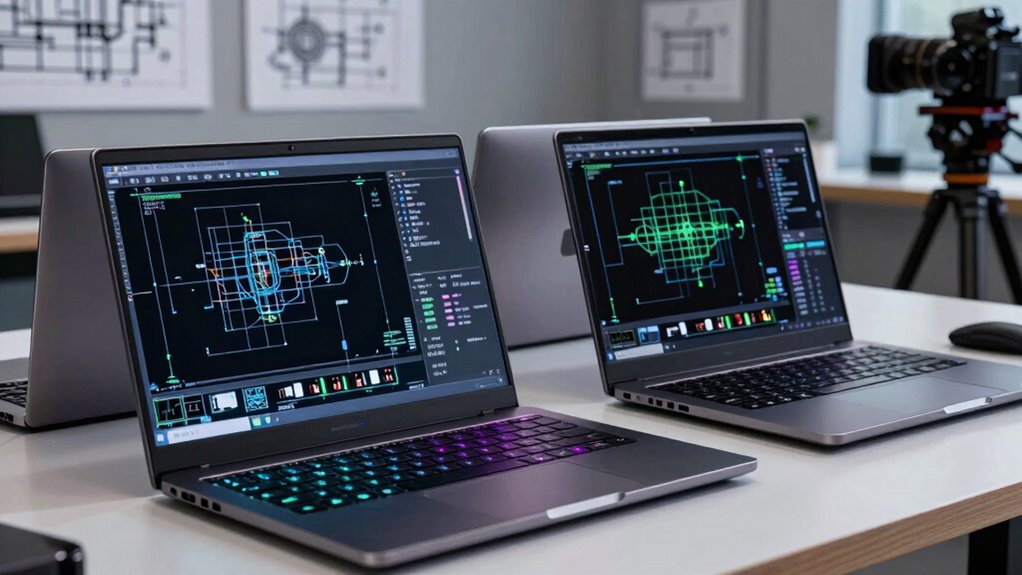

For most CAD and engineering workloads, I’d start with the Dell Precision 7680 with RTX 2000 Ada, 64GB RAM, and 2TB SSD: its balanced graphics, memory, and storage configuration suits demanding projects without the 17-inch bulk of the Precision 7780. The Precision 7780 with RTX 3500 is the stronger fit for larger, graphics-heavy assemblies, while the HP ZBook 8 G1i offers a more portable alternative with a touchscreen. Choosing among laptops for CAD and engineering means weighing GPU capability and memory against size, battery life, and the cost of workstation-class hardware. I’ll explain where each configuration fits, what it gives up, and how to match a laptop to your software and workload.

Get business pricing on monitors, keyboards and dev gear
- Business-only prices and quantity discounts
- Tax-exempt purchasing
- Multiple users, one account, clear invoices
Complete the kit



Key Takeaways
- The Precision 7680 RTX 2000 Ada configurations form the most balanced group. The 64GB RAM models offer more headroom for larger projects than the 32GB versions, while the 2TB configuration reduces pressure to manage active project files.
- The Precision 7780 is the graphics-first choice in this lineup. Its RTX 3500 12GB GPU and 128GB RAM favor demanding 3D work, but its 17.3-inch chassis is less convenient to carry than the 14- and 16-inch options.
- GPU tier matters more than choosing a higher CPU label alone for many 3D tasks. The RTX 2000 Ada models have a stronger graphics position than the RTX 1000 Ada configurations, while CPU needs still rise for simulation, compiling, and heavily threaded workloads.
- Memory and storage create meaningful differences among otherwise similar Precision 7680s. The 32GB/1TB options may suit moderate projects, while 64GB and larger SSDs provide more room for multitasking and local files.
- The HP ZBook 8 G1i and Precision 3490 trade workstation muscle for mobility. They make more sense for engineers who travel or handle lighter CAD work than for users running large assemblies or sustained graphics-heavy workloads.
| Dell Precision 7780 Mobile Workstation 17.3-inch FHD Laptop |  | Best for Maximum Memory and Heavy Workloads | Processor: Intel Core i9-13950HX | Memory: 128GB | Storage: 2TB NVMe SSD | VIEW ON AMAZON | See Our Full Breakdown |
| Dell Precision 7680 Laptop, NVIDIA RTX 1000 Ada 6GB, Core i5-13600HX, 32GB DDR5 |  | Best Entry Point for Professional CAD | Processor: Intel Core i5-13600HX vPro | Memory: 32GB DDR5 | Storage: 1TB PCIe NVMe SSD | VIEW ON AMAZON | See Our Full Breakdown |
| Dell Precision 3490 Mobile Workstation Laptop, 14-inch FHD |  | Best Compact Workstation | Processor: Intel Core Ultra 5 135H, 14 cores, up to 4.6GHz | Memory: 32GB DDR5 | Storage: 1TB SSD | VIEW ON AMAZON | See Our Full Breakdown |
| Dell Precision 7680 Laptop, 16-inch FHD+, Intel Core i9-13950HX |  | Best for CPU-Heavy Engineering Work | Processor: Intel Core i9-13950HX vPro, up to 5.5GHz | Memory: 32GB DDR5 | Storage: 1TB PCIe NVMe M.2 SSD | VIEW ON AMAZON | See Our Full Breakdown |
| Dell Precision 7670 Workstation Laptop, 16-inch FHD+, Core i7-12850HX |  | Best for Memory-Heavy Multitasking | Processor: Intel Core i7-12850HX, 16 cores, up to 4.8GHz | Memory: 64GB DDR5, 4800MHz | Storage: 256GB PCIe NVMe SSD | VIEW ON AMAZON | See Our Full Breakdown |
| Dell Precision 7680 Laptop with NVIDIA RTX 2000 Ada 8GB, Intel i7-13850HX, 32GB DDR5 |  | Best for GPU-Heavy CAD | Processor: Intel Core i7-13850HX vPro, 20 cores, 28 threads, up to 5.3GHz | Graphics: NVIDIA RTX 2000 Ada, 8GB GDDR6 | Memory: 32GB DDR5 | VIEW ON AMAZON | See Our Full Breakdown |
| HP ZBook 8 G1i AI Mobile Workstation Laptop (Intel Ultra 7 255H, NVIDIA RTX 500 Ada, 16″ FHD+ Touchscreen, 64GB DDR5, 2TB SSD) |  | Best for Mobile Multitasking | Processor: Intel Ultra 7 255H, 16 cores, 16 threads, up to 5.1GHz | Graphics: NVIDIA RTX 500 Ada, 4GB GDDR6 | Memory: 64GB DDR5 | VIEW ON AMAZON | See Our Full Breakdown |
| Dell Precision 7680 Laptop with NVIDIA RTX 1000 Ada 6GB, Intel i7-13850HX, 64GB DDR5 |  | Best for Memory-Heavy CAD | Processor: Intel Core i7-13850HX vPro | Graphics: NVIDIA RTX 1000 Ada, 6GB | Memory: 64GB DDR5 | VIEW ON AMAZON | See Our Full Breakdown |
| Dell Precision 7680 Laptop with NVIDIA RTX 2000 Ada 8GB, Intel i7-13850HX, 64GB DDR5, 2TB SSD |  | Best for Large Projects | Processor: Intel Core i7-13850HX vPro | Graphics: NVIDIA RTX 2000 Ada, 8GB GDDR6 | Memory: 64GB DDR5 | VIEW ON AMAZON | See Our Full Breakdown |
| Dell Precision 7680 Laptop with NVIDIA RTX 2000 Ada 8GB, Intel i7-13850HX, 64GB DDR5, 1TB SSD, 16-inch FHD+ Display |  | Best for Balanced Workstation Performance | Processor: Intel Core i7-13850HX vPro | Graphics: NVIDIA RTX 2000 Ada, 8GB GDDR6 | Memory: 64GB DDR5 | VIEW ON AMAZON | See Our Full Breakdown |
| laptops for cad and engineering | Processor | Memory | Storage | Display |
|---|---|---|---|---|
| Dell Precision 7780 Mobile Wor | Intel Core i9-13950HX | 128GB | 2TB NVMe SSD | 17.3-inch FHD LED, 1920 x 1080 |
| Dell Precision 7680 Laptop | Intel Core i5-13600HX vPro | 32GB DDR5 | 1TB PCIe NVMe SSD | 16-inch FHD+, 1920 x 1200, anti-glare |
| Dell Precision 3490 Mobile Wor | Intel Core Ultra 5 135H, 14 cores, up to 4.6GHz | 32GB DDR5 | 1TB SSD | 14-inch FHD, 1920 x 1080 |
| Dell Precision 7680 Laptop | Intel Core i9-13950HX vPro, up to 5.5GHz | 32GB DDR5 | 1TB PCIe NVMe M.2 SSD | 16-inch FHD+, 1920 x 1200, anti-glare |
| Dell Precision 7670 Workstatio | Intel Core i7-12850HX, 16 cores, up to 4.8GHz | 64GB DDR5, 4800MHz | 256GB PCIe NVMe SSD | 16-inch FHD+, 1920 x 1200 |
| Dell Precision 7680 Laptop wit | Intel Core i7-13850HX vPro, 20 cores, 28 threads, up to 5.3GHz | 32GB DDR5 | 1TB PCIe NVMe M.2 SSD | 16-inch FHD+ (1920 x 1200), anti-glare, 45% NTSC |
| HP ZBook 8 G1i AI Mobile Works | Intel Ultra 7 255H, 16 cores, 16 threads, up to 5.1GHz | 64GB DDR5 | 2TB PCIe NVMe M.2 SSD | 16-inch WUXGA (1920 x 1200) touchscreen, anti-glare |
| Dell Precision 7680 Laptop wit | Intel Core i7-13850HX vPro | 64GB DDR5 | 1TB PCIe NVMe SSD | 16-inch FHD+ IPS, 1920 x 1200 |
| Dell Precision 7680 Laptop wit | Intel Core i7-13850HX vPro | 64GB DDR5 | 2TB PCIe NVMe SSD | 16-inch FHD+ LCD, 1920 x 1200, 45% color gamut |
| Dell Precision 7680 Laptop wit | Intel Core i7-13850HX vPro | 64GB DDR5 | 1TB PCIe NVMe SSD | 16-inch FHD+ LCD, 1920 x 1200, 45% gamut |
More Details on Our Top Picks
Dell Precision 7780 Mobile Workstation 17.3-inch FHD Laptop
The Precision 7780 is the strongest fit here for engineers who run large assemblies, multiple technical applications, or memory-hungry simulations at once. Its 128GB RAM and RTX 3500 12GB give it a much higher workload ceiling than the Precision 3490, while the Core i9-13950HX and 2TB SSD leave room for demanding projects and local files. The 17.3-inch screen also offers more working area than the 16-inch Precision 7680 models, though its FHD resolution provides less desktop detail than a higher-resolution panel would. The tradeoff is substantial: at 4.99 kg, this is a desk-to-desk workstation, not a convenient daily carry. I’d choose it for capacity and graphics headroom, not mobility.
Pros:- 128GB RAM supports large projects and heavy multitasking
- RTX 3500 with 12GB graphics memory offers the strongest listed GPU capacity in this batch
- 2TB NVMe SSD provides generous space for project files
- Thunderbolt 4, HDMI 2.1, Ethernet, and five USB ports support varied desk setups
Cons:- At 4.99 kg, it is difficult to carry regularly
- 17.3-inch FHD resolution gives less workspace detail than a higher-resolution display
- Battery life is not specified, and the listed 240W adapter points to a power-hungry workstation setup
Best for: CAD and engineering professionals handling large models, concurrent workloads, or GPU-accelerated work who can keep a heavy workstation mostly at a desk.
Not ideal for: Students and field engineers who carry a laptop all day, or buyers whose CAD work is mainly 2D and does not call for this much memory and graphics capacity.
- Processor:Intel Core i9-13950HX
- Memory:128GB
- Storage:2TB NVMe SSD
- Graphics:NVIDIA RTX 3500, 12GB
- Display:17.3-inch FHD LED, 1920 x 1080
- Operating system:Windows 11 Pro
- Weight:4.99 kg
- Connectivity:Thunderbolt 4, HDMI 2.1, RJ-45 Ethernet, five USB ports, Wi-Fi 6E, Bluetooth 5.3
Our verdict“Choose the Precision 7780 when large engineering workloads and graphics headroom matter more than carrying weight.”
Dell Precision 7680 Laptop, NVIDIA RTX 1000 Ada 6GB, Core i5-13600HX, 32GB DDR5
For buyers who need a workstation GPU without stepping up to the more elaborate configurations, this Precision 7680 pairs an RTX 1000 Ada with 32GB of DDR5 and a 16-inch 1920 x 1200 anti-glare display. That makes it a more CAD-focused starting point than the Precision 7680 configuration with Intel UHD Graphics, whose integrated graphics are a less fitting match for 3D viewport work. Its Core i5-13600HX is also a less ambitious processor than the Core i9 in that model, but the dedicated 6GB GPU gives this version a clearer graphics advantage for professional applications. The 1TB SSD is practical for active project files. At 5.9 pounds, though, it is not light, and the listing does not specify battery life.
Pros:- RTX 1000 Ada 6GB provides dedicated graphics for CAD and 3D workflows
- 32GB DDR5 supports multitasking across engineering applications
- 16-inch 1920 x 1200 anti-glare display offers more vertical workspace than FHD
- Thunderbolt 4, HDMI, Ethernet, USB-C, and USB-A simplify connecting peripherals
Cons:- 5.9-pound weight is substantial for regular travel
- Core i5 processor is less powerful than the Core i9 option in the Precision 7680 lineup
- Battery life is not specified
Best for: Engineering students and early-career CAD users who need a dedicated professional GPU, 32GB memory, and a 16-inch workspace.
Not ideal for: Users rendering complex scenes or working with especially large assemblies who need more graphics capacity, or commuters prioritizing a light carry.
- Processor:Intel Core i5-13600HX vPro
- Memory:32GB DDR5
- Storage:1TB PCIe NVMe SSD
- Graphics:NVIDIA RTX 1000 Ada, 6GB GDDR6
- Display:16-inch FHD+, 1920 x 1200, anti-glare
- Operating system:Windows 11 Pro 64-bit
- Weight:5.9 pounds
- Connectivity:Thunderbolt 4, USB-C, USB-A, HDMI, Ethernet, Wi-Fi 6E, Bluetooth
Our verdict“Pick this Precision 7680 for a dedicated entry-level workstation GPU and a useful 16-inch screen, provided you can accept its weight.”
Dell Precision 3490 Mobile Workstation Laptop, 14-inch FHD
The Precision 3490 is the clear mobility pick in this group: at 3.09 pounds, it is far easier to carry than the 5.9-pound Precision 7680, while still offering 32GB DDR5 and a 1TB SSD. Its Core Ultra 5 135H can handle everyday CAD tasks and general engineering workloads, but the supplied product details do not name a discrete GPU. That makes it a less convincing choice for demanding 3D visualization than the Precision 7680 with RTX 1000 Ada, or for large, graphics-heavy projects than the Precision 7780. The 14-inch FHD screen keeps the machine compact, but gives less room for tool palettes and drawings. I’d favor it for engineers who travel often and can connect to an external display at their main desk.
Pros:- 3.09-pound weight is the lightest stated in this batch
- 32GB DDR5 and a Core Ultra 5 135H suit mobile multitasking and moderate CAD work
- Two Thunderbolt 4 ports, HDMI, Ethernet, and two USB-A ports ease desk docking
- MIL-STD 810H build standards and enterprise security features suit work travel
Cons:- No discrete GPU is specified, limiting confidence for demanding 3D CAD workloads
- 14-inch FHD display offers less modeling space than the 16- and 17.3-inch alternatives
- Battery life is not specified, and the unit is described as resealed for upgrades
Best for: Mobile engineers and field professionals who need Windows 11 Pro, 32GB memory, and workstation-style connectivity in a light 14-inch laptop.
Not ideal for: CAD users who depend on a listed discrete GPU, work with large 3D assemblies, or want a roomy built-in screen for long modeling sessions.
- Processor:Intel Core Ultra 5 135H, 14 cores, up to 4.6GHz
- Memory:32GB DDR5
- Storage:1TB SSD
- Display:14-inch FHD, 1920 x 1080
- Operating system:Windows 11 Pro 64-bit
- Weight:3.09 pounds
- Connectivity:Two Thunderbolt 4, two USB-A, HDMI, Ethernet, audio combo jack
- Build:MIL-STD 810H
Our verdict“Choose the Precision 3490 if portability comes first and your CAD work does not require a specified discrete GPU.”
Dell Precision 7680 Laptop, 16-inch FHD+, Intel Core i9-13950HX
This Precision 7680 is built around its Core i9-13950HX, making it a strong option for engineering tasks that lean on processor performance, such as compilation, analysis, and heavily threaded workloads. The 16-inch 1920 x 1200 anti-glare screen and 32GB DDR5 create a capable work setup, and the listing says it can support up to three external 4K monitors. But its graphics are listed as Intel UHD Graphics, not a discrete workstation GPU. That is the key difference from the Precision 7680 with RTX 1000 Ada: this configuration favors CPU performance and displays over dedicated graphics for 3D CAD. Compared with the 128GB Precision 7780, it also has less memory and storage. I’d shortlist it only when its specified integrated graphics match the workload.
Pros:- Core i9-13950HX offers strong listed processor capability for CPU-heavy workflows
- 16-inch 1920 x 1200 anti-glare screen provides a useful engineering workspace
- Supports up to three external 4K monitors
- Thunderbolt 4, HDMI, Ethernet, and Wi-Fi 6E support a flexible workstation setup
Cons:- Intel UHD Graphics is a weaker fit for demanding 3D CAD than the RTX 1000 Ada-equipped Precision 7680
- 32GB RAM and 1TB SSD provide less capacity than the Precision 7780
- The listing describes the unit as resealed for an SSD upgrade
Best for: Engineers running CPU-intensive applications, analysis, and multi-monitor desk setups whose CAD work does not depend on a discrete GPU.
Not ideal for: 3D CAD professionals seeking certified discrete graphics, or buyers who need extensive memory and project storage out of the box.
- Processor:Intel Core i9-13950HX vPro, up to 5.5GHz
- Memory:32GB DDR5
- Storage:1TB PCIe NVMe M.2 SSD
- Graphics:Intel UHD Graphics
- Display:16-inch FHD+, 1920 x 1200, anti-glare
- Operating system:Windows 11 Pro 64-bit
- External displays:Supports up to three external 4K monitors
- Connectivity:Thunderbolt 4, USB-C, USB-A, HDMI, Ethernet, Wi-Fi 6E, Bluetooth
Our verdict“Choose this Precision 7680 for processor-led engineering and multi-monitor use, not GPU-intensive 3D modeling.”
Dell Precision 7670 Workstation Laptop, 16-inch FHD+, Core i7-12850HX
The Precision 7670 takes a different route from the Precision 7780: it pairs 64GB DDR5 with an older Core i7-12850HX and an RTX A1000 4GB, rather than offering the newer, higher-capacity graphics setup and 128GB memory of the 7780. That balance can suit engineers who keep several applications or large reference files open but do not need a top-tier GPU. The dedicated RTX A1000 is a more CAD-oriented choice than the Intel UHD graphics listed on the Core i9 Precision 7680. Its weak point is storage: the included 256GB SSD can fill quickly with CAD software, project files, and datasets. I’d treat it as a memory-forward workstation that may need additional storage planning, not a ready-made home for a large project archive.
Pros:- 64GB DDR5 supports substantial multitasking and memory-heavy projects
- NVIDIA RTX A1000 4GB provides dedicated graphics for CAD workflows
- 16-core Core i7-12850HX is suited to demanding general workloads
- Windows 11 Pro fits professional and enterprise environments
Cons:- 256GB SSD is limited for engineering software and project files
- RTX A1000 has less graphics memory than the RTX 3500 in the Precision 7780
- Battery life and weight are not specified
Best for: Engineers who multitask across several technical applications and want 64GB RAM with dedicated workstation graphics for moderate CAD work.
Not ideal for: Users who need ample local storage immediately, or professionals working with GPU-heavy 3D projects that call for more graphics memory.
- Processor:Intel Core i7-12850HX, 16 cores, up to 4.8GHz
- Memory:64GB DDR5, 4800MHz
- Storage:256GB PCIe NVMe SSD
- Graphics:NVIDIA RTX A1000, 4GB GDDR6
- Display:16-inch FHD+, 1920 x 1200
- Operating system:Windows 11 Pro
- Color:Silver
Our verdict“Choose the Precision 7670 if memory capacity matters more than built-in storage and high-end GPU performance.”
Dell Precision 7680 Laptop with NVIDIA RTX 2000 Ada 8GB, Intel i7-13850HX, 32GB DDR5
I’d choose this Precision 7680 when CAD work benefits more from a capable workstation GPU than from a very large memory pool. Its RTX 2000 Ada with 8GB GDDR6 and 20-core i7-13850HX give it a stronger graphics allocation than the RTX 1000 Ada configuration in the 64GB Dell Precision 7680, making it a better fit for GPU-accelerated modeling and 3D visualization. The tradeoff is that this version has 32GB RAM and a 1TB SSD, so very large assemblies, simulations, or several demanding apps may push its memory sooner. The 16-inch FHD+ screen is practical, but its stated 45% NTSC gamut is a weak match for color-sensitive design work. At 5.9 pounds, it is better as a mobile workstation between desks than as a frequent-carry laptop.
Pros:- RTX 2000 Ada with 8GB GDDR6 suits graphics-intensive CAD and 3D visualization.
- 20-core, 28-thread Intel Core i7-13850HX provides substantial CPU capacity for engineering workloads.
- 1TB NVMe SSD and 32GB DDR5 support responsive file access and multitasking.
- Thunderbolt 4, HDMI, USB-A, and Ethernet make desk and external-display setups easier.
Cons:- 32GB RAM is less suited to very large assemblies and heavy concurrent workloads than the 64GB Precision 7680 options.
- FHD+ resolution and 45% NTSC gamut limit screen detail and color-sensitive design work.
- The 5.9-pound chassis and 83 Wh battery are a burden for travel and intensive work away from power.
Best for: CAD users who need RTX 2000 Ada graphics for 3D viewports and rendering, but whose projects fit comfortably within 32GB of memory.
Not ideal for: Engineers working with exceptionally large assemblies or memory-hungry simulations, and frequent travelers who need a lighter laptop or long unplugged sessions.
- Processor:Intel Core i7-13850HX vPro, 20 cores, 28 threads, up to 5.3GHz
- Graphics:NVIDIA RTX 2000 Ada, 8GB GDDR6
- Memory:32GB DDR5
- Storage:1TB PCIe NVMe M.2 SSD
- Display:16-inch FHD+ (1920 x 1200), anti-glare, 45% NTSC
- Battery:6-cell, 83 Wh
- Weight:5.9 lbs
- Connectivity:Wi-Fi 6E, Bluetooth 5.2, 2x Thunderbolt 4, USB-C, 2x USB-A, HDMI, Ethernet
Our verdict“Choose this configuration for workstation-class graphics in CAD when 32GB RAM is enough and portability is secondary.”
HP ZBook 8 G1i AI Mobile Workstation Laptop (Intel Ultra 7 255H, NVIDIA RTX 500 Ada, 16″ FHD+ Touchscreen, 64GB DDR5, 2TB SSD)
The HP ZBook 8 G1i takes a different CAD approach from the heavier Dell Precision 7680 configurations: it prioritizes 64GB RAM, 2TB storage, and a 3.8-pound body over a more powerful GPU. That makes it attractive for engineers who carry projects between sites, keep large reference files local, or run several applications together, while the RTX 500 Ada’s 4GB of graphics memory is a more modest fit for complex 3D scenes than the RTX 2000 Ada in the Dell models. Its 16-inch touchscreen adds convenient direct interaction, though the 1920 x 1200 resolution is still modest for a large engineering workspace. I’d favor this HP for portability and memory headroom, not for the most demanding viewport or rendering work. Battery life is not specified, so sustained away-from-outlet use is hard to judge.
Pros:- At 3.8 pounds, it is much easier to carry than the 5.9-pound Dell Precision 7680 models.
- 64GB DDR5 gives memory-heavy multitasking more room than the 32GB Precision 7680 configuration.
- 2TB NVMe SSD offers twice the local storage of the 1TB Dell configurations.
- Thunderbolt 4, HDMI 2.1, Ethernet, Wi-Fi 7, and a touchscreen support flexible work setups.
Cons:- RTX 500 Ada has 4GB GDDR6, less graphics memory and capability than the RTX 2000 Ada options.
- The 1920 x 1200 display offers limited workspace for dense drawings and detailed models.
- Battery life is not specified, making mobile endurance difficult to gauge.
Best for: Field engineers and CAD professionals who carry a workstation daily, need 64GB RAM and 2TB of local storage, and mainly handle moderate 3D workloads.
Not ideal for: Users rendering complex scenes or working with GPU-heavy CAD models who would benefit more from the RTX 2000 Ada and 8GB graphics memory in the Precision 7680.
- Processor:Intel Ultra 7 255H, 16 cores, 16 threads, up to 5.1GHz
- Graphics:NVIDIA RTX 500 Ada, 4GB GDDR6
- Memory:64GB DDR5
- Storage:2TB PCIe NVMe M.2 SSD
- Display:16-inch WUXGA (1920 x 1200) touchscreen, anti-glare
- Weight:3.8 pounds
- Operating system:Windows 11 Pro
- Connectivity:2x Thunderbolt 4, USB-C 3.2 Gen 2×2, USB-A 3.2 Gen 1, Ethernet RJ-45, HDMI 2.1, Wi-Fi 7, Bluetooth 5.4
Our verdict“Pick the ZBook 8 G1i if carrying 64GB of memory and 2TB of files matters more than high-end GPU performance.”
Dell Precision 7680 Laptop with NVIDIA RTX 1000 Ada 6GB, Intel i7-13850HX, 64GB DDR5
This Precision 7680 suits engineering work where system memory matters more than GPU tier. Its 64GB DDR5 can give large assemblies, analysis tools, and several open applications more breathing room than the 32GB RTX 2000 Ada Precision 7680, while the i7-13850HX remains a high-core-count processor. The compromise is the RTX 1000 Ada with 6GB: it is a step below the RTX 2000 Ada configuration for graphics-intensive modeling and rendering, so buyers should match the GPU to their software and project size. The 1TB SSD is adequate for active work but smaller than the HP ZBook 8 G1i’s 2TB drive. Its 16-inch FHD+ display and 5.9-pound chassis also make this more of a workstation for a fixed desk or occasional travel than a light daily carry.
Pros:- 64GB DDR5 provides substantially more headroom than the 32GB RTX 2000 Ada Precision 7680 configuration.
- Intel Core i7-13850HX vPro offers 20 cores and 28 threads for demanding CPU workloads.
- RTX 1000 Ada has 6GB of graphics memory for professional graphics tasks.
- Thunderbolt 4, USB-C, USB-A, HDMI, and Ethernet support varied peripherals and desk setups.
Cons:- RTX 1000 Ada is a lower graphics tier than the RTX 2000 Ada options in this roundup.
- The 1TB SSD offers less project storage than the HP ZBook 8 G1i’s 2TB drive.
- At 5.9 pounds, it is cumbersome for frequent commuting, and battery life is not specified.
Best for: Engineers running memory-intensive CAD assemblies, analysis applications, or many simultaneous work tools who do not need the strongest GPU in this group.
Not ideal for: 3D designers and visualization specialists who rely on GPU-heavy rendering, or travelers seeking a compact workstation.
- Processor:Intel Core i7-13850HX vPro
- Graphics:NVIDIA RTX 1000 Ada, 6GB
- Memory:64GB DDR5
- Storage:1TB PCIe NVMe SSD
- Display:16-inch FHD+ IPS, 1920 x 1200
- Operating system:Windows 11 Pro
- Weight:5.9 pounds
- Connectivity:Wi-Fi 6E, Bluetooth 5.2, Thunderbolt 4, USB-C, USB-A, HDMI, Ethernet
Our verdict“Choose this Precision when 64GB of RAM is the priority and your CAD work does not demand RTX 2000 Ada graphics.”
Dell Precision 7680 Laptop with NVIDIA RTX 2000 Ada 8GB, Intel i7-13850HX, 64GB DDR5, 2TB SSD
This is the most balanced of the Dell Precision 7680 configurations here for engineers who need both RTX 2000 Ada graphics and generous working capacity. Compared with the 32GB version, it doubles system memory and storage while keeping the same 8GB GPU and i7-13850HX, giving large CAD projects and supporting files more room without sacrificing the stronger graphics tier. The HP ZBook 8 G1i is lighter and also has 64GB RAM and 2TB storage, but its RTX 500 Ada is less suited to demanding 3D work; the Dell is the more convincing choice when GPU performance comes first. Its limits are practical: 5.9 pounds is a lot to carry, and the 16-inch FHD+ screen has a stated 45% gamut, so an external display may suit detailed or color-sensitive work better.
Pros:- RTX 2000 Ada with 8GB GDDR6 is the stronger graphics option than the RTX 1000 Ada Precision 7680.
- 64GB DDR5 supports larger workloads and heavier multitasking than the 32GB configuration.
- 2TB NVMe SSD provides more space for local CAD files and project assets than the 1TB Dell models.
- HDMI, Thunderbolt 4, USB-C, USB-A, and Ethernet support workstation peripherals and external displays.
Cons:- The 5.9-pound chassis is heavy for regular commuting.
- The 1920 x 1200 display with 45% color gamut is limited for dense drawings and color-sensitive work.
- Battery life is not specified, so unplugged endurance is uncertain.
Best for: CAD engineers handling large models and project libraries who want 64GB RAM, 2TB storage, and RTX 2000 Ada graphics in one workstation.
Not ideal for: Frequent travelers prioritizing low weight, or designers who need a high-resolution, wide-gamut built-in display.
- Processor:Intel Core i7-13850HX vPro
- Graphics:NVIDIA RTX 2000 Ada, 8GB GDDR6
- Memory:64GB DDR5
- Storage:2TB PCIe NVMe SSD
- Display:16-inch FHD+ LCD, 1920 x 1200, 45% color gamut
- Operating system:Windows 11 Pro
- Weight:5.9 pounds
- Connectivity:Wi-Fi 6E, Bluetooth 5.2, HDMI, USB-C, Thunderbolt 4, USB-A, Ethernet
Our verdict“Select this configuration for large CAD projects that need both RTX 2000 Ada graphics and ample memory and storage.”
Dell Precision 7680 Laptop with NVIDIA RTX 2000 Ada 8GB, Intel i7-13850HX, 64GB DDR5, 1TB SSD, 16-inch FHD+ Display
This Precision 7680 keeps the RTX 2000 Ada 8GB and 64GB DDR5 combination that makes the 2TB Dell suited to demanding CAD, but trims storage to 1TB. For engineers who keep active projects on the laptop and archive completed work elsewhere, that can be a sensible trade: graphics and memory stay strong while the internal drive is smaller. Compared with the RTX 1000 Ada Precision 7680, this version favors GPU capability over that model’s lower graphics tier; compared with the 2TB RTX 2000 Ada Dell, it gives up half the stated storage. The 16-inch 1920 x 1200 display is serviceable for everyday CAD, though its 45% gamut and modest resolution make an external monitor appealing for detailed drawings. Like its siblings, it is a heavy machine rather than a commuter-first laptop.
Pros:- RTX 2000 Ada with 8GB GDDR6 is suited to graphics-intensive CAD and 3D visualization.
- 64GB DDR5 offers substantial memory headroom for multitasking and larger projects.
- The i7-13850HX vPro provides a high-core-count CPU for engineering workflows.
- HDMI, USB-C, Thunderbolt, and Ethernet make it straightforward to connect workstation accessories.
Cons:- The 1TB SSD has half the capacity of the 2TB RTX 2000 Ada Precision 7680 configuration.
- The FHD+ display has a stated 45% gamut and offers less workspace detail than a higher-resolution panel.
- The 5.9-pound weight limits its appeal for frequent travel.
Best for: CAD professionals who want 64GB RAM and RTX 2000 Ada graphics for active engineering work but can manage projects within a 1TB drive.
Not ideal for: Users who need a large local archive of project files or prefer a higher-resolution, wider-gamut screen without relying on an external monitor.
- Processor:Intel Core i7-13850HX vPro
- Graphics:NVIDIA RTX 2000 Ada, 8GB GDDR6
- Memory:64GB DDR5
- Storage:1TB PCIe NVMe SSD
- Display:16-inch FHD+ LCD, 1920 x 1200, 45% gamut
- Operating system:Windows 11 Pro
- Weight:5.9 pounds
- Connectivity:Wi-Fi 6E, Bluetooth 5.2, HDMI, USB-C, Thunderbolt, Ethernet
Our verdict“Pick this version if you need strong CAD graphics and 64GB of memory but do not need the 2TB model’s extra storage.”

How We Picked
I compared these laptops through the demands of CAD and engineering rather than treating processor names or RAM totals as a complete measure of capability. The main factors were GPU class and video memory for 3D views and supported professional applications, RAM and SSD capacity for larger projects and multitasking, and processor capability for tasks such as compiling and simulation. I also weighed screen size, portability, and how each configuration fits a distinct workload.
The ranking favors configurations that balance graphics, memory, and storage for a broad range of engineering work. That places the Precision 7680 with RTX 2000 Ada and 64GB RAM ahead of more limited GPU or memory options, while the RTX 3500-equipped Precision 7780 earns its place for buyers who need more graphics headroom. Closely related Precision 7680 configurations are separated by their RAM, SSD, and GPU, not by assuming that their shared model name makes them interchangeable. Since the supplied specifications do not establish battery life, display color accuracy, upgrade access, or software certification, I do not use those as claims in the ranking.
| laptops for cad and engineering | Operating system |
|---|---|
| Dell Precision 7780 Mobile Wor | Windows 11 Pro |
| Dell Precision 7680 Laptop | Windows 11 Pro 64-bit |
| Dell Precision 3490 Mobile Wor | Windows 11 Pro 64-bit |
| Dell Precision 7680 Laptop | Windows 11 Pro 64-bit |
| Dell Precision 7670 Workstatio | Windows 11 Pro |
| Dell Precision 7680 Laptop wit | — |
| HP ZBook 8 G1i AI Mobile Works | Windows 11 Pro |
| Dell Precision 7680 Laptop wit | Windows 11 Pro |
| Dell Precision 7680 Laptop wit | Windows 11 Pro |
| Dell Precision 7680 Laptop wit | Windows 11 Pro |
Factors to Consider When Choosing Laptops For Cad And Engineering
Before choosing a mobile workstation, match its configuration to the work you actually run. A laptop that handles 2D drafting well may feel constrained by complex assemblies, rendering, or simulation, while a powerful GPU can be wasted if your work is mostly spreadsheets and light modeling. These factors can help you set priorities beyond the individual configurations in this roundup.
Match the GPU to Your CAD Workload
Start with the type of graphics work, not the most impressive GPU name. 2D drafting and modest 3D models often need less graphics headroom than large assemblies, visualizations, or GPU-accelerated workflows. Check the requirements and certification guidance for your exact CAD or engineering software, since application support can matter as much as raw GPU capability. A higher-tier GPU can improve the experience with demanding viewport work, but it may add weight, heat, and power draw. Avoid paying for graphics capacity your projects will not use, but do not choose a low-tier GPU solely because the CPU looks strong.
Choose RAM for Project Scale and Multitasking
RAM affects how comfortably you can keep a model, drawings, reference material, and other applications open at once. Smaller class projects and light drafting may work with 32GB, while large assemblies, simulation, and engineering multitasking can benefit from 64GB or more. Do not assume that every memory-intensive task is solved by adding RAM: some simulations depend heavily on CPU performance, storage, or specialized accelerators. Check whether the configuration can be upgraded before buying, because memory limits can be harder to fix than external storage. When projects are growing, extra RAM can be more useful than a processor upgrade that does little for your main workload.
Think Beyond SSD Capacity
SSD capacity affects how much active work you can keep on the laptop, including project files, datasets, applications, and local backups. A 1TB drive can suit a managed workflow, but large assemblies, simulation outputs, and media-heavy engineering files can fill it quickly. External storage or network drives can expand capacity, though they may be less convenient for travel or work without a reliable connection. A larger internal drive is especially useful when projects need to remain available offline. Keep a separate backup plan: a large SSD is not a substitute for protecting project files.
Balance Screen Size Against Portability
A larger screen can make dense drawings and multiple tool panels easier to read, but it also makes a workstation more cumbersome to carry. A 14-inch system suits frequent travel and lighter workloads, while 16-inch models occupy a middle ground for people who need room to work without a 17-inch footprint. External monitors can improve a desk setup, but they do not help when you are working on a plane, in a lab, or at a client site. Check resolution and panel details rather than relying on screen size alone; a bigger display is not automatically sharper or more color-accurate. If your workflow depends on precise color, verify the panel specification separately.
Check Software Requirements Before Paying for Workstation Hardware
Professional workstation components can be useful when your engineering application benefits from certified drivers or specific GPU features. However, not every CAD program requires a mobile workstation GPU, and some workloads run well on a less expensive configuration that meets the software maker’s recommended specifications. Compare the laptop’s exact GPU and driver support with the application requirements, especially for specialized simulation or visualization tools. Also check whether your school, employer, or project team has tested configurations, since compatibility problems can cost more time than a hardware upgrade saves. Choose workstation-class hardware for a defined need, not just because the label sounds more suitable for engineering.
Plan for Sustained Work, Not Just Peak Specifications
CAD and engineering workloads can run for long stretches, so a processor or GPU’s headline specification does not tell the whole story. Cooling, fan noise, power limits, and performance while plugged in can shape the day-to-day experience, but these details are not supplied for every model here. Look for independent measurements of sustained performance and battery behavior before committing if you often render or simulate away from a desk. A heavier workstation may be a sensible trade if it will stay docked, while frequent travelers may value a smaller system even with less performance headroom. Check warranty and service options too, since downtime can be costly when a laptop holds active project work.
Frequently Asked Questions
Is 32GB of RAM enough for CAD and engineering?
It can be enough for 2D drafting, coursework, and smaller models, especially if you do not run many demanding applications at once. Large assemblies, complex 3D work, simulation, and heavy multitasking can push past that comfort zone. In this roundup, the 32GB Precision configurations are more sensible for moderate workloads than for users who routinely handle large project files. If you expect your workload to grow, the 64GB models offer more room before memory becomes a constraint. Check whether the specific laptop’s RAM can be upgraded before treating 32GB as a long-term choice.
Should I choose the RTX 2000 Ada or RTX 3500 for CAD?
The RTX 2000 Ada configurations are a more balanced fit for many engineers, particularly when paired with 64GB RAM and sufficient SSD capacity. The RTX 3500 in the Precision 7780 makes more sense when your work relies on heavier 3D visualization or larger graphics workloads that can use its extra GPU headroom and 12GB of video memory. That added capability comes in a larger 17.3-inch system, so portability is part of the trade. Check your software’s supported GPU requirements and workload guidance before selecting a tier. If your work is mainly 2D or modest modeling, the stronger GPU may not justify its size and power demands.
Does the HP ZBook 8 G1i make sense if it has a lower-tier GPU?
It can, if carrying the laptop and having a touchscreen matter more than running demanding 3D workloads. Its RTX 500 Ada configuration is a different fit from the RTX 2000 Ada Precision 7680 models, so I would not treat it as a direct substitute for graphics-heavy engineering work. The 64GB RAM and 2TB SSD provide useful capacity for multitasking and files, but they do not erase the GPU difference. Check whether your CAD software and project scale fit the RTX 500 Ada before choosing it. For frequent travel with lighter modeling, its balance may be more appropriate than a larger workstation.
Is a 14-inch workstation too small for engineering software?
Not automatically: a 14-inch laptop can work well for drafting, coursework, and travel when you value a smaller footprint. Dense drawings and complex applications may feel cramped on the built-in screen, particularly when tool panels take up much of the workspace. An external monitor can make a compact system more comfortable at a desk, but it does not help when you are away from one. The Precision 3490 is the portable option here, while the 16-inch Precision models offer more screen area for a mobile workstation. Compare the display resolution and your software layout before deciding that screen size alone settles the question.
When is 2TB of SSD storage worth choosing over 1TB?
Choose 2TB when you keep large project folders, datasets, simulation outputs, or multiple applications on the laptop and need them available offline. For a workflow that stores completed projects on a server and keeps only current work locally, 1TB may be enough. The Precision 7680 options in this roundup show why storage should be judged alongside RAM and GPU: the same model family spans several configurations, not one fixed level of capability. External storage can extend capacity, but it adds another device to carry and manage. Keep backups separate from the internal drive whatever capacity you select.
Conclusion
Best overall: I’d choose the Dell Precision 7680 with RTX 2000 Ada, 64GB RAM, and 2TB SSD for a strong mix of graphics, memory, and local workspace. Best premium: the Dell Precision 7780 with RTX 3500, 128GB RAM, and 2TB SSD is the pick for buyers handling heavier 3D work who can accept a larger laptop. Best value: the Precision 7680 with RTX 1000 Ada and 32GB RAM is a more restrained workstation choice for moderate projects, while its 64GB counterpart suits users who need more memory headroom. Best for beginners: the Precision 3490 is the compact option for students and new CAD users whose workloads are not graphics-intensive. Best for specific needs: choose the HP ZBook 8 G1i for a touchscreen and portable 16-inch format, or the Precision 7680 with RTX 2000 Ada and 32GB RAM if you want that GPU tier but do not need 64GB. Match the final configuration to your software requirements and project size rather than buying on model name alone.
Fall Picks
fall essentials
As an affiliate, we earn on qualifying purchases.