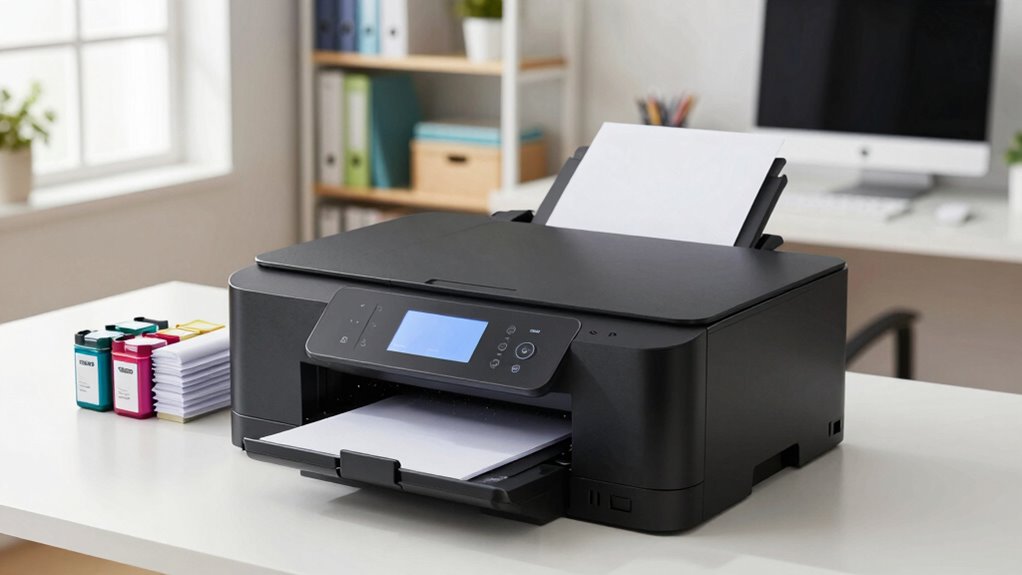

For most small offices, I’d start with the Brother MFC-L2820DW: it combines monochrome laser printing with scanning, copying, and faxing for document-heavy work. The Canon Color imageCLASS MF753Cdw II is a stronger fit when a busy team needs color laser output, while the Brother INKvestment 5110 stands out for inkjet users who want a large paper capacity. Choosing among all-in-one printers for small business means balancing print volume, color needs, space, and the cost and upkeep of toner or ink. I’ve ranked these 14 models by how well their features serve distinct office workflows, not by treating every multifunction printer as interchangeable. Read on for the full breakdown and a guide to choosing the right fit for your business.

Get business pricing on monitors, keyboards and dev gear
- Business-only prices and quantity discounts
- Tax-exempt purchasing
- Multiple users, one account, clear invoices
Key Takeaways
- Brother MFC-L2820DW is the best overall fit for document-led offices in this lineup because it adds fax to monochrome laser printing, copying, and scanning; businesses that need color should look to the Canon color laser models instead.
- The Canon Color imageCLASS MF753Cdw II and MF665Cdw are the color laser standouts, while the Brother MFC-L8930CDW is aimed at offices that put more weight on business features and security.
- Inkjet choices serve a different balance of needs: the Brother INKvestment 5110 pairs inkjet printing with a 500-sheet capacity, while the Epson WF-4820 and HP OfficeJet Pro models offer alternatives for color-focused workflows.
- Not every monochrome multifunction model includes fax. The Brother DCP-L2640DW and HP LaserJet Pro MFP 3101sdw focus on print, copy, and scan, so fax-dependent offices should shortlist a fax-equipped model.
- Paper capacity and color capability can matter more than a long feature list. A compact document-focused printer may suit a small team better than a larger color laser, while frequent color jobs can justify the added footprint and complexity.
| Brother DCP-L2640DW Wireless Monochrome Multi-Function Printer, Copy, Scan, Duplex, Mobile Printing |  | Best for Fast, No-Fuss Black-and-White Work | Printer type: Monochrome laser multifunction | Functions: Print, copy, scan | Print speed: Up to 36 pages per minute | VIEW ON AMAZON | See Our Full Breakdown |
| Brother MFC-L2820DW Wireless Monochrome All-in-One Laser Printer with Copy, Scan, and Fax |  | Best Monochrome Pick with Fax and Touchscreen | Printer type: Monochrome laser multifunction | Functions: Print, copy, scan, fax | Print speed: Up to 36 pages per minute | VIEW ON AMAZON | See Our Full Breakdown |
| Canon Color imageCLASS MF665Cdw Wireless All-in-One Duplex Laser Printer |  | Best Color Laser for Client-Facing Documents | Printer type: Laser | Functions: Print, scan, copy, fax | Print speed: 26 pages per minute | VIEW ON AMAZON | See Our Full Breakdown |
| Epson WorkForce Pro WF-4820 Wireless Color All-in-One Inkjet Printer |  | Best for Color Inkjet Office Workflows | Printer type: Inkjet | Print speed: 25 black / 12 color ISO pages per minute | Maximum copy speed: 25 pages per minute | VIEW ON AMAZON | See Our Full Breakdown |
| Brother Work Smart 1410 Wireless Color Inkjet All-in-One Printer with Touchscreen and Duplex Printing |  | Best Compact Starter for a Small Office | Printer type: Color inkjet all-in-one | Print speed: 16 ppm black / 9 ppm color | Touchscreen: 2.7 inches | VIEW ON AMAZON | See Our Full Breakdown |
| Canon Color imageCLASS MF753Cdw II – All-in-One Color Duplex Laser Printer |  | Best for Fast, Mixed-Document Work | Printer type: Color laser all-in-one | Functions: Print, copy, scan, fax | Maximum copy speed: Up to 35 pages per minute | VIEW ON AMAZON | See Our Full Breakdown |
| HP OfficeJet Pro 9125 Wireless All-in-One Color Inkjet Printer |  | Best for Secure Color Inkjet Workflows | Printer type: HP Thermal Inkjet | Functions: Print, scan, copy, fax | Automatic document feeder: Yes | VIEW ON AMAZON | See Our Full Breakdown |
| Brother INKvestment 5010 Wireless Color Inkjet All-in-One Printer with Touchscreen |  | Best for High-Capacity Inkjet Flexibility | Printer type: Inkjet | Functions: Print, copy, scan, fax | Print speed: Black: 28 ppm; color: 26 ppm | VIEW ON AMAZON | See Our Full Breakdown |
| Brother MFC-L8930CDW Business Color Laser All-in-One Printer with Duplex Print, Scan, Copy, Security |  | Best for High-Volume, Security-Focused Offices | Printer type: Color laser | Maximum print speed: 33 pages per minute | Maximum print resolution: 2400 x 600 dpi | VIEW ON AMAZON | See Our Full Breakdown |
| HP OfficeJet Pro 8139 Wireless All-in-One Color Inkjet Printer |  | Best for Light Home-Business Use | Printer type: HP Thermal Inkjet | Functions: Print, scan, copy, fax | Scanner and ADF: Flatbed with one-sided ADF | VIEW ON AMAZON | See Our Full Breakdown |
| HP LaserJet Pro MFP 3101sdw Wireless Black and White All-in-One Laser Printer |  | Best for Fast Monochrome Workflows | Printer type: Laser | Output: Black and white | Print speed: Up to 35 pages per minute | VIEW ON AMAZON | See Our Full Breakdown |
| Brother MFC-L3720CDW Wireless Color Laser Printer, Scanner, Copier, Fax, Auto Duplex, 250-Sheet Capacity |  | Best Color Laser All-in-One for Office Tasks | Printer type: Color laser | Print speed: Up to 19 pages per minute | Scan speed: Up to 29 ipm black / 22 ipm color | VIEW ON AMAZON | See Our Full Breakdown |
| Brother INKvestment 5110 Wireless Color Inkjet All-in-One Printer with 500-sheet Capacity and 4.3” Touchscreen |  | Best for High-Capacity Paper Handling | Printer type: Inkjet | Print speed: Up to 28 ppm black / 26 ppm color | Maximum copy speed: 24 ppm black / 26 ppm color | VIEW ON AMAZON | See Our Full Breakdown |
| HP Color LaserJet Pro MFP 3301sdw Wireless All-in-One Color Laser Printer |  | Best for Fast Color Laser Output | Printer type: Color laser | Print speed: 30 ppm color / 26 ppm black and white | Print resolution: 600 x 600 dpi | VIEW ON AMAZON | See Our Full Breakdown |
| all in one printers for small business | Printer type | Connectivity | Print speed | Automatic document feeder |
|---|---|---|---|---|
| Brother DCP-L2640DW Wireless M | Monochrome laser multifunction | Wireless, Ethernet, USB 2.0 | Up to 36 pages per minute | 50 pages |
| Brother MFC-L2820DW Wireless M | Monochrome laser multifunction | Wireless (2.4GHz / 5GHz), Ethernet, USB | Up to 36 pages per minute | 50 pages |
| Canon Color imageCLASS MF665Cd | Laser | Wireless, USB | 26 pages per minute | 50-sheet duplex feeder |
| Epson WorkForce Pro WF-4820 Wi | Inkjet | Wireless, Wi-Fi Direct, Ethernet, Bluetooth | 25 black / 12 color ISO pages per minute | — |
| Brother Work Smart 1410 Wirele | Color inkjet all-in-one | Wireless, USB | 16 ppm black / 9 ppm color | 20 sheets |
| Canon Color imageCLASS MF753Cd | Color laser all-in-one | — | — | — |
| HP OfficeJet Pro 9125 Wireless | HP Thermal Inkjet | — | — | Yes |
| Brother INKvestment 5010 Wirel | Inkjet | Wi-Fi, Ethernet, USB, cloud | Black: 28 ppm; color: 26 ppm | 50 sheets |
| Brother MFC-L8930CDW Business | Color laser | Dual-band wireless, Gigabit Ethernet | — | 80 pages |
| HP OfficeJet Pro 8139 Wireless | HP Thermal Inkjet | — | — | — |
| HP LaserJet Pro MFP 3101sdw Wi | Laser | Wi-Fi, Ethernet, USB, Apple AirPrint, Mopria | Up to 35 pages per minute | — |
| Brother MFC-L3720CDW Wireless | Color laser | Dual-band wireless, Wi-Fi Direct, USB 2.0 | Up to 19 pages per minute | 50 sheets |
| Brother INKvestment 5110 Wirel | Inkjet | Wi-Fi, Ethernet, USB, cloud | Up to 28 ppm black / 26 ppm color | — |
| HP Color LaserJet Pro MFP 3301 | Color laser | Wireless, Ethernet | 30 ppm color / 26 ppm black and white | — |
More Details on Our Top Picks
Brother DCP-L2640DW Wireless Monochrome Multi-Function Printer, Copy, Scan, Duplex, Mobile Printing
The Brother DCP-L2640DW suits a small business that prints mostly invoices, forms, and internal documents. Its 36-page-per-minute speed, 50-sheet feeder, and automatic duplexing help keep routine jobs moving without taking up much workspace. Ethernet, Wi-Fi, and USB also give an office more connection choices than the wireless-and-USB setup listed for the Brother Work Smart 1410.
The tradeoff is a firm focus on black-and-white printing: there is no color output, fax function, or touchscreen, and the smaller control interface may be less convenient for frequent standalone copying. Compared with the fax-equipped Brother MFC-L2820DW, this model is the simpler choice, not the more fully featured one. I would shortlist it when speed, duplex printing, and wired network access matter more than color or fax.
Pros:- Prints up to 36 pages per minute for busy document workflows.
- 50-sheet automatic document feeder supports multi-page scanning and copying.
- Wireless, Ethernet, and USB connections suit varied office setups.
- Automatic duplex printing reduces manual page handling and paper use.
Cons:- Monochrome output cannot handle color proposals or customer-facing materials.
- No touchscreen, making settings and walk-up tasks less convenient than on the MFC-L2820DW.
- High-volume use can mean frequent toner replacement.
Best for: Small teams that print high volumes of black-and-white documents and want Ethernet, duplex printing, and an automatic document feeder.
Not ideal for: Businesses that need color marketing materials, faxing, or a touchscreen for frequent walk-up jobs.
- Printer type:Monochrome laser multifunction
- Functions:Print, copy, scan
- Print speed:Up to 36 pages per minute
- Scan speed:23.6/7.9 ipm
- Automatic document feeder:50 pages
- Paper capacity:250 sheets
- Connectivity:Wireless, Ethernet, USB 2.0
- Duplex printing:Automatic
Our verdict“Choose the DCP-L2640DW for quick, network-ready black-and-white work when color and fax are not part of the job.”
Brother MFC-L2820DW Wireless Monochrome All-in-One Laser Printer with Copy, Scan, and Fax
The Brother MFC-L2820DW adds two useful office conveniences to a fast monochrome laser setup: faxing and a 2.7-inch touchscreen. Its 36-page-per-minute print speed, 50-sheet feeder, and automatic duplexing make it a practical fit for businesses that handle contracts, forms, or other multi-page paperwork. Compared with the Brother DCP-L2640DW, it is easier to operate from the printer itself and supports fax workflows, while retaining the same listed print speed and paper-tray capacity.
That extra functionality does not help businesses that need color, and the setup may take more effort than a simpler printer. Both Brother models are limited to monochrome output, so color handouts call for a different option such as the Canon Color imageCLASS MF665Cdw. I would favor this one over the DCP-L2640DW when staff use fax regularly or want a clearer walk-up control panel; otherwise, the simpler model may be enough.
Pros:- Combines print, copy, scan, and fax functions in one machine.
- 2.7-inch touchscreen offers more direct control than the DCP-L2640DW.
- Prints up to 36 pages per minute and includes a 50-sheet feeder.
- Wireless, Ethernet, and USB support flexible office connections.
Cons:- Monochrome-only printing rules out color documents and collateral.
- Setup can be more involved than on a simpler multifunction printer.
- Toner may need frequent replacement if the office prints heavily without high-yield cartridges.
Best for: Small offices handling black-and-white documents that need fax capability and a touchscreen for shared walk-up use.
Not ideal for: Teams that need color printing or want the simplest possible setup with no fax or touchscreen features.
- Printer type:Monochrome laser multifunction
- Functions:Print, copy, scan, fax
- Print speed:Up to 36 pages per minute
- Scan speed:23.6/7.9 ipm
- Automatic document feeder:50 pages
- Paper tray capacity:250 sheets
- Display:2.7-inch touchscreen
- Connectivity:Wireless (2.4GHz / 5GHz), Ethernet, USB
- Duplex printing:Automatic
Our verdict“Pick the MFC-L2820DW when a small office wants fast monochrome printing plus fax and touchscreen controls.”
Canon Color imageCLASS MF665Cdw Wireless All-in-One Duplex Laser Printer
The Canon Color imageCLASS MF665Cdw is the strongest fit here for a small business that needs color laser output alongside scan, copy, and fax functions. Its 5-inch color touchscreen gives shared users a more generous control surface than the Brother MFC-L2820DW’s 2.7-inch panel, while the 50-sheet duplex feeder can process both sides of a document. Legal-size support also helps when contracts or forms run longer than standard letter paper.
Compared with the monochrome Brother options, this Canon handles color materials but prints more slowly at 26 pages per minute and weighs 50 pounds, so it is less convenient to relocate. Its 250-sheet tray is a standard capacity rather than a high-volume paper reserve. I would choose it for color proposals and office paperwork, not for a business whose main priority is the fastest possible black-and-white output.
Pros:- Color laser printing supports polished business documents.
- Print, scan, copy, and fax functions cover common office workflows.
- 5-inch color touchscreen simplifies shared, walk-up operation.
- 50-sheet duplex document feeder and legal-size media support multi-page office tasks.
Cons:- At 50 pounds, it is harder to move than the 22.5-pound Epson WF-4820.
- The 250-sheet capacity may require more frequent paper refills in busy offices.
- Its 26-page-per-minute speed is below the 36 ppm monochrome Brother models.
Best for: Small offices that regularly print color proposals, client documents, and legal-size paperwork and also need faxing.
Not ideal for: Businesses focused on maximum monochrome speed, frequent printer relocation, or larger paper reserves.
- Printer type:Laser
- Functions:Print, scan, copy, fax
- Print speed:26 pages per minute
- Maximum media size:Legal (8.5 x 14 inches)
- Paper capacity:250 sheets
- Automatic document feeder:50-sheet duplex feeder
- Display:5-inch color touchscreen
- Connectivity:Wireless, USB
- Weight:50 pounds
Our verdict“Choose the MF665Cdw when color laser documents, faxing, and a large touchscreen matter more than compactness or peak print speed.”
Epson WorkForce Pro WF-4820 Wireless Color All-in-One Inkjet Printer
The Epson WorkForce Pro WF-4820 makes sense for a small business that wants color output, broad connectivity, and an inkjet alternative to the Canon MF665Cdw laser. Its listed ISO speeds are 25 ppm in black and 12 ppm in color, and the 250-sheet tray helps reduce interruptions during routine office jobs. Wireless, Wi-Fi Direct, Ethernet, and Bluetooth provide more connection routes than the Canon’s listed wireless and USB options; automatic duplexing also cuts down on manual page turning.
Unlike the Canon, this Epson is an inkjet, so the office should weigh its cartridge requirements and workflow before choosing it for sustained heavy printing. It weighs 22.5 pounds, far less than the 50-pound Canon, but its nearly 20-inch width still calls for dedicated desk space. I would favor it for mixed color and black-and-white office tasks with flexible device connections, not for a compact setup or a business committed to laser printing.
Pros:- Listed ISO speeds of 25 ppm black and 12 ppm color support routine office work.
- Wireless, Wi-Fi Direct, Ethernet, and Bluetooth offer flexible connectivity.
- 250-sheet capacity and automatic duplex printing reduce routine handling.
- Lighter than the Canon MF665Cdw, at 22.5 pounds.
Cons:- Requires genuine Epson cartridges for optimal performance.
- Its 19.8-inch width takes meaningful desk space despite its lower weight.
- Some features depend on internet access and app compatibility.
Best for: Small teams printing regular color and black-and-white documents that want Ethernet, Wi-Fi Direct, and mobile connectivity.
Not ideal for: Businesses prioritizing a compact footprint, laser printing, or freedom from genuine-cartridge requirements.
- Printer type:Inkjet
- Print speed:25 black / 12 color ISO pages per minute
- Maximum copy speed:25 pages per minute
- Maximum media size:8.5 x 14 inches
- Maximum sheet capacity:250 sheets
- Connectivity:Wireless, Wi-Fi Direct, Ethernet, Bluetooth
- Display:4.3-inch touchscreen
- Dimensions:16.7 x 19.8 x 10.9 inches
- Weight:22.5 pounds
Our verdict“Choose the WF-4820 for connected color inkjet office work when broad networking matters more than a small footprint.”
Brother Work Smart 1410 Wireless Color Inkjet All-in-One Printer with Touchscreen and Duplex Printing
The Brother Work Smart 1410 is the approachable choice for a solo operator or very small office that needs color printing, scanning, and copying without a larger office-machine footprint. Its 150-sheet paper capacity and 20-sheet feeder are smaller than the 250-sheet trays and 50-sheet feeders on the Epson WF-4820 and Canon MF665Cdw, but they suit lighter document loads. A 2.7-inch touchscreen, wireless connection, USB, and cloud app integration give everyday tasks straightforward ways in.
Its speeds of 16 ppm black and 9 ppm color are also more modest than the WF-4820’s listed speeds, so it is not my pick for frequent large batches. There is no fax function, and cloud features need an internet connection. Compared with the faster, more office-oriented Epson, the Work Smart 1410 gives up capacity and pace for a simpler fit for light workloads. I would choose it for routine small-office documents, not a busy shared print room.
Pros:- Compact design suits a home office or a small shared workspace.
- 2.7-inch touchscreen and cloud app integration simplify everyday jobs.
- Automatic duplex printing helps reduce paper use.
- Wireless and USB connections support common small-office setups.
Cons:- 150-sheet tray and 20-sheet feeder are smaller than those on the Epson WF-4820 and Canon MF665Cdw.
- Print speeds of 16 ppm black and 9 ppm color are modest for larger jobs.
- No fax function, and cloud features require an internet connection.
Best for: Solo business owners and small teams with light color printing needs, limited space, and occasional multi-page scanning.
Not ideal for: Busy offices that need faxing, large paper reserves, fast batch printing, or frequent high-volume scanning.
- Printer type:Color inkjet all-in-one
- Print speed:16 ppm black / 9 ppm color
- Touchscreen:2.7 inches
- Automatic duplex printing:Yes
- Automatic document feeder:20 sheets
- Paper capacity:150 sheets
- Connectivity:Wireless, USB
- Included ink:Brother Genuine LC501
Our verdict“Pick the Work Smart 1410 for light color printing and scanning in a compact small-office setup, but look to the WF-4820 for heavier workloads.”
Canon Color imageCLASS MF753Cdw II – All-in-One Color Duplex Laser Printer
The Canon Color imageCLASS MF753Cdw II suits a small office that regularly prints color reports, forms, and longer business documents. Its laser engine and listed copy speed of up to 35 pages per minute favor steady office work over occasional printing, while the 5-inch touchscreen gives staff a larger control panel than the HP OfficeJet Pro 9125’s 2.7-inch screen. Legal-size support also helps when the business handles longer forms or contracts. A 250-sheet input capacity is useful for everyday workloads, though it is not the largest setup here; the Brother INKvestment 5010 lists capacity up to 500 sheets. The tradeoff is a substantial 50-pound body and a large footprint, plus the higher upfront commitment typical of a color laser all-in-one. Choose it for speed and hands-on controls, not easy relocation.
Pros:- Laser printing and a listed copy speed up to 35 pages per minute suit regular document workloads.
- 5-inch color touchscreen offers a larger control surface than the HP OfficeJet Pro 9125.
- Supports paper sizes up to legal for longer business forms.
- 250-sheet input and output capacities reduce frequent paper handling.
Cons:- At 50 pounds, it is difficult to move once installed.
- Its 18.2-inch depth and 16.8-inch width take substantial workspace.
- Color laser hardware generally requires a larger upfront commitment than the inkjet options here.
Best for: Small offices that print frequent color business documents, need legal-size paper support, and want a straightforward touchscreen workflow.
Not ideal for: Home-based businesses with little desk space or teams that need to move the printer often; its 50-pound weight and roughly 18-inch depth make placement a commitment.
- Printer type:Color laser all-in-one
- Functions:Print, copy, scan, fax
- Maximum copy speed:Up to 35 pages per minute
- Maximum media size:Legal, 8.5 x 14 inches
- Maximum sheet capacity:250 sheets
- Maximum print resolution:1200 x 1200 dpi
- Dimensions:18.2 x 16.8 x 17 inches
- Weight:50 pounds
- Warranty:3-year limited
Our verdict“Choose the Canon MF753Cdw II if your small office values fast color document handling and legal-size support more than a compact footprint.”
HP OfficeJet Pro 9125 Wireless All-in-One Color Inkjet Printer
The HP OfficeJet Pro 9125 is a fit for small teams that need color output alongside two-sided scanning, faxing, and wireless access. Its automatic duplex scanning can reduce manual page handling when digitizing double-sided paperwork, a useful office advantage over the HP OfficeJet Pro 8139, whose listed ADF scans one side at a time. HP Wolf Pro Security adds a business-focused layer, and the design uses over 40% recycled plastic. Compared with the Canon Color imageCLASS MF753Cdw II, this inkjet is much lighter at 20.5 pounds, but it does not offer the same laser format or stated legal-size support. The 250-sheet tray is practical for routine office use, while reliance on original HP cartridges with chips or circuitry limits cartridge flexibility. It also has a smaller touchscreen than Canon’s 5-inch panel.
Pros:- Automatic two-sided scanning helps digitize double-sided office documents with less manual work.
- Includes print, copy, scan, and fax functions with wireless connectivity.
- HP Wolf Pro Security is aimed at protecting office print workflows.
- Uses over 40% recycled plastic and weighs less than the Canon MF753Cdw II.
Cons:- Requires original HP cartridges with chips or circuitry, limiting cartridge flexibility.
- The 2.7-inch touchscreen is smaller than the Canon MF753Cdw II’s 5-inch panel.
- Maximum media size is listed as 8.5 x 11.7 inches, short of legal-size support.
Best for: Small teams that scan two-sided paperwork, need fax and wireless printing, and want security features in a lighter color all-in-one.
Not ideal for: Businesses that want to choose from a broad range of compatible cartridges or need a larger touchscreen and legal-size media support.
- Printer type:HP Thermal Inkjet
- Functions:Print, scan, copy, fax
- Automatic document feeder:Yes
- Two-sided printing and scanning:Yes
- Maximum copy speed:Up to 21 pages per minute
- Maximum media size:8.5 x 11.7 inches
- Maximum sheet capacity:250 sheets
- Weight:20.5 pounds
- Warranty:1-year limited hardware
Our verdict“Pick the HP OfficeJet Pro 9125 if two-sided scanning and security matter more to your team than cartridge choice or a large control screen.”
Brother INKvestment 5010 Wireless Color Inkjet All-in-One Printer with Touchscreen
The Brother INKvestment 5010 makes the most sense for a small business that wants inkjet color and room to grow its paper supply. Its listed 500-sheet maximum capacity is double the 250-sheet capacity of the HP OfficeJet Pro 9125, and its 50-sheet ADF supports batches of documents rather than single-page scanning. Wi-Fi, Ethernet, USB, and cloud connectivity give it more ways to join an office setup than a wireless-only workflow. High-yield cartridges can mean fewer replacement interruptions, while automatic duplex printing helps cut paper use. It is not as space-saving as the word compact might suggest: at 30.9 pounds and 17.3 inches deep, it needs a dedicated surface. Compared with the 9125, it offers broader wired connectivity and greater listed paper capacity, but setup may take more effort and its 2.7-inch touchscreen is modest.
Pros:- Maximum paper capacity of 500 sheets exceeds the 250-sheet capacity listed for the HP OfficeJet Pro 9125.
- 50-sheet automatic document feeder supports multi-page office scanning.
- Wi-Fi, Ethernet, USB, and cloud connectivity fit varied office networks.
- High-yield cartridges and automatic duplex printing can reduce interruptions and paper use.
Cons:- At 30.9 pounds, it is heavier than the HP OfficeJet Pro 9125.
- Setup may be complex for users who want a simple plug-and-print installation.
- The 2.7-inch touchscreen may feel cramped for frequent on-device tasks.
Best for: Small offices that prefer inkjet color, use wired and cloud connections, and want a larger available paper capacity with an ADF.
Not ideal for: Businesses seeking a lightweight desktop printer or a simple, quick setup; this model is heavier than the HP OfficeJet Pro 9125 and setup may be complex.
- Printer type:Inkjet
- Functions:Print, copy, scan, fax
- Print speed:Black: 28 ppm; color: 26 ppm
- Maximum paper capacity:500 sheets
- Automatic document feeder:50 sheets
- Connectivity:Wi-Fi, Ethernet, USB, cloud
- Display:2.7-inch touchscreen
- Dimensions:17.3 x 17.1 x 10.7 inches
- Weight:30.9 pounds
Our verdict“Choose the Brother INKvestment 5010 if paper capacity and flexible network connections matter more than a light, easy-to-set-up printer.”
Brother MFC-L8930CDW Business Color Laser All-in-One Printer with Duplex Print, Scan, Copy, Security
For a small business with several users and heavy document traffic, the Brother MFC-L8930CDW brings the strongest stated scanning and security credentials in this group. Its 80-sheet ADF and maximum scan speed of 104 ipm are better suited to regular document capture than the Canon Color imageCLASS MF753Cdw II, whose supplied data does not specify an ADF capacity or scan speed. A 7-inch touchscreen, dual-band Wi-Fi, Gigabit Ethernet, and an NFC card reader make it more office-oriented than the simpler Brother INKvestment 5010. High-yield toner options give businesses a way to reduce replacement frequency. The tradeoff is scale: it weighs 71.2 pounds and stands 21.6 inches tall, so it needs a fixed, spacious location. Its advanced setup may also demand more IT attention than an inkjet intended for a smaller team.
Pros:- 80-sheet ADF and listed scan speed up to 104 ipm suit frequent batch scanning.
- 7-inch touchscreen is larger than the Canon MF753Cdw II’s 5-inch panel.
- Dual-band wireless, Gigabit Ethernet, and an NFC card reader support office network and access needs.
- Standard, high-yield, and super high-yield toner options provide different replacement-capacity choices.
Cons:- At 71.2 pounds, it is the heaviest option in this batch and difficult to relocate.
- Its 20.7-inch depth and 21.6-inch height require substantial installation space.
- Setup and configuration may be more involved than on the Brother INKvestment 5010.
Best for: Small businesses with multiple staff, frequent scanning batches, networked workflows, and a need for access controls such as an NFC card reader.
Not ideal for: Solo operators or compact home offices that lack room for a large, 71.2-pound printer or do not need advanced security and high-speed scanning.
- Printer type:Color laser
- Maximum print speed:33 pages per minute
- Maximum print resolution:2400 x 600 dpi
- Maximum scan speed:104 ipm
- Automatic document feeder:80 pages
- Connectivity:Dual-band wireless, Gigabit Ethernet
- Display:7-inch color touchscreen
- Dimensions:20.7 x 16.1 x 21.6 inches
- Weight:71.2 pounds
Our verdict“Choose the Brother MFC-L8930CDW when batch scanning, network security, and high-volume color laser work justify its size and setup demands.”
HP OfficeJet Pro 8139 Wireless All-in-One Color Inkjet Printer
The HP OfficeJet Pro 8139 is aimed at a home business that needs color printing, basic scanning, copying, and faxing without stepping up to a larger laser machine. Wireless and mobile printing make it convenient for a small workspace, and its 225-sheet tray is slightly smaller than the 250-sheet trays on the HP OfficeJet Pro 9125 and Canon MF753Cdw II. That modest capacity matches its more limited office role: its copy speed is listed at 12 pages per minute, well below the 9125’s 21. The 8139 has an ADF, but the supplied specifications describe it as one-sided, so it is less convenient for double-sided document capture than the 9125. Its 2.7-inch touchscreen and auto-duplex printing suit routine tasks, while HP cartridge restrictions and unclear media details make it a less flexible fit for varied business workflows.
Pros:- Combines wireless printing with print, scan, copy, and fax functions.
- 225-sheet input tray offers useful capacity for a home-business printer.
- Automatic duplex printing helps reduce paper use on routine documents.
- Color resolution is listed up to 4800 x 1200 dpi.
Cons:- Listed maximum copy speed of 12 pages per minute is slower than the HP OfficeJet Pro 9125.
- The ADF is described as one-sided, making double-sided scanning less convenient.
- Requires original HP cartridges with chips, and the supplied media compatibility details are limited.
Best for: Home-based businesses with occasional color documents, wireless printing, and basic fax and copy needs.
Not ideal for: Teams that scan two-sided paperwork in batches, need clearly specified media support, or require faster copying for frequent office workloads.
- Printer type:HP Thermal Inkjet
- Functions:Print, scan, copy, fax
- Scanner and ADF:Flatbed with one-sided ADF
- Maximum copy speed:Up to 12 pages per minute
- Maximum sheet capacity:225 sheets
- Maximum media size:8.5 x 11.7 inches
- Print resolution:Color: up to 4800 x 1200 dpi; black: 1200 x 1200 dpi
- Maximum copies per run:99
- Warranty:1-year limited hardware
Our verdict“Pick the HP OfficeJet Pro 8139 for light home-business tasks, but choose the OfficeJet Pro 9125 for faster copying and two-sided scanning.”
HP LaserJet Pro MFP 3101sdw Wireless Black and White All-in-One Laser Printer
For a small team that prints mostly contracts, invoices, and internal documents, I’d put the HP LaserJet Pro MFP 3101sdw ahead of the color-capable Brother MFC-L3720CDW for straightforward black-and-white throughput. Its stated speed of up to 35 pages per minute and automatic duplexing help keep routine document runs moving without taking extra time to turn pages. Wi-Fi, Ethernet, USB, AirPrint, and Mopria also give staff several ways to send jobs.
The tradeoff is clear: this model cannot print color and has no fax functionality listed, unlike the Brother MFC-L3720CDW. Its 250-sheet input capacity suits a small office, though frequent high-volume work may mean more paper reloading. I’d choose it for speed and uncomplicated monochrome output, not for teams that need color materials or faxing.
Pros:- Prints up to 35 pages per minute for brisk monochrome document work
- Automatic duplex printing reduces manual page handling and paper use
- Supports Wi-Fi, Ethernet, USB, AirPrint, and Mopria
- Combines printing, scanning, and copying in one device
Cons:- Monochrome-only output cannot handle color business documents
- No fax functionality is listed
- Cartridge compatibility is restricted to HP cartridges with chips or circuitry
Best for: Small teams that print high volumes of black-and-white business documents and want fast duplex output across wired and wireless devices.
Not ideal for: Businesses that produce color proposals, marketing materials, or need an all-in-one with fax capability.
- Printer type:Laser
- Output:Black and white
- Print speed:Up to 35 pages per minute
- Maximum media size:8.5 x 14 inches
- Input capacity:250 sheets
- Connectivity:Wi-Fi, Ethernet, USB, Apple AirPrint, Mopria
- Automatic duplex printing:Yes
- Dimensions:15.7 x 16.5 x 12.3 inches
Our verdict“Choose the 3101sdw if your small office values fast black-and-white printing over color output and faxing.”
Brother MFC-L3720CDW Wireless Color Laser Printer, Scanner, Copier, Fax, Auto Duplex, 250-Sheet Capacity
The Brother MFC-L3720CDW is the more versatile choice for a small business that needs color documents and faxing, rather than the monochrome-only speed of the HP LaserJet Pro MFP 3101sdw. Its color laser printing, copying, scanning, and fax functions cover a wider mix of office jobs, while a 50-sheet automatic document feeder helps with multi-page scanning and copying. The 3.5-inch touchscreen and customizable shortcuts can make recurring tasks easier to start.
Its stated print speed of up to 19 pages per minute is a step down from the HP’s 35 ppm, so it is less suited to teams prioritizing rapid black-and-white runs. Dual-band wireless, Wi-Fi Direct, USB, and cloud integration add useful flexibility, but the listed subscription requirement for optimal use and feature-rich setup may frustrate buyers seeking a simple plug-and-print machine. I’d favor it when color, fax, and document handling matter more than maximum speed.
Pros:- Combines color printing, scanning, copying, and faxing
- 50-sheet automatic document feeder supports multi-page workflows
- Dual-band wireless, Wi-Fi Direct, USB, and cloud integration
- Touchscreen shortcuts can simplify repeat office tasks
Cons:- Print speed of up to 19 pages per minute trails the HP LaserJet Pro MFP 3101sdw
- Feature-rich setup may take more effort than a basic office printer
- Optimal use requires enrollment in a subscription service, according to the supplied product information
Best for: Small offices that need color laser documents, faxing, and frequent multi-page scanning or copying from a shared printer.
Not ideal for: Teams focused on the fastest monochrome output or buyers who want a simple setup without subscription enrollment.
- Printer type:Color laser
- Print speed:Up to 19 pages per minute
- Scan speed:Up to 29 ipm black / 22 ipm color
- Paper capacity:250 sheets
- Automatic document feeder:50 sheets
- Connectivity:Dual-band wireless, Wi-Fi Direct, USB 2.0
- Display:3.5-inch color touchscreen
- Automatic duplex printing:Yes
Our verdict“Pick the MFC-L3720CDW if your office needs color laser output and faxing more than the fastest print speed.”
Brother INKvestment 5110 Wireless Color Inkjet All-in-One Printer with 500-sheet Capacity and 4.3” Touchscreen
The Brother INKvestment 5110 stands apart from the laser models here by pairing color inkjet output with a 500-sheet capacity across two trays. That larger paper supply can suit a small business that switches between stocks or wants fewer interruptions during print-heavy days. It also includes an automatic document feeder, duplex printing, faxing, and Wi-Fi, Ethernet, USB, and cloud connectivity, giving it a broad set of office functions. Its stated speeds—up to 28 ppm in black and 26 ppm in color—are competitive on paper with the Brother MFC-L3720CDW’s 19 ppm print speed.
Against that color laser Brother, the 5110’s inkjet design may appeal to buyers who also print on glossy photo paper, but it is a 37.7-pound machine and needs more room than a compact office unit. The supplied information does not specify an automatic document feeder capacity, so frequent batch scanning buyers should check that detail. I’d choose it for paper capacity and flexible media, not for a light footprint.
Pros:- 500-sheet capacity across two trays reduces paper reloads and supports different stocks
- Prints on plain paper, envelopes, and glossy photo paper
- Includes fax, automatic duplexing, and an automatic document feeder
- Offers Wi-Fi, Ethernet, USB, and cloud connectivity
Cons:- At 37.7 pounds, it is relatively heavy for a small office printer
- Its footprint is larger than that of compact monochrome options such as the HP LaserJet Pro MFP 3101sdw
- The supplied specs do not state the automatic document feeder capacity
Best for: Small businesses that print mixed color documents, keep multiple paper types loaded, and want faxing plus broad connectivity.
Not ideal for: Very space-constrained offices or buyers who need a clearly specified, high-capacity document feeder for large scan batches.
- Printer type:Inkjet
- Print speed:Up to 28 ppm black / 26 ppm color
- Maximum copy speed:24 ppm black / 26 ppm color
- Paper capacity:500 sheets across two trays
- Scanner type:Flatbed and sheetfed
- Connectivity:Wi-Fi, Ethernet, USB, cloud
- Automatic duplex printing:Yes
- Weight:37.7 pounds
Our verdict“Choose the INKvestment 5110 if you need high paper capacity and flexible color printing and can make room for its larger body.”
HP Color LaserJet Pro MFP 3301sdw Wireless All-in-One Color Laser Printer
For a small business that needs color laser documents without sacrificing much speed, I’d rank the HP Color LaserJet Pro MFP 3301sdw ahead of the Brother MFC-L3720CDW. Its listed rates reach 30 pages per minute in color and 26 ppm in black and white, compared with the Brother’s stated 19 ppm print speed. Automatic duplexing, wireless and Ethernet connections, and two trays make it a practical fit for shared document work.
The speed and color laser format come with a substantial space and weight commitment: at 37.7 pounds, it is far less convenient to reposition than the 23.1-pound monochrome HP LaserJet Pro MFP 3101sdw. It also has a flatbed scanner, but the supplied specs do not list an automatic document feeder or fax function. Its 600 x 600 dpi print and copy resolutions are specified, and the control method is app-based rather than a touchscreen. I’d select it for color throughput, not compactness or hands-on control.
Pros:- Listed print speeds reach 30 ppm color and 26 ppm black and white
- Color laser output suits recurring business documents
- Wireless and Ethernet connectivity support shared office use
- Automatic duplex printing and two trays support routine document workflows
Cons:- At 37.7 pounds, it is heavy and takes more room than the monochrome HP LaserJet Pro MFP 3101sdw
- No automatic document feeder or fax function is listed in the supplied specs
- App-based control lacks the touchscreen interface offered by the Brother MFC-L3720CDW
Best for: Small offices that print frequent color and black-and-white documents and want laser speed with networked sharing.
Not ideal for: Businesses with limited desk or shelf space, or teams that need faxing, an automatic document feeder, or touchscreen controls.
- Printer type:Color laser
- Print speed:30 ppm color / 26 ppm black and white
- Print resolution:600 x 600 dpi
- Copy resolution:600 x 600 dpi
- Scanner type:Flatbed
- Input tray capacity:250 sheets
- Connectivity:Wireless, Ethernet
- Dimensions:16.46 x 13.44 x 16.5 inches
Our verdict“Choose the 3301sdw if fast color laser printing matters more than a compact build, faxing, or touchscreen controls.”
How We Picked
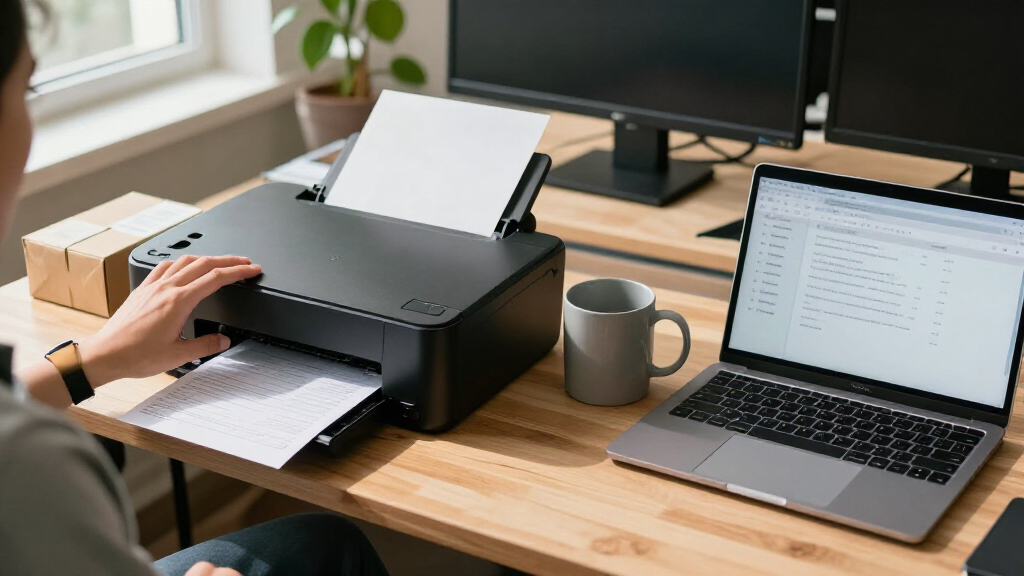
I compared the 14 printers by the jobs a small business is likely to assign them: everyday document printing, color marketing materials, scanning and copying, and fax workflows. I looked at print technology, multifunction features, duplex capabilities where specified, paper capacity where specified, connectivity, and the practical balance between office versatility and a manageable footprint. I also treated ink and toner requirements as part of the ownership decision rather than judging a printer by its feature list alone.
The ranking favors models with a clear fit for common small-business needs and useful combinations of functions. That puts a versatile monochrome laser with fax near the top for document-heavy offices, while color laser and high-capacity inkjet models earn their place for teams with different workloads. More specialized or simpler models rank lower when they leave out a function some businesses may need, or when another printer in this lineup offers a more compelling match for that same job. A lower position does not mean a model is unsuitable; it means its best use case is narrower.
| all in one printers for small business | Functions |
|---|---|
| Brother DCP-L2640DW Wireless M | Print, copy, scan |
| Brother MFC-L2820DW Wireless M | Print, copy, scan, fax |
| Canon Color imageCLASS MF665Cd | Print, scan, copy, fax |
| Epson WorkForce Pro WF-4820 Wi | — |
| Brother Work Smart 1410 Wirele | — |
| Canon Color imageCLASS MF753Cd | Print, copy, scan, fax |
| HP OfficeJet Pro 9125 Wireless | Print, scan, copy, fax |
| Brother INKvestment 5010 Wirel | Print, copy, scan, fax |
| Brother MFC-L8930CDW Business | — |
| HP OfficeJet Pro 8139 Wireless | Print, scan, copy, fax |
| HP LaserJet Pro MFP 3101sdw Wi | — |
| Brother MFC-L3720CDW Wireless | — |
| Brother INKvestment 5110 Wirel | — |
| HP Color LaserJet Pro MFP 3301 | — |
Factors to Consider When Choosing All In One Printers For Small Business
Before choosing a printer, map your real office workload rather than buying around a single headline feature. These factors can help you decide where to spend and which tradeoffs are likely to matter after installation.
Match the print technology to your workload
Laser and inkjet suit different patterns of use. Monochrome laser models make sense when the bulk of your output is text, forms, and internal documents. Color laser printers fit teams that need color output alongside regular office documents, but their larger feature set may come with a bigger device footprint. Inkjet models can suit offices that print color materials and want options beyond a strictly document-focused setup. A common mistake is choosing by the type of work you do occasionally rather than the work you print every week. Estimate your typical monthly mix of black-and-white pages, color pages, and photos before deciding.
Choose functions your workflow will actually use
Multifunction does not always mean every function. Some models in this roundup print, scan, and copy but omit fax, while others include fax for offices that still handle signed forms or document transmissions that way. Think about whether people need to scan multi-page paperwork, make frequent copies, or send faxes from the printer itself. A function used by several staff members can save repeated trips to another device; one that only appears on a checklist may add complexity without helping the daily workflow. Check how scanning connects to your existing computers and document-handling process before buying. Also decide whether all-in-one convenience is worth giving up the option to choose separate devices for specialized tasks.
Treat paper capacity as a workflow feature
Paper capacity affects interruptions, not just specifications. A larger tray can reduce how often someone stops to reload paper, which is useful for shared offices and busy teams. A smaller capacity may be perfectly adequate for a low-volume office and can make more sense when desk space is limited. Check whether the printer can handle the paper sizes and types your business uses, such as letterhead, envelopes, or labels, rather than assuming a general-purpose tray covers every job. Separate the everyday paper supply from occasional specialty media in your planning. Buying more capacity than your workload needs can waste space, while underestimating it can turn routine printing into a constant chore.
Compare ongoing supplies, not just the device
Ink and toner shape the long-term fit. A printer that suits your workload can still be a poor choice if its supply routine does not fit how your office buys and stores consumables. Before committing, check the available cartridge or toner options and how many colors the device uses. Color printing can draw on several supplies, even if most of your work is black and white, so consider whether staff can control when color is used. Ask who will monitor supply levels and reorder replacements; a small office may not have a dedicated IT or purchasing role. A low-volume team should prioritize simple upkeep, while a busier office may care more about reducing interruptions and managing supplies in advance.
Check shared-office setup and security needs
Connectivity matters most when several people share one printer. Confirm that the model’s wireless and mobile printing options work with the devices your staff already use, and check whether your office needs wired network access as well. A printer that is easy for one person to set up may still create friction when multiple employees need dependable access. Businesses that handle sensitive records should look at available security and user-management features, then compare them with their own policies rather than assuming every office printer offers the same protections. Also think about where the printer will sit: access to power, network coverage, and room for paper handling all affect daily usability. Avoid placing a shared device where staff must cross a busy work area to collect routine documents.
Pay more only for a workload that benefits
Extra capacity and business features pay off when they solve a real bottleneck. A high-capacity model may be worthwhile for a team that prints in volume, but a small office that prints occasional invoices may gain little from the added size. Color laser can be a sensible step when color output is frequent and the printer is shared; it is harder to justify when color jobs are rare. Likewise, fax, touchscreen controls, and security features are valuable only when they support the way your staff works. Write down the two or three tasks that cause the most printing friction before comparing specifications. That short list helps prevent paying for a feature set built for a larger or busier office than yours.
Frequently Asked Questions
Should a small business choose a monochrome laser or a color all-in-one?
Start with the documents your staff prints most often. If invoices, contracts, and internal paperwork dominate, a monochrome laser such as the Brother MFC-L2820DW or DCP-L2640DW is a focused option, with the former adding fax. If color output is part of routine client communication or marketing, compare the Canon color laser models with the inkjet choices in this roundup. Also account for paper capacity, available space, and supply management instead of treating color capability as the only difference. A business that prints color only now and then may be better served by a document-first device and a separate plan for occasional color jobs.
Do I need fax on a small-business all-in-one printer?
Fax is worth paying attention to if your business regularly sends or receives documents through a fax workflow, or if clients and agencies still require it. In this lineup, the Brother MFC-L2820DW and several other models explicitly include fax, while the Brother DCP-L2640DW is listed for printing, copying, and scanning without fax. Check whether your existing phone line or digital fax service supports the way the printer handles fax before choosing. If fax is not part of your routine, leaving it out can help narrow the shortlist without sacrificing your core print, scan, and copy needs. Do not assume the phrase “all-in-one” guarantees fax.
Is a high-capacity printer worth it for a small office?
It depends on how often the team prints and how disruptive paper refills are. The Brother INKvestment 5110 lists a 500-sheet capacity, which may appeal to offices that want more paper on hand than a compact, lower-capacity setup provides. For a small team with modest output, a larger device can take up space without meaningfully improving the workflow. Estimate how many pages your staff prints between normal refills and whether different paper types need to stay loaded. Capacity should solve a real interruption problem, not simply look reassuring on a specification sheet.
Which features should I check before connecting a printer to several employees?
Confirm that the printer supports the connection methods your staff will actually use, including the office network and the computers or mobile devices in daily use. Check whether setup and printing can be managed by more than one person, rather than relying on a single workstation. If documents are sensitive, review the model’s listed security features and compare them with your business policies. Plan the printer’s location around network coverage, power access, and a clear path for collecting documents. These checks can prevent a capable device from becoming a shared-office bottleneck.
How should I choose between the Canon color lasers and the Brother INKvestment 5110?
Choose based on the role color printing plays in your business and the kind of supplies you prefer to manage. The Canon Color imageCLASS MF753Cdw II and MF665Cdw are color laser options for offices that want color alongside a laser-based document workflow; the Brother MFC-L8930CDW is another business-focused color laser alternative. The Brother INKvestment 5110 is an inkjet model with a listed 500-sheet capacity, making it a different fit for buyers who prioritize that combination. Compare your typical color volume, paper needs, device space, and supply routines before deciding. If you do not need color regularly, a monochrome laser may be a simpler match than either category.
Conclusion
For most document-heavy small offices, I recommend the Brother MFC-L2820DW as the best overall pick, especially when fax is part of the workflow. For a best-value-style choice focused on core black-and-white work, the Brother DCP-L2640DW is a simpler alternative, though it does not list fax. Buyers seeking a premium color laser should compare the Canon Color imageCLASS MF753Cdw II and Brother MFC-L8930CDW against their needs for business features and security. For beginners who want a straightforward route into color printing, I’d shortlist the HP OfficeJet Pro 8139 or Brother Work Smart 1410, then confirm that their capabilities suit the office’s workload. For high paper capacity in an inkjet, the Brother INKvestment 5110 is the specific pick; for color laser scanning, copying, and fax, consider the Brother MFC-L3720CDW. Choose by the work your team repeats, the features it truly uses, and the space and supplies it can manage.