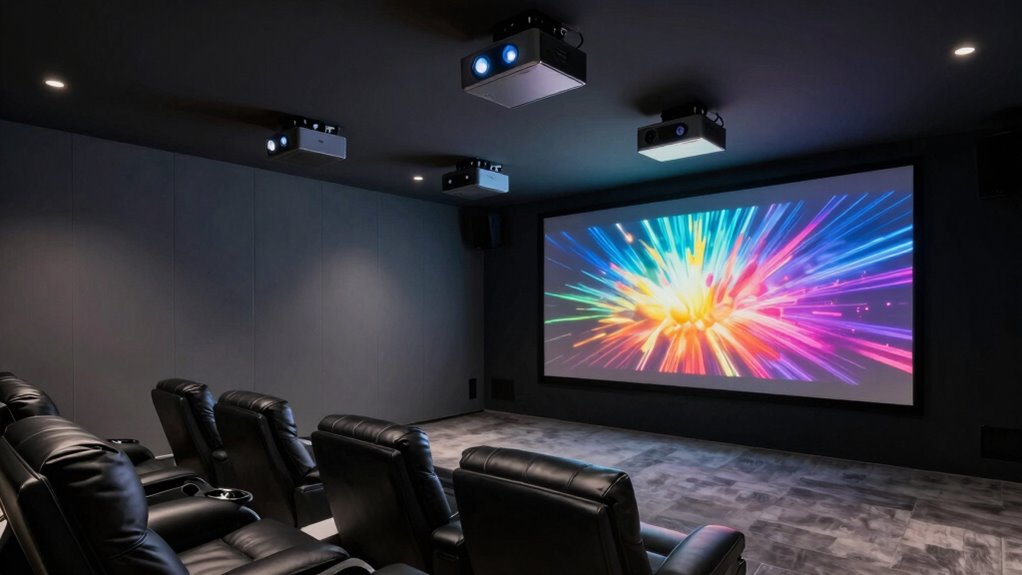

For a balanced mix of true 4K detail, home theater performance, and long-term flexibility, I would start with the Optoma UHZ36; the Epson Home Cinema 2350 is a strong alternative for buyers who value a flexible home setup, while the Happrun 3000 ANSI Google TV Projector stands out for built-in streaming and easier setup. The key tradeoffs among these 4K home theater projectors are native 4K versus 4K support or decoding, brightness in rooms with ambient light, and premium picture quality versus portable smart features. Some models emphasize laser projection or established home theater performance, while others bundle streaming apps, autofocus, and speakers into a convenient package. Your room, screen size, and viewing habits matter as much as a projector’s headline specs. Read on for the full breakdown and a guide to choosing the right fit.

Get business pricing on monitors, keyboards and dev gear
- Business-only prices and quantity discounts
- Tax-exempt purchasing
- Multiple users, one account, clear invoices
Key Takeaways
- The Optoma UHZ36 is the roundup’s premium home theater pick: its 4K UHD laser design gives it a clearer home cinema role than the portable, feature-packed models.
- The Epson Home Cinema 2350 offers a different kind of flexibility: it is a more established home theater option with Android TV, while many other picks lean on compact designs and built-in smart features.
- “4K” does not mean the same thing across this list: some listings specify 4K support or decoding, so buyers should check whether a model displays native 4K resolution or accepts a 4K signal.
- Convenience is a major point of separation: autofocus, keystone correction, automatic screen adjustment, and integrated streaming can simplify setup, but they do not replace checking room placement and image quality.
- Outdoor-ready features do not make every projector a theater upgrade: integrated speakers and smart apps are useful for casual viewing, while a dedicated dark-room setup may benefit more from image performance and an external sound system.


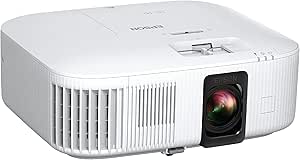


| 4k home theater projector | Brightness | Native resolution | Wireless | Display type |
|---|---|---|---|---|
| Smart 4K Support Projector wit | 500 ISO ANSI | 1080p | WiFi 6; Bluetooth 5.4, bidirectional | — |
| Happrun 3000 ANSI Google TV Pr | 3000 ANSI lumens | 1920 × 1080 Full HD | WiFi 6; Bluetooth 5.2 | LCD |
| Smart 4K Projector with WiFi | 550 ANSI lumens | 1920 × 1080 Full HD | WiFi 6; Bluetooth 5.4; AirPlay | — |
| ONOAYO Outdoor Projector 4K wi | — | — | WiFi 6; Bluetooth | — |
| AuKing 5100 ANSI Lumens 4K Out | 5100 ANSI lumens | 1920 × 1080 | WiFi 6; Bluetooth 5.2 | LCD |
| Smart 4K Projector with Google | 3000 ANSI lumens | 1920 x 1080 | — | LED |
| XGIMI Elfin Flip 4K Portable P | 1600 lm | 3840 x 2160 | — | DLP |
| HAPPRUN 2000 ANSI 4K Decoding | 2000 ANSI lumens | 1920 x 1080 | — | LCD |
| Optoma UHZ36 4K UHD Laser HDR | 3500 ANSI lumens | 3840 x 2160 | — | DLP |
| Epson Home Cinema 2350 4K PRO- | 2800 lumens | — | — | — |
| Smart Outdoor Projector with W | 600 ANSI lumens | — | Wi-Fi 6; Bluetooth 5.2 | — |
| VIDAA X9 PRO 4K Outdoor Projec | 920 ANSI lumens | — | Wi-Fi 6; Bluetooth 5.4 | — |
More Details on Our Top Picks
Smart 4K Support Projector with Google TV, WiFi 6, Bluetooth 5.4, HDR10, 30W Hi-Fi, AI Auto Focus, Portable Short Throw
This projector’s strongest case is setup flexibility: its ultra-short-throw option and 360° rotatable stand suit rooms where a conventional, fixed projector position is difficult. Built-in Google TV, voice control, and 30W stereo speakers also make it a more self-contained entertainment setup than the VIDAA model, which has a different app ecosystem. HDR10 and 4K decoding support accept higher-resolution sources, but the native resolution is 1080p, so it cannot show the detail of a true 4K projector. Its 500 ISO ANSI brightness is best suited to controlled lighting rather than a bright daytime room. I’d choose it for adaptable placement and integrated streaming, not for maximum image sharpness; fixed installations may need manual focus and keystone adjustments.
Pros:- Ultra-short-throw projection and a 360° rotatable stand offer more placement options than a standard fixed setup.
- Google TV and voice control provide built-in access to a large app library.
- 30W stereo speakers can reduce the need for separate audio equipment.
- WiFi 6 and bidirectional Bluetooth 5.4 support wireless streaming and audio connections.
Cons:- Native 1080p resolution limits fine image detail despite 4K decoding support.
- 500 ISO ANSI brightness is a less suitable fit for rooms with strong ambient light.
- Auto-focus and keystone may need manual adjustment in a permanent installation.
Best for: Renters and multi-use-room viewers who need flexible placement, built-in Google TV, and easy streaming without a separate device.
Not ideal for: Buyers seeking native 4K detail or a projector for bright daytime viewing; this model is 1080p natively and lists 500 ISO ANSI brightness.
- Native resolution:1080p
- Supported resolution:4K decoding
- Brightness:500 ISO ANSI
- HDR:HDR10
- Operating system:Google TV 14.0
- Speakers:30W Hi-Fi stereo
- Wireless:WiFi 6; Bluetooth 5.4, bidirectional
- Projection and setup:Ultra short throw; 360° rotatable stand; AI auto-focus and auto keystone
Our verdict“Choose this for flexible placement and convenient Google TV streaming, but skip it if native 4K resolution is your priority.”
Happrun 3000 ANSI Google TV Projector with 4K HDR and Auto Focus
The Happrun’s headline advantage over the other 1080p-native picks here is its stated 3000 ANSI lumens, which gives it a stronger case for rooms with some ambient light than the 500- and 550-lumen projectors in this group. Its built-in Google TV and AI focus and screen alignment also simplify the path from setup to streaming. That convenience comes with a resolution limit: it accepts 4K HDR material, but its native image is Full HD, so it won’t deliver the detail of a true 4K home theater projector. The dual 10W Dolby Audio speakers are practical, though less powerful on paper than the 30W system in the Google TV short-throw model. I’d favor this Happrun for a brighter, flexible living-room setup, not a dark-room system built around 4K detail.
Pros:- Stated 3000 ANSI lumens make it a stronger ambient-light candidate than the lower-brightness models in this batch.
- Built-in Google TV provides streaming apps without a separate player.
- AI auto-focus and screen alignment help reduce initial setup work.
- Dual 10W speakers with Dolby Audio provide onboard sound.
Cons:- Native resolution is Full HD, despite support for 4K HDR content.
- A 5.48-foot minimum throw distance may limit placement in smaller rooms.
- Wall-mount hardware is not included, adding work for permanent installations.
Best for: Living-room viewers who want built-in Google TV, a brighter stated output, and automatic setup for occasional movie nights.
Not ideal for: Dedicated home-cinema buyers who want native 4K sharpness or a permanently mounted projector with supplied installation hardware.
- Native resolution:1920 × 1080 Full HD
- Brightness:3000 ANSI lumens
- Display type:LCD
- Contrast ratio:20000:1
- Maximum image size:300 inches
- Throw distance:5.48–22 feet
- Wireless:WiFi 6; Bluetooth 5.2
- Audio:Dual 10W speakers with Dolby Audio
- Connectivity:HDMI, USB 2.0, 3.5mm audio, Bluetooth
Our verdict“Pick the Happrun for a brighter, streaming-ready Full HD setup, but choose a native 4K model if image detail matters most.”
Smart 4K Projector with WiFi, Bluetooth, AI Auto-Focus, Keystone Correction, VIDAA OS, 60W Dolby Audio, AirPlay, Voice Control, Live TV, Ceiling Mount, Gaming, Camping
This VIDAA projector is aimed at viewers who want a TV-like smart interface rather than just a screen for an external streaming stick. Its listed 1,200-plus apps and 1,000-plus live TV channels set it apart from the Google TV short-throw model, while AirPlay and voice control add useful ways to send content from compatible devices. AI auto-focus, 6D keystone correction, and obstacle avoidance help when the projector moves between rooms or ceiling and tabletop setups. The tradeoff is that its 550 ANSI lumens and native Full HD resolution place it firmly in the casual, dim-room category—not the true 4K or bright-outdoor class. The advertised 60W lamp figure is not a brightness rating. I’d pick it over the AuKing for app versatility, but not for higher image resolution or a documented high-lumen output.
Pros:- VIDAA lists more than 1,200 apps and 1,000 live TV channels for a broad built-in viewing selection.
- AirPlay and voice control offer convenient ways to send and manage content.
- AI auto-focus, 6D keystone correction, and obstacle avoidance support flexible placement.
- WiFi 6 and Bluetooth 5.4 provide current wireless connectivity.
Cons:- Native 1920 × 1080 resolution cannot reproduce native 4K detail.
- 550 ANSI lumens may not be sufficient for bright rooms or daytime outdoor use.
- The listed lamp wattage does not clarify image brightness.
Best for: Viewers who want live TV channels, AirPlay, and automated setup in a flexible indoor or evening-use projector.
Not ideal for: Buyers seeking native 4K resolution or a projector for bright daytime outdoor viewing; its native resolution is Full HD and brightness is 550 ANSI lumens.
- Native resolution:1920 × 1080 Full HD
- Supported resolution:Up to 3840 × 2160 4K decoding
- Brightness:550 ANSI lumens
- Operating system:VIDAA Smart OS
- Apps and live TV:1,200+ apps; 1,000+ live TV channels
- Image adjustment:AI auto-focus; 6D keystone; auto obstacle avoidance
- Wireless:WiFi 6; Bluetooth 5.4; AirPlay
- Throw distance:4.5–16.4 feet
- Audio:Built-in Dolby Audio speakers
Our verdict“Choose this VIDAA model for live TV, AirPlay, and flexible setup, not for native 4K or sunlit viewing.”
ONOAYO Outdoor Projector 4K with AI Auto Focus, 50W Dolby Audio, Built-in Apps
At a stated 2.4 pounds, the ONOAYO is the most clearly portable option in this batch, making it easier to move between a living room, backyard, or tripod setup than the Happrun, whose weight isn’t specified. Its AI focus, keystone correction, and obstacle avoidance are designed to speed up image adjustment, while built-in Chromecast and streaming apps reduce reliance on an external source. The standout audio claim is dual 50W Dolby Audio speakers with eARC, but the product data does not give a lumen figure, so I can’t rank its brightness against the Happrun’s stated 3000 ANSI lumens or AuKing’s 5100. The title and listing say 4K, but no native-resolution specification is provided. I’d treat it as a portable convenience pick, not a confirmed high-brightness 4K theater upgrade.
Pros:- At 2.4 pounds, it is easy to carry between rooms or take outdoors.
- Built-in Chromecast and streaming apps reduce the need for an external streaming device.
- AI auto-focus, keystone correction, and obstacle avoidance support quick placement changes.
- Dual 50W Dolby Audio speakers and eARC offer an unusually prominent onboard audio feature set.
Cons:- No brightness figure is provided, making room suitability difficult to compare.
- Native resolution is not specified, so the 4K claim cannot be judged against the Full HD models.
- Lamp-life information is not provided.
Best for: People who move a projector between indoor rooms and outdoor evening setups and value onboard streaming and audio.
Not ideal for: Buyers who need documented brightness, native-resolution clarity, or a dependable choice for daytime outdoor projection.
- Weight:2.4 lb
- Resolution:Listed as 4K; native resolution not specified
- Audio:Dual 50W Dolby Audio speakers with eARC
- Smart features:2026 Smart TV OS 2.0; built-in Chromecast
- Wireless:WiFi 6; Bluetooth
- Zoom range:50%–100%
- Image adjustment:AI auto-focus; keystone correction; obstacle avoidance
- Mounting:Desktop, tripod, wall, or ceiling
Our verdict“Choose the ONOAYO for light weight and portable convenience, but skip it if you need verified brightness or resolution details.”
AuKing 5100 ANSI Lumens 4K Outdoor Projector with Dolby Audio and Netflix
The AuKing’s listed 5100 ANSI lumens make it the most compelling brightness-led option in this group on paper, especially beside the ONOAYO, which gives no lumen figure. Its stated 3.9-foot minimum throw distance also offers more placement flexibility than the Happrun, which starts at 5.48 feet. Built-in Netflix and Prime Video, autofocus, and automatic keystone correction add practical convenience for indoor and outdoor setups. The key compromise is resolution: the AuKing has a native 1080p panel and accepts 4K signals, so source compatibility should not be mistaken for native 4K detail. Its listed maximum image size is 200 inches, smaller than the Happrun’s 300-inch claim, and the product data provides only a 3.5mm audio connection detail rather than a full port list. I’d choose it for stated brightness, not pixel-level sharpness.
Pros:- Listed 5100 ANSI lumens give it the strongest stated brightness claim among these five products.
- Built-in Netflix and Prime Video offer direct streaming without a separate device.
- Fast autofocus and automatic keystone correction help simplify setup.
- A 3.9-foot minimum throw distance offers more close-placement flexibility than the Happrun.
Cons:- Native resolution is 1920 × 1080, so 4K sources are not displayed at native 4K detail.
- The listed maximum image size is 200 inches, below the Happrun’s stated 300-inch maximum.
- The product data gives limited connectivity detail and no weight figure.
Best for: Viewers who prioritize a high stated brightness, built-in Netflix, and flexible indoor or outdoor placement over native 4K resolution.
Not ideal for: Dedicated 4K cinema buyers who want native 4K detail, or shoppers who need a clearly documented full set of connectivity options.
- Native resolution:1920 × 1080
- Maximum supported resolution:3840 × 2160
- Brightness:5100 ANSI lumens
- Display type:LCD
- Maximum image size:200 inches
- Throw distance:3.9–9.8 feet
- Light source life:65,000 hours
- Wireless:WiFi 6; Bluetooth 5.2
- Audio connection:3.5mm audio jack
Our verdict“Pick the AuKing for its high stated brightness and built-in streaming, but choose another model if native 4K detail is non-negotiable.”
Smart 4K Projector with Google TV Stick, WiFi & Bluetooth, 3000 ANSI Lumens, Auto Focus, Auto Lens Cover, Portable Outdoor/Home Theater
Easy setup and flexible placement are the main reasons I’d choose this model for mixed home and outdoor use. Its 3000 ANSI lumens offer more brightness headroom than the HAPPRUN 2000 ANSI projector, while autofocus, auto keystone, and a rotating stand help get an image into place without much manual adjustment. The included Google TV Stick adds a familiar streaming route, though it is a separate accessory rather than native 4K projection: the projector’s native resolution is 1080p, with 4K decoding support. That makes it less suitable for buyers seeking true 4K detail than the Optoma UHZ36 or XGIMI Elfin Flip. I’d favor it for casual movie nights in different locations, but not for a permanent theater where native resolution and a fixed installation matter more.
Pros:- 3000 ANSI lumens provide more brightness headroom than the HAPPRUN 2000 ANSI model.
- Autofocus and auto keystone simplify setup across changing locations.
- Google TV Stick is included for streaming access and voice control.
- 360-degree rotating stand supports flexible placement.
Cons:- Native resolution is 1920 x 1080, not 4K; 4K content is decoded for a 1080p display.
- Requires a power source, limiting truly untethered outdoor use.
- Its portability is tempered by a build described as relatively heavy.
Best for: Households that move a projector between rooms or take it outdoors and want automatic image adjustment plus included streaming access.
Not ideal for: Buyers building a dedicated theater around native 4K detail, or anyone who needs a projector that works away from a power source.
- Native resolution:1920 x 1080
- Brightness:3000 ANSI lumens
- Display type:LED
- Streaming accessory:Google TV Stick included
- Wireless connectivity:Wi-Fi 6
- Bluetooth:Version 5.2
- Image adjustment:Autofocus and auto keystone
- Stand:360° rotating stand
- Warranty:2 years
Our verdict“Choose this for convenient, brighter 1080p projection across indoor and outdoor settings, not for native 4K home theater detail.”
XGIMI Elfin Flip 4K Portable Projector with Wi-Fi and Bluetooth, Google TV
Native 4K resolution makes the XGIMI Elfin Flip a different class of choice from the 1080p projectors in this group. Compared with the Smart 4K Projector with Google TV Stick, it is better suited to viewers who want fine image detail rather than 4K decoding on a 1080p panel. Its 1ms latency, VRR, and ALLM also give console and PC players a stronger gaming case than the Epson Home Cinema 2350’s listed under-20ms input lag. A flexible optical zoom can help fit the image to different spaces, and built-in Harman Kardon speakers reduce the need for immediate add-on audio. The tradeoffs are its 1600-lumen brightness, which gives it less room for ambient light than the Optoma UHZ36, and limited listed installation details; I’d verify power compatibility before buying.
Pros:- 3840 x 2160 native resolution provides true 4K image detail.
- 1ms latency, VRR, and ALLM suit responsive gaming.
- Optical zoom helps adapt the image to different rooms.
- Built-in Harman Kardon speakers provide onboard audio.
Cons:- 1600 lumens is lower than the Optoma UHZ36 and the 3000-lumen Smart 4K Projector with Google TV Stick.
- Power is listed as 240 volts, so buyers should check compatibility with their setup.
- Weight is not specified, making portability harder to judge.
Best for: Gamers and movie fans who want native 4K in a portable tabletop projector and can control room lighting.
Not ideal for: Viewers who watch with substantial ambient light, need a ceiling-installation-focused model, or require clearly specified power and weight details.
- Native resolution:3840 x 2160
- Display type:DLP
- Brightness:1600 lm
- Contrast ratio:20000:1
- Maximum image size:200 inches
- Throw distance:0.87–5.7 meters
- Gaming support:1ms latency, VRR, and ALLM
- Built-in audio:Harman Kardon speakers
- Mounting type:Tabletop
Our verdict“Pick the Elfin Flip for portable native 4K and gaming features, provided its brightness and power requirements fit your room.”
HAPPRUN 2000 ANSI 4K Decoding Projector with WiFi and Bluetooth, Auto Focus
The HAPPRUN makes the most sense for buyers who want automatic setup and broad placement options without treating 4K decoding as equivalent to native 4K. Its 2000 ANSI lumens and 1080p native resolution put it below the Smart 4K Projector with Google TV Stick for brightness and below the Optoma UHZ36 for image detail, but it offers a useful spread of HDMI, USB, audio, Wi-Fi, and Bluetooth connections. Multiple mounting choices—tripod, ceiling, tabletop, wall, or floor—make it more adaptable than the tabletop-focused XGIMI Elfin Flip. Autofocus and keystone correction can reduce setup work, though the focus system may struggle when the unit is tilted beyond 15 degrees. I’d reserve it for dim-room entertainment; the listed brightness and focus caveat make it a weaker fit for bright rooms or awkward angles.
Pros:- Autofocus and auto keystone help speed up picture setup.
- Wi-Fi 6 and Bluetooth 5.2 support wireless connections.
- HDMI, USB, 3.5mm audio, and headphone connections broaden device compatibility.
- Supports ceiling, tripod, tabletop, wall, and floor mounting.
Cons:- Native resolution is 1920 x 1080, so it does not display native 4K detail.
- Best suited to a dark environment rather than a brightly lit room.
- Autofocus may fail when the projector is tilted more than 15 degrees.
Best for: Budget-minded households seeking a 1080p projector with 4K decoding, automatic adjustments, and several mounting choices for a dark room.
Not ideal for: Buyers who need native 4K resolution, dependable projection at steep angles, or strong results with room lights on.
- Native resolution:1920 x 1080
- Brightness:2000 ANSI lumens
- Display type:LCD
- Contrast ratio:20000:1
- Maximum image size:300 inches
- Maximum throw distance:28.4 feet
- Wireless connectivity:Wi-Fi 6 and Bluetooth 5.2
- Inputs:3.5mm audio, HDMI, headphone, USB, Wi-Fi, and Bluetooth
- Mounting options:Ceiling, tripod, tabletop, wall, or floor
Our verdict“Choose the HAPPRUN for adaptable mounting and automated setup in a dark room, but skip it if native 4K is a requirement.”
Optoma UHZ36 4K UHD Laser HDR Home Theater Projector – Black
Native 4K, laser illumination, and 3500 ANSI lumens make the Optoma UHZ36 the strongest fit here for a permanent home theater that cannot stay completely dark. It offers far more brightness than the XGIMI Elfin Flip’s 1600 lumens, while its 3840 x 2160 resolution avoids the 1080p ceiling of the HAPPRUN and Smart 4K Projector with Google TV Stick. Filmmaker Mode is aimed at preserving a film’s intended color and frame rate, and the rated 30,000-hour light-source life reduces routine lamp replacement concerns. This is less of a grab-and-go entertainment option: it weighs 10.4 pounds, and the listed connections are limited to HDMI and USB. I’d plan on separate audio too, since the built-in speaker is described as modest.
Pros:- 3840 x 2160 native resolution delivers true 4K UHD detail.
- 3500 ANSI lumens offer more brightness than the XGIMI Elfin Flip and HAPPRUN.
- Laser light source is rated for up to 30,000 hours.
- Filmmaker Mode supports film-focused color and frame-rate presentation.
Cons:- At 10.4 pounds, it is less convenient to move frequently.
- HDMI and USB are the listed hardware connections, with no built-in streaming platform specified.
- The built-in speaker is modest for a dedicated home theater.
Best for: Home theater owners who want native 4K, high brightness, and a long-life laser source in a fixed tabletop or ceiling setup.
Not ideal for: Buyers seeking a lightweight portable projector, extensive built-in streaming features, or strong onboard theater sound.
- Native resolution:3840 x 2160
- Display type:DLP
- Brightness:3500 ANSI lumens
- Contrast ratio:1,500,000:1
- Light-source life:Up to 30,000 hours
- Maximum image size:300 inches
- Throw distance:3.19–34.6 feet
- Connectivity:HDMI and USB
- Weight:10.4 pounds
Our verdict“Choose the UHZ36 for a bright, fixed native-4K theater setup, and budget for external audio and streaming devices.”
Epson Home Cinema 2350 4K PRO-UHD Smart Streaming Projector with Android TV
The Epson Home Cinema 2350 balances bright 4K PRO-UHD viewing, built-in Android TV, and low-latency gaming in one tabletop-oriented package. Its 2800-lumen rating is below the Optoma UHZ36’s 3500, but above the XGIMI Elfin Flip’s 1600, making it a middle ground for rooms with some ambient light. The 3-chip 3LCD system is a notable contrast with the DLP designs from Optoma and XGIMI, while under-20ms input lag gives console players a clear reason to favor it over a projector chosen mainly for film presentation. Android TV can simplify streaming without a separate stick, though streaming depends on a stable Wi-Fi connection and the built-in 10W speaker may not suit theater listening. I’d choose it for mixed-use living rooms, not for buyers prioritizing the Optoma’s higher brightness or listed native 4K resolution.
Pros:- Android TV provides built-in access to streaming apps.
- 2800 lumens sit between the brighter Optoma UHZ36 and dimmer XGIMI Elfin Flip.
- Under-20ms input lag supports responsive gaming.
- 3-chip 3LCD display technology is a distinct alternative to the DLP models in this lineup.
Cons:- Listed resolution is 4K PRO-UHD rather than the Optoma UHZ36’s stated 3840 x 2160 native resolution.
- The 10W built-in speaker may call for external audio.
- Streaming apps require a stable Wi-Fi connection of at least 5 Mbps.
Best for: Living-room viewers who want integrated Android TV, 4K PRO-UHD viewing, and responsive console gaming from one projector.
Not ideal for: Dedicated theater buyers who prioritize the Optoma UHZ36’s higher brightness and stated native 4K resolution, or viewers relying on built-in audio for a large room.
- Resolution:3840 x 2160 (4K PRO-UHD)
- Brightness:2800 lumens
- Display technology:3-chip 3LCD
- Built-in speaker:10 watts
- Input lag:Under 20 ms in low-latency mode
- Streaming platform:Android TV
- Connectivity:HDMI, Wi-Fi, and Bluetooth
- Mounting:Tabletop with vertical lens shift
Our verdict“Pick the Epson for a mixed-use living room where integrated streaming and low-lag gaming matter more than maximum brightness.”
Smart Outdoor Projector with WiFi and Bluetooth, Dolby Audio Dual Speakers, Auto Focus, YouTube & Prime Video Support – P62 Pro
The P62 Pro suits buyers who want an easy-to-set-up projector for streaming, rather than a true 4K home theater image. Its native 1080p resolution means 4K content is displayed at 1080p, a key distinction from genuine 4K models such as the Optoma UHZ36. Built-in YouTube and Prime Video apps, Wi-Fi 6, and AI autofocus cut down on extra devices and setup steps, while the two 10W Dolby speakers can handle casual viewing without a separate sound system.
At 600 ANSI lumens, it is better suited to a dim room or evening outdoor screening than daytime viewing. HDR10 adds format support, but it does not change the projector’s native resolution. I’d choose this over the VIDAA X9 PRO for its stated 50–100% zoom range and clearly listed HDMI and USB ports; the VIDAA has higher stated brightness and more powerful speakers. The missing carrying case also makes frequent transport less convenient.
Pros:- Built-in YouTube and Prime Video apps reduce reliance on an external streaming device.
- AI autofocus and automatic keystone correction simplify placement and setup.
- Two 10W Dolby speakers provide usable sound without separate speakers for casual viewing.
- Wi-Fi 6, Bluetooth 5.2, and two HDMI ports offer flexible connections.
Cons:- Native resolution is 1080p; 4K content is decoded or supported but not shown at native 4K resolution.
- 600 ANSI lumens is a limiting factor in rooms with substantial ambient light.
- No carrying case is included, which is inconvenient for frequent transport.
Best for: Streamers who want built-in YouTube and Prime Video, straightforward setup, and casual evening viewing in a dim room or backyard.
Not ideal for: Buyers who need native 4K detail, watch in bright rooms, or regularly carry a projector and want an included case.
- Resolution:Native 1080p; supports 4K content
- Brightness:600 ANSI lumens
- HDR:HDR10
- Speakers:Dual 10W speakers with Dolby audio
- Wireless:Wi-Fi 6; Bluetooth 5.2
- Ports:2 HDMI; 2 USB
- Image setup:AI autofocus; auto keystone correction; 50–100% zoom
- Warranty:2-year money-back coverage; 3-year repair coverage
Our verdict“Choose the P62 Pro for convenient app-based streaming and simple setup, not for native 4K sharpness or bright-room projection.”
VIDAA X9 PRO 4K Outdoor Projector with Smart TV Features, HDR10, Dolby Audio, WiFi6, Bluetooth, Auto Focus, and AI Screen Adjustment
The VIDAA X9 PRO is the stronger pick here for outdoor movie nights when you want more brightness and louder built-in sound. Its stated 920 ANSI lumens exceed the P62 Pro’s 600, which gives it more headroom for ambient light, although evening or dim conditions remain the better setting for either projector. The two 20W Dolby speakers also offer more onboard power than the P62 Pro’s dual 10W system, reducing the need to add speakers for casual viewing.
The central limitation is the same: native 1080p resolution, with 4K decoding rather than a native 4K image. So I would not choose it over a true 4K option such as the Optoma UHZ36 for maximum fine detail. VIDAA OS lists a broad selection of streaming apps, and autofocus, 6D keystone correction, auto screen fit, and obstacle avoidance help simplify setup. The supplied details do not specify portable power support, and its built-in audio still cannot replace a surround-sound system.
Pros:- Stated 920 ANSI lumens provide more brightness headroom than the P62 Pro for outdoor and ambient-light use.
- Dual 20W Dolby speakers offer more built-in audio power than the P62 Pro’s dual 10W speakers.
- VIDAA OS supports Netflix, YouTube, Prime Video, Disney+, Hulu, Peacock, and HBO Max.
- Autofocus, 6D keystone correction, auto screen fit, and obstacle avoidance aid flexible placement.
Cons:- Native resolution is 1080p, so 4K decoding does not produce a native 4K image.
- Built-in speakers do not provide the separation or surround effect of an external audio system.
- Battery or portable power support is not specified, limiting confidence for remote outdoor use.
Best for: Outdoor movie hosts and sports viewers who value brighter output, powerful onboard speakers, and built-in access to major streaming apps.
Not ideal for: Home theater buyers who require native 4K resolution, full surround sound, or confirmed battery-powered operation for remote locations.
- Resolution:Native 1080p; 4K decoding
- Brightness:920 ANSI lumens
- HDR:HDR10
- Speakers:2 × 20W with Dolby audio
- Operating system:VIDAA OS
- Wireless:Wi-Fi 6; Bluetooth 5.4
- Streaming apps:Netflix, YouTube, Prime Video, Disney+, Hulu, Peacock, HBO Max
- Image setup:Autofocus; 6D keystone correction; auto screen fit; obstacle avoidance
- Warranty:3 years
Our verdict“Pick the VIDAA X9 PRO over the P62 Pro for higher stated brightness and stronger built-in audio, while accepting that its image is still native 1080p.”
How We Picked
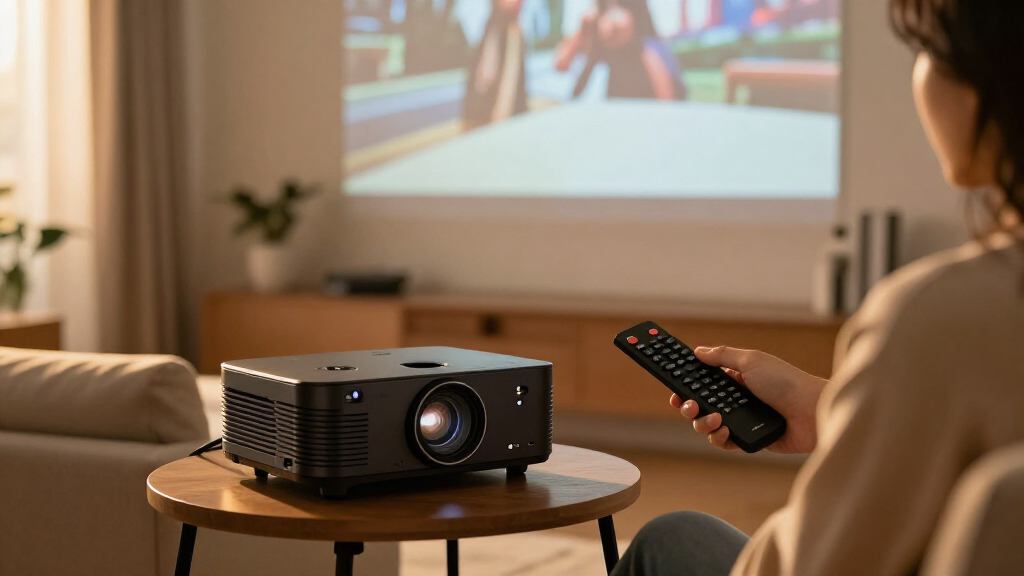
I compared the 12 listed models by how well their stated features serve a home theater buyer: resolution claims, light output, projection technology, HDR support, streaming access, setup assistance, audio, portability, and intended indoor or outdoor use. I gave greater weight to clear home cinema credentials and useful flexibility than to broad feature lists alone. A quoted brightness figure or a 4K label is not enough by itself; buyers need to know whether a projector displays native 4K or only accepts and decodes a 4K source, and how it is likely to fit their room.
The ranking favors models with a more distinct role and a stronger connection to a dedicated viewing setup, then weighs convenience-focused and outdoor-oriented models by their practical strengths. The Optoma UHZ36 and Epson Home Cinema 2350 rise for their home theater positioning, while smart portable models earn attention for simpler setup and streaming rather than being treated as equivalent cinema performers. Product details supplied here do not establish every measurement or image characteristic, so I avoid treating unverified specifications as proof of performance. Buyers should confirm resolution type, brightness testing conditions, throw distance, and app availability before choosing.
| 4k home theater projector | Wireless | Display type |
|---|---|---|
| Smart 4K Support Projector wit | WiFi 6; Bluetooth 5.4, bidirectional | — |
| Happrun 3000 ANSI Google TV Pr | WiFi 6; Bluetooth 5.2 | LCD |
| Smart 4K Projector with WiFi | WiFi 6; Bluetooth 5.4; AirPlay | — |
| ONOAYO Outdoor Projector 4K wi | WiFi 6; Bluetooth | — |
| AuKing 5100 ANSI Lumens 4K Out | WiFi 6; Bluetooth 5.2 | LCD |
| Smart 4K Projector with Google | — | LED |
| XGIMI Elfin Flip 4K Portable P | — | DLP |
| HAPPRUN 2000 ANSI 4K Decoding | — | LCD |
| Optoma UHZ36 4K UHD Laser HDR | — | DLP |
| Epson Home Cinema 2350 4K PRO- | — | — |
| Smart Outdoor Projector with W | Wi-Fi 6; Bluetooth 5.2 | — |
| VIDAA X9 PRO 4K Outdoor Projec | Wi-Fi 6; Bluetooth 5.4 | — |
Factors to Consider When Choosing 4k Home Theater Projectors
Choosing among 4K home theater projectors starts with the room, not the feature list. I would first work out where the projector can sit, how much light you can control, and whether you want a permanent screen or occasional projection. Those decisions help separate dedicated theater models from portable projectors built around convenience.
Check What the 4K Label Actually Means
Projector listings may describe native 4K resolution, 4K support, or 4K decoding, and those phrases do not promise the same displayed detail. A model that accepts a 4K input may still use a lower-resolution imaging system to create the picture. If fine detail is your priority, verify the projector’s native resolution and whether any pixel-shifting method is used. Also check what resolution it supports at your intended refresh rate, especially if you plan to connect a game console or PC. This distinction helps explain why the Optoma UHZ36’s 4K UHD positioning reads differently from models explicitly described as 4K support or decoding. Do not choose on the label alone; compare the manufacturer’s full imaging specifications and independent technical measurements where available.
Match Brightness to Your Room and Screen
Brightness affects whether a projected image remains watchable with room lights on, but published lumen figures can be measured under different conditions. A bright-room claim is not a substitute for checking independent measurements, picture modes, and how brightness changes when using accurate color settings. Screen size matters too: spreading the same light over a larger image can make the picture look dimmer. A dark room gives you more freedom to prioritize contrast and color rather than chasing the biggest advertised number. Outdoor viewing adds further variables, including dusk or nighttime conditions, ambient light, and the need for a suitable screen. Treat brightness as a room-and-screen match, not a simple ranking number.
Measure Throw Distance Before You Buy
A projector can have strong image specifications and still be a poor match if it cannot fill your screen from the available mounting position. Measure the distance from the planned lens position to the screen, then check the projector’s throw ratio and zoom range against your desired image size. Short-throw designs can help in rooms where a projector must sit close to the wall, but the category label alone does not confirm that a model fits your exact layout. Keystone correction and automatic screen adjustment can make setup easier, yet heavy digital correction may reduce usable image detail or limit placement choices. Check lens shift as well, since moving the image optically can preserve more picture quality than correcting it digitally. I would confirm the geometry before prioritizing smart features.
Decide Whether Built-In Streaming Is Worth the Tradeoff
Integrated Google TV, Android TV, VIDAA, or bundled streaming hardware can reduce setup steps and keep casual viewing simple. App catalogs, updates, and playback support can vary by platform and region, so check that the services you use are available on the specific model. A separate streaming device may offer a more familiar interface or longer support, but it uses an HDMI port and adds another device to power and control. Built-in smart features are especially useful for portable projectors that move between rooms or go outdoors. For a fixed theater, you may care more about image performance and connectivity than having every app inside the projector. Check whether the included platform is native to the projector or supplied through a separate stick.
Treat Projector Speakers as a Convenience Feature
Integrated speakers are handy for bedrooms, temporary setups, or outdoor movie nights where a separate sound system is impractical. Their wattage does not tell you how spacious dialogue, bass, or surround effects will sound in your room. A dedicated home theater usually benefits from a soundbar or receiver and speakers, so check the projector’s audio outputs and Bluetooth behavior before choosing. Bluetooth can simplify a portable setup, but wireless audio may introduce lip-sync delay depending on the projector and speaker. Larger advertised speaker systems, such as the models listing Dolby Audio, can be useful for quick viewing without guaranteeing a theater-like soundstage. Decide whether built-in sound is your main system or just a backup.
Choose Between Fixed Installation and Portability
A permanent theater rewards careful placement, consistent screen geometry, and a projector suited to regular use. Portable models trade some installation permanence for easier movement, automatic focus, and flexible placement around the home or outdoors. Those automatic features can save time, but they do not remove the need for a stable surface, suitable projection distance, and a screen that fits the image. Check the product’s mounting options, ventilation needs, connectivity, and any stated maintenance requirements before planning a ceiling installation. Outdoor use also calls for a protected power source and a setup away from moisture and dust. Pay extra for portability only if you expect to move the projector often.
Frequently Asked Questions
Does a projector advertised as 4K support necessarily show a native 4K image?
No. “4K support” or “4K decoding” can mean that the projector accepts a 4K video signal, not that its imaging chip displays native 4K resolution. Check the manufacturer’s stated native resolution and any pixel-shifting details before buying. This matters most when you sit close to a large screen or want fine detail from high-resolution films. The roundup includes products described with support or decoding language, so comparing those claims with the Optoma UHZ36’s 4K UHD description is a useful starting point, not a substitute for checking specifications. If the information is unclear, ask the manufacturer to confirm the displayed resolution.
Can I use one of these projectors in a bright living room?
Some projectors may be more suitable for ambient light than others, but a lumen figure alone cannot predict the result. Screen size, wall color, picture mode, and daylight all affect perceived contrast and brightness. For daytime use, reduce incoming light with curtains and consider a screen designed for your room conditions; neither step can fully compensate for an unsuitable projector. The outdoor models’ high-brightness claims may sound appealing, but check how those figures were measured and look for independent testing. If you mainly watch films at night, contrast and color accuracy may matter more than a headline brightness number.
Should I choose a smart projector or connect my own streaming device?
Choose built-in streaming if fewer components and a quick setup matter most, particularly for a portable or occasional-use projector. An external streamer can be a better fit if you already prefer its interface, want consistent app support, or plan to replace the projector without changing your viewing setup. Check which apps are available in your region and whether the projector supports the video and audio formats you use. Also confirm that it has enough HDMI connections for a streamer, game console, and other sources. The listings in this roundup include Google TV, Android TV, VIDAA, and bundled-stick approaches, so platform details are a real point of comparison.
Do I need a special screen for a 4K home theater projector?
A suitable screen can help the projector deliver a sharper, more even image, but the best choice depends on the room and installation. A flat, neutral surface is a sensible starting point for a dark room, while rooms with ambient light may call for a screen designed to reject some of that light. Screen gain can affect brightness and viewing angles, so a higher number is not automatically better for every seat. Match the screen size to the projector’s throw distance and the brightness you can realistically expect in your room. Before buying a screen, confirm the image dimensions and whether the projector can place the picture squarely without excessive digital correction.
Is a portable outdoor projector a good replacement for a fixed home theater model?
It can suit casual movie nights and rooms where moving or storing the projector is useful, but portability often comes with compromises in installation flexibility, sound, or dedicated theater performance. Outdoor use is most practical after dark, with a stable surface, a suitable screen, and safe access to power. Built-in apps and speakers reduce the number of accessories you need, though they may not match a separate streaming system and sound setup. A fixed model such as the Optoma UHZ36 or Epson Home Cinema 2350 is a more natural fit for a permanent viewing room. Choose a portable model when its flexibility will get regular use, not simply because it includes more convenience features.
Conclusion
For a dedicated room and the strongest home theater focus in this lineup, my best overall recommendation is the Optoma UHZ36; choose the Epson Home Cinema 2350 if its Android TV setup and home cinema positioning better match your needs. My best premium pick is also the Optoma, particularly for buyers who want a 4K UHD laser model and can confirm that its installation specs suit their room. For best value in convenience, I would shortlist the Happrun 3000 ANSI Google TV Projector, while checking its resolution details and brightness claims against your expectations. Beginners who want simple streaming and setup should look at the Google TV and autofocus models, including the Happrun; compare app support and placement requirements before deciding. For outdoor or frequently moved use, the XGIMI Elfin Flip and the smart outdoor picks make more sense than a fixed theater installation. The final choice comes down to whether you value dedicated image performance, easy streaming, or flexibility most.