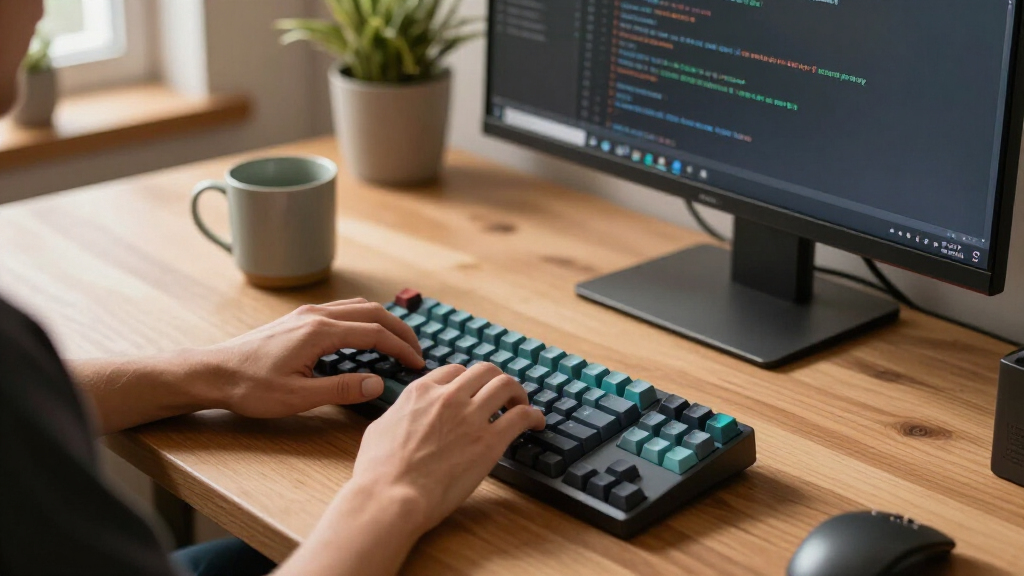

For most programmers, I’d start with the Keychron K3 Version 2: its compact 75% layout keeps the function row while freeing desk space, and wireless support suits a flexible setup. The Logitech MX Mechanical is a strong choice for a full-size office keyboard, while the AULA F99 pairs a compact layout with tri-mode connectivity and hot-swappable switches. The main tradeoffs are layout, typing sound and feel, connection options, and how much customization you want to manage. A smaller board saves space but may require learning new shortcuts, while a wired model avoids charging and pairing. Read on for the full breakdown and picks for different programming setups.

Get business pricing on monitors, keyboards and dev gear
- Business-only prices and quantity discounts
- Tax-exempt purchasing
- Multiple users, one account, clear invoices
Key Takeaways
- The Keychron K3 Version 2 is the lineup’s compact pick that retains a function row, a useful middle ground for developers who want more desk space without moving to a 60% layout.
- The Logitech MX Mechanical stands apart for programmers who want a full-size wireless board for office work, while its larger footprint makes it less suited to crowded desks.
- The AULA F99 and Kisnt KN85 offer tri-mode wireless and hot-swappable switches, putting connection flexibility and future switch changes ahead of a simple plug-in setup.
- The Redragon K552 and K671 are wired options with linear red switches; the K671 adds hot-swapping, while the K552 keeps the feature set more basic.
- Dedicated macro and media controls on the Redragon K580 and K668 can help with shortcut-heavy workflows, but they matter less than layout and switch feel for ordinary coding.
| RK ROYAL KLUDGE S98 Wireless Mechanical Keyboard with Smart Display & Knob |  | Best Overall for Customization | Connectivity: Bluetooth 5.0, 2.4GHz wireless, USB-C wired | Keycaps: Double-shot PBT | Hot-swap: Yes; supports 3-pin and 5-pin switches | VIEW LATEST PRICE | See Our Full Breakdown |
| Redragon K668 Wired RGB Gaming Keyboard with 108 Keys and 4 Extra Hotkeys |  | Best for Programmable Shortcuts | Key count: 108 | Extra hotkeys: Four programmable shortcut keys | Switches: Stock Redragon linear switches | VIEW LATEST PRICE | See Our Full Breakdown |
| Logitech G413 SE Full-Size Mechanical Gaming Keyboard – Black |  | Best for a Straightforward Tactile Setup | Layout: Full-size | Connection: Wired | Switch type: Mechanical tactile | VIEW LATEST PRICE | See Our Full Breakdown |
| Keychron K3 Version 2 QMK 75% Wireless Low‑Profile Mechanical Keyboard |  | Best Compact Keyboard for Remapping | Layout: 75%, 84 keys | Switch type: Keychron Brown tactile | Connectivity: Bluetooth 5.1 and USB-C wired | VIEW LATEST PRICE | See Our Full Breakdown |
| Logitech MX Mechanical Wireless Illuminated Keyboard – Graphite |  | Best Premium Wireless Full-Size Pick | Form factor: Full-size, low-profile | Switch type: Quiet tactile mechanical | Connectivity: Bluetooth Low Energy and Logi Bolt receiver | VIEW LATEST PRICE | See Our Full Breakdown |
| AULA F99 Wireless Mechanical Keyboard |  | Best for Multi-Device Programmers | Layout: 99 keys, 96% compact | Connection modes: Bluetooth 5.0, 2.4 GHz wireless, USB-C wired | Device pairing: Up to 5 devices | VIEW LATEST PRICE | See Our Full Breakdown |
| Newmen GM325Pro Mechanical Gaming Keyboard |  | Best Full-Size Wired Pick | Number of keys: 104 | Layout: AZERTY | Switches: Linear Red | VIEW LATEST PRICE | See Our Full Breakdown |
| Keychron C2 Full Size Wired Mechanical Keyboard with Brown Switches |  | Best for Mac and Windows Typists | Layout: 104-key full-size with number pad | Switches: Brown tactile | Connection: Wired USB-C with braided cable | VIEW LATEST PRICE | See Our Full Breakdown |
| Redragon K580 Wired RGB Mechanical Gaming Keyboard |  | Best for Macros and Media Controls | Layout: 104-key QWERTY | Switches: Outemu Blue clicky, hot-swappable | Connectivity: Wired USB-C | VIEW LATEST PRICE | See Our Full Breakdown |
| SOLAKAKA KI99 Pro Wireless Mechanical Keyboard |  | Best Quiet Compact Pick | Layout: 96% compact | Connectivity: Bluetooth 5.0, 2.4 GHz wireless, Type-C wired | Wireless range: 10 m | VIEW LATEST PRICE | See Our Full Breakdown |
| Kisnt KN85 Wireless Mechanical Keyboard, 75% Layout, Tri-Mode, RGB Backlit, Hot-Swappable (Retro Beige) |  | Best Wireless Customization | Layout: 75%, 85 keys | Dimensions: 13.68 × 5.51 × 1.77 in | Connectivity: USB-C, 2.4GHz wireless, Bluetooth 5.0; three channels | VIEW LATEST PRICE | See Our Full Breakdown |
| Redragon K552 87-Key Mechanical Gaming Keyboard with Linear Red Switches | 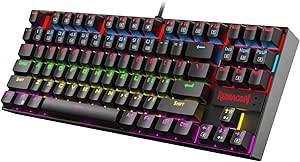 | Best Basic TKL | Layout: Tenkeyless, 87 keys, AZERTY | Dimensions: 13.94 × 4.86 × 1.46 in | Switches: Linear red mechanical | VIEW LATEST PRICE | See Our Full Breakdown |
| Redragon K671 Mechanical Gaming Keyboard Wired with Hot-Swappable Red Switches and RGB Backlit Modes |  | Best Full-Size for Shortcut-Heavy Work | Layout: Full-size QWERTY, 104 keys | Connectivity: Wired | Switches: Hot-swappable linear red | VIEW LATEST PRICE | See Our Full Breakdown |
| mechanical keyboards for programmer | Layout | Connectivity | Switches | Keycaps |
|---|---|---|---|---|
| RK ROYAL KLUDGE S98 Wireless M | — | Bluetooth 5.0, 2.4GHz wireless, USB-C wired | — | Double-shot PBT |
| Redragon K668 Wired RGB Gaming | — | — | Stock Redragon linear switches | — |
| Logitech G413 SE Full-Size Mec | Full-size | — | — | PBT |
| Keychron K3 Version 2 QMK 75% | 75%, 84 keys | Bluetooth 5.1 and USB-C wired | — | — |
| Logitech MX Mechanical Wireles | — | Bluetooth Low Energy and Logi Bolt receiver | — | — |
| AULA F99 Wireless Mechanical K | 99 keys, 96% compact | — | Pre-lubed linear, hot-swappable 3-pin/5-pin | Double-shot PBT |
| Newmen GM325Pro Mechanical Gam | AZERTY | Wired USB-C, detachable 1.8-meter cable | Linear Red | ABS |
| Keychron C2 Full Size Wired Me | 104-key full-size with number pad | — | Brown tactile | — |
| Redragon K580 Wired RGB Mechan | 104-key QWERTY | Wired USB-C | Outemu Blue clicky, hot-swappable | Double-shot; rated for 50 million keystrokes |
| SOLAKAKA KI99 Pro Wireless Mec | 96% compact | Bluetooth 5.0, 2.4 GHz wireless, Type-C wired | Pre-lubed silent, hot-swappable 3-pin/5-pin | PBT, non-slip finish |
| Kisnt KN85 Wireless Mechanical | 75%, 85 keys | USB-C, 2.4GHz wireless, Bluetooth 5.0; three channels | Pre-lubed Bsun linear, 45–50gf actuation | — |
| Redragon K552 87-Key Mechanica | Tenkeyless, 87 keys, AZERTY | Wired USB with braided cable | Linear red mechanical | — |
| Redragon K671 Mechanical Gamin | Full-size QWERTY, 104 keys | Wired | Hot-swappable linear red | Double-shot ABS |
More Details on Our Top Picks
RK ROYAL KLUDGE S98 Wireless Mechanical Keyboard with Smart Display & Knob
The RK ROYAL KLUDGE S98 pairs practical programming flexibility with a compact display and control knob. Its triple connectivity makes it easy to switch between a work computer and other devices, while hot-swap support lets programmers change compatible switches without soldering. Multiple dampening layers are designed to reduce hollow case noise, a useful feature in shared workspaces. Compared with the Keychron K3 V2, the S98 gives up the slimmer 75% footprint for a roomier layout and easier hardware customization. Its screen can show battery and connection details, though its small size limits how much information it can convey. Choose it for configurable typing and device flexibility; skip it if you want a minimal keyboard or prefer a simpler display-free setup.
Pros:- Bluetooth, 2.4GHz, and USB-C modes support different desk and device setups.
- Hot-swap PCB accepts compatible 3-pin and 5-pin switches without soldering.
- Multiple dampening layers are designed to reduce hollow case sound.
- Double-shot PBT keycaps have fade-resistant legends.
Cons:- The compact display limits the amount of useful information it can show.
- Its added display and knob make for a busier setup than a straightforward compact keyboard.
Best for: Programmers who want a customizable keyboard that can move between a work PC and personal devices, with switch changes that do not require soldering.
Not ideal for: Minimalist desk setups or programmers who want a slim 75% board like the Keychron K3 V2; the S98’s display and knob add features and take up space.
- Connectivity:Bluetooth 5.0, 2.4GHz wireless, USB-C wired
- Keycaps:Double-shot PBT
- Hot-swap:Yes; supports 3-pin and 5-pin switches
- Layout support:Windows and Mac
- Mounting style:Top-mount
- Dampening:IXPE switch pad, two sound-absorbing foam layers, silicone pad
Our verdict“Choose the S98 if you want wireless flexibility and easy switch customization; choose the Keychron K3 V2 if a slimmer 75% footprint matters more.”
Redragon K668 Wired RGB Gaming Keyboard with 108 Keys and 4 Extra Hotkeys
The Redragon K668 suits programmers who want a full-size board and spare keys for custom shortcuts. Its four programmable keys can put frequently used commands within reach, while hot-swap sockets let owners change compatible switches without soldering. That gives it more room for personal workflow tweaks than the simpler, full-size Logitech G413 SE, which offers tactile switches and FN media controls but no listed hot-swap feature. The K668 is wired, so it avoids battery charging but keeps the keyboard tethered to one workstation. Its stock linear switches may also feel too light for typists who want a distinct tactile bump. Pick it for shortcut access and switch experimentation; skip it if wireless use or tactile feedback is a priority.
Pros:- Four programmable extra keys can be assigned to recurring shortcuts.
- Hot-swap sockets support compatible 3-pin and 5-pin switches.
- Full-size 108-key layout includes a number pad.
- Two-stage adjustable feet allow a choice of typing angle.
Cons:- Wired connectivity limits flexibility when moving between work devices.
- Stock linear switches may not suit typists who prefer tactile feedback.
- RGB and music-sync modes may be unnecessary for a work-focused setup.
Best for: Programmers at a fixed workstation who want dedicated programmable keys for frequently used commands and room to change compatible switches.
Not ideal for: People who move between devices or want tactile feedback from each keystroke; it is wired and comes with linear switches.
- Key count:108
- Extra hotkeys:Four programmable shortcut keys
- Switches:Stock Redragon linear switches
- Hot-swap sockets:Compatible with 3-pin and 5-pin switches
- Lighting:19 preset RGB modes with music sync
- Foot design:Two-stage adjustable feet
- Included keycaps:Two mixed-color keycap sets
Our verdict“Choose the K668 for a wired full-size workspace where programmable shortcut keys and switch swapping are useful.”
Logitech G413 SE Full-Size Mechanical Gaming Keyboard – Black
The Logitech G413 SE is a straightforward choice for programmers who want tactile mechanical switches and a full-size layout without wireless pairing or switch customization as priorities. Its PBT keycaps and aluminum-magnesium top case give the board a durable feel, while FN shortcuts cover common media controls. Compared with the hot-swappable Redragon K668, the G413 SE offers fewer workflow customization options: it has no listed programmable extra keys, and its lighting is white rather than RGB. In return, its tactile switches provide a more distinct keystroke feel than the K668’s stock linear switches. The tradeoffs are a fixed wired connection and a full-size footprint, which can crowd smaller desks. This is a better fit for a stable single-computer setup than for a flexible multi-device desk.
Pros:- Tactile mechanical switches provide distinct feedback while typing.
- PBT keycaps are described as heat- and wear-resistant.
- Brushed aluminum-magnesium alloy top case gives the board a solid outer structure.
- Twelve FN keys cover common media and system controls.
Cons:- White-only backlighting does not offer RGB customization.
- Wired connection offers less placement flexibility than wireless options such as the RK ROYAL KLUDGE S98.
- Full-size layout takes more desk space than compact options.
Best for: Programmers who prefer tactile keystrokes, need a number pad, and want a wired keyboard with a sturdy top case.
Not ideal for: Programmers with small desks or multi-device workflows who want a compact or wireless board; the G413 SE is full-size and wired.
- Layout:Full-size
- Connection:Wired
- Switch type:Mechanical tactile
- Keycaps:PBT
- Backlighting:White LED
- Body material:Brushed aluminum-magnesium alloy top case
- Rollover:6-key anti-ghosting
- Media controls:12 FN keys for volume, playback, track skip, mute, lighting, and Windows lock
Our verdict“Choose the G413 SE if you want tactile typing and a number pad in a durable wired board, and can do without wireless or configurable lighting.”
Keychron K3 Version 2 QMK 75% Wireless Low‑Profile Mechanical Keyboard
The Keychron K3 V2 is the lineup’s clearest fit for programmers who want to free desk space without giving up dedicated arrow keys and a function row. Its 75% layout and low-profile body are easier to carry than the full-size Logitech MX Mechanical, while QMK firmware gives programmers a route to remap keys and set macros. Bluetooth supports pairing with up to three devices, and the included Mac and Windows keycaps help when switching between operating systems. The compact footprint comes with compromises: it has tactile brown switches but no listed hot-swap option, so switch changes are less convenient than on the RK ROYAL KLUDGE S98. Its single-color white backlight also keeps lighting simple. Pick it for portability and remapping; skip it if switch customization or a number pad is essential.
Pros:- 75% layout retains arrow keys and a function row while reducing desk footprint.
- QMK firmware supports key remapping and macros.
- Bluetooth pairs with up to three devices, with USB-C wired mode also available.
- Mac and Windows keycaps support cross-platform use.
Cons:- Tactile brown switches are listed without a hot-swap option for easy replacement.
- White-only backlighting offers no color customization.
- The battery requires periodic charging, and the keyboard is not water resistant.
Best for: Programmers who carry their keyboard between locations or want a compact 75% layout with QMK remapping and Mac/Windows support.
Not ideal for: Programmers who need a number pad or want to swap switches easily; the K3 V2 is compact and has no listed hot-swap option.
- Layout:75%, 84 keys
- Switch type:Keychron Brown tactile
- Connectivity:Bluetooth 5.1 and USB-C wired
- Bluetooth pairing:Up to three devices
- Firmware:Open-source QMK
- Dimensions:12.05 × 4.57 × 0.87 inches
- Materials:Aluminum top frame and ABS bottom frame
- Backlight:Single-color white
Our verdict“Choose the K3 V2 if you want a portable 75% keyboard with QMK remapping; pick the RK ROYAL KLUDGE S98 if hot-swap flexibility matters more.”
Logitech MX Mechanical Wireless Illuminated Keyboard – Graphite
The Logitech MX Mechanical combines a full-size layout with low-profile quiet tactile switches, making it the most office-oriented option here for programmers who want a number pad and wireless freedom. Its backlight responds as hands approach, and the keyboard supports up to three paired devices over Bluetooth or Logi Bolt. Compared with the Keychron K3 V2, it retains a full-size layout and targets quieter typing, but takes up more desk space and offers less listed customization: the K3 includes QMK remapping, while none is specified here. The quiet tactile feel can suit shared rooms, though typists seeking a pronounced switch choice or easy hardware changes may prefer a hot-swappable board such as the RK ROYAL KLUDGE S98. Long stated battery life between charges helps reduce interruptions, especially with backlighting off.
Pros:- Quiet tactile switches offer feedback suited to shared work areas.
- Bluetooth and Logi Bolt support multi-device connectivity.
- Smart backlighting activates as hands approach.
- USB-C charging and stated battery life reduce frequent charging needs.
Cons:- Full-size layout takes more desk space than compact options such as the Keychron K3 V2.
- No QMK support or hot-swap feature is specified in the provided product data.
- The low-profile quiet tactile feel may not suit programmers who prefer a more pronounced mechanical switch.
Best for: Programmers who need a number pad, type around other people, and switch among several paired devices.
Not ideal for: Programmers with limited desk space or those who prioritize QMK remapping and hot-swappable switches over quiet, low-profile typing.
- Form factor:Full-size, low-profile
- Switch type:Quiet tactile mechanical
- Connectivity:Bluetooth Low Energy and Logi Bolt receiver
- Multi-device pairing:Up to three devices
- Battery life:Up to 15 days on a full charge; up to 10 months with backlight off
- Charging port:USB-C
- Materials:45% post-consumer recycled plastic
Our verdict“Choose the MX Mechanical if you want a quiet, wireless full-size keyboard for a shared or multi-device workspace.”
AULA F99 Wireless Mechanical Keyboard
The AULA F99 suits programmers who move between a work computer, personal laptop, and other devices without wanting a separate keyboard for each. Its tri-mode connection and pairing for up to five devices make switching more flexible than the wired Keychron C2, while the compact 99-key layout keeps a number pad and saves some desk width compared with a conventional full-size board. Hot-swappable linear switches let owners change the feel without soldering, and double-shot PBT caps are a durable choice for daily typing. The tradeoff is that this layout compresses keys compared with a standard full-size keyboard, so it may take adjustment if your work depends on familiar key spacing. Its linear switches also lack the tactile bump offered by the C2’s brown switches.
Pros:- Pairs with up to five devices and supports Bluetooth, 2.4 GHz, and USB-C connections.
- Hot-swappable linear switches allow switch changes without soldering.
- 99-key layout retains a number pad while using less width than a typical full-size board.
- Double-shot PBT keycaps are suited to frequent daily use.
Cons:- The compact 96% arrangement may require adjustment from standard full-size key spacing.
- Linear switches do not provide the tactile bump of the Keychron C2’s brown switches.
- The listed specifications do not give the keyboard’s weight, making portability harder to judge.
Best for: Programmers who regularly switch among several computers and want a number pad in a narrower wireless keyboard.
Not ideal for: People who need standard full-size key spacing or prefer tactile feedback while typing.
- Layout:99 keys, 96% compact
- Connection modes:Bluetooth 5.0, 2.4 GHz wireless, USB-C wired
- Device pairing:Up to 5 devices
- Switches:Pre-lubed linear, hot-swappable 3-pin/5-pin
- Keycaps:Double-shot PBT
- Battery:8000 mAh rechargeable
- Lighting:16 RGB effects, 16.8 million colors
- Other features:Macro support; N-key rollover; silicone pad gasket structure
Our verdict“Choose the AULA F99 if you want a number pad, wireless flexibility, and multi-device switching in a more compact footprint.”
Newmen GM325Pro Mechanical Gaming Keyboard
The Newmen GM325Pro is for programmers who want a familiar full-size layout and a direct wired connection. Its 104 keys preserve the number pad and standard key spacing, while the detachable USB-C cable makes desk setup or occasional packing simpler than with permanently attached cables. A metal top plate adds a sturdier base than the plastic construction implied by many entry-level boards, and full-key rollover supports simultaneous key presses. Compared with the wireless AULA F99, the Newmen gives up device switching and cordless use; in return, it avoids managing a battery. Its linear red switches suit smooth keystrokes, but they do not offer the tactile feedback of the Keychron C2‘s brown switches. The AZERTY layout and Windows-focused compatibility also make it a less natural fit for some programmers.
Pros:- Full 104-key layout includes a number pad and familiar spacing.
- Metal top plate provides a more substantial base.
- Detachable 1.8-meter USB-C cable simplifies cable replacement and packing.
- Full-key rollover and software remapping support complex input.
Cons:- Wired-only operation lacks the device switching available on the AULA F99.
- AZERTY layout may not suit programmers accustomed to QWERTY.
- Lighting is limited to side illumination rather than per-key backlighting.
Best for: Windows programmers who prefer AZERTY, need a full-size number pad, and want a wired keyboard with a detachable cable.
Not ideal for: Mac users, QWERTY typists, and anyone who needs wireless connectivity or per-key lighting.
- Number of keys:104
- Layout:AZERTY
- Switches:Linear Red
- Connectivity:Wired USB-C, detachable 1.8-meter cable
- Plate:Metal top plate
- Backlighting:13 preset rainbow effects with RGB side lighting
- Keycaps:ABS
- Compatibility:Windows
Our verdict“Pick the Newmen GM325Pro if you want a sturdy, wired AZERTY board with full-size keys and a number pad.”
Keychron C2 Full Size Wired Mechanical Keyboard with Brown Switches
The Keychron C2 makes sense for programmers who want a conventional full-size board with tactile feedback and clear Mac and Windows support. Its brown switches provide a noticeable bump as keys actuate, giving a different typing cue from the linear switches on the AULA F99 and Newmen GM325Pro. A number pad preserves familiar full-size workflows, while included platform keycaps make switching between Mac and Windows layouts easier. The braided USB-C cable and two adjustable typing angles keep the setup straightforward. This version has no backlight, which can be a drawback for dim workspaces, and its wired-only connection lacks the flexibility of the F99. I would favor the C2 for a fixed desk and tactile typing; programmers who need wireless use, switch swapping, or lighting should look elsewhere in this lineup.
Pros:- Tactile brown switches provide feedback without the sharp click of blue switches.
- Full-size 104-key layout includes a number pad.
- Mac and Windows keycaps support familiar modifier layouts across both systems.
- Two adjustable feet angles and a braided USB-C cable suit a stationary setup.
Cons:- No backlighting can make keys harder to see in dim rooms.
- Wired-only connectivity lacks the multi-device flexibility of the AULA F99.
- The listed features do not include hot-swappable switches for easy switch changes.
Best for: Programmers who use Mac and Windows computers, want tactile switches, and work at a fixed desk.
Not ideal for: People who need wireless connectivity, backlighting, or hot-swappable switches.
- Layout:104-key full-size with number pad
- Switches:Brown tactile
- Connection:Wired USB-C with braided cable
- Typing angles:6° and 9°
- Compatibility:Mac and Windows; dedicated keycaps and Siri/Cortana shortcut
- Backlight:None
Our verdict“Choose the Keychron C2 for tactile full-size typing and Mac/Windows flexibility when lighting and wireless use are not priorities.”
Redragon K580 Wired RGB Mechanical Gaming Keyboard
The Redragon K580 is the most purpose-built choice here for programmers who rely on repeatable shortcuts, media controls, or frequent switch experiments. Five dedicated macro keys and onboard recording put custom actions within reach without requiring companion software for everyday use. Its hot-swappable Outemu Blue switches make it possible to change switch types without soldering, a flexibility the fixed-switch Keychron C2 does not offer. Per-key RGB and a media wheel add controls that the side-lit Newmen GM325Pro lacks. Those features come with a real office tradeoff: the blue switches are clicky and may distract nearby coworkers or people on calls. It is also wired-only, and advanced lighting or macro profiles may require optional software. This board favors control and customization over a quiet shared workspace.
Pros:- Five dedicated macro keys and onboard recording support repeatable workflows.
- Hot-swappable Outemu Blue switches allow switch changes without soldering.
- Per-key RGB lighting and a media wheel provide direct control.
- Full anti-ghosting covers all 104 keys.
Cons:- Clicky blue switches can be disruptive in shared offices or during calls.
- Wired-only connectivity lacks the wireless options of the AULA F99.
- Advanced RGB effects and macro profiles require optional software.
Best for: Programmers who use dedicated macro shortcuts, want onboard media controls, and can type in a space where clicky switches are acceptable.
Not ideal for: People in quiet offices or shared rooms, and anyone who needs a wireless keyboard.
- Layout:104-key QWERTY
- Switches:Outemu Blue clicky, hot-swappable
- Connectivity:Wired USB-C
- Backlighting:Per-key RGB
- Macro keys:5 dedicated keys, G1-G5
- Anti-ghosting:Full, across 104 keys
- Keycaps:Double-shot; rated for 50 million keystrokes
- Compatibility:Windows, macOS, Linux
Our verdict“Choose the Redragon K580 if dedicated macro and media controls matter more to you than quiet typing or wireless use.”
SOLAKAKA KI99 Pro Wireless Mechanical Keyboard
The SOLAKAKA KI99 Pro stands out for programmers who want quieter typing without giving up wireless flexibility or switch customization. Its pre-lubed silent switches and five noise-reducing layers target a softer sound than the clicky Redragon K580, making it better suited to shared rooms and calls. The 96% layout retains a number pad in a smaller footprint than the full-size Keychron C2, while tri-mode connections and a 10,000mAh battery support desk use across multiple devices. Hot-swappable switches, a flex-cut PCB, and a control knob add room to tune the feel and manage media or brightness. The compact layout takes adjustment, and its macro and lighting customization depends on installing software. Choose it for quiet, configurable typing; skip it if you want a simple standard layout.
Pros:- Silent switches and five noise-reducing layers suit shared workspaces.
- Bluetooth, 2.4 GHz, and USB-C modes support flexible device use.
- Hot-swappable switches and a flex-cut PCB allow feel customization.
- 96% layout keeps a number pad, with a control knob for media and brightness.
Cons:- The compact layout may take adjustment for users of standard full-size boards like the Keychron C2.
- Macro, key, and lighting customization requires installing software.
- The control features and layered construction may be unnecessary for programmers seeking a simpler keyboard.
Best for: Programmers sharing an office or taking frequent calls who want a quiet, compact keyboard with a number pad and wireless options.
Not ideal for: Typists who need standard full-size key spacing or prefer a plug-and-type setup without software customization.
- Layout:96% compact
- Connectivity:Bluetooth 5.0, 2.4 GHz wireless, Type-C wired
- Wireless range:10 m
- Battery:10,000 mAh
- Switches:Pre-lubed silent, hot-swappable 3-pin/5-pin
- Structure:Gasket with five noise-reducing layers; 1.2 mm flex-cut PCB
- Keycaps:PBT, non-slip finish
- Lighting and controls:Full-key RGB, side light bars, control knob
- Compatibility:Windows, macOS, PC, laptop, smartphone
Our verdict“Pick the KI99 Pro if quiet typing, wireless connectivity, and a compact number pad layout are your priorities.”
Kisnt KN85 Wireless Mechanical Keyboard, 75% Layout, Tri-Mode, RGB Backlit, Hot-Swappable (Retro Beige)
The Kisnt KN85 suits programmers who want a compact layout and room to tailor their typing feel. Its 75% layout keeps the function row and arrow keys while trimming desk space, and tri-mode connections make switching among a work computer, tablet, and phone easier than with the wired Redragon K671. Pre-lubed linear switches and a gasket mount favor a smoother, softer-sounding feel; hot-swap support lets you change compatible switches without soldering. That flexibility comes with some limits: the configuration software works only on Windows and only in wired or 2.4GHz mode, so Mac and Linux users have less control over macros and lighting. The 4000mAh battery also takes about seven to eight hours to charge, and the compact layout omits a number pad.
Pros:- USB-C, 2.4GHz, and Bluetooth connections support three-device use.
- Hot-swap sockets accept compatible 3-pin and 5-pin switches.
- Gasket mount and pre-lubed linear switches offer a softer, quieter typing character.
- 4000mAh rechargeable battery and two-year warranty.
Cons:- Configuration software is Windows-only and limited to wired or 2.4GHz mode.
- No number pad, which slows frequent numeric entry for some workflows.
- A full charge takes about seven to eight hours.
Best for: Programmers who move between several devices and want a compact keyboard with switch customization.
Not ideal for: Mac or Linux users who need configuration software, and programmers who enter numbers frequently and want a built-in number pad.
- Layout:75%, 85 keys
- Dimensions:13.68 × 5.51 × 1.77 in
- Connectivity:USB-C, 2.4GHz wireless, Bluetooth 5.0; three channels
- Latency:USB 2ms; 2.4GHz 5ms; Bluetooth 11ms
- Battery:4000mAh rechargeable; full charge takes about 7–8 hours
- Switches:Pre-lubed Bsun linear, 45–50gf actuation
- Hot-swap:Yes; compatible with 3-pin and 5-pin switches
- Keycaps and lighting:PBT keycaps; programmable RGB backlighting
- Compatibility and warranty:Windows, macOS, Linux, Android; 2-year warranty
Our verdict“Choose the KN85 if you want a customizable wireless 75% board for switching between devices and can work without a number pad.”
Redragon K552 87-Key Mechanical Gaming Keyboard with Linear Red Switches
The Redragon K552 is a straightforward tenkeyless option for programmers who want a wired board with a compact footprint and familiar linear switches. Its 87-key layout leaves more room for a mouse than a full-size board such as the Redragon K671, while retaining the function row and arrow keys. Anti-ghosting and N-key rollover help when several keys are pressed together, and the metal top plate adds structure. Its simplicity also means fewer ways to adapt the keyboard: the rainbow backlight has six fixed modes, with no software customization or programmable macros listed. Unlike the wireless Kisnt KN85, the K552 connects only over USB, and this model’s AZERTY layout may require adjustment for programmers who use QWERTY key positions. Check the layout before choosing it.
Pros:- Tenkeyless layout frees desk space while retaining the function row and arrow keys.
- Linear red switches provide smooth keystrokes.
- Anti-ghosting and N-key rollover support simultaneous key presses.
- USB connection offers plug-and-play use across Windows, macOS, and Linux.
Cons:- AZERTY layout may not match the user’s typing habits or software key mappings.
- Backlight patterns are fixed and cannot be customized with software.
- Wired USB is the only listed connection option.
Best for: Programmers who prefer an AZERTY layout and want a simple wired tenkeyless board with arrow and function keys.
Not ideal for: QWERTY typists, frequent travelers who need wireless connections, or anyone who wants programmable lighting and macros.
- Layout:Tenkeyless, 87 keys, AZERTY
- Dimensions:13.94 × 4.86 × 1.46 in
- Switches:Linear red mechanical
- Connectivity:Wired USB with braided cable
- Backlighting:Rainbow LED with six preset modes
- Frame:Metal top plate
- Key rollover:Anti-ghosting and N-key rollover
- Compatibility:Windows, macOS, Linux
- Warranty:1 year
Our verdict“Pick the K552 if you want a no-frills wired TKL in AZERTY, but choose another model if you need QWERTY or customization.”
Redragon K671 Mechanical Gaming Keyboard Wired with Hot-Swappable Red Switches and RGB Backlit Modes
For programmers who want a number pad and dedicated shortcut support, the Redragon K671 offers a full-size alternative to the compact Kisnt KN85 and tenkeyless Redragon K552. Its 104 keys include 12 multimedia shortcuts, while macro editing can help put repeated commands within reach. The hot-swappable linear red switches provide a way to replace compatible switches without soldering, and full-key anti-ghosting supports simultaneous key presses. The tradeoff is a larger footprint and a wired-only connection, so this is less suited to a minimal desk or a multi-device setup. Its 11 backlight modes adjust speed and brightness, but the listed lighting colors are fixed; the double-shot ABS keycaps also differ from the PBT keycaps listed for the KN85.
Pros:- Full-size 104-key layout includes a number pad.
- Hot-swappable linear red switches allow compatible switch replacement.
- Macro editing and 12 multimedia shortcuts support shortcut-heavy workflows.
- Full-key anti-ghosting and adjustable speed and brightness across 11 lighting modes.
Cons:- Wired-only connectivity does not support wireless device switching.
- Lighting colors are fixed despite the RGB modes.
- Double-shot ABS keycaps may wear differently from the KN85’s PBT caps.
Best for: Programmers who need a number pad, use macros or media shortcuts, and prefer a wired full-size layout.
Not ideal for: Programmers with limited desk space or those who want wireless use, freely selectable lighting colors, or PBT keycaps.
- Layout:Full-size QWERTY, 104 keys
- Connectivity:Wired
- Switches:Hot-swappable linear red
- Keycaps:Double-shot ABS
- Backlighting:11 RGB modes; fixed colors with adjustable speed and brightness
- Key rollover:Full-key anti-ghosting
- Macros and shortcuts:Macro editing; 12 multimedia shortcut keys
- Warranty:24 months
Our verdict“Choose the K671 if your programming workflow benefits from a number pad and shortcuts more than a compact or wireless setup.”

How We Picked
I ranked these keyboards around the demands of a programming desk: comfortable access to punctuation and navigation keys, a layout that fits the user’s workspace, dependable wired or wireless use, and practical switch and key customization. Build and maintenance also matter: hot-swappable switches can make a board easier to tune or repair, while a fixed switch setup asks less of the buyer up front. Gaming features such as RGB, extra macro keys, and media controls counted when they added a clear workflow benefit, but they did not outweigh a better fit for everyday typing.
The order reflects those tradeoffs rather than a single feature. The Keychron K3 Version 2 leads for its compact 75% format with a function row; the MX Mechanical is a stronger fit for full-size wireless work, and the AULA F99 for people who want tri-mode connection options and switch flexibility. More specialized, basic, or gaming-oriented boards follow because their strengths suit narrower needs. Product descriptions do not establish long-term reliability, acoustic quality, or comfort for every typist, so I treat those as personal fit questions rather than proven outcomes.
| mechanical keyboards for programmer | Keycaps |
|---|---|
| RK ROYAL KLUDGE S98 Wireless M | Double-shot PBT |
| Redragon K668 Wired RGB Gaming | — |
| Logitech G413 SE Full-Size Mec | PBT |
| Keychron K3 Version 2 QMK 75% | — |
| Logitech MX Mechanical Wireles | — |
| AULA F99 Wireless Mechanical K | Double-shot PBT |
| Newmen GM325Pro Mechanical Gam | ABS |
| Keychron C2 Full Size Wired Me | — |
| Redragon K580 Wired RGB Mechan | Double-shot; rated for 50 million keystrokes |
| SOLAKAKA KI99 Pro Wireless Mec | PBT, non-slip finish |
| Kisnt KN85 Wireless Mechanical | — |
| Redragon K552 87-Key Mechanica | — |
| Redragon K671 Mechanical Gamin | Double-shot ABS |
Factors to Consider When Choosing Mechanical Keyboards For Programmers
Before choosing a board, I’d match it to the way I navigate code, the space on my desk, and how much setup I want to manage. A useful specification matters only when it solves a real problem in your workflow. These broader checks can help narrow the field before you compare individual models.
Choose a Layout Around Your Navigation Habits
Layout labels describe which keys are present, but the practical question is how often you use them. A full-size board keeps the number pad and navigation cluster in familiar positions, which can help with data entry or established shortcuts. A 75% board usually retains the function row and arrow keys while reducing width, making it a common compromise for coding desks. Smaller layouts can create more mouse space, but they may put navigation or punctuation on layers that take practice. Before buying, list the keys you use daily in your editor and check where they sit on the specific layout. Do not assume that two boards with the same percentage label arrange every key identically.
Match Switch Feel and Sound to Your Work Environment
Switches affect how each keystroke feels and sounds, but color names are not a reliable cross-brand standard. Linear switches have a smooth press without a tactile bump, while tactile switches provide feedback that some typists prefer for long sessions. Neither type guarantees a quieter keyboard: case construction, keycaps, desk surface, and typing force all play a part. If you share an office or take calls near your desk, look for clear sound information and consider how much noise your setting can tolerate. A quieter switch can still produce noise when keys bottom out. When possible, try a switch sampler before committing to a full board.
Treat Connectivity as a Workflow Choice
A wired connection removes battery charging and Bluetooth pairing from your routine, which is useful for a stationary desktop. Wireless boards can make it easier to switch among a laptop, tablet, and workstation, but connection modes and device switching vary by model. Tri-mode commonly refers to Bluetooth, a 2.4 GHz receiver, and USB, though the details should be checked in the product listing. A wireless board may also need charging at inconvenient times, especially with lighting enabled. Think about whether you move between devices or simply want a cleaner cable path. For a fixed setup, do not pay attention to wireless features unless they solve a problem you actually have.
Decide How Much Customization You Will Maintain
Hot-swappable sockets let you replace compatible switches without soldering, which can help when a switch wears out or you want a different feel. Compatibility still matters: socket type, pin count, and switch dimensions can limit your choices. Customization may also involve finding keycaps, learning firmware tools, or troubleshooting remapped keys. A fixed-switch keyboard can be the simpler choice if you want to plug in and type without tuning anything. Programmers who enjoy tailoring layers and shortcuts may get more from boards with firmware support, but advertised programmability can vary. Check the exact configuration and software support before treating a board as a long-term customization platform.
Budget Desk Space for More Than the Keyboard
A compact board can create room for a mouse, notebook, or pointing device, but only if its layout still supports your work. Measure the usable desk area and include space for a wrist rest, cable bend, and comfortable mouse movement. A full-size board can be the better practical choice if you regularly use a number pad or prefer dedicated navigation keys. Low-profile models reduce key height, which may suit some desk setups, but they can feel different from standard-height switches. Consider monitor position and chair height as well; a keyboard that pushes your arms outward can undermine an otherwise tidy setup. Choose around your whole working posture instead of chasing the smallest footprint.
Frequently Asked Questions
Is a 75% keyboard a good layout for programming?
It can be a good fit if you want a narrower board but still rely on the function row and arrow keys. The exact arrangement differs across models, so check where Home, End, Delete, and punctuation keys sit before buying. Some editors and terminal workflows use these keys often, and reaching them through layers may slow you down at first. If you use a number pad daily, a full-size keyboard may be less disruptive. I’d choose by your actual shortcut habits rather than by the layout label alone.
Should I choose linear or tactile switches for coding?
There is no switch type that suits every programmer, since typing force, feedback preference, and sound tolerance vary. Linear switches move without a tactile bump, while tactile switches offer a noticeable point of feedback. A switch description does not tell you how loud the complete keyboard will be, since the case and keycaps also shape sound. If you work near other people, check noise details or try switches in person before settling on a type. A hot-swappable board can make later changes easier, but only when replacement switches match its sockets.
Is wireless reliable enough for a programming workstation?
Wireless can work well for a desk setup, especially when you want to move between devices or reduce cable clutter. Bluetooth and 2.4 GHz connections behave differently, and the keyboard’s supported modes determine which fits your equipment. Wired use avoids charging and pairing, making it a straightforward option for a stationary workstation. Check whether the board can be used over USB while charging if you want both flexibility and a fallback. Also confirm how device switching works before expecting seamless changes between computers.
Does hot-swapping make a keyboard a better long-term buy?
Hot-swapping can extend your options by letting you replace compatible switches without soldering. It may help if you want to change typing feel or replace a faulty switch, but it does not guarantee that every switch will fit. Socket compatibility and available keycaps still limit how far you can customize. If you prefer a ready-to-use keyboard and do not expect to modify it, hot-swapping may add little value to your decision. I’d weigh that feature against layout, connectivity, and the switch feel you want from day one.
Should I choose a full-size keyboard or a compact one for coding?
A full-size layout keeps a number pad and dedicated navigation keys, which can suit frequent data entry and familiar workflows. Compact boards leave more desk width for a mouse or other equipment, but some keys may move to layers. Consider whether your editor shortcuts depend on the function row, arrows, or navigation cluster. If you share the keyboard across programming and spreadsheet work, a number pad may earn its space. Otherwise, a 75% layout can preserve many frequently used keys while trimming the footprint.
Conclusion
For the best overall fit, I’d choose the Keychron K3 Version 2 if I wanted a compact board that retains a function row. The AULA F99 is my value-oriented flexibility pick for someone who wants tri-mode connectivity and hot-swappable switches, while the Logitech MX Mechanical is the premium office choice for a full-size wireless layout. Beginners who want a straightforward wired board can start with the Keychron C2; those drawn to a smaller entry point may prefer the Redragon K552, provided its layout suits their shortcuts. For specific needs, I’d look at the Redragon K580 for dedicated macros and media controls, or the Kisnt KN85 for a compact tri-mode setup. Pick by layout and daily workflow first, then use switch feel and customization to break ties.
Fall Picks
fall essentials
As an affiliate, we earn on qualifying purchases.