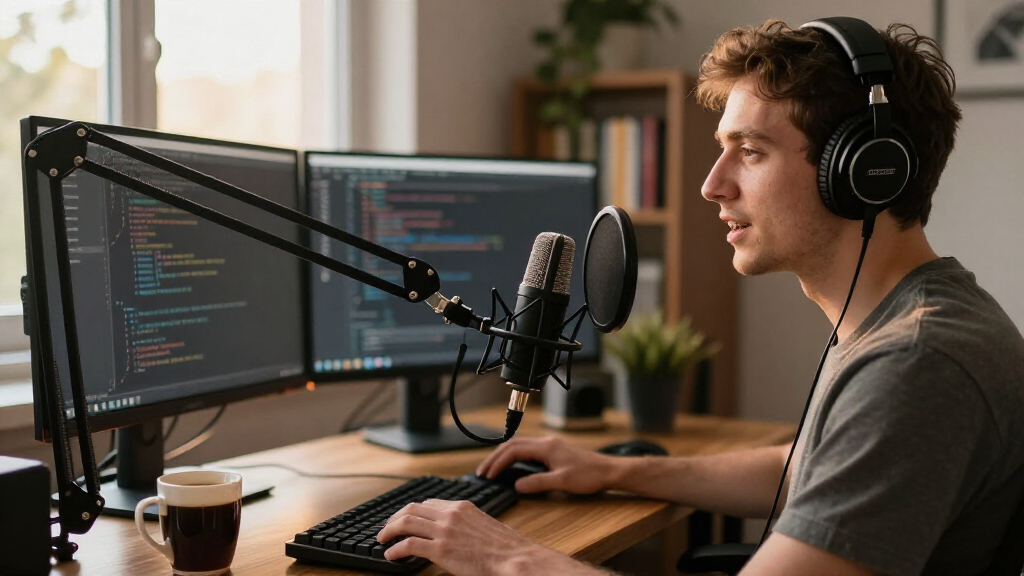

The best USB microphone for developers in 2026 is the Sennheiser Profile, which pairs broadcast-grade sound with plug-and-play simplicity — ideal for daily standups, code reviews, and screencast recording. If budget leads your decision, the ZealSound K66 delivers gain control, hardware mute, and noise cancellation at an entry-level price, while the Blue Yeti remains the most versatile all-rounder for developers who also stream or podcast. The core tradeoff in this category is between cheap gooseneck and mini mics that stay invisible on your desk and full-size condensers that capture dramatically better audio but demand space and careful gain settings. Keyboard clatter, mechanical fans, and open-office noise are the enemies here, and not every mic handles them equally. Keep reading for the full breakdown of all 14 models, sorted by how well they serve a developer’s actual workflow.
Complete the kit



Key Takeaways
- The Sennheiser Profile takes the top spot because it’s the only plug-and-play condenser here that combines a tight cardioid pattern, onboard gain, and a stable table stand — the three things that matter most when your audio source sits next to a keyboard.
- amazon.com/dp/B0CNVZ27YH?tag=featurebuddies-20&ascsubtag=dc-1102499″ target=”_blank” rel=”nofollow sponsored noopener”>Mini and gooseneck models (CMTECK, MillSO, SuziePi, generic minis) cost the least but consistently trade voice quality for desk space; they suit voice commands and occasional calls, not recording or heavy meeting days.
- Dynamic microphones like the FIFINE AmpliGame AM8 reject keyboard and fan noise better than any condenser in this lineup, making them the smarter pick for developers who type during calls or work in loud rooms.
- Conference-style omnidirectional mics (TONOR G11, AIRHUG 21 and 28) are built for group rooms — solo developers will pick up more room noise than they want, so these only make sense for shared or hybrid spaces.
- The Blue Yeti and Yeti Nano justify their higher placement through pattern selection and onboard controls, but the Sennheiser Profile beats both on clarity-per-dollar for pure voice work.
- Hardware mute buttons turned out to be the most underrated differentiator: models without one (Amazon Basics, most minis) force awkward software muting mid-standup.
| CMTECK USB Gooseneck Computer Microphone with Mute Button |  | Best Gooseneck for Desk Dictation | Connectivity: USB | Polar Pattern: Omnidirectional | Form Factor: Flexible gooseneck | VIEW LATEST PRICE | See Our Full Breakdown |
| Mini USB Microphone for Laptop & Desktop |  | Best Budget Desk Fix | Interface: USB 2.0 | Microphone Type: Condenser (6x10mm) | Pickup Distance: 10 ft | VIEW LATEST PRICE | See Our Full Breakdown |
| ZealSound K66 Podcast USB Microphone with Noise Cancellation, Gain Control & Mute Button |  | Best Value Broadcast Mic | Polar Pattern: Cardioid | Frequency Response: 40Hz–18kHz | Sampling Rate: 46kHz | VIEW LATEST PRICE | See Our Full Breakdown |
| Blue Yeti USB Microphone for PC and Mac – Blackout |  | Best Premium All-Rounder | Connectivity: USB plug-and-play | Pickup Patterns: Cardioid, Omnidirectional, Bidirectional, Stereo | Capsule Array: Custom three-capsule condenser | VIEW LATEST PRICE | See Our Full Breakdown |
| TONOR G11 USB Conference Microphone for PC and Mac |  | Best for Pair Programming Calls | Connectivity: USB (wired) | Polar Pattern: Omnidirectional | Pickup Distance: 11.5 ft | VIEW LATEST PRICE | See Our Full Breakdown |
| Amazon Basics Condenser Microphone for PC with 360° Adjustable Stand, Black |  | Best Budget Desk Setup | Connectivity: USB | Polar Pattern: Cardioid (Unidirectional) | Diaphragm Size: 14mm | VIEW LATEST PRICE | See Our Full Breakdown |
| Sennheiser Profile USB Cardioid Condenser Microphone with Table Stand |  | Best Premium Pick | Microphone Type: Cardioid Condenser | Connectivity: USB-C | Controls: Gain, Mix, Volume, Mute | VIEW LATEST PRICE | See Our Full Breakdown |
| Logitech Blue Yeti Nano USB Microphone for Streaming, Podcasting and Gaming – Blackout |  | Best for Streaming and Recording | Connectivity: USB | Pickup Patterns: Cardioid, Omnidirectional | Mic Capsules: 2 custom capsules | VIEW LATEST PRICE | See Our Full Breakdown |
| SuziePi 2-Pack USB 2.0 Mini Microphone for Raspberry Pi 5/4 Model B/3B+ and Laptop/Desktop PC |  | Best for Raspberry Pi and Hobby Builds | Connectivity: USB 2.0 | Polar Pattern: Omnidirectional | Signal-to-Noise Ratio: 60 dB | VIEW LATEST PRICE | See Our Full Breakdown |
| AIRHUG 21 USB Microphone for PC and Laptop, Omnidirectional Desktop Conference Mic with AI Noise Reduction |  | Best for Small Team Huddles | Connectivity: USB (USB A-C cable) | Polar Pattern: Omnidirectional (360°) | Pickup Radius: 6 ft | VIEW LATEST PRICE | See Our Full Breakdown |
| USB Microphone with 360° Adjustable Gooseneck, Mute Button & LED Indicator |  | Best Gooseneck for Meeting Control | Type: Omnidirectional condenser USB microphone | Cable Length: 1.8m / 6ft | Connectivity: USB plug & play, no driver required | VIEW LATEST PRICE | See Our Full Breakdown |
| FIFINE AmpliGame AM8 USB/XLR Dynamic Microphone for Gaming and Streaming |  | Best for Future Upgrades | Connectivity: USB / XLR | Polar Pattern: Cardioid (Unidirectional) | Frequency Response: 50Hz – 16kHz | VIEW LATEST PRICE | See Our Full Breakdown |
| MillSO USB Gooseneck Mini Microphone for Laptop and PC |  | Best Budget Desk Space Saver | Connectivity: USB-A, plug and play (driver free) | Power: USB bus-powered, no external power or battery | Pickup Pattern: Omnidirectional | VIEW LATEST PRICE | See Our Full Breakdown |
| AIRHUG 28 USB Microphone with Magnetic & Flat Mount for PC/Mac |  | Best for Flexible Mounting | Connectivity: USB, plug and play | Connector Type: USB Type-C | Polar Pattern: Omnidirectional | VIEW LATEST PRICE | See Our Full Breakdown |
| USB microphones for developer | Connectivity | Compatibility | Polar Pattern |
|---|---|---|---|
| CMTECK USB Gooseneck Computer | USB | Windows, macOS, PS4/PS5 | Omnidirectional |
| Mini USB Microphone for Laptop | — | Windows, Mac, Raspberry Pi, Linux, Chromebook | — |
| ZealSound K66 Podcast USB Micr | — | — | Cardioid |
| Blue Yeti USB Microphone for P | USB plug-and-play | PC and Mac | — |
| TONOR G11 USB Conference Micro | USB (wired) | Windows, macOS (laptop, PC) | Omnidirectional |
| Amazon Basics Condenser Microp | USB | Windows 7/8/10+, Mac OS 10.10+ | Cardioid (Unidirectional) |
| Sennheiser Profile USB Cardioi | USB-C | PC, Mac, tablets, mobile devices | — |
| Logitech Blue Yeti Nano USB Mi | USB | PC and Mac | — |
| SuziePi 2-Pack USB 2.0 Mini Mi | USB 2.0 | — | Omnidirectional |
| AIRHUG 21 USB Microphone for P | USB (USB A-C cable) | Windows 7/8/10/11, Mac OS, Zoom, Teams, Meet, Skype, Webex, FaceTime | Omnidirectional (360°) |
| USB Microphone with 360° Adjus | USB plug & play, no driver required | Windows 7, 8, 10, 11; macOS | — |
| FIFINE AmpliGame AM8 USB/XLR D | USB / XLR | — | Cardioid (Unidirectional) |
| MillSO USB Gooseneck Mini Micr | USB-A, plug and play (driver free) | — | — |
| AIRHUG 28 USB Microphone with | USB, plug and play | Windows 7/8/10/11, macOS; Zoom, Teams, Skype | Omnidirectional |
More Details on Our Top Picks
CMTECK USB Gooseneck Computer Microphone with Mute Button
This option stands out for exact positioning control, which is why it earns the gooseneck slot over fixed-base rivals like the TONOR G11. Developers who dictate code comments or run frequent voice-to-text sessions can bend the neck to sit inches from the mouth, boosting clarity without raising gain — a real advantage over flat conference pucks that rely on distance pickup. The one-touch mute with LED indicator is genuinely useful on a shared call, and noise suppression keeps mechanical keyboard clatter in check. The tradeoffs are real: the omnidirectional pattern means it also hears the room, so a loud fan or housemate will bleed through, and it skips the Raspberry Pi and Xbox support that the Mini USB Condenser offers. Compared with dedicated broadcast mics like the ZealSound K66, its raw fidelity is noticeably more utilitarian.
Pros:- Flexible metal gooseneck allows precise mouth positioning for dictation
- True plug-and-play with no drivers on Windows, macOS, and PS4/PS5
- One-touch mute with a clear LED status indicator
- Effective noise suppression tames keyboard and fan noise
Cons:- Omnidirectional pattern picks up room noise and off-axis voices
- No Raspberry Pi or Xbox compatibility, unlike some mini alternatives
Best for: Developers who dictate code notes or take frequent calls and want precise mic placement without touching settings
Not ideal for: Anyone recording tutorials or voice-overs — the omnidirectional pickup and modest fidelity fall short of broadcast quality
- Connectivity:USB
- Polar Pattern:Omnidirectional
- Form Factor:Flexible gooseneck
- USB Cable Length:6 ft
- Weight:7.36 ounces
- Compatibility:Windows, macOS, PS4/PS5
- Signal-to-Noise Ratio:58 dB
Our verdict“Buy this if voice dictation and call clarity matter more than recording quality — skip it for any production audio work.”
Mini USB Microphone for Laptop & Desktop
When the goal is simply fixing bad laptop audio for the least fuss, this tiny condenser gets the job done. It is roughly flash-drive sized, which makes it a sensible choice next to the much larger Blue Yeti — no boom arm, no stand, no desk real estate sacrificed. The standout strength for a dev audience is Raspberry Pi, Linux, and Chromebook support, which pricier options like the CMTECK gooseneck simply do not offer. Its multi-level gain amplification lets it pick up a voice from across a desk, but that reach becomes a liability in a shared office since it captures colleagues too. This model is better suited to upgrading stock laptop mics for calls than anything else; the 6x10mm capsule is nowhere near the cardioid clarity of the ZealSound K66, and it will disappoint anyone hoping to record screencast narration.
Pros:- Works across Windows, Mac, Linux, Chromebook, and Raspberry Pi with no drivers
- Compact enough to leave permanently attached to a laptop
- Clear voice pickup up to 10 feet with multi-level gain
- Ships with a protective metal carrying box
Cons:- Sound quality is call-grade, not recording-grade
- Wide pickup range captures nearby voices and ambient noise
Best for: Remote developers on Linux, Raspberry Pi, or Chromebook setups who need a cheap, instant upgrade over a built-in laptop mic
Not ideal for: Streamers or screencast producers — the capsule is too small and the pickup too diffuse for polished audio
- Interface:USB 2.0
- Microphone Type:Condenser (6x10mm)
- Pickup Distance:10 ft
- Driver Required:No
- Compatibility:Windows, Mac, Raspberry Pi, Linux, Chromebook
- Warranty:12 months
Our verdict“This is the low-effort fix for weak laptop mics across unusual operating systems — not a tool for content creation.”
ZealSound K66 Podcast USB Microphone with Noise Cancellation, Gain Control & Mute Button
The K66 hits a sweet spot the lineup’s extremes miss: it delivers cardioid, broadcast-style audio with onboard hardware controls while costing and weighing far less than the Blue Yeti. Its dedicated noise reduction mode targets exactly the sounds a developer’s desk produces — keyboard clicks and fan hum — something the omnidirectional CMTECK and TONOR options cannot isolate at all. The zero-latency headphone jack with independent monitoring volume means you can hear yourself while recording a tutorial without echo, and the included USB-C and Lightning adapters extend it to phones and tablets for mobile recording sessions. The main discipline it demands is positioning: the cardioid pattern needs you speaking straight into the capsule, so idle slouching at your desk degrades quality noticeably. The exposed knobs also invite accidental nudges when the mic travels in a bag.
Pros:- Dedicated noise reduction mode filters keyboard clicks and fan noise
- Zero-latency 3.5mm headphone monitoring with independent volume
- Onboard knobs for gain, monitoring volume, echo, and mute
- Works with PC, Mac, consoles, iPhone, iPad, and Android via included adapters
Cons:- Cardioid pattern requires deliberate, direct speaking position
- Exposed knobs can be bumped out of setting during transport
Best for: Developers recording tutorials, screencasts, or occasional streams who want broadcast-quality sound without premium pricing
Not ideal for: Hands-free conference callers — the cardioid pattern demands speaking directly into the mic, which is impractical on group calls
- Polar Pattern:Cardioid
- Frequency Response:40Hz–18kHz
- Sampling Rate:46kHz
- Sensitivity:-45dB ±3dB
- Headphone Jack:3.5mm zero-latency monitoring
- Controls:Mic volume, monitoring volume, echo, mute
- Included Adapters:USB-C, Lightning
Our verdict“The strongest value here for solo content creation — just not the right shape for passive call duty.”
Blue Yeti USB Microphone for PC and Mac – Blackout
The Yeti earns the premium slot because of versatility nothing else in this batch matches. Its custom three-capsule array and four selectable pickup patterns mean one mic can serve a solo coding stream (cardioid), a two-person podcast interview (bidirectional), and room audio for a pair programming session (omni). The ZealSound K66 sounds strong in cardioid only; the Yeti adapts. Onboard gain, mute, pattern selection, and headphone volume keep adjustments physical rather than buried in software, which matters mid-recording. The tradeoffs are size and software: the heavy body genuinely needs a boom arm or the included stand on a stable desk, and unlocking Blue VO!CE effects requires installing Logitech G HUB — an extra dependency developers running minimal systems may resent. For a single-purpose call mic, it is also overkill compared with the plug-and-go TONOR G11.
Pros:- Four pickup patterns cover solo, interview, stereo, and room recording
- Broadcast-quality three-capsule condenser array
- Full onboard control of gain, mute, pattern, and headphone volume
- Plug-and-play base operation with no-latency monitoring
Cons:- Requires Logitech G HUB download for full Blue VO!CE functionality
- Large and heavy — realistically needs a boom arm or sturdy stand
Best for: Developer-creators who stream, podcast, and record with one mic and want pattern flexibility for different setups
Not ideal for: Minimalists who just need clear call audio — the footprint, weight, and G HUB dependency are wasted effort
- Connectivity:USB plug-and-play
- Pickup Patterns:Cardioid, Omnidirectional, Bidirectional, Stereo
- Capsule Array:Custom three-capsule condenser
- Onboard Controls:Headphone volume, pattern selection, instant mute, mic gain
- Software:Blue VO!CE via Logitech G HUB
- Compatibility:PC and Mac
- Included Accessories:Adjustable desktop stand
Our verdict“Worth the premium only if you produce varied content; a single-purpose caller should buy something smaller.”
TONOR G11 USB Conference Microphone for PC and Mac
Where the ZealSound K66 demands you face the capsule, the G11 does the opposite: its omnidirectional pickup across 11.5 feet makes it the natural fit for a desk where two or three people gather around one machine for a standup or pairing session. The 78 dB signal-to-noise ratio is the cleanest in this batch, meaning a quieter signal floor on long calls, and the shielded nylon cable with anti-slip metal base is built to sit permanently on a shared desk without picking up electrical interference from a tangle of peripherals. The quick mute with indicator light handles the inevitable mid-call cough. Two cautions: it is microphone-only — no speaker output, unlike a true speakerphone — and its omni design trades isolation for coverage, so a noisy open-plan office will sound noisy on the other end. Compared with the Mini USB Condenser, build quality here is a clear step up.
Pros:- Omnidirectional pickup with an 11.5 ft range covers multiple speakers at one desk
- Strong 78 dB signal-to-noise ratio for cleaner calls
- Mute button with a visible indicator light
- Sturdy metal base, anti-slip mat, and shielded nylon cable
Cons:- Microphone only — cannot output audio like a conference speakerphone
- Ill-suited to large meeting rooms or noisy shared offices
Best for: Teams doing pair programming or hybrid standups who need one mic to capture everyone at a shared desk
Not ideal for: Solo streamers and open-plan offices — the omnidirectional pattern cannot isolate a single voice or reject room noise
- Connectivity:USB (wired)
- Polar Pattern:Omnidirectional
- Pickup Distance:11.5 ft
- Signal-to-Noise Ratio:78 dB
- Cable Length:1.8 m nylon shielded
- Weight:135 g
- Compatibility:Windows, macOS (laptop, PC)
Our verdict“The pick for shared-desk group calls; solo creators and noisy offices should look at a cardioid option instead.”
Amazon Basics Condenser Microphone for PC with 360° Adjustable Stand, Black
For a developer who just wants clear voice on calls without spending much, this option covers the basics well. The cardioid pattern keeps mechanical keyboard clatter out of your audio, and the one-tap mute is genuinely useful mid-standup when someone asks a question you’d rather not answer on record. Compared with the Sennheiser Profile, the audio quality is thinner and there’s no headphone jack for monitoring yourself, but you still get a detachable 5/8″ mount, which is more mounting flexibility than the SuziePi mini mics offer. The tradeoff is honest: sensitivity and signal-to-noise figures sit firmly in entry-level territory, so it won’t hold up if you start recording a podcast.
Pros:- Plug and play with no drivers required on Windows and Mac
- One-tap mute synced with your PC for instant silencing on calls
- Detachable 5/8″ mount works with tripods and boom arms
- Cardioid pattern isolates your voice from background noise
Cons:- USB-only, so no path to XLR or audio interface setups later
- Entry-level sensitivity and signal-to-noise specs compared with premium condensers
Best for: Developers on a budget who need dependable voice clarity for daily standups and video calls
Not ideal for: Anyone planning to podcast or stream — the entry-level capsule and lack of monitoring hold it back
- Connectivity:USB
- Polar Pattern:Cardioid (Unidirectional)
- Diaphragm Size:14mm
- Frequency Response:20 Hz – 20 kHz
- Mounting Thread:5/8 inch
- Weight:0.2 kg (0.44 lbs)
- Compatibility:Windows 7/8/10+, Mac OS 10.10+
Our verdict“A sensible no-frills choice for call-heavy developers who want to upgrade from a laptop mic without a real budget commitment.”
Sennheiser Profile USB Cardioid Condenser Microphone with Table Stand
This model makes the most sense for the developer who treats their desk like a long-term investment. The all-metal housing and physical dials for gain, mix, and volume mean you’re not digging through OS settings between meetings, and the built-in headphone jack gives you direct monitoring — something the Amazon Basics mic skips entirely. Its German-engineered capsule produces a warmer, more natural vocal tone than the Blue Yeti Nano delivers for pure voice work. The honest tradeoffs: cardioid-only capture means it ignores anyone off-axis, and the included table stand, while solid, isn’t a boom arm — so positioning the capsule close to your mouth takes extra effort.
Pros:- Hardware dials for gain, mix, volume, and mute right on the mic
- Built-in headphone jack for zero-latency direct monitoring
- All-metal construction built to outlast plastic competitors
- Warm, natural vocal reproduction from a German-engineered capsule
Cons:- Cardioid-only pattern with no omni or stereo option
- Table stand instead of a boom arm limits optimal mic positioning
Best for: Developers and creators willing to invest once in a microphone that sounds polished on every call, stream, and recording
Not ideal for: Multi-person recording setups — cardioid-only pickup and a fixed table stand limit who and where it can hear
- Microphone Type:Cardioid Condenser
- Connectivity:USB-C
- Controls:Gain, Mix, Volume, Mute
- Headphone Jack:Yes (direct monitoring)
- Stand:Table stand with adjustable tilt
- Cable Length:1.2 m
- Compatibility:PC, Mac, tablets, mobile devices
Our verdict“The pick for professionals who want broadcast-adjacent sound and tactile controls without stepping into XLR complexity.”
Logitech Blue Yeti Nano USB Microphone for Streaming, Podcasting and Gaming – Blackout
Where this option stands out is versatility: dual custom capsules let you switch between cardioid for solo work and omni for capturing a room, which neither the Sennheiser Profile nor the Amazon Basics mic can do. Pair that with Blue VO!CE software and onboard pattern controls, and you get a mic that adapts whether you’re dictating code walkthroughs, streaming side projects, or recording a two-person chat. Compared with the full-size Blue Yeti, the Nano drops the bidirectional and stereo patterns, which matters if you ever interview someone across the desk. The compact body also feels less at home in a serious studio rack — it’s built for the desktop, not the booth.
Pros:- Cardioid and omni pickup patterns cover solo and room recording
- Professional broadcast-quality sound from dual custom capsules
- Zero-latency headphone monitoring for real-time audio checks
- Blue VO!CE software adds vocal effects and broadcast presets
Cons:- Lacks the bidirectional and stereo patterns of the full-size Yeti
- Compact size feels less suited to professional studio setups
Best for: Developers who stream, record tutorials, or bounce between solo and room-capture recording
Not ideal for: Buyers who need bidirectional or stereo patterns for interviews — step up to the full-size Yeti instead
- Connectivity:USB
- Pickup Patterns:Cardioid, Omnidirectional
- Mic Capsules:2 custom capsules
- Monitoring:No-latency headphone jack
- Controls:Volume, mute, pattern selection
- Software:Blue VO!CE compatible
- Compatibility:PC and Mac
Our verdict“The flexible middle ground for developers whose audio needs go beyond calls into streaming and content creation.”
SuziePi 2-Pack USB 2.0 Mini Microphone for Raspberry Pi 5/4 Model B/3B+ and Laptop/Desktop PC
This pick earns its spot for a reason no other mic in the lineup can claim: native Raspberry Pi compatibility across five board generations, plus a second unit in the box for a second project. True plug-and-play behavior matters most here — no driver hunting on a headless Pi — and the omnidirectional pickup suits voice assistants and voice-command experiments where the speaker isn’t glued to one spot. Compared with the AIRHUG 21, which is built for human meetings, this is built for tinkering: tiny, cheap, and expendable. Be realistic about audio quality — a capsule this size won’t match the Yeti Nano or Sennheiser Profile, and the short fixed cable constrains where you can place it.
Pros:- Confirmed plug-and-play compatibility across Raspberry Pi 5 through 1B+
- Two microphones included, covering two projects or a spare
- Omnidirectional pickup with automatic background noise filtering
- Tiny form factor fits easily into enclosures and portable builds
Cons:- Wired design with limited placement flexibility
- Mini capsule size caps audio quality versus full-size microphones
Best for: Makers and developers building voice interfaces, smart home hubs, or kiosks on Raspberry Pi
Not ideal for: Anyone recording podcasts or music — the mini capsule’s audio fidelity falls well short of full condensers
- Connectivity:USB 2.0
- Polar Pattern:Omnidirectional
- Signal-to-Noise Ratio:60 dB
- Frequency Range:20 Hz – 20 kHz
- Dimensions:0.9 x 0.8 x 0.18 inches
- Compatible Devices:Raspberry Pi 5/4B/3B+/2B/1B+, Windows laptops and desktops
- Warranty:1 year
Our verdict“A practical two-pack for Pi-based voice projects where convenience and compatibility beat sound quality.”
AIRHUG 21 USB Microphone for PC and Laptop, Omnidirectional Desktop Conference Mic with AI Noise Reduction
For pair-programming sessions or small team huddles around one laptop, this puck-style mic solves a problem the Sennheiser Profile and Amazon Basics can’t: it hears everyone. The 360° pickup with a 6-foot radius covers two or three people without passing a mic around, and AI noise reduction quietly strips out fan hum and keyboard taps — the default soundtrack of any developer desk. Compared with the SuziePi minis, it trades portability for genuinely better meeting audio and a mute button with clear LED status. The caveats are real: there’s no built-in speaker, no echo cancellation (that requires the AIRHUG 01), and beyond three participants you’ll want a dedicated conferencing unit.
Pros:- 360° omnidirectional pickup with a 6-foot radius for multiple voices
- AI noise reduction removes fans, keyboard clicks, and room hum
- Mute function with LED indicators and smart memory of last audio mode
- USB plug-and-play across Windows, Mac, and major meeting apps
Cons:- No built-in speaker function
- No echo cancellation — you’d need the AIRHUG 01 model for that
- Effectively limited to small groups of 1-3 participants
Best for: Remote developers running daily pair-programming or small team calls from a shared desk
Not ideal for: Groups larger than three or setups needing echo cancellation and speakerphone functionality
- Connectivity:USB (USB A-C cable)
- Polar Pattern:Omnidirectional (360°)
- Pickup Radius:6 ft
- Sampling Rate:48 kHz
- Signal-to-Noise Ratio:65 dB
- Cable Length:6.5 ft (2 m)
- Dimensions:3.38 in diameter x 0.53 in thick
- Compatibility:Windows 7/8/10/11, Mac OS, Zoom, Teams, Meet, Skype, Webex, FaceTime
Our verdict“A smart desk companion for developers who take calls with one or two colleagues nearby and want everyone heard clearly.”
USB Microphone with 360° Adjustable Gooseneck, Mute Button & LED Indicator
For developers who spend their day toggling between Slack huddles and Zoom standups, this gooseneck model earns its spot through one-click mute with a visible LED indicator — a small feature that prevents the classic “sorry, I was muted” loop. Compared with the MillSO USB Gooseneck, this option adds the hardware mute button the MillSO lacks, plus a longer 6ft cable that reaches behind a dual-monitor desk. The 360-degree flexible neck lets you pull the mic close during a call and push it away while coding. The tradeoff is the omnidirectional pickup: unlike the cardioid FIFINE AM8, it will happily capture your mechanical keyboard and desk fan, so quiet rooms suit it best. Compatibility is also narrower — no Raspberry Pi or Android support.
Pros:- Hardware mute button with clear LED status indicator
- Fully adjustable 360° gooseneck for precise positioning
- Plug-and-play with no drivers on Windows and macOS
- Long 6ft cable accommodates larger desk setups
Cons:- Omnidirectional pattern captures ambient noise like keyboards and fans
- No support for Xbox, Raspberry Pi, or Android
Best for: Developers who jump between frequent video calls and deep-work sessions and want instant hardware mute control
Not ideal for: Anyone coding in a noisy shared office or near loud mechanical keyboards, since omni pickup grabs everything
- Type:Omnidirectional condenser USB microphone
- Cable Length:1.8m / 6ft
- Connectivity:USB plug & play, no driver required
- Compatibility:Windows 7, 8, 10, 11; macOS
- Material:Metal pipe, heavy-duty ABS stand
- Features:Mute button, LED indicator, noise-canceling technology
Our verdict“This pick makes the most sense for developers who want call-control convenience and flexible positioning over studio-grade sound isolation.”
FIFINE AmpliGame AM8 USB/XLR Dynamic Microphone for Gaming and Streaming
The AM8 is the only mic in this batch with dual USB and XLR connectivity, which changes the buying calculus: start on USB today, plug into an audio interface later without replacing hardware. Its cardioid dynamic capsule is the real differentiator against omni models like the AIRHUG 28 or the gooseneck picks — it rejects keyboard clatter and background noise rather than trying to filter it out in software. The built-in headphone jack with zero-latency monitoring and gain knob give it genuine streaming credibility. Be aware of the physical commitment: dynamics need close positioning (2-6 inches), so a boom arm becomes almost mandatory, and in XLR mode the tap-to-mute and RGB lighting go dark. Still, no other option here offers this growth path.
Pros:- Dual USB/XLR connectivity supports both beginner and advanced audio setups
- Cardioid dynamic pattern physically rejects background noise
- Headphone jack with real-time monitoring and gain control
- Tap-to-mute and RGB lighting with memory in USB mode
Cons:- Requires close 2-6 inch mic positioning for good results
- RGB lighting and function keys are inactive in XLR mode
- XLR cable not included
Best for: Developers who stream, record screencasts, or podcast and may eventually add an audio interface or mixer
Not ideal for: Casual meeting-only users who want a set-and-forget desk mic — this demands close mic technique and a boom arm
- Connectivity:USB / XLR
- Polar Pattern:Cardioid (Unidirectional)
- Frequency Response:50Hz – 16kHz
- Signal-to-Noise Ratio:80 dB
- Mounting Threads:3/8″ and 5/8″
- Special Features:Tap-to-mute, RGB lighting, headphone jack, monitoring volume control, gain knob
- Compatible Devices:Desktop, laptop, PC, mixer, sound card, audio interface
Our verdict“This model is better suited to developers building toward serious content creation than to anyone who just needs clear standup audio.”
MillSO USB Gooseneck Mini Microphone for Laptop and PC
Sometimes a developer just needs to be audible on calls without surrendering desk real estate, and that is exactly the niche this ultra-compact gooseneck fills. The carbon steel neck rated for 10,000+ bends means it survives daily repositioning, and the tiny footprint makes it the least intrusive option here — far more discreet than the Blue Yeti or even the bulkier B07N2WRHMY gooseneck. The tradeoffs are honest ones at this size: there is no mute button at all, so muting happens in software mid-call, and the 30cm effective range means you must speak directly at it. It also misbehaves with USB extension cables, so plan to plug it straight into the laptop. For occasional calls on a minimalist desk, those compromises are easy to accept.
Pros:- Compact design frees up desk space
- Durable carbon steel gooseneck rated for 10,000+ bends
- Driver-free plug-and-play via USB-A
- Built-in smart chip reduces background noise
Cons:- No hardware or inline mute button
- Effective pickup limited to about 30cm
- Performance degrades with USB extension cables
Best for: Developers with minimal desk space who need a cheap, durable mic for occasional voice and video calls
Not ideal for: Frequent meeting-goers who rely on quick muting, or anyone wanting to record tutorials at a distance
- Connectivity:USB-A, plug and play (driver free)
- Power:USB bus-powered, no external power or battery
- Pickup Pattern:Omnidirectional
- Gooseneck Material:Metal carbon steel
- Body Material:ABS
- Optimal Distance:Within 30cm
Our verdict“A sensible pick if your priority is a tiny, tough, no-fuss mic for light call duty rather than rich audio quality.”
AIRHUG 28 USB Microphone with Magnetic & Flat Mount for PC/Mac
The AIRHUG 28 stands out for solving a placement problem most mics ignore: with magnetic mounting plus three placement modes (flat, clipped, or stuck to a metal surface), it can attach to a monitor arm or desk frame instead of occupying the workspace. Its switchable AI Noise Reduction mode directly targets the developer’s reality — fan hum and keyboard clicks — something the MillSO and B07N2WRHMY handle only with fixed, non-toggleable processing. Having an Original mode means you can switch the processing off for music or accurate playback capture. The 6ft omnidirectional pickup range makes it a genuine small-conference option too, closer in spirit to the TONOR G11 than a desktop podcast mic. Tradeoffs: no stand or boom arm is included, and its 6ft reach will happily pick up everything in that radius in noisy rooms.
Pros:- Three magnetic mounting options free up desk space
- Switchable AI noise reduction filters fans and keyboard clicks
- One-press mute with tri-color LED status indicator
- 6ft pickup range suits small-group calls
Cons:- No stand or boom arm included for conventional positioning
- Omnidirectional 6ft range captures all sound in the room
- May need OS privacy setting adjustments before detection
Best for: Developers working at cluttered or unconventional desks who want mounting freedom plus software noise filtering
Not ideal for: Anyone wanting traditional mic-on-a-stand positioning or close-up voice capture — no boom arm or stand ships in the box
- Connectivity:USB, plug and play
- Connector Type:USB Type-C
- Polar Pattern:Omnidirectional
- Pickup Range:6 ft (2 m)
- Cable Length:2m (6 ft), USB-C to USB-A
- Special Features:Magnetic design, mute function, AI noise reduction, plug & play
- Compatibility:Windows 7/8/10/11, macOS; Zoom, Teams, Skype
Our verdict“This option stands out for developers who value mounting versatility and toggleable noise filtering over studio-style voice capture.”
How We Picked
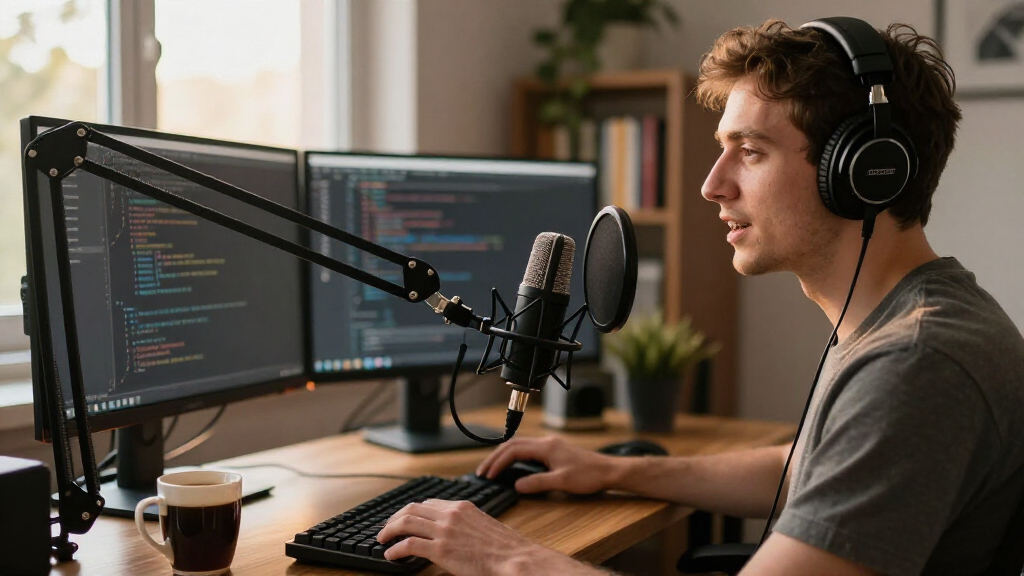
I ranked these 14 microphones against the realities of a developer’s desk rather than a studio’s. The criteria: voice clarity on calls and recordings (how natural speech sounds through typical conferencing codecs), keyboard and fan noise rejection (the single biggest audio problem at a dev workstation), plug-and-play reliability across Windows, macOS, and Linux, desk footprint, and onboard controls like hardware mute and gain. Where a mic supported Raspberry Pi or embedded work — as the SuziePi explicitly does — I factored that versatility in too.
The ranking logic favors mics that solve the developer’s environment first. Full-size condensers with cardioid patterns and physical controls rise to the top because they handle the standup-and-screencast workload best. Dynamic mics rank highly for noisy rooms. Budget minis and conference units are ranked for the niches they genuinely serve, not penalized for what they were never designed to do. Every pick has a real drawback listed, because at these price points something always gives.
| USB microphones for developer | Polar Pattern |
|---|---|
| CMTECK USB Gooseneck Computer | Omnidirectional |
| Mini USB Microphone for Laptop | — |
| ZealSound K66 Podcast USB Micr | Cardioid |
| Blue Yeti USB Microphone for P | — |
| TONOR G11 USB Conference Micro | Omnidirectional |
| Amazon Basics Condenser Microp | Cardioid (Unidirectional) |
| Sennheiser Profile USB Cardioi | — |
| Logitech Blue Yeti Nano USB Mi | — |
| SuziePi 2-Pack USB 2.0 Mini Mi | Omnidirectional |
| AIRHUG 21 USB Microphone for P | Omnidirectional (360°) |
| USB Microphone with 360° Adjus | — |
| FIFINE AmpliGame AM8 USB/XLR D | Cardioid (Unidirectional) |
| MillSO USB Gooseneck Mini Micr | — |
| AIRHUG 28 USB Microphone with | Omnidirectional |
Factors to Consider When Choosing USB Microphones For Developers
Before picking from the list above, it helps to understand why USB microphones behave so differently on a developer’s desk compared with a streamer’s or musician’s setup. These are the factors that actually change day-to-day experience — and the mistakes buyers make with each.
Polar Pattern: Why Cardioid Beats Omnidirectional at a Desk
The most common mistake developers make is buying an omnidirectional mic because it ‘picks up everything’ — which is exactly the problem. An omni capsule hears your keyboard, your fan curve, and the conversation three meters away with the same enthusiasm as your voice. A cardioid pattern listens mostly from the front and rejects sound from behind and to the sides, which is where your keyboard and PC tower usually sit. That’s why the Sennheiser Profile and Yeti place higher than the conference-style omnidirectional options in this roundup. Omnis still make sense for one scenario: multiple people talking around one mic in a shared room. If it’s just you, always choose cardioid — or go one step further with a dynamic capsule like the FIFINE AM8, which rejects even more off-axis noise.
Keyboard Noise Is Your Real Enemy, Not Room Echo
Buyers obsess over ‘studio quality’ and ignore the 70-decibel mechanical keyboard sitting four inches from the capsule. In practice, colleagues hear your keypresses far more often than they notice subtle audio warmth. Placement matters as much as hardware: positioning the mic slightly off-axis from your keyboard, 15–25 cm from your mouth, can cut key clatter dramatically before any noise-cancellation DSP kicks in. Built-in noise reduction — like the AI processing in the AIRHUG 21 — helps, but it works best as a second line of defense, not a substitute for pattern choice and placement. If you refuse to give up your clicky switches, a dynamic microphone is the honest answer, not software filtering.
Hardware Mute and Gain Controls: The Underrated Upgrades
Muting through Zoom, Slack, or your OS is slower and more error-prone than it sounds — everyone has had the moment of scrambling for the software mute button when a doorbell rings. A hardware mute button with a visual indicator solves this instantly, which is why the CMTECK, ZealSound K66, and Yeti rank above similarly-priced competitors that skip it. Onboard gain control matters for a different reason: without it, you’re stuck adjusting input levels in system settings every time you switch between quiet evening calls and loud daytime recordings. Headphone monitoring jacks are the third convenience tier — genuinely useful for screencast work, skippable if you only join calls.
Condenser vs. Dynamic: Sensitivity Is a Double-Edged Sword
Condenser microphones (most of this list) are more sensitive and capture richer, more detailed voice — but sensitivity also means they capture everything else. Dynamic microphones need you to speak closer, yet they ignore distant noise almost entirely. The right choice depends on your room: a treated, quiet home office rewards a condenser’s detail, while a shared flat, an open-plan office, or a room with servers humming rewards a dynamic’s focus. Don’t assume ‘condenser’ means better for your situation — it’s the most marketing-driven assumption in this category. Price follows this split too: decent dynamics like the AM8 deliver professional noise behavior at mid-range cost, while cheap condensers often sound thin and harsh at the extremes.
Desk Footprint and Mounting: The Developer-Specific Concern
Most microphone reviews ignore that a developer’s desk is already crowded with monitors, docks, and note pads. A full-size condenser on a table stand can eat 15 cm of prime real estate in front of your keyboard, and gooseneck models need a free edge or panel to clamp to. The AIRHUG 28’s magnetic and flat mounting is a genuinely clever answer for cramped setups, sticking under a desk shelf or monitor arm. Before buying, measure where the mic will actually live — the best-sounding microphone that doesn’t fit your desk will end up in a drawer. Also check cable length: many budget models ship with short fixed cables that force awkward desk layouts.
OS and Platform Compatibility Beyond the Marketing
‘Plug and play’ usually means Windows and macOS — Linux support is generally fine for standard USB audio classes, but some models with custom DSP features (AI noise buttons, RGB software) lose those extras on Linux or refuse to work with Raspberry Pi USB power budgets. The SuziePi exists precisely because generic mics draw too much current for a Pi’s ports. If you develop on a Pi, an embedded board, or dual-boot into Linux, verify power draw and whether the mic presents as a standard USB Audio Class device. For standard desktops, every mic in this roundup works without drivers — the differences show up only in advanced features.
Frequently Asked Questions
Do I really need a dedicated microphone if my headset or laptop mic works?
For occasional calls, no — but the difference becomes obvious the moment multiple people talk, you share your screen for long sessions, or you record anything. Laptop mics are tuned for close, flat speech and degrade quickly at normal desk distance; a proper USB microphone keeps your voice full and intelligible even when you lean back or turn to a second monitor. Colleagues genuinely notice, especially in long meetings where thin audio causes fatigue. The practical threshold: if you spend more than an hour a day on voice, a budget pick like the ZealSound K66 or CMTECK already pays off. Below that, your existing hardware is probably adequate.
Will a USB microphone pick up my mechanical keyboard?
Almost certainly, unless you choose around it. Condenser mics — including the Yeti and Sennheiser Profile — are sensitive enough to catch every keypress at typical desk distances. Three fixes work together: pick a cardioid or dynamic pattern (the FIFINE AM8 dynamic is the strongest option here), angle the mic’s rear toward your keyboard, and keep it 15–25 cm from your mouth so your voice dominates the input level. Noise-cancellation DSP helps with steady background hum like fans, but it handles sharp transient sounds like clicks poorly. The honest answer is that no microphone fully silences a loud keyboard — placement and pattern do most of the work.
Is it worth paying for the Sennheiser Profile over a Blue Yeti?
It depends on what you’ll use it for. The Yeti offers four polar patterns, multiple onboard controls, and versatility for streaming, podcasting, and recording instruments — genuinely more flexibility. The Profile focuses on one thing: clean, natural voice capture from a cardioid capsule, with better out-of-box clarity and a more restrained sound that flatters speech. If your use case is 90% calls, standups, and screencasts, the Profile is the better-tuned tool. If you stream, record with guests, or want room flexibility, the Yeti earns its price. Both are safe buys; the difference is focus versus range.
Can I use these microphones with a Raspberry Pi or Linux machine?
Any mic presenting as a standard USB Audio Class device — which covers most models here — works on Linux and Raspberry Pi without drivers. The catches are power draw and special features. Some larger condensers draw more current than a Pi’s USB ports reliably supply, causing dropouts; the SuziePi two-pack was designed specifically for Pi 3B+/4/5 and stays within those limits. Buttons for DSP noise reduction or RGB lighting may not function on Linux even when audio works. If embedded development is your main use case, prioritize low-power minis or verify the mic’s stated current draw before buying.
Are cheap mini microphones good enough for voice coding and dictation?
For speech-to-text engines like Dragon or Whisper, accuracy depends more on consistency than richness — a stable, close-positioned mini mic can transcribe surprisingly well because dictation happens with your mouth near the mic. The weaknesses appear with distance and noise: step away from the desk or run a loud fan, and recognition accuracy drops faster than with a full condenser. Minis also struggle with music playback quality if you ever record tutorials with audio. If dictation is your primary use and budget is tight, a mini is defensible; if you also take frequent meetings, spend slightly more on the ZealSound K66 or CMTECK gooseneck for better clarity and a mute button.
Conclusion
The right pick comes down to how you spend your audio hours. For the best overall choice, the Sennheiser Profile wins with the cleanest plug-and-play voice capture in the lineup — ideal for daily standups, code reviews, and screencasts. The ZealSound K66 is the clear best value, packing gain control, hardware mute, and noise cancellation into a budget-friendly package. If you want premium versatility, the Blue Yeti covers streaming, podcasting, and multi-pattern recording that pure voice mics can’t touch. Beginners and minimalists should start with the CMTECK gooseneck — cheap, simple, and silent when you need it to be.
For specific needs: the FIFINE AmpliGame AM8 is the pick for loud rooms and mechanical keyboards thanks to its dynamic capsule; the SuziePi two-pack is the only sensible option for Raspberry Pi work; the AIRHUG 28 solves cramped desks with its magnetic mount; and the TONOR G11 or AIRHUG 21 fit shared or hybrid meeting spaces. Whatever you choose, cardioid or dynamic patterns, a hardware mute, and honest desk-space planning matter more than any brand name on the box.