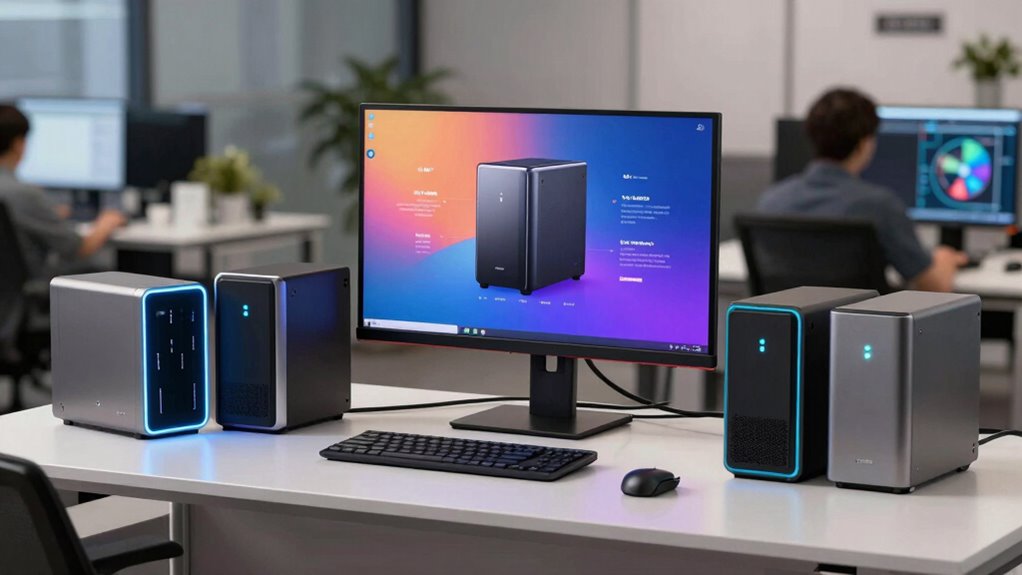
For a small business, the best NAS for backups needs to balance dependable storage, straightforward recovery, and room to grow. My best overall pick is the Synology DS925+, a four-bay option that offers a practical middle ground between capacity and business-friendly backup features. The Buffalo TeraStation 3430DN stands out for buyers who want drives included, while the UGREEN NAS DXP4800 Pro suits teams that value stronger hardware and more control. The main tradeoffs are buying a ready-to-use system versus choosing your own drives, and paying for more bays or performance before your workload needs them. Read on for how all 11 compare and which setup fits your business.

Get business pricing on monitors, keyboards and dev gear
- Business-only prices and quantity discounts
- Tax-exempt purchasing
- Multiple users, one account, clear invoices
Key Takeaways
- The Synology DS925+ is my best overall pick because four bays give a small business more capacity and drive-layout flexibility than the two-bay options without moving into the unusually powerful hardware tier.
- Buffalo’s TeraStation models reduce setup friction by including drives, but buyers should compare their supplied capacity and business needs rather than assuming every bundled-drive NAS offers the same room to grow.
- Two-bay NAS devices are sensible for modest file sets, but the DS223j and DS225+ leave less flexibility for capacity expansion and drive-failure planning than four- or five-bay systems.
- UGREEN and MINISFORUM target performance-minded buyers; their more capable hardware can suit demanding office workloads, but it may add cost and setup complexity that basic backup duty does not require.
- Drive count is not a backup plan by itself: every NAS in this roundup still needs a separate off-site or offline copy to protect against theft, fire, ransomware, and accidental deletion.
| Buffalo LinkStation SoHo 220 2-Bay Personal Cloud NAS with 8TB (2x4TB) Hard Drives Included |  | Best Ready-to-Use Backup Bundle | Drive bays: 2 | Included storage: 8TB (2 x 4TB hard drives) | Hard drive interface: Serial ATA-300 | VIEW ON AMAZON | See Our Full Breakdown |
| Synology DiskStation DS223j (Diskless) 2-Bay NAS |  | Best for Lean, Self-Configured Backups | Drive bays: 2 | Included storage: Diskless | Warranty: 2 years | VIEW ON AMAZON | See Our Full Breakdown |
| Synology 4-Bay DiskStation DS925+ (Diskless) |  | Best for Faster Multi-User Backups | Drive bays: 4 | Included storage: Diskless | Network ports: 2 x 2.5GbE | VIEW ON AMAZON | See Our Full Breakdown |
| UGREEN NAS DXP4800 GT 4-Bay for Creators, Tech Enthusiasts, and Office Teams |  | Best Premium Performance and Expansion | Processor: AMD Ryzen Embedded R2514, 4 cores, up to 3.70GHz | Memory: 8GB DDR4, expandable to 64GB; included RAM is non-ECC | Drive bays: 4 SATA bays | VIEW ON AMAZON | See Our Full Breakdown |
| Synology DS425+ Private Cloud Media Server – 4-Bay Diskless NAS |  | Best Compact Four-Bay Office NAS | Drive bays: 4 | Included storage: Diskless | Maximum stated capacity: Up to 80TB | VIEW ON AMAZON | See Our Full Breakdown |
| MINISFORUM N5 Air 5-Bay Desktop NAS with AMD Ryzen 7 255, 174TB Storage, Dual DDR5 RAM Slots, 8K HDMI, 10GbE & 5GbE |  | Best for High-Capacity, High-Speed Backups | Processor: AMD Ryzen 7 255, 8 cores, 16 threads, up to 4.9GHz | Storage bays: 5 SATA HDD slots | M.2 slots: 3 | VIEW ON AMAZON | See Our Full Breakdown |
| Buffalo TeraStation 3430DN 4-Bay 4TB Desktop Small-Med Business NAS with Hard Drives Included |  | Best for Supported, Straightforward Office Backups | Model: TS3430DN0402 | Bays: 4 | Included drives: 2 × 2TB NAS-grade drives | VIEW ON AMAZON | See Our Full Breakdown |
| BUFFALO TeraStation Essentials 2025 4-Bay Desktop NAS 16TB with Hard Drives Included | | Best Ready-to-Use 2.5GbE Backup NAS | Drive bays: 4 | Included capacity: 16TB | Hard disk interface: Serial ATA-600 | VIEW ON AMAZON | See Our Full Breakdown |
| Synology DS225+ Private Cloud Media Server – 2-Bay Diskless NAS with Intel CPU for Hardware Transcoding |  | Best Compact NAS for Small Teams | Model: DS225+ | Drive bays: 2 | Drive configuration: Diskless | VIEW ON AMAZON | See Our Full Breakdown |
| UGREEN NAS DXP4800 Pro 4-Bay for IT Professionals, Developers & Power Users |  | Best for Virtualization and Advanced Backup Workflows | Processor: Intel Core i3-1315U, 6 cores, 8 threads, up to 4.5GHz | Memory: 8GB DDR5, expandable to 96GB | Drive bays: 4 × 3.5-inch HDD bays | VIEW ON AMAZON | See Our Full Breakdown |
| Synology DS725+ Expandable NAS Storage – 2-Bay Diskless Private Cloud for Home and Small Business |  | Best Compact NAS with a Growth Path | Drive bays: 2; expandable to 7 with optional DX525 | Maximum storage capacity: Up to 140 TB | Supported drives: HDDs and SSDs | VIEW ON AMAZON | See Our Full Breakdown |
| nas for small business backup | Drive bays | Warranty |
|---|---|---|
| Buffalo LinkStation SoHo 220 2 | 2 | — |
| Synology DiskStation DS223j | 2 | 2 years |
| Synology 4-Bay DiskStation DS9 | 4 | 3-year limited hardware warranty |
| UGREEN NAS DXP4800 GT 4-Bay fo | 4 SATA bays | — |
| Synology DS425+ Private Cloud | 4 | 3 years |
| MINISFORUM N5 Air 5-Bay Deskto | — | — |
| Buffalo TeraStation 3430DN 4-B | — | 3 years |
| BUFFALO TeraStation Essentials | 4 | — |
| Synology DS225+ Private Cloud | 2 | 3 years |
| UGREEN NAS DXP4800 Pro 4-Bay f | 4 × 3.5-inch HDD bays | 2 years |
| Synology DS725+ Expandable NAS | 2; expandable to 7 with optional DX525 | 3 years |
More Details on Our Top Picks
Buffalo LinkStation SoHo 220 2-Bay Personal Cloud NAS with 8TB (2x4TB) Hard Drives Included
I’d put the LinkStation SoHo 220 near the top for a small office that wants to start backing up without sourcing drives separately. Its two included 4TB disks provide 8TB of stated capacity, and RAID options, automated backups, and file sharing address the basics without a subscription fee. That bundled approach contrasts with the diskless Synology DS223j, which gives buyers more choice over drives but requires an additional purchase and setup step. The tradeoff is a simpler, less performance-focused package: the listed read speed is 80 MB/s, and the included 5400 rpm drives may feel limiting when several staff members move large files. I’d also check macOS compatibility before buying, since some features are listed as compatible only with older versions. Network configuration is still required.
Pros:- Includes two 4TB hard drives, reducing the work needed to get started
- RAID options support a mirrored-drive setup for added protection against a single drive failure
- Automated backups and file sharing support common small-office workflows
- Includes 24/7 US-based support and a three-year warranty
Cons:- Listed read speed of 80 MB/s is modest for teams moving large files
- The two-bay design offers less room to grow than the four-bay Synology DS425+ or DS925+
- Requires network setup, and some features may not work with newer macOS versions
Best for: Small offices that want an 8TB two-drive backup system with disks included and straightforward sharing across Windows and macOS computers.
Not ideal for: Teams that routinely transfer large project files, need newer macOS-specific features, or want to choose higher-performance drives and expand storage over time.
- Drive bays:2
- Included storage:8TB (2 x 4TB hard drives)
- Hard drive interface:Serial ATA-300
- Drive form factor:3.5 inches
- Listed read speed:80 MB/s
- Connectivity:Ethernet
- Drive speed:5400 rpm
- Form factor:Desktop
Our verdict“Choose the LinkStation SoHo 220 if you want a two-drive, 8TB backup bundle without buying disks separately and can accept modest transfer speeds.”
Synology DiskStation DS223j (Diskless) 2-Bay NAS
The DS223j is a sensible fit for a small business that wants automated backups and private file sharing in a compact two-bay system, while keeping control over which drives go inside. That diskless design is its defining tradeoff: unlike the Buffalo LinkStation SoHo 220, it does not arrive with storage, so you’ll need to choose and install drives before building a backup plan. Its stated feature set covers multi-platform access, remote access, and surveillance monitoring, giving it more than a single-purpose file-storage role. But two bays limit capacity growth compared with the four-bay Synology DS425+ or DS925+. I’d favor it for a small team with predictable storage needs and someone comfortable with initial configuration; businesses expecting rapid data growth should look toward a larger enclosure.
Pros:- Supports automated backups for multiple devices
- Private-cloud and file-sharing features support access across platforms
- Remote access and IP-camera monitoring add uses beyond file backup
- Two-year warranty is specified
Cons:- Diskless configuration requires separate drive selection and installation
- Two bays provide less capacity headroom than the DS425+ and DS925+
- The provided details do not specify transfer speeds or network-port speed
Best for: A small office with a modest, predictable backup workload that wants Synology’s private-cloud and automated-backup features and is comfortable selecting drives separately.
Not ideal for: Growing teams with large or quickly expanding backup archives, or buyers who want a complete system with hard drives included.
- Drive bays:2
- Included storage:Diskless
- Warranty:2 years
- Supported features:Private cloud, file sharing, automated backup, surveillance
- Remote access:Supported
- Platform access:Multi-platform
Our verdict“Pick the DS223j for a small, self-configured Synology backup setup, but choose a four-bay model if your storage needs are likely to grow.”
Synology 4-Bay DiskStation DS925+ (Diskless)
For a small business where several people back up and retrieve files at once, the DS925+ brings a stronger performance case than the two-bay DS223j. Its stated throughput of up to 565 MB/s and dual 2.5GbE ports can help reduce network bottlenecks when the rest of the network supports those speeds. Four drive bays also give a business more room to configure storage than either two-bay Synology, though the enclosure ships diskless and calls for drive planning before deployment. The feature set includes file management, data protection, virtualization, and surveillance, which can suit a small office consolidating multiple workloads. That breadth comes with a learning curve: the DS223j is a less demanding starting point, while the DS925+ is better for teams with someone to manage setup and ongoing configuration.
Pros:- Four bays provide more drive-configuration room than the DS223j
- Up to 565 MB/s stated read/write throughput supports heavier transfer workloads
- Dual 2.5GbE ports provide faster network connectivity and connection options
- Supports file management, data protection, virtualization, and surveillance
Cons:- Diskless design means drives must be purchased and configured separately
- Setup may be complex for beginners
- The faster network ports only help when the wider network supports compatible speeds
Best for: Small offices with multiple users, faster wired networking, and an administrator who can configure a four-drive NAS for backups and other business services.
Not ideal for: Solo operators or very small teams seeking a simple, ready-to-use backup bundle, or offices without network equipment that can take advantage of 2.5GbE.
- Drive bays:4
- Included storage:Diskless
- Network ports:2 x 2.5GbE
- Stated throughput:Up to 565 MB/s
- Warranty:3-year limited hardware warranty
- Supported workloads:File management, data protection, virtualization, surveillance
Our verdict“Choose the DS925+ when multi-user backup speed and four-bay flexibility matter more than a simple, pre-populated setup.”
UGREEN NAS DXP4800 GT 4-Bay for Creators, Tech Enthusiasts, and Office Teams
The DXP4800 GT is the most ambitious choice here for a business combining backups with demanding file and media workloads. Its dual 10GbE ports, four SATA bays, NVMe options, and Ryzen Embedded processor offer far more performance and expansion potential than the Synology DS425+, whose supplied data lists 2.5GbE networking and up to 80TB capacity. For a team moving large creative files or running several services, that extra headroom can help keep a NAS useful as the workload grows. It is also the least plug-and-play pick in this group: drives are not included, and the supplied 8GB of non-ECC RAM may not suit buyers prioritizing ECC memory. I’d reserve it for technically confident teams; simpler backup needs are better served by the DS223j or bundled Buffalo.
Pros:- Dual 10GbE ports support very high-speed network transfers when paired with compatible equipment
- Four SATA bays plus U.2 and M.2 slots give several storage and expansion options
- Ryzen Embedded four-core processor and expandable RAM support multitasking
- Listed security features include TLS/SSL, RSA, AES, SHA-512, and RAID support
Cons:- Drives are not included, so storage adds a separate selection and setup step
- Setup complexity may be a hurdle for teams without NAS experience
- Included 8GB RAM is non-ECC; an ECC upgrade requires compatible memory
Best for: A technically capable small business or creative team that transfers large files, needs high-speed networking, and plans to combine backups with other NAS workloads.
Not ideal for: Small offices seeking low-complexity backups, a ready-to-use system with drives included, or ECC memory out of the box.
- Processor:AMD Ryzen Embedded R2514, 4 cores, up to 3.70GHz
- Memory:8GB DDR4, expandable to 64GB; included RAM is non-ECC
- Drive bays:4 SATA bays
- Additional storage slots:2 U.2 NVMe slots and 2 M.2 SSD slots
- Maximum stated storage:Up to 144TB
- Network:Dual 10GbE ports with link aggregation support
- Connectivity:USB 3.2, USB-C, HDMI, SD card slot
- Security and storage features:TLS/SSL, RSA, AES, SHA-512, RAID support
Our verdict“Choose the DXP4800 GT if your backup NAS must also handle demanding transfers and expanding workloads, and your team can manage its more involved setup.”
Synology DS425+ Private Cloud Media Server – 4-Bay Diskless NAS
The DS425+ makes a strong case for an office that wants four-bay capacity in a compact enclosure rather than the higher-end connectivity of the UGREEN DXP4800 GT. It supports multiple users, backups, RAID, and snapshots, and its stated capacity reaches up to 80TB. The listed 2.5GbE connection and 278 MB/s network speed suit shared office files without the GT’s dual 10GbE emphasis. At 8.78 inches deep and 7.83 inches wide, it is also easier to place in a crowded office than a larger desktop system. The cost of that approachable footprint is that it ships diskless, and setup may challenge non-technical users. Compared with the two-bay DS223j, it gives a growing business more drive bays; compared with the DS925+, the supplied performance figure is lower.
Pros:- Four bays offer more storage configuration options than the DS223j
- Compact listed dimensions suit offices with limited equipment space
- RAID, backups, and snapshots support layered data-protection workflows
- Supports multiple users and up to 30 IP cameras
Cons:- Diskless configuration requires separate drive purchases
- Listed network speed of 278 MB/s is below the DS925+ throughput figure and DXP4800 GT’s 10GbE networking
- Setup and configuration may be difficult for non-technical users
Best for: Small offices that need a compact four-bay system for shared files, backups, snapshots, and surveillance, with room to expand beyond two drives.
Not ideal for: Teams that need dual 10GbE networking, the highest stated throughput in this group, or a NAS that includes storage and needs minimal configuration.
- Drive bays:4
- Included storage:Diskless
- Maximum stated capacity:Up to 80TB
- Network:2.5GbE
- Stated network speed:278 MB/s
- Supported IP cameras:Up to 30
- Dimensions:8.78″D x 7.83″W x 6.54″H
- Warranty:3 years
Our verdict“Choose the DS425+ for compact four-bay backup capacity and shared office features, but look to the DXP4800 GT for more demanding network performance.”
MINISFORUM N5 Air 5-Bay Desktop NAS with AMD Ryzen 7 255, 174TB Storage, Dual DDR5 RAM Slots, 8K HDMI, 10GbE & 5GbE
I rank the MINISFORUM N5 Air highest for a technically capable small business that needs a fast, expandable backup target rather than a simple plug-in file server. Its five SATA bays and three M.2 slots allow more room to grow than the four-bay Buffalo TeraStation Essentials 2025, while 10GbE and 5GbE networking can shorten large backup transfers when the rest of the network supports those speeds. The Ryzen 7 processor and up to 96GB of memory also leave headroom for workloads beyond backups, including centralized data management and multimedia tasks. The tradeoff is setup complexity: RAID choices, memory expansion, and M.2 allocation call for more hands-on administration than Buffalo’s preconfigured approach. Its OCuLink connection also lacks hot-swapping, and using an M.2 drive for the system may reduce available M.2 capacity. I’d choose it for speed and expansion, not simplicity.
Pros:- Five SATA bays and three M.2 slots provide substantial expansion options
- 10GbE and 5GbE ports can accelerate large backup transfers on compatible networks
- Ryzen 7 255 and support for up to 96GB DDR5 RAM leave room for additional workloads
- Modular design supports upgrades and maintenance
Cons:- Setup and RAID configuration may demand more technical skill than the Buffalo TeraStation Essentials 2025
- Using an M.2 slot for the system disk can reduce the number available for storage
- OCuLink does not support hot-swapping
Best for: Small businesses with a technically confident administrator, growing backup volumes, and a 10GbE-capable network.
Not ideal for: Owners seeking a ready-to-run appliance with minimal configuration, or teams without a fast network that can use its high-speed ports.
- Processor:AMD Ryzen 7 255, 8 cores, 16 threads, up to 4.9GHz
- Storage bays:5 SATA HDD slots
- M.2 slots:3
- Maximum storage:Up to 174TB
- Memory:2 DDR5 SO-DIMM slots, up to 96GB
- Network:1 × 10GbE and 1 × 5GbE
- Expansion:PCIe x16 and OCuLink
- Video outputs:HDMI 8K@60Hz and 2 × USB4 8K@60Hz
Our verdict“Choose the N5 Air if your business can manage a more involved setup and needs fast, expandable backup storage.”
Buffalo TeraStation 3430DN 4-Bay 4TB Desktop Small-Med Business NAS with Hard Drives Included
The Buffalo TeraStation 3430DN is the more service-oriented choice here: it arrives with two pre-tested NAS drives configured as RAID 1, giving a small office a basic redundant backup destination without starting with a diskless enclosure. That ready-made setup, three-year warranty, and 24/7 US-based support distinguish it from the more configurable MINISFORUM N5 Air, which offers much faster networking and more expansion but expects greater technical involvement. Buffalo also lists encryption and cloud-sync options, useful for offices that want an additional off-site copy. The main limitation is capacity as supplied: RAID 1 leaves 2TB usable from the included 4TB of drives, so businesses with growing files may need to reconfigure or add storage. Its four bays offer room to expand, but this is not the high-throughput pick for large, frequent backup jobs. I see it as a support-first office appliance, not a performance NAS.
Pros:- Includes two pre-tested NAS-grade drives and arrives configured for RAID 1
- Four-bay chassis leaves room for future drive expansion
- Cloud-sync options include Dropbox, OneDrive, and Amazon S3
- Three-year manufacturer warranty and 24/7 US-based live support
Cons:- Only 2TB is usable in the supplied RAID 1 configuration
- The included drive capacity may be restrictive for growing business data
- Less suited to high-speed backup traffic than the 10GbE MINISFORUM N5 Air
Best for: Small offices that want a business-focused NAS with drives included, RAID 1 configured, and access to ongoing support.
Not ideal for: Businesses with large backup sets or frequent high-volume transfers that need more usable capacity or faster networking.
- Model:TS3430DN0402
- Bays:4
- Included drives:2 × 2TB NAS-grade drives
- Usable capacity:2TB in the supplied RAID 1 configuration
- RAID configuration:RAID 1
- Security:256-bit encryption
- Warranty:3 years
- Weight:13.3 pounds
Our verdict“Pick the 3430DN if included drives, RAID 1 setup, and support matter more than high capacity or top transfer speeds.”
BUFFALO TeraStation Essentials 2025 4-Bay Desktop NAS 16TB with Hard Drives Included
The TeraStation Essentials 2025 is the practical middle ground for a small office that wants included drives and a faster-than-gigabit connection without taking on a feature-heavy system. Its 16TB of included storage and 2.5GbE port make it a more capable starting point than the 3430DN’s supplied 2TB of usable RAID 1 capacity, especially for offices backing up shared work files. The product data also lists RAID options, 256-bit encryption, cloud integration, and a three-year warranty with support. This is a streamlined business appliance, not a platform for running virtual machines or extensive add-on workloads like the UGREEN DXP4800 Pro. Its stated 16TB capacity may also constrain businesses with large media archives or rapid data growth; the listing notes additional drives can be added, but does not specify an expanded maximum. I’d favor it when simple, included storage and 2.5GbE matter more than advanced server flexibility.
Pros:- Includes 16TB of hard-drive storage for a substantial starting capacity
- Native 2.5GbE supports faster transfers than a standard 1.0GbE connection
- RAID options and 256-bit encryption support backup protection
- Cloud integration, three-year warranty, and 24/7 US-based support are listed
Cons:- Stated 16TB capacity may not suit rapidly growing backup archives
- Its streamlined business feature set is less flexible than the UGREEN DXP4800 Pro
- Additional expansion capacity is not specified in the supplied product data
Best for: Small offices that want included storage, a 2.5GbE connection, and a straightforward network backup appliance.
Not ideal for: IT teams that need virtualization or advanced workload flexibility, or businesses whose backup data will quickly outgrow the stated 16TB capacity.
- Drive bays:4
- Included capacity:16TB
- Hard disk interface:Serial ATA-600
- Network:2.5GbE and 1.0GbE network compatibility
- Drive form factor:3.5-inch
- Drive speed:5400rpm
- Security:256-bit encryption
- Warranty and support:3-year warranty with 24/7 US-based support and data recovery
Our verdict“Choose the Essentials 2025 for a small office that wants included storage and 2.5GbE without a more advanced NAS feature set.”
Synology DS225+ Private Cloud Media Server – 2-Bay Diskless NAS with Intel CPU for Hardware Transcoding
The Synology DS225+ suits a small team that values a compact footprint and managed backup features over a large drive pool. It has two bays and a diskless design, so you can choose the drives you need, but you must budget for and install them before it can store backups. Snapshot technology and RAID redundancy support a more organized protection setup, while the listed 40TB maximum capacity gives it room for a modest office archive. Compared with Buffalo’s four-bay TeraStation Essentials 2025, the DS225+ occupies less space but offers fewer drive positions for expansion. Its 4K streaming and hardware transcoding are useful extras for teams with media files, though they are not the main reason to buy a backup NAS. The two-bay limit may eventually become restrictive, and advanced management features can take some learning. I’d choose it when compactness and Synology’s broader backup use matter more than included drives or bay count.
Pros:- Compact two-bay enclosure fits offices with limited workspace
- Snapshot technology and RAID support backup protection options
- Listed maximum capacity of up to 40TB
- Hardware transcoding supports 4K media streaming
Cons:- Diskless design requires separate drive selection and installation
- Two bays offer less expansion flexibility than the four-bay Buffalo TeraStation Essentials 2025
- Advanced NAS management features may require time to learn
Best for: Small teams needing a compact, diskless NAS for shared files and backups, with room for media streaming or surveillance use.
Not ideal for: Businesses seeking a drive-included setup or substantial expansion headroom from a multi-bay unit such as the Buffalo TeraStation Essentials 2025.
- Model:DS225+
- Drive bays:2
- Drive configuration:Diskless
- Processor:Intel CPU
- Maximum storage:40TB
- Dimensions:9.14 × 4.25 × 6.5 inches
- Weight:1300g
- Warranty:3 years
Our verdict“Choose the DS225+ if a compact, configurable two-bay NAS suits your team better than a larger unit with drives included.”
UGREEN NAS DXP4800 Pro 4-Bay for IT Professionals, Developers & Power Users
The UGREEN DXP4800 Pro earns its place for small businesses that want their backup NAS to handle more than file storage. Its Intel Core i3-1315U, 8GB of DDR5 RAM, and expansion to 96GB suit teams planning Docker containers or virtual machines alongside backup jobs. The combination of 10GbE and 2.5GbE can also support fast transfers and separate network roles, while four HDD bays, two PCIe 4.0 M.2 slots, and RAID 0/1/5/10 offer several ways to balance capacity and protection. Compared with the simpler Buffalo TeraStation Essentials 2025, this is far more configurable, but that flexibility brings more setup and administration work. It also has a two-year warranty, shorter than the listed three-year terms on the Buffalo and Synology DS225+. I’d shortlist it for an IT-led office that will use its compute and networking headroom, not for a team wanting a basic plug-and-play backup box.
Pros:- Core i3 processor and expandable DDR5 memory support additional workloads
- 10GbE and 2.5GbE ports accommodate high-speed network transfers
- Four HDD bays and two M.2 slots support flexible storage configurations
- RAID 0, 1, 5, and 10 options provide several capacity and redundancy choices
Cons:- Advanced configuration may be more involved than the Buffalo TeraStation Essentials 2025
- Two-year warranty is shorter than the three-year coverage listed for the Buffalo 3430DN and Synology DS225+
- Extra compute and networking features add complexity for teams that only need basic backups
Best for: IT-led small businesses that need a fast backup destination plus Docker, virtual machines, or other self-hosted workloads.
Not ideal for: Nontechnical offices seeking a simple backup appliance, or businesses that will not use its extra compute and network capacity.
- Processor:Intel Core i3-1315U, 6 cores, 8 threads, up to 4.5GHz
- Memory:8GB DDR5, expandable to 96GB
- Drive bays:4 × 3.5-inch HDD bays
- M.2 slots:2 × PCIe 4.0
- Maximum storage:Up to 144TB
- Network:10GbE and 2.5GbE
- RAID options:RAID 0, 1, 5, and 10
- Warranty:2 years
Our verdict“Pick the DXP4800 Pro if your IT team will use its fast networking and compute flexibility for backups and additional services.”
Synology DS725+ Expandable NAS Storage – 2-Bay Diskless Private Cloud for Home and Small Business
The DS725+ suits a small business that needs capable backup features now but wants the option to add capacity later. Its two-bay base is a smaller starting point than the four-bay Synology DS925+, while support for an optional DX525 expansion unit lets storage grow without replacing the NAS. RAID and snapshots add layers of protection against drive failure and unwanted file changes, and M.2 SSD caching can help frequently accessed data feel more responsive.
The tradeoff is that this is a diskless system: drives and the expansion unit are additional purchases, and the advertised maximum capacity depends on adding that unit. Setup of advanced protection and surveillance features may also take more technical effort than a simpler appliance. I’d choose it over the DS223j when expansion and richer business features matter more than keeping the setup straightforward.
Pros:- Expandable from two bays to seven with the optional DX525 unit
- RAID and snapshot features provide multiple layers of data protection
- M.2 SSD caching can improve access to frequently used data
- Supports surveillance workloads for up to 30 IP cameras
Cons:- Ships without drives, so usable storage requires a separate drive purchase
- The two-bay base limits drive flexibility until an expansion unit is added
- Advanced backup and surveillance features can require technical setup
Best for: Small offices that want a compact two-bay backup server with snapshots and a clear path to add storage as their data grows.
Not ideal for: Teams that need several drive bays immediately, want an all-in-one system with drives included, or prefer minimal setup and administration.
- Drive bays:2; expandable to 7 with optional DX525
- Maximum storage capacity:Up to 140 TB
- Supported drives:HDDs and SSDs
- Processor:Intel Celeron
- Memory:4 GB DDR4, expandable
- Data protection:RAID and snapshots
- SSD caching:M.2 slots
- Dimensions:8.78 × 4.17 × 6.54 inches
- Warranty:3 years
Our verdict“Choose the DS725+ if you want a compact, feature-rich Synology backup NAS that can expand later; skip it if you need four or more bays from day one.”

How We Picked
I ranked these NAS devices around the needs of a small business backup system: practical capacity, room for growth, ease of setup and maintenance, and the hardware or software features that can make recovery less painful. I also separated systems sold with drives from diskless models, since bundled storage is convenient but limits the buyer’s initial choice of capacity and drive mix. A higher bay count can help with growth and storage layout, but it does not automatically make a device the better purchase for a small file set.
The order favors balanced business use over headline specifications. The Synology DS925+ leads as a four-bay middle ground; Buffalo’s drive-included TeraStations rank well for buyers who prioritize a ready-to-use purchase, while UGREEN and MINISFORUM options are better fits when processing power, connectivity, or flexibility matters more. Compact two-bay units rank lower for growing teams, and the entry-oriented DS223j is best for simpler needs rather than heavier workloads. Since actual backup performance depends on drives, network setup, and workload, I focus on suitability and tradeoffs instead of making unsupported speed or reliability claims.
Factors to Consider When Choosing Nas For Small Business Backups
Choosing business backup storage starts with the recovery problem you need to solve, not the largest capacity figure on a product page. I would map how much data the team creates, how quickly it must be restored, and who will maintain the system before settling on bay count or processor class.
Match Bay Count to Growth and Drive Failure Planning
Count the usable space you need after allowing for growth and the storage layout you plan to use; the headline sum of drive capacities is not the same as protected usable capacity. Two-bay systems can fit a small office, but they give you fewer options when storage needs rise or you want to change the balance between capacity and redundancy. Four-bay models offer more flexibility, though extra bays mean more drives to buy and monitor. A five-bay unit may make sense for a data-heavy team, but spare capacity is only useful if the business can justify and manage it. Avoid choosing a NAS just because it has more bays: project expected growth over several years and compare that against the cost and maintenance burden of the added drives.
Treat Redundancy and Backup as Different Things
A redundant drive arrangement can help keep files available after a drive failure, but it is not a second backup. It will not necessarily protect against ransomware, accidental deletion, theft, fire, or a damaged NAS. Plan a separate copy on another device, in a trusted cloud service, or at a second location, and decide how often that copy should update. For business-critical files, consider whether the external copy should be disconnected or otherwise protected from changes made on the main network. A common mistake is spending the entire budget on a NAS and drives, then leaving no resources for the extra copy that makes recovery possible.
Choose Ready-to-Use Drives or Diskless Flexibility
Drive-included models such as Buffalo’s TeraStations can simplify procurement because storage comes as part of the system. That can be useful when a small business has limited IT time, but bundled capacity may not match your growth plans, and you have less choice over the initial drive configuration. Diskless units let you select drives and capacity, though you must check compatibility, source the drives, and allow time for setup. Keep drive replacement in mind as well: a business should know which drive types it can source and who will handle a failure. Compare the full setup, including drives and any needed support or backup services, rather than the NAS enclosure alone.
Check Network Fit Before Paying for Faster Hardware
A NAS cannot deliver its full potential if the office network, switches, cabling, or client devices are the bottleneck. Faster Ethernet options on higher-performance models matter most when several users move large files or when the network already supports those connections. For a small office doing routine scheduled backups, compatible standard networking may be enough. Map where the NAS will connect and confirm that the needed ports and network equipment are available before choosing a model for its connectivity specs. Spending on a faster NAS without upgrading the path to it can leave the business paying for performance it cannot use.
Plan for Recovery, Not Just the Initial Backup
A backup is useful only if staff can restore the right files when they need them. Decide who can recover deleted files, how long previous versions should be kept, and how the business would restore data if the NAS itself failed. Test restoring a sample folder before relying on the system, and repeat the test after major changes. Retention settings also need a business decision: keeping more versions can help recover from mistakes, but it consumes storage. For regulated or client-sensitive data, confirm that access controls and retention practices fit the business’s obligations instead of assuming any NAS configuration will do so automatically.
Buy for the Person Who Will Maintain It
More capable hardware can support demanding tasks, but it can also bring more configuration choices and ongoing administration. If no one on staff owns updates, drive-health checks, and restore testing, a simpler system may be a better fit than a powerful NAS that is poorly maintained. Conversely, an IT professional may value extra connectivity and hardware flexibility enough to justify a more configurable platform. Before purchase, assign an owner and confirm how alerts, software updates, and replacement drives will be handled. A NAS should fit the team’s support capacity as well as its data volume.
Frequently Asked Questions
Is a two-bay NAS enough for a small business backup system?
It can be enough for a small team with a modest, predictable amount of data, especially when the NAS is one part of a wider backup plan. Two bays keep the setup compact, but they limit future capacity choices compared with a four-bay system. Check how much usable storage remains under your planned drive layout rather than adding the drive capacities together. Also account for growth, version history, and any files that must stay available during a drive failure. If replacing the NAS soon would be disruptive, a four-bay model may provide more room to adapt.
Should I choose a Buffalo NAS with drives included or a diskless Synology or UGREEN model?
Choose a drive-included Buffalo system if a bundled setup and reduced purchasing steps matter more than selecting each drive yourself. A diskless Synology or UGREEN unit gives you more control over capacity and drive selection, but it requires separate drive purchases and setup decisions. Compare the included capacity with your usable-storage target, not just the number printed on the box. Also check what drive models are supported and how replacement drives will be sourced. The better fit depends on who will configure and maintain the system, not simply on whether drives are included.
Can I use a NAS as my only backup for business files?
I would not rely on a single NAS as the only copy of business files. Drive redundancy can reduce disruption from an individual drive failure, but it does not create protection from theft, fire, malware, or a mistaken deletion that syncs across the system. Keep another copy separate from the NAS, such as an off-site or appropriately protected cloud backup. Set a schedule that matches how much recent work the business can afford to lose. Test restoring files from that separate copy so the backup is more than an unverified promise.
When does a small business need a four-bay NAS instead of a two-bay model?
A four-bay model is a stronger candidate when data is growing, several employees depend on shared files, or you want more flexibility in capacity planning. It can also reduce pressure to replace the system as soon as storage needs change, though it does not remove the need for off-site backups. A two-bay unit may be more sensible for a small, stable file set and a team that values a compact, simpler setup. Estimate storage after allowing for retention and future growth, then compare that with realistic usable capacity. Do not pay for extra bays unless the business has a reason to fill or benefit from them.
Should I pay extra for 10GbE or a high-performance NAS for backups?
Only if the rest of the network and the workload can use the added performance. Faster networking may help teams backing up large files across multiple workstations, but standard office tasks may not benefit enough to justify the added hardware and network changes. Check switch ports, cabling, client connections, and the NAS’s storage setup before making that choice. A capable processor can also help with tasks beyond backup, but it does not replace a sound backup schedule or restore process. For routine scheduled backups, dependable capacity and clear maintenance ownership may matter more than peak specifications.
Conclusion
My best overall recommendation is the Synology DS925+ for small businesses seeking a balanced four-bay system with room to plan storage growth. For best value in setup simplicity, choose the Buffalo TeraStation 3430DN if its supplied drive capacity fits your needs; the Essentials 2025 is another bundled-drive option to compare for a larger starting capacity. The Synology DS223j is my best for beginners with modest storage needs, while the UGREEN DXP4800 Pro makes more sense for power users who want capable hardware and control. For a premium, performance-focused build, consider the MINISFORUM N5 Air, but only if your workload justifies its higher-end specification. If your priority is a compact two-bay system with room to expand, the Synology DS725+ is the more fitting specific-use pick; whichever NAS you choose, pair it with a separate backup copy and a tested restore plan.
Halloween Picks
halloween
As an affiliate, we earn on qualifying purchases.