
For most software developers, I’d start with the ASUS ZenScreen MB169CK-P as the best overall balance of a familiar 15.6-inch Full HD workspace and a portable, established design. The ViewSonic VX1655-4K-OLED is the standout for developers who need sharp text and strong image quality, while the InnoView 15.6-inch dual monitors suit people who want more screen area without carrying separate displays. The main tradeoffs are portability versus workspace, simple USB-C connection versus broader compatibility, and conventional panels versus premium resolution or multi-screen setups. A larger 18.5-inch screen can make code easier to read, but takes up more bag and desk space. Continue reading for the full breakdown and help matching a monitor to your laptop, workflow, and travel habits.

Get business pricing on monitors, keyboards and dev gear
- Business-only prices and quantity discounts
- Tax-exempt purchasing
- Multiple users, one account, clear invoices
Key Takeaways
- The 15.6-inch Full HD models form the most practical middle ground: ASUS ZenScreen, KYY, Cocopar, and MNN options offer a familiar size for code and documentation, while the 14-inch models favor lighter carry.
- More panels are not automatically better for coding: InnoView’s foldable dual-display options and the Vixtan triple extender add workspace, but require more setup and laptop compatibility checks than a single monitor.
- The ViewSonic 4K OLED is the image-quality outlier: Its higher resolution and OLED panel distinguish it from the roundup’s mostly Full HD screens, but developers should weigh that advantage against cost, power needs, and text-scaling preferences.
- Large 18.5-inch screens trade packability for room to work: VisionOwl and Acer are more appealing for a temporary desk setup than for the smallest commuter bag; VisionOwl adds a 100Hz panel and built-in stand.
- Connection details matter as much as the display: USB-C does not guarantee that a laptop can send video over that port, so check video output support and available power before choosing any model.
| KYY 15.6-Inch Portable FHD Monitor with Smart Cover | 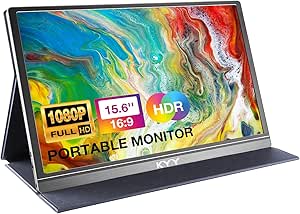 | Best Overall Single-Screen Pick | Screen size: 15.6 inches | Resolution: 1920 × 1080 | Panel: LCD IPS | VIEW LATEST PRICE | See Our Full Breakdown |
| VisionOwl 18.5-Inch Portable Monitor, 1080p FHD IPS, 100Hz, USB-C and HDMI, Built-In Stand, Speakers, VESA Mount |  | Best for a Larger Coding Canvas | Screen size: 18.5 inches | Resolution: 1920 × 1080 (FHD) | Panel: LCD IPS | VIEW LATEST PRICE | See Our Full Breakdown |
| 14.2-Inch 1080p Portable Laptop Screen Extender |  | Best Compact Laptop Extender | Screen size: 14.2 inches | Resolution: 1920 × 1080 (FHD) | Panel: IPS LCD | VIEW LATEST PRICE | See Our Full Breakdown |
| InnoView Portable Dual Monitor 15.6″ FHD Foldable Display |  | Best for Flexible Dual-Screen Work | Displays: Two 15.6-inch panels | Resolution: 1920 × 1080 (FHD) | Panel: IPS LCD | VIEW LATEST PRICE | See Our Full Breakdown |
| ZUMWALT P7 15.6-Inch FHD Laptop Screen Extender |  | Best Triple-Screen Setup for Windows Laptops | Displays: Two 15.6-inch panels | Resolution: 1920 × 1080 (FHD) per display | Panel: IPS LCD | VIEW LATEST PRICE | See Our Full Breakdown |
| ASUS ZenScreen MB169CK-P 15.6 Inch Portable Monitor | 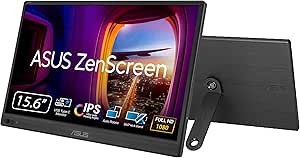 | Best for Travel-Friendly Coding | Screen size: 15.6 inches | Resolution: 1920 × 1080 | Panel: Anti-glare IPS | VIEW LATEST PRICE | See Our Full Breakdown |
| Acer PM191Q Ebmiuux 18.5″ FHD IPS Portable Monitor |  | Best for a Larger Portable Workspace | Screen size: 18.5 inches | Resolution: 1920 × 1080 | Panel: IPS LCD | VIEW LATEST PRICE | See Our Full Breakdown |
| InnoView 15.6-Inch Dual Portable Monitor, Foldable, 1080p |  | Best for Multiscreen Coding on the Go | Displays: 2 × 15.6-inch IPS panels | Resolution: 1920 × 1080 per panel | Refresh rate: 60 Hz | VIEW LATEST PRICE | See Our Full Breakdown |
| Cocopar 15.6″ Portable Monitor 1080P FHD IPS with USB-C, HDMI, VESA Mount, and Smart Stand Case |  | Best for Flexible Desk and Travel Setups | Screen size: 15.6 inches | Resolution: 1920 × 1080 | Panel: IPS LCD | VIEW LATEST PRICE | See Our Full Breakdown |
| ViewSonic VX1655-4K-OLED 15.6-Inch 4K UHD Portable OLED Monitor |  | Best Premium Display for Fine Detail | Screen size: 15.6 inches (also listed as 16 inches) | Resolution: 3840 × 2160 | Display type: OLED | VIEW LATEST PRICE | See Our Full Breakdown |
| MNN 15.6-Inch FHD Portable IPS Monitor |  | Best Value for a Simple Coding Side Screen | Screen: 15.6-inch FHD IPS, 1920 × 1080 | Aspect ratio: 16:9 | Finish and viewing angle: Matte; 178° | VIEW LATEST PRICE | See Our Full Breakdown |
| ASUS ZenScreen MB169CK 15.6-Inch 1080p Portable Monitor | | Best for Flexible Desk Setup | Screen: 15.6-inch FHD IPS, 1920 × 1080 | Refresh rate: 60 Hz | Brightness and contrast: 300 nits; 2000:1 | VIEW LATEST PRICE | See Our Full Breakdown |
| ASUS ZenScreen MB16ACE 15.6-Inch Portable Full HD USB Monitor |  | Best for Older USB-A Laptops | Screen: 15.6-inch FHD IPS, 1920 × 1080 | Refresh rate and response: 60 Hz; 5 ms | Finish and viewing angle: Anti-glare; 178° | VIEW LATEST PRICE | See Our Full Breakdown |
| Vixtan 14-Inch Triple Laptop Screen Extender, FHD IPS Portable Monitor |  | Best Compact Laptop-Mounted Extender | Screen: 14-inch FHD IPS, 1920 × 1080 | Brightness and color: 300 nits; 100% sRGB | Refresh rate and response: 60 Hz; 2 ms | VIEW LATEST PRICE | See Our Full Breakdown |
| Wixzet 15.6-Inch Detachable Laptop Screen Extender |  | Best for Multi-Screen Configurations | Screen: 15.6-inch FHD IPS, 1920 × 1080 | Refresh rate and brightness: 60 Hz; 300 nits | Color gamut and contrast: 120% sRGB; 1000:1 | VIEW LATEST PRICE | See Our Full Breakdown |
| portable monitors for software developer | Weight | Refresh rate | Connectivity | Resolution |
|---|---|---|---|---|
| KYY 15.6-Inch Portable FHD Mon | 1.7 pounds | 60 Hz | — | 1920 × 1080 |
| VisionOwl 18.5-Inch Portable M | 2.6 pounds in product information; 2.7 lb in description | 100Hz | — | 1920 × 1080 (FHD) |
| 14.2-Inch 1080p Portable Lapto | 1.87 lbs | 60 Hz | USB-C or HDMI and USB-A | 1920 × 1080 (FHD) |
| InnoView Portable Dual Monitor | 3.5 lbs | 60 Hz | USB-C, HDMI, USB 3.0, headphone | 1920 × 1080 (FHD) |
| ZUMWALT P7 15.6-Inch FHD Lapto | 4 lbs (1.8 kg) | 60 Hz | USB-C; HDMI and USB-A with H5-T cable for some devices | 1920 × 1080 (FHD) per display |
| ASUS ZenScreen MB169CK-P 15.6 | 1.7 lb | 60 Hz | 2 × USB-C, 1 × Mini HDMI | 1920 × 1080 |
| Acer PM191Q Ebmiuux 18.5" FHD | 2.5 lb | 100 Hz | 2 × USB-C, 1 × HDMI 1.4 | 1920 × 1080 |
| InnoView 15.6-Inch Dual Portab | 3.1 lb | 60 Hz | — | 1920 × 1080 per panel |
| Cocopar 15.6" Portable Monitor | 1.5 lb monitor-only; 2.4 lb with cover | 60 Hz | 2 × USB-C, 1 × HDMI, 3.5 mm audio | 1920 × 1080 |
| ViewSonic VX1655-4K-OLED 15.6- | 1.5 lb | 60 Hz | 2 × USB-C, 1 × Mini HDMI, 3.5 mm audio | 3840 × 2160 |
| MNN 15.6-Inch FHD Portable IPS | 1.5 lb | — | — | — |
| ASUS ZenScreen MB169CK 15.6-In | 960 g (also listed as 0.78 kg) | 60 Hz | Dual USB-C; mini-HDMI | — |
| ASUS ZenScreen MB16ACE 15.6-In | 3.2 lb | — | USB Type-C; USB Type-A supported with included adapter | — |
| Vixtan 14-Inch Triple Laptop S | — | — | HDMI; USB-C; USB 3.0 | — |
| Wixzet 15.6-Inch Detachable La | 5 lb total; each detachable screen weighs 1.5 lb | — | HDMI; USB-A; USB-C; Thunderbolt | — |
More Details on Our Top Picks
KYY 15.6-Inch Portable FHD Monitor with Smart Cover
The KYY 15.6-inch is the most balanced choice here for developers who want a straightforward second screen without carrying a dual-display assembly. Its 1080p IPS panel gives code and documentation a familiar amount of workspace, while USB-C and Mini HDMI make it more adaptable than the USB-C-only setups many laptops rely on. The magnetic cover protects the display and doubles as a stand, though its two viewing-angle grooves offer less positioning freedom than the VisionOwl’s built-in kickstand and VESA mounting options. At 1.7 pounds, it is also easier to pack than the VisionOwl or either InnoView and ZUMWALT dual-screen extender. The tradeoff is a standard 60Hz refresh rate and a single 15.6-inch panel; developers who want a larger workspace or two extra displays should choose a different role in this lineup.
Pros:- Light 1.7-pound design is easy to carry alongside a laptop.
- USB-C and Mini HDMI support a wider mix of laptops and devices.
- Magnetic cover protects the screen and acts as a stand.
- Supports both landscape and portrait orientations.
Cons:- Cover has only two stand angles, limiting ergonomic adjustment.
- One-cable USB-C operation depends on a compatible full-function port.
- A single 60Hz 15.6-inch screen offers less workspace than the dual-screen options.
Best for: Developers who travel with a laptop and want a light, conventional second screen for code, terminal windows, or documentation.
Not ideal for: Developers who need a larger panel, highly adjustable positioning, or a multi-monitor workspace from one portable unit.
- Screen size:15.6 inches
- Resolution:1920 × 1080
- Panel:LCD IPS
- Refresh rate:60 Hz
- Brightness:300 cd
- Weight:1.7 pounds
- Ports:2 full-function USB-C, Mini HDMI, 3.5 mm audio
- Included accessory:Magnetic PU leather smart cover and stand
Our verdict“Choose the KYY for a portable, well-rounded single-screen workspace; pick the VisionOwl for a larger panel or a dual-screen extender for more simultaneous windows.”
VisionOwl 18.5-Inch Portable Monitor, 1080p FHD IPS, 100Hz, USB-C and HDMI, Built-In Stand, Speakers, VESA Mount
The VisionOwl 18.5-inch is the pick for developers who find a typical portable panel cramped when comparing code with logs or documentation. Its 1080p resolution spread across a larger screen makes text and interface elements physically bigger than on the KYY, while the 100Hz refresh rate can make scrolling and cursor movement feel smoother. That larger format brings a real portability cost: its listed weight is around 2.6 to 2.7 pounds, notably more than the KYY’s 1.7 pounds. A built-in kickstand and 75 × 75mm VESA mounting also give it more placement flexibility than the KYY’s two-position cover. The supplied color-gamut figures conflict, so I would not choose it based on color-critical work. For ordinary coding, its size and mounting options matter more than that uncertain figure.
Pros:- 18.5-inch IPS screen provides more physical workspace than standard 15.6-inch options.
- 100Hz refresh rate supports smoother scrolling than the KYY’s 60Hz panel.
- Built-in kickstand and VESA holes allow flexible desk placement.
- USB-C and HDMI provide two connection paths.
Cons:- Heavier and bulkier to carry than the KYY and 14.2-inch laptop screen extender.
- Product information gives inconsistent weight and color-gamut figures.
- Only one HDMI port is provided.
Best for: Developers who want a larger, easier-to-read portable screen for side-by-side code, terminals, and reference material.
Not ideal for: Frequent flyers prioritizing minimum carry weight, or developers who need dependable, clearly specified color coverage.
- Screen size:18.5 inches
- Resolution:1920 × 1080 (FHD)
- Panel:LCD IPS
- Refresh rate:100Hz
- Brightness:320 cd
- Contrast ratio:1200:1
- Weight:2.6 pounds in product information; 2.7 lb in description
- Ports:2 USB-C, 1 HDMI
- Mounting:75 × 75mm VESA
Our verdict“Choose the VisionOwl if a larger, smoother single screen matters more than keeping your travel kit light.”
14.2-Inch 1080p Portable Laptop Screen Extender
When bag space matters more than screen size, this 14.2-inch laptop extender is the most compact fit in this group. At 1.87 pounds and 0.27 inches thick, it is easier to carry than the 3.5-pound InnoView dual monitor or the 4-pound ZUMWALT, while its 0–226-degree adjustment and portrait support can help fit a coding setup to a tight desk. It adds one 1080p display, not the two extra panels offered by those extenders, so it is better for a modest workspace boost than a full triple-screen arrangement. The matte IPS panel and 300-nit brightness suit typical indoor work, but its listed color gamut of “80” has no measurement standard. Direct USB-C use also depends on a full-function port; USB-A and HDMI connections may be needed otherwise.
Pros:- Slim 1.87-pound design is lighter than the dual-screen extenders.
- Adjusts through a broad 0–226-degree range and supports portrait mode.
- Matte 1080p IPS panel with 300-nit brightness suits typical indoor coding.
- Driver-free connection options support several operating systems.
Cons:- Adds just one 14.2-inch display, less workspace than the InnoView or ZUMWALT.
- Direct USB-C connection requires a full-function port.
- The stated color-gamut value does not identify its measurement standard.
Best for: Developers with 14- to 17.3-inch laptops who want one compact, adjustable extra display for travel or shared workspaces.
Not ideal for: Developers seeking two additional screens, or anyone relying on USB-C ports that do not support video output.
- Screen size:14.2 inches
- Resolution:1920 × 1080 (FHD)
- Panel:IPS LCD
- Brightness:300 nits
- Refresh rate:60 Hz
- Weight:1.87 lbs
- Thickness:0.27 inches
- Adjustable angle:0–226 degrees
- Connectivity:USB-C or HDMI and USB-A
Our verdict“Pick this extender if you want one compact, adjustable screen; choose the heavier InnoView or ZUMWALT when two extra panels are worth the added bulk.”
InnoView Portable Dual Monitor 15.6″ FHD Foldable Display
The InnoView dual monitor suits developers who want two additional 15.6-inch panels without assembling separate portable screens. Its foldable design, automatic rotation, and up to 315-degree adjustment support varied desk layouts, while USB-C and HDMI give it more connection choices than a setup built around only one input type. Compared with the ZUMWALT P7, the InnoView is half a pound lighter on the listed figures and includes a built-in folding design; the ZUMWALT instead specifies an aluminum shell and carry bag. Connection limits matter here: on Mac, extended mode requires manual driver installation, and HDMI does not provide extended mode. At 3.5 pounds, it is a substantial add-on, and its 30W power requirement makes it less convenient than the KYY for quick, low-draw travel setups.
Pros:- Two 15.6-inch IPS panels create a broad workspace for code and reference windows.
- Foldable design and automatic rotation support different desk arrangements.
- Up to 315-degree adjustment offers more positioning flexibility than the KYY cover.
- USB-C, HDMI, and USB 3.0 provide multiple connection options.
Cons:- Mac extended mode requires manual driver installation.
- HDMI is limited to duplicate or split-screen modes rather than extended mode.
- The 3.5-pound unit needs a 30W-or-higher power source for optimal performance.
Best for: Developers who regularly work across several windows and want two extra 15.6-inch displays in a foldable laptop setup.
Not ideal for: Mac users who want driver-free extended displays, HDMI-only users needing extended mode, or travelers focused on minimizing weight and power gear.
- Displays:Two 15.6-inch panels
- Resolution:1920 × 1080 (FHD)
- Panel:IPS LCD
- Brightness:300 cd/m²
- Refresh rate:60 Hz
- Weight:3.5 lbs
- Connectivity:USB-C, HDMI, USB 3.0, headphone
- Power consumption:30W
- Color gamut:72% NTSC
Our verdict“Choose the InnoView if two extra screens and flexible positioning justify its weight and device-specific setup limits.”
ZUMWALT P7 15.6-Inch FHD Laptop Screen Extender
The ZUMWALT P7 is aimed at developers who want a laptop flanked by two extra 15.6-inch displays, creating room for an editor, terminal, and documentation at once. Its aluminum-alloy shell, matte IPS panels, and included carry bag give this larger setup a more substantial travel package than the single-screen KYY. Compared with the InnoView, it is heavier at 4 pounds and its connection requirements may involve more setup: some laptops need an additional H5-T cable, external power, and driver installation. That makes laptop compatibility the first thing to verify, not an afterthought. The panels are 1080p and 60Hz, suited to coding rather than high-refresh work, and the stated 100% color gamut lacks a named standard. It makes most sense for developers who value a triple-screen layout enough to carry the extra weight.
Pros:- Adds two 15.6-inch displays for a triple-screen laptop workspace.
- Aluminum-alloy shell and included carry bag support transport and protection.
- Matte IPS panels offer 178-degree viewing angles.
- Supports extend, mirror, and portrait display modes.
Cons:- At 4 pounds, it is heavier than the InnoView dual monitor and single-screen options.
- Some laptops need an additional H5-T cable, external power, and driver installation.
- The 100% color-gamut figure does not specify a measurement standard.
Best for: Developers with compatible 13- to 17.3-inch laptops who want a triple-screen workspace for coding, terminals, and reference material.
Not ideal for: Light-travel users, or developers who need a simple setup without checking cable, power, and driver requirements for their laptop.
- Displays:Two 15.6-inch panels
- Resolution:1920 × 1080 (FHD) per display
- Panel:IPS LCD
- Brightness:280 cd/m²
- Refresh rate:60 Hz
- Weight:4 lbs (1.8 kg)
- Shell material:Aluminum alloy
- Laptop compatibility:13–17.3-inch laptops
- Connectivity:USB-C; HDMI and USB-A with H5-T cable for some devices
Our verdict“Choose the ZUMWALT P7 for a portable triple-screen setup if your laptop supports its connection requirements and you accept the four-pound carry weight.”
ASUS ZenScreen MB169CK-P 15.6 Inch Portable Monitor
The ASUS ZenScreen MB169CK-P is a strong fit for developers who want a straightforward second screen without adding much weight to a laptop bag. At 1.7 pounds, it is lighter than the larger Acer PM191Q, while its 15.6-inch Full HD IPS panel gives code, documentation, or a terminal a useful amount of space. Dual USB-C and mini-HDMI make it more flexible across laptops than a USB-C-only setup, and the portrait rotation can make long files or logs easier to scan. The tradeoff is a standard 60Hz refresh rate and no built-in battery or speakers; it draws power from the host or an external source. Choose it over the Acer when compactness and eye-care features matter more than screen area and 100Hz motion.
Pros:- Light 1.7-pound build suits frequent travel
- Dual USB-C and mini-HDMI support varied host connections
- Portrait orientation helps with long code files and logs
- Flicker-free and low-blue-light eye-care features
Cons:- Single-cable operation requires USB-C DisplayPort Alt Mode support
- No built-in battery or speakers
- 60Hz refresh rate is less suited to high-motion work and play
Best for: Traveling developers who want a light, eye-care-focused screen for code, documentation, and terminal windows.
Not ideal for: Developers who need a larger workspace, built-in speakers, or a monitor that runs independently of a power source.
- Screen size:15.6 inches
- Resolution:1920 × 1080
- Panel:Anti-glare IPS
- Refresh rate:60 Hz
- Connectivity:2 × USB-C, 1 × Mini HDMI
- Weight:1.7 lb
- Power consumption:7.6 W
- Warranty:3 years
Our verdict“Choose the ASUS ZenScreen if you want a light, versatile coding companion and can supply power through your laptop or an adapter.”
Acer PM191Q Ebmiuux 18.5″ FHD IPS Portable Monitor
The Acer PM191Q gives developers the largest single-screen workspace in this group, with an 18.5-inch Full HD panel that can keep an editor and reference material visible together. Its 100Hz refresh rate also makes scrolling and window movement feel smoother than on the 60Hz ASUS ZenScreen MB169CK-P. At about 2.5 pounds and 0.54 inches thick, it remains portable, though it takes up more bag space than the smaller ASUS. USB-C and HDMI provide useful connection options, and the listed 99% sRGB coverage may appeal to developers who also work with interface colors. The compromises are its lower pixel density than a 15.6-inch Full HD screen and a 7ms response time that is not aimed at competitive gaming. Pick it when screen area matters more than compact packing.
Pros:- 18.5-inch panel offers more physical workspace than the 15.6-inch options
- 100Hz refresh rate smooths scrolling and desktop movement
- IPS panel and listed 99% sRGB coverage support broad viewing angles and color work
- USB-C and HDMI allow connection to different host devices
Cons:- Larger footprint takes more room in a travel bag
- Full HD resolution is spread across a larger panel, reducing pixel density
- 7ms response time is not suited to competitive gaming
Best for: Developers who travel with a laptop but want room for an editor, browser, and reference window on one external display.
Not ideal for: Minimalist travelers prioritizing the smallest, lightest kit or developers seeking a sharper high-resolution panel.
- Screen size:18.5 inches
- Resolution:1920 × 1080
- Panel:IPS LCD
- Refresh rate:100 Hz
- Response time:7 ms
- Connectivity:2 × USB-C, 1 × HDMI 1.4
- Weight:2.5 lb
- Color gamut:99% sRGB
Our verdict“Pick the Acer when a bigger portable canvas and smoother refresh matter more than compact size or high pixel density.”
InnoView 15.6-Inch Dual Portable Monitor, Foldable, 1080p
When a single portable screen is not enough, this foldable dual-display setup adds two 15.6-inch Full HD panels for keeping an editor, terminal, and documentation visible at once. That makes it a more ambitious multitasking tool than the single-panel Cocopar 15.6-inch monitor, but also a heavier and more power-hungry choice. The foldable design helps the panels travel together, and Windows users can extend the desktop without installing drivers. Mac developers should check their workflow first: extended display on Mac requires a driver, which adds setup that the ASUS ZenScreen does not call for. It also needs a 30W-or-higher power supply for proper operation. This is best for desk-like productivity away from home, not for the lightest possible everyday carry.
Pros:- Two Full HD panels create a much wider multitasking workspace
- Foldable form keeps the paired screens together for transport
- Supports extension, splicing, and copy modes
- Windows extended-display use does not require drivers
Cons:- Mac extended display requires driver installation
- Requires a 30W-or-higher power supply for operation
- At 3.1 pounds, it is heavier than single-screen choices such as the Cocopar
Best for: Developers who routinely need separate panels for an editor, terminal, browser, and documentation while working away from a fixed desk.
Not ideal for: Mac users who want a driver-free extended desktop, or travelers prioritizing a light, low-power single monitor.
- Displays:2 × 15.6-inch IPS panels
- Resolution:1920 × 1080 per panel
- Refresh rate:60 Hz
- Brightness:300 cd/m²
- Contrast ratio:1000:1
- Ports:1 × HDMI, 2 × Thunderbolt ports
- Weight:3.1 lb
- Power requirement:30 W or higher
- Warranty:18 months
Our verdict“Choose this InnoView if two portable displays solve a real workflow need and you are prepared for the extra weight and power requirements.”
Cocopar 15.6″ Portable Monitor 1080P FHD IPS with USB-C, HDMI, VESA Mount, and Smart Stand Case
The Cocopar pairs a light 15.6-inch Full HD screen with a magnetic cover stand and VESA mounting holes, giving developers more placement options than the ASUS ZenScreen MB169CK-P. It can sit beside a laptop in a travel workspace or attach to a compatible stand for a more permanent portrait or landscape setup. Dual USB-C ports and HDMI help it work across compatible laptops and other devices, while its 1.5-pound monitor weight makes it easy to carry. The tradeoffs are practical: 280-nit brightness may be limiting in bright outdoor settings, and its 60Hz refresh rate will not match the Acer PM191Q’s 100Hz smoothness. Single-cable USB-C also depends on host support for DisplayPort Alt Mode or Thunderbolt. This is a flexible general-purpose screen, not a high-refresh or outdoor-first pick.
Pros:- Light 1.5-pound monitor is easy to carry
- Magnetic smart cover serves as both protection and an adjustable stand
- VESA compatibility supports desk-arm and portrait mounting
- Dual USB-C and HDMI provide flexible connection choices
Cons:- 280-nit brightness can be limiting in brightly lit environments
- Single-cable USB-C requires a compatible video-output host
- 60Hz refresh rate is less fluid than the Acer PM191Q’s 100Hz panel
Best for: Developers who alternate between travel use and a mounted home-office setup, including portrait coding layouts.
Not ideal for: People working outdoors in strong light or developers who want a refresh rate above 60Hz.
- Screen size:15.6 inches
- Resolution:1920 × 1080
- Panel:IPS LCD
- Refresh rate:60 Hz
- Brightness:280 nits
- Color gamut:85% sRGB
- Connectivity:2 × USB-C, 1 × HDMI, 3.5 mm audio
- Weight:1.5 lb monitor-only; 2.4 lb with cover
- Mounting:VESA compatible
Our verdict“Choose the Cocopar for a light screen that can move between a laptop bag and a VESA-mounted workspace, but not for bright outdoor use.”
ViewSonic VX1655-4K-OLED 15.6-Inch 4K UHD Portable OLED Monitor
The ViewSonic VX1655-4K-OLED is the premium detail-first choice here: its 4K resolution on a 15.6-inch OLED panel can render dense code and small interface elements more crisply than the Full HD ASUS ZenScreen or Cocopar. OLED’s very high stated contrast also helps dark themes maintain separation between text and background. At 1.5 pounds, it remains portable, and USB-C plus mini-HDMI lets it connect to a range of development devices. Its integrated kickstand supports portrait and landscape layouts, though the ASUS also offers orientation switching and a lighter travel-focused feature set. The compromises are the 60Hz refresh rate, 24W power consumption, and a brightness figure listed without a unit, making direct brightness comparison difficult. Choose it for pixel detail and contrast, not longer battery life or faster motion.
Pros:- 4K resolution provides finer detail than the Full HD alternatives
- OLED panel has a very high stated contrast ratio
- USB-C and mini-HDMI support varied device connections
- Integrated kickstand supports portrait and landscape positioning
Cons:- 60Hz refresh rate is not aimed at high-refresh workflows
- 24W power consumption is higher than the listed draw of the ASUS ZenScreen and Cocopar
- Brightness is listed without a unit, making comparison difficult
Best for: Developers who prioritize sharp text, high pixel density, and OLED contrast for code review or interface work in a portable setup.
Not ideal for: Developers who need a higher refresh rate, low power draw, or a clearly documented brightness specification.
- Screen size:15.6 inches (also listed as 16 inches)
- Resolution:3840 × 2160
- Display type:OLED
- Refresh rate:60 Hz
- Contrast ratio:80,000,000:1
- Connectivity:2 × USB-C, 1 × Mini HDMI, 3.5 mm audio
- USB-C charging:60W two-way power
- Weight:1.5 lb
- Power consumption:24 W
Our verdict“Choose the ViewSonic if crisp 4K text and OLED contrast outweigh its 60Hz limit and higher stated power draw.”
MNN 15.6-Inch FHD Portable IPS Monitor
The MNN 15.6-inch is a straightforward pick for developers who want a second screen for logs, documentation, terminals, or chat without carrying a laptop-mounted extender. Its two full-feature USB-C ports can carry power and video over one cable when a laptop supports Thunderbolt 3 or DisplayPort Alt Mode, while HDMI gives you another connection path. Compared with the ASUS ZenScreen MB169CK, MNN offers a more conventional cover-based stand and portrait positioning, but the ASUS adds a tripod socket, auto-rotation, and stated low-blue-light and flicker-free features. The matte FHD IPS panel helps with reflections in varied work settings, though the listed brightness lacks units, making direct brightness comparisons difficult. I’d choose this for a portable, basic coding workspace, not for buyers who need a clearly documented USB-C compatibility range.
Pros:- FHD IPS panel with a matte finish and wide 178-degree viewing angle
- Two full-feature USB-C ports support single-cable power and video on compatible devices
- Included cover doubles as a stand and supports portrait or landscape positioning
- Light 1.5-pound monitor is easier to pack than the Wixzet extender
Cons:- Single-cable USB-C use depends on Thunderbolt 3 or DisplayPort Alt Mode support
- Brightness is listed as 300 without a unit
- No stated auto-rotation or eye-comfort features like those listed for the ASUS ZenScreen MB169CK
Best for: Developers who want a light 15.6-inch screen for terminals, reference material, or code review and have a USB-C video-capable laptop.
Not ideal for: Buyers whose laptops lack Thunderbolt 3 or DisplayPort Alt Mode and who want to rely on a single USB-C cable; check HDMI compatibility and power needs instead.
- Screen:15.6-inch FHD IPS, 1920 × 1080
- Aspect ratio:16:9
- Finish and viewing angle:Matte; 178°
- Brightness:300 (unit not specified)
- Contrast and response:1000:1; 5 ms
- Connections:2 full-feature USB-C; 1 HDMI
- Weight:1.5 lb
- Stand and cover:PU leather smart cover; landscape and portrait use
Our verdict“Choose the MNN for an affordable-feeling, lightweight coding companion with flexible cover positioning, provided your laptop supports its USB-C video connection.”
ASUS ZenScreen MB169CK 15.6-Inch 1080p Portable Monitor
The ASUS ZenScreen MB169CK suits developers who move between improvised desks and want more placement choices than a basic folding cover provides. Its 360-degree kickstand, tripod socket, and auto-rotation can help position a code window beside a laptop or turn the panel upright for long files and documentation. The matte, anti-glare FHD IPS display is a practical fit for extended coding sessions, with flicker-free and low-blue-light modes also listed. Against the MNN 15.6-Inch FHD Portable IPS Monitor, ASUS gives clearer stated brightness and contrast figures and more explicit eye-comfort features; MNN is lighter and includes a cover that supports portrait use. The ASUS weighs 960 g according to its specs, though the product details also give a conflicting 0.78 kg figure. USB-C video still requires DisplayPort Alt Mode, so this is not a universal one-cable screen.
Pros:- 360-degree kickstand and tripod socket offer more placement options than a cover-only stand
- Auto-rotation supports portrait and landscape workflows
- Matte anti-glare panel plus listed flicker-free and low-blue-light features
- 300-nit brightness and 2000:1 contrast are specified
Cons:- USB-C video requires DisplayPort Alt Mode support
- Listed weight conflicts between 0.78 kg and 960 g
- At 960 g, it is heavier than the MNN monitor’s stated 1.5 lb
Best for: Laptop developers who work at shared desks, need an upright portrait view for code or documentation, and value a kickstand or tripod mounting option.
Not ideal for: Developers with USB-C ports that do not support DisplayPort Alt Mode, or buyers who need a clearly consistent published weight.
- Screen:15.6-inch FHD IPS, 1920 × 1080
- Refresh rate:60 Hz
- Brightness and contrast:300 nits; 2000:1
- Viewing angle and response:178°; 5 ms
- Finish:Matte, anti-glare
- Connectivity:Dual USB-C; mini-HDMI
- Stand and rotation:360-degree kickstand; tripod socket; auto-rotation
- Weight:960 g (also listed as 0.78 kg)
- Eye-comfort features:Flicker-free; low blue light
Our verdict“Pick the MB169CK if adjustable placement and portrait rotation matter more than a simpler, lighter cover-based setup.”
ASUS ZenScreen MB16ACE 15.6-Inch Portable Full HD USB Monitor
The ASUS ZenScreen MB16ACE stands out for developers whose work laptop has USB-A but lacks a USB-C port that carries video. Its included USB-C-to-USB-A adapter broadens connection options compared with the MNN monitor, whose single-cable setup specifically depends on Thunderbolt 3 or DisplayPort Alt Mode. Auto-rotation can make the screen more useful for reviewing long source files or documentation in portrait orientation, and the foldable case provides a portable stand. The tradeoff is that this model is notably heavier at a listed 3.2 pounds, so it is less appealing for daily commuting than the 1.5-pound MNN. The supplied details also conflict on warranty duration, and the listed brightness unit is unusual, so I would verify those points before buying. Its appeal is connection flexibility, not a particularly light travel kit.
Pros:- USB Type-C and included Type-A adapter provide broader connection options
- Auto-rotation supports portrait and landscape work
- Anti-glare IPS display with flicker-free and low-blue-light features
- Foldable case doubles as a stand
Cons:- Listed weight of 3.2 pounds is substantially more than the MNN’s 1.5 pounds
- Warranty information conflicts between one year and three years
- Brightness is listed as 856.5 lm, which does not provide a directly comparable nits figure
Best for: Developers using older Windows laptops with USB-A who want a portable FHD display and portrait rotation without relying on USB-C video.
Not ideal for: Frequent commuters prioritizing low carry weight, or buyers who need unambiguous warranty and brightness specifications.
- Screen:15.6-inch FHD IPS, 1920 × 1080
- Refresh rate and response:60 Hz; 5 ms
- Finish and viewing angle:Anti-glare; 178°
- Contrast ratio:800:1
- Connectivity:USB Type-C; USB Type-A supported with included adapter
- Weight:3.2 lb
- Dimensions:8.91 × 14.16 × 0.31 in
- Power consumption:8 W
- Features:Auto-rotation; flicker-free; low blue light; FreeSync
Our verdict“Choose the MB16ACE if USB-A compatibility matters more than carry weight and you can confirm the warranty details with the seller.”
Vixtan 14-Inch Triple Laptop Screen Extender, FHD IPS Portable Monitor
The Vixtan 14-inch extender is the most focused choice here for developers who want extra screen space attached to a laptop rather than a separate monitor sitting beside it. Its 14-inch FHD panel supports extended, mirrored, and portrait modes, while 100% sRGB coverage can help when reviewing color-sensitive UI work. It is slimmer and smaller than the standalone 15.6-inch ASUS ZenScreen options, but the attached extender format makes it a different kind of travel setup: it fits laptops from 13 to 17.3 inches and weighs 3 pounds. The stated 2 ms response time is quicker than the 5 ms figures listed for the ASUS screens, though response time is less important for most coding than compatibility and workspace layout. MacBook M1, M2, and M3 users should pay close attention: dual-screen use needs a DisplayLink adapter, and extra power may be needed if the image flickers or dims.
Pros:- Compact 14-inch FHD IPS display with 300-nit brightness and 100% sRGB coverage
- Supports extended, mirrored, and portrait modes
- Adjustable stand rotates horizontally up to 180 degrees
- Includes USB-C, USB-A, and HDMI cables and requires no drivers
Cons:- MacBook M1, M2, and M3 models need a DisplayLink adapter for dual-screen use
- May need a separate 5V/3A-or-higher power adapter if flickering or low brightness occurs
- At 3 pounds, the attached setup is heavier than carrying a basic portable monitor such as the MNN
Best for: Developers who want a laptop-mounted second display for travel and work across Windows, macOS, ChromeOS, Android, or Linux.
Not ideal for: MacBook M1, M2, or M3 owners seeking a dual-screen setup without an added DisplayLink adapter, and travelers who prefer a standalone monitor.
- Screen:14-inch FHD IPS, 1920 × 1080
- Brightness and color:300 nits; 100% sRGB
- Refresh rate and response:60 Hz; 2 ms
- Viewing angle and contrast:178°; 1000:1
- Connectivity:HDMI; USB-C; USB 3.0
- Laptop fit:13–17.3 inches
- Weight and thickness:3.0 lb; 0.3 in
- Operating systems:Windows, macOS, ChromeOS, Android, Linux
- MacBook M1/M2/M3 support:One external screen; DisplayLink adapter needed for dual-screen setup
Our verdict“Choose the Vixtan if you want an attached, compact coding workspace and your laptop supports the screen configuration you need.”
Wixzet 15.6-Inch Detachable Laptop Screen Extender
The Wixzet detachable extender is aimed at developers who want more than a single portable side display: its panels can be arranged for dual-screen, triple-screen, or standalone use. That versatility can keep an editor, terminal, and documentation visible at once, a wider workflow than the Vixtan 14-inch extender is designed to provide. The 15.6-inch FHD IPS screens list HDR and 120% sRGB coverage, and the assembly folds up to 235 degrees and rotates 90 degrees for flexible positioning. The cost of that flexibility is bulk: the complete unit weighs 5 pounds, while each detachable screen weighs 1.5 pounds. HDMI also needs an extra USB-A-to-USB-C cable for power. I’d reserve this for developers who genuinely use several simultaneous workspaces and accept a heavier kit, rather than anyone seeking the simplest travel monitor.
Pros:- Detachable panels support dual-screen, triple-screen, and standalone configurations
- 15.6-inch FHD IPS display lists HDR and 120% sRGB coverage
- Folds up to 235 degrees and rotates 90 degrees for flexible positioning
- Plug-and-play setup works across several listed operating systems
Cons:- Complete extender weighs 5 pounds, making it much heavier than the MNN portable monitor
- HDMI connection requires an additional USB-A-to-USB-C cable for power
- The 12-month warranty is shorter than the three-year warranty listed for the ASUS ZenScreen MB169CK
Best for: Developers who routinely keep an editor, terminal, and reference material open across multiple screens and want detachable configurations.
Not ideal for: Commuters seeking one light, easy-to-pack second screen, or users who need HDMI to provide both signal and power without extra cabling.
- Screen:15.6-inch FHD IPS, 1920 × 1080
- Refresh rate and brightness:60 Hz; 300 nits
- Color gamut and contrast:120% sRGB; 1000:1
- Display features:HDR; low-blue-light filter
- Connectivity:HDMI; USB-A; USB-C; Thunderbolt
- Configurations:Dual-screen, triple-screen, and standalone monitor
- Laptop fit:13–17.3 inches
- Weight:5 lb total; each detachable screen weighs 1.5 lb
- Compatibility:Windows, macOS, ChromeOS, Linux, Android, DeX
Our verdict“Pick the Wixzet when three-screen flexibility is central to your coding workflow and you can tolerate a heavier, more involved travel setup.”
How We Picked
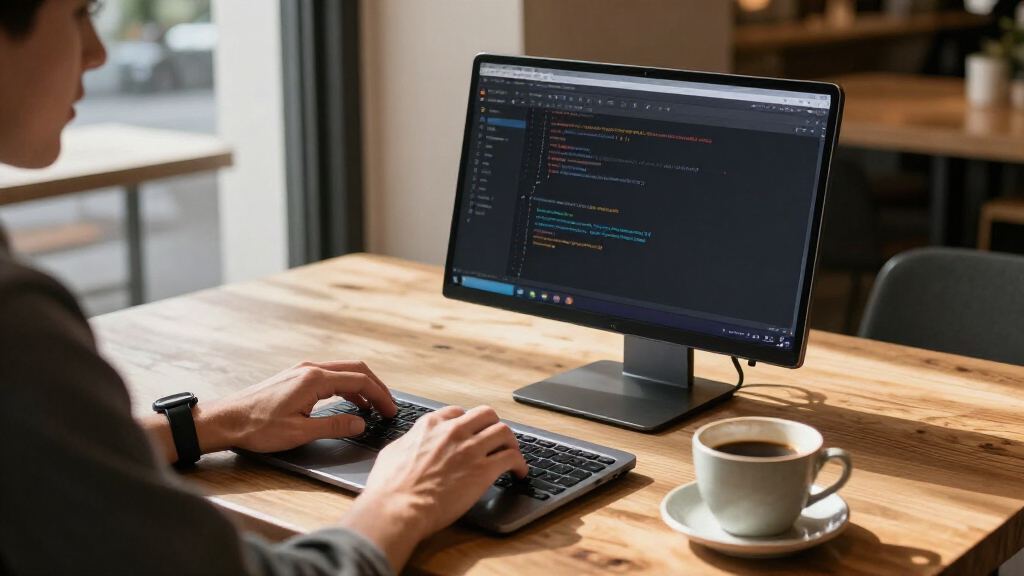
I ranked these 15 portable monitors for software developers around the job they need to do: show code, logs, terminals, documentation, and video calls beside a laptop screen. I weighed screen size and resolution against portability, then looked at connection options, stand or cover design, mounting flexibility, and whether a model’s form factor adds useful workspace or just extra setup. For developers, readable text and a dependable desk position matter more than gaming-focused extras, though refresh rate can still help with general desktop motion.
The order reflects how readily each display fits a broad range of coding setups, not a claim that every developer needs the same screen. Conventional 15.6-inch Full HD monitors rank well for their balance of workspace and carry size; the ViewSonic earns a specialist premium position for 4K OLED, while dual and triple extenders are ranked for users who can make use of their added panels. Compact 14-inch models favor mobility, and larger 18.5-inch options favor a roomy temporary workstation. I also treated laptop compatibility and practical setup as meaningful limits, since a screen that cannot receive video from a developer’s laptop is not a useful second display.
| portable monitors for software developer | Panel |
|---|---|
| KYY 15.6-Inch Portable FHD Mon | LCD IPS |
| VisionOwl 18.5-Inch Portable M | LCD IPS |
| 14.2-Inch 1080p Portable Lapto | IPS LCD |
| InnoView Portable Dual Monitor | IPS LCD |
| ZUMWALT P7 15.6-Inch FHD Lapto | IPS LCD |
| ASUS ZenScreen MB169CK-P 15.6 | Anti-glare IPS |
| Acer PM191Q Ebmiuux 18.5" FHD | IPS LCD |
| InnoView 15.6-Inch Dual Portab | — |
| Cocopar 15.6" Portable Monitor | IPS LCD |
| ViewSonic VX1655-4K-OLED 15.6- | — |
| MNN 15.6-Inch FHD Portable IPS | — |
| ASUS ZenScreen MB169CK 15.6-In | — |
| ASUS ZenScreen MB16ACE 15.6-In | — |
| Vixtan 14-Inch Triple Laptop S | — |
| Wixzet 15.6-Inch Detachable La | — |
Factors to Consider When Choosing Portable Monitors For Software Developers
I’d choose around the way the monitor will fit into the workday, rather than starting with the biggest number on a spec sheet. These factors help separate a useful coding companion from a display that adds weight, cables, or compatibility headaches.
Choose Screen Size for Your Actual Desk and Bag
A 15.6-inch display is a sensible default because it can hold a code editor or documentation pane without becoming as awkward to carry as a larger panel. If you regularly work from small café tables or commute with a compact laptop bag, a 14-inch extender may be easier to position and pack. An 18.5-inch screen can make text and side-by-side windows more comfortable at a fixed desk, but it needs more space and protection in transit. Measure your usual work surface, not just your backpack compartment. Also check the monitor’s footprint with its stand open; the panel size alone does not tell you how much room it occupies.
Check Laptop Video Output Before Buying
USB-C on a monitor does not mean every USB-C laptop can drive it. The computer’s port must support video output, and some setups may need a compatible HDMI connection or adapter instead. Check your laptop’s exact model and port specifications before choosing a display, especially if you plan to use a dual- or triple-screen extender. A port that only handles charging or data will not send a picture to the monitor. Think through your cable layout as well: a one-cable setup is convenient, but only when the laptop and display support the same video and power arrangement.
Settle on Full HD, 4K, or a Multi-Panel Setup
Full HD is a practical match for many 15.6-inch portable screens, especially when the goal is keeping a terminal, chat window, or documentation visible. A 4K panel can show finer detail, but smaller interface elements may need scaling, and the extra pixels do not automatically make code easier to read. Dual or triple displays offer more simultaneous windows, yet they add hinges, setup steps, and more demands on your laptop’s graphics and ports. Before paying for additional panels, ask whether your workflow truly needs several persistent views or whether one external screen will handle the main distraction. Consider how often you work from a fixed desk, where a larger setup is easier to manage.
Treat Stand Design as Part of Screen Usability
Developers often keep a second screen open for hours, so viewing angle and stability affect comfort more than a quick glance suggests. A built-in stand or a well-designed cover can make it easier to align the portable screen with a laptop, while a case that only protects the panel may offer fewer positioning choices. VESA mounting can help if you want a more permanent home-office arrangement, but it adds little value if the monitor will live in a bag. Check whether the screen can sit at the height and angle you need without sliding or blocking laptop ports. A good stand also reduces the temptation to prop the display on unstable books or accessories.
Budget for the Whole Setup, Not Just the Display
The monitor is only one part of a portable workstation: you may also need cables, an adapter, a protective sleeve, or a stand that suits your desk. A low-complexity Full HD screen can be the better value if it works with the ports you already use and travels safely. Premium resolution or multi-screen features make more sense when they solve a regular work problem, such as reading dense code or keeping several tools visible. Check power requirements and whether your laptop can supply the screen without draining its battery too quickly. A cheaper panel that needs extra accessories or frequent troubleshooting can be less convenient than a simpler, better-matched option.
Frequently Asked Questions
Is a 15.6-inch Full HD portable monitor enough for coding?
For many developers, yes: a 15.6-inch Full HD screen can comfortably hold a terminal, browser, documentation page, or chat alongside a laptop display. Its usefulness depends on how you set text size and how much code you expect to read at once. If you work with dense interfaces or want several full-height windows, a 4K panel or a multi-screen extender may offer more room, though each brings tradeoffs in scaling, setup, or portability. I’d prioritize a stable stand and a clear connection path before moving up in resolution. Try to match the display to the specific window you want to move off your laptop screen.
Will any USB-C portable monitor work with my laptop?
No. The laptop’s USB-C port needs to support video output for a direct USB-C display connection, and port capabilities vary even between models from the same brand. If it does not support video, you may need an HDMI route or another compatible adapter, depending on the monitor and laptop. Check the laptop’s technical specifications and the monitor’s connection requirements before ordering. Also verify how the display receives power, since video support alone does not guarantee a simple one-cable setup. This check matters even more for dual-screen extenders with multiple connections.
Should I choose one portable monitor or a dual-screen extender?
I’d choose a single monitor if you mainly want one extra coding surface and value quick setup, a lighter load, and fewer cables. A dual-screen extender is a better fit when you routinely keep several windows visible, such as code, logs, and documentation, and your laptop can support the extra displays. The added panels can be less convenient on narrow tables and may need more careful alignment than a standalone screen. Before buying, confirm laptop compatibility and consider whether your normal work locations have enough space. If you only need a second screen occasionally, a conventional portable monitor is usually the simpler choice.
Is 4K worth choosing over Full HD for programming?
It can be worthwhile if you want finer detail, work with high-resolution visual material, or prefer more workspace on a single panel. For ordinary coding, a Full HD portable monitor can still handle a useful secondary window, and readable text depends on scaling and viewing distance as well as resolution. A 4K screen may make interface elements appear small until you adjust scaling, which can reduce the extra workspace you expected. Weigh that against the premium panel’s power and portability needs. If your priority is a lightweight terminal or documentation screen, Full HD may be the more practical fit.
What should I prioritize for a portable monitor I’ll carry every day?
Start with total carry weight and protection, then check whether the stand or cover lets the monitor sit securely on the desks you use. A compact 14-inch option may suit frequent travel better than a larger display, while a 15.6-inch model offers more room for a persistent work window. Confirm that your laptop can connect without a collection of adapters, and account for the cable and power setup in your bag. If you work in varied locations, a screen that is quick to position can be more useful than extra resolution. Avoid choosing a larger panel unless you have a regular place to use it.
Conclusion
For the broadest mix of portability and coding workspace, I’d choose the ASUS ZenScreen MB169CK-P as the best overall pick. Developers who want a lower-complexity Full HD option can compare the KYY 15.6-inch and MNN 15.6-inch models for value, while beginners may find a conventional single-screen setup easier to connect and position than an extender. For a premium image-focused choice, the ViewSonic VX1655-4K-OLED stands apart. If your priority is extra screen area, look at the InnoView dual-display models or Vixtan triple extender; if you prefer a roomier single panel for a desk, compare the VisionOwl and Acer 18.5-inch options. My final check would be laptop video compatibility, available desk space, and how much weight I’m willing to carry.