Use this guide to select and set up software testing tools for a project, run useful checks, and confirm what the results mean. It is for developers or small teams who know how to open and run their project but have not yet chosen a testing workflow. The setup takes about 1–3 hours, depending on the project and its existing tests.

Get business pricing on monitors, keyboards and dev gear
- Business-only prices and quantity discounts
- Tax-exempt purchasing
- Multiple users, one account, clear invoices
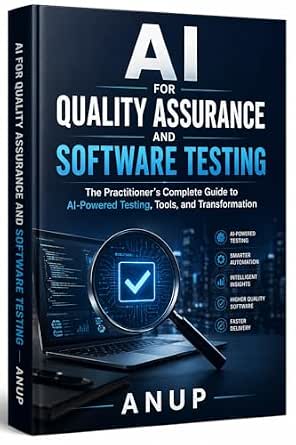
AI for Quality Assurance and Software Testing: The Practitioner’s Complete Guide to AI-Powered Testing, Tools, and Transformation
- ✔ Format: Book
- ✔ Subject: AI for quality assurance and software testing
- ✔ Coverage: AI-powered tools and techniques

Spec-Driven Software Testing with AI: Build Reliable Test Suites from Specifications
- ✔ Format: Book
- ✔ Core approach: Build test suites from specifications
- ✔ Topics: AI and test automation

Full Stack Testing: A Practical Guide for Delivering High Quality Software in the Age of AI
- ✔ Format: Book
- ✔ Subject: Full stack testing
- ✔ Stated approach: Practical guide
Difficulty: Beginner | Time: 1–3 hours for an initial setup
What You’ll Need
Tools & Materials:
- A computer with the project’s source code and its usual development environment
- A terminal or command prompt and access to the project’s package manager or build tool
- A code editor and a browser if the project has a web interface
Knowledge:
- How to open the project and run it locally
- Basic familiarity with the project’s programming language and dependency installation
Check the project’s README and contribution instructions first. They may specify supported tool versions and commands. Keep a clean copy of your work or use version control before changing dependencies or configuration.
AI for Quality Assurance and Software Testing: The Practitioner’s Complete Guide to AI-Powered Testing, Tools, and Transformation
For readers asking how AI fits into a mature testing practice, this is the most comprehensive starting point in the group. Its stated coverage spans AI-powered tools and techniques as well as the organizational work of transformation, so it reaches beyond choosing an automation feature or generating test cases. That breadth gives QA leads a way to frame tool adoption as part of a larger quality process. Compared with Spec-Driven Software Testing with AI, it appears less tied to one test-authoring workflow and more useful for surveying the landscape.That wider lens comes with a real qualification: the book assumes prior software testing experience. Newer testers may find the concepts harder to place without a grounding in test design and QA workflows. It also cannot be treated as an independent buying checklist; the description does not identify specific products, evaluation criteria, or tool integrations. Still, among these three books, it makes the strongest overall pick for experienced practitioners seeking context on AI adoption in testing. Readers who already know their goal is specification-to-test automation may get a tighter fit from the second title.
Pros:
- Covers AI-powered testing tools and techniques
- Connects tool use with broader QA transformation
- Aims at practitioners integrating AI into testing processes
- Offers the broadest stated AI testing scope in this lineup
Cons:
- Assumes readers already have software testing experience
- Supplied details do not name specific tools or explain the depth of product comparisons
Best for: Experienced QA practitioners and test leads evaluating how AI could fit into existing testing processes.
Not ideal for: Beginners who need foundational testing instruction, or buyers looking for a side-by-side comparison of named software products.
Bottom line: Choose this broad practitioner guide when AI adoption strategy matters more than a single test-generation workflow.
“Choose this broad practitioner guide when AI adoption strategy matters more than a single test-generation workflow.”
Spec-Driven Software Testing with AI: Build Reliable Test Suites from Specifications
This title stands apart through a defined starting point: specifications become the basis for test suites. For teams that struggle to translate requirements into repeatable checks, that approach is more concrete than the broad transformation theme of the top-ranked AI guide. Its stated topics—test automation, TDD, API testing, and CI/CD—also suggest a connection between test design and the pipeline that runs the checks. That combination makes it the most directly relevant pick here for readers improving an automated testing workflow.The narrower scope is a strength when the problem is clear, but it does not establish how the book teaches the process. The supplied information gives no detail about its format beyond identifying it as a book, and does not clarify the intended experience level or depth. We therefore cannot assume it includes runnable examples, specific AI services, or production-ready patterns. Compared with Full Stack Testing, its topic list is more explicit; compared with the first book, it offers a tighter method rather than a broad AI adoption view. Choose it when specification-led test creation is the priority, and seek more information if you need a comprehensive QA strategy.
Pros:
- Centers on building test suites from specifications
- Covers test automation and test-driven development
- Includes API testing and CI/CD among its stated topics
- Offers a more defined workflow focus than the broad AI guide
Cons:
- The supplied information does not establish level of detail or intended experience
- No specific tools, examples, or implementation environments are identified
Best for: Developers and QA teams who want to derive automated tests from specifications and connect them to API and CI/CD workflows.
Not ideal for: Readers seeking a broad overview of AI’s organizational role in QA, or anyone who needs confirmed detail about the book’s level and examples before choosing.
Bottom line: Pick this focused guide when converting specifications into automated checks is your team’s main testing challenge.
“Pick this focused guide when converting specifications into automated checks is your team’s main testing challenge.”
Full Stack Testing: A Practical Guide for Delivering High Quality Software in the Age of AI
Full Stack Testing is the option to consider when we want to think about quality across a software product rather than focus only on AI tool adoption or specification-led automation. The title promises a practical guide to full stack testing and positions that work in the age of AI. That framing may be appealing to teams looking to connect testing with software delivery across layers. It gives the book a potentially broader delivery role than the specification-focused second pick.However, the available description does not say which application layers, test types, techniques, or tools it covers. As a result, we cannot judge whether its practical guidance is more useful than the explicit automation and CI/CD topics in Spec-Driven Software Testing with AI, or whether AI is a central subject or context. The first title offers clearer AI-specific coverage, while this one suggests wider testing scope but leaves more unanswered. It may suit readers who want a full stack orientation, provided they can confirm the contents before relying on it for a particular tool decision. Based on the supplied details alone, it is the most difficult of the three to evaluate.
Pros:
- Frames testing as a full stack delivery concern
- Describes itself as a practical guide
- Connects software quality with the current AI context
Cons:
- The supplied description does not specify tools or testing methods
- Audience and experience level are not stated
- Its practical depth cannot be assessed from the available details
Best for: Software teams seeking a practical, full stack perspective on testing and quality during AI-era development.
Not ideal for: Readers who need clearly listed tools, test types, implementation examples, or a defined level of technical detail.
Bottom line: Consider this title for a full stack testing perspective, but verify its contents if you need guidance on a specific tool or test type.
“Consider this title for a full stack testing perspective, but verify its contents if you need guidance on a specific tool or test type.”
As an Amazon Associate we earn from qualifying purchases.
Before You Start
Testing tools serve different purposes. Unit test frameworks check small pieces of code; integration tests check how components work together; browser automation checks user flows; linters and static analyzers flag code patterns without running the application. Start with the checks that match your immediate goal. A tool’s reported pass does not prove that every bug is absent, and a failing check may point to an environment issue rather than a code defect.
Step-by-Step Instructions
Step 1: Identify what the project needs to test
Read the README, inspect the project’s language and build files, and note how the application starts. List the main behaviors you need to check, such as a calculation, an API response, or a sign-in flow. Separate checks of individual functions from checks that involve databases, services, or a user interface.
Tip:Use the project’s existing test scripts if they are present. Avoid adding another framework until you know what the current setup cannot cover.
Check: You have a short list of behaviors and know which ones need code-level, integration, or user-interface checks.
Step 2: Choose a tool that fits the existing stack
Find testing tools that support the project’s language, framework, and runtime version. Prefer a tool already used by the project or recommended in its official documentation. For example, choose a unit test runner for function checks and add browser automation only when testing real browser behavior is part of your goal. Confirm that the tool is actively maintained and can run in the project’s local or continuous integration environment.
Tip:Do not select a tool based only on popularity. A tool that fits the codebase and team workflow is easier to run consistently.
Check: You can explain what each selected tool checks and how it fits the project’s runtime and build process.
Step 3: Install the tool using the project’s standard method
Follow the tool’s installation instructions for the project’s package manager or build system. Add it as a development dependency when the project supports that distinction, then install dependencies using the documented command. Avoid manually copying configuration from an unrelated project because defaults and plugin versions may differ.
Tip:Review the package manager’s change summary before accepting it. It should show the expected dependency and lockfile changes.
Check: The dependency installation completes without errors, and the tool’s version command or project script can locate it.
Step 4: Create a small representative test
Write one focused test for a behavior with a clear expected result. Use the project’s established test location and naming style. Provide specific input, run the code through the chosen tool, and compare the result with an explicit expected value. Keep unrelated setup out of this first test so a failure is easy to diagnose.
Tip:Choose a stable behavior that does not depend on network access, current time, or random data unless the project already controls those inputs.
Check: The test passes when the code produces the expected result. If you intentionally change the expected result, the test reports a clear failure.
Step 5: Add a repeatable command
Use the project’s documented script or build configuration to define a clear command for the test suite. Include options that produce a useful exit status and readable output. If the project has separate commands for unit, integration, or browser tests, keep their names distinct so developers can run the appropriate scope.
Tip:Run the command from the same directory teammates and automation will use. A command that only works from your editor is hard to share.
Check: A teammate can run the documented command from a clean terminal and see whether the checks passed or failed.
Step 6: Run the checks and inspect failures
Run the focused test first, then run the broader suite. Read each failure message, including the test name, expected result, actual result, and any setup error. Fix the underlying issue or adjust the test if its expectation does not match the intended behavior. Rerun the affected test and then the full command.
Tip:Do not silence failures by skipping tests or weakening assertions without understanding why they fail. Record environment-specific requirements when they affect results.
Check: The intended checks complete with a passing status, and any failures have a clear resolution rather than being hidden.
Step 7: Add checks to the team’s normal workflow
Document the command and prerequisites in the project’s README or contributor guide. If the team uses continuous integration, configure it to install the project dependencies and run the same checks on proposed changes. Keep longer browser or end-to-end suites separate when they take much longer, and state when developers should run them.
Tip:Make automation use the same tool versions and commands as local development to reduce differences between machines.
Check: The command and its purpose are documented, and the team can see test results during its usual review process.
Common Mistakes to Avoid
- Choosing a tool that does not support the project’s language version or framework. — Check the tool’s compatibility documentation and the project’s pinned runtime before installation.
- Starting with a large end-to-end suite before testing basic behavior. — Begin with one focused test and add broader coverage where it provides value.
- Treating a green test run as proof that the whole application is bug-free. — Use tests alongside code review and other relevant checks, and name the behaviors the suite does and does not cover.
- Ignoring a failing test by skipping it without investigating. — Read the failure output, reproduce the issue, and document any justified temporary skip with a reason and follow-up.
Troubleshooting
Problem: The test command says the tool is missing.
Solution: Confirm dependencies finished installing, run the command from the project root, and use the project’s package manager script rather than an unrelated global installation.
Problem: Tests pass locally but fail in continuous integration.
Solution: Compare runtime and tool versions, environment variables, operating system assumptions, and service setup. Reproduce the automation command locally where possible.
Problem: A test fails intermittently.
Solution: Look for dependence on timing, random values, shared state, or external services. Control those inputs, isolate test data, or replace network calls with stable test doubles where appropriate.
Problem: The suite takes too long to run.
Solution: Measure which group is slow, keep fast unit checks easy to run, and separate slower integration or browser checks into clearly named commands and automation stages.
What Success Looks Like
The project has a compatible testing tool installed, at least one meaningful test, and a repeatable documented command. The command reports a clear pass or failure, and the team knows which behaviors it covers. If automation is configured, it runs the same checks on changes and displays the result to reviewers.
Next Steps
Add tests when you fix bugs or introduce important behavior, starting with cases that are easy to verify. Review test failures as part of code changes and remove obsolete checks when behavior changes. Revisit the tool setup when the language, framework, or build process changes. Ask a maintainer for help when a failing check depends on credentials, shared test services, or project conventions that are not documented.
Frequently Asked Questions
Do I need several testing tools?
Not necessarily. Start with a test runner that covers the project’s immediate needs. Add a linter, static analyzer, or browser automation tool when it addresses a separate, real gap.
Should I use a test tool that is already installed?
Yes, if it supports the project and its commands are maintained. Check the existing configuration and run the documented suite before introducing a second tool.
What should I test first?
Start with a small behavior that matters and has an unambiguous expected result. A focused test helps confirm the tool works and gives the team a pattern to follow.
What does a passing test run prove?
It shows that the checks you ran passed for that run and environment. It does not prove that untested behaviors are correct or that no defects remain.
When should I run browser automation?
Use it for important user flows that depend on browser behavior, such as submitting a form or navigating between pages. Keep simpler logic checks in faster unit or integration tests.