Teams comparing software testing tools often need to choose between broad automation flexibility and a more integrated browser-testing workflow. Playwright and Cypress both automate end-to-end tests for web applications, but they suit different constraints. Playwright is the stronger default for teams that need Chromium, Firefox, and WebKit coverage, multiple programming languages, or large suites that run across workers. Cypress is attractive for JavaScript and TypeScript teams that value its interactive test runner and familiar debugging flow. The practical choice depends on the browsers your customers use, how your team prefers to write and diagnose tests, and whether parallel execution is a routine need.

Get business pricing on monitors, keyboards and dev gear
- Business-only prices and quantity discounts
- Tax-exempt purchasing
- Multiple users, one account, clear invoices
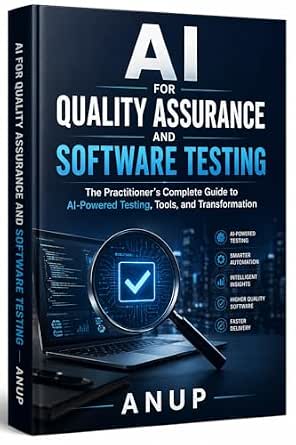
AI for Quality Assurance and Software Testing: The Practitioner’s Complete Guide to AI-Powered Testing, Tools, and Transformation
- ✔ Type: Book
- ✔ Subject: AI in quality assurance and software testing
- ✔ Stated coverage: AI-powered testing tools and techniques

Spec-Driven Software Testing with AI: Build Reliable Test Suites from Specifications
- ✔ Type: Book
- ✔ Core approach: Build test suites from specifications with AI
- ✔ Topics: AI and test automation

Full Stack Testing: A Practical Guide for Delivering High Quality Software in the Age of AI
- ✔ Type: Book
- ✔ Subject: Full-stack testing
- ✔ Stated purpose: Delivering high-quality software
At a Glance
| Criteria | Playwright | Cypress | Winner |
|---|---|---|---|
| Browser coverage | Chromium, Firefox, and WebKit support | Strong Chromium coverage; Firefox and WebKit support are available with qualifications | A |
| Languages and framework fit | JavaScript, TypeScript, Python, Java, and .NET | Primarily JavaScript and TypeScript | A |
| Debugging workflow | Trace viewer, screenshots, videos, and inspector tools | Interactive runner with command timeline and time-travel style debugging | Depends |
| Parallel execution | Built-in worker-based parallel execution | Parallelization is available through Cypress Cloud plans | A |
| Setup and learning curve | Flexible, with more choices to configure | Very approachable for many JavaScript web teams | B |
| CI and scaling | Scales well across browsers and workers | Cloud features can simplify coordination, with added service cost | A |
AI for Quality Assurance and Software Testing: The Practitioner’s Complete Guide to AI-Powered Testing, Tools, and Transformation
When our main question is how AI changes quality assurance as a practice, this is the most directly aligned choice. Its description joins AI-powered testing tools and techniques with strategies for organizational or process transformation, giving it a broader remit than the specification-first focus of the second book. That makes it the strongest fit for practitioners who need to think about adoption across a QA workflow, rather than only how to derive test cases from requirements.The breadth comes with a clear qualification: the guide is intended for practitioners and assumes prior software-testing experience. Readers new to testing may find the framing less suitable as a first introduction. Compared with Full Stack Testing, this title gives us more explicit evidence of its AI and tooling emphasis; compared with Spec-Driven Software Testing with AI, it appears less tightly bounded to one test-generation method. The supplied description does not name specific products, integrations, or technical examples, so buyers seeking a hands-on manual for a particular platform should verify that detail before choosing.
Pros:
- Explicitly addresses AI-powered testing tools and techniques.
- Connects tool use with QA transformation strategies.
- A practitioner-oriented framing suits readers with testing context.
- Broader AI-in-QA scope than the specification-centered alternative.
Cons:
- Assumes prior experience in software testing.
- The supplied description names no specific tool integrations or platforms.
- Broad transformation coverage may be less focused than a workflow-specific testing guide.
Best for: Experienced QA practitioners evaluating how to incorporate AI tools and techniques into broader testing processes.
Not ideal for: People learning software testing from scratch or buyers seeking instructions for a named testing platform or integration.
Bottom line: We rank it first for experienced practitioners who want the clearest stated connection between AI tools and QA practice, provided they do not need a beginner text or named-platform manual.
“We rank it first for experienced practitioners who want the clearest stated connection between AI tools and QA practice, provided they do not need a beginner text or named-platform manual.”
Spec-Driven Software Testing with AI: Build Reliable Test Suites from Specifications
This title is the most focused option in the group: it starts with specifications and describes using AI to build test suites from them. That framing gives readers a concrete problem to explore—how written requirements can become tests—where the top-ranked AI QA guide covers a wider transformation agenda. The named topics include test automation, test-driven development, API testing, and CI/CD, a combination that suggests a workflow-oriented guide for teams connecting requirements and automated checks.Its specificity is also its boundary. A reader looking for an overview of AI across QA may prefer the first book, whose description explicitly includes broader tools and transformation. And although this title names several approaches, the available information does not tell us its depth, intended experience level, examples, or how it handles specification quality. We can recommend it for the stated method, but cannot infer that it offers a complete tool comparison or implementation recipes. Against Full Stack Testing, it has a clearer account of its subject matter, making its likely fit easier to judge.
Pros:
- Centers on building test suites from specifications.
- Names automation, TDD, API testing, and CI/CD as covered topics.
- Offers a more defined workflow focus than the other two descriptions.
- Connects AI assistance to test creation rather than only general QA transformation.
Cons:
- The description does not establish the book’s level of detail or intended experience level.
- No specific platforms, languages, or integrations are identified.
- Its narrower specification-led focus may not suit readers seeking broad QA transformation guidance.
Best for: QA engineers and developers interested in deriving automated tests from specifications, especially across API and CI/CD workflows.
Not ideal for: Readers seeking a broad AI adoption guide, a beginner-level promise, or a confirmed deep dive into a particular tool.
Bottom line: We recommend it when specification-to-test workflows are the priority and accept that the supplied details do not establish technical depth or platform coverage.
“We recommend it when specification-to-test workflows are the priority and accept that the supplied details do not establish technical depth or platform coverage.”
Full Stack Testing: A Practical Guide for Delivering High Quality Software in the Age of AI
For readers who think about testing across the software delivery process, Full Stack Testing has the most expansive stated lens. Its description presents a practical guide to full-stack testing and delivering high-quality software in the age of AI. That makes it a plausible choice for someone trying to place testing within an end-to-end quality effort, rather than focusing only on AI adoption strategy or specification-derived suites.We rank it third because the description leaves the most unanswered. It does not identify particular test layers, techniques, tools, or a target experience level. In contrast, the AI QA guide explicitly discusses tools and transformation, and the spec-driven book lists several concrete workflows. The word “practical” signals an intended orientation, but the available information does not show what exercises or implementation guidance it contains. Buyers attracted to the broad delivery perspective may find the title relevant; those who need to choose a guide around specific testing methods have firmer evidence for the other two books.
Pros:
- Frames testing as part of delivering high-quality software.
- Explicitly positions its subject in the age of AI.
- The full-stack lens may suit readers thinking across delivery stages.
- Described as a practical guide.
Cons:
- The supplied description does not name tools, methods, or test layers.
- No audience experience level or depth is specified.
- Less detail is available to compare its practical coverage with the other books.
Best for: Readers seeking a guide framed around full-stack testing and software quality across delivery in an AI era.
Not ideal for: Buyers who need confirmed coverage of specific tools, testing layers, frameworks, or technical depth before deciding.
Bottom line: We see this as a promising broad delivery guide, but the limited description makes it harder to recommend over the two more specifically documented titles.
“We see this as a promising broad delivery guide, but the limited description makes it harder to recommend over the two more specifically documented titles.”
As an Amazon Associate we earn from qualifying purchases.
Key Differences
The biggest separation is browser and execution flexibility. Playwright supports Chromium, Firefox, and WebKit and can run tests in parallel using workers. This suits products with varied browser requirements or suites that need to finish quickly in CI. Cypress has expanded beyond its original Chrome-focused reputation, but teams should check the current support details against their exact browser matrix before choosing it for broad cross-browser assurance.
Cypress counters with a polished workflow for writing and debugging tests in JavaScript and TypeScript. Its runner makes commands and application behavior visible, which can help developers diagnose failures without assembling as many separate tools. Playwright offers strong traces and inspection features too, but its appeal is broader automation control rather than a single integrated experience. For a team already centered on JavaScript, the learning curve may favor Cypress; for a mixed-language or cross-browser program, Playwright usually fits better.
Cost is less about a simple license comparison than where each team wants to spend. Playwright is open source and includes parallel workers, while Cypress Cloud provides team-oriented services such as recording and orchestration under paid plans. Cypress can be a good value when those hosted features reduce maintenance and CI friction. If a team only needs local and CI browser automation, paying for cloud capabilities may add little. The better value is the tool that meets the required coverage without creating avoidable infrastructure work.
Detailed Comparison
Browser coverage (Playwright wins — major)
Playwright wins by a major margin for teams that need consistent testing across Chromium, Firefox, and WebKit. Cypress supports additional browser engines, including Firefox and WebKit, but support and feature parity can vary; verify the precise versions and capabilities your project needs. In practice, Playwright is the safer choice when browser diversity is a release requirement, while a Chromium-centered web product may not gain much from the difference.
Languages and framework fit (Playwright wins — moderate)
Playwright wins on breadth: its official language options include JavaScript and TypeScript as well as Python, Java, and .NET. Cypress is oriented around JavaScript and TypeScript, a natural match for many frontend teams. This is a moderate difference: it matters when test code needs to align with a non-JavaScript engineering group, but it is minor if the team already writes its application tooling in JS or TS.
Debugging workflow (moderate difference)
This is a genuine tradeoff. Cypress has an especially direct interactive runner, with a visible command timeline that helps developers understand what happened before a failure. Playwright provides traces, screenshots, videos, and inspection tools that work well for reproducing CI failures after the run. Cypress may feel more intuitive during local test development; Playwright’s artifacts can be more useful for remote and parallel runs. The difference is moderate and depends on where debugging happens.
Parallel execution (Playwright wins — major)
Playwright wins for teams seeking built-in parallel workers without relying on a hosted service. Cypress can parallelize runs through Cypress Cloud, which can coordinate work across machines, but that capability is associated with paid plans. The gap is major for large suites under strict CI time limits, and minor for small suites that complete quickly on a single runner.
Setup and learning curve (Cypress wins — moderate)
Cypress often wins for a JavaScript web team that wants a guided, integrated experience and quick feedback in its runner. Playwright is also practical to adopt, but its choices around languages, browsers, projects, and workers can require more up-front decisions. This is a moderate advantage for Cypress in a narrow use case, not a universal one: teams with varied testing needs may find Playwright’s flexibility worth the initial setup.
CI and scaling (Playwright wins — moderate)
Playwright generally wins when scaling means running a broad browser matrix or splitting work across CI workers, since those capabilities are part of its standard tooling. Cypress Cloud can make test recording and orchestration easier for teams that prefer a managed service. The difference is moderate: Playwright favors control and avoids a cloud dependency, while Cypress can reduce operational effort if its hosted workflow matches the team’s process.
Playwright: Pros and Cons
Pros:
- Broad Chromium, Firefox, and WebKit coverage
- Multiple supported programming languages
- Parallel workers are available without a paid cloud plan
- Useful trace and artifact tools for CI failure analysis
Cons:
- More configuration choices can slow initial setup
- The integrated local workflow may feel less guided to some frontend teams
- Teams must design their own approach to hosted reporting and orchestration
Cypress: Pros and Cons
Pros:
- Approachable interactive runner for JavaScript and TypeScript teams
- Clear command timeline helps diagnose test behavior
- Cypress Cloud offers managed recording and parallel orchestration
Cons:
- Language support is narrower than Playwright’s
- Some scaling features depend on paid Cloud plans
- Browser support details require careful checking for broad coverage needs
Who Should Choose What
Choose Playwright if:
- You need reliable coverage across Chromium, Firefox, and WebKit.
- Your test team uses Python, Java, or .NET alongside JavaScript.
- Your suite needs parallel CI execution without making a paid cloud service central to the workflow.
Choose Cypress if:
- Your web application team is already centered on JavaScript or TypeScript.
- You prioritize an interactive local runner that makes test commands easy to inspect.
- Cypress Cloud’s managed recording and coordination justify the service cost for your team.
Skip both if: Skip both if your main need is unit or API testing with no browser interaction; a focused unit or API test framework may be simpler.
Value for Money
Playwright is usually the stronger value when the requirements include several browsers, multiple languages, or parallel CI runs: those capabilities are available in the open-source tool, so teams avoid paying for a service just to unlock core execution scale. Cypress can justify its cost when Cypress Cloud’s recording, orchestration, and team workflow save enough engineering time to outweigh the subscription. For a small JavaScript team with a fast suite, the hosted plan may be unnecessary. For a team that already relies on managed test coordination, paying can be worthwhile. Compare total operating effort, not just the tool’s license price.
Final Verdict
Choose Playwright for most teams building a durable end-to-end testing program, especially when browser coverage, CI speed, or language flexibility matter. Choose Cypress when a JavaScript or TypeScript team values its interactive debugging workflow and can benefit from its hosted services. The biggest deciding factor is whether broad, self-managed automation or an integrated developer experience matters more to your release process. If no paid orchestration is needed, Playwright is the clearest default; pay for Cypress Cloud only when its coordination features solve a real team bottleneck.
Frequently Asked Questions
Is Playwright better than Cypress for cross-browser testing?
Usually, yes. Playwright has direct support for Chromium, Firefox, and WebKit, making it a strong fit for a standard cross-browser matrix. Cypress also supports more than Chromium, but check current browser and feature support for your exact requirements before relying on it.
Which tool is easier for beginners?
Cypress can be easier for developers already working in JavaScript or TypeScript because its runner presents test commands in an interactive interface. Playwright is also accessible, though its broader configuration options can mean more decisions at the start.
Does Playwright require a paid plan for parallel testing?
No. Playwright includes worker-based parallel execution. You may still pay for CI infrastructure, but parallel testing itself is part of the open-source tool.
Is Cypress Cloud worth paying for?
It can be worth the cost when recording, orchestration, and coordinating runs across machines save meaningful developer or CI time. Teams with small suites or no need for managed coordination may get better value from Cypress without those services or from Playwright’s built-in workers.