
TL;DR

Get business pricing on monitors, keyboards and dev gear
- Business-only prices and quantity discounts
- Tax-exempt purchasing
- Multiple users, one account, clear invoices
Building your own AI workstation used to save money, but recent component shortages and bulk buying have made prebuilt systems equally or more cost-effective. The decision now hinges on your time, expertise, and specific needs.
Ever wonder if you should roll up your sleeves and build your own AI powerhouse or just buy one ready-made? The landscape has shifted dramatically, especially with the AI boom pushing component prices and shortages to new heights. What used to be a clear-cut money saver now demands a second look, especially with the AI boom pushing component prices and shortages to new heights.
This article breaks down the real tradeoffs—cost, effort, support, and performance—so you can pick the right path for your AI journey. If you’re considering your options, you might want to explore build vs buy a prebuilt AI workstation. Whether you’re a hobbyist, researcher, or professional, understanding these shifts helps you make smarter choices in 2026.
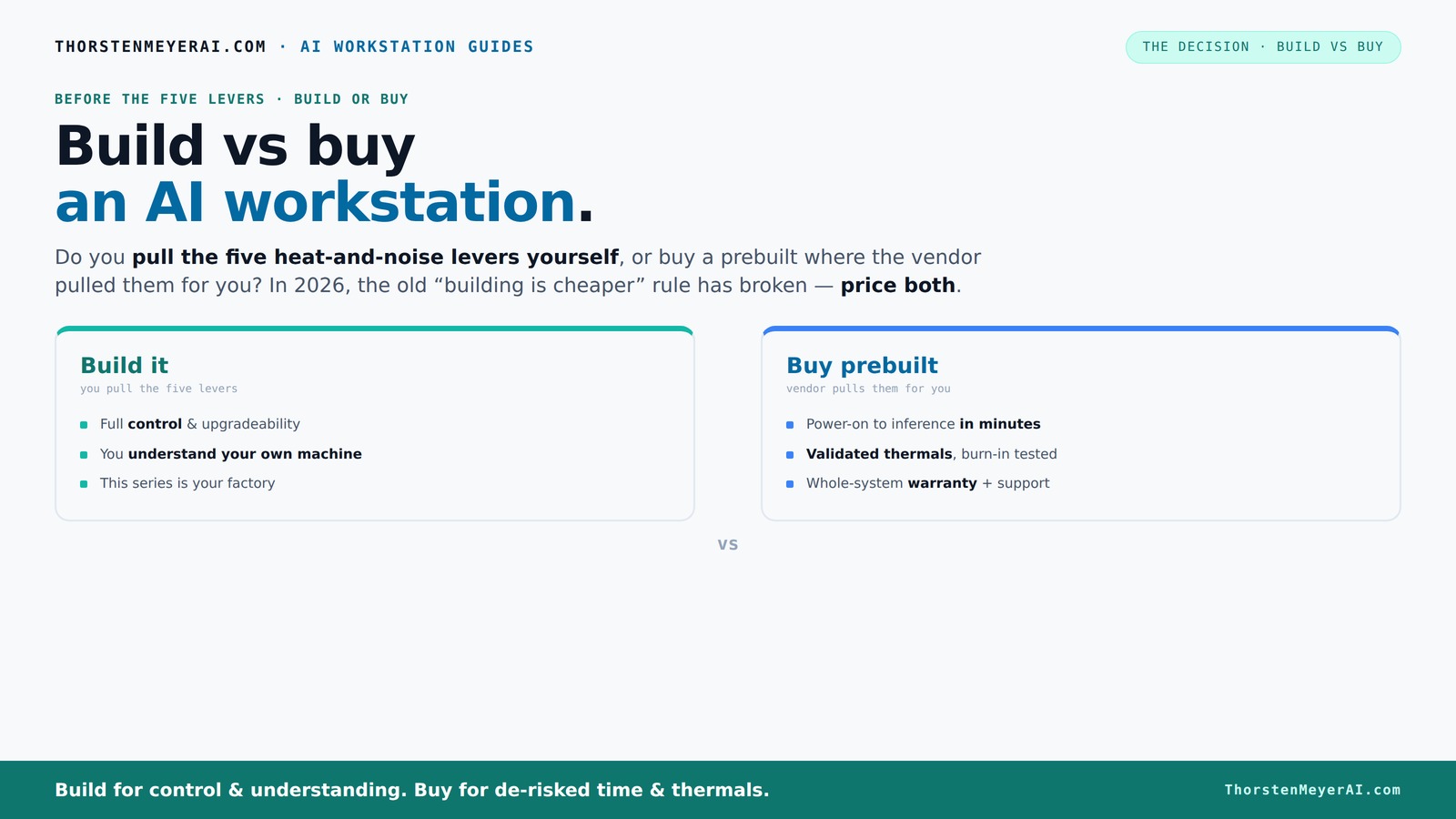
Build vs buy
an AI workstation.
The real question behind this whole series: do you pull the five heat-and-noise levers yourself, or buy a prebuilt where the vendor pulled them for you? And in 2026, the old “building is cheaper” rule has broken. Match your situation in Part 3.
Key Takeaways
- Component shortages and bulk buying have leveled the playing field, making prebuilt AI workstations often as affordable as DIY builds in 2026.
- Prebuilts save time, reduce stress, and include validated thermals and warranties, which can be worth the extra cost for busy professionals.
- Building your own system offers complete customization, potential cost savings, and upgrade flexibility, but requires hardware skills and patience.
- Choosing the right specs depends heavily on your workload—large models need high-VRAM GPUs, while lighter tasks can use mid-range hardware.
- Always price both options for your exact configuration before making a decision—market shifts mean the old rules no longer apply.
As an affiliate, we earn on qualifying purchases.
Why Building Your Own AI Workstation Is Not Always Cheaper Anymore
Building used to be the budget-friendly choice—assemble parts, save money, and customize. But recent market shifts have flipped that script. Component shortages and bulk buying by big vendors mean prebuilt systems can now match or beat DIY prices.
For example, a high-end GPU like the NVIDIA RTX 4090 or A100 used to be a wild card—buying in bulk reduces costs, and shortages drive up prices. A custom build that once cost $2,500 now often costs $3,000+ in parts, while prebuilt systems from trusted vendors are available at similar or even lower prices.
So, the old rule of thumb—build cheap, buy fast—no longer holds. Now, pricing both options for your exact setup is the only way to know which wins.
Beyond just the initial cost, consider the broader implications: building your system requires time, technical skill, and ongoing maintenance. If you’re pressed for time or lack hardware expertise, the potential hidden costs of troubleshooting and upgrades might outweigh the savings. Conversely, building offers the advantage of tailored hardware and future upgrade paths, which can be crucial for long-term projects. The tradeoff is between immediate cost savings and the potential for more control and flexibility over your system’s performance and expandability.
As an affiliate, we earn on qualifying purchases.
How the 'Five Levers' of Thermal and Noise Control Shape Your Choice
The core challenge in an AI workstation isn’t just raw power. It’s keeping the machine cool, quiet, and stable under long, demanding workloads. These five levers are your tools: undervolting the GPU, matching the cooling system, optimizing airflow, tuning fans, and choosing a good location.
If you build yourself, you control these levers—select the quiet GPU, undervolt it using guides like this one, and fine-tune the airflow for silent operation. This control allows you to optimize thermals and noise levels precisely for your environment, which is crucial if you work in shared or noise-sensitive spaces. To learn more about hardware setup, visit build vs buy a prebuilt AI workstation. However, it requires a good understanding of hardware and cooling principles, and mistakes can lead to thermal throttling or hardware failure, negating the benefits of customization.
Buying a prebuilt shifts these levers to the vendor, who tests, tunes, and validates thermals before shipping. Companies like BIZON, Puget, and Lambda invest heavily in thermal management, often incorporating water cooling and extensive stress testing. This ensures your system runs within safe temperature ranges, maintains stability during prolonged workloads, and operates quietly without the need for your intervention. This approach reduces the risk of overheating or noise issues but at the expense of less personal control over thermals and noise characteristics. The tradeoff is between personalized optimization and reliable out-of-the-box performance.
As an affiliate, we earn on qualifying purchases.
When Buying Prebuilt Makes Sense: Save Time, Stress, and Get a Warranty
If your schedule is packed or you lack the technical patience, prebuilt is a no-brainer. For guidance on choosing the right setup, check out build vs buy a prebuilt AI workstation. It arrives ready to run with OS, CUDA, TensorFlow, and Docker installed. Plug in, load your project, and go. No sourcing parts, no BIOS tweaks, no troubleshooting.
Plus, you get the peace of mind—validated thermals, a warranty, and support if something goes wrong. For multi-GPU setups, where power delivery and cooling become tricky, vendors like Lambda specialize in high-end, stable configurations. Sometimes, the total cost is worth it—especially when considering the value of your time. This approach minimizes the risk of compatibility issues, assembly errors, and unforeseen delays, which are common pitfalls in DIY builds. It’s particularly advantageous for professionals who need reliable, predictable performance without the hassle of hardware tinkering or troubleshooting, which can slow down project timelines or introduce unexpected costs.
As an affiliate, we earn on qualifying purchases.
When Building Your Own AI Workstation Is the Better Bet
If you’re comfortable with hardware, enjoy tinkering, or want maximum customization, building is still a strong choice. You can pick a quiet GPU, undervolt for efficiency, and design airflow tailored to your space.
Building lets you upgrade over time—swap in a new GPU, add more RAM, or switch to a better cooling system. To explore your options, see build vs buy a prebuilt AI workstation. This flexibility can lead to cost savings in the long run if you’re willing to invest the time. Additionally, selecting components yourself can sometimes result in a higher-spec machine for less money, especially during sales or with used parts, enabling a tailored setup that precisely matches your workload.
However, this approach isn’t without its risks. Compatibility issues, assembly errors, or cooling problems can be frustrating and may require troubleshooting skills. The tradeoff here is between the potential for a highly optimized, cost-effective system and the need for technical expertise and patience. For those who enjoy hardware tinkering and want full control over every aspect, building remains a rewarding, if sometimes challenging, endeavor.
Frequently Asked Questions
Is it really cheaper to build my own AI workstation in 2026?
Not necessarily. Due to component shortages and bulk buying, prebuilt systems often match or beat DIY prices now. Always compare the exact specs and prices before deciding.How hard is it to assemble a high-end AI workstation myself?
Moderate if you’re familiar with PC hardware. You’ll need to follow guides, ensure component compatibility, and tune cooling. For beginners, it can be a steep learning curve, but it’s doable with patience.What GPU should I prioritize for AI workloads?
NVIDIA’s RTX 30/40 series or high-end options like the A100 or H100 are best. Choose based on your project size—more VRAM means better for large models.Can I upgrade a prebuilt system later?
Many can be upgraded, but some models limit expansion options. Check the vendor’s specs before buying if future upgrades matter.What’s the biggest mistake people make when choosing build vs buy?
Assuming build is always cheaper or easier. In 2026, market shifts mean always price both options for your exact needs—don’t rely on old rules.Conclusion
In today’s market, your choice between build and buy hinges on more than just price. It’s about time, control, and confidence in your hardware. If speed and support matter most, a prebuilt might be your best bet. If customization and learning excite you, building can still be a rewarding challenge.
Remember, the best system is the one that fits your needs, budget, and skill level—market conditions are shifting, so stay flexible and compare carefully.
Fall Picks
fall essentials
As an affiliate, we earn on qualifying purchases.