
TL;DR

Get monitors, keyboards and dev gear delivered free — and shop member deals
- Fast, free delivery on millions of items
- Access to Prime Big Deal Days deals on October 6–7
- Prime Video, Amazon Music and more included
The best noise reduction starts with distance and isolation. Putting your rig in a ventilated closet is often the simplest, most effective solution. Proper placement and ventilation are key to avoiding heat buildup and ensuring quiet, cool operation.
Imagine a workspace where your CPU and GPU hum and roar, but you barely notice. It’s not magic — it’s smart placement and setup. If your rig is loud and you’re tired of fighting with foam panels that only dampen reflections, then this guide is for you. We’ll explore how moving your equipment out of sight, especially into a closet, can make your space whisper-quiet. And yes, there’s a catch: heat. But with the right ventilation tricks, you can have your cake and stay cool too.
This isn’t about adding more soundproof foam. It’s about thinking bigger — about how distance, placement, and smart housing can turn your noisy rig into a background whisper. Ready to make your workspace silent and efficient? Let’s go.
Acoustic dampening
& the rig in the closet.
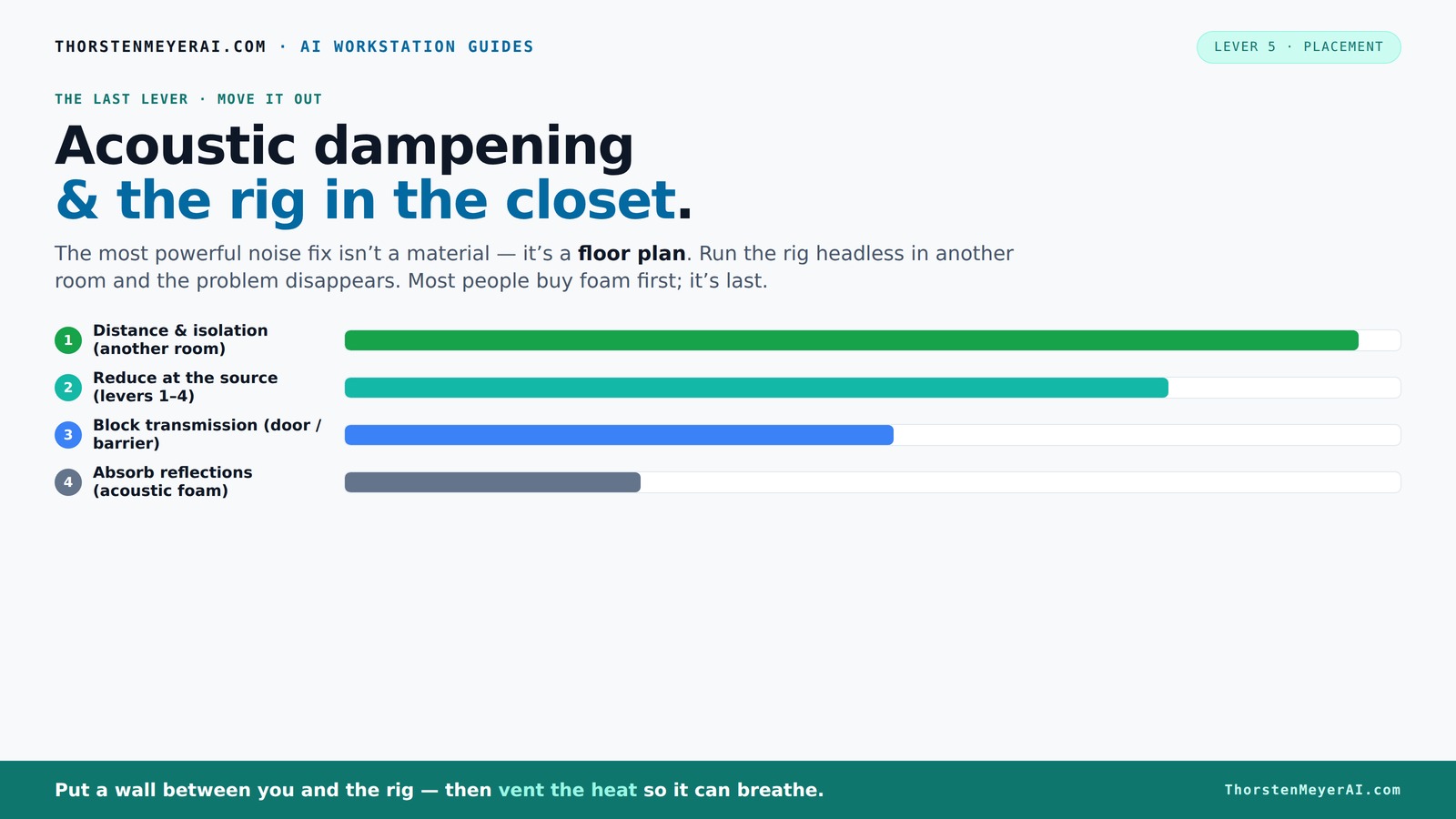
The most powerful noise fix isn’t a material — it’s a floor plan. A rig you can’t hear because it’s in another room beats any amount of foam. Tap the approaches in Part 1 to see what actually works.
(another room)
(levers 1–4)
(door / barrier)
(acoustic foam)
Contain the noise, not the heat
Key Takeaways
- Distance and isolation outperform foam at reducing noise; moving your rig into another room or closet is the most effective fix.
- Proper ventilation is non-negotiable when housing a hot, high-power rig in an enclosed space like a closet.
- Acoustic foam helps with room reflections but won't stop sound from escaping through barriers — combine both for best results.
- Use placement tricks like reflection point targeting and corner traps to maximize acoustic treatment in your space.
- Always balance soundproofing with heat management — a silent rig that overheats defeats the purpose.
As an affiliate, we earn on qualifying purchases.
Why Distance and Isolation Beat Foam Every Time
Distance is the most powerful weapon in noise reduction. Just like how a loud party sounds quieter when you step outside, moving your rig into another room or closet cuts noise dramatically. It’s not about absorbing sound — it’s about removing the source from your ears. This approach directly impacts the perceived noise level because sound intensity diminishes with distance, following the inverse square law. Essentially, doubling the distance from a noise source reduces perceived loudness by about 75%. This means that even small shifts in placement can have a huge impact, often more than layering multiple foam panels.
For example, a GPU rig pulling 600W can generate enough noise to fill a small room. Placing it in a separate closet or basement isolates that noise so well that your workspace feels peaceful — even if the rig’s fans are spinning at full blast. This method is especially effective because it tackles the problem at the source, preventing sound from reaching your ears in the first place. Foam panels, while helpful for taming echoes and reflections inside a room, do little to block sound transmission through walls or doors. Therefore, the tradeoff is clear: physically distancing your noisy equipment yields a much more substantial reduction than just absorbing sound within the same space.
Think of your setup like a radio: moving the speaker away from you makes the sound quieter. The same applies to your hardware. The key is to make the rig a 'headless' beast, accessed over network, so it doesn’t have to sit right next to you. This allows for a strategic separation that maximizes noise reduction while maintaining convenience through remote management. The main implication is that investing in a good network setup and remote access tools can be as important as physical placement, since it enables you to keep the rig out of sight and earshot without sacrificing usability.
quiet computer case with ventilation
As an affiliate, we earn on qualifying purchases.
As an affiliate, we earn on qualifying purchases.
How 'Rig in the Closet' Can Silence Your Space
Placing your rig inside a closet or custom cabinet might seem straightforward, but understanding why it works—and what pitfalls to avoid—can make the difference between a quiet workspace and a thermal disaster. When enclosed properly, the noise from fans, hard drives, and power supplies is contained and muffled, transforming a loud machine into a discreet component of your environment. You can learn more about effective acoustic dampening techniques. This approach can be particularly useful in shared spaces or offices where external noise might disturb others or violate noise regulations.
However, the effectiveness of this method hinges on the quality of the enclosure and, critically, on ventilation. An airtight or poorly ventilated closet traps heat, leading to increased internal temperatures that can throttle performance or damage your hardware over time. The tradeoff is clear: you must balance soundproofing with thermal management. Using sound-absorbing materials inside the enclosure, such as acoustic foam or mineral wool, helps dampen noise but can also insulate heat. Without proper airflow, this can create a thermal bottleneck, risking overheating and hardware failure.
Designing an effective 'rig in the closet' setup involves integrating ventilation solutions like vented doors, passive exhaust vents, or quiet fans that promote airflow without introducing significant noise. For detailed tips, see this guide on acoustic setup. For instance, installing a small, high-quality duct system can channel cool air in and hot air out, maintaining safe operating temperatures while keeping noise levels minimal. The key is to understand the thermal dynamics of your enclosure and to implement a balanced solution that prioritizes both soundproofing and heat dissipation. Neglecting this balance can turn an otherwise effective silent setup into a thermal nightmare, negating the benefits of noise reduction and risking hardware longevity.
Check out this guide on reducing heat and noise for detailed ventilation tips, including specific configurations and fan choices that optimize both airflow and acoustic performance.
acoustic dampening panels for studio
As an affiliate, we earn on qualifying purchases.
As an affiliate, we earn on qualifying purchases.
Frequently Asked Questions
Can I really put my AI rig in a closet and keep it cool?
Yes. With proper ventilation — like a quiet exhaust fan and good airflow — a closet can keep your rig cool. Regularly monitor temperature and add extra cooling if needed.What materials are best for soundproofing inside a closet?
Use dense acoustic foam, mass-loaded vinyl, or mineral wool panels. Seal all gaps with acoustic weatherstripping. For even better isolation, consider specialized soundproof doors or panels. You can find more about this at kwatsjpedia.org.How much noise can I expect to reduce with a closet setup?
Typically, you can cut noise by 70-80% with proper sealing, foam lining, and ventilation. Actual reduction depends on how well you implement the setup.Will a sealed closet cause overheating?
It can if ventilation isn’t included. Always incorporate active or passive airflow solutions, like fans or vents, to keep temperatures in check.Is it better to use DIY methods or professional soundproofing?
DIY can work well for small setups and budget projects, but for high-power rigs or critical silence, professional solutions with engineered enclosures offer better reliability and cooling.As an affiliate, we earn on qualifying purchases.
Conclusion
Silencing a noisy rig isn’t about more foam — it’s about smart placement and thoughtful housing. Putting your AI workstation in a ventilated closet transforms a noisy problem into a quiet solution, letting you focus on your work, not. For more insights on tech gadgets and solutions, visit lookatworth.com. the racket. Remember: the best soundproofing is distance, combined with proper airflow. Your workspace will thank you for it.
Now, go find that closet, add some ventilation, and turn your noisy machine into a silent partner in your projects.
Halloween Picks
halloween
As an affiliate, we earn on qualifying purchases.