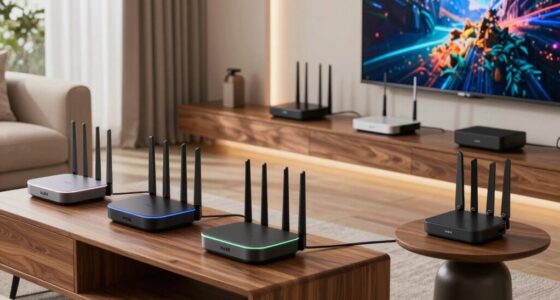
Searching for the best WiFi routers with parental controls? The ideal choice balances strong network performance, easy-to-use controls, and reliable security features. The TP-Link Archer A8 stands out as the overall best for its user-friendly interface and solid coverage, while the ASUS RT-AX3000S offers advanced security and WiFi 6 support for tech-savvy households. However, these options come with tradeoffs—more feature-rich models tend to cost more and can be more complex to configure. Continue reading for a detailed breakdown of each router’s strengths and weaknesses to find the best fit for your home.

Get business pricing on monitors, keyboards and dev gear
- Business-only prices and quantity discounts
- Tax-exempt purchasing
- Multiple users, one account, clear invoices
Key Takeaways
- Performance and coverage vary significantly; higher-end models generally offer faster speeds and broader coverage.
- Ease of setup and user-friendly parental controls are key factors for non-technical users.
- WiFi 6 routers provide future-proofing but often come with higher price tags and complexity.
- Mesh systems like TP-Link Deco S4 deliver whole-home coverage but may have limited advanced controls compared to standalone routers.
- Tradeoffs often involve balancing budget, ease of use, and advanced security features.
| TP-Link AC1900 Smart WiFi Router (Archer A8) |  | Best Overall for Balanced Performance and Ease of Use | Wireless Speed: 600 Mbps (2.4GHz) / 1300 Mbps (5GHz) | Bands: Dual-band | Coverage: Up to 1,200 sq. ft. | VIEW ON AMAZON | See Our Full Breakdown |
| ASUS RT-AX3000S Dual Band WiFi 6 Extendable Router |  | Best for Future-Proofing and High Capacity | WiFi Standard: 802.11ax | Speed: 3000Mbps | Bands: Dual Band | VIEW ON AMAZON | See Our Full Breakdown |
| Tenda AC1200 Dual Band WiFi Router |  | Best Budget-Friendly Dual Band with Parental Controls | WiFi Speed: up to 1.2 Gbps | Bands: Dual Band | Ethernet Ports: 4 x 100 Mbps | VIEW ON AMAZON | See Our Full Breakdown |
| DBIT AX3000 WiFi 6 Router – Dual Band Mesh Wireless Internet |  | Best for Mesh Compatibility and Security | WiFi Standard: WiFi 6 (AX3000) | Speed: up to 2976 Mbps | Frequency Bands: Dual Band | VIEW ON AMAZON | See Our Full Breakdown |
| Tenda WiFi 6 Router AX3000 Dual Band Gigabit Wireless Router for Home |  | Best for High-Speed, Secure Remote Access | Wi-Fi Standard: Wi-Fi 6 (AX) | Speed: AX3000 (2402 Mbps on 5 GHz, 574 Mbps on 2.4 GHz) | Ports: 4 Gigabit Ethernet | VIEW ON AMAZON | See Our Full Breakdown |
| Linksys AX1800 Wi-Fi 6 Router Home Networking, Dual Band Wireless AX Gigabit WiFi Router, Speeds up to 1.8 Gbps and coverage 1,500 sq ft, Parental Controls, maximum 20 devices |  | Best Overall for Balanced Home Use | Model: E7350 | Wi-Fi Technology: Wi-Fi 6 | Speed: up to 1.8 Gbps | VIEW ON AMAZON | See Our Full Breakdown |
| TP-Link Deco S4 2-Pack Whole Home Mesh WiFi System, AC1900, Coverage up to 3,800 sq.ft. |  | Best for Large Homes and Seamless Coverage | Coverage: up to 3,800 sq ft | WiFi Standard: AC1900 | Number of Units: 2 | VIEW ON AMAZON | See Our Full Breakdown |
| TP-Link AX1800 WiFi 6 Router (Archer AX21 V5) |  | Best for Advanced Users Needing Speed and Flexibility | Technology: Wi-Fi 6 (802.11ax) | Bands: Dual Band | Total Bandwidth: 1.8 Gbps | VIEW ON AMAZON | See Our Full Breakdown |
| Tenda AX1500 WiFi 6 Router (RX2L Pro) – Dual Band Gigabit, Long Range Coverage, VPN Support, WPA3, Easy Setup, Parental Controls |  | Best for Easy Setup and Secure Home Networks | Wi-Fi Speed: up to 1.5 Gbps | Bands: Dual Band (2.4 GHz and 5 GHz) | Ports: 4 Gigabit Ethernet | VIEW ON AMAZON | See Our Full Breakdown |
| TP-Link BE6500 Dual-Band WiFi 7 Router (BE400) |  | Best for Future-Proof High-Speed Large Homes | Wi-Fi Technology: WiFi 7 | Maximum Bandwidth: 6.5 Gbps | Coverage: 2400 sq ft | VIEW ON AMAZON | See Our Full Breakdown |
| ASUS RT-AX5400 Dual Band WiFi 6 Router with Internet Security and Parental Controls |  | Best Overall for Advanced Security and Seamless Coverage | Wireless Technology: WiFi 6 | Supports Parental Controls: Yes | AiMesh Compatibility: Yes | VIEW ON AMAZON | See Our Full Breakdown |
| OLAX Scorpio X60 AC1200 Dual Band WiFi Router with MU-MIMO and Parental Control |  | Best Value for Balanced Speed and Coverage | Wireless Speed: 1200Mbps | Frequency Bands: 2.4GHz and 5GHz | MU-MIMO: Yes | VIEW ON AMAZON | See Our Full Breakdown |
| Tenda WiFi 6 Router for Home, AX1500 Dual Band Gigabit Router with High-Gain Antennas, Parental Control, WPA3, IPv6 |  | Best for Speed and Smart Management in Medium to Large Homes | WiFi Technology: WiFi 6 (802.11ax) | Speed: 1501Mbps | Antennas: 5 x 6dBi high-gain | VIEW ON AMAZON | See Our Full Breakdown |
| wifi routers with parental control | Antennas | Security |
|---|---|---|
| TP-Link AC1900 Smart WiFi Rout | — | — |
| ASUS RT-AX3000S Dual Band WiFi | — | — |
| Tenda AC1200 Dual Band WiFi Ro | 4 x 6dBi antennas | — |
| DBIT AX3000 WiFi 6 Router | — | WPA3 |
| Tenda WiFi 6 Router AX3000 Dua | 5 external 6dBi high-gain antennas | WPA3 |
| Linksys AX1800 Wi-Fi 6 Router | — | — |
| TP-Link Deco S4 2-Pack Whole H | — | — |
| TP-Link AX1800 WiFi 6 Router | 4 high-gain | Advanced security, VPN support |
| Tenda AX1500 WiFi 6 Router | 5 external high-gain | WPA3 |
| TP-Link BE6500 Dual-Band WiFi | 6 high-performance | HomeShield, advanced cybersecurity |
| ASUS RT-AX5400 Dual Band WiFi | — | — |
| OLAX Scorpio X60 AC1200 Dual B | 4 high gain 6dBi | WPA3 |
| Tenda WiFi 6 Router for Home | 5 x 6dBi high-gain | WPA3, IPv6 |
More Details on Our Top Picks
TP-Link AC1900 Smart WiFi Router (Archer A8)
The TP-Link Archer A8 stands out for its high-speed dual-band performance, supporting speeds up to 1900 Mbps with MU-MIMO technology, making it suitable for busy households with multiple devices. Compared to the ASUS RT-AX3000S, it offers simpler setup and management via the Tether App, but lacks WiFi 6 support and a USB port, which limits future-proofing and local file sharing options. Its coverage of up to 1,200 sq. ft. is adequate for average homes, though larger spaces may require a mesh system. The absence of a USB port and reliance on a separate modem are notable tradeoffs. This pick is well-suited to users seeking reliable performance without the complexity of advanced features.
Pros:- High-speed dual-band performance with MU-MIMO technology
- Easy setup and management via Tether App
- Supports parental controls for safe browsing
Cons:- No USB port for file sharing or printer connection
- Performance may vary depending on environment and obstacles
Best for: Families who need a straightforward, high-speed router with parental controls and easy setup
Not ideal for: Tech-savvy users wanting WiFi 6 or local storage options, as it lacks these features
- Wireless Speed:600 Mbps (2.4GHz) / 1300 Mbps (5GHz)
- Bands:Dual-band
- Coverage:Up to 1,200 sq. ft.
- Ports:4 x Gigabit LAN, 1 x Gigabit WAN
- USB Port:None
- Compatibility:Works with all internet service providers (modem required)
Our verdict“This router offers a reliable, easy-to-manage option for households prioritizing speed and parental controls without extra complexity.”
ASUS RT-AX3000S Dual Band WiFi 6 Extendable Router
The ASUS RT-AX3000S supports WiFi 6, delivering faster speeds and greater efficiency for multiple devices, making it ideal for tech enthusiasts and large households. Its 3000 Mbps total bandwidth surpasses the TP-Link AC1900, and the extendable AiMesh feature allows seamless expansion, unlike most basic routers. Security features like built-in VPN and parental control scheduling add to its appeal, although setup can be complex for non-technical users. Its higher price reflects its advanced capabilities, but this investment is worthwhile for those wanting a long-term, scalable network. This model fits those who want top-tier performance with future-proof features, despite increased complexity and cost.
Pros:- Supports WiFi 6 for faster and more efficient connections
- High total bandwidth of 3000 Mbps for multiple devices
- Extendable with AiMesh for seamless network expansion
- Includes security features like VPN and parental controls
Cons:- Setup may be complex for non-technical users
- Premium price point compared to basic routers
Best for: Power users and larger families seeking a flexible, high-speed WiFi 6 setup with expandability
Not ideal for: Casual users or those on a strict budget who prefer simple setup and basic features
- WiFi Standard:802.11ax
- Speed:3000Mbps
- Bands:Dual Band
- Features:Extendable with AiMesh, Parental Control Scheduling, Built-in VPN, Instant Guard
Our verdict“Ideal for those who want a future-proof, high-capacity router with expandability and strong security features.”
Tenda AC1200 Dual Band WiFi Router
The Tenda AC1200 provides solid dual-band speeds up to 1.2 Gbps, making it a good choice for users seeking basic parental controls without high-end features. Its easy setup through a mobile app and four high-gain antennas ensure reliable coverage in small to medium homes. Compared with the ASUS RT-AX3000S, it lacks WiFi 6 support and advanced security features, but it offers a straightforward, budget-friendly solution. The limited Ethernet ports at 100 Mbps each might be a bottleneck for wired devices. This router suits users who want simple parental controls and decent coverage at an affordable price.
Pros:- High-speed dual-band WiFi up to 1.2 Gbps
- Easy setup with mobile app
- Supports guest networks and parental controls
- Strong signal coverage with four antennas
Cons:- Requires a separate modem from ISP
- Ethernet ports limited to 100 Mbps
Best for: Budget-conscious families who need reliable parental controls and straightforward setup
Not ideal for: Power users or those with large homes or many wired devices, due to limited Ethernet speed and coverage
- WiFi Speed:up to 1.2 Gbps
- Bands:Dual Band
- Ethernet Ports:4 x 100 Mbps
- Antennas:4 x 6dBi antennas
- Features:Guest WiFi, Parental Controls, Access Point Mode, IPv6
Our verdict“A budget-friendly option for small to medium homes seeking reliable WiFi and basic parental controls.”
DBIT AX3000 WiFi 6 Router – Dual Band Mesh Wireless Internet
The DBIT AX3000 supports WiFi 6 with speeds up to 2976 Mbps, making it a top choice for busy smart homes and remote work setups. Its mesh capability allows easy expansion, unlike standalone routers like the Tenda AC1200. Multiple Gigabit Ethernet ports and WPA3 security provide both wired stability and security, but the setup process can be daunting for those unfamiliar with mesh systems. Its coverage of up to 1500 sq. ft. is suitable for medium-sized homes. If you need a secure, expandable mesh network with fast speeds, this router is a compelling option, though it requires a compatible modem and some technical know-how.
Pros:- Fast WiFi 6 speeds ideal for streaming and gaming
- Stable coverage with high-gain antennas and mesh support
- WPA3 security and VPN support for privacy
- Multiple Gigabit Ethernet ports
Cons:- Requires a modem for internet access
- Setup can be complex for beginners
Best for: Tech-savvy users needing a secure, expandable mesh WiFi 6 network for smart home devices and remote work
Not ideal for: Less technical users or those with small homes who don’t need mesh expansion or advanced security
- WiFi Standard:WiFi 6 (AX3000)
- Speed:up to 2976 Mbps
- Frequency Bands:Dual Band
- Ethernet Ports:1 Gigabit WAN, 3 Gigabit LAN
- Coverage:up to 1500 sq. ft.
- Security:WPA3
Our verdict“Best suited for users needing a secure, expandable mesh system with top-tier speeds and coverage.”
Tenda WiFi 6 Router AX3000 Dual Band Gigabit Wireless Router for Home
The Tenda AX3000 provides dual-band WiFi 6 speeds up to 2402 Mbps on 5 GHz and 574 Mbps on 2.4 GHz, making it suitable for demanding tasks like streaming and gaming. Its multiple external high-gain antennas ensure strong, reliable coverage, comparable to the ASUS RT-AX3000S but at a more accessible price point. Its support for WPA3, VPN options, and MU-MIMO ensures privacy and security, while the one-click diagnostics simplify management. Although it requires a separate modem, its user-friendly setup and robust security features make it ideal for security-conscious users who want high performance without complexity.
Pros:- High-speed dual-band WiFi 6 performance
- Strong, reliable signal coverage with high-gain antennas
- Easy setup with diagnostics and network optimization
- Supports WPA3 and VPN for security
Cons:- Requires a separate modem from ISP
- Advanced features may need firmware updates
Best for: Home users requiring high-speed WiFi 6 with easy setup and strong security features
Not ideal for: Users with very large homes or needing extensive mesh expandability, as it doesn’t support mesh system integration
- Wi-Fi Standard:Wi-Fi 6 (AX)
- Speed:AX3000 (2402 Mbps on 5 GHz, 574 Mbps on 2.4 GHz)
- Ports:4 Gigabit Ethernet
- Antennas:5 external 6dBi high-gain antennas
- Security:WPA3
- Features:MU-MIMO, OFDMA, parental controls, one-click diagnostics
Our verdict“Excellent for security-focused users seeking high-speed WiFi 6 with simple management and VPN support.”
Linksys AX1800 Wi-Fi 6 Router Home Networking, Dual Band Wireless AX Gigabit WiFi Router, Speeds up to 1.8 Gbps and coverage 1,500 sq ft, Parental Controls, maximum 20 devices
This model stands out for its combination of fast Wi-Fi speeds up to 1.8 Gbps and reliable coverage for moderate-sized homes. Compared with the TP-Link Deco S4, it offers dedicated router performance without the added mesh complexity, making setup straightforward. Its support for up to 20 devices suits typical family needs, but the 1,500 sq ft coverage may fall short in larger spaces or very device-heavy households. Its security features, including parental controls, are easy to configure and protect multiple users. However, it lacks mesh capabilities, which limits expansion, and the device cap might restrict very large households. Best for families who want reliable Wi-Fi with simple parental controls in a medium-sized home.
Pros:- Fast Wi-Fi speeds up to 1.8 Gbps
- Supports multiple devices with reliable coverage
- Easy setup via smartphone or browser
- Enhanced security features including parental controls
Cons:- Limited to 1,500 sq ft coverage
- Maximum 20 devices may be restrictive for very large households
- No mesh support for coverage expansion
Best for: Families needing dependable performance for up to 20 devices in a medium-sized home
Not ideal for: Large households or homes requiring extensive coverage over 3,000 sq ft or mesh system expansion
- Model:E7350
- Wi-Fi Technology:Wi-Fi 6
- Speed:up to 1.8 Gbps
- Coverage:1,500 sq ft
- Device Capacity:up to 20 devices
- Security Features:Parental Controls, Guest Access
- Setup:Easy setup via smartphone or computer
Our verdict“This router is ideal for families seeking solid Wi-Fi performance and parental controls in a medium-sized home, with some limitations on coverage and device capacity.”
TP-Link Deco S4 2-Pack Whole Home Mesh WiFi System, AC1900, Coverage up to 3,800 sq.ft.
The TP-Link Deco S4 2-Pack excels at delivering extensive, seamless coverage, supporting up to 75 devices with a mesh network that eliminates dead zones. Compared with the Linksys AX1800, its strength lies in expanding coverage across large areas—up to 3,800 sq ft—making it suitable for big or multi-story homes. Its parental controls are straightforward and effective, but it requires a modem for most ISPs, and the AC1900 speeds, while fast enough for most activities, are lower than some Wi-Fi 6 options. The mesh system’s single SSID simplifies device management, but its speed limitations may be noticeable with bandwidth-intensive tasks. Best for large households needing reliable, whole-home WiFi without complicated setup.
Pros:- Seamless mesh network with a single SSID
- Extensive coverage up to 3,800 sq ft
- Supports up to 75 devices
- Simple setup with the Deco app
Cons:- Requires a modem for most ISPs
- Limited to AC1900 speeds which may lag behind Wi-Fi 6 routers
- Speed may be insufficient for bandwidth-heavy tasks
Best for: Homeowners with large or multi-story homes seeking easy-to-manage, extensive WiFi coverage
Not ideal for: Small apartments or users seeking the fastest Wi-Fi 6 speeds or mesh with WiFi 6E
- Coverage:up to 3,800 sq ft
- WiFi Standard:AC1900
- Number of Units:2
- Supports Wired Ethernet Backhaul:Yes
- Parental Controls:Yes
- Device Compatibility:Up to 75 devices
Our verdict“This system is best suited for large homes where comprehensive coverage and ease of use are priorities over the latest Wi-Fi 6 speeds.”
TP-Link AX1800 WiFi 6 Router (Archer AX21 V5)
The TP-Link AX1800 offers robust Wi-Fi 6 technology with speeds up to 1.8 Gbps, supporting multiple devices through OFDMA and beamforming. Compared with the Linksys AX1800, this router provides slightly more customizable security options and broader compatibility, making it suitable for tech-savvy users who want high performance. Its coverage is extensive thanks to four high-gain antennas, but it does not support the 6 GHz band, potentially limiting future-proofing and peak speeds. Advanced features like VPN support appeal to users prioritizing security, yet performance can vary based on environment and obstacles. Best for enthusiasts or households with many devices seeking a versatile, high-speed Wi-Fi 6 router.
Pros:- Fast Wi-Fi 6 speeds up to 1.8 Gbps
- Supports many devices simultaneously with OFDMA
- Extensive coverage with high-gain antennas
- Includes advanced security features and VPN support
Cons:- Does not support the 6 GHz band for Wi-Fi 6E
- Performance may depend heavily on environment
- No built-in mesh functionality
Best for: Tech-savvy households or users who want high speeds, advanced security, and customization options
Not ideal for: Basic users or those looking for simple plug-and-play solutions without extensive configuration
- Technology:Wi-Fi 6 (802.11ax)
- Bands:Dual Band
- Total Bandwidth:1.8 Gbps
- Max Speed 5 GHz:1200 Mbps
- Max Speed 2.4 GHz:574 Mbps
- Antennas:4 high-gain
- Security:Advanced security, VPN support
Our verdict“Ideal for users who want a high-performance, secure router with room for growth, but not for those seeking the latest Wi-Fi 6E features.”
Tenda AX1500 WiFi 6 Router (RX2L Pro) – Dual Band Gigabit, Long Range Coverage, VPN Support, WPA3, Easy Setup, Parental Controls
The Tenda AX1500 provides decent Wi-Fi 6 speeds up to 1.5 Gbps, with external high-gain antennas that boost signal reach, making it a good choice for households prioritizing coverage and security. Compared with the TP-Link AX1800, it offers a vertical design that enhances heat dissipation and signal distribution, while supporting WPA3 and parental controls. Setup is straightforward via the Tenda app or web, appealing to less tech-savvy users. However, with only four Ethernet ports, it may not meet the needs of users requiring extensive wired connections. Its speed and feature set are solid but not cutting-edge, making it better suited for typical home environments. Best for users seeking an easy-to-manage, secure Wi-Fi 6 router with good coverage.
Pros:- Fast dual-band Wi-Fi speeds up to 1.5 Gbps
- External high-gain antennas improve coverage
- Easy setup via app or web interface
- Supports WPA3 and parental controls
Cons:- Limited to 4 Ethernet ports
- No Wi-Fi 6E support for future-proofing
- Design may be less sleek for some aesthetics
Best for: Homeowners looking for straightforward setup, reliable parental controls, and good coverage in a standard home
Not ideal for: Power users requiring Wi-Fi 6E or high-speed gigabit connections for heavy data transfer
- Wi-Fi Speed:up to 1.5 Gbps
- Bands:Dual Band (2.4 GHz and 5 GHz)
- Ports:4 Gigabit Ethernet
- Antennas:5 external high-gain
- Security:WPA3
- Setup:Web GUI and Tenda Wi-Fi app
Our verdict“A reliable choice for users needing secure, easy-to-set-up Wi-Fi with good coverage for typical home use, but lacking advanced features for high-end environments.”
TP-Link BE6500 Dual-Band WiFi 7 Router (BE400)
The TP-Link BE6500, with WiFi 7 support, delivers cutting-edge speeds up to 6.5 Gbps and wide coverage, making it suitable for large homes with demanding bandwidth needs. Compared to the older Wi-Fi 6 routers like the Archer AX21, it offers significantly higher speeds and better capacity for multiple devices—up to 90—thanks to WiFi 7’s advancements. Its security features, including HomeShield, and easy setup via the Tether app, provide a comprehensive home networking experience. However, the high price and complexity of features might overwhelm casual users, and only fully benefits those with compatible WiFi 7 devices. It’s a solid choice for future-proofing in a large, tech-rich household. Best for tech-forward users wanting maximum speed and capacity in a large home environment.
Pros:- Supports WiFi 7 with speeds up to 6.5 Gbps
- Wide coverage suitable for large homes
- Supports up to 90 devices
- Advanced security with HomeShield
Cons:- Premium price point
- Complex features may be overwhelming for casual users
- Requires compatible devices to fully utilize WiFi 7
Best for: Large households or tech enthusiasts seeking the latest Wi-Fi 7 technology and high-speed reliability
Not ideal for: Budget-conscious buyers or users with small homes who don’t need WiFi 7’s capabilities
- Wi-Fi Technology:WiFi 7
- Maximum Bandwidth:6.5 Gbps
- Coverage:2400 sq ft
- Device Capacity:90 devices
- Ports:1x 2.5 Gbps WAN/LAN, 1x 2.5 Gbps LAN, 3x 1 Gbps LAN
- Antennas:6 high-performance
- Security:HomeShield, advanced cybersecurity
Our verdict“This router is best for large, tech-savvy households seeking the latest in Wi-Fi technology and maximum network capacity, with some added cost and complexity.”
ASUS RT-AX5400 Dual Band WiFi 6 Router with Internet Security and Parental Controls
This ASUS model stands out for combining WiFi 6 speeds with comprehensive parental controls and lifetime internet security, making it ideal for tech-savvy households. Compared with the OLAX Scorpio X60, the ASUS offers better security features and AiMesh compatibility, but it lacks detailed specifications and pricing transparency, which could matter for budget-conscious buyers. Its built-in VPN enhances privacy, while support for AiMesh allows expansion across larger homes. However, limited info on QoS or user-friendly setup might challenge less experienced users. If you need a secure, expandable network with parental controls, this pick makes the most sense.
Pros:- Supports WiFi 6 for faster wireless performance
- Includes lifetime internet security and advanced parental controls
- AiMesh compatibility for seamless coverage in larger homes
- Built-in VPN for enhanced privacy
Cons:- Limited detailed specifications and no pricing info
- No customer ratings available, making it harder to assess real-world performance
Best for: Families seeking a secure, expandable WiFi 6 network with advanced parental controls and internet security
Not ideal for: Casual users or those on a tight budget who prefer straightforward setup and detailed specs without extra security features
- Wireless Technology:WiFi 6
- Supports Parental Controls:Yes
- AiMesh Compatibility:Yes
- Security Features:Lifetime internet security, built-in VPN
- Weight:2.700 lbs
- UPC:195553986632
Our verdict“This router suits households that prioritize security, coverage expansion, and fast WiFi 6 speeds, despite limited transparency on specs.”
OLAX Scorpio X60 AC1200 Dual Band WiFi Router with MU-MIMO and Parental Control
The OLAX Scorpio X60 provides solid dual-band speeds up to 1200Mbps, supporting streaming and gaming effectively, and includes MU-MIMO technology for multiple device handling. Compared to the Tenda RX2Pro, it offers higher security with WPA3 and supports whole-home coverage via EasyMesh, though it lacks explicit mention of QoS features, which might limit fine-tuning for prioritization. Its four high-gain antennas ensure broad coverage, making it suitable for medium-sized homes. However, its complexity could challenge less technical users, and it may not support mesh networking natively. For those needing reliable speeds with decent security at a lower cost, this router fits well.
Pros:- Fast dual-band speeds suitable for streaming and gaming
- Supports whole-home coverage with MU-MIMO and EasyMesh
- Enhanced security with WPA3 encryption
- Includes parental controls and guest network features
Cons:- No explicit mention of advanced QoS features for traffic prioritization
- Potential complexity for non-technical users
Best for: Medium households that want reliable dual-band WiFi with parental controls and straightforward coverage
Not ideal for: Power users seeking advanced QoS or mesh features, or very large homes requiring extensive coverage without mesh support
- Wireless Speed:1200Mbps
- Frequency Bands:2.4GHz and 5GHz
- MU-MIMO:Yes
- Security:WPA3
- Antennas:4 high gain 6dBi
- Ethernet Ports:Full Gigabit
Our verdict“This router offers a good balance of speed, security, and coverage for medium-sized households at an affordable price, with some setup complexity.”
Tenda WiFi 6 Router for Home, AX1500 Dual Band Gigabit Router with High-Gain Antennas, Parental Control, WPA3, IPv6
The Tenda RX2Pro delivers high-speed WiFi 6 performance with speeds up to 1501Mbps, supported by five high-gain antennas that ensure broad coverage. This model excels for households that need both speed and extensive coverage, with features like WPA3 security, parental controls, and smart band switching to optimize performance. Compared to the OLAX X60, it offers slightly higher max speeds and more antennas but is primarily designed for medium to large households rather than small spaces. Its app-based management simplifies setup, though users unfamiliar with network configs might face a learning curve. For families wanting fast, secure WiFi with easy management, this is a compelling choice.
Pros:- High-performance WiFi 6 with up to 1501Mbps speed
- Five high-gain antennas for extensive coverage
- Advanced WPA3 security and parental controls
- Easy setup and remote management via app
Cons:- Designed primarily for medium to large households, not small spaces
- No mention of native mesh networking support
Best for: Medium to large households seeking high-speed WiFi 6 with parental controls and smart performance features
Not ideal for: Small apartments or users seeking mesh networking capabilities, as this router does not support mesh features
- WiFi Technology:WiFi 6 (802.11ax)
- Speed:1501Mbps
- Antennas:5 x 6dBi high-gain
- Security:WPA3, IPv6
- Ports:4 Gigabit Ethernet
- Features:Parental control, app remote management, smart band switching
Our verdict“This router is best suited for larger households demanding fast WiFi 6 and broad coverage, with simple management but limited mesh capabilities.”

How We Picked
I evaluated each router based on performance metrics such as speed, range, and stability, alongside the quality of parental controls and security features. Usability was a priority—easy setup, clear controls, and straightforward management options matter most for families. Build quality and firmware reliability also influenced rankings, as these impact long-term performance. Cost was a factor, but I prioritized value—getting strong features without overpaying. The resulting list reflects a balance of performance, usability, security, and affordability tailored for households needing effective parental controls.| wifi routers with parental control | Security |
|---|---|
| TP-Link AC1900 Smart WiFi Rout | — |
| ASUS RT-AX3000S Dual Band WiFi | — |
| Tenda AC1200 Dual Band WiFi Ro | — |
| DBIT AX3000 WiFi 6 Router | WPA3 |
| Tenda WiFi 6 Router AX3000 Dua | WPA3 |
| Linksys AX1800 Wi-Fi 6 Router | — |
| TP-Link Deco S4 2-Pack Whole H | — |
| TP-Link AX1800 WiFi 6 Router | Advanced security, VPN support |
| Tenda AX1500 WiFi 6 Router | WPA3 |
| TP-Link BE6500 Dual-Band WiFi | HomeShield, advanced cybersecurity |
| ASUS RT-AX5400 Dual Band WiFi | — |
| OLAX Scorpio X60 AC1200 Dual B | WPA3 |
| Tenda WiFi 6 Router for Home | WPA3, IPv6 |
Factors to Consider When Choosing Wifi Routers With Parental Controls
Choosing the right WiFi router with parental controls involves more than just comparing specs. You need to consider your home’s size, the number of devices, the complexity of controls, and future-proofing features like WiFi 6. A well-chosen router enhances security, simplifies management, and provides reliable internet access for your family. Here are some key factors to guide your decision beyond product specs.Coverage and Speed
Assess your home’s size to determine necessary coverage. Larger homes benefit from routers with higher wattage or mesh systems, which can blanket more area without dead zones. Speed matters if your household streams 4K content or plays online games; look for gigabit speeds and WiFi 6 support for optimal performance. Remember, a faster router won’t improve internet speed if your ISP connection is the bottleneck.
Ease of Use and Parental Controls
User-friendly interfaces and straightforward parental controls are critical, especially if you’re not tech-savvy. Some routers offer app-based controls that let you manage internet access schedules, filter content, and monitor device activity easily. Be cautious of overly complex setups that may deter regular management. The ability to pause internet for specific devices or set time limits can make a noticeable difference in household management.
Security Features
Security should be non-negotiable. Look for routers with WPA3 encryption, automatic firmware updates, and built-in antivirus or threat protection. Parental controls are part of security, but additional features like VPN support or network monitoring add layers of safety. Investing in a router with robust security prevents vulnerabilities that could compromise your family’s devices and data.
Compatibility and Future-Proofing
Ensure your router supports your current devices and the latest standards like WiFi 6 or WiFi 6E if you want longevity. Compatibility with smart home devices and mesh systems can simplify future expansion. However, higher-end standards often come with higher costs and complexity. Balance current needs with potential future upgrades to avoid needing a new router soon.
Budget and Value
While premium routers offer advanced features, they may not be necessary for every household. Budget options can still provide reliable parental controls and decent performance, but they might lack coverage or security features. Consider whether spending more provides meaningful benefits for your household size and security needs. Sometimes, a mid-range router delivers the best value without unnecessary extras.
Frequently Asked Questions
Can I set different parental controls for individual devices?
Yes, many modern routers allow you to assign different restrictions to individual devices via their management apps or control panels. This feature lets you set specific time limits, content filters, or internet access schedules tailored to each device or user. However, the ease of configuring these controls varies, so check the user interface and features before purchasing if this capability is important to you.
Do I need a WiFi 6 router for parental controls to work effectively?
Not necessarily. Parental controls are primarily about managing access and filtering content, which most routers can do regardless of WiFi standard. However, WiFi 6 offers benefits like improved speed, efficiency, and device capacity, especially in busy households with many connected devices. If your devices support WiFi 6, investing in a WiFi 6 router can future-proof your network, but it’s not a requirement solely for parental controls.
Are mesh systems better than standalone routers for parental controls?
Mesh systems excel at providing whole-home coverage, especially in larger or multi-story homes. Many mesh systems include parental controls that are easy to manage across multiple nodes, making them convenient for larger households. However, standalone routers can sometimes offer more advanced control features and customization. The best choice depends on your home’s size and your preference for simplicity versus advanced control options.
Can I control internet access remotely with these routers?
Most modern routers with parental controls include remote management via dedicated apps. This allows you to monitor and modify internet access from anywhere, providing flexibility for busy households. Before purchasing, verify that remote access is supported and secure, especially if you plan to manage controls when away from home.
How often should I update my router’s firmware for security?
Regular firmware updates are essential to patch security vulnerabilities and improve performance. Many routers automatically check for updates, but manual checks are advisable every few months. Keeping firmware current helps protect your network from emerging threats, particularly when parental controls are involved, as these features are often tied to security updates.
Conclusion
For families seeking the best overall balance of performance, usability, and security, the TP-Link Archer A8 remains a smart choice. Those who prioritize advanced security and WiFi 6 support might prefer the ASUS RT-AX3000S. Budget-conscious buyers can find reliable options like Tenda’s routers, while larger homes benefit from mesh systems such as TP-Link Deco S4. For tech enthusiasts willing to invest in premium features, higher-end models with extensive controls and future-proofing offer long-term value. Consider your household size, technical comfort, and security needs to find the perfect fit.