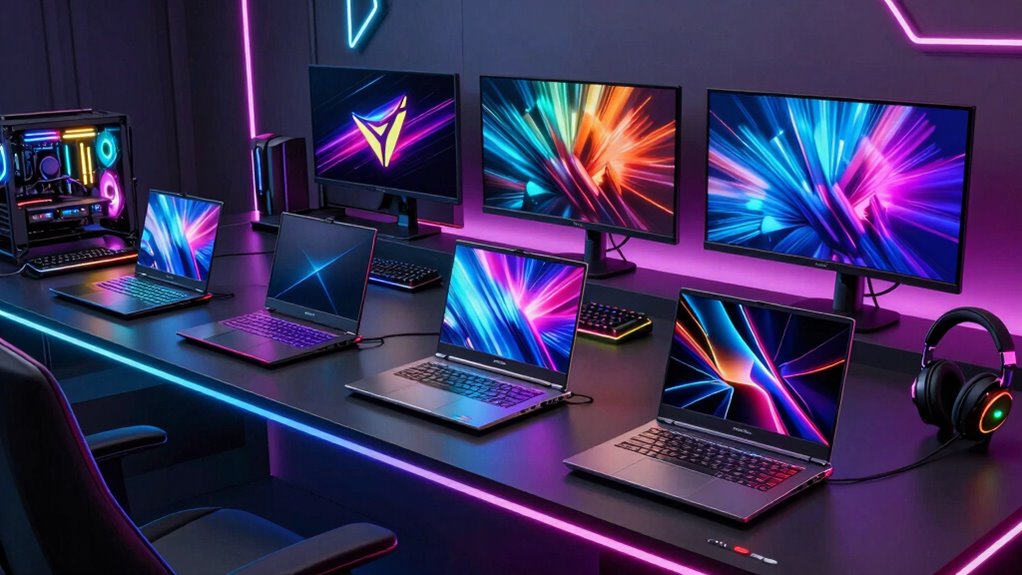

Gaming laptops span compact systems for portability, value-focused models for everyday play, and premium machines built for high-resolution gaming. My best overall pick is the ASUS ROG Strix G16 (2025) with RTX 5070 Ti, which pairs strong graphics hardware with a 16-inch Nebula display and 32GB of memory. The Acer Predator Helios Neo 14 AI stands out for buyers who need a smaller, more portable laptop, while the ASUS ROG Strix G16 (2026) with RTX 5080 is the high-end choice for demanding games and a 2.5K, 240Hz screen. The main tradeoffs are performance versus portability, screen quality versus graphics power, and paying for high-end components you may not use. Read on for how the 15 options compare and which one fits your gaming habits.

Get business pricing on monitors, keyboards and dev gear
- Business-only prices and quantity discounts
- Tax-exempt purchasing
- Multiple users, one account, clear invoices
Key Takeaways
- The ROG Strix G16 (2025) with RTX 5070 Ti is the strongest all-rounder in this lineup: it combines a 16-inch Nebula display, 32GB RAM, and a high-tier GPU without the 18-inch footprint of the G18 models.
- The RTX 5080 models target different buyers: the 2026 ROG Strix G16 pairs that GPU with a 2.5K, 240Hz display, while the ROG Strix G18 with RTX 5080 prioritizes a larger gaming workspace.
- Screen size alone does not define value: the 14.5-inch Predator Helios Neo 14 AI offers a compact alternative with RTX 5070 graphics, while several 17- and 18-inch picks trade portability for more room.
- RTX 5060 options are split by configuration, not just branding: the Strix G16 adds a 165Hz display and Wi-Fi 7, the Nitro V 16S provides 32GB RAM, and the two Cyborg 17 listings differ in memory and storage.
- Integrated Radeon 780M graphics and entry-level Ryzen configurations are a different class of choice: the NIMO models suit lighter gaming and general use better than buyers seeking dedicated-GPU performance.
| Acer Predator Helios Neo 14 AI Gaming Laptop |  | Best Compact Performance | Processor: Intel Core Ultra 9 285H | Graphics: NVIDIA GeForce RTX 5070 Laptop GPU | Display: 14.5-inch WQXGA, 2560 × 1600, 165Hz, G-SYNC | VIEW ON AMAZON | See Our Full Breakdown |
| Alienware 15 Gaming Laptop with RTX 4050 and Intel Core i7-12700H |  | Best Entry-Level Dedicated Graphics | Processor: Intel Core i7-12700H | Graphics: NVIDIA GeForce RTX 4050 | Display: 15.3-inch WUXGA, 1920 × 1200, 165Hz | VIEW ON AMAZON | See Our Full Breakdown |
| Alienware 16 Aurora Gaming Laptop with NVIDIA RTX 5060 | 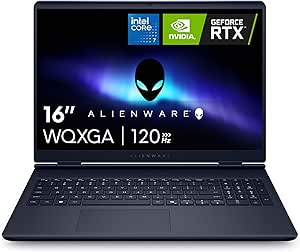 | Best for a Bigger, Sharper Screen | Processor: Intel Core i7-12450H | Graphics: NVIDIA GeForce RTX 50 Series; exact model not specified | Display: 16-inch WQXGA, 2560 × 1600, 16:10 | VIEW ON AMAZON | See Our Full Breakdown |
| MSI Cyborg 17 Gaming Laptop with RTX 5060 |  | Best for Storage and Multitasking | Processor: Intel Core i9-270H | Graphics: NVIDIA GeForce RTX 5060, 8GB GDDR7 | Display: 17.3-inch FHD, 1920 × 1080, 144Hz | VIEW ON AMAZON | See Our Full Breakdown |
| ASUS ROG Strix G18 Gaming Laptop with RTX 5080 |  | Best Premium Desktop Replacement | Processor: Intel Ultra 9 275HX, 24-core | Graphics: NVIDIA GeForce RTX 5080, 16GB GDDR7 | Display: 18-inch, 2560 × 1600, 240Hz, 500 nits, 100% sRGB | VIEW ON AMAZON | See Our Full Breakdown |
| MSI Cyborg 17 17.3″ FHD 144Hz Gaming Laptop with Intel Core i7-12450H, NVIDIA GeForce RTX 5060, 16GB DDR5, 1TB NVMe SSD, Windows 11 Home, Translucent Black |  | Best 17-Inch Gaming Value | Display: 17.3-inch, 1920 x 1080 | Refresh rate: 144Hz | Processor: Intel Core i7-12450H | VIEW ON AMAZON | See Our Full Breakdown |
| NIMO 17.3″ Gaming Laptop with AMD Ryzen 9 8945HS, 32GB DDR5 RAM, 1TB SSD, Radeon 780M Graphics, Win 11 |  | Best for CPU-Heavy Gaming and Multitasking | Display: 17.3-inch FHD, 1920 x 1080 | Processor: AMD Ryzen 9 8945HS, 8-core, up to 5.2GHz | Graphics: AMD Radeon 780M | VIEW ON AMAZON | See Our Full Breakdown |
| ASUS ROG Strix G16 (2025) Gaming Laptop, 16” FHD+ 165Hz, NVIDIA GeForce RTX 5060, Intel Core i7 14650HX, 16GB DDR5, 1TB SSD, Wi-Fi 7, Windows 11 Home |  | Best Balanced Dedicated-GPU Pick | Display: 16-inch FHD+ | Refresh rate: 165Hz | Processor: Intel Core i7-14650HX | VIEW ON AMAZON | See Our Full Breakdown |
| NIMO 15.6″ Light Gaming Laptop with AMD Ryzen 7, 16GB DDR5, 512GB SSD, FHD Display, Backlit Keyboard, AI Content Creators & Students |  | Best for Light Gaming and Portability | Display: 15.6-inch FHD, 1920 x 1080 | Processor: AMD Ryzen 7 7735HS | Graphics: AMD Radeon 680M integrated | VIEW ON AMAZON | See Our Full Breakdown |
| ASUS ROG Strix G18 (2025) Gaming Laptop, 18” FHD+ 16:10 144Hz/3ms Display, NVIDIA GeForce RTX 5070, Intel Core i9 Processor, 32GB DDR5, 1TB PCIe SSD, Windows 11 Home |  | Best Large-Screen Performance | Display: 18-inch FHD+ 16:10, 2560 x 1600 | Refresh rate and response: 144Hz, 3ms | Processor: Intel Core i9-14900HX | VIEW ON AMAZON | See Our Full Breakdown |
| MSI Katana 15 HX 15.6” Gaming Laptop with Intel Core i9-14900HX and RTX 5070 |  | Best for QHD Gaming in a 15-Inch Laptop | Processor: Intel Core i9-14900HX | Graphics: NVIDIA GeForce RTX 5070 | Display: 15.6-inch QHD+ (2560 × 1440), 165Hz, 100% DCI-P3 | VIEW ON AMAZON | See Our Full Breakdown |
| ASUS ROG Strix G16 (2026) Gaming Laptop, 16” ROG Nebula HDR 2.5K 240Hz/3ms, Intel Core Ultra 9 290HX Plus, NVIDIA GeForce RTX 5080, 32GB DDR5, 1TB PCIe Gen4 SSD, Wi-Fi 7, Windows 11 Home |  | Best Premium Performance | Processor: Intel Core Ultra 9 290HX Plus | Graphics: NVIDIA GeForce RTX 5080, 16GB GDDR7 | Display: 16-inch, 2560 × 1600 LED; refresh rate listed as 300Hz in specs and 240Hz/3ms in title | VIEW ON AMAZON | See Our Full Breakdown |
| Acer Nitro V 16S Gaming Laptop – AMD Ryzen 7 260, NVIDIA RTX 5060, 16″ WUXGA 180Hz, 32GB DDR5, 1TB SSD |  | Best for Balanced 1080p-Class Gaming | Processor: AMD Ryzen 7 260 | Graphics: NVIDIA GeForce RTX 5060 Laptop GPU | Display: 16-inch WUXGA IPS (1920 × 1200), 180Hz, 100% sRGB | VIEW ON AMAZON | See Our Full Breakdown |
| ASUS ROG Strix G16 (2025) Gaming Laptop, 16” ROG Nebula Display, NVIDIA GeForce RTX 5070 Ti, Intel Core Ultra 9, 32GB DDR5, 1TB SSD, Wi-Fi 7, Windows 11 Home |  | Best for High-Refresh Competitive Play | Processor: Intel Core Ultra 9 275HX | Graphics: NVIDIA GeForce RTX 5070 Ti | Display: 16-inch ROG Nebula, 240Hz, 3ms; resolution not specified | VIEW ON AMAZON | See Our Full Breakdown |
| NIMO 15.6″ IPS FHD Light Gaming Laptop with AMD Ryzen 5 6600H, 16GB DDR5 RAM, 256GB SSD, Backlit Keyboard, Fingerprint Sensor |  | Best Lightweight Entry-Level Pick | Processor: AMD Ryzen 5 6600H | Graphics: AMD Radeon 660M integrated graphics | Display: 15.6-inch IPS, 1920 × 1080 | VIEW ON AMAZON | See Our Full Breakdown |
| gaming laptop | Processor | Graphics | Display | Memory |
|---|---|---|---|---|
| Acer Predator Helios Neo 14 AI | Intel Core Ultra 9 285H | NVIDIA GeForce RTX 5070 Laptop GPU | 14.5-inch WQXGA, 2560 × 1600, 165Hz, G-SYNC | 32GB LPDDR5X onboard |
| Alienware 15 Gaming Laptop wit | Intel Core i7-12700H | NVIDIA GeForce RTX 4050 | 15.3-inch WUXGA, 1920 × 1200, 165Hz | 16GB DDR5 |
| Alienware 16 Aurora Gaming Lap | Intel Core i7-12450H | NVIDIA GeForce RTX 50 Series; exact model not specified | 16-inch WQXGA, 2560 × 1600, 16:10 | 16GB DDR5; maximum 32GB |
| MSI Cyborg 17 Gaming Laptop wi | Intel Core i9-270H | NVIDIA GeForce RTX 5060, 8GB GDDR7 | 17.3-inch FHD, 1920 × 1080, 144Hz | 32GB DDR5 |
| ASUS ROG Strix G18 Gaming Lapt | Intel Ultra 9 275HX, 24-core | NVIDIA GeForce RTX 5080, 16GB GDDR7 | 18-inch, 2560 × 1600, 240Hz, 500 nits, 100% sRGB | 64GB DDR5 5600MHz |
| MSI Cyborg 17 17.3" FHD 144Hz | Intel Core i7-12450H | NVIDIA GeForce RTX 5060 | 17.3-inch, 1920 x 1080 | 16GB DDR5 |
| NIMO 17.3" Gaming Laptop with | AMD Ryzen 9 8945HS, 8-core, up to 5.2GHz | AMD Radeon 780M | 17.3-inch FHD, 1920 x 1080 | 32GB DDR5 |
| ASUS ROG Strix G16 | Intel Core i7-14650HX | NVIDIA GeForce RTX 5060 | 16-inch FHD+ | 16GB DDR5-5600MHz |
| NIMO 15.6" Light Gaming Laptop | AMD Ryzen 7 7735HS | AMD Radeon 680M integrated | 15.6-inch FHD, 1920 x 1080 | 16GB DDR5-5600MHz |
| ASUS ROG Strix G18 | Intel Core i9-14900HX | NVIDIA GeForce RTX 5070 | 18-inch FHD+ 16:10, 2560 x 1600 | 32GB DDR5-5600 |
| MSI Katana 15 HX 15.6” Gaming | Intel Core i9-14900HX | NVIDIA GeForce RTX 5070 | 15.6-inch QHD+ (2560 × 1440), 165Hz, 100% DCI-P3 | 32GB DDR5 |
| ASUS ROG Strix G16 | Intel Core Ultra 9 290HX Plus | NVIDIA GeForce RTX 5080, 16GB GDDR7 | 16-inch, 2560 × 1600 LED; refresh rate listed as 300Hz in specs and 240Hz/3ms in title | 32GB DDR5 |
| Acer Nitro V 16S Gaming Laptop | AMD Ryzen 7 260 | NVIDIA GeForce RTX 5060 Laptop GPU | 16-inch WUXGA IPS (1920 × 1200), 180Hz, 100% sRGB | 32GB DDR5-5600MHz; two slots, 32GB maximum |
| ASUS ROG Strix G16 | Intel Core Ultra 9 275HX | NVIDIA GeForce RTX 5070 Ti | 16-inch ROG Nebula, 240Hz, 3ms; resolution not specified | 32GB DDR5-5600MHz |
| NIMO 15.6" IPS FHD Light Gamin | AMD Ryzen 5 6600H | AMD Radeon 660M integrated graphics | 15.6-inch IPS, 1920 × 1080 | 16GB DDR5 |
More Details on Our Top Picks
Acer Predator Helios Neo 14 AI Gaming Laptop
The Predator Helios Neo 14 is the strongest choice here for buyers who want substantial gaming hardware in a smaller chassis. Its RTX 5070 and Core Ultra 9 285H pair with a 14.5-inch, 2560 × 1600 screen at 165Hz, giving it a sharper, faster display than the Alienware 15’s 1920 × 1200 panel. G-SYNC helps smooth changing frame rates, while the cooling system is designed for sustained gaming loads. The tradeoff is portability: at 4.19 pounds, it is no featherweight, and its 32GB memory is onboard rather than listed as upgradeable. Compared with the much larger ASUS ROG Strix G18, this Acer is easier to carry but gives up screen size and the RTX 5080’s higher-end graphics tier.
Pros:- RTX 5070 graphics and Core Ultra 9 285H in a 14.5-inch chassis
- 2560 × 1600, 165Hz display with G-SYNC and 100% sRGB coverage
- 32GB LPDDR5X memory and a 1TB SSD, with a second M.2 slot available
- Thunderbolt 4, HDMI 2.1, and microSD reader
Cons:- At 4.19 pounds, it is heavy for a compact 14-inch laptop
- Onboard memory is not listed as upgradeable
- Its smaller display is less immersive than the Alienware 16 or ASUS ROG Strix G18
Best for: Players who travel with their laptop and want a high-resolution, high-refresh display with RTX 5070 graphics in a smaller footprint.
Not ideal for: Buyers who need upgradeable memory, a very light everyday carry, or the largest possible screen for a permanent gaming setup.
- Processor:Intel Core Ultra 9 285H
- Graphics:NVIDIA GeForce RTX 5070 Laptop GPU
- Display:14.5-inch WQXGA, 2560 × 1600, 165Hz, G-SYNC
- Memory:32GB LPDDR5X onboard
- Storage:1TB PCIe Gen4 SSD; two M.2 slots, one available
- Wireless:Killer Wi-Fi 6E and Bluetooth 5.4
- Ports:Thunderbolt 4, USB-C, two USB-A, HDMI 2.1, microSD reader, headphone/mic jack
- Weight:4.19 pounds
Our verdict“Choose the Helios Neo 14 if you want strong RTX 5070 gaming in a more carryable form than the larger laptops here.”
Alienware 15 Gaming Laptop with RTX 4050 and Intel Core i7-12700H
The Alienware 15 is the straightforward pick for players who want a dedicated NVIDIA GPU and a fast-refresh screen without stepping up to the newer RTX 50-series machines in this group. Its RTX 4050, Core i7-12700H, and 165Hz 15.3-inch display suit mainstream gaming, while the 1TB SSD leaves room for a useful game library. Against the Alienware 16 Aurora, this model has a smaller, lower-resolution screen but is 0.6 pounds lighter; the Aurora counters with a 2560 × 1600 panel and RTX 50-series graphics. The 16GB of RAM is less generous than the Acer Helios Neo 14’s 32GB, and the 4.9-pound weight still makes this a substantial everyday carry. It is best viewed as an accessible gaming configuration, not a high-resolution powerhouse.
Pros:- RTX 4050 graphics paired with an Intel Core i7-12700H
- 165Hz display can show motion more smoothly in compatible games
- 1TB SSD provides room for games and everyday files
- Ethernet and four USB ports support wired play and peripherals
Cons:- 16GB RAM is less than the 32GB in the Acer Helios Neo 14 and MSI Cyborg 17 configuration
- 1920 × 1200 resolution is lower than the WQXGA displays on the Alienware 16 and Acer
- Weighs 4.9 pounds and lacks a listed fingerprint reader
Best for: First-time gaming-laptop buyers who want an Alienware system, a 165Hz screen, and dedicated RTX graphics for mainstream play.
Not ideal for: Players targeting demanding high-resolution gaming, buyers who want 32GB of memory out of the box, or commuters prioritizing a lightweight laptop.
- Processor:Intel Core i7-12700H
- Graphics:NVIDIA GeForce RTX 4050
- Display:15.3-inch WUXGA, 1920 × 1200, 165Hz
- Memory:16GB DDR5
- Storage:1TB SSD
- Wireless:Wi-Fi 6 and Bluetooth 5.2
- Ports:Four USB ports, HDMI, and Ethernet
- Weight:4.9 pounds
Our verdict“Pick the Alienware 15 for a familiar, mainstream RTX gaming setup, but choose the Acer or Alienware 16 if display resolution and newer graphics matter more.”
Alienware 16 Aurora Gaming Laptop with NVIDIA RTX 5060
The Alienware 16 Aurora makes the most sense for buyers who value workspace and image detail over easy carrying. Its 16-inch WQXGA display offers more pixels and a roomier 16:10 layout than the Alienware 15’s WUXGA screen, making games and creative work feel less cramped. The RTX 50-series graphics and upgradeable memory—listed as 16GB DDR5 with support up to 32GB—give it a more flexible starting point than the Alienware 15’s 16GB configuration. The drawback is a listed weight of 5.5 pounds, which is heavier than both the 15-inch Alienware and Acer Helios Neo 14. The provided graphics description does not specify an exact RTX model, so buyers wanting a clearly identified GPU tier should look at the RTX 5070 Acer or RTX 5080 ASUS instead.
Pros:- 16-inch 2560 × 1600 display provides more detail and vertical room than the Alienware 15
- RTX 50-series graphics are listed for gaming and creative workloads
- Memory can be expanded from 16GB to as much as 32GB
- Includes a backlit keyboard, numeric keypad, and anti-glare coating
Cons:- At 5.5 pounds, it is heavier than the Alienware 15 and Acer Helios Neo 14
- The supplied graphics information does not identify the exact RTX 50-series model
- Starts with 16GB RAM, below the 32GB configurations in the Acer and MSI
Best for: Gamers and creators who want a 16-inch, high-resolution 16:10 display and the option to expand memory later.
Not ideal for: Frequent travelers seeking a lighter system, or buyers who need a precisely specified GPU model before choosing.
- Processor:Intel Core i7-12450H
- Graphics:NVIDIA GeForce RTX 50 Series; exact model not specified
- Display:16-inch WQXGA, 2560 × 1600, 16:10
- Memory:16GB DDR5; maximum 32GB
- Storage:1TB SSD
- Operating system:Windows 11 Home
- Connectivity:Bluetooth, Ethernet, HDMI, USB 3.2 Gen 1 and Gen 2
- Weight:5.5 pounds
Our verdict“Choose the Alienware 16 Aurora for its sharper, roomier screen and memory upgrade path, provided its unspecified RTX model meets your needs.”
MSI Cyborg 17 Gaming Laptop with RTX 5060
The MSI Cyborg 17 stands out for buyers who want generous memory and storage without moving to an 18-inch desktop replacement. Its 32GB DDR5 RAM and listed 2TB of storage give it more room for large game libraries and simultaneous workloads than the Alienware 15 or Alienware 16, both listed with 1TB SSDs and 16GB RAM. The RTX 5060 and Core i9-270H are paired with a 17.3-inch, 144Hz screen, though that screen’s 1920 × 1080 resolution is less detailed than the WQXGA panels on the Acer and ASUS. At 5.29 pounds, it is not built for light travel. The storage description also combines a 1TB SSD and docking station, so buyers should verify exactly what the stated 2TB includes.
Pros:- RTX 5060 graphics and Intel Core i9-270H processor
- 32GB DDR5 memory supports heavier multitasking than the 16GB Alienware models
- Large 17.3-inch screen with a 144Hz refresh rate
- Windows 11 Pro, Wi-Fi 6E, and RJ45 Ethernet
Cons:- 1920 × 1080 resolution is less sharp than the Acer and Alienware 16 displays
- Weighs 5.29 pounds, making it cumbersome for frequent travel
- The listed 2TB storage is described as a 1TB SSD plus docking station, leaving the configuration unclear
Best for: Gamers who keep many games installed and want 32GB of memory, a large screen, and a wired Ethernet connection.
Not ideal for: Buyers who prioritize a high-resolution display, portability, or a clearly itemized storage configuration.
- Processor:Intel Core i9-270H
- Graphics:NVIDIA GeForce RTX 5060, 8GB GDDR7
- Display:17.3-inch FHD, 1920 × 1080, 144Hz
- Memory:32GB DDR5
- Storage:Listed as 2TB SSD (1TB SSD plus docking station)
- Operating system:Windows 11 Pro
- Ports:USB-C, two USB-A, HDMI, RJ45 Ethernet, DC-in, audio combo jack
- Weight:5.29 pounds
Our verdict“Choose the Cyborg 17 if memory and game-library capacity matter more than display resolution or portability.”
ASUS ROG Strix G18 Gaming Laptop with RTX 5080
The ASUS ROG Strix G18 is the performance-first choice for buyers who expect a laptop to stay mostly at a desk. Its RTX 5080 with 16GB GDDR7, 24-core Ultra 9 275HX, and 64GB of RAM put it above the Acer Helios Neo 14 and MSI Cyborg 17 on listed hardware capacity. The 18-inch 2560 × 1600 display also runs at 240Hz, giving competitive players a faster refresh ceiling and providing substantially more viewing space than either Alienware. That capability comes with a clear cost in practicality: 7.5 pounds makes it the least carry-friendly pick here, and the available details do not specify battery life. Its 4TB SSD and Windows 11 Pro suit demanding libraries and workloads, but buyers who value a lighter setup should favor the Acer or Alienware 15.
Pros:- RTX 5080 graphics with 16GB GDDR7 and a 24-core Intel Ultra 9 processor
- 18-inch 2560 × 1600 display with a 240Hz refresh rate and 500-nit brightness
- 64GB DDR5 memory and 4TB PCIe 4.0 SSD
- Wi-Fi 7, Thunderbolt 5, HDMI 2.1, and Windows 11 Pro
Cons:- At 7.5 pounds, it is much heavier than every other laptop in this group
- Large 18-inch chassis is poorly suited to routine commuting
- Battery-life details are not provided
Best for: Enthusiasts who want high-end RTX 5080 gaming, a large 240Hz screen, substantial memory, and desktop-replacement capacity.
Not ideal for: Students, commuters, or frequent travelers who need a laptop that is comfortable to carry every day.
- Processor:Intel Ultra 9 275HX, 24-core
- Graphics:NVIDIA GeForce RTX 5080, 16GB GDDR7
- Display:18-inch, 2560 × 1600, 240Hz, 500 nits, 100% sRGB
- Memory:64GB DDR5 5600MHz
- Storage:4TB PCIe 4.0 SSD
- Operating system:Windows 11 Pro
- Connectivity:Wi-Fi 7, Thunderbolt 5, HDMI 2.1, USB-A 3.2, USB-C 4
- Weight:7.5 pounds
Our verdict“Pick the ROG Strix G18 for maximum listed gaming hardware and a large, fast display, if portability is a low priority.”
MSI Cyborg 17 17.3″ FHD 144Hz Gaming Laptop with Intel Core i7-12450H, NVIDIA GeForce RTX 5060, 16GB DDR5, 1TB NVMe SSD, Windows 11 Home, Translucent Black
The MSI Cyborg 17 pairs an RTX 5060 with a roomy 17.3-inch screen, giving gamers a larger view than the ASUS ROG Strix G16 without stepping up to the G18’s 10-pound chassis. Its 144Hz refresh rate is suited to fluid play, while the 1TB SSD leaves more space for a game library than the NIMO 15.6-inch model’s 512GB drive. The tradeoff is that the 1920 x 1080 resolution spreads across a large panel, so image detail is less crisp than on higher-resolution alternatives. At 5.3 pounds, it is also portable mainly by gaming-laptop standards, not a featherweight travel choice. I’d shortlist it for players who want an RTX 5060 and a generous display in one machine, but not for shoppers prioritizing compactness or sharper screen detail.
Pros:- RTX 5060 graphics paired with a 144Hz display for responsive gaming.
- 17.3-inch screen provides more viewing area than the ASUS ROG Strix G16.
- 1TB NVMe SSD offers room for a substantial game library.
- Wi-Fi 6E, USB-C, HDMI, and Ethernet provide useful connection options.
Cons:- At 5.3 pounds, it is cumbersome for frequent daily travel.
- The 1920 x 1080 resolution is less detailed than higher-resolution gaming displays.
- The listed 16GB system memory may limit heavier multitasking compared with 32GB options.
Best for: Gamers who want an RTX 5060, a large 17.3-inch display, and enough SSD space for several large games.
Not ideal for: Frequent commuters or buyers seeking a high-resolution screen; its 5.3-pound weight and FHD resolution are less suited to those needs.
- Display:17.3-inch, 1920 x 1080
- Refresh rate:144Hz
- Processor:Intel Core i7-12450H
- Graphics:NVIDIA GeForce RTX 5060
- Memory:16GB DDR5
- Storage:1TB NVMe SSD
- Weight:5.3 pounds
- Connectivity:Wi-Fi 6E, Bluetooth 5.3, USB-C, USB-A, HDMI, RJ45
Our verdict“Choose the Cyborg 17 if a large 144Hz screen and RTX 5060 matter more than travel weight or higher resolution.”
NIMO 17.3″ Gaming Laptop with AMD Ryzen 9 8945HS, 32GB DDR5 RAM, 1TB SSD, Radeon 780M Graphics, Win 11
The NIMO 17.3-inch takes a different route from the dedicated-GPU picks: its Ryzen 9 8945HS and 32GB DDR5 memory favor demanding multitasking, while Radeon 780M integrated graphics make it a less convincing choice for graphics-intensive games than the RTX 5060-powered MSI Cyborg 17. That distinction matters: this NIMO is a better fit for mixed work, lighter gaming, and applications that benefit from a strong processor than for buyers chasing high settings in demanding titles. Its 1TB SSD and upgradeable memory and storage give it room to grow, and the stated 75Wh battery and 4.6-pound weight suit mobile work better than the 10-pound ASUS ROG Strix G18. The listed 15.5-hour battery figure is a manufacturer specification, not a guarantee for gaming. I’d skip it if gaming graphics performance is the priority.
Pros:- Ryzen 9 8945HS and 32GB DDR5 suit heavy multitasking and processor-intensive tasks.
- 1TB SSD provides space for games and work files.
- Memory and storage are described as upgradeable.
- At 4.6 pounds, it is lighter than the 17.3-inch MSI Cyborg 17.
Cons:- Radeon 780M integrated graphics are less suited to demanding gaming than the dedicated GPUs in the MSI Cyborg 17 and ASUS ROG Strix G18.
- The 17.3-inch FHD display does not offer the sharper resolution of the ASUS ROG Strix G18.
- The stated battery-life figure should not be expected during gaming.
Best for: Students and professionals who want a large-screen laptop for CPU-heavy work, extensive multitasking, and lighter games.
Not ideal for: Gamers focused on demanding modern titles or high graphics settings; integrated Radeon 780M graphics are a weaker fit than the RTX 5060 and RTX 5070 options here.
- Display:17.3-inch FHD, 1920 x 1080
- Processor:AMD Ryzen 9 8945HS, 8-core, up to 5.2GHz
- Graphics:AMD Radeon 780M
- Memory:32GB DDR5
- Storage:1TB SSD
- Battery:75Wh; stated battery life up to 15.5 hours
- Weight:4.6 pounds
- Connectivity:Wi-Fi 6E, Bluetooth 5.2, USB4, HDMI
Our verdict“Pick this NIMO for processor-led work and lighter gaming, not for graphics-first gaming performance.”
ASUS ROG Strix G16 (2025) Gaming Laptop, 16” FHD+ 165Hz, NVIDIA GeForce RTX 5060, Intel Core i7 14650HX, 16GB DDR5, 1TB SSD, Wi-Fi 7, Windows 11 Home
The ASUS ROG Strix G16 (2025) is the lineup’s balanced dedicated-GPU choice: its RTX 5060 is matched with a newer-specified Core i7-14650HX and a 165Hz FHD+ screen. That combination makes more sense for fast-paced gaming than the integrated Radeon 780M in the NIMO 17.3-inch, while its 16-inch footprint is easier to accommodate than the MSI Cyborg 17’s 17.3-inch chassis. The 1TB PCIe Gen 4 SSD and Wi-Fi 7 support round out a current-feeling setup. Buyers seeking a more substantial leap in graphics capability should compare it with the ASUS ROG Strix G18 and its RTX 5070, though that model is much larger and heavier. The G16’s 16GB of memory is a practical starting point, but gives less headroom than the G18’s 32GB. Its power-hungry components may also make unplugged gaming a poor fit.
Pros:- RTX 5060 provides dedicated graphics, unlike the NIMO 17.3-inch’s Radeon 780M integrated graphics.
- 165Hz FHD+ display is suited to fluid gameplay.
- Core i7-14650HX and 1TB PCIe Gen 4 SSD support demanding gaming and multitasking.
- Wi-Fi 7 offers newer wireless connectivity than the Wi-Fi 6E listed for several alternatives.
Cons:- 16GB memory offers less multitasking headroom than the ASUS ROG Strix G18’s 32GB.
- The listed RTX 5060 is a lower graphics tier than the G18’s RTX 5070.
- High-performance components can draw substantial power.
Best for: Players who want a 16-inch gaming laptop with a dedicated RTX 5060, a fast display, and modern wireless connectivity.
Not ideal for: Buyers who need 32GB memory out of the box or prioritize the stronger listed GPU in the ASUS ROG Strix G18.
- Display:16-inch FHD+
- Refresh rate:165Hz
- Processor:Intel Core i7-14650HX
- Graphics:NVIDIA GeForce RTX 5060
- Memory:16GB DDR5-5600MHz
- Storage:1TB PCIe Gen 4 SSD
- Connectivity:Wi-Fi 7
- Operating system:Windows 11 Home
Our verdict“Choose the ROG Strix G16 for a fast, 16-inch RTX 5060 gaming setup without moving to the bulkier G18.”
NIMO 15.6″ Light Gaming Laptop with AMD Ryzen 7, 16GB DDR5, 512GB SSD, FHD Display, Backlit Keyboard, AI Content Creators & Students
The NIMO 15.6-inch is the most portable-minded pick here, but its Radeon 680M integrated graphics set a clear ceiling for gaming. It suits casual titles and everyday use better than the dedicated RTX 5060 in the ASUS ROG Strix G16, which is the stronger choice for demanding games and high frame rates. In return, this NIMO weighs under 1.7kg and includes a useful mix of USB-C, USB-A, HDMI, and microSD connections, making it easier to carry and connect than the 17-inch gaming machines. The Ryzen 7 7735HS and 16GB DDR5 also support study, office work, and light creative tasks. Its 512GB SSD holds less than the 1TB drives in the MSI and ASUS gaming picks, so a growing game collection may call for external or expanded storage. I’d treat it as a general-purpose laptop with light gaming ability, not a gaming-first system.
Pros:- Under-1.7kg weight makes it far easier to carry than the MSI Cyborg 17 or ASUS ROG Strix G18.
- Ryzen 7 7735HS and 16GB DDR5 are suited to everyday multitasking.
- Broad port selection includes USB-C, HDMI, USB-A, and microSD.
- Backlit keyboard supports typing in dim environments.
Cons:- Radeon 680M integrated graphics are a major limitation for demanding gaming.
- 512GB SSD offers less game storage than the 1TB drives in the other listed picks.
- Battery runtime is not specified.
Best for: Students and casual players who need a light everyday laptop for coursework, multitasking, and less demanding games.
Not ideal for: Gamers who want high settings or strong performance in demanding modern titles; its Radeon 680M is integrated graphics, not a dedicated GPU.
- Display:15.6-inch FHD, 1920 x 1080
- Processor:AMD Ryzen 7 7735HS
- Graphics:AMD Radeon 680M integrated
- Memory:16GB DDR5-5600MHz
- Storage:512GB PCIe 4.0 SSD
- Weight:Under 1.7kg
- Battery:53.58Wh
- Ports:2 USB-C, 3 USB-A, HDMI 2.0, microSD, 3.5mm audio
Our verdict“Choose this NIMO if portability and everyday work matter more than running graphics-intensive games.”
ASUS ROG Strix G18 (2025) Gaming Laptop, 18” FHD+ 16:10 144Hz/3ms Display, NVIDIA GeForce RTX 5070, Intel Core i9 Processor, 32GB DDR5, 1TB PCIe SSD, Windows 11 Home
For gamers who want a desktop-like setup in a laptop, the ASUS ROG Strix G18 brings the strongest listed dedicated GPU in this batch: an RTX 5070, paired with a Core i9-14900HX and 32GB DDR5 memory. That gives it a higher-spec gaming and multitasking profile than the RTX 5060 ASUS ROG Strix G16, while its 18-inch 2560 x 1600 display offers more detail and viewing area than the MSI Cyborg 17’s FHD panel. The fast 144Hz refresh rate and 3ms response time also target smooth play. The cost of this scale is practical rather than financial: at 10 pounds, it is far less convenient to move than the 4.6-pound NIMO 17.3-inch. Its 90Wh battery capacity is listed, but no runtime is provided. I’d choose it for a mostly stationary gaming setup, not regular commuting.
Pros:- RTX 5070 is a higher listed graphics tier than the RTX 5060 in the ASUS ROG Strix G16.
- 18-inch 2560 x 1600 display offers more detail and screen area than the MSI Cyborg 17’s FHD panel.
- 32GB DDR5 supports heavier multitasking than the 16GB configurations in the MSI and G16.
- 1TB PCIe Gen 4 SSD and listed component access provide useful storage and upgrade flexibility.
Cons:- At 10 pounds, it is much less portable than every other laptop in this batch.
- Battery runtime is not provided, limiting confidence for unplugged use.
- Its large chassis is a poor match for small bags and cramped desks.
Best for: Gamers who want a large, detailed screen, an RTX 5070, and 32GB memory for demanding play and multitasking.
Not ideal for: People who carry a laptop daily or often game away from an outlet; its 10-pound weight and unspecified battery runtime work against portability.
- Display:18-inch FHD+ 16:10, 2560 x 1600
- Refresh rate and response:144Hz, 3ms
- Processor:Intel Core i9-14900HX
- Graphics:NVIDIA GeForce RTX 5070
- Memory:32GB DDR5-5600
- Storage:1TB PCIe Gen 4 SSD
- Weight:10 pounds
- Battery:90Wh lithium-ion
Our verdict“Pick the ROG Strix G18 for maximum screen space and stronger listed gaming hardware when portability is secondary.”
MSI Katana 15 HX 15.6” Gaming Laptop with Intel Core i9-14900HX and RTX 5070
The MSI Katana 15 HX pairs an RTX 5070 with a sharp QHD+ 165Hz display, giving it a stronger gaming-focused screen than the Acer Nitro V 16S’s WUXGA panel. Its Core i9-14900HX and 32GB of memory also suit players who stream, edit, or keep demanding apps open alongside games. The 1TB SSD offers a useful starting capacity, while Cooler Boost 5 and dual fans are designed to manage the heat from its powerful components.
The tradeoff is portability: at 5 pounds, it is heavier than the NIMO 15.6-inch light gaming model, and its battery capacity or runtime is not specified. I’d choose this Katana for a desk-centered setup where resolution and processing headroom matter more than carrying weight. Buyers seeking the highest graphics tier should compare it with the ASUS ROG Strix G16 (2026), which steps up to an RTX 5080; that added performance class is beyond what this pick targets.
Pros:- RTX 5070 and QHD+ resolution make it a capable match for detailed gaming visuals.
- 165Hz refresh rate supports smoother motion in fast-paced games.
- 32GB DDR5 and a Core i9-14900HX suit gaming alongside demanding applications.
- 1TB NVMe SSD provides room for a useful selection of games.
Cons:- At 5 pounds, it is less convenient to carry than the NIMO 15.6-inch light gaming model.
- Battery capacity and runtime are not specified, leaving unplugged gaming expectations unclear.
- Its RTX 5070 sits below the RTX 5080 in the ASUS ROG Strix G16 (2026).
Best for: Gamers who want QHD play, a high-refresh display, and enough CPU and memory headroom for streaming or creative workloads.
Not ideal for: Frequent travelers and buyers prioritizing the strongest GPU in this group; its 5-pound weight hurts portability, and the ASUS ROG Strix G16 (2026) has the higher-tier RTX 5080.
- Processor:Intel Core i9-14900HX
- Graphics:NVIDIA GeForce RTX 5070
- Display:15.6-inch QHD+ (2560 × 1440), 165Hz, 100% DCI-P3
- Memory:32GB DDR5
- Storage:1TB NVMe SSD
- Operating system:Windows 11 Home
- Weight:5 pounds
- Connectivity:Wi-Fi 6E, Bluetooth 5.4, HDMI, USB 3.2 Gen 2, Ethernet
Our verdict“Choose the Katana 15 HX for QHD gaming and strong multitasking in a 15-inch system, not for frequent travel or the lineup’s highest GPU tier.”
ASUS ROG Strix G16 (2026) Gaming Laptop, 16” ROG Nebula HDR 2.5K 240Hz/3ms, Intel Core Ultra 9 290HX Plus, NVIDIA GeForce RTX 5080, 32GB DDR5, 1TB PCIe Gen4 SSD, Wi-Fi 7, Windows 11 Home
The ASUS ROG Strix G16 (2026) is the performance-first pick here, pairing an RTX 5080 with 16GB GDDR7 and an Intel Core Ultra 9 290HX Plus. That graphics tier is a step above the RTX 5070 Ti in the ASUS ROG Strix G16 (2025), making this the choice for buyers who want more GPU headroom for demanding games and creative work. Its 16-inch, 2560 × 1600 display and listed 300Hz refresh rate also prioritize smooth motion, though the supplied product title describes a 240Hz/3ms display, so buyers should verify the exact panel configuration.
With 32GB DDR5, a 1TB Gen4 SSD, advanced cooling, and tool-free access, it has a more upgrade-friendly, high-performance profile than the Acer Nitro V 16S. That power comes with a larger chassis and a 90Wh battery; capacity alone does not promise long gaming sessions away from an outlet. I’d reserve this option for buyers who will make use of its GPU and fast screen rather than paying for headroom they do not need.
Pros:- RTX 5080 graphics with 16GB GDDR7 targets demanding gaming and creative workloads.
- 16-inch 2560 × 1600 display combines a detailed image with a high listed refresh rate.
- 32GB DDR5 and a 1TB PCIe Gen4 SSD support multitasking and game storage.
- Tool-free access and advanced cooling favor maintenance and sustained workloads.
Cons:- Its large performance-focused design is less suited to daily commuting.
- The listed panel refresh rate differs between the product title and description, so configuration details warrant checking.
- The 90Wh battery capacity does not establish actual unplugged runtime.
Best for: Enthusiast gamers and creators seeking a high-end RTX GPU, a fast 16-inch display, and room for demanding workloads.
Not ideal for: Students or commuters who need a compact, travel-first laptop, and buyers whose games do not benefit from an RTX 5080-class system.
- Processor:Intel Core Ultra 9 290HX Plus
- Graphics:NVIDIA GeForce RTX 5080, 16GB GDDR7
- Display:16-inch, 2560 × 1600 LED; refresh rate listed as 300Hz in specs and 240Hz/3ms in title
- Memory:32GB DDR5
- Storage:1TB PCIe Gen4 SSD
- Battery:90Wh lithium-ion
- Connectivity:Wi-Fi 802.11ax, Bluetooth 5.4, HDMI, USB
- Operating system:Windows 11 Home
Our verdict“Pick the ROG Strix G16 (2026) if you want the strongest listed graphics tier and can accept a larger, power-focused machine.”
Acer Nitro V 16S Gaming Laptop – AMD Ryzen 7 260, NVIDIA RTX 5060, 16″ WUXGA 180Hz, 32GB DDR5, 1TB SSD
The Acer Nitro V 16S takes a balanced approach: an RTX 5060, Ryzen 7 260, and 32GB DDR5 are paired with a 16-inch WUXGA screen rather than a higher-resolution panel. That lower pixel load makes sense for its GPU, while the 180Hz refresh rate and 100% sRGB coverage suit both fast games and color-conscious everyday work. Compared with the MSI Katana 15 HX, it gives up QHD+ resolution and the Core i9, but its listed display is larger and its memory and storage match the MSI’s capacities.
The 1TB Gen4 SSD and second M.2 slot give you a straightforward path to add storage; memory is less flexible, with the stated maximum already at 32GB. That makes it less future-expandable for memory-heavy workloads than buyers may want, and battery details are absent. I’d put it ahead of the NIMO 15.6-inch model for dedicated gaming because it has discrete RTX graphics, but skip it if you need a confirmed battery runtime or plan to expand RAM later.
Pros:- RTX 5060 and 180Hz display make a well-matched setup for fast-paced gaming at WUXGA resolution.
- 100% sRGB coverage supports color-sensitive everyday work.
- 32GB DDR5 and a 1TB Gen4 SSD provide strong out-of-box multitasking and storage capacity.
- Two M.2 slots, with one available, allow storage expansion.
Cons:- WUXGA resolution is less detailed than the QHD+ panel on the MSI Katana 15 HX.
- The stated 32GB maximum RAM leaves no listed capacity for a memory upgrade.
- Battery runtime is not specified.
Best for: Gamers who want a 16-inch high-refresh screen, discrete RTX graphics, 32GB memory, and storage expansion without targeting QHD resolution.
Not ideal for: Buyers seeking a QHD gaming display, more than 32GB RAM, or clear information about unplugged runtime.
- Processor:AMD Ryzen 7 260
- Graphics:NVIDIA GeForce RTX 5060 Laptop GPU
- Display:16-inch WUXGA IPS (1920 × 1200), 180Hz, 100% sRGB
- Memory:32GB DDR5-5600MHz; two slots, 32GB maximum
- Storage:1TB PCIe Gen4 SSD; two M.2 slots, one available
- Wireless:Wi-Fi 6
- GPU architecture:NVIDIA Blackwell
Our verdict“Choose the Nitro V 16S for balanced WUXGA gaming and expandable storage, but not if you want a sharper QHD screen or more than 32GB RAM.”
ASUS ROG Strix G16 (2025) Gaming Laptop, 16” ROG Nebula Display, NVIDIA GeForce RTX 5070 Ti, Intel Core Ultra 9, 32GB DDR5, 1TB SSD, Wi-Fi 7, Windows 11 Home
The ASUS ROG Strix G16 (2025) sits between the Acer Nitro V 16S and the RTX 5080-equipped ROG Strix G16 (2026): it upgrades to an RTX 5070 Ti and Intel Core Ultra 9 without going all the way to the newer model’s listed RTX 5080. Its 16-inch ROG Nebula panel runs at 240Hz with a stated 3ms response time, making fast on-screen movement its clearest advantage over the Nitro’s 180Hz WUXGA display. With 32GB DDR5 and a 1TB Gen4 SSD, it is also ready for multitasking without an immediate memory or storage upgrade.
The tradeoff is that the provided display details omit resolution, so I would verify the exact panel before choosing it for image sharpness. Wi-Fi 7 adds a newer wireless standard, but does not change the fact that this is a performance-focused laptop likely to draw substantial power. Compared with the 2026 G16, it gives up the RTX 5080 tier; compared with the Nitro, it prioritizes faster refresh and stronger graphics over a clearly specified color gamut.
Pros:- 240Hz/3ms ROG Nebula display prioritizes responsive motion for competitive games.
- RTX 5070 Ti and Intel Core Ultra 9 provide a higher performance tier than the Nitro V 16S’s RTX 5060.
- 32GB DDR5 supports games and demanding background applications.
- Wi-Fi 7 and a 1TB Gen4 SSD provide modern connectivity and useful storage capacity.
Cons:- Display resolution is not provided in the supplied specifications.
- It has a lower graphics tier than the RTX 5080 in the ASUS ROG Strix G16 (2026).
- High-performance components can bring greater power demands than the Nitro V 16S’s more moderate configuration.
Best for: Competitive players who want a 240Hz 16-inch screen, RTX 5070 Ti graphics, and substantial memory for gaming and multitasking.
Not ideal for: Buyers who need a confirmed display resolution or want the highest listed GPU tier; the 2026 ROG Strix G16 has an RTX 5080.
- Processor:Intel Core Ultra 9 275HX
- Graphics:NVIDIA GeForce RTX 5070 Ti
- Display:16-inch ROG Nebula, 240Hz, 3ms; resolution not specified
- Memory:32GB DDR5-5600MHz
- Storage:1TB PCIe Gen4 SSD
- Wireless:Wi-Fi 7
- Operating system:Windows 11 Home
Our verdict“Choose this ROG Strix G16 for a 240Hz gaming focus and RTX 5070 Ti performance, after confirming the panel resolution suits your needs.”
NIMO 15.6″ IPS FHD Light Gaming Laptop with AMD Ryzen 5 6600H, 16GB DDR5 RAM, 256GB SSD, Backlit Keyboard, Fingerprint Sensor
The NIMO 15.6-inch is the portability-oriented option in this batch: at 3.75 pounds, it is lighter than the 5-pound MSI Katana 15 HX and offers everyday features such as a fingerprint sensor and backlit keyboard. Its Ryzen 5 6600H and 16GB DDR5 can handle general multitasking and lighter games, but the integrated Radeon 660M is a clear step down from the dedicated RTX graphics in the Acer Nitro V 16S. That distinction matters more than the “gaming” label for buyers hoping to run demanding new games at high settings.
The FHD IPS screen is a practical resolution for this hardware, while the 256GB SSD is its main constraint: a modest game library can fill it quickly. Compared with the Nitro, this NIMO is lighter and has a fingerprint reader, but gives up discrete graphics, memory capacity, and storage space. I’d treat it as a portable general-use laptop for casual gaming rather than a substitute for a full-performance gaming system.
Pros:- At 3.75 pounds, it is easier to carry than the MSI Katana 15 HX.
- Ryzen 5 6600H and 16GB DDR5 support everyday multitasking and lighter gaming.
- 15.6-inch FHD IPS screen suits general use and casual play.
- Fingerprint sensor and backlit keyboard add practical convenience.
Cons:- Integrated Radeon 660M graphics are much less suited to demanding games than the RTX 5060 in the Acer Nitro V 16S.
- The 256GB SSD leaves limited room for a large game collection.
- Battery runtime is not specified despite the portable design.
Best for: Students or casual players who want a lighter Windows laptop for everyday tasks, older or less demanding games, and occasional gaming away from a desk.
Not ideal for: Players targeting demanding modern games at high settings, or anyone who needs a large built-in game library without adding storage.
- Processor:AMD Ryzen 5 6600H
- Graphics:AMD Radeon 660M integrated graphics
- Display:15.6-inch IPS, 1920 × 1080
- Memory:16GB DDR5
- Storage:256GB SSD
- Weight:3.75 pounds
- Battery:53.58Wh
- Operating system:Windows 11
- Security:Fingerprint sensor
Our verdict“Choose the NIMO for a lighter everyday laptop that can handle casual gaming, not for demanding games or a sizable library stored on its 256GB SSD.”

How We Picked
I ranked these gaming laptops by how well their listed hardware and design suit real gaming priorities: graphics capability, processor tier, memory and storage, display size and refresh rate, and likely portability. Dedicated RTX graphics received more weight for buyers seeking modern games at higher settings; screen resolution and refresh rate mattered most when paired with enough graphics power to make use of them. I also looked at configuration differences within the same product family, since memory, storage, and display specifications can change the experience as much as the model name.
The order favors balanced performance and usability over the highest component numbers alone. That places the RTX 5070 Ti Strix G16 first as a capable 16-inch all-rounder, with RTX 5080 systems above or near it for buyers who prioritize premium performance and displays. RTX 5060 models form the practical middle of the list, with their order shaped by memory, screen, and stated configuration. The NIMO systems with integrated graphics appear lower because their listed specs are better suited to lighter gaming than dedicated-GPU models. I did not infer unlisted details such as battery life, GPU wattage, upgrade access, or measured performance.
| gaming laptop | Operating system |
|---|---|
| Acer Predator Helios Neo 14 AI | — |
| Alienware 15 Gaming Laptop wit | — |
| Alienware 16 Aurora Gaming Lap | Windows 11 Home |
| MSI Cyborg 17 Gaming Laptop wi | Windows 11 Pro |
| ASUS ROG Strix G18 Gaming Lapt | Windows 11 Pro |
| MSI Cyborg 17 17.3" FHD 144Hz | — |
| NIMO 17.3" Gaming Laptop with | — |
| ASUS ROG Strix G16 | Windows 11 Home |
| NIMO 15.6" Light Gaming Laptop | — |
| ASUS ROG Strix G18 | — |
| MSI Katana 15 HX 15.6” Gaming | Windows 11 Home |
| ASUS ROG Strix G16 | Windows 11 Home |
| Acer Nitro V 16S Gaming Laptop | — |
| ASUS ROG Strix G16 | Windows 11 Home |
| NIMO 15.6" IPS FHD Light Gamin | Windows 11 |
Factors to Consider When Choosing Gaming Laptops
Choosing a gaming laptop is less about finding the biggest GPU number and more about matching the whole system to the games you play, where you use it, and how long you expect to keep it. These broader checks can help you avoid paying for a feature that does little for your setup—or buying a bottleneck that limits an otherwise strong machine.
Match the GPU to Your Games and Display
Start with the games and settings you care about, then match the graphics tier to your target resolution and frame rate. A high-refresh screen is most useful when the GPU can produce enough frames to take advantage of it; a 240Hz panel is not automatically a better fit for every player. Competitive games often reward smooth motion and responsive controls, while visually demanding single-player games may put more value on resolution and detail. Remember that laptop GPUs with the same name can perform differently depending on power limits and cooling, so a model name by itself cannot settle the comparison. Check independent performance results for the exact configuration before buying. If you mostly play lighter titles, an RTX 5060-class system may be a more balanced choice than paying extra for an RTX 5080.
Choose Screen Size Around Where You Play
A 14- or 16-inch laptop is easier to carry and takes up less desk space, while a 17- or 18-inch display gives games more room without an external monitor. Larger models can still be portable enough to move occasionally, but their dimensions, weight, and power adapters can make daily travel less appealing. If the laptop will stay on a desk, a larger screen may be more valuable than a compact chassis. For dorm rooms or frequent trips, compare the full carry setup rather than the screen diagonal alone. Consider whether you will connect an external display, since that can make a laptop’s built-in panel less central to the decision. Do not assume that a bigger screen always means a sharper image; resolution and panel characteristics matter too.
Balance Memory and Storage With Your Game Library
Memory affects how comfortably a laptop handles modern games alongside voice chat, a browser, or creative apps. A 32GB configuration gives more headroom for multitasking and demanding workloads, while 16GB can suit a more focused gaming setup if the rest of the system fits your needs. Storage determines how many large games you can keep installed, so a small SSD can become inconvenient even when the processor and GPU are strong. A larger listed drive, such as 2TB, reduces the need to uninstall games, but do not assume every model has an easy upgrade path. Check whether memory and SSD components are replaceable before purchase, since some designs limit future changes. Factor in the size of your game library and whether you are comfortable managing installs.
Look Beyond the Refresh-Rate Number
Refresh rate is only one part of a laptop display. Resolution, aspect ratio, brightness, color quality, and the panel’s motion handling all affect what games look like and how comfortable the screen is for other tasks. A 1080p-class panel can be a sensible match for gaming performance, while a sharper panel may suit buyers who also edit photos, watch media, or value crisp text. Higher resolution can also ask more of the GPU, so it may reduce frame rates in demanding games unless settings are adjusted. Compare the screen’s resolution with the graphics hardware rather than treating a bigger number as an automatic upgrade. If you play mostly at a desk, an external monitor can shift the priority toward GPU performance and ports.
Plan for Heat, Noise, and Daily Use
Gaming laptops put powerful components in compact spaces, so cooling affects sustained performance as well as comfort. A thin design may be easier to carry but can face tougher thermal and fan-noise tradeoffs under long gaming sessions. Larger chassis often leave more room for cooling, though size alone does not guarantee quieter operation or stronger sustained performance. Look for independent reports on temperatures, fan behavior, and performance under extended load for the exact model. Also check keyboard comfort, port placement, webcam needs, and whether the power adapter suits your routine; these details matter during daily use even though they do not appear in a GPU specification. Buyers who game mainly at home may accept more noise and bulk than someone who takes a laptop to class or work.
Pay for Performance You Can Actually Use
Premium parts make sense when they support a clear goal, such as driving a high-resolution display, playing demanding games at stronger settings, or keeping more performance headroom for future releases. They are harder to justify if you mainly play lightweight titles or use an external monitor with modest resolution. A middle-tier GPU paired with adequate memory and storage can be a better-balanced system than a premium GPU attached to a screen or configuration that does not match your needs. Compare the complete specification, including processor, RAM, SSD, and display, rather than focusing on one headline component. Also check the return policy and warranty details before committing, since laptop repair and component replacement can be less straightforward than desktop upgrades. Spend extra only when the added capability changes how you will use the machine.
Frequently Asked Questions
Is an RTX 5080 gaming laptop worth choosing over an RTX 5070 or RTX 5070 Ti model?
It can make sense if you play demanding games, want higher graphics settings, or plan to use a high-resolution display for several years. In this lineup, the 2026 ROG Strix G16 pairs RTX 5080 graphics with a 2.5K, 240Hz screen, while the 2025 Strix G16 with RTX 5070 Ti offers a strong 16-inch alternative. A higher-tier GPU does not guarantee a better fit if your games are less demanding or your target resolution is modest. Check performance results for the exact laptop configuration, including its GPU power limits and cooling. If you will not use the extra graphics headroom, a 5070-class system may leave room to prioritize portability or storage instead.
Can a gaming laptop with integrated Radeon 780M graphics handle modern games?
The NIMO 17.3-inch model lists Radeon 780M integrated graphics rather than a dedicated RTX GPU, so it is better suited to lighter games and general computing than to demanding titles at high settings. Some modern games may run with reduced resolution or graphics options, but performance depends on the specific game and system configuration. Buyers should look up results for the games they actually play before treating an integrated-graphics laptop as a gaming replacement. If newer AAA games are a priority, a dedicated-GPU option such as an RTX 5060 model is a safer class of machine. Integrated graphics can still appeal when portability and everyday use matter more than maximum game performance.
Should I choose a 17- or 18-inch laptop instead of a 16-inch model?
Choose a larger laptop when you value an expansive built-in screen and expect to game mostly at a desk. The 18-inch ROG Strix options offer more viewing space, while a 16-inch Strix G16 or the 14.5-inch Predator is easier to fit into a regular travel routine. Screen size does not tell you the whole story: resolution, aspect ratio, refresh rate, and graphics performance all shape the experience. Large models can also be bulkier to carry and store, so check the complete dimensions and adapter setup. If you often connect an external monitor, the built-in screen size may matter less than the GPU and ports.
Is 16GB of RAM enough, or should I choose a 32GB configuration?
For a gaming-focused setup with few background apps, 16GB can be adequate, but 32GB offers more room for multitasking and demanding games or creative work. The roundup includes RTX 5060 configurations with both memory levels, making RAM a useful point of comparison within the same GPU class. Memory needs also depend on whether the laptop lets you upgrade later; do not assume that it does. Check the exact model’s memory layout and supported capacity before purchase. If you expect to keep many apps open or use the laptop for heavier work, starting with 32GB can be a simpler choice than relying on a future upgrade.
What should I check before buying one of the similarly named laptop configurations?
Compare the full specification line, not just the family name: the MSI Cyborg 17 listings, for example, differ in processor, memory, and storage. Verify the exact GPU, screen resolution and refresh rate, RAM, SSD capacity, operating system, and wireless features for the item being sold. Also check GPU power limits, cooling, upgrade access, dimensions, and warranty information, since those details may not be clear from a short listing title. Product names can cover several configurations, and retailer pages or regional variants may use similar labels. If a specification is missing, confirm it with the seller or manufacturer rather than treating an unlisted feature as guaranteed.
Conclusion
For most buyers seeking a capable, well-rounded 16-inch gaming laptop, I recommend the ASUS ROG Strix G16 (2025) with RTX 5070 Ti as my best overall pick. My best premium choice is the ASUS ROG Strix G16 (2026) with RTX 5080 for buyers who want its 2.5K, 240Hz display and high-end graphics, while the best value direction is an RTX 5060 configuration chosen for its exact memory, storage, and screen rather than its name alone. Beginners should focus on a balanced dedicated-GPU model with enough memory and storage, such as the ASUS ROG Strix G16 (2025) RTX 5060, rather than paying for components they will not use. For a more portable option, the Acer Predator Helios Neo 14 AI stands out; for a large built-in screen, consider the ROG Strix G18; and for lighter gaming and everyday tasks, the NIMO systems offer a different, less performance-focused path. Choose by the games you play, the screen size you will carry, and the level of graphics performance you can use.
Halloween Picks
halloween
As an affiliate, we earn on qualifying purchases.