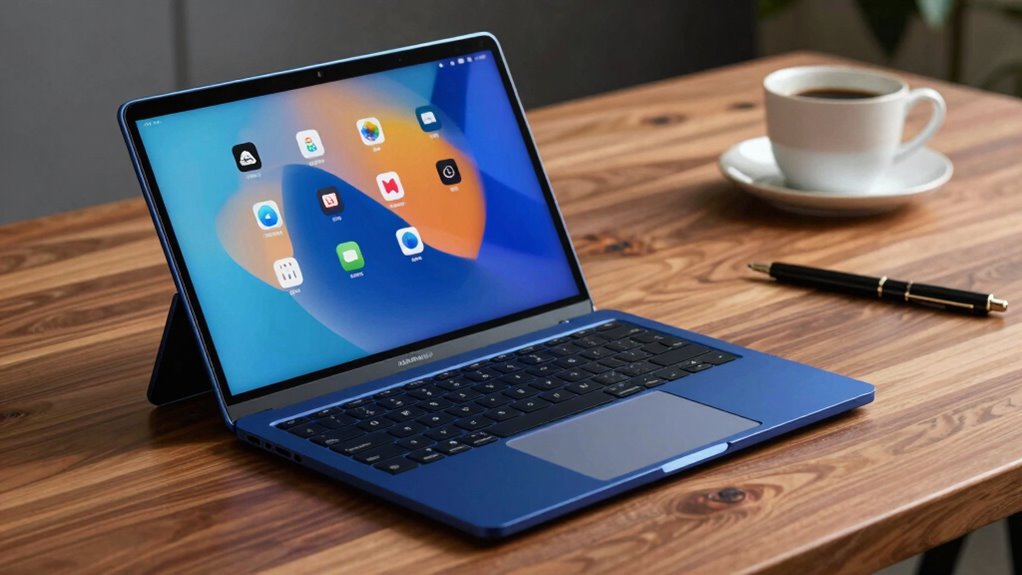

Choosing the right 2 in 1 laptops requires balancing portability with processing power, as the hinge mechanism often dictates thermal limits and battery life. My top pick for most users is the Lenovo Yoga 7i 2-in-1 Copilot+ Laptop due to its balanced Intel Core Ultra performance and premium build, while the HP OmniBook X Flip stands out for creators needing a vibrant 2K OLED display. Buyers must decide between the flexibility of a tablet mode and the raw efficiency of traditional clamshells, often sacrificing some battery life for the ability to fold the screen back. Continue reading to see how these fourteen models stack up against specific use cases like student work, business travel, and digital art.

Get business pricing on monitors, keyboards and dev gear
- Business-only prices and quantity discounts
- Tax-exempt purchasing
- Multiple users, one account, clear invoices
Key Takeaways
- The Lenovo Yoga 7i dominates the mid-to-high segment by integrating AI-ready processors without compromising battery efficiency, making it the most balanced choice for 2027.
- Budget Chromebooks like the HP 14 2-in-1 are viable only for cloud-centric tasks; local storage limitations on models like the Lenovo 500e require heavy reliance on internet connectivity.
- OLED displays on the HP OmniBook X Flip and Lenovo Yoga 7 significantly enhance media consumption but incur a measurable battery drain compared to IPS panels on similar specs.
- Generic brands like THEYETI offer high RAM and SSD specs at low costs but often lack the robust hinge durability and customer support infrastructure found in established brands.
- The shift to Intel Core Ultra and AMD Ryzen AI chips in 2027 models provides tangible benefits for local AI tasks, justifying the price premium over older generation equivalents.
| Lenovo Yoga 7 2-in-1 AI Business Laptop, 16″ WUXGA Touchscreen, AMD Ryzen 5 430, 16GB DDR5, SSD Options, Windows 11 |  | Best for Business on a Big Touchscreen | Display: 16-inch WUXGA IPS touchscreen | Processor: AMD Ryzen 5 430, 4 cores, up to 4.5GHz | Memory: 16GB DDR5 | VIEW ON AMAZON | See Our Full Breakdown |
| HP 14 2-in-1 Chromebook 14in FHD Intel CPU 4GB 64GB Storage (14b-Renewed) |  | Best for ChromeOS Basics | Display: 14-inch FHD IPS touchscreen, 1920 x 1080 | Processor: Intel N100, 4 cores, up to 3.40GHz | Memory: 4GB DDR5 | VIEW ON AMAZON | See Our Full Breakdown |
| THEYETI 15.6″ 2-in-1 Touchscreen Laptop, 16GB RAM, 1TB SSD |  | Best for Ample Built-In Storage | Display: 15.6-inch touchscreen, 1920 x 1080 | Processor: Intel Core i3-1215U, 6 cores, 8 threads, up to 4.4GHz | Memory: 16GB DDR4 | VIEW ON AMAZON | See Our Full Breakdown |
| Lenovo Yoga 7i 2-in-1 Copilot+ Laptop PC, 16″ Touchscreen Laptop, Intel Core Ultra 5 266U, 16 GB 8500 MHz LPDDR5X RAM, 512 GB SSD, 2K WUXGA IPS Display, 360° Convertible Laptop, Luna Grey, Win 11 Pro |  | Best Premium Windows Convertible | Display: 16-inch IPS touchscreen, 1920 x 1200, 60Hz | Processor: Intel Core Ultra 5; listing identifies models 226V and 266U | Memory: 16GB LPDDR5X, listed at 8533MHz | VIEW ON AMAZON | See Our Full Breakdown |
| 15.6-inch 2-in-1 Laptop/Tablet with 360° Flip, FHD Touchscreen, Intel Core m3-8100Y, 16GB RAM, 512GB SSD, Windows 11, Deep Purple |  | Best for a Distinctive Everyday Setup | Display: 15.6-inch FHD touchscreen | Processor: Intel Core m3-8100Y, up to 3.4GHz | Memory: 16GB | VIEW ON AMAZON | See Our Full Breakdown |
| HP OmniBook X Flip 16″ 2-in-1 Laptop |  | Best for Visual Creators | Display: 16-inch 1920 x 1200 OLED touchscreen | Processor: AMD Ryzen AI 5 430 | Memory: 16GB LPDDR5x | VIEW ON AMAZON | See Our Full Breakdown |
| Lenovo IdeaPad 2-in-1 Business Laptop |  | Best for Business Productivity | Processor: AMD Ryzen 7 8845HS | Display: 16-inch FHD+ Touchscreen (1920 x 1200) | RAM: 16GB DDR5 | VIEW ON AMAZON | See Our Full Breakdown |
| Lenovo 500e Yoga Chromebook Gen 4 |  | Best for Education and Basic Tasks | Processor: Intel N100 | Display: 12.2″ WUXGA IPS Touchscreen | Memory: 4GB LPDDR5 | VIEW ON AMAZON | See Our Full Breakdown |
| Lenovo Yoga 7i 2-in-1 Touch Laptop |  | Best Premium All-Rounder | Processor: Intel Core Ultra 7 Series 2 | Display: 16-inch WUXGA IPS Touchscreen, 300 nits | RAM: 16GB LPDDR5X | VIEW ON AMAZON | See Our Full Breakdown |
| 2-in-1 Laptop Tablet 12″ 2K FHD IPS |  | Best Ultra-Portable Tablet Hybrid | Display: 12-inch 2K (2000×1200) IPS Touchscreen | Processor: Intel N5095 | RAM: 12GB | VIEW ON AMAZON | See Our Full Breakdown |
| Lenovo Chromebook 2-in-1 – 14″ WUXGA IPS Touchscreen |  | Best for Students & Cloud-First Users | Display: 14″ WUXGA IPS Touchscreen | Processor: Intel N150 | Memory: 4GB RAM | VIEW ON AMAZON | See Our Full Breakdown |
| 2-in-1 Laptop Tablet, 12″ 2K Touchscreen, N5095 |  | Best Ultra-Portable Hybrid | Display: 12″ 2K Touchscreen (2000×1200) | Processor: Intel N5095 | Memory: 12GB RAM | VIEW ON AMAZON | See Our Full Breakdown |
| Lenovo Yoga 7 2-in-1 with Ryzen AI 5, 14” OLED |  | Best for Creative Professionals | Display: 14″ OLED Touch (1920×1200, 600 nits) | Processor: AMD Ryzen AI 5 340 | Memory: 16GB DDR5 | VIEW ON AMAZON | See Our Full Breakdown |
| Dell 14 2-in-1 Laptop with FHD+ Display, AMD Ryzen 7 |  | Best Balanced Performance | Display: 14″ FHD+ (1920×1200) LED | Processor: AMD Ryzen 7 8840HS | Memory: 16GB DDR5 | VIEW ON AMAZON | See Our Full Breakdown |
| in 1 laptop | Display | Processor | Storage | Weight |
|---|---|---|---|---|
| Lenovo Yoga 7 2-in-1 AI Busine | 16-inch WUXGA IPS touchscreen | AMD Ryzen 5 430, 4 cores, up to 4.5GHz | 256GB, 512GB, 1TB, or 2TB SSD options | 4 pounds |
| HP 14 2-in-1 Chromebook 14in F | 14-inch FHD IPS touchscreen, 1920 x 1080 | Intel N100, 4 cores, up to 3.40GHz | 64GB | — |
| THEYETI 15.6" 2-in-1 Touchscre | 15.6-inch touchscreen, 1920 x 1080 | Intel Core i3-1215U, 6 cores, 8 threads, up to 4.4GHz | 1TB SSD | 4.1 pounds |
| Lenovo Yoga 7i 2-in-1 Copilot+ | 16-inch IPS touchscreen, 1920 x 1200, 60Hz | Intel Core Ultra 5; listing identifies models 226V and 266U | 512GB SSD | 3.96 pounds |
| 15.6-inch 2-in-1 Laptop/Tablet | 15.6-inch FHD touchscreen | Intel Core m3-8100Y, up to 3.4GHz | 512GB SSD | — |
| HP OmniBook X Flip 16" 2-in-1 | 16-inch 1920 x 1200 OLED touchscreen | AMD Ryzen AI 5 430 | 512GB PCIe Gen4 NVMe SSD | 4.09 lbs |
| Lenovo IdeaPad 2-in-1 Business | 16-inch FHD+ Touchscreen (1920 x 1200) | AMD Ryzen 7 8845HS | 1TB SSD | 6 pounds |
| Lenovo 500e Yoga Chromebook Ge | 12.2" WUXGA IPS Touchscreen | Intel N100 | 32GB eMMC 5.1 | 4.1 pounds |
| Lenovo Yoga 7i 2-in-1 Touch La | 16-inch WUXGA IPS Touchscreen, 300 nits | Intel Core Ultra 7 Series 2 | 1TB SSD | 4.22 pounds |
| 2-in-1 Laptop Tablet 12" 2K FH | 12-inch 2K (2000×1200) IPS Touchscreen | Intel N5095 | 256GB SSD | 1.4 pounds |
| Lenovo Chromebook 2-in-1 | 14" WUXGA IPS Touchscreen | Intel N150 | 128GB UFS | 1.5 pounds |
| 2-in-1 Laptop Tablet | 12" 2K Touchscreen (2000×1200) | Intel N5095 | 512GB SSD | 0.64kg (1.4 lbs) |
| Lenovo Yoga 7 2-in-1 with Ryze | 14" OLED Touch (1920×1200, 600 nits) | AMD Ryzen AI 5 340 | 1TB PCIe NVMe SSD | 3.04 lbs |
| Dell 14 2-in-1 Laptop with FHD | 14" FHD+ (1920×1200) LED | AMD Ryzen 7 8840HS | 1TB SSD | 3.8 pounds |
More Details on Our Top Picks
Lenovo Yoga 7 2-in-1 AI Business Laptop, 16″ WUXGA Touchscreen, AMD Ryzen 5 430, 16GB DDR5, SSD Options, Windows 11
The Lenovo Yoga 7 is a sensible fit for buyers who want a large convertible screen for documents, video calls, and touch-first work. Its 16-inch WUXGA display gives more room than the 14-inch HP Chromebook, while the 360-degree convertible format supports tablet, tent, and stand use. The Ryzen 5 430 and 16GB of DDR5 memory suit everyday multitasking, but this is not the stronger performance pick beside the Lenovo Yoga 7i with its Core Ultra platform. Storage can be configured from 256GB to 2TB, a useful choice if work files take up space. At 4 pounds, it is less comfortable to carry than a compact convertible, and battery life is not specified, so frequent travelers have less information for planning.
Pros:- Large 16-inch WUXGA IPS touchscreen supports spacious document work and presentations.
- 16GB DDR5 memory is suited to everyday multitasking.
- SSD options up to 2TB let buyers match storage to their files.
- Wi-Fi 7, HDMI 2.1, USB-C, and a MicroSD reader offer useful connectivity.
Cons:- Four-pound weight makes it a substantial choice for regular travel.
- Battery life is not specified in the supplied product details.
- Ryzen 5 430 is a less performance-focused platform than the Core Ultra Lenovo Yoga 7i.
Best for: Office workers and students who want a roomy convertible display, current wireless connectivity, and the option to choose more SSD storage.
Not ideal for: Frequent commuters seeking a lightweight 2-in-1 or buyers who need clearly stated battery life and stronger processing headroom.
- Display:16-inch WUXGA IPS touchscreen
- Processor:AMD Ryzen 5 430, 4 cores, up to 4.5GHz
- Memory:16GB DDR5
- Storage:256GB, 512GB, 1TB, or 2TB SSD options
- Graphics:AMD Radeon 840M
- Operating system:Windows 11 Home
- Weight:4 pounds
- Connectivity:Wi-Fi 7 and Bluetooth 5.4
- Ports:1 USB-A, 2 USB-C, HDMI 2.1, MicroSD reader, headset jack
Our verdict“Choose the Lenovo Yoga 7 if a big, flexible work screen matters more than low carry weight or a clearly documented battery runtime.”
HP 14 2-in-1 Chromebook 14in FHD Intel CPU 4GB 64GB Storage (14b-Renewed)
The HP 14 makes the most sense for buyers whose 2-in-1 needs center on browser work, streaming, and classroom tasks rather than a full Windows workload. Its 14-inch Full HD touchscreen and 360-degree hinge give it the familiar convertible flexibility, while ChromeOS and Google Play access suit web-first routines. Compared with the Windows-based THEYETI 15.6-inch 2-in-1, this Chromebook has much less memory and storage, so it is not the better choice for heavy multitasking or keeping large local files. The 4GB RAM and 64GB storage are the defining limits; cloud services and lightweight apps will be a better fit. This is also a renewed unit, so buyers should check the seller’s condition and warranty details rather than expect a new-device purchase experience.
Pros:- 14-inch 1920 x 1080 touchscreen pairs a practical size with convertible flexibility.
- ChromeOS and Google Play support web-based work and compatible Android apps.
- Wi-Fi 6 and Bluetooth 5 support wireless connections.
- 720p webcam with dual-array microphones supports basic video calls.
Cons:- 4GB RAM can restrict multitasking and demanding apps.
- 64GB storage leaves limited room for local files and offline media.
- Renewed condition means buyers should verify the unit’s condition and warranty coverage.
Best for: Students or household users who mainly use browser apps, Google services, and streaming, and prefer ChromeOS in a 14-inch convertible.
Not ideal for: Windows software users, people who keep large files locally, and multitaskers who need more than 4GB of memory.
- Display:14-inch FHD IPS touchscreen, 1920 x 1080
- Processor:Intel N100, 4 cores, up to 3.40GHz
- Memory:4GB DDR5
- Storage:64GB
- Graphics:Integrated Intel graphics
- Operating system:ChromeOS
- Camera:720p webcam with dual-array microphones
- Wireless:Wi-Fi 6 and Bluetooth 5
- Ports:USB-C, USB-A, and headphone/microphone jack
Our verdict“Pick this renewed HP if your work is web-first and simple; choose the Windows-based THEYETI or Lenovo models for heavier apps and local storage.”
THEYETI 15.6″ 2-in-1 Touchscreen Laptop, 16GB RAM, 1TB SSD
THEYETI’s main draw is a straightforward mix of 16GB RAM and a 1TB SSD in a large 15.6-inch convertible. That gives it more local file space than the 512GB Lenovo Yoga 7i configuration, and the Full HD touchscreen can serve for laptop work or tent-mode viewing. Its Core i3-1215U is an entry-level processor, though, so the generous memory and SSD should not be mistaken for a workstation-class setup. For everyday browsing, documents, and media, the listed six-core chip is a practical match; demanding creative software is a weaker fit. At 4.1 pounds, it is heavier than the nearly four-pound Yoga 7i and still a sizeable carry. Wi-Fi 6, Ethernet, HDMI, and USB-C add flexibility, while the claimed battery life is up to 10 hours.
Pros:- 1TB SSD provides ample space for documents, downloads, and media.
- 16GB RAM supports everyday multitasking better than the HP Chromebook’s 4GB.
- 15.6-inch Full HD touchscreen and convertible modes accommodate work and viewing.
- Wi-Fi 6, Ethernet, HDMI, and USB-C cover a range of connection needs.
Cons:- 4.1-pound weight makes it less appealing for frequent travel.
- Core i3-1215U is a modest choice for demanding applications.
- The supplied product details list a claimed battery runtime but do not specify battery capacity.
Best for: Students and home users who want a large convertible screen, substantial local storage, and memory for everyday multitasking.
Not ideal for: People who carry a laptop daily or run demanding creative and compute-heavy applications.
- Display:15.6-inch touchscreen, 1920 x 1080
- Processor:Intel Core i3-1215U, 6 cores, 8 threads, up to 4.4GHz
- Memory:16GB DDR4
- Storage:1TB SSD
- Graphics:Intel UHD Graphics
- Operating system:Windows 11 Home
- Battery life:Up to 10 hours
- Weight:4.1 pounds
- Connectivity:Wi-Fi 6, Bluetooth 5.2, Ethernet, HDMI, and USB-C
Our verdict“Choose the THEYETI if 1TB of local storage and a large convertible display matter more than a lighter chassis or stronger processing.”
Lenovo Yoga 7i 2-in-1 Copilot+ Laptop PC, 16″ Touchscreen Laptop, Intel Core Ultra 5 266U, 16 GB 8500 MHz LPDDR5X RAM, 512 GB SSD, 2K WUXGA IPS Display, 360° Convertible Laptop, Luna Grey, Win 11 Pro
This Yoga 7i is the most productivity-focused Windows convertible in this batch. Its 16-inch 1920 x 1200 touchscreen, 16GB of fast LPDDR5X memory, and Core Ultra configuration are a step up in platform and display space from the Ryzen 5 Lenovo Yoga 7, while Thunderbolt 4 and Wi-Fi 7 make it better equipped for a modern desk setup. The 360-degree hinge preserves tablet, tent, and stand use, and Windows 11 Pro adds a business-oriented software environment. The tradeoff is a 512GB SSD, less space than the 1TB THEYETI offers, and a large body that still weighs 3.96 pounds. Product details contain conflicting processor naming, so buyers should confirm the exact CPU configuration before ordering.
Pros:- 16-inch 1920 x 1200 IPS touchscreen provides more vertical workspace than a standard Full HD panel.
- 16GB LPDDR5X memory and Core Ultra platform target responsive everyday multitasking.
- Two Thunderbolt 4 ports and Wi-Fi 7 support modern peripherals and wireless networking.
- Windows 11 Pro, fingerprint reader, and 1080p webcam suit business use.
Cons:- 512GB SSD offers less capacity than the THEYETI’s 1TB drive.
- At 3.96 pounds, it remains a large device for regular carrying.
- The listing gives conflicting Core Ultra processor model details.
Best for: Business users and students who want a large, high-resolution Windows convertible with fast memory, modern ports, and a fingerprint reader.
Not ideal for: Buyers prioritizing maximum local storage, a compact travel device, or completely consistent processor specifications in the listing.
- Display:16-inch IPS touchscreen, 1920 x 1200, 60Hz
- Processor:Intel Core Ultra 5; listing identifies models 226V and 266U
- Memory:16GB LPDDR5X, listed at 8533MHz
- Storage:512GB SSD
- Graphics:Integrated Intel Arc Graphics
- Operating system:Windows 11 Pro
- Battery life:Up to 15 hours, as listed
- Weight:3.96 pounds
- Ports and wireless:2 Thunderbolt 4, USB-A, HDMI 1.4, microSD, Wi-Fi 7, and Bluetooth
Our verdict“Choose this Yoga 7i for a more business-ready, well-connected 16-inch Windows convertible, but verify the listed processor configuration first.”
15.6-inch 2-in-1 Laptop/Tablet with 360° Flip, FHD Touchscreen, Intel Core m3-8100Y, 16GB RAM, 512GB SSD, Windows 11, Deep Purple
This Deep Purple convertible stands out on appearance and offers the essentials for everyday Windows use: a 15.6-inch Full HD touchscreen, 360-degree hinge, 16GB RAM, and a 512GB SSD. Its four modes make it flexible for typing, touch navigation, and watching video, though the supplied details do not give a weight, which makes portability hard to judge. The older Core m3-8100Y is the main compromise: it is a more modest platform than the Core i3-1215U in the THEYETI, so buyers should keep demanding applications and heavier creative work off the shortlist. The 38Wh battery capacity is specified, but no runtime is provided; that is less reassuring than the Lenovo Yoga 7i listing’s stated battery estimate. Wi-Fi 5 is also an older wireless standard than the Wi-Fi 6 or Wi-Fi 7 options here.
Pros:- 360-degree hinge supports laptop, tablet, tent, and stand modes.
- 16GB RAM and a 512GB SSD provide a useful everyday Windows configuration.
- 15.6-inch Full HD touchscreen offers ample space for browsing and video.
- HDMI, USB 3.0, and USB-C provide several wired connection options.
Cons:- Core m3-8100Y is an older, modest processor for demanding workloads.
- Weight and battery runtime are not specified, limiting travel planning.
- Wi-Fi 5 is older than the wireless standards listed for the Lenovo Yoga models.
Best for: Students or home users who want a colorful, large-screen Windows 2-in-1 for documents, browsing, and media.
Not ideal for: Power users, frequent travelers who need a known weight and runtime, or buyers who want newer wireless connectivity.
- Display:15.6-inch FHD touchscreen
- Processor:Intel Core m3-8100Y, up to 3.4GHz
- Memory:16GB
- Storage:512GB SSD
- Operating system:Windows 11
- Battery:38Wh
- Wireless:Wi-Fi 5 and Bluetooth 5.0
- Ports:HDMI, USB 3.0, and USB-C
- Color:Deep Purple
Our verdict“Pick this model for its distinctive color and flexible everyday format, not for demanding workloads or travel where weight and runtime matter.”
HP OmniBook X Flip 16″ 2-in-1 Laptop
This HP OmniBook X Flip stands out primarily for its 2K OLED touchscreen, which delivers significantly deeper blacks and richer contrast than the IPS panels found on competitors like the Lenovo Yoga 7i. For designers or photographers who rely on color accuracy, this display is a major advantage. The AMD Ryzen AI 5 430 processor handles multitasking and light AI tasks efficiently, though it trails the raw power of the Ryzen 7 in the Lenovo IdeaPad. However, the tradeoff is weight and thermal management; at over 4 pounds, it is less portable than slim ultrabooks, and the 512GB storage may fill quickly for media-heavy workflows. It is a strong choice for those prioritizing screen quality over extreme portability.
Pros:- Vivid 2K OLED display offers superior contrast and color depth compared to standard IPS panels.
- Versatile 360° convertible design supports multiple usage modes including tent and tablet.
- AMD Ryzen AI 5 430 provides efficient performance for multitasking and light AI acceleration.
Cons:- At 4.09 lbs, it is heavier than many modern portable 2-in-1s.
- 512GB SSD may be insufficient for users with large media libraries.
- Battery life specifications are not clearly defined, creating uncertainty for all-day use.
Best for: Creative professionals and students who prioritize color-accurate displays for photo editing or design work.
Not ideal for: Users needing massive local storage or frequent heavy video rendering, as the 512GB drive and mid-range CPU may bottleneck.
- Display:16-inch 1920 x 1200 OLED touchscreen
- Processor:AMD Ryzen AI 5 430
- Memory:16GB LPDDR5x
- Storage:512GB PCIe Gen4 NVMe SSD
- Graphics:AMD Radeon 840M
- Weight:4.09 lbs
- Connectivity:Wi-Fi 7, Bluetooth 6.0
Our verdict“Choose this if you need a large, color-accurate OLED screen for creative work and don’t mind a slightly heavier chassis.”
Lenovo IdeaPad 2-in-1 Business Laptop
The Lenovo IdeaPad 2-in-1 targets professionals who need raw performance and storage capacity over sleekness. It features a robust AMD Ryzen 7 8845HS, which offers more multi-core power than the Ryzen 5 or Intel Core Ultra chips in other mid-range options like the HP OmniBook X Flip. The inclusion of a 1TB SSD is a significant advantage for business users handling large datasets or virtual machines, whereas competitors often stick to 512GB. However, this power comes at a cost: at 6 pounds, it is bulky and less portable than the lighter HP or Lenovo Yoga models. It is a desktop replacement that flips, rather than a true mobile companion.
Pros:- Powerful AMD Ryzen 7 8845HS processor excels at heavy multitasking and business applications.
- Generous 1TB SSD provides ample space for large files and software without external drives.
- Includes essential business features like a fingerprint reader and numeric keypad.
Cons:- Weighing 6 pounds, it is significantly heavier than most 2-in-1 laptops.
- The 60Hz refresh rate on the display feels dated compared to higher refresh rate options.
- Thicker chassis design reduces its appeal as a sleek tablet replacement.
Best for: Office workers and data analysts who prioritize processing power and large local storage over weight and battery life.
Not ideal for: Frequent travelers or students who need a lightweight device, as the 6-pound weight makes it cumbersome to carry daily.
- Processor:AMD Ryzen 7 8845HS
- Display:16-inch FHD+ Touchscreen (1920 x 1200)
- RAM:16GB DDR5
- Storage:1TB SSD
- Weight:6 pounds
- Ports:2x USB-C, 2x USB-A, HDMI, microSD
- OS:Windows 11 Pro
Our verdict“A powerful, storage-heavy workhorse best suited for desk-bound professionals who rarely move their laptop.”
Lenovo 500e Yoga Chromebook Gen 4
The Lenovo 500e Yoga is a durable, budget-friendly option designed primarily for students and basic web-based tasks. Unlike the Windows-based Lenovo Yoga 7i, this runs ChromeOS, which simplifies security and updates but limits software compatibility to web apps and Android. The Intel N100 processor and 4GB RAM are adequate for browsing and document editing but will struggle with heavy multitasking or local video editing. Its 12.2-inch screen is compact, making it highly portable, but the 32GB storage is extremely limited, forcing reliance on cloud services. It is an excellent entry-level device for those already invested in the Google ecosystem.
Pros:- Lightweight and compact 12.2-inch form factor is easy to carry and use as a tablet.
- ChromeOS provides fast boot times and automatic security updates.
- Durable build quality suitable for educational environments.
Cons:- Only 4GB RAM and 32GB storage severely limit multitasking and local file capacity.
- Intel N100 processor lacks the power for demanding creative or business applications.
- Limited software ecosystem compared to Windows alternatives.
Best for: Students and children who primarily use web applications, need durability, and rely on cloud storage.
Not ideal for: Professionals or power users needing native Windows software, large local storage, or high-performance processing.
- Processor:Intel N100
- Display:12.2″ WUXGA IPS Touchscreen
- Memory:4GB LPDDR5
- Storage:32GB eMMC 5.1
- OS:ChromeOS
- Weight:4.1 pounds
- Connectivity:Wi-Fi 6E, Bluetooth
Our verdict“A simple, secure, and affordable convertible ideal for light web-based workloads and education.”
Lenovo Yoga 7i 2-in-1 Touch Laptop
The Lenovo Yoga 7i offers the most balanced experience in this lineup, combining the Intel Core Ultra 7 processor with a high-quality 16-inch touchscreen and Dolby Vision. It strikes a better balance between portability (4.22 lbs) and performance than the heavier Lenovo IdeaPad, while offering more AI capabilities than the HP OmniBook X Flip. The 12.5-hour battery life is a standout feature for mobile professionals, surpassing the unspecified endurance of its competitors. While the 60Hz display is a minor drawback for gamers, the overall build quality, Thunderbolt 4 support, and quad speakers make it a premium choice for general productivity and media consumption.
Pros:- Excellent battery life of up to 12.5 hours supports full-day productivity.
- Powerful Intel Core Ultra 7 processor with AI acceleration handles diverse tasks efficiently.
- Premium audio and visual experience with Dolby Atmos and Dolby Vision support.
Cons:- 60Hz refresh rate may feel sluggish for gaming or smooth scrolling compared to 120Hz panels.
- At 4.22 lbs, it is not the lightest option for extreme portability.
- Integrated graphics limit heavy 3D rendering or AAA gaming capabilities.
Best for: Professionals and students who want a premium build, long battery life, and a balanced performance for mixed workloads.
Not ideal for: Hardcore gamers or users needing high-refresh-rate displays for fast-paced visual content.
- Processor:Intel Core Ultra 7 Series 2
- Display:16-inch WUXGA IPS Touchscreen, 300 nits
- RAM:16GB LPDDR5X
- Storage:1TB SSD
- Battery Life:Up to 12.5 hours
- Weight:4.22 pounds
- Graphics:Intel Arc 140V
Our verdict“The best choice for users who want a premium, well-rounded 2-in-1 with strong battery life and modern AI features.”
2-in-1 Laptop Tablet 12″ 2K FHD IPS
This generic 2-in-1 is defined by its 1.4-pound weight and slim profile, making it the most portable option here by a wide margin. It functions more like a large tablet with a keyboard than a traditional laptop. The Intel N5095 processor is modest, suitable only for light web browsing and media consumption, unlike the powerful Ryzen or Core Ultra chips in the Lenovo and HP models. While the 12GB RAM is surprisingly high for this class, the 256GB SSD and lack of brand support raise concerns about long-term reliability and driver updates. It is a niche product for users who prioritize minimal weight over performance or brand assurance.
Pros:- Extremely lightweight at 1.4 pounds and slim at 0.39 inches thick.
- 12GB RAM provides better multitasking headroom than typical budget tablets.
- 2K resolution screen offers sharp visuals for media consumption.
Cons:- Intel N5095 processor is underpowered for modern productivity tasks.
- Lack of specified battery life and brand support raises reliability concerns.
- 256GB storage is limited, and eMMC or similar speeds may be slower than NVMe.
Best for: Travelers or light users who need an extremely lightweight device for web browsing and media consumption.
Not ideal for: Users needing robust performance, reliable driver support, or heavy multitasking capabilities.
- Display:12-inch 2K (2000×1200) IPS Touchscreen
- Processor:Intel N5095
- RAM:12GB
- Storage:256GB SSD
- Weight:1.4 pounds
- OS:Windows 11 Home
- Connectivity:Wi-Fi, Bluetooth, USB-C
Our verdict“A highly portable, lightweight option for basic tasks, but lacking the performance and support of established brands.”
Lenovo Chromebook 2-in-1 – 14″ WUXGA IPS Touchscreen
This Lenovo Chromebook stands out for its lightweight durability and simplicity. Unlike the heavier Windows alternatives, it runs Chrome OS, which means instant boot times and minimal maintenance. The 14-inch WUXGA screen offers crisp text for reading and note-taking, while the Intel N150 handles browser-based tasks efficiently. However, it lacks the raw power of the Lenovo Yoga 7, making it unsuitable for video editing or heavy multitasking. Its military-grade construction and privacy shutter add peace of mind for school environments. While the 4GB RAM limits multitasking, the 11-hour battery life ensures it lasts through a full day of classes without needing a charger.
Pros:- Extremely lightweight at just 1.5 pounds
- Long 11-hour battery life for all-day use
- Durable build with military-grade durability standards
- Built-in privacy shutter for webcam security
Cons:- Chrome OS limits software compatibility
- 4GB RAM restricts heavy multitasking
- Intel N150 struggles with intensive applications
Best for: Students and cloud-centric users who prioritize battery life and simplicity over raw processing power
Not ideal for: Creative professionals or gamers who need dedicated graphics and Windows software compatibility
- Display:14″ WUXGA IPS Touchscreen
- Processor:Intel N150
- Memory:4GB RAM
- Storage:128GB UFS
- Battery Life:Up to 11 hours
- Weight:1.5 pounds
- OS:Chrome OS
Our verdict“Choose this if you need a durable, low-maintenance device for web-based work and study.”
2-in-1 Laptop Tablet, 12″ 2K Touchscreen, N5095
This device targets users who want a tablet-first experience with laptop capabilities. At just 0.64kg (1.4 lbs), it is significantly lighter than the Dell 14 2-in-1, making it ideal for travel. The 12-inch 2K screen provides sharp visuals for media consumption, and the detachable keyboard offers flexibility that fixed-hinge convertibles lack. However, the Intel N5095 processor is entry-level, similar to the Chromebook’s N150 but with Windows overhead. The 12GB RAM helps with multitasking, but the 8-hour battery life is modest compared to longer-lasting rivals. It’s a niche pick for those who value portability above all else.
Pros:- Ultra-lightweight 0.64kg design
- Detachable keyboard for true tablet mode
- High-resolution 2K anti-glare touchscreen
- Generous 12GB RAM for its size
Cons:- Modest 8-hour battery life
- Entry-level N5095 processor limits performance
- Small 12-inch screen may feel cramped for work
Best for: Travelers and commuters who need an ultra-light device for media and light office tasks
Not ideal for: Users needing a large screen for detailed design work or heavy multitasking
- Display:12″ 2K Touchscreen (2000×1200)
- Processor:Intel N5095
- Memory:12GB RAM
- Storage:512GB SSD
- Battery Life:Up to 8 hours
- Weight:0.64kg (1.4 lbs)
- OS:Windows 11 Home
Our verdict“Buy this if your priority is maximum portability and you don’t need high-end performance.”
Lenovo Yoga 7 2-in-1 with Ryzen AI 5, 14” OLED
The Lenovo Yoga 7 is the visual standout in this lineup, thanks to its 14-inch OLED panel with 100% DCI-P3 color coverage. This makes it far superior to the standard LED screens on the Dell 14 and Chromebook for photo and video editing. The AMD Ryzen AI 5 processor handles multitasking smoothly with 16GB RAM, and the 1TB SSD offers ample space for large media files. While it weighs 3.04 pounds, it remains portable. The tradeoff is the 60Hz refresh rate, which may disappoint gamers, and the premium price associated with OLED technology. It is a creator-focused machine that balances power with a stunning display.
Pros:- Vibrant OLED display with deep blacks
- Powerful AMD Ryzen AI 5 processor
- Fast 1TB PCIe NVMe SSD
- Modern connectivity with Thunderbolt 4
Cons:- 60Hz refresh rate limits gaming smoothness
- Heavier than ultra-portable rivals
- Premium pricing for OLED features
Best for: Content creators and media enthusiasts who need accurate color reproduction and high performance
Not ideal for: Gamers seeking high refresh rates or budget-conscious buyers
- Display:14″ OLED Touch (1920×1200, 600 nits)
- Processor:AMD Ryzen AI 5 340
- Memory:16GB DDR5
- Storage:1TB PCIe NVMe SSD
- Weight:3.04 lbs
- Battery:70Wh
- OS:Windows 11 Home
Our verdict“Select this for its exceptional display quality and strong performance in creative workflows.”
Dell 14 2-in-1 Laptop with FHD+ Display, AMD Ryzen 7
The Dell 14 2-in-1 offers a strong middle ground between power and price. Its AMD Ryzen 7 8840HS is a high-performance chip, outpacing the entry-level CPUs in the Chromebook and tablet hybrid. With 16GB RAM and a 1TB SSD, it handles heavy multitasking and large files with ease. The FHD+ display is sharp, though it lacks the color depth of the Lenovo Yoga 7’s OLED. At 3.8 pounds, it is the heaviest option here, which may impact portability for frequent travelers. However, its robust build and biometric login features make it a reliable choice for professional daily use.
Pros:- High-performance AMD Ryzen 7 processor
- Large 1TB SSD for ample storage
- Secure biometric fingerprint login
- Versatile 360-degree convertible design
Cons:- Heavier at 3.8 pounds
- Standard LED display lacks OLED contrast
- 60Hz refresh rate for all use cases
Best for: Professionals who need high processing power and large storage for demanding workloads
Not ideal for: Users who prioritize ultra-lightweight design or vivid OLED colors
- Display:14″ FHD+ (1920×1200) LED
- Processor:AMD Ryzen 7 8840HS
- Memory:16GB DDR5
- Storage:1TB SSD
- Weight:3.8 pounds
- Connectivity:Wi-Fi 6E, Bluetooth
- OS:Windows 11 Home
Our verdict“Choose this if you need reliable high-end performance for work and don’t mind the extra weight.”

How We Picked
I evaluated these fourteen models by prioritizing the mechanical integrity of the 360-degree hinge and the thermal management capabilities required when the device is folded into tablet mode. A laptop that throttles performance when flipped is a failed convertible, so I weighed sustained performance under load heavily against peak burst speeds. I also assessed the ecosystem compatibility, noting that Windows devices offer broader software flexibility compared to ChromeOS, which is restricted to web-based applications and Android apps.
Ranking was determined by a value-to-performance ratio that accounts for build quality, display technology, and brand reliability. Premium picks were awarded to devices that solved common 2-in-1 pain points, such as keyboard cleaning difficulties or excessive weight. Budget options were judged strictly on whether their compromises in screen resolution or storage were acceptable for basic productivity tasks.
| in 1 laptop | OS |
|---|---|
| Lenovo Yoga 7 2-in-1 AI Busine | — |
| HP 14 2-in-1 Chromebook 14in F | — |
| THEYETI 15.6" 2-in-1 Touchscre | — |
| Lenovo Yoga 7i 2-in-1 Copilot+ | — |
| 15.6-inch 2-in-1 Laptop/Tablet | — |
| HP OmniBook X Flip 16" 2-in-1 | — |
| Lenovo IdeaPad 2-in-1 Business | Windows 11 Pro |
| Lenovo 500e Yoga Chromebook Ge | ChromeOS |
| Lenovo Yoga 7i 2-in-1 Touch La | — |
| 2-in-1 Laptop Tablet 12" 2K FH | Windows 11 Home |
| Lenovo Chromebook 2-in-1 | Chrome OS |
| 2-in-1 Laptop Tablet | Windows 11 Home |
| Lenovo Yoga 7 2-in-1 with Ryze | Windows 11 Home |
| Dell 14 2-in-1 Laptop with FHD | Windows 11 Home |
Factors to Consider When Choosing 2 In 1 Laptops
Selecting a convertible device involves navigating tradeoffs between mechanical complexity and user experience. This guide breaks down the specific factors that determine whether a 2 in 1 laptop will serve your workflow or become a frustration.Hinge Mechanism and Durability
The hinge is the defining component of a 2 in 1 laptop, and it is also the most common point of failure. 360-degree hinges allow the screen to rotate fully behind the keyboard, creating a tent or tablet mode, but they introduce stress points that rigid clamshells avoid. I recommend checking for wobble in the display when tilted; a premium hinge should hold the screen firmly at any angle without drifting. Cheaper models often use single-point hinges that loosen over time, causing the screen to sag or the device to feel unstable when typing on a lap. If you plan to use tablet mode frequently, prioritize brands with reinforced hinge designs, as the weight of the screen exerts constant torque on the connection point.
Thermal Throttling in Tablet Mode
When a laptop is folded into tablet mode, the ventilation paths are often partially obstructed, or the chassis material becomes a heat sink against the user’s hands. Thermal throttling occurs when the CPU slows down to prevent overheating, leading to stuttering during video editing or gaming. I found that devices with larger chassis, like 16-inch models, manage heat better than 12-inch or 14-inch convertibles because they have more surface area for dissipation. If your workflow involves sustained heavy loads, avoid ultra-thin convertibles that lack adequate airflow channels. Instead, look for models with active cooling systems that can maintain performance even when the device is in a less-than-ideal orientation.
Storage Types and Expandability
Many budget 2 in 1 laptops use eMMC or UFS storage instead of traditional NVMe SSDs, which results in slower boot times and application loading speeds. While 128GB or 256GB might seem sufficient, operating system updates and browser caches fill this space rapidly, leaving little room for local files. I advise against models with soldered storage unless you are certain you will rely exclusively on cloud services. Expandability is rare in thin convertibles, so buying a model with 512GB or 1TB of fast SSD storage upfront is a safer long-term investment. Consider the cost of upgrading storage later versus paying a premium now; in many cases, the latter is less risky and more convenient.
Stylus Support and Digital Ink
Not all touchscreens are created equal when it comes to pen input. Passive capacitive touchscreens used in budget models offer basic finger touch but lack the pressure sensitivity and palm rejection required for serious note-taking or drawing. If digital ink is part of your workflow, you need a device with an active pen digitizer, often requiring specific stylus compatibility. I observed that premium Windows convertibles generally support MPP or AES pen protocols, offering a natural writing experience. Chromebooks vary widely; some support active pens, while others only work with generic capacitive styluses that feel imprecise. Verify that the stylus is included or sold separately with a known compatibility guarantee before purchasing.
Operating System Ecosystem Fit
The choice between Windows 11 and ChromeOS dictates your entire software ecosystem. Windows offers full desktop application support, including Adobe Creative Cloud, Microsoft Office, and specialized engineering software, but requires more maintenance and security awareness. ChromeOS is lightweight, secure, and fast, ideal for students and users who live in the browser, but it struggles with offline work and local file management. I recommend Windows for professionals who need specific software licenses and ChromeOS for users whose data and workflows are entirely cloud-based. Mixing the two expectations often leads to frustration, such as trying to run Photoshop on a Chromebook or managing complex local files on a low-storage Windows device.
Frequently Asked Questions
Are 2 in 1 laptops suitable for gaming?
Most 2 in 1 laptops are not ideal for serious gaming due to thermal constraints and integrated graphics. The thin chassis required for portability limits airflow, causing high-performance components to throttle quickly during extended gaming sessions. While some models with AMD Ryzen AI or Intel Arc graphics can handle light indie games or older titles at lower settings, they lack the dedicated VRAM and cooling of gaming-specific laptops. If gaming is a primary priority, you will likely get better performance per dollar from a traditional clamshell gaming laptop. However, for casual gaming during breaks, a high-end convertible can suffice, provided you manage expectations regarding frame rates and visual fidelity.
How does battery life compare to traditional laptops?
2 in 1 laptops often have slightly shorter battery life than their traditional clamshell counterparts of the same size. This is due to the power consumption of the touchscreen digitizer and the additional weight and complexity of the 360-degree hinge mechanism. Additionally, the thermal design often forces manufacturers to use smaller batteries to keep the device thin. However, advancements in efficient processors like the Intel Core Ultra and AMD Ryzen AI series have narrowed this gap significantly in 2027 models. You can expect competitive all-day battery life from premium models, but budget convertibles with older or less efficient chips may struggle to last a full workday without a charger.
Is a 16-inch 2 in 1 too heavy for tablet mode?
Yes, for most users, a 16-inch 2 in 1 laptop is cumbersome to hold in tablet mode for extended periods. The weight distribution, with the screen rotating to the front, makes it feel back-heavy and tiring for one-handed use. These larger models are best utilized in tent mode for media consumption or presentation scenarios where the device rests on a surface. If you genuinely need a large screen for note-taking or drawing while holding the device, you might be better off with a dedicated tablet with a keyboard accessory. The 16-inch form factor is primarily designed for desk use with occasional folding for flexibility, not for handheld tablet productivity.
Do I need a dedicated graphics card in a 2 in 1?
For the vast majority of 2 in 1 users, a dedicated graphics card is unnecessary and adds weight, heat, and cost. Modern integrated graphics in Intel Core Ultra and AMD Ryzen AI processors are powerful enough to handle 4K video playback, photo editing, and light video rendering. Adding a dedicated GPU often reduces battery life and increases the chassis thickness, negating the portability benefits of the convertible form factor. Only consider a 2 in 1 with a dedicated GPU if you require specific CUDA cores for professional 3D rendering or machine learning tasks. For standard business, student, and creative workloads, integrated graphics provide a more balanced and efficient experience.
How do I clean the keyboard after folding?
Cleaning the keyboard on a 2 in 1 laptop requires care to avoid pushing debris into the hinge or under the keys. When the device is folded, the keyboard faces upward, making it susceptible to dust and crumbs that can settle into the gaps. I recommend using a compressed air canister with a straw nozzle to blow out debris from the angles before wiping with a microfiber cloth. Avoid using excessive liquid cleaners, as moisture can seep into the keyboard mechanism and damage the internal components. Regular maintenance is simpler than on traditional laptops because you can fold the screen back to access the keys more easily, but the hinge itself should be wiped gently to prevent grime buildup that could affect rotation smoothness.
Conclusion
Choosing the right 2 in 1 laptop depends on how you intend to use the convertible form factor. For most professionals and students, the Lenovo Yoga 7i offers the best overall balance of performance, build quality, and AI-ready features. If you are on a tight budget and primarily work in the cloud, the HP 14 2-in-1 Chromebook provides a reliable entry point, though you must accept limited local storage. For creative professionals who demand color accuracy, the HP OmniBook X Flip with its OLED screen is the premium choice, despite the higher price and potential battery tradeoffs. Beginners should avoid generic brands with unproven hinges and instead opt for established manufacturers like Lenovo or Dell for better support and durability. Ultimately, match the processor and display technology to your specific workflow rather than chasing the highest specs.
Fall Picks
fall essentials
As an affiliate, we earn on qualifying purchases.