Finding the right 4k monitor for a MacBook involves balancing display quality, connectivity, and usability. The BenQ MA270U stands out for its excellent color accuracy and adjustable stand, making it ideal for creative professionals. The INNOCN 27″ 4K 120Hz HDR500 offers smooth performance with a high refresh rate and HDR support, perfect for multimedia use. However, buyers face tradeoffs between price, size, and features like color accuracy or refresh rate. Keep reading for a detailed comparison to help you choose the best fit for your needs.

Get business pricing on monitors, keyboards and dev gear
- Business-only prices and quantity discounts
- Tax-exempt purchasing
- Multiple users, one account, clear invoices
Key Takeaways
- Top-ranking monitors balance color accuracy with connectivity options like USB-C, which is essential for MacBook users.
- Larger screens, such as 32-inch models, provide more workspace but often come at a higher price or bulkier design.
- High refresh rates (120Hz+) are mainly relevant for multimedia and gaming, but most productivity tasks don’t require it.
- HDR support varies widely; higher HDR levels generally mean better visuals but also higher cost.
- Adjustable stands and ergonomic features significantly improve usability, especially for long work sessions.
| BenQ MA270U 27” 4K Monitor for MacBook – USB-C, P3 Color Gamut, Adjustable Stand |  | Best Overall for MacBook Users | Display Size: 27 inches | Resolution: 3840×2160 (4K) | Color Gamut: P3 | VIEW ON AMAZON | See Our Full Breakdown |
| INNOCN 27″ 4K 120Hz HDR500 USB-C Monitor for MacBook and Mac mini – IPS, DeltaE<1, DP1.4, HDMI 2.1, Pivot Stand, CB27U1 |  | Best for Professional Creators and Designers | Display Size: 27 inches | Resolution: 3840 x 2160 pixels | Display Technology: IPS | VIEW ON AMAZON | See Our Full Breakdown |
| Dell 27 Monitor S2725QS 4K UHD IPS, 120Hz, FreeSync Premium |  | Best for Versatile Work and Entertainment | Size: 27 inches | Resolution: 4K UHD | Panel Type: IPS | VIEW ON AMAZON | See Our Full Breakdown |
| BenQ MA320U 32” 4K Monitor for MacBook with USB-C, P3 Color Gamut, Adjustable Stand |  | Best Large Screen for Creative Professionals | Screen Size: 32 inches | Resolution: 3840×2160 (4K) | Color Gamut: P3 | VIEW ON AMAZON | See Our Full Breakdown |
| Samsung 32-Inch Flat Computer Monitor |  | Best for Multi-tasking and General Use | Size: 32 inches | Display Type: Flat | Border: Three-sided borderless | VIEW ON AMAZON | See Our Full Breakdown |
| Dell 27 Monitor S2725QC 4K UHD IPS, 120Hz, FreeSync Premium |  | Best Overall for Versatile 4K Performance | Display Size: 27 inches | Resolution: 3840 x 2160 (4K UHD) | Display Technology: LED IPS | VIEW ON AMAZON | See Our Full Breakdown |
| Dell 32 Monitor S3225QS 4K UHD VA, 120Hz, FreeSync Premium, Eye Comfort |  | Best for Large Screen Immersion and Color Accuracy | Display Size: 32 inches | Resolution: 3840 x 2160 pixels (4K UHD) | Panel Type: VA | VIEW ON AMAZON | See Our Full Breakdown |
| LG 27US500-W 27-Inch 4K UHD IPS Monitor with HDR10 and Adjustable Stand |  | Best for Creative Clarity and Ergonomic Comfort | Display Size: 27 inches | Resolution: 3840 x 2160 (4K UHD) | Display Technology: IPS | VIEW ON AMAZON | See Our Full Breakdown |
| INNOCN 32-inch 4K 120Hz HDR400 USB-C Monitor for MacBook and PC |  | Best for Studio-Grade Color and Connectivity | Display Size: 32 inches | Resolution: 3840 x 2160 | Refresh Rate: 120Hz | VIEW ON AMAZON | See Our Full Breakdown |
| LG 27UP850K-W 27-inch UltraFine 4K UHD IPS Monitor |  | Best for Versatile Work, Gaming, and Streaming | Display Size: 27 inches | Resolution: 3840 x 2160 (4K UHD) | HDR: DisplayHDR 400 | VIEW ON AMAZON | See Our Full Breakdown |
| 4k monitors for macbook | Resolution | Display Size | Refresh Rate | Connectivity |
|---|---|---|---|---|
| BenQ MA270U 27” 4K Monitor for | 3840×2160 (4K) | 27 inches | — | 2 HDMI, 2 USB-C |
| INNOCN 27" 4K 120Hz HDR500 USB | 3840 x 2160 pixels | 27 inches | 120 Hz | — |
| Dell 27 Monitor S2725QS 4K UHD | 4K UHD | — | 120Hz | — |
| BenQ MA320U 32” 4K Monitor for | 3840×2160 (4K) | — | — | 2 HDMI, 2 USB-C |
| Samsung 32-Inch Flat Computer | — | — | 75Hz | — |
| Dell 27 Monitor S2725QC 4K UHD | 3840 x 2160 (4K UHD) | 27 inches | 120Hz | HDMI, USB-C |
| Dell 32 Monitor S3225QS 4K UHD | 3840 x 2160 pixels (4K UHD) | 32 inches | 120Hz | — |
| LG 27US500-W 27-Inch 4K UHD IP | 3840 x 2160 (4K UHD) | 27 inches | 60Hz | — |
| INNOCN 32-inch 4K 120Hz HDR400 | 3840 x 2160 | 32 inches | 120Hz | USB-C (90W), HDMI, DP |
| LG 27UP850K-W 27-inch UltraFin | 3840 x 2160 (4K UHD) | 27 inches | — | USB-C, HDMI, DisplayPort |
More Details on Our Top Picks
BenQ MA270U 27” 4K Monitor for MacBook – USB-C, P3 Color Gamut, Adjustable Stand
This BenQ model stands out as the best overall choice for MacBook owners who prioritize color accuracy and flexible ergonomics. Its P3 wide color gamut ensures vibrant visuals that match MacBook screens, making it ideal for creative professionals. The single USB-C connection simplifies setup, especially compared to the Dell S2725QS, which requires multiple cables. However, it’s mainly tailored to MacBook users, limiting cross-platform compatibility, and lacks built-in speakers, which might be inconvenient for multimedia use. The adjustable stand enhances comfort during extended work sessions, making it a balanced choice for those who need both quality and convenience.
Pros:- Vibrant P3 color calibration perfect for creative work
- Simplifies connection with a single USB-C cable supporting 90W power
- Adjustable stand for ergonomic comfort
Cons:- Limited to MacBook-focused color matching, less ideal for Windows users
- No integrated speakers to support multimedia tasks
Best for: MacBook users needing vibrant, color-accurate displays with ergonomic flexibility
Not ideal for: PC users who require broader compatibility or built-in speakers, or those on a tight budget
- Display Size:27 inches
- Resolution:3840×2160 (4K)
- Color Gamut:P3
- Connectivity:2 HDMI, 2 USB-C
- Power Delivery:90W
- Stand Adjustments:Height, tilt, swivel, pivot
Our verdict“A strong pick for MacBook owners seeking accurate colors and flexible ergonomics, despite its higher price and limited cross-platform features.”
INNOCN 27″ 4K 120Hz HDR500 USB-C Monitor for MacBook and Mac mini – IPS, DeltaE<1, DP1.4, HDMI 2.1, Pivot Stand, CB27U1
This 27-inch INNOCN monitor excels for creative work, offering outstanding color accuracy with DeltaE<1 and HDR500, making it superior to the Dell S2725QS for editing precision. Its single USB-C cable supports 90W charging, reducing clutter, and the wide array of ports including HDMI and DisplayPort caters to multi-device setups. The VESA compatibility and fully adjustable stand provide flexible positioning, ideal for long editing sessions. The premium price reflects its professional-grade features, but it might be overkill for casual users or gamers who don’t need such high color fidelity or HDR support.
Pros:- Exceptional color accuracy with DeltaE<1 and HDR500
- Single USB-C for video, power, and data simplifies setup
- Versatile connectivity including HDMI and DisplayPort
Cons:- Premium price may be a barrier for some users
- Limited refresh rate at 120Hz is less suitable for gaming
Best for: Designers, photographers, and video editors prioritizing color accuracy and professional-grade features
Not ideal for: Casual users or gamers who value high refresh rates or integrated speakers over color precision
- Display Size:27 inches
- Resolution:3840 x 2160 pixels
- Display Technology:IPS
- Refresh Rate:120 Hz
- Color Accuracy:DeltaE <1
- HDR:HDR500
Our verdict“A highly capable monitor for professionals demanding precise colors and flexible connectivity, with some compromises on gaming performance and cost.”
Dell 27 Monitor S2725QS 4K UHD IPS, 120Hz, FreeSync Premium
The Dell S2725QS offers a balanced mix of vibrant visuals and smooth motion, standing out from the INNOCN for its sleek design and modern features. Its 120Hz refresh rate and FreeSync Premium provide fluid visuals, making it suitable for both productivity and casual gaming. The ultra-thin bezels contribute to a clean aesthetic, and its 99% sRGB coverage delivers accurate colors for general creative tasks. However, the audio quality is average without dedicated speakers, and response times of 5ms might not satisfy competitive gamers. Compared to the Samsung 32-inch, it offers a more compact workspace without sacrificing resolution.
Pros:- Vivid 4K visuals with accurate colors
- Smooth motion with 120Hz and FreeSync Premium
- Modern, nearly bezel-less design
Cons:- Limited built-in audio quality
- Response time of 5ms may not satisfy competitive gamers
Best for: General users seeking a stylish, versatile monitor for work, media, and light gaming
Not ideal for: Hardcore gamers or audiophiles requiring high-quality sound or ultra-low response times
- Size:27 inches
- Resolution:4K UHD
- Panel Type:IPS
- Refresh Rate:120Hz
- Response Time:5ms
- Adaptive Sync:FreeSync Premium
Our verdict“A well-rounded monitor for users who want good visuals and smooth motion without the high price of pro-grade features.”
BenQ MA320U 32” 4K Monitor for MacBook with USB-C, P3 Color Gamut, Adjustable Stand
The BenQ MA320U expands the workspace with a 32-inch display, making it more suitable for multitasking and immersive editing compared to the smaller MA270U. Its P3 wide color gamut ensures vibrant visuals, matching MacBook displays and appealing to creative professionals. The multiple ports, including dual USB-C and HDMI, support various devices, while the adjustable stand enhances ergonomic comfort. However, the larger size might be less practical for compact desks, and the higher price might deter budget-conscious users. It’s a compelling choice for those who prioritize screen real estate and color accuracy at a premium level.
Pros:- Vibrant P3 wide color gamut calibrated for MacBook
- Large 32-inch display offers extensive workspace
- Multiple ports including dual USB-C and HDMI
Cons:- Size may be cumbersome in small environments
- Higher price point limits accessibility
Best for: Creative professionals needing a large, color-accurate display with flexible connectivity
Not ideal for: Users with limited desk space or those on a tight budget who need a smaller or more affordable monitor
- Screen Size:32 inches
- Resolution:3840×2160 (4K)
- Color Gamut:P3
- Connectivity:2 HDMI, 2 USB-C
- Power Delivery:90W
- Stand Adjustments:Height, tilt, swivel, pivot
Our verdict“A premium, large-format monitor ideal for creative tasks that benefit from expansive real estate and vibrant colors.”
Samsung 32-Inch Flat Computer Monitor
The Samsung 32-inch flat monitor offers a sleek, borderless design that enhances multi-monitor setups, making it suitable for users who prioritize a modern aesthetic. Its 75Hz refresh rate and AMD FreeSync support smooth visuals for casual gaming and everyday tasks. Eye care features like Flicker Free and Eye Saver Mode help reduce strain during long work sessions. Compared to the more color-accurate BenQ models, it sacrifices some vibrancy for a larger, more versatile display. It lacks high-end gaming specs and built-in speakers, but it excels in delivering a balanced experience for multitasking, media consumption, and light gaming.
Pros:- Modern borderless design for a sleek setup
- Smooth visuals with 75Hz and FreeSync support
- Eye care technology reduces eye strain
Cons:- Limited to 75Hz, not suited for high-performance gaming
- No built-in speakers for multimedia
Best for: Multitaskers and multimedia users seeking a stylish, large display with eye comfort features
Not ideal for: High-end gamers or professionals needing color precision or high refresh rates for competitive gaming
- Size:32 inches
- Display Type:Flat
- Border:Three-sided borderless
- Refresh Rate:75Hz
- Adaptive Sync:AMD FreeSync
- Eye Care Technology:Flicker Free, Eye Saver Mode
Our verdict“A practical, stylish monitor for users who want a large display with good visual comfort for everyday multitasking and casual gaming.”
Dell 27 Monitor S2725QC 4K UHD IPS, 120Hz, FreeSync Premium
The Dell S2725QC stands out for delivering vibrant 4K visuals with 99% sRGB coverage, making it an excellent choice for those who want accurate color reproduction alongside smooth performance. Its 120Hz refresh rate surpasses many standard 60Hz monitors, providing a smoother experience for both multimedia and casual gaming. The USB-C connection simplifies desk setup by transmitting video and charging a MacBook with up to 65W power, reducing cable clutter. Compared with the LG 27US500-W, it offers faster refresh rates and more vibrant color accuracy, though it lacks detailed ergonomic adjustments, which might be a downside for long hours of use. This model is ideal for creative professionals and multitaskers who value both visual quality and convenience but are okay with a static stand. A tradeoff involves limited info on built-in speakers and absence of advanced ergonomic features, which could impact all-day comfort.
Pros:- Vivid 4K visuals with 99% sRGB coverage
- 120Hz refresh rate for smooth multimedia and casual gaming
- Low blue light technology reduces eye strain
- Single USB-C cable transmits video and charges up to 65W
Cons:- Lacks detailed ergonomic adjustments like height or pivot
- Limited built-in speaker quality information
Best for: Creative professionals and multitaskers seeking a reliable, color-accurate monitor with smooth performance and single-cable connectivity
Not ideal for: Users who prioritize adjustable stands or built-in speakers, as this monitor offers limited ergonomic features and no integrated audio
- Display Size:27 inches
- Resolution:3840 x 2160 (4K UHD)
- Display Technology:LED IPS
- Refresh Rate:120Hz
- Response Time:4ms
- Connectivity:HDMI, USB-C
Our verdict“This monitor suits those who want vibrant 4K visuals with smooth performance and minimal desk clutter, but may fall short on ergonomic flexibility.”
Dell 32 Monitor S3225QS 4K UHD VA, 120Hz, FreeSync Premium, Eye Comfort
The Dell S3225QS offers a larger 32-inch display with a VA panel that provides deep blacks and high contrast, making it ideal for immersive viewing and detailed creative work. Its 120Hz refresh rate paired with FreeSync Premium ensures smooth visuals for casual gaming, rivaling the ASUS ProArt for color and performance but with a more modern, ultra-thin bezel aesthetic. The 99% sRGB and 95% DCI-P3 coverage ensure vibrant, accurate colors, comparable to the INNOCN 32-inch HDR400 model, but at a slightly higher price point. Unlike the LG 27UP850K, it emphasizes contrast and deep blacks, though its 300 nits brightness is slightly lower, which may impact HDR performance in bright rooms. This monitor suits users who want a large, high-quality display for both work and entertainment but can accept a somewhat bulkier design and no integrated speakers.
Pros:- Large 32-inch display with deep blacks and high contrast
- Vibrant color coverage with 99% sRGB and 95% DCI-P3
- 120Hz refresh rate with FreeSync Premium for fluid visuals
- Ultra-thin bezel design enhances modern aesthetics
Cons:- Lower brightness at 300 nits compared to some competitors
- No built-in speakers, requiring external audio solutions
- Size might be overwhelming for small desks
Best for: Creative professionals and multi-monitor users wanting a large, high-contrast display with smooth visuals
Not ideal for: Those needing high brightness for HDR content or a more compact desk setup, as its size and lower brightness might be limiting
- Display Size:32 inches
- Resolution:3840 x 2160 pixels (4K UHD)
- Panel Type:VA
- Refresh Rate:120Hz
- Response Time:0.03ms
- Brightness:300 nits
Our verdict“Ideal for those seeking a large, contrast-rich display with smooth performance for both work and play, accepting its size and brightness limitations.”
LG 27US500-W 27-Inch 4K UHD IPS Monitor with HDR10 and Adjustable Stand
The LG 27US500-W is tailored for creative professionals who need accurate colors and flexible positioning. Its IPS panel delivers vivid 4K resolution with wide viewing angles, similar to the INNOCN 32-inch model but on a smaller scale. The HDR10 support enhances contrast and color depth, although it’s not a true HDR display, which might limit HDR effects compared to HDR400 monitors. The adjustable stand allows precise ergonomic setup, making it a better choice than monitors with static stands like the Dell S2725QC. However, its 60Hz refresh rate isn’t suited for fast-paced gaming, and the connectivity options are more limited than some premium models. This monitor makes sense for creative workflows and extended use where comfort and color fidelity are priorities.
Pros:- Vivid 4K UHD display with wide viewing angles
- HDR10 support enhances image quality
- Ergonomic stand with height, tilt, and pivot adjustments
- Affordable price point for quality color and flexibility
Cons:- Limited to 60Hz refresh rate, not ideal for gaming
- No built-in speakers or extensive ports
- HDR support is basic compared to higher-end HDR400 displays
Best for: Creative professionals and general users needing accurate colors and ergonomic flexibility
Not ideal for: High-speed gamers or those wanting a 120Hz refresh rate for smooth fast-action content
- Display Size:27 inches
- Resolution:3840 x 2160 (4K UHD)
- Display Technology:IPS
- Refresh Rate:60Hz
- HDR:HDR10
- Adjustments:Height, tilt, pivot
Our verdict“This monitor offers accurate colors and ergonomic comfort for creative tasks but isn’t suited for fast-paced gaming or HDR-intensive workflows.”
INNOCN 32-inch 4K 120Hz HDR400 USB-C Monitor for MacBook and PC
The INNOCN 32-inch 4K HDR400 monitor is designed for creative professionals demanding studio-grade accuracy, with factory calibration covering 100% sRGB and 98% DCI-P3. Its 120Hz refresh rate ensures smooth visuals, rivaling high-end models like the Dell S3225QS but with a focus on color precision. The USB-C port with 90W power delivery simplifies connection to a MacBook, and the fully adjustable stand offers height, swivel, pivot, and tilt adjustments that surpass many competitors like the LG 27UP850K. While its price reflects its professional-grade features, some users may find it expensive compared to mid-range options. Its HDR400 support enhances contrast, making it suitable for multimedia and editing, but the full HDR experience is limited compared to HDR1000 or higher displays.
Pros:- Factory calibrated for studio-grade color accuracy
- 120Hz refresh rate for smooth visuals and reduced eye strain
- USB-C port with 90W power delivery simplifies setup
- Fully adjustable ergonomic stand
Cons:- Higher price point may be prohibitive for some
- Limited information on built-in speakers or extra features
- HDR400 offers basic contrast enhancement, not true HDR experience
Best for: Creative professionals needing accurate color and versatile connectivity, especially those working with MacBooks
Not ideal for: Casual users or gamers seeking a lower-cost, high-refresh-rate gaming monitor without professional calibration needs
- Display Size:32 inches
- Resolution:3840 x 2160
- Refresh Rate:120Hz
- HDR:HDR400
- Color Coverage:100% sRGB, 98% DCI-P3
- Connectivity:USB-C (90W), HDMI, DP
Our verdict“Perfect for creative professionals who prioritize color accuracy and seamless MacBook integration, accepting the premium price.”
LG 27UP850K-W 27-inch UltraFine 4K UHD IPS Monitor
The LG 27UP850K-W offers a balanced mix of features suitable for work, entertainment, and light gaming. Its 27-inch IPS panel provides vibrant, accurate colors with 95% DCI-P3 coverage, comparable to the INNOCN 32-inch but in a more compact size. The HDR 400 support boosts contrast and color depth for multimedia tasks. The stand’s extensive adjustments—including height, tilt, and pivot—make it easier to find a comfortable setup, outperforming monitors like the Dell S2725QC that lack ergonomic flexibility. However, its 60Hz refresh rate limits high-end gaming, and it doesn’t include built-in speakers or a webcam, which could be a drawback for some users. This monitor makes sense for those who want a versatile, feature-rich display for daily use with a focus on ergonomics.
Pros:- Vivid 4K HDR display with wide color support
- Extensive ergonomic adjustments for personalized comfort
- Multiple ports including USB-C with 90W power delivery
- Built-in stereo speakers with Waves MaxxAudio
Cons:- Limited to 60Hz refresh rate, not ideal for competitive gaming
- No built-in webcam
- Higher price for additional features
Best for: Mixed-use users who need a reliable, adjustable monitor for work, gaming, and streaming
Not ideal for: Hardcore gamers or users seeking ultra-high refresh rates for fast-paced eSports
- Display Size:27 inches
- Resolution:3840 x 2160 (4K UHD)
- HDR:DisplayHDR 400
- Color Gamut:95% DCI-P3
- Connectivity:USB-C, HDMI, DisplayPort
- Stand Adjustments:Height, tilt, pivot
Our verdict“A versatile, ergonomic 4K monitor suited for users who want a balance of work, entertainment, and casual gaming, with some limitations on high-speed gaming performance.”
How We Picked
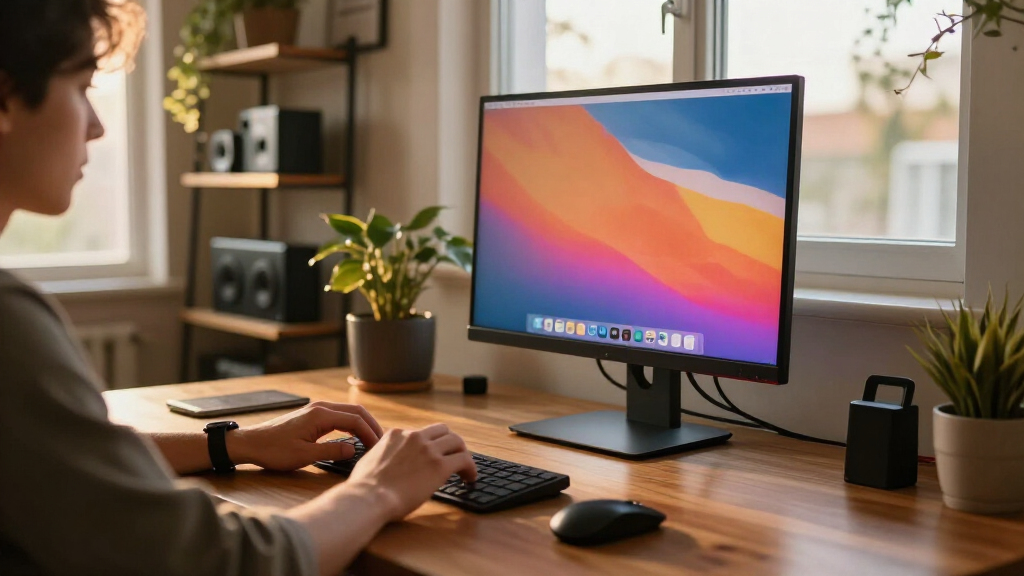
To determine the best 4k monitors for MacBook, I evaluated each model based on performance, connectivity, build quality, and value. Compatibility with MacBook’s Thunderbolt/USB-C ports was a must, ensuring seamless connection and charging. Color accuracy, measured through color gamut and DeltaE values, was key for creative work. Refresh rates, HDR support, and ergonomic features helped distinguish models for different use cases. Monitors were ranked by how well they balance these factors against their price, providing options for a range of budgets and needs.Factors to Consider When Choosing 4k Monitors For Macbook
Choosing the right 4k monitor for your MacBook requires considering several critical factors beyond just resolution. Understanding these elements can help avoid common pitfalls and ensure your investment matches your workflow and preferences.Connectivity and Compatibility
MacBook users should prioritize monitors with Thunderbolt 3/4 or USB-C ports that support power delivery. This ensures a single-cable connection for both display and charging, reducing clutter. Be wary of adapters or dongles, which can introduce latency or compatibility issues. Also, check if the monitor supports macOS-specific features like True Tone or Night Shift for color accuracy and comfort.
Color Accuracy and Gamut
For creative professionals or those who do design work, color accuracy is non-negotiable. Look for monitors with a wide color gamut, such as P3 or AdobeRGB, and low DeltaE values (less than 2). Cheaper models may advertise 4k resolution but fall short on color precision, which affects photo editing and video work. Prioritize calibration capabilities or factory calibration for best results.
Size and Ergonomics
Screen size impacts workspace and desk space. Larger monitors (32 inches or more) offer more real estate but can be overwhelming in smaller setups. Ergonomic features like height adjustment, tilt, and pivot are vital for comfort, especially during extended use. Ensure the monitor stand can accommodate your preferred viewing position, which can reduce neck strain and improve productivity.
HDR and Refresh Rate
HDR enhances visual quality, especially for multimedia tasks, but higher HDR levels often come with increased price tags. Similarly, refresh rates above 60Hz benefit gaming or video editing but are less critical for typical productivity. Consider your primary use case; if you’re into media creation or consumption, investing in higher HDR and refresh rate specs can be worthwhile.
Build Quality and Additional Features
Durability and ease of use matter for long-term satisfaction. Look for sturdy construction and features like VESA compatibility for flexible mounting. Additional perks like built-in speakers, USB hubs, and touchscreen capabilities add convenience but usually come at a premium. Prioritize features that genuinely enhance your workflow rather than extras that won’t be used often.
Frequently Asked Questions
Will a 4k monitor slow down my MacBook?
Using a 4k monitor with your MacBook generally does not slow down performance significantly. Modern MacBooks are equipped to handle 4k resolutions smoothly, especially when connected via Thunderbolt or USB-C. However, intensive tasks like 3D rendering or video editing might require more processing power, and the extra pixel load can marginally impact battery life. For everyday use, a 4k monitor should not cause noticeable slowdown.
Is HDR necessary on a 4k monitor for MacBook use?
HDR is mainly beneficial if you work with or consume high-dynamic-range content, such as HDR videos or professional photo editing. It enhances visual vibrancy and contrast but isn’t essential for general productivity tasks. Many affordable 4k monitors lack HDR or offer only basic support, so consider your media needs before prioritizing this feature.
Can I use a regular monitor with a MacBook for professional work?
Yes, many standard monitors are compatible with MacBooks via USB-C or HDMI. However, for color-critical work, ensure the monitor supports wide color gamuts like P3 and has good calibration options. Also, check that the resolution and size suit your workflow, especially if you’re editing photos or videos, where color accuracy and screen real estate matter.
Do I need a 32-inch monitor, or is 27 inches enough?
The choice depends on your workspace and usage. A 27-inch monitor offers a comfortable balance for most desks, providing ample screen space without overwhelming your setup. A 32-inch model provides even more room for multitasking but can be bulky and may require a larger desk. Consider your typical tasks and desk space before deciding.
Are curved monitors better for MacBook users?
Curved monitors can improve immersion and reduce glare, especially in larger sizes. They may also lessen eye strain by providing a more uniform viewing distance across the screen. However, for precise tasks like photo editing, flat panels often offer more accurate alignment. The decision should be based on your preference and work type.
Conclusion
For general use and excellent display quality, the BenQ MA270U offers a balanced mix of color accuracy, adjustability, and connectivity, making it ideal for creative professionals. The INNOCN 27″ 4K 120Hz HDR500 is perfect for multimedia enthusiasts who want smooth visuals and vibrant images. Budget-conscious buyers should consider models like the Dell S2725QS for reliable performance at a more affordable price. If you’re new to external monitors, the LG 27US500-W provides an easy entry point with good features. For power users needing top-tier specs and build quality, the LG 27UP850K-W is the premium pick that excels in all areas.
Fall Picks
fall essentials
As an affiliate, we earn on qualifying purchases.