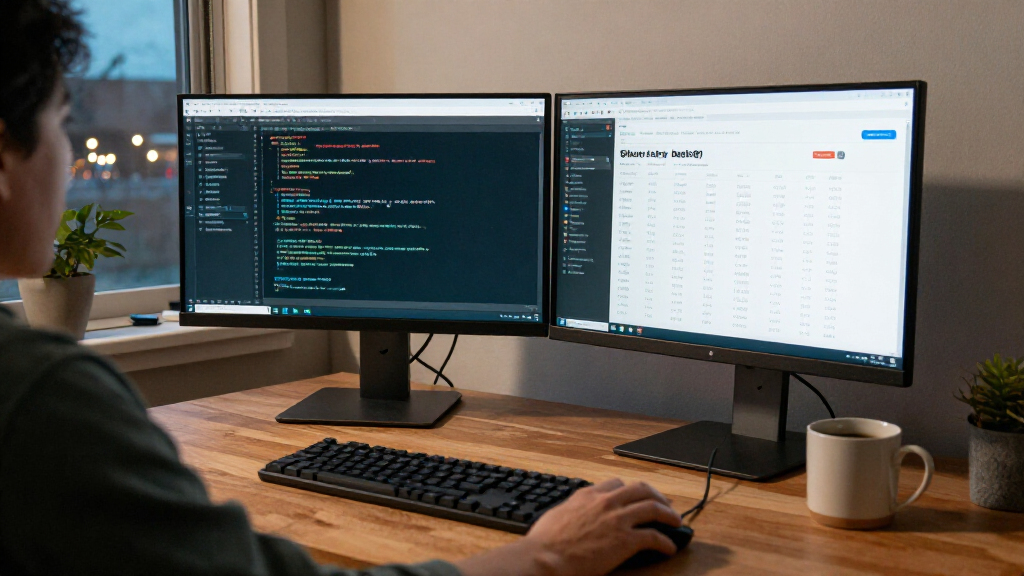

Among these developer monitors with Black Friday deals, I’d make the Dell UltraSharp U2726DER my best overall pick for its QHD workspace and Thunderbolt hub features. The LG 27US500-W is a straightforward 4K choice, while the Dell UltraSharp U4025QW offers an expansive curved 5K2K canvas for developers who want room for several windows. The main tradeoff is between sharper text, more screen space, and useful connectivity; a bigger or higher-resolution display is not automatically the better fit for every desk or computer. Deal availability can change, so compare the monitor’s capabilities and your setup needs rather than choosing by promotion alone. Read on for the full breakdown and guidance on which option suits your workflow.

Get business pricing on monitors, keyboards and dev gear
- Business-only prices and quantity discounts
- Tax-exempt purchasing
- Multiple users, one account, clear invoices
Key Takeaways
- The Dell U2726DER leads as the balanced pick: QHD resolution and hub-oriented connectivity make it more adaptable than the simpler 4K models for a multi-device desk.
- Screen shape changes how workspace feels: the LG 34WR55QK-B and Samsung S50GC provide ultrawide layouts, while the Dell U4025QW stretches that approach to a much larger 5K2K canvas.
- 4K does not automatically mean best for coding: the LG 27US500-W and Samsung ViewFinity S7 offer UHD resolution, but buyers should match that sharpness to scaling preferences and computer output.
- There is a clear scale-versus-complexity split: the 27-inch models fit more restrained setups; the 32-, 34-, and 40-inch options prioritize a broader work area and need more desk space.
- Connectivity separates the premium hub pick from simpler displays: buyers who connect laptops and peripherals should check ports and docking needs, while single-computer users may prefer to prioritize panel size or resolution.
| Dell UltraSharp 27 Thunderbolt Hub Monitor (U2726DER), QHD |  | Best Overall for a Two-Computer Developer Desk | Screen size: 27 inches | Resolution: 2560 x 1440 (QHD) | Panel: IPS LCD | VIEW LATEST PRICE | See Our Full Breakdown |
| LG 34WR55QK-B 34-Inch Curved UltraWide WQHD Monitor |  | Best for Side-by-Side Coding Windows | Screen size: 34 inches | Resolution: 3440 x 1440 (WQHD) | Aspect ratio: 21:9 | VIEW LATEST PRICE | See Our Full Breakdown |
| LG 27US500-W 27-Inch 4K UHD IPS Monitor |  | Best Entry-Level 4K Pick | Screen size: 27 inches | Resolution: 3840 x 2160 (4K UHD) | Panel: IPS | VIEW LATEST PRICE | See Our Full Breakdown |
| Dell UltraSharp U4025QW 40-Inch Curved 5K2K WUHD LED Monitor |  | Best Premium Ultrawide Workstation | Screen size: 39.7 inches | Listed resolution: 5120 x 2160 pixels; source also lists 5120 x 2880 | Aspect ratio: 21:9 | VIEW LATEST PRICE | See Our Full Breakdown |
| Samsung 32-inch ViewFinity S7 (S70H) 4K UHD Monitor |  | Best for a Larger 4K Coding Workspace | Screen size: 32 inches | Resolution: 3840 x 2160 (4K UHD) | Panel: VA | VIEW LATEST PRICE | See Our Full Breakdown |
| Samsung 34-inch ViewFinity S50GC Ultra-WQHD Monitor |  | Best for Ultrawide Multitasking | Screen size: 34 inches | Resolution: 3440 × 1440 pixels | Aspect ratio: 21:9 | VIEW LATEST PRICE | See Our Full Breakdown |
| developer monitors with Black Friday deal | Screen size | Refresh rate | Connectivity | Resolution |
|---|---|---|---|---|
| Dell UltraSharp 27 Thunderbolt | 27 inches | 120 Hz | Thunderbolt 4, DisplayPort, HDMI, USB, Ethernet | 2560 x 1440 (QHD) |
| LG 34WR55QK-B 34-Inch Curved U | 34 inches | 100 Hz | USB-C, 2 HDMI, 2 USB, DisplayPort, headphone jack | 3440 x 1440 (WQHD) |
| LG 27US500-W 27-Inch 4K UHD IP | 27 inches | 60 Hz | HDMI, DisplayPort | 3840 x 2160 (4K UHD) |
| Dell UltraSharp U4025QW 40-Inc | 39.7 inches | 120 Hz | DisplayPort, Ethernet, HDMI, Thunderbolt, USB | — |
| Samsung 32-inch ViewFinity S7 | 32 inches | 60 Hz | 1 HDMI, DisplayPort | 3840 x 2160 (4K UHD) |
| Samsung 34-inch ViewFinity S50 | 34 inches | 100 Hz | 2 × HDMI 2.2, 1 × DisplayPort 1.2, headphone | 3440 × 1440 pixels |
More Details on Our Top Picks
Dell UltraSharp 27 Thunderbolt Hub Monitor (U2726DER), QHD
For a developer balancing a work laptop and a second computer, this Dell makes the most sense in the group. Thunderbolt 4 with up to 90W power delivery can handle video, data, and laptop charging over one cable, while the built-in KVM lets one keyboard and mouse serve two computers. Its 27-inch QHD panel gives you a useful mix of workspace and readability, and the 120Hz refresh rate makes scrolling feel smoother than on the 60Hz LG 27US500-W or Samsung ViewFinity S7. Factory-calibrated color and 98% Display P3 coverage also suit design work alongside coding. The tradeoff is screen area: the LG 34WR55QK-B and Dell U4025QW give more room for side-by-side windows. At 27 inches, this is a better fit for a focused desk than a sprawling dashboard setup.
Pros:- Thunderbolt 4 combines video, data, and up to 90W laptop power over one cable.
- Built-in KVM switches one keyboard and mouse between two computers.
- 120Hz refresh rate and QHD resolution balance smooth desktop use with workspace.
- Height, pivot, swivel, and tilt adjustments offer more positioning flexibility than the LG 27US500-W.
Cons:- The 27-inch panel provides less side-by-side workspace than the ultrawide options in this roundup.
- Its listed brightness is 350, but the source does not specify a unit.
Best for: Developers who switch between a work laptop and another computer and want one-cable docking, a built-in KVM, and a high-refresh QHD screen.
Not ideal for: People who need several large code, terminal, and preview windows visible at once; the 27-inch screen offers less room than the 34-inch LG or 39.7-inch Dell.
- Screen size:27 inches
- Resolution:2560 x 1440 (QHD)
- Panel:IPS LCD
- Refresh rate:120 Hz
- Color gamut:98% Display P3; 100% sRGB
- Connectivity:Thunderbolt 4, DisplayPort, HDMI, USB, Ethernet
- Thunderbolt power delivery:Up to 90W
- Stand adjustments:Height, pivot, swivel, and tilt
Our verdict“Choose the U2726DER if your developer setup centers on two computers and flexible docking rather than maximum screen area.”
LG 34WR55QK-B 34-Inch Curved UltraWide WQHD Monitor
The LG 34WR55QK-B is the workspace pick: its 34-inch, 21:9 WQHD panel can keep an editor and documentation or a terminal visible together without the bezel break of a dual-monitor setup. Picture-by-Picture also helps when you want to view two input sources at once. Compared with the Dell U2726DER, you gain horizontal room and a curved screen, but give up its 120Hz refresh rate, wider Display P3 coverage, and built-in KVM. USB-C with up to 65W power delivery is handy for a compatible laptop, though it delivers less power than the Dell’s 90W Thunderbolt connection. The VA panel’s 3000:1 contrast and HDR10 support add visual depth, but this is still a 100Hz productivity ultrawide, not the strongest choice here for color-critical work.
Pros:- 34-inch 21:9 WQHD canvas supports side-by-side windows without a second monitor.
- Picture-by-Picture can display two input sources at once.
- USB-C supplies connectivity and up to 65W power to a compatible laptop.
- 100Hz refresh rate is higher than the 60Hz LG 27US500-W and Samsung ViewFinity S7.
Cons:- The stand adjusts for height and tilt but does not list pivot or swivel.
- OnScreen Control requires a separate software installation.
- Its stated 65W USB-C power delivery is lower than the Dell U2726DER’s 90W Thunderbolt delivery.
Best for: Developers who want an editor, terminal, and reference material visible side by side on one screen, especially laptop users who can work within 65W USB-C power delivery.
Not ideal for: Color-focused creative developers who need the Dell U2726DER’s stated Display P3 coverage and factory calibration, or users who want a stand with pivot and swivel adjustments.
- Screen size:34 inches
- Resolution:3440 x 1440 (WQHD)
- Aspect ratio:21:9
- Panel technology:VA
- Refresh rate:100 Hz
- Contrast ratio:3000:1
- Connectivity:USB-C, 2 HDMI, 2 USB, DisplayPort, headphone jack
- USB-C power delivery:Up to 65W
Our verdict“Pick the LG 34WR55QK-B if keeping several coding windows visible matters more than top-tier color coverage or a full-featured docking hub.”
LG 27US500-W 27-Inch 4K UHD IPS Monitor
For developers who want a sharp 4K workspace without paying for a docking hub or a high-refresh panel, the LG 27US500-W keeps the priorities simple. Its 27-inch 3840 x 2160 IPS display packs detailed text and interface elements into a compact footprint, while HDR10 and up to 90% DCI-P3 coverage add flexibility for occasional visual work. Compared with the Samsung ViewFinity S7, it is smaller but specifies an IPS panel and DCI-P3 coverage; the Samsung instead offers a larger 32-inch screen and higher stated contrast. Neither matches the Dell U2726DER’s 120Hz refresh rate or USB hub features. Here, the 60Hz refresh rate and tilt-only stand are the main compromises, and HDMI and DisplayPort are the only listed connections. I’d choose it for a straightforward 4K desk, not a laptop-docking station.
Pros:- 4K UHD resolution on a 27-inch IPS panel gives detailed workspace in a compact footprint.
- Up to 90% DCI-P3 coverage and HDR10 support broaden its use beyond text and code.
- OnScreen Control supports workspace splitting and monitor adjustments.
- FreeSync is included, unlike the Samsung ViewFinity S7’s listed feature set.
Cons:- The 60Hz refresh rate is lower than the 100Hz LG 34WR55QK-B and 120Hz Dell options.
- The stand offers tilt adjustment only.
- HDMI and DisplayPort are the only listed connections; no USB-C docking is specified.
Best for: Developers setting up a compact 4K workstation for code, documentation, and occasional visual tasks who already have separate laptop connectivity and adjustable monitor support.
Not ideal for: Laptop users seeking one-cable charging and peripherals, or anyone who wants a higher refresh rate or height-adjustable stand like the Dell U2726DER offers.
- Screen size:27 inches
- Resolution:3840 x 2160 (4K UHD)
- Panel:IPS
- Refresh rate:60 Hz
- Color gamut:Up to 90% DCI-P3
- HDR:HDR10
- Connectivity:HDMI, DisplayPort
- Stand adjustment:Tilt
Our verdict“Choose the LG 27US500-W for compact 4K detail if you do not need USB-C docking, a faster refresh rate, or a height-adjustable stand.”
Dell UltraSharp U4025QW 40-Inch Curved 5K2K WUHD LED Monitor
If you want one display to replace a multi-monitor developer desk, the Dell U4025QW has the broadest brief here: a 39.7-inch curved 21:9 screen, 120Hz refresh rate, and a listed resolution of 5120 x 2160. That gives more workspace than the LG 34WR55QK-B, while the Dell U2726DER is easier to accommodate but offers less screen area. Thunderbolt, USB, Ethernet, HDMI, and DisplayPort support a more connected desk, and the stand adjusts for height, swivel, and tilt. Those strengths come with real costs in space and setup: at 41.9 pounds, it is substantially heavier than the other listed monitors. The supplied resolution data also conflicts, pairing 5K2K WUHD and 5120 x 2160 with a separate 5120 x 2880 listing. I’d verify the exact native resolution before choosing it for detailed work.
Pros:- Large 39.7-inch curved 21:9 display offers the most workspace in this lineup.
- 120Hz refresh rate matches the Dell U2726DER and exceeds the two 60Hz 4K options.
- Thunderbolt, USB, Ethernet, HDMI, and DisplayPort support a broad range of desk connections.
- Stand adjusts for height, swivel, and tilt.
Cons:- At 41.9 pounds, it is far heavier than the other monitors in this roundup.
- The supplied resolution information conflicts between 5120 x 2160 and 5120 x 2880.
- Its large curved panel needs more desk space than the 27-inch Dell U2726DER or LG 27US500-W.
Best for: Developers with a large desk who want a single curved display for several side-by-side applications, plus a wide selection of connections.
Not ideal for: People with limited desk space, those who need a lightweight monitor to reposition often, or buyers who need unambiguous resolution specifications before purchase.
- Screen size:39.7 inches
- Listed resolution:5120 x 2160 pixels; source also lists 5120 x 2880
- Aspect ratio:21:9
- Screen shape:Curved
- Refresh rate:120 Hz
- Response time:5 ms
- Connectivity:DisplayPort, Ethernet, HDMI, Thunderbolt, USB
- Stand adjustments:Height, swivel, tilt
Our verdict“Choose the U4025QW for a spacious, high-refresh ultrawide workstation only if your desk can support its size and you confirm the native resolution.”
Samsung 32-inch ViewFinity S7 (S70H) 4K UHD Monitor
The Samsung ViewFinity S7 gives developers more physical room for a 4K desktop than the 27-inch LG 27US500-W, without moving up to an ultrawide format. Its 32-inch 3840 x 2160 VA panel pairs fine text detail with a listed 3000:1 contrast ratio, while the matte finish and TÜV-certified eye comfort features suit long desk sessions. HDR10 is included, but this is a conventional 60Hz monitor with HDMI and DisplayPort, not a high-refresh hub. Compared with the LG, the Samsung’s larger screen and higher stated contrast favor a more spacious, deep-looking workspace; the LG specifies IPS and up to 90% DCI-P3 coverage. The Dell U2726DER is the better fit for USB-C-style docking and smoother scrolling. This Samsung keeps connections simple, but its single HDMI port and one-year warranty are limits to weigh.
Pros:- 32-inch 4K UHD screen provides more physical workspace than the 27-inch LG 27US500-W.
- VA panel and 3000:1 contrast ratio offer higher stated contrast than the LG’s 1000:1 ratio.
- Matte finish and TÜV-certified eye comfort features suit extended desktop sessions.
- Includes both HDMI and DisplayPort cables.
Cons:- The 60Hz refresh rate is below the 100Hz LG 34WR55QK-B and 120Hz Dell monitors.
- Only one HDMI port is listed.
- No USB-C, Thunderbolt, or USB hub connectivity is specified, unlike the Dell U2726DER.
Best for: Developers who want a larger 4K screen for code and documentation and prefer a simple HDMI or DisplayPort connection over laptop docking.
Not ideal for: Laptop-first developers who want one-cable charging, users who need multiple HDMI sources, or anyone prioritizing a refresh rate above 60Hz.
- Screen size:32 inches
- Resolution:3840 x 2160 (4K UHD)
- Panel:VA
- Refresh rate:60 Hz
- Contrast ratio:3000:1
- Brightness:300 cd/m²
- Connectivity:1 HDMI, DisplayPort
- Warranty:1 year
Our verdict“Pick the ViewFinity S7 if you want a larger 4K coding screen with straightforward connections and do not need high refresh or laptop docking.”
Samsung 34-inch ViewFinity S50GC Ultra-WQHD Monitor
For developers who want room for side-by-side windows without stepping up to a 40-inch display, the 34-inch, 21:9 screen makes this Samsung a practical ultrawide pick. Its 3440 × 1440 resolution gives code, documentation, and a browser space to share the desktop, while Picture-by-Picture and Picture-in-Picture add ways to view separate sources. Compared with the Dell UltraSharp U4025QW, it takes up less space and offers a more modest, less feature-heavy setup, but gives up that model’s larger 40-inch canvas. The 100 Hz refresh rate and FreeSync can make scrolling and motion look smoother; HDR10 is included, though the 300 cd/m² brightness is a limit for bright rooms and vivid HDR. Its wide footprint also calls for a substantial desk.
Pros:- 21:9, 3440 × 1440 workspace supports side-by-side applications.
- Picture-by-Picture and Picture-in-Picture accommodate multiple source devices.
- 100 Hz refresh rate and AMD FreeSync support smoother motion.
- Automatic brightness adjustment, Eye Saver Mode, and Flicker Free add viewing-comfort features.
Cons:- The 34-inch screen needs substantial desk width and depth.
- 300 cd/m² brightness may feel limiting in bright rooms and for HDR viewing.
- A 5 ms response time and 100 Hz refresh rate are less suited to buyers seeking a high-refresh gaming display.
Best for: Developers who regularly keep an IDE, browser, and reference material visible together and have desk space for a 34-inch ultrawide.
Not ideal for: Developers with compact desks, or those who prioritize high brightness for HDR work; the 34-inch footprint and 300 cd/m² rating may not fit those needs.
- Screen size:34 inches
- Resolution:3440 × 1440 pixels
- Aspect ratio:21:9
- Refresh rate:100 Hz
- Response time:5 ms
- Display finish:Matte
- Brightness:300 cd/m²
- HDR:HDR10
- Connectivity:2 × HDMI 2.2, 1 × DisplayPort 1.2, headphone
Our verdict“Choose the S50GC if your main priority is a broad, multitasking-friendly coding workspace and your desk can accommodate an ultrawide.”
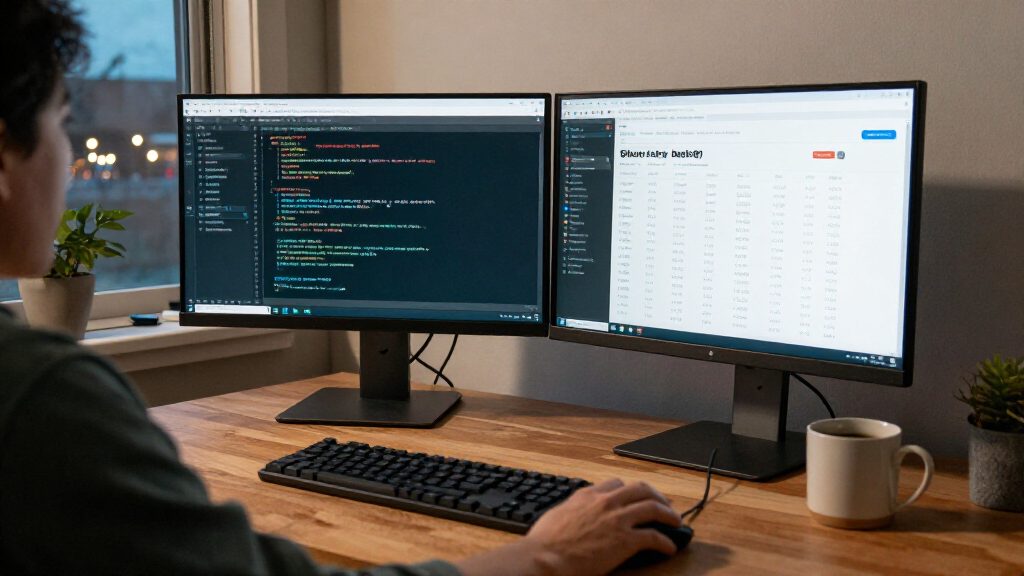
How We Picked
I ranked these monitors by how well their screen size, resolution, and connectivity serve common development workflows—not by screen specifications alone. I gave weight to readable text, room for code and reference windows, the practical value of hub features, and how easily each display fits a typical desk and computer setup. Because the roundup focuses on Black Friday deals, I treat a promotion as a buying opportunity rather than a reason to overlook a poor fit; deal terms and availability can vary.
The Dell UltraSharp U2726DER takes the top position for its mix of QHD workspace and Thunderbolt hub functionality. The 34-inch ultrawides follow for buyers who prefer a continuous, wide layout, while the 4K 27-inch and 32-inch models suit those who prioritize UHD detail over width. The Dell U4025QW ranks as the premium, large-format option: its 5K2K canvas is compelling for heavy multitasking, but its size and more specialized appeal make it less suitable as the default recommendation.
| developer monitors with Black Friday deal | Panel |
|---|---|
| Dell UltraSharp 27 Thunderbolt | IPS LCD |
| LG 34WR55QK-B 34-Inch Curved U | — |
| LG 27US500-W 27-Inch 4K UHD IP | IPS |
| Dell UltraSharp U4025QW 40-Inc | — |
| Samsung 32-inch ViewFinity S7 | VA |
| Samsung 34-inch ViewFinity S50 | — |
Factors to Consider When Choosing Developer Monitors With Black Friday Deals
Choosing a developer monitor is less about finding the biggest number on a spec sheet and more about matching the display to your code, computer, and desk. I’d settle a few practical questions before comparing Black Friday offers.
Choose resolution and size as a pair
Resolution only tells part of the story; screen size affects how large text and interface elements appear at your usual viewing distance. A 27-inch 4K display can show fine detail, but some users prefer operating-system scaling to keep code comfortable to read. A larger QHD or ultrawide screen can provide more usable workspace without the same scaling preference. A common mistake is buying 4K because it sounds sharper without checking how the desktop looks at the intended size. Compare the full resolution-and-size combination, then confirm your computer can drive it at the desired refresh and scaling settings.
Decide whether you want width or height
Ultrawide displays give adjacent windows more horizontal room, which can help when keeping an editor beside documentation, logs, or a terminal. A conventional 16:9 screen may suit vertically long code panes and familiar window layouts better. Screen curvature can make a wide display easier to scan from a central seating position, but it does not add desk depth or vertical pixels. Think about the applications you keep open together rather than assuming one wide window will replace every multi-monitor setup. If you often need tall documents or long source files, check vertical resolution and layout before favoring width.
Check the whole connection path
For a laptop-based desk, a monitor hub or Thunderbolt connection can reduce cable clutter and make it easier to attach peripherals. That convenience depends on the exact ports, power delivery, and computer compatibility, so confirm those details for your laptop rather than relying on a product family name. A display with simpler connectivity can be perfectly adequate for a desktop computer that already has a dock. Buyers sometimes pay for hub features they will not use, or assume a monitor connection will replace every function of a separate dock. Map your laptop, peripherals, and charging needs before paying extra for connectivity.
Measure the desk, not just the screen diagonal
A monitor’s diagonal measurement does not tell you how much desk width, depth, or viewing distance it needs. Ultrawide and large curved models can crowd speakers, a laptop stand, or other work gear, while a compact display may leave room for a more flexible workstation. Check the monitor’s dimensions and stand footprint, along with whether your desk or arm supports its size and weight. A frequent buying error is focusing on panel dimensions and forgetting the stand or cable clearance. If possible, mark the screen width on your desk before choosing a larger model.
Treat deal value as a fit test
A Black Friday offer is useful only if the monitor suits your daily workload and hardware. Compare the features you will use—resolution, workspace, connectivity, and adjustability—rather than treating a promotion as proof that a model is the best choice. Check the return window, warranty terms, and whether the listing describes the exact model you want. A lower-cost 4K screen may be a smarter buy than a premium curved display for a single-laptop coding setup, while a high price can make sense for someone who will use a large canvas every day. Set your needs first, then judge whether the deal meaningfully improves the value.
Frequently Asked Questions
Is 4K or ultrawide better for programming?
It depends on whether you value fine detail or side-by-side workspace more. A 4K monitor can render text and interface elements with high pixel density, though you may want scaling to keep them comfortable to read. An ultrawide gives two or more windows room to sit beside each other, but it may offer less vertical space than you expect. Compare your usual editor layout and viewing distance rather than choosing by resolution label alone. If you rely on tall code panes, check vertical resolution before favoring a wide screen.
Can my laptop drive a 4K or 5K2K developer monitor?
Many recent laptops can drive high-resolution displays, but the supported resolution and refresh rate depend on the laptop’s graphics hardware, ports, cable, and any dock in the chain. Check the manufacturer’s display-output specifications and confirm the monitor connection supports the mode you plan to use. Thunderbolt or USB-C does not guarantee that every combination will deliver the same display performance or laptop charging. A dock can also affect the available resolution if its bandwidth is limited. Verify the complete connection path before buying, especially for a large 5K2K display.
Should I buy one ultrawide monitor instead of two displays?
A single ultrawide can keep windows together on one continuous desktop and avoid the bezel between two screens. Two separate monitors may offer more flexibility for placing displays at different angles or replacing one screen independently. The right choice also depends on desk width, operating-system window management, and whether your computer supports the desired layout. An ultrawide is not automatically a substitute for two high-resolution panels, so compare usable resolution and window arrangements. Sketch your editor, terminal, and reference layout before deciding.
Are Thunderbolt hub features worth paying extra for?
They can be worthwhile if you regularly connect a laptop, external storage, and desk peripherals through one monitor. A hub-centered display can simplify cable management, but its value depends on the ports and charging power matching your equipment. If your computer is a desktop or you already have a capable dock, those features may add little to your daily routine. Check whether the monitor supplies enough laptop power and supports the peripherals you plan to attach. Choose based on your actual connection setup, not the promise of a one-cable desk alone.
What should I check before ordering a monitor during Black Friday?
Confirm the exact model identifier, resolution, screen size, included stand, and ports on the listing, since similarly named versions can differ. Then check that your computer supports the monitor’s resolution and that you have the right cable or dock. Review the seller’s return policy and warranty terms before placing the order, as policies can differ across retailers. Measure your desk and confirm the stand or monitor arm can support the display. A promotion is only a good buy if the screen fits your setup and you can return it if that setup does not work as expected.
Conclusion
For most buyers, I’d start with the Dell UltraSharp U2726DER as the best overall, especially when laptop connectivity and a practical QHD workspace matter. The LG 27US500-W is my best value-style choice for someone seeking a straightforward 27-inch 4K display, while the Dell UltraSharp U4025QW is the best premium pick for a large, curved 5K2K work area. Beginners who want a conventional, less imposing screen can look first at the 27-inch LG or Samsung 32-inch ViewFinity S7, choosing between a smaller footprint and a larger 4K panel. For side-by-side windows, compare the LG 34WR55QK-B and Samsung S50GC; for a broad, high-resolution canvas, the Dell U4025QW is the specialized choice. My final advice: pick the size, resolution, and connection setup that fit your work, then decide whether the Black Friday offer makes that specific monitor a worthwhile buy.