The best solid modeling software depends on what you need to create, but the right learning guide can make a major difference in how quickly you become productive. Parametric Modeling with SOLIDWORKS 2026 is my best overall pick for readers seeking a current, structured route into feature-based CAD, while The Complete Plasticity User Guide suits a more direct, form-focused modeling approach. Autodesk Inventor 2026: Introduction to Solid Modeling is the standout for learners committed to Inventor. The main tradeoffs are software choice, edition currency, and whether you need beginner instruction, parametric workflows, or advanced surface techniques. Read on for the full comparison and guidance on choosing a book that fits your CAD goals.

Get business pricing on monitors, keyboards and dev gear
- Business-only prices and quantity discounts
- Tax-exempt purchasing
- Multiple users, one account, clear invoices
Key Takeaways
- Current editions lead for version-specific learning: the SOLIDWORKS 2026 guides and Inventor 2026 title are better aligned with readers starting on current releases than the 2018 and 2022 books.
- Parametric Modeling with SOLIDWORKS 2026 is the strongest all-purpose learning path in this lineup because it pairs a recent software edition with a focused parametric modeling subject.
- The strongest beginner choices are not interchangeable: The Ultimate SolidWorks 2025 Guide for Beginners targets an approachable start, while the 2022 Introduction to Solid Modeling offers a longer-established entry point at the cost of older-version coverage.
- Surface modeling is a specialist track, not a substitute for core solid modeling: the 2024 and 2026 Mastering Surface Modeling books suit learners who need complex shapes after building basic modeling skills.
- Software commitment matters more than small edition differences: Inventor and Plasticity titles serve distinct workflows, while most of the list focuses on SOLIDWORKS.
| The Ultimate SolidWorks 2025 Guide for Beginners |  | Best for Beginners | Software: SolidWorks 2025 | Skill level: Beginner | Topics: Sketching and assembly | VIEW LATEST PRICE | See Our Full Breakdown |
| Parametric Modeling with SOLIDWORKS 2025 |  | Best for Parametric Modeling Focus | Software: SOLIDWORKS 2025 | Subject: Parametric modeling | Product type: Book | VIEW LATEST PRICE | See Our Full Breakdown |
| The Complete Plasticity User Guide |  | Best for Direct Modeling and NURBS | Software: Plasticity | Product type: User guide | Modeling approaches: Direct modeling; NURBS surfaces | VIEW LATEST PRICE | See Our Full Breakdown |
| Introduction to Solid Modeling Using SOLIDWORKS 2022, 18th Edition |  | Best Textbook-Style Introduction | Software: SOLIDWORKS 2022 | Subject: Introduction to solid modeling | Edition: 18th | VIEW LATEST PRICE | See Our Full Breakdown |
| Parametric Modeling with SOLIDWORKS 2022 |  | Best for SOLIDWORKS 2022 Parametric Study | Software: SOLIDWORKS 2022 | Subject: Parametric modeling | Product type: Book | VIEW LATEST PRICE | See Our Full Breakdown |
| SOLIDWORKS 2025 Step-by-Step Part and Assembly Modeling |  | Best for Broad SOLIDWORKS Practice | Software: SOLIDWORKS 2025 | Format: Step-by-step guide | Subject: 3D modeling | VIEW LATEST PRICE | See Our Full Breakdown |
| Mastering Surface Modeling with SOLIDWORKS 2024: Basic through Advanced Techniques |  | Best for Surface Modeling Depth | Software: SOLIDWORKS 2024 | Topic: Surface modeling | Stated skill range: Basic through advanced | VIEW LATEST PRICE | See Our Full Breakdown |
| Parametric Modeling with SOLIDWORKS 2026 |  | Best for 2026 Parametric Modeling | Software: SOLIDWORKS 2026 | Subject: Parametric modeling | Product type: Book | VIEW LATEST PRICE | See Our Full Breakdown |
| Autodesk Inventor 2026: Introduction to Solid Modeling (Mixed Units) |  | Best for Inventor Beginners | Software: Autodesk Inventor 2026 | Subject: Solid modeling | Level: Introduction | VIEW LATEST PRICE | See Our Full Breakdown |
| Mastering Surface Modeling with SOLIDWORKS 2026 |  | Best for Current-Version Surfacing | Software: SOLIDWORKS 2026 | Topic: Surface modeling | Software version: 2026 | VIEW LATEST PRICE | See Our Full Breakdown |
| Parametric Modeling with SOLIDWORKS 2024 |  | Best for Focused Parametric Modeling Study | Subject: Parametric modeling | Software: SOLIDWORKS 2024 | Product type: Book | VIEW LATEST PRICE | See Our Full Breakdown |
| SOLIDWORKS 2018 for Designers, 16th Edition | 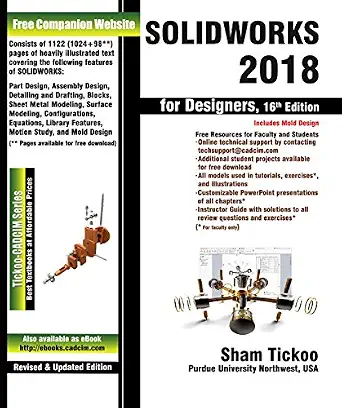 | Best for Structured, Broad CAD Study | Edition: 16th | Software version: SOLIDWORKS 2018 | Format: Textbook | VIEW LATEST PRICE | See Our Full Breakdown |
| solid modeling software | Software | Product type | Subject |
|---|---|---|---|
| The Ultimate SolidWorks 2025 G | SolidWorks 2025 | Guide | — |
| Parametric Modeling with SOLID | SOLIDWORKS 2025 | Book | Parametric modeling |
| The Complete Plasticity User G | Plasticity | User guide | — |
| Introduction to Solid Modeling | SOLIDWORKS 2022 | Instructional textbook | Introduction to solid modeling |
| Parametric Modeling with SOLID | SOLIDWORKS 2022 | Book | Parametric modeling |
| SOLIDWORKS 2025 Step-by-Step P | SOLIDWORKS 2025 | — | 3D modeling |
| Mastering Surface Modeling wit | SOLIDWORKS 2024 | — | — |
| Parametric Modeling with SOLID | SOLIDWORKS 2026 | Book | Parametric modeling |
| Autodesk Inventor 2026: Introd | Autodesk Inventor 2026 | — | Solid modeling |
| Mastering Surface Modeling wit | SOLIDWORKS 2026 | Book | — |
| Parametric Modeling with SOLID | SOLIDWORKS 2024 | Book | Parametric modeling |
| SOLIDWORKS 2018 for Designers | — | — | — |
More Details on Our Top Picks
The Ultimate SolidWorks 2025 Guide for Beginners
This beginner-focused guide follows a practical SolidWorks 2025 path from sketching to assembly, giving new users a connected introduction rather than treating each modeling task as a separate topic. That breadth makes it a more approachable starting point than Parametric Modeling with SOLIDWORKS 2025, whose supplied description does not specify its audience or coverage. The emphasis on current software may also suit learners beginning a new course or personal project in SolidWorks 2025.
The tradeoff is limited detail in the available product information: there is no stated exercise format, project depth, or coverage beyond sketching and assembly. Buyers seeking a focused introduction to solid modeling concepts in an older release may prefer Introduction to Solid Modeling Using SOLIDWORKS 2022, 18th Edition, while this title is the clearer fit for novices who want a 2025 workflow overview.
Pros:- Explicitly designed for beginners
- Covers a workflow from sketching through assembly
- Focuses on SolidWorks 2025
- Offers broader introductory workflow coverage than a guide described only as parametric modeling
Cons:- The supplied details do not establish how much practice or project work is included
- Coverage beyond sketching and assembly is not specified
Best for: New SolidWorks users who want a beginner-level introduction spanning sketches, parts, and assemblies in the 2025 version.
Not ideal for: Experienced CAD users or learners seeking documented advanced exercises, detailed surface modeling, or a clearly specified parametric curriculum.
- Software:SolidWorks 2025
- Skill level:Beginner
- Topics:Sketching and assembly
- Product type:Guide
- Workflow coverage:Sketching through assembly
- ASIN:B0DM6N32JV
Our verdict“Choose this guide for a beginner-oriented SolidWorks 2025 overview from initial sketches through assemblies, not for advanced or deeply specified instruction.”
Parametric Modeling with SOLIDWORKS 2025
Parametric modeling is the clear subject of this SOLIDWORKS 2025 book, making it a focused candidate for readers who want their learning organized around that modeling approach rather than a broad beginner tour. Compared with The Ultimate SolidWorks 2025 Guide for Beginners, which explicitly spans sketching through assembly, this title has a narrower stated focus and may better match a learner seeking parametric instruction specifically.
That distinction comes with an information gap: the supplied description does not identify skill level, chapter topics, exercises, or how thoroughly it treats parts and assemblies. I would choose it over the 2022 counterpart, Parametric Modeling with SOLIDWORKS 2022, when matching the book to a 2025 software version matters. Readers who need confirmed beginner guidance or a known sequence of practical tasks should favor a title with those details stated.
Pros:- Specifically focused on parametric modeling
- Targets SOLIDWORKS 2025
- A more specialized stated subject than the beginner guide’s sketch-to-assembly overview
Cons:- Skill level is not specified
- The supplied description gives no details about exercises or chapter coverage
- The extent of assembly or broader solid-modeling instruction is unknown
Best for: CAD students and self-directed learners who specifically want a SOLIDWORKS 2025 book centered on parametric modeling.
Not ideal for: First-time users who need a clearly described step-by-step path, or buyers who require confirmed details about exercises and topic coverage.
- Software:SOLIDWORKS 2025
- Subject:Parametric modeling
- Product type:Book
- Title identifier:ISBN 1630576999
- Skill level:Not specified
- Topics beyond parametric modeling:Not specified
Our verdict“Pick this title if parametric modeling in SOLIDWORKS 2025 is your main learning goal and you are comfortable with limited published detail.”
The Complete Plasticity User Guide
Direct modeling and NURBS surfaces give this guide a different place in a solid-modeling roundup: it focuses on Plasticity rather than the SOLIDWORKS parametric workflow covered by Parametric Modeling with SOLIDWORKS 2025. Its stated scope also connects solid modeling with hard-surface design, product development, and CAD workflows, which may appeal to designers who move between shape exploration and more structured product work.
The breadth is useful, but the available description does not state the guide’s skill level, version coverage, or specific projects. It is not a direct substitute for the sketch-to-assembly introduction in The Ultimate SolidWorks 2025 Guide for Beginners, especially for someone learning SolidWorks. Choose this title when Plasticity and direct-form editing are the priority; skip it if your training needs to follow a named SOLIDWORKS release or a conventional parametric curriculum.
Pros:- Covers direct modeling and NURBS surfaces
- Includes solid modeling and hard-surface design
- Connects modeling topics with product development
- Addresses CAD workflows as well as shape creation
Cons:- Focuses on Plasticity rather than SOLIDWORKS
- Skill level and software-version coverage are not specified
- The supplied description does not identify exercises or project examples
Best for: Product and hard-surface designers learning Plasticity who want guidance spanning direct modeling, NURBS, solid forms, and CAD workflows.
Not ideal for: Learners who need SOLIDWORKS instruction, a specified software version, or a clearly identified beginner-to-advanced teaching sequence.
- Software:Plasticity
- Product type:User guide
- Modeling approaches:Direct modeling; NURBS surfaces
- Additional modeling topics:Solid modeling; hard-surface design
- Workflow topics:Product development; CAD workflows
- Skill level:Not specified
Our verdict“Choose this guide for Plasticity-focused direct and surface modeling, but select a SOLIDWORKS title if your goal is parametric CAD training.”
Introduction to Solid Modeling Using SOLIDWORKS 2022, 18th Edition
Solid modeling fundamentals are the stated center of this SOLIDWORKS 2022 textbook, giving it a more explicit instructional identity than Parametric Modeling with SOLIDWORKS 2022, whose supplied details name the subject but not the format or edition. Its 18th edition and textbook format may suit structured coursework where a conventional instructional text is preferred over a general user guide.
The main compromise is release age: it covers SOLIDWORKS 2022, not the 2025 software featured in The Ultimate SolidWorks 2025 Guide for Beginners. The supplied information also omits specific chapters, exercises, and skill level, so I cannot recommend it on the basis of a particular learning sequence. It makes most sense for readers whose class or project uses the 2022 release and who want a textbook explicitly framed around solid modeling.
Pros:- Explicitly introduces solid modeling
- Identifies the software release as SOLIDWORKS 2022
- Textbook format may fit structured study
- Specifies an 18th edition
Cons:- Covers an older release than the 2025 guide in this lineup
- The supplied information does not describe its exercises or chapter sequence
- Skill level and breadth beyond introductory solid modeling are not specified
Best for: Students in a course using SOLIDWORKS 2022 who want a textbook explicitly focused on introductory solid modeling.
Not ideal for: Learners working in SOLIDWORKS 2025 or buyers who need confirmed detail on exercises, chapter topics, or beginner pacing.
- Software:SOLIDWORKS 2022
- Subject:Introduction to solid modeling
- Edition:18th
- Format:Textbook
- Product type:Instructional textbook
- ASIN:1265148252
Our verdict“Choose this textbook when your instruction uses SOLIDWORKS 2022 and you want a solid-modeling-focused course resource.”
Parametric Modeling with SOLIDWORKS 2022
A 2022-specific parametric modeling focus makes this book a straightforward match for readers whose software or coursework is tied to that release. Its topic parallels Parametric Modeling with SOLIDWORKS 2025, so the release date is the clearest distinction between the two based on the supplied information. Compared with Introduction to Solid Modeling Using SOLIDWORKS 2022, 18th Edition, this title names parametric modeling as its subject, while the textbook is framed more broadly as an introduction to solid modeling.
There is little detail beyond title, software, and format, so the level, exercises, and exact range of topics remain unknown. It may be a better subject match than the 18th-edition textbook for a reader specifically studying parametric methods, but it offers less confirmed context about teaching structure. I would favor it when matching the release and topic matters more than having a stated textbook format or a known beginner pathway.
Pros:- Specifically names parametric modeling as its subject
- Targets SOLIDWORKS 2022
- Provides a release-matched alternative to the 2025 parametric modeling book
Cons:- The supplied details do not specify skill level
- Exercise format and topic coverage are not described
- The 2022 release may not match learners using newer software
Best for: Students and CAD learners using SOLIDWORKS 2022 who want a book specifically about parametric modeling.
Not ideal for: Users on newer SOLIDWORKS releases or beginners who need confirmed instructional pacing, exercise details, or a broad workflow introduction.
- Software:SOLIDWORKS 2022
- Subject:Parametric modeling
- Product type:Book
- Format:Book
- ASIN:1630574635
- Skill level:Not specified
Our verdict“Select this book when you need SOLIDWORKS 2022 parametric modeling instruction and do not require more detailed information about its teaching format.”
SOLIDWORKS 2025 Step-by-Step Part and Assembly Modeling
This guide spans several core modeling workflows, from sketching and part creation to assemblies, sheet metal, and surfacing. That range makes it a practical choice for learners who want to connect individual tools to common design tasks rather than focus on a single modeling specialty. Compared with Mastering Surface Modeling with SOLIDWORKS 2024, it gives more attention to varied part and assembly work, while offering less depth in surface modeling specifically. Its step-by-step approach suits readers who want guided practice in SOLIDWORKS 2025. The tradeoff is that the broad topic list may leave less room for advanced treatment of any one area, and the supplied details do not specify prerequisites, exercises, or project files. Pick it for breadth; choose a focused surface guide for advanced surfacing.
Pros:- Covers several practical SOLIDWORKS modeling areas in one guide.
- Step-by-step format supports learning through guided workflows.
- Includes assemblies and sheet metal alongside part modeling.
- Uses SOLIDWORKS 2025, matching learners who want that version.
Cons:- Its wide topic range may provide less depth than a dedicated surface-modeling guide.
- The supplied product details do not clarify prerequisites, project files, or exercise format.
Best for: Learners using SOLIDWORKS 2025 who want guided practice across sketching, parts, assemblies, sheet metal, and surfacing.
Not ideal for: Experienced surface specialists seeking an advanced, narrowly focused surfacing reference, or readers who need confirmed details about exercises and included files.
- Software:SOLIDWORKS 2025
- Format:Step-by-step guide
- Subject:3D modeling
- Topics:Sketching, assemblies, sheet metal, and surfacing
- Modeling scope:Part and assembly modeling
- Approach:Practical techniques and applications
Our verdict“Choose this guide for structured practice across multiple SOLIDWORKS 2025 modeling tasks rather than deep instruction in one specialty.”
Mastering Surface Modeling with SOLIDWORKS 2024: Basic through Advanced Techniques
Surface modeling is the clear focus here, with coverage described as ranging from basic through advanced techniques. That makes this a more specialized choice than SOLIDWORKS 2025 Step-by-Step Part and Assembly Modeling, whose scope also includes sketching, assemblies, and sheet metal. Buyers who need to develop surface-focused skills may prefer this narrower subject area over a general modeling guide. The main limitation is the sparse product information: beyond the software version, topic, and stated skill range, the available details do not describe specific techniques, projects, or prerequisites. Its 2024 edition may also be a less direct match for readers following SOLIDWORKS 2025 or 2026 material. I would choose it for its stated surface-modeling emphasis, but not assume any particular chapter coverage without checking the book’s contents.
Pros:- Concentrates on surface modeling rather than dividing attention across many topics.
- States coverage from basic through advanced techniques.
- Identifies SOLIDWORKS 2024, making the intended software version clear.
Cons:- Provided details do not identify specific techniques, projects, or chapter contents.
- The 2024 version may not align with readers learning from newer SOLIDWORKS editions.
- Surface-focused scope is less suitable as a broad solid-modeling introduction.
Best for: SOLIDWORKS users who want a surface-modeling-focused reference that spans foundational and advanced skill levels.
Not ideal for: Learners seeking broad part-and-assembly instruction, or users who need a guide aligned specifically with SOLIDWORKS 2025 or 2026.
- Software:SOLIDWORKS 2024
- Topic:Surface modeling
- Stated skill range:Basic through advanced
- Coverage focus:Surface-modeling techniques
- Product identifier:1630576417
- Title edition year:2024
Our verdict“Choose this book for a dedicated surface-modeling path, but favor the broader 2025 step-by-step guide for mixed modeling topics.”
Parametric Modeling with SOLIDWORKS 2026
This title is explicitly centered on parametric modeling in SOLIDWORKS 2026, making it the most version-specific choice in this set for readers following that subject. Parametric workflows are distinct from the surface focus of Mastering Surface Modeling with SOLIDWORKS 2026: this book’s title points to parametric modeling, while the other targets a particular geometry approach. The available product data provides no chapter outline, skill level, or project details, so I would not assume how deeply it treats sketches, feature relationships, or design changes. That uncertainty is the main tradeoff. Readers who need a 2026 parametric-modeling title may find the focus a useful match, while buyers looking for documented step-by-step breadth have more explicit topic information in SOLIDWORKS 2025 Step-by-Step Part and Assembly Modeling.
Pros:- Names parametric modeling as its subject.
- Targets SOLIDWORKS 2026.
- Offers a distinct focus from the lineup’s surface-modeling titles.
Cons:- No further product details are supplied to verify topic depth or chapter coverage.
- The available information does not state skill level or whether guided projects are included.
- Less documented topic breadth than the 2025 part-and-assembly guide.
Best for: SOLIDWORKS users seeking a book specifically titled around parametric modeling in the 2026 edition.
Not ideal for: Beginners who need a confirmed step-by-step syllabus, or buyers who want verified details about exercises, prerequisites, and covered tools.
- Software:SOLIDWORKS 2026
- Subject:Parametric modeling
- Product type:Book
- Software version:2026
- Title focus:Parametric modeling with SOLIDWORKS
- Product identifier:1630577766
Our verdict“Pick this title when SOLIDWORKS 2026 parametric modeling is your specific goal and confirm the contents if you need a defined learning path.”
Autodesk Inventor 2026: Introduction to Solid Modeling (Mixed Units)
This is the lineup’s clearest alternative for learners using Autodesk Inventor rather than SOLIDWORKS. Its introductory solid-modeling focus makes it a more natural starting point for new Inventor users than the SOLIDWORKS-specific guides, including SOLIDWORKS 2025 Step-by-Step Part and Assembly Modeling. The mixed-units designation is useful for readers whose coursework or drafting environment works across measurement systems, though the supplied information does not explain how that approach is used in the lessons. There is also no detailed topic outline or skill prerequisite information, so buyers cannot tell from the provided data how far the book proceeds beyond introductory modeling. Choose it for the software match and beginner framing; skip it if your training materials require SOLIDWORKS or a documented advanced syllabus.
Pros:- Focuses on solid modeling in Autodesk Inventor 2026.
- The introductory framing suits new users.
- Mixed units may fit learning environments that use more than one measurement system.
Cons:- Not a match for readers learning SOLIDWORKS, unlike the other guides in this batch.
- The provided data does not detail chapters, exercises, or covered modeling tools.
- Its introductory scope may not meet advanced users’ needs.
Best for: New Autodesk Inventor 2026 learners in classes or workplaces that use both metric and imperial units.
Not ideal for: SOLIDWORKS users, advanced modelers, or buyers who need a detailed syllabus before selecting a learning resource.
- Software:Autodesk Inventor 2026
- Subject:Solid modeling
- Level:Introduction
- Units:Mixed units
- Software version:2026
- Product identifier:B0FB6ZTH36
Our verdict“Choose this guide if you are starting with Inventor 2026 and need an introduction that identifies mixed units as part of its scope.”
Mastering Surface Modeling with SOLIDWORKS 2026
This title pairs a surface-modeling focus with SOLIDWORKS 2026, so it stands apart from the otherwise broader or differently versioned choices. Compared with Mastering Surface Modeling with SOLIDWORKS 2024: Basic through Advanced Techniques, it names the newer software edition, but the supplied information does not state its skill range or technique coverage. That means I can identify its subject and version, but not confirm whether it serves beginners, advanced users, or both. The narrow focus may suit designers seeking surfacing material without a broad part-and-assembly emphasis; readers who want documented coverage across sketching, assemblies, sheet metal, and surfacing have more explicit information in the 2025 step-by-step guide. Verify the contents if progression and exercise detail matter to your choice.
Pros:- Specifically focuses on surface modeling.
- Names SOLIDWORKS 2026, matching users of that edition.
- Provides a focused alternative to broad modeling guides.
Cons:- No further product details describe techniques, projects, or chapter coverage.
- The available data does not identify a beginner-to-advanced progression.
- Narrower subject scope than the 2025 part-and-assembly guide.
Best for: SOLIDWORKS 2026 users looking specifically for a surface-modeling book.
Not ideal for: Readers who need a stated skill level, confirmed advanced techniques, or broad coverage beyond surface modeling.
- Software:SOLIDWORKS 2026
- Topic:Surface modeling
- Software version:2026
- Product type:Book
- Title focus:Mastering surface modeling
- Product identifier:1630577839
Our verdict“Choose this title for a SOLIDWORKS 2026 surfacing focus, but check its contents if you need a confirmed skill level or learning sequence.”
Parametric Modeling with SOLIDWORKS 2024
This book’s clearest strength is its specific focus on parametric modeling in SOLIDWORKS 2024, making it a more targeted choice than the broader SOLIDWORKS 2018 for Designers, 16th Edition. That focus may suit learners who want to build understanding around parametric workflows rather than follow a general design textbook. Its 2024 software edition also makes it a more current match than 2018-focused material in this lineup. The tradeoff is that the available product information names no particular chapters, exercises, or coverage beyond the subject and software version, so I can’t judge how far it progresses from introductory concepts. Buyers seeking a confirmed, broad learning path may prefer the 2018 textbook, while those choosing this title should do so for its newer edition and narrower topic—not assumed extras.
Pros:- Focused on parametric modeling rather than general CAD topics
- Names SOLIDWORKS 2024, making the software edition clear
- More current software-version match than SOLIDWORKS 2018 for Designers
Cons:- Available product details do not describe its chapter coverage or learning sequence
- No information is provided about exercises, projects, or intended skill level
Best for: Learners using SOLIDWORKS 2024 who want a book centered specifically on parametric modeling.
Not ideal for: Readers seeking a documented, wide-ranging textbook or a clearly stated set of exercises, since those details are not provided.
- Subject:Parametric modeling
- Software:SOLIDWORKS 2024
- Product type:Book
- ASIN:1630576263
- Coverage focus:Parametric modeling
- Software edition:2024
Our verdict“Choose this book if your priority is a SOLIDWORKS 2024 resource focused on parametric modeling and you do not need confirmed details about its broader teaching format.”
SOLIDWORKS 2018 for Designers, 16th Edition
This textbook is the lineup’s clearest pick for readers who want a structured, broad introduction to CAD modeling, with the supplied description identifying it as suitable for both students and practitioners. That makes it a wider-ranging study option than Parametric Modeling with SOLIDWORKS 2024, whose stated focus is narrower. Its learning path may help readers develop general SOLIDWORKS proficiency instead of concentrating on one modeling approach. The main compromise is its 2018 software version: readers learning on newer releases may encounter differences between the book and their interface or workflows. The textbook format also favors people who are comfortable learning from organized written material; those seeking a narrow, more current edition should compare it with the 2024 parametric modeling title.
Pros:- Described as covering essential CAD modeling techniques and workflows
- Structured learning path aimed at building CAD proficiency
- Suitable for beginners and experienced designers
- Clearly identifies its edition and SOLIDWORKS version
Cons:- SOLIDWORKS 2018 material may not match newer interfaces and workflows
- Textbook format may not suit learners who prefer other teaching formats
- Broader coverage may be less targeted than a book devoted to parametric modeling
Best for: Students and design professionals who want a structured textbook covering SOLIDWORKS modeling techniques and workflows.
Not ideal for: Learners working exclusively with recent SOLIDWORKS releases or people who prefer a format other than a textbook.
- Edition:16th
- Software version:SOLIDWORKS 2018
- Format:Textbook
- Coverage:CAD modeling techniques and workflows
- Intended readers:Students and practitioners
- ASIN:B0795FX29M
Our verdict“Pick this edition for broad, structured SOLIDWORKS study if its 2018 coverage fits your software setup and textbook learning style.”

How We Picked
I ranked these titles by how well they help a buyer learn solid modeling for a defined purpose: software fit, edition relevance, learning level, and workflow focus. Current-version books generally rank ahead of older editions for readers starting now, while beginner-focused titles receive credit for a clear entry point and specialized books rank higher for the specific users they serve. I also weighed whether a title appears focused on practical modeling skills—such as parts, assemblies, parametric features, or surfaces—rather than treating every CAD guide as interchangeable.
This is a roundup of learning resources, not software licenses. A book cannot establish whether a particular CAD package suits your employer, school, hardware, or collaboration needs, so the rankings reflect the information signaled by each title and its likely audience. Older editions can still be useful for learning durable modeling concepts, but they rank below current editions when version-specific instructions matter. The list favors broad usefulness near the top and moves narrower or dated options toward readers with a clear reason to choose them.
| solid modeling software | Software | Product type |
|---|---|---|
| The Ultimate SolidWorks 2025 G | SolidWorks 2025 | Guide |
| Parametric Modeling with SOLID | SOLIDWORKS 2025 | Book |
| The Complete Plasticity User G | Plasticity | User guide |
| Introduction to Solid Modeling | SOLIDWORKS 2022 | Instructional textbook |
| Parametric Modeling with SOLID | SOLIDWORKS 2022 | Book |
| SOLIDWORKS 2025 Step-by-Step P | SOLIDWORKS 2025 | — |
| Mastering Surface Modeling wit | SOLIDWORKS 2024 | — |
| Parametric Modeling with SOLID | SOLIDWORKS 2026 | Book |
| Autodesk Inventor 2026: Introd | Autodesk Inventor 2026 | — |
| Mastering Surface Modeling wit | SOLIDWORKS 2026 | Book |
| Parametric Modeling with SOLID | SOLIDWORKS 2024 | Book |
| SOLIDWORKS 2018 for Designers | — | — |
Factors to Consider When Choosing Best Solid Modeling Software
Choose a learning resource by matching its software, edition, and teaching focus to the work you want to do. A familiar brand name alone is not enough: the best book for parametric parts may not teach freeform surfaces, and a current edition is of little use if it covers the wrong CAD system.
Match the Guide to the CAD System You Will Use
Before choosing a book, check which software your workplace, class, or project requires. SOLIDWORKS is the dominant focus in this selection, but the Inventor and Plasticity guides point to different interfaces and modeling habits. Skills such as sketch constraints and feature planning can transfer, yet commands, file formats, and collaboration workflows do not map perfectly across programs. A common mistake is choosing a book because its title sounds broadly relevant, then discovering it teaches a different application. If you have not settled on software, compare access to trial or educational versions and the systems used by people you expect to work with.
Choose an Edition for Your Installed Version
A book tied to a recent release is more likely to match current menus and examples, which can reduce friction when following instructions. Older editions may still explain enduring ideas such as feature trees, constraints, and part design, but screen details and available tools can differ. Do not assume every new software release changes the fundamentals, or that an older guide is automatically useless. Check the book’s stated edition against the version you can access, especially if you are learning from screenshots or step-by-step exercises. If your goal is conceptual understanding rather than matching every command, an older edition can remain a reasonable learning resource.
Start With the Right Learning Level
Beginners usually benefit from a guided sequence that builds from sketches and simple features toward complete parts and assemblies. A title labeled for advanced work may skip foundational explanations even if it covers impressive techniques. Conversely, readers who already know the interface can lose time with a book that spends too long on first principles. Review the contents or sample pages for prerequisites, exercise progression, and the balance between explanation and practice. The best fit is the guide that challenges you slightly without leaving you to fill in major gaps alone.
Separate Parametric Modeling From Surface Work
Parametric modeling organizes geometry around editable dimensions, constraints, and feature history, making design changes easier to manage. Surface modeling focuses on shaping complex forms and may be especially relevant for product styling or geometry that is difficult to build from basic solid features. These approaches can complement each other, but a surface-focused text is not a shortcut through core solid modeling. A frequent selection error is buying an advanced surfaces guide before understanding sketches and feature relationships. Start with the workflow your projects actually demand, then add specialist material when your models reach its limits.
Look for Practice That Resembles Your Work
A tutorial is more useful when its examples resemble the parts you want to design. Part-and-assembly exercises can teach how individual components fit together, while a general introduction may devote more time to foundational operations. For professional use, think about whether you need to edit inherited designs, create assemblies, or develop original components from scratch. For study, structured exercises and a gradual increase in difficulty can matter more than a broad feature list. Do not judge a guide by its title alone: check whether its examples and sequence build the skills you need to repeat independently.
Treat Book Selection and Software Selection as Separate Decisions
A strong textbook does not prove that its software is the right long-term platform for you. CAD choice can depend on licensing access, workplace standards, operating environment, file exchange, and the people who need to open your designs. Those constraints can outweigh a preference for one modeling style. Decide first which applications are realistically available and accepted in your intended setting, then choose a guide that teaches that system. This avoids investing study time in a workflow that you cannot use for your class, job, or design handoff.
Frequently Asked Questions
Should I learn SOLIDWORKS or Autodesk Inventor first?
Start with the application required by your course, employer, or collaborators; practical access and file handoff usually matter more than trying to predict which interface is easier. This roundup has many more SOLIDWORKS learning options, including beginner, parametric, part-and-assembly, and surface-focused titles. Inventor has one current introductory guide here, so it is the direct choice if your projects use that system. Core ideas such as sketches, constraints, and feature history can carry over, but command knowledge will still need adjustment. If you have no external requirement, compare available software access and the kinds of projects each platform supports before committing.
Can an older SOLIDWORKS book still teach useful skills?
Yes, older books can teach durable concepts such as designing constrained sketches, organizing features, and thinking through part construction. Their weakness is version-specific instruction: menus, screenshots, and available tools may not match a newer installation. That mismatch can slow a beginner who needs to follow each step exactly. A reader who already knows the interface and wants foundational practice may be less affected. Choose an older edition when its teaching focus fits your goal and you can tolerate checking current software documentation for differences.
Is a beginner guide enough to prepare me for assembly modeling?
Not always; a guide centered on individual parts may not explain how components relate in an assembly. Check whether the book explicitly covers assembly workflows, since that is where fit, positioning, and component relationships become part of the modeling task. The SOLIDWORKS 2025 Step-by-Step Part and Assembly Modeling title signals that combined focus more directly than a general beginner guide. If your work involves product mechanisms or multi-part designs, prioritize assembly exercises early rather than assuming they will follow automatically from part modeling. You can still begin with a fundamentals book, then add an assembly-focused resource.
When should I choose a surface modeling guide instead of a general solid modeling book?
Choose surface-focused instruction when your goal involves complex, flowing forms that are difficult to create with standard solid features. These books are aimed at a narrower skill set than introductory solid modeling and may assume familiarity with the software’s basic tools. For mechanical parts built from straightforward features, a surface title can be too specialized to serve as your first resource. The 2024 and 2026 SOLIDWORKS surface guides represent that specialist path in this roundup. If you are unsure, build comfort with sketching and core features first, then use a surface guide to address a specific shape or workflow challenge.
How do I choose between a current edition and a more beginner-focused older title?
Let your learning needs and installed software version decide the tradeoff. A current-edition book is a better match when you need instructions that resemble the interface on your screen, while a beginner-focused older title may offer a gentler path through core ideas. Check sample material or the table of contents for clear explanations, exercises, and prerequisites instead of relying on the year alone. If you are new and using a current release, favor a beginner resource that matches that release where possible. If your main need is conceptual practice, an older introduction can still work, with current help materials filling in interface changes.
Conclusion
Best overall: I recommend Parametric Modeling with SOLIDWORKS 2026 for learners who want a current, broadly useful foundation in feature-based design. Best value: Parametric Modeling with SOLIDWORKS 2022 is a sensible pick for readers who prioritize structured parametric practice over the newest interface details. Best premium or specialist path: Mastering Surface Modeling with SOLIDWORKS 2026 fits experienced users seeking advanced form-building skills. Best for beginners: The Ultimate SolidWorks 2025 Guide for Beginners is the clearest starting point by title and focus. Best for specific needs: choose Autodesk Inventor 2026 for Inventor, The Complete Plasticity User Guide for Plasticity, or the SOLIDWORKS 2025 part-and-assembly book for combined component workflows. Match the guide to the software you can use and the models you want to build; that choice matters more than picking the newest title by default.
Fall Picks
fall essentials
As an affiliate, we earn on qualifying purchases.