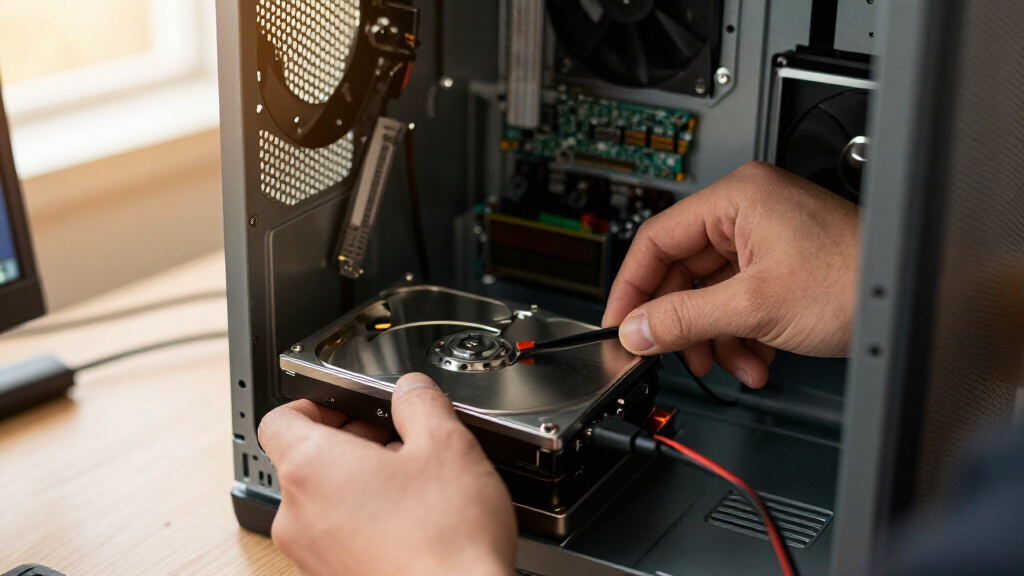

The best internal hard drive for most buyers is the Western Digital 10TB WD Red Plus, which pairs CMR recording, NAS-rated endurance and a workload rating that handles far more than desktop use. If raw speed for gaming matters more than capacity, the WD_BLACK 6TB is the performance pick, while the Seagate BarraCuda 4TB wins on pure value for everyday storage upgrades. The main tradeoff in this category is simple: high-RPM performance drives cost more per terabyte and run hotter, while big-capacity NAS and enterprise drives trade a little speed for reliability and cheaper storage. Renewed enterprise drives like the Toshiba 14TB blur that line further with massive capacity at lower cost, but with warranty risk. Read on for the full breakdown of all 15 drives and which one fits your build.

Get business pricing on monitors, keyboards and dev gear
- Business-only prices and quantity discounts
- Tax-exempt purchasing
- Multiple users, one account, clear invoices
Key Takeaways
- NAS-rated drives (IronWolf, WD Red Plus) dominated the mid-capacity tier because CMR recording and workload ratings matter more than RPM for multi-drive and always-on use.
- The BarraCuda 2TB and 4TB were the cheapest ways to add storage, but their SMR recording makes them poor choices for frequent writes or RAID arrays.
- Renewed enterprise drives like the Toshiba MG07ACA14TE 14TB offered the best cost per terabyte in the lineup, but short warranties make them a calculated risk for primary storage.
- Performance drives (WD_BLACK 6TB) only justify their premium if boot times and game load speeds on the drive actually matter — for mass media storage, that money buys more capacity elsewhere.
- Capacity clustering revealed a clear pattern: 8TB-12TB is the sweet spot where price per terabyte drops, while 1TB-2TB drives are increasingly hard to recommend unless the budget is fixed.


| internal hard drife | Capacity | Interface | Cache | Form Factor |
|---|---|---|---|---|
| Western Digital 6TB WD_BLACK P | 6 TB | SATA 6 Gb/s | 256 MB | 3.5 inches |
| Seagate IronWolf 4TB NAS Inter | 4 TB | SATA 6 Gb/s | 64 MB | — |
| Seagate BarraCuda 2TB Internal | 2 TB | SATA 6 Gb/s | 256 MB | 3.5 inches |
| Western Digital 10TB WD Red Pl | 10 TB | SATA 6 Gb/s | 512 MB | — |
| Seagate BarraCuda 4TB Internal | 4 TB | SATA 6 Gb/s | 256 MB | 3.5 inches |
| Western Digital 10TB WD Blue 3 | 10TB | SATA 6 Gb/s | 512 MB | 3.5" |
| Toshiba MG07ACA14TE 14TB 7200R | 14 TB | SATA 6.0 Gb/s | 256 MB | 3.5 inches |
| Western Digital 1TB WD Blue 3. | 1 TB | SATA 6 Gb/s | 64 MB | 3.5 inches |
| Western Digital 12TB WD Blue 3 | 12 TB | SATA 6 Gb/s | 512 MB | 3.5 inches |
| Seagate 8TB BarraCuda Internal | 8TB | SATA 6 Gb/s | — | — |
| Seagate IronWolf 12TB Internal | 12 TB | SATA 6 Gbps | 256 MB | 3.5 inches |
| Western Digital 4TB WD Blue 3. | 4 TB | SATA 6.0 Gb/s | 128 MB | 3.5 inches |
| Western Digital 8TB WD Red Plu | 8 TB | SATA 6 Gb/s | 256 MB | — |
| Seagate 2TB Pipeline HD 3.5-In | 2 TB | SATA 6Gb/s NCQ | 64 MB | 3.5 inches |
| Seagate 8TB IronWolf Internal | 8 TB | SATA 6 Gb/s | 256 MB | — |
More Details on Our Top Picks
Western Digital 6TB WD_BLACK Performance Internal Hard Drive HDD (WD6004FZBX)
For builders who want a big game library without paying SSD prices for every terabyte, this option stands out as the performance-focused HDD pick. Its 7200 RPM spindle and 256 MB cache push read speeds to around 267 MB/s, which edges out the Seagate BarraCuda 2TB (220 MB/s) and makes load screens tolerable for titles you play occasionally. Where the WD_BLACK line differs from WD’s Blue drives is intent: StableTrac secures the motor shaft to reduce vibration, a real benefit in a tower case with multiple drives. The smart play is a dual-drive setup — your OS and top games on an SSD, everything else here.
Pros:- 7200 RPM with 256 MB cache delivers strong HDD-level performance
- 6TB suits large modern game libraries
- StableTrac reduces vibration in multi-drive builds
- Pairs well with an SSD in a dual-drive gaming setup
Cons:- Still far slower than any SSD for load-sensitive games
- Usable capacity falls short of 6TB after formatting and OS overhead
Best for: PC gamers and content creators who need bulk storage to complement a fast SSD boot drive
Not ideal for: Anyone expecting SSD-like boot or load times from a single drive — a hard drive can’t deliver that
- Capacity:6 TB
- Interface:SATA 6 Gb/s
- Rotational Speed:7200 RPM
- Cache:256 MB
- Read Speed:267 MB/s
- Form Factor:3.5 inches
- Model:WD6004FZBX
Our verdict“A smart second drive for gamers who already run an SSD and want cheap, roomy storage for the rest of their library.”
Seagate IronWolf 4TB NAS Internal Hard Drive (ST4000VNZ06)
Dropping a desktop drive into a NAS enclosure is a common mistake, and this model exists to prevent it. The CMR recording technology keeps write performance steady under RAID, unlike the SMR drives that plague cheaper desktop lines, and firmware tuning keeps noise, vibration, and heat low in multi-bay enclosures — something the Seagate BarraCuda 4TB simply isn’t designed for. Compared with the WD Red Plus 10TB, this 4TB IronWolf trades raw capacity and spindle speed (5400 RPM here) for a lower entry cost, which makes it a sensible first drive for a two-bay home NAS. The bundled IronWolf Health Management gives you early warning before a drive fails, and three years of Rescue Data Recovery adds genuine peace of mind.
Pros:- CMR technology for reliable multi-drive RAID performance
- IronWolf Health Management monitors drive condition
- 3-year warranty plus 3-year Rescue Data Recovery Services
- Rated for up to 8-bay enclosures with 1M-hour MTBF
Cons:- 5400 RPM spindle is slower than 7200 RPM NAS drives like the WD Red Plus 10TB
- Only 64MB cache, below higher-capacity IronWolf models
Best for: Home users building a small 2-4 bay NAS for backups and media streaming
Not ideal for: Power users who need fast file transfers — the 5400 RPM speed and small 64MB cache lag well behind 7200 RPM NAS drives
- Capacity:4 TB
- Interface:SATA 6 Gb/s
- Spindle Speed:5400 RPM
- Cache:64 MB
- Recording Technology:CMR
- Max Bays Supported:8
- MTBF:1 million hours
- Warranty:3-year limited
Our verdict“The right first drive for a small home NAS where reliability matters more than speed.”
Seagate BarraCuda 2TB Internal Hard Drive HDD (ST2000DM008/ST2000DMZ08)
When a build just needs dependable bulk storage at a modest capacity, this is the pick I’d point to first. The 7200 RPM spindle and 256 MB cache put it a step above the Seagate BarraCuda 4TB, which spins at 5400 RPM — so if you regularly move large files, this smaller drive actually feels quicker. It’s also a natural rival to the WD Blue 1TB: for a little more money you double the space without giving up speed. The free DiscWizard software is a quiet advantage, letting you clone an aging drive rather than reinstalling Windows from scratch. The tradeoff is fundamental, though: no hard drive matches an SSD for responsiveness, so treat this as storage, not your boot drive.
Pros:- 7200 RPM with 256 MB cache for quick everyday file access
- Two decades of Seagate BarraCuda reliability behind the platform
- DiscWizard makes cloning an old drive simple
- Versatile across gaming, editing, and general desktop use
Cons:- Slower than an SSD in every responsiveness metric
- 2TB fills up quickly if you install modern games
Best for: Budget PC builders adding a secondary drive for games, media, and documents
Not ideal for: Anyone building a NAS — desktop drives like this lack the vibration and workload tuning multi-bay enclosures demand
- Capacity:2 TB
- Interface:SATA 6 Gb/s
- Rotational Speed:7200 RPM
- Cache:256 MB
- Read Speed:220 MB/s
- Form Factor:3.5 inches
Our verdict“The most sensible cheap way to add fast-enough bulk storage to a desktop build.”
Western Digital 10TB WD Red Plus NAS Internal Hard Drive HDD (WD100EFGX)
This is the drive for someone whose NAS has outgrown starter capacity. At 10TB with 7200 RPM and a 512 MB cache, it clearly outpaces the Seagate IronWolf 4TB on both space and throughput, sustaining around 260 MB/s — fast enough that multi-user file access and Plex transcoding never feel bottlenecked. The NASware firmware is the differentiator versus desktop drives like the WD Blue 10TB: it’s tuned for 24×7 operation, aggressive vibration tolerance in up to 8-bay systems, and smooth RAID rebuilds with CMR recording. The one ceiling to know about is the 180 TB/year workload rating, which suits small business and home office use but sits below enterprise-class drives like the Toshiba MG07 series for sustained heavy writes.
Pros:- NASware firmware tested for 24×7 multi-bay operation
- CMR technology keeps RAID rebuilds predictable
- 512 MB cache and 7200 RPM deliver strong transfer speeds for a NAS drive
- 10TB of capacity in a single bay
Cons:- 180 TB/year workload limit is modest for demanding business use
- Slower and more fragile than SSD-based NAS storage options
Best for: Small office or serious home users expanding a multi-bay NAS with high-capacity, always-on storage
Not ideal for: Heavy enterprise workloads that exceed the 180 TB/year write rating — step up to an enterprise-class drive
- Capacity:10 TB
- Interface:SATA 6 Gb/s
- Rotational Speed:7200 RPM
- Cache:512 MB
- Recording Technology:CMR
- Max Bays Supported:8
- Workload Rate:180 TB/year
- Read Speed:260 MB/s
- Warranty:3-year limited
Our verdict“The best balance of capacity, speed, and NAS-specific reliability for growing small-business or enthusiast setups.”
Seagate BarraCuda 4TB Internal Hard Drive HDD (ST4000DMZ04/DM004)
If the math is capacity divided by dollars, this 4TB BarraCuda consistently comes out ahead for general desktop storage. The tradeoff versus its 2TB sibling is the 5400 RPM spindle speed, which drops sustained transfers to about 190 MB/s — fine for documents, photos, media libraries, and cold game storage, but noticeably slower if you’re shuttling video projects around. Against the WD Blue 4TB, it holds its own on price-to-capacity while adding DiscWizard for painless cloning from an old drive. The optimized read/write caching helps multitasking feel smoother than the raw spindle speed suggests. What this drive is not: a NAS drive, a boot drive, or a scratch disk — the IronWolf lineup covers the first case, and any SSD covers the other two.
Pros:- 4TB of capacity at an accessible price point
- Optimized caching keeps everyday multitasking smooth
- DiscWizard simplifies migration from an older drive
- Handles gaming, photo editing, and general PC workloads
Cons:- 5400 RPM is slower than 7200 RPM drives like the BarraCuda 2TB or WD_BLACK
- No NAS-specific tuning for multi-bay or always-on use
Best for: Desktop owners who want maximum affordable capacity for media libraries, backups, and archived games
Not ideal for: Video editors or NAS builders — the 5400 RPM speed limits large-file work, and it lacks RAID-focused firmware
- Capacity:4 TB
- Interface:SATA 6 Gb/s
- Spindle Speed:5400 RPM
- Cache:256 MB
- Max Sustained Transfer Rate:190 MB/s
- Form Factor:3.5 inches
Our verdict“The go-to pick when your priority is cheap, roomy desktop storage rather than raw speed.”
Western Digital 10TB WD Blue 3.5″ Internal Hard Drive HDD – WD100EAGZ
For buyers who want bulk desktop storage without paying NAS-drive prices, this 10TB WD Blue hits a practical middle ground. The 7200 RPM spindle and generous 512 MB cache keep file transfers and media libraries responsive, and the bundled Acronis cloning software makes migrating from an old drive painless. Compared with the WD Blue 1TB (WD10EZEX), this model targets a completely different buyer: someone archiving years of photos, video projects, or game libraries rather than just booting a basic office PC. Where it falls short of the WD Red Plus 10TB is sustained multi-bay workloads — Blue drives are not rated for 24/7 NAS duty. Buyers should also know the faster spindle speed produces more heat and noise than 5400-class drives like the 8TB Red Plus.
Pros:- Large 10TB capacity for media libraries and backups
- 7200 RPM speed paired with a 512 MB cache for snappy transfers
- Free Acronis True Image cloning software included
- Western Digital’s established reliability track record
Cons:- Runs warmer and louder than 5400 RPM alternatives
- Slower than any SSD for booting and application loading
- Not rated for NAS or always-on use
Best for: Desktop builders and content hobbyists who need a large secondary drive for media, backups, and game libraries
Not ideal for: NAS owners or anyone running drives 24/7 — the Blue line isn’t built for continuous multi-user workloads
- Capacity:10TB
- Model:WD100EAGZ
- RPM:7200 RPM
- Interface:SATA 6 Gb/s
- Cache:512 MB
- Form Factor:3.5″
Our verdict“A sensible pick if you need lots of affordable desktop storage and already have an SSD handling your operating system.”
Toshiba MG07ACA14TE 14TB 7200RPM 3.5″ Enterprise SATA Hard Drive (Renewed)
This renewed Toshiba MG07 makes enterprise-grade capacity accessible at a fraction of new-drive cost. The helium-sealed 9-disk design reduces turbulence and power draw relative to air-filled drives, and Persistent Write Cache Technology guards against data loss during sudden power interruptions — a feature consumer drives like the WD Blue 12TB simply don’t offer. Compared with that Blue model, this drive is built for punishing workloads: RAID arrays, home servers, and media archives that run around the clock. The obvious tradeoff is the refurbished condition, which will give cautious buyers pause even with the Amazon Renewed Guarantee covering replacement or refund. It also uses 512e sector emulation rather than native 4Kn, and enterprise drives draw more power, so small PSU builds should check their headroom.
Pros:- Huge 14TB capacity at a refurbished price point
- Helium-sealed enterprise design for efficiency and durability
- Persistent Write Cache Technology protects data integrity
- Amazon Renewed Guarantee covers replacement or refund
Cons:- Refurbished condition carries inherent risk and shorter expected lifespan
- 512e sector emulation rather than native 4Kn
- Higher power consumption than desktop-class drives
Best for: Home-server and RAID builders who want maximum terabytes per dollar and accept refurbished hardware
Not ideal for: Buyers who demand factory-new hardware with a full manufacturer warranty for irreplaceable data
- Capacity:14 TB
- Model:MG07ACA14TE
- Interface:SATA 6.0 Gb/s
- Rotational Speed:7200 RPM
- Cache:256 MB
- Form Factor:3.5 inches
- Condition:Renewed (refurbished)
Our verdict“If your data is backed up elsewhere and you need cheap bulk capacity, this enterprise refurb is hard to beat.”
Western Digital 1TB WD Blue 3.5″ Internal Hard Drive HDD (WD10EZEX)
Sometimes a cheap, proven, no-drama drive is all a build needs, and the WD10EZEX has been filling that role for years. With 7200 RPM speed and a 2.22 ms average latency, it feels noticeably perkier than 5400 RPM options like the Seagate BarraCuda 4TB, which matters for loading office applications or older games. Compared with its bigger sibling, the WD Blue 10TB, this drive is the right choice when the budget goes toward a better CPU or GPU and storage needs are modest. The tradeoff is blunt: 1TB is genuinely small in 2025 — a few modern games and a photo library will fill it fast. It also can’t compete with even a budget SSD for boot times, so pair it with solid-state storage for the OS if you can.
Pros:- Long-standing reputation for everyday reliability
- 7200 RPM speed feels responsive for daily desktop tasks
- Free Acronis True Image cloning software included
- Inexpensive way to revive an aging desktop
Cons:- Only 1TB of capacity, small by modern standards
- Mechanical speeds lag far behind any SSD
Best for: Budget PC builders repairing or upgrading an older desktop who need inexpensive, dependable storage
Not ideal for: Anyone with large game libraries, video projects, or media collections — 1TB fills up fast
- Capacity:1 TB
- Model:WD10EZEX
- Form Factor:3.5 inches
- Interface:SATA 6 Gb/s
- Rotational Speed:7200 RPM
- Cache:64 MB
- Average Latency:2.22 ms
Our verdict“A dependable budget filler for basic desktops, as long as you accept that 1TB won’t stretch far.”
Western Digital 12TB WD Blue 3.5″ Internal Hard Drive HDD (WD120EAGZ)
The 12TB WD Blue splits the difference between the WD Blue 10TB and the enterprise-tier Toshiba MG07 14TB, offering new-drive peace of mind with near-enterprise capacity. Its 512 MB cache and 7200 RPM spindle handle large sequential transfers well, which is exactly what matters when moving multi-gigabyte video files or backing up a photo archive. NoTouch Ramp Load Technology parks the heads safely off the platters when parked, a small but real durability benefit for a drive that might get bumped during a case upgrade. Unlike the renewed Toshiba, it ships new with a two-year limited warranty. The catch is the same one facing every Blue drive: it’s tuned for desktop duty, not the sustained vibration and 24/7 operation of a NAS enclosure — that job belongs to the IronWolf or Red Plus lines.
Pros:- Roomy 12TB capacity for growing media collections
- 512 MB cache accelerates large file transfers
- NoTouch Ramp Load Technology adds head-protection durability
- Ships new with a 2-year limited warranty
Cons:- Mechanical drive speeds can’t match SSDs for responsiveness
- Not optimized for NAS or heavy multi-drive workloads
Best for: Photographers, video editors, and collectors who need a large new drive for a single-desktop media library
Not ideal for: NAS builders — the Blue series lacks the vibration tolerance and workload rating of IronWolf or Red Plus drives
- Capacity:12 TB
- Model Number:WD120EAGZ-SPCRJB0
- Interface:SATA 6 Gb/s
- Rotational Speed:7200 RPM
- Cache:512 MB
- Form Factor:3.5 inches
- Warranty:2 year limited warranty
Our verdict“The right balance of capacity, new-condition reliability, and price for a single-PC media vault.”
Seagate 8TB BarraCuda Internal Hard Drive (ST8000DM004)
Seagate’s 8TB BarraCuda earns its spot with a 190 MB/s sustained transfer rate, among the quickest you’ll find in a consumer HDD at this capacity. That speed makes it a natural games-and-media drive: titles stored here install and patch faster than on slower 5400 RPM rivals like the WD Red Plus 8TB, though no spinner will beat an SSD for load screens. Compared with the WD Blue 10TB, the BarraCuda trades two terabytes for stronger sequential throughput and a longer track record of gaming-oriented use. One practical annoyance deserves attention: it ships in frustration-free packaging — an anti-static bag only, with no cables, box, or mounting screws, so first-time builders may need to source SATA cables separately. For a secondary drive behind a solid-state boot drive, that’s a fair compromise.
Pros:- Fast 190 MB/s sustained transfer rate for an HDD
- 8TB fits large game libraries and project files
- Versatile across gaming, video editing, and general use
- Backed by Seagate’s two decades of drive innovation
Cons:- Ships in an anti-static bag only — no cables, box, or accessories
- Still far slower than an SSD for load times
Best for: Gamers and casual creators who want a fast, high-capacity secondary drive behind an SSD boot drive
Not ideal for: First-time builders expecting a complete retail kit — no cables or mounting hardware are included
- Capacity:8TB
- Model:ST8000DM004
- Interface:SATA 6 Gb/s
- Sustained Transfer Rate:190 MB/s
- Type:Internal hard drive (3.5″ HDD)
- Packaging:Frustration Free (anti-static bag only)
Our verdict“A fast, spacious games-and-media drive, provided you have your own cables and an SSD for booting.”
Seagate IronWolf 12TB Internal Hard Drive, NAS HDD, 3.5 Inch, 7200 RPM, 256MB Cache
When a home lab or small business NAS starts running out of room, this 12TB IronWolf is the drive I point people toward before they consider adding more bays. The 7200 RPM spindle speed and 256MB cache keep multi-user access responsive, while rotational vibration sensors matter more than most buyers realize — in an 8-bay enclosure, a standard desktop drive like the Seagate BarraCuda 8TB will vibrate itself and its neighbors into early failure. Compared with the WD Red Plus 8TB, this model trades slightly higher power draw and heat for a faster spindle and Seagate’s included Rescue Data Recovery Services, which covers three years of recovery costs that would otherwise run into the thousands. The 1M-hour MTBF rating reflects the tier of engineering here.
Pros:- Massive 12TB capacity reduces the number of bays you need to fill
- Vibration and noise reduction designed specifically for multi-bay enclosures
- 3-year Rescue Data Recovery Services covers expensive data loss scenarios
- IronWolf Health Management gives early warning of drive degradation
Cons:- 7200 RPM operation produces more heat than slower-spinning NAS alternatives like the WD Red Plus
- Overkill for basic desktop storage where cheaper drives perform the same task
- Power consumption is higher than 5640 RPM competitors
Best for: Small business owners and home lab builders filling multi-bay NAS enclosures who want maximum capacity per slot with recovery protection included
Not ideal for: Budget desktop PC builders — it costs more than desktop drives and its NAS-optimized firmware adds nothing to a single-drive workstation
- Capacity:12 TB
- Form Factor:3.5 inches
- Rotational Speed:7200 RPM
- Interface:SATA 6 Gbps
- Cache:256 MB
- Read Speed:180 MB/s
- MTBF:1,000,000 hours
- Warranty:3-year limited + 3-year Rescue Data Recovery Services
Our verdict“Buy this if you’re filling a NAS and want the most usable capacity per bay with enterprise-grade recovery coverage baked in.”
Western Digital 4TB WD Blue 3.5″ Internal Hard Drive HDD (WD40EZZX)
For straightforward desktop storage, the WD Blue line has always been about predictable value, and this 4TB model fits that mold. The 5400 RPM spindle is slower than a BarraCuda or a WD Black, but for documents, photos, media libraries, and backups, that difference barely registers in daily use — and the slower speed pays off in quieter operation and lower power draw. What makes this option stand out against similarly priced drives is the bundled Acronis True Image WD Edition cloning software, which turns a drive swap from a weekend project into an hour of work. NoTouch Ramp Load technology parks the heads off the platters, a small detail that genuinely protects data during knocks and power losses. The tradeoff is the 2-year warranty, which is a year shorter than Seagate’s NAS-tier coverage.
Pros:- Excellent cost per terabyte for everyday storage needs
- Free Acronis True Image cloning software simplifies upgrades
- NoTouch Ramp Load technology protects heads and platters from shock
- Quiet and cool 5400 RPM operation suits always-on home PCs
Cons:- 5400 RPM performance lags noticeably behind 7200 RPM drives for demanding tasks
- Shorter 2-year warranty compared to the 3-year coverage on NAS drives
Best for: Budget-conscious desktop builders and families adding bulk media or backup storage to a home PC
Not ideal for: Gamers or content creators who need fast load times — the 5400 RPM speed bottlenecks game launches and video scrubbing
- Capacity:4 TB
- Model:WD40EZZX
- Rotational Speed:5400 RPM
- Interface:SATA 6.0 Gb/s
- Cache:128 MB
- Form Factor:3.5 inches
- Warranty:2-year limited
Our verdict“This pick makes the most sense for anyone who needs reliable bulk storage on a desktop and doesn’t care about benchmark numbers.”
Western Digital 8TB WD Red Plus NAS Internal Hard Drive HDD – 5640 RPM, SATA 6 Gb/s, CMR, 256 MB Cache, 3.5″ (WD80EFPX)
Between the fast-and-hot IronWolf 8TB and this WD Red Plus, the difference comes down to temperament. The 5640 RPM spin rate gives up some raw throughput but runs cooler and quieter, which matters when your NAS lives in a living room or bedroom rather than a closet. The CMR (conventional magnetic recording) technology is the feature NAS shoppers should scrutinize — unlike SMR drives that choke under sustained write loads and RAID rebuilds, CMR keeps performance consistent when a drive fails and the array needs to reconstruct terabytes of data. NASware firmware handles the 24×7 duty cycle gracefully, and the rated 180 TB/year workload covers typical small-business demands. Compared with the 7200 RPM IronWolf, expect slower file transfers in exchange for lower heat output and less drive noise in multi-bay setups.
Pros:- CMR recording sustains performance during RAID rebuilds and heavy writes
- Cooler and quieter than 7200 RPM NAS drives in the same capacity
- NASware firmware tuned for up to 8-bay, always-on environments
- 3-year limited warranty with a 180 TB/year workload rating
Cons:- 5640 RPM spindle limits sequential transfer speeds versus faster NAS drives
- Formatted usable capacity falls short of the stated 8TB
Best for: Home and small-office NAS owners who prioritize quiet, cool 24×7 operation over maximum transfer speed
Not ideal for: Users who regularly move huge files to and from their NAS — the 5640 RPM speed makes large transfers noticeably slower than 7200 RPM alternatives
- Capacity:8 TB
- RPM:5640
- Interface:SATA 6 Gb/s
- Recording Technology:CMR
- Cache:256 MB
- Supported Bays:Up to 8
- Workload Rate:180 TB/year
- Warranty:3-year limited
Our verdict“Choose this over faster NAS drives when silence and heat matter more than shaving minutes off large file transfers.”
Seagate 2TB Pipeline HD 3.5-Inch Internal Hard Drive (ST2000VM003, Renewed)
This is the specialist pick of the lineup. The Pipeline HD was engineered for one job — streaming up to 16 simultaneous HD video streams — which is exactly what a whole-house DVR setup demands. A general-purpose drive like the WD Blue 4TB can technically record shows, but it isn’t tuned for the sustained, always-on read/write pattern of multiple concurrent recordings, and the Pipeline’s 24×7 operational profile handles that workload without the stuttering that plagues desktop drives in DVR duty. The obvious catch is the renewed condition: you’re buying refurbished hardware, so longevity carries real uncertainty compared to new drives with fresh warranties. Installation also demands a short SATA cable under 50cm seated firmly, a quirk that trips up buyers expecting a plug-and-play swap.
Pros:- Supports up to 16 simultaneous HD streams for multi-room DVR use
- Built for 24×7 always-on operation typical of recording setups
- SATA 6Gb/s with NCQ handles concurrent read/write streams smoothly
- 2TB capacity holds hundreds of hours of recorded video
Cons:- Renewed condition means no new-unit warranty and unknown usage history
- Requires a short SATA cable (under 50cm) with tight connector seating to work reliably
Best for: Cord-cutters and DVR owners replacing a failed drive in a TiVo or surveillance system on a tight budget
Not ideal for: Anyone storing irreplaceable data — the renewed condition means no factory warranty confidence and unknown prior wear
- Capacity:2 TB
- Cache:64 MB
- Interface:SATA 6Gb/s NCQ
- Form Factor:3.5 inches
- Condition:Renewed
- Max Simultaneous HD Streams:16
- Operational Profile:24×7
Our verdict“A sensible gamble for reviving a DVR or NVR cheaply, but skip it if this drive will hold anything you can’t afford to lose.”
Seagate 8TB IronWolf Internal NAS Hard Drive – SATA 6 Gb/s (ST8000VNZ04)
Sitting between the 4TB IronWolf and its 12TB sibling, this 8TB model hits a sweet spot for builders populating a home NAS without paying for capacity they won’t use for years. It shares the family’s core strengths — 7200 RPM speed, a 256MB cache, and up to 210 MB/s read rates — which makes it noticeably snappier over a network than the WD Red Plus 8TB at 5640 RPM. That speed advantage comes with the usual cost: more heat, more power, and more noise in a small enclosure. Like the larger IronWolf, it includes IronWolf Health Management and the 3-year Rescue Data Recovery Services, giving it a safety net the WD Blue desktop line simply doesn’t offer. For a two- or four-bay media server, this capacity is enough for a serious Plex library and years of backups.
Pros:- 7200 RPM speed delivers up to 210 MB/s reads for snappy network access
- Rescue Data Recovery Services included for three years
- IronWolf Health Management enables proactive drive monitoring
- 8TB capacity suits 2 to 4-bay home NAS builds well
Cons:- Runs hotter and louder than 5640 RPM NAS drives like the WD Red Plus
- No solid-state responsiveness — it’s still a traditional spinning disk
Best for: Home media server builders who want fast NAS performance and 8TB of storage without stepping up to 12TB pricing
Not ideal for: Silence-sensitive setups like bedroom NAS units — the 7200 RPM operation is audible compared to slower-spinning alternatives
- Capacity:8 TB
- Model:ST8000VNZ04
- Rotational Speed:7200 RPM
- Interface:SATA 6 Gb/s
- Cache:256 MB
- Read Speed:210 MB/s
- Max NAS Bays:8
- Warranty:3-year limited + 3-year Rescue Data Recovery Services
Our verdict“The right balance of speed, capacity, and recovery coverage for a home NAS where transfer performance matters.”
How We Picked
I evaluated each drive against four buyer-relevant criteria: intended workload fit (desktop, NAS, gaming or surveillance), recording technology (CMR versus SMR, which affects sustained write performance and RAID reliability), endurance and warranty positioning (workload ratings in terabytes per year, drive class, and renewed versus new condition), and value per terabyte at the drive’s capacity tier. A 5400 RPM NAS drive with CMR can be a better buy than a faster desktop drive if it will live in a multi-bay enclosure, so rankings reflect role fit rather than speed alone.
The ranking logic favors drives that clearly state their purpose and execute it well: NAS drives with CMR and high workload ratings ranked above similarly priced desktop drives, value picks earned their place by undercutting the cost per terabyte of the tier above them, and renewed drives were ranked on the tradeoff between capacity gains and warranty risk. Where two drives overlap heavily — such as the 8TB IronWolf models — I separated them by the specific buyer each one serves.
| internal hard drife | Interface |
|---|---|
| Western Digital 6TB WD_BLACK P | SATA 6 Gb/s |
| Seagate IronWolf 4TB NAS Inter | SATA 6 Gb/s |
| Seagate BarraCuda 2TB Internal | SATA 6 Gb/s |
| Western Digital 10TB WD Red Pl | SATA 6 Gb/s |
| Seagate BarraCuda 4TB Internal | SATA 6 Gb/s |
| Western Digital 10TB WD Blue 3 | SATA 6 Gb/s |
| Toshiba MG07ACA14TE 14TB 7200R | SATA 6.0 Gb/s |
| Western Digital 1TB WD Blue 3. | SATA 6 Gb/s |
| Western Digital 12TB WD Blue 3 | SATA 6 Gb/s |
| Seagate 8TB BarraCuda Internal | SATA 6 Gb/s |
| Seagate IronWolf 12TB Internal | SATA 6 Gbps |
| Western Digital 4TB WD Blue 3. | SATA 6.0 Gb/s |
| Western Digital 8TB WD Red Plu | SATA 6 Gb/s |
| Seagate 2TB Pipeline HD 3.5-In | SATA 6Gb/s NCQ |
| Seagate 8TB IronWolf Internal | SATA 6 Gb/s |
Factors to Consider When Choosing Best Internal Hard Drives
Before picking a specific drive, it helps to understand the broader patterns in this category — the mistakes buyers make most often have nothing to do with the drive itself and everything to do with mismatched expectations.SMR vs. CMR: The Spec Most Buyers Miss
The single most consequential spec on a modern hard drive label is rarely printed prominently: shingled magnetic recording (SMR) versus conventional magnetic recording (CMR). SMR drives overlap data tracks to boost density, which lowers cost per terabyte but causes severe slowdowns during sustained writes and rebuilds — a drive that streams video fine can crawl when you copy a 500GB game library onto it. CMR drives, which include all the NAS-class models in this lineup, keep write speeds predictable and behave correctly in RAID arrays. The common mistake is buying a cheap high-capacity desktop drive, discovering it is SMR, and then wondering why it performs poorly as a scratch disk or NAS drive. If a drive will ever live in a RAID array, an always-on server, or handle frequent large writes, CMR should be treated as non-negotiable. For pure read-heavy archive duty, SMR’s cost savings are perfectly acceptable.
Match the Drive Class to the Workload
Hard drives are built in tiers — desktop, NAS, surveillance and enterprise — and the differences go far beyond marketing. NAS drives like the IronWolf and WD Red Plus lines are validated for 24/7 operation, vibration tolerance in multi-bay enclosures, and annual workload ratings typically three to five times higher than desktop models. Desktop drives like WD Blue and BarraCuda assume eight hours of daily use in a single-drive system, and their firmware is tuned for bursty consumer access patterns rather than constant streaming. Enterprise drives add larger caches, faster sustained transfer rates and the highest workload ratings, but run hotter and louder, which matters in a quiet living-room PC. Putting a desktop drive in a NAS is the most frequent and most expensive mismatch I see — it may work for a year, then fail under vibration and workload it was never built for. Paying the premium for the right class is cheaper than rebuilding an array after a drive drops out.
RPM Matters Less Than You Think
Buyers tend to fixate on spindle speed, but 7200 RPM only translates to a real-world advantage of roughly 10-20% over 5400 RPM class drives in sequential throughput, and even less in random access. Meanwhile, higher RPM means more heat, more noise and more power draw — the reason the 8TB WD Red Plus runs at 5640 RPM is precisely to balance endurance and thermals for always-on enclosures. Where RPM genuinely matters is as a primary game or application drive, where every millisecond of seek time compounds across thousands of small file reads. If the drive is storing media, backups or archives, a slower-spinning high-capacity drive delivers nearly identical streaming performance with better acoustics. The mistake to avoid is paying a per-terabyte premium for speed on a drive whose job is bulk storage.
The Case For and Against Renewed Drives
Renewed enterprise drives occupy a strange spot in this market: a 14TB renewed Toshiba at a fraction of new pricing can undercut everything on cost per terabyte, because these are often datacenter pulls with years of rated life remaining. The honest tradeoff is warranty and history — you rarely know the drive’s power-on hours or previous workload, and seller warranties are typically far shorter than the three to five years on new drives. My guidance: renewed enterprise drives are reasonable for redundant or replaceable storage — a secondary backup target, a media scratch drive, or a mirror where a failure costs you convenience rather than data. They are a poor choice for a single-drive system holding your only copy of irreplaceable files. Running a full SMART check and a complete surface write test immediately after purchase is cheap insurance regardless.
Capacity Planning and the Price-Per-Terabyte Cliff
Storage pricing is not linear — cost per terabyte drops sharply between 2TB and 8TB, flattens through the 10-14TB range, then rises again at the largest sizes. Buying a 1TB or 2TB drive in 2026 only makes sense when the budget is absolutely fixed, because doubling capacity usually costs far less than double the price. The more common mistake is in the other direction: buying 14TB when 8TB covers current needs plus two years of growth, then sitting on unused capacity that could have been invested in an SSD for the boot drive. A practical rule is to size for your current data plus 50-100% growth headroom, and to remember that a second drive adds a backup option while a single larger one does not. For NAS builders, also check your enclosure’s maximum supported capacity before assuming a 12TB or 14TB drive will be recognized.
Don’t Forget the Supporting Hardware
Even the best drive underperforms if the system around it holds it back. Confirm your case has a free 3.5-inch bay with adequate airflow — high-capacity 7200 RPM drives can dissipate noticeable heat, and enclosed spaces shorten bearing life. Check that your power supply has the older SATA power connectors the drive needs, and that your motherboard or controller isn’t limiting you to slower SATA revision speeds on older ports. For NAS and multi-drive builds, vibration dampening mounts matter more than most people expect, since rotational vibration from neighboring drives is a leading cause of premature failure in poorly designed enclosures. Finally, plan the migration path: cloning software, a spare SATA cable, and an hour of downtime are the difference between an upgrade and an afternoon of frustration.
Frequently Asked Questions
Can I use a NAS drive like the IronWolf or WD Red Plus in a regular desktop PC?
Yes, and it often works very well — NAS drives use standard SATA connectors and will function in any desktop. What you gain is CMR recording, higher workload tolerance and firmware tuned for sustained operation; what you trade is a small amount of acoustics, since some NAS drives produce more seek noise than quiet desktop models. There is no compatibility penalty and no wasted feature, as the NAS-specific features like IronWolf Health Management simply stay dormant outside a NAS. This makes mid-range NAS drives a sensible choice for a desktop that runs long download sessions or acts as a home server. The only scenario where I would skip them is a compact, noise-sensitive build where a 5400 RPM desktop drive would be quieter.
Is a renewed enterprise drive like the Toshiba 14TB worth the risk?
It depends entirely on what the drive will hold. If it is a secondary or mirrored drive whose loss would be an inconvenience rather than a disaster, a renewed enterprise drive offers some of the best cost per terabyte available, and enterprise-class hardware was originally built to a higher standard than consumer drives. The risk concentrates in two areas: unknown prior usage (power-on hours and workload history are often opaque) and a shorter seller warranty compared to three to five years on new drives. Immediately running SMART diagnostics and a full write-and-verify pass will catch most failing units early, typically within the return window. I would avoid renewed drives for a single-drive system storing the only copy of important data — redundancy, not luck, should be the safety net there.
Do I actually need a fast 7200 RPM drive, or is 5400 RPM enough?
For bulk storage of media, backups and documents, 5400 RPM class drives are effectively indistinguishable from 7200 RPM in everyday use — they still saturate gigabit network transfers and stream multiple 4K files simultaneously. The speed difference shows up in large sequential copies and random access workloads, which is why it matters for a drive hosting games, applications or a working video editing project. Note that some modern drives use intermediate speeds like the 5640 RPM WD Red Plus, deliberately balancing throughput against heat and endurance. The better question is whether that drive should be a hard drive at all: if the workload is latency-sensitive, an SSD is the real answer, and spending extra on a fast HDD for gaming is a half-measure. Save the RPM premium for capacities where SSDs are impractical.
What does 512MB of cache actually do for me?
Cache is a small pool of fast memory that buffers data moving between the drive and the system, and a larger cache mainly improves burst performance — the first few seconds of a large transfer before the drive’s mechanical speed becomes the limit. A 512MB cache, as found on the 10TB WD Red Plus and WD_BLACK, helps most with repeated access to the same files and mixed read/write workloads, but it cannot overcome the physics of a spinning platter on sustained transfers. In practice, cache size is a tiebreaker between otherwise similar drives, not a reason to choose one class of drive over another. It matters more at higher capacities where data density makes caching strategies more effective. Don’t pay extra for cache alone; do use it to separate two similarly priced drives with the same RPM and capacity.
Which drive should I pick if I’m building my first NAS?
Start with a purpose-built NAS drive and skip desktop drives entirely — the 4TB or 8TB IronWolf or the WD Red Plus range are the safe entries, because CMR recording and vibration tolerance are what keep a multi-bay array healthy over years. Decide capacity based on your RAID plan: with mirroring or SHR, remember that usable capacity is less than the sum of the drives, so size up one tier if the math is tight. Buy drives in modest batches or from different shipments if you are paranoid about batch defects, though modern failure rates make this less critical than forum lore suggests. Avoid the temptation of a single huge renewed drive in a two-bay NAS unless you accept the warranty risk on both redundancy layers at once. Finally, budget for a separate backup target — RAID protects against drive failure, not deletion, theft or ransomware.
Conclusion
The right pick from this lineup depends less on which drive is objectively best and more on what it will live inside. For the best overall choice, the WD Red Plus 10TB balances CMR recording, NAS-grade endurance and enough capacity for years of growth, making it nearly mismatch-proof. The best value is the Seagate BarraCuda 4TB, which covers everyday desktop storage at the lowest sensible cost, while the Seagate IronWolf 4TB is the smarter value if a NAS is in your future. Best premium goes to the WD_BLACK 6TB for gaming and performance builds where a hard drive still makes sense, and the Toshiba 14TB renewed enterprise drive takes best premium capacity for those comfortable managing the warranty tradeoff. For beginners doing a first desktop upgrade, the WD Blue 1TB or Seagate BarraCuda 2TB keeps the decision simple and cheap. For specific needs: NAS builders should stay within IronWolf or Red Plus, surveillance and DVR builders get a purpose-built option in the Seagate Pipeline HD, and bulk-archive hunters will find the 10-12TB WD Blue and 12TB IronWolf hit the cost-per-terabyte sweet spot. Whatever you choose, match the drive class to the workload — that single decision does more for longevity than any spec on the box.
Fall Picks
fall essentials
As an affiliate, we earn on qualifying purchases.