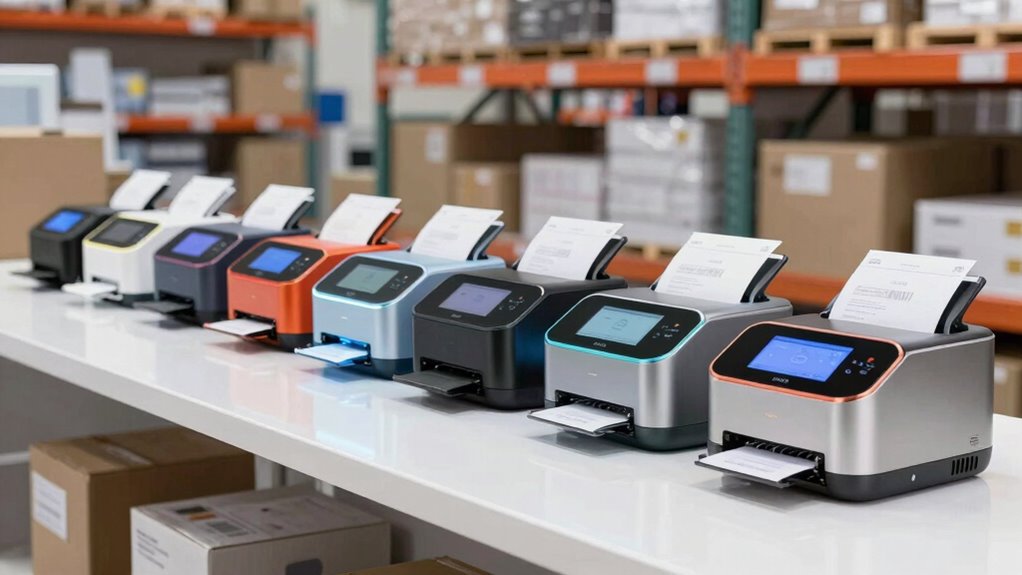
Finding the right label printer for shipping and barcodes can be challenging with so many options available. The Brother QL-1100c stands out as the best overall, offering wide-format printing and reliable barcode support. For those prioritizing affordability, the Rollo USB Shipping Label Printer provides a commercial-grade thermal option at a lower cost. If wireless convenience is key, models like the KNAON Bluetooth Thermal Shipping Label Printer deliver portability and easy connectivity. Each choice involves tradeoffs between speed, compatibility, and price, so continue reading for a detailed comparison to find your perfect fit.

Get business pricing on monitors, keyboards and dev gear
- Business-only prices and quantity discounts
- Tax-exempt purchasing
- Multiple users, one account, clear invoices
Key Takeaways
- Wider format printers like the Brother QL-1100c excel for large shipping labels and barcode integration, making them ideal for high-volume shipping.
- Wireless models such as the KNAON and Rongta offer great portability but may have slightly slower print speeds compared to wired options.
- Thermal printers dominate this category, providing maintenance-free operation without ink or toner, but they can have limited color options.
- Compatibility with multiple devices (Windows, macOS, iOS, Android) varies; choosing a model with broad support reduces setup headaches.
- Price ranges significantly; investing in a higher-quality printer often results in better reliability and longer-term savings.
| Brother QL-1100c Wide Format Label Printer, 4″ x 6″ Shipping Labels, Barcode & QR Code, USB |  | Best Overall for High-Speed Shipping Labels | Maximum Label Width: 4 inches | Print Speed: 69 labels per minute | Resolution: 300 dpi | VIEW ON AMAZON | See Our Full Breakdown |
| iDPRT iD880 Industrial Thermal Printer Supports 1″ – 4.64″ Wide Labels |  | Best for Professional-Grade, Versatile Labeling | Supported media width: 1″ – 4.64″ | Print resolution: 203 DPI | Print speed: up to 6 inches/sec | VIEW ON AMAZON | See Our Full Breakdown |
| Rollo USB Shipping Label Printer – Commercial Grade 4×6 Thermal Printer |  | Best for Ecommerce and Cross-Platform Compatibility | Printer Type: Thermal | Maximum Media Size: 4.1 Inch Width | Print Resolution: 203 x 203 DPI | VIEW ON AMAZON | See Our Full Breakdown |
| Bluetooth Shipping Label Printer with Built-in Label Bin |  | Best Compact, Wireless Option with Space-Saving Design | Dimensions: 7.2 x 6.3 x 5.3 inches | Label Width: up to 4.6 inches | Print Resolution: 203 DPI | VIEW ON AMAZON | See Our Full Breakdown |
| JADENS Bluetooth Thermal Shipping Label Printer, Wireless 4×6 Label Printer |  | Best for Versatile, Wireless Label Printing with Easy Setup | Print Resolution: 203 DPI | Label Width Range: 1.57″ to 4.1″ | Connectivity: Bluetooth, USB | VIEW ON AMAZON | See Our Full Breakdown |
| TSC DA210 Shipping Label Printer, Postage, Tags, Receipts, Barcodes, Stickers |  | Best Overall for Versatility and Ease of Use | Print Resolution: 203 DPI | Print Speed: 6 inches per second | Print Width: 4.25 inches | VIEW ON AMAZON | See Our Full Breakdown |
| KNAON Bluetooth Thermal Shipping Label Printer, 4×6 Portable Thermal Address Label Printer for Small Business, Compatible with iPhone, Android, Windows, Mac |  | Best for Wireless Flexibility and Multi-Platform Compatibility | Print Size: 4×6 inches | Connectivity: Bluetooth, USB | Compatibility: iPhone, Android, Windows, Mac | VIEW ON AMAZON | See Our Full Breakdown |
| Labeer Bluetooth Thermal Shipping Label Printer, Wireless 4×6 Printer Black |  | Best for Multi-Device Compatibility and Cost Efficiency | Printing Technology: Direct Thermal | Resolution: 203 DPI | Label Size Support: 1.57″ to 4.41″ wide | VIEW ON AMAZON | See Our Full Breakdown |
| DYMO LabelWriter 550 Turbo Label Printer |  | Best for High-Speed, Professional-Quality Printing | Printing Technology: Direct Thermal | Connectivity: USB, LAN | Label Types: Shipping labels, file folder labels, barcode labels | VIEW ON AMAZON | See Our Full Breakdown |
| Rollo Wireless Shipping Label Printer – Wi-Fi 4×6 Thermal Label Printer |  | Best for High-Speed, Wireless Shipping Efficiency | Connectivity: Wi-Fi, USB | Print Speed: 150mm/sec | Print Resolution: 203 DPI | VIEW ON AMAZON | See Our Full Breakdown |
| DYMO LabelWriter 4XL Shipping Label Printer |  | Best for Large-Format Shipping Labels | Printer Type: Thermal | Maximum Label Size: 4 x 6 inches | Resolution: 300 dpi | VIEW ON AMAZON | See Our Full Breakdown |
| DYMO LabelWriter 450 Direct Thermal Label Printer |  | Best for Compact Professional Labeling | Printer Type: Thermal | Output Type: Monochrome | Item Weight: 2.2 pounds | VIEW ON AMAZON | See Our Full Breakdown |
| Brother QL-1100 Wide Format Postage and Barcode Thermal Label Printer |  | Best for Wide Format Barcode and Postage Labels | Print Width: up to 4 inches | Maximum Label Length: 9.8 feet | Printer Memory: 7.8 MB | VIEW ON AMAZON | See Our Full Breakdown |
| Rongta Bluetooth Shipping Label Printer, Wireless 4×6 Thermal Label Printer for Shipping Packages |  | Best for Wireless Flexibility in Small Business Shipping | Printer Type: Thermal | Output Type: Monochrome | Item Weight: 0.65 kg | VIEW ON AMAZON | See Our Full Breakdown |
| Thermal Shipping Label Printer 4×6 Bluetooth Label Maker for Small Business |  | Best for High-Volume Small Business Shipping | Resolution: 203 DPI | Print Speed: 150mm/s | Connectivity: Bluetooth & USB | VIEW ON AMAZON | See Our Full Breakdown |
| label printer for shipping and barcode | Connectivity | Print Speed |
|---|---|---|
| Brother QL-1100c Wide Format L | USB | 69 labels per minute |
| iDPRT iD880 Industrial Thermal | USB, Ethernet | up to 6 inches/sec |
| Rollo USB Shipping Label Print | USB | 150mm/sec |
| Bluetooth Shipping Label Print | Bluetooth, USB | 72 labels/min |
| JADENS Bluetooth Thermal Shipp | Bluetooth, USB | — |
| TSC DA210 Shipping Label Print | USB | 6 inches per second |
| KNAON Bluetooth Thermal Shippi | Bluetooth, USB | 180 mm/s |
| Labeer Bluetooth Thermal Shipp | Bluetooth, USB | — |
| DYMO LabelWriter 550 Turbo Lab | USB, LAN | Fast |
| Rollo Wireless Shipping Label | Wi-Fi, USB | 150mm/sec |
| DYMO LabelWriter 4XL Shipping | Not specified | up to 53 labels per minute |
| DYMO LabelWriter 450 Direct Th | — | 51 labels per minute |
| Brother QL-1100 Wide Format Po | USB, Serial | — |
| Rongta Bluetooth Shipping Labe | Bluetooth, USB | 80 pages per minute |
| Thermal Shipping Label Printer | Bluetooth & USB | 150mm/s |
More Details on Our Top Picks
Brother QL-1100c Wide Format Label Printer, 4″ x 6″ Shipping Labels, Barcode & QR Code, USB
This model stands out for its impressive print speed of 69 labels per minute, making it ideal for high-volume shipping operations. Compared to the Rollo or JADENS, the Brother QL-1100c provides faster throughput, which is crucial for busy warehouses. Its direct thermal printing eliminates the need for ink or toner, reducing ongoing costs, but its reliance on Windows and Mac limits flexibility for Linux users. The automatic cropping feature simplifies label creation, reducing waste, yet some features like this are Windows-only, which can be frustrating for cross-platform workflows. Overall, this printer suits growing businesses needing fast, reliable shipping labels without fuss.
Pros:- Fast printing speed of up to 69 labels per minute
- No ink or toner needed thanks to thermal technology
- Automatic crop function minimizes waste and simplifies labels
Cons:- Limited to Windows and Mac, excluding Linux users
- Some advanced features are Windows-only, reducing cross-platform compatibility
Best for: E-commerce warehouses and shipping departments prioritizing speed and ease of use.
Not ideal for: Small home offices or users needing Linux support or infrequent label printing.
- Maximum Label Width:4 inches
- Print Speed:69 labels per minute
- Resolution:300 dpi
- Connectivity:USB
- Auto Cutter:Yes
- Compatible OS:Windows, Mac
Our verdict“This printer is best for high-volume shipping environments that value speed and straightforward setup.”
iDPRT iD880 Industrial Thermal Printer Supports 1″ – 4.64″ Wide Labels
The iDPRT iD880 is designed for demanding environments where quality and variety matter. Its support for a broad range of label widths, from 1″ to 4.64″, surpasses the more limited width of the Rollo or JADENS, making it suitable for diverse labeling tasks. The high-speed printing at 6 inches per second and 203 DPI resolution offers crisp, professional labels quickly. However, its setup requires a firm connection of the power plug and may be overkill for small businesses with occasional needs. Compared to the simpler Bluetooth options, this model offers extensive media support, but its size and complexity are less suited for casual users or those with minimal volume.
Pros:- Supports a wide range of label widths from 1″ to 4.64″
- High-speed printing with crisp 203 DPI resolution
- Easy setup with included accessories and drivers
Cons:- Requires a stable power connection, which may be less convenient
- Potentially over-spec for infrequent or casual label printing
Best for: Professional environments needing flexible label sizes and reliable high-volume printing.
Not ideal for: Casual users or small-scale operations with infrequent labeling needs, due to its size and setup complexity.
- Supported media width:1″ – 4.64″
- Print resolution:203 DPI
- Print speed:up to 6 inches/sec
- Memory:32 MB DDR3 RAM, 128 MB flash
- Connectivity:USB, Ethernet
- Media roll diameter:up to 5″
Our verdict“This printer suits professional settings that demand versatility and high-quality output at volume.”
Rollo USB Shipping Label Printer – Commercial Grade 4×6 Thermal Printer
Compared to the Brother QL-1100c, the Rollo offers a similar maximum media width but emphasizes broad platform compatibility, supporting both Windows and Mac with straightforward setup. Its high-speed printing at 150mm/sec and 203 DPI resolution make it suitable for rapid shipping workflows, especially for online businesses integrating with platforms like Shopify or eBay. However, it is limited to print-only functions and lacks wireless options, which could be a drawback for mobile or flexible setups. Its simple monochrome output and moderate sheet capacity make it reliable for steady use but less versatile for complex labeling tasks or frequent reconfiguration.
Pros:- High-speed printing at 150mm/sec with clear labels
- Supports various ecommerce platforms and shipping services
- Supports labels from 1.57″ to 4.1″ wide
Cons:- Limited to print-only, no wireless connectivity
- Maximum sheet capacity of 30 labels per run can slow larger jobs
Best for: Small to medium e-commerce businesses needing reliable, fast, cross-platform label printing.
Not ideal for: Users seeking wireless printing or multifunction capabilities, as it relies solely on USB connection.
- Printer Type:Thermal
- Maximum Media Size:4.1 Inch Width
- Print Resolution:203 x 203 DPI
- Print Speed:150mm/sec
- Connectivity:USB
- Warranty:Limited 1 Year
Our verdict“This printer is ideal for online sellers needing fast, dependable printing with broad platform support.”
Bluetooth Shipping Label Printer with Built-in Label Bin
The D450BT combines a small footprint with the convenience of wireless Bluetooth and USB connectivity, making it perfect for tight spaces and mobile use. Its built-in label bin reduces clutter, setting it apart from bulkier models like the Brother QL-1100c. Its 72 labels per minute speed and 203 DPI resolution deliver efficient, clear labels, suitable for small businesses or home offices that value simplicity and portability. However, it only supports labels up to 4.6 inches wide and uses thermal labels, which may be less common and more expensive than standard paper options. Setup can also be tricky for those unfamiliar with thermal printers or wireless configurations.
Pros:- Compact, space-saving design with built-in label bin
- Wireless Bluetooth and USB connectivity for flexibility
- No ink or toner needed, reducing ongoing costs
Cons:- Limited to 4.6-inch maximum label width
- Setup may be complex for beginners unfamiliar with thermal or wireless printers
Best for: Small businesses or home users needing a space-efficient, wireless label printer for moderate volumes.
Not ideal for: High-volume shipping operations or users needing wider labels or non-thermal media.
- Dimensions:7.2 x 6.3 x 5.3 inches
- Label Width:up to 4.6 inches
- Print Resolution:203 DPI
- Print Speed:72 labels/min
- Connectivity:Bluetooth, USB
- Supported Labels:up to 250 labels per roll
Our verdict“This printer is best for small-scale, space-conscious operations seeking wireless convenience.”
JADENS Bluetooth Thermal Shipping Label Printer, Wireless 4×6 Label Printer
Compared to the D450BT, the JADENS offers similar wireless Bluetooth and USB connectivity, but with a focus on plug-and-play setup and user-friendly instructions. Its 203 DPI resolution ensures crisp labels, and support for widths from 1.57″ to 4.1″ covers most shipping label needs. It’s well-suited for small businesses that prioritize straightforward installation and compatibility with major shipping platforms. A key limitation is the inability to print via Bluetooth on iOS or Android phones without an app, which could hinder mobile workflows. Calibration when switching label types can also be a minor hassle, but overall, this printer balances quality and ease of use effectively.
Pros:- High-quality thermal printing without ink or toner
- Wireless Bluetooth and USB for flexible use
- Easy setup with included instructions and videos
Cons:- Cannot print via Bluetooth on phones without an app
- Limited to labels up to 4.1 inches wide, requiring calibration when changing media
Best for: Small businesses needing reliable wireless printing with simple setup and broad OS support.
Not ideal for: Users requiring Bluetooth printing on mobile phones without additional app support or those needing wider labels.
- Print Resolution:203 DPI
- Label Width Range:1.57″ to 4.1″
- Connectivity:Bluetooth, USB
- Supported OS:Windows 8+, Mac OS 10.9+
- Warranty:1 year
Our verdict“This printer offers straightforward, wireless label printing suitable for small businesses with moderate volume needs.”
TSC DA210 Shipping Label Printer, Postage, Tags, Receipts, Barcodes, Stickers
The TSC DA210 stands out for its compact design and high-resolution printing, making it ideal for small business environments that require a versatile range of labels, from shipping to receipts. Compared with the Rollo (which offers higher speed but less media flexibility), the DA210 provides a balanced mix of quality and usability. Its 203 DPI resolution ensures crisp barcode and text printing, but it relies solely on direct thermal labels, which can fade over time. Its limited connectivity—only USB—may be a downside for those seeking more flexible options. Overall, this model suits users who prioritize quality and simplicity over advanced connectivity or high-speed mass printing.
Pros:- High-resolution 203 DPI printing supports clear barcodes and text
- Fast print speed of 6 inches per second
- Compact, lightweight design simplifies desktop placement
- No ink or toner needed, reducing ongoing costs
Cons:- Limited to direct thermal media, which may fade over time
- Connectivity restricted to USB, limiting network options
Best for: Small businesses needing reliable, high-quality printing for shipping labels, receipts, and tags with minimal fuss.
Not ideal for: Large warehouses or high-volume shippers that require faster throughput and multiple connectivity options.
- Print Resolution:203 DPI
- Print Speed:6 inches per second
- Print Width:4.25 inches
- Connectivity:USB
- Media Compatibility:5-inch outer diameter label rolls on 1-inch core
- Dimensions:11 x 7.6 x 7.2 inches
Our verdict“This printer makes the most sense for small offices that prioritize print quality and simplicity over speed or extensive connectivity.”
KNAON Bluetooth Thermal Shipping Label Printer, 4×6 Portable Thermal Address Label Printer for Small Business, Compatible with iPhone, Android, Windows, Mac
Compared with the Labeer (which offers broader device support), the KNAON Bluetooth Thermal Printer emphasizes wireless convenience and multi-platform support, making it suitable for mobile and flexible workflows. Its compact dimensions and 180 mm/s speed support quick label printing on the go, but it requires the ‘FlashLabel Pro’ app for Bluetooth operation, which can complicate setup for some users. While its support for a wide range of label sizes and platforms is impressive, the need for app-based connection may be a barrier for those unfamiliar with such systems. Overall, this printer is a good choice for small business owners who prioritize mobility and compatibility over straightforward setup.
Pros:- Wireless Bluetooth and USB connectivity for versatile use
- Supports a broad range of platforms including iPhone, Android, Windows, and Mac
- Compact and portable design supports on-the-go printing
- Supports multiple label sizes up to 4×6 inches
Cons:- Requires the ‘FlashLabel Pro’ app for Bluetooth printing, adding complexity
- Bluetooth connection may be unstable or require troubleshooting
Best for: Small business owners or mobile sellers who need flexible, wireless label printing from multiple devices.
Not ideal for: Users seeking plug-and-play setup or those who prefer direct device-to-device Bluetooth without additional apps.
- Print Size:4×6 inches
- Connectivity:Bluetooth, USB
- Compatibility:iPhone, Android, Windows, Mac
- Dimensions:7.17 x 3.9 x 3.43 inches
- Print Speed:180 mm/s
- Paper Width Support:1.5 to 4.2 inches
- Included Test Papers:10
Our verdict“Ideal for users who need flexible, portable printing across multiple devices but are comfortable with app-based setups.”
Labeer Bluetooth Thermal Shipping Label Printer, Wireless 4×6 Printer Black
The Labeer Bluetooth Thermal Printer excels at supporting a wide range of devices and label types, including 4×6 shipping labels, barcode, and inventory labels. Unlike the KNAON, which is more portable, Labeer emphasizes broad OS compatibility—from Windows and macOS to ChromeOS and Linux—making it highly adaptable for different workflows. Its advanced thermal technology ensures clear, scannable labels without ink or toner, but initial Bluetooth pairing can be tricky for new users. This model is especially suited to small offices or home setups that need flexibility and multi-platform support without the cost or complexity of wired printers.
Pros:- Wireless Bluetooth and USB connectivity for ease of use
- Supports a wide array of label sizes and types including 4×6 and barcode labels
- No ink or toner required, reducing ongoing costs
- Compatible with multiple OS including Windows, macOS, ChromeOS, and Linux
Cons:- Bluetooth pairing can be initially complex or time-consuming
- Limited to thermal labels, no color or ink options
Best for: Small business owners or inventory managers needing versatile, reliable wireless labels across multiple operating systems.
Not ideal for: Those seeking a simple plug-and-play device or working primarily within a single OS ecosystem.
- Printing Technology:Direct Thermal
- Resolution:203 DPI
- Label Size Support:1.57″ to 4.41″ wide
- Supported Labels:4×6, barcode, address, inventory
- Connectivity:Bluetooth, USB
- Device Compatibility:Windows, macOS, ChromeOS, Linux, iOS, Android
Our verdict“Best for those needing multi-platform, wireless label printing with flexibility and cost savings in mind.”
DYMO LabelWriter 550 Turbo Label Printer
The DYMO LabelWriter 550 Turbo offers rapid, high-quality printing ideal for busy shipping environments. Its automatic label recognition streamlines workflow, especially when switching between label types, a feature that sets it apart from the Rollo, which requires manual setup for each label. While it doesn’t support color or ink, its dual connectivity options—USB and LAN—make it suitable for networked offices. The main tradeoff is its reliance on thermal labels, which may not last as long as some users need, particularly for labels exposed to sunlight or moisture. This printer fits well in professional settings that prioritize speed and label accuracy over media versatility.
Pros:- Fast printing speeds for high-volume tasks
- Automatic label recognition reduces setup errors
- Supports both USB and LAN connectivity for network integration
- Handles multiple label types including shipping and barcode labels
Cons:- Limited to thermal labels, no color or ink printing
- Higher cost for label rolls and supplies
Best for: Small to medium-sized businesses needing fast, reliable, and network-ready shipping and barcode labels.
Not ideal for: Users requiring color printing or those with very high-volume, continuous label needs without network access.
- Printing Technology:Direct Thermal
- Connectivity:USB, LAN
- Label Types:Shipping labels, file folder labels, barcode labels
- Automatic Label Recognition:Yes
- Print Speed:Fast
- Supported Media:Various thermal label types
Our verdict“Perfect for professional settings where speed, reliability, and network compatibility are key priorities for shipping labels.”
Rollo Wireless Shipping Label Printer – Wi-Fi 4×6 Thermal Label Printer
Compared with the DYMO 550 Turbo, the Rollo Wi-Fi offers greater flexibility with wireless printing and broader device compatibility, including direct printing from smartphones via AirPrint. Its 150mm/sec speed supports rapid shipping label production, making it suitable for high-volume shipping hubs. The setup process, however, can be tricky for those unfamiliar with Wi-Fi configurations, and it only prints thermal labels, limiting options for color or ink-based labels. Its ability to print a variety of label sizes from different platforms makes it a versatile choice for e-commerce sellers needing quick, wireless label solutions.
Pros:- Wireless Wi-Fi and AirPrint support for flexible printing
- High-speed printing at 150mm/sec
- Supports a wide range of label sizes and types
- Compatible with major shipping platforms and marketplaces
Cons:- Wi-Fi setup can be complex or frustrating for some users
- Limited to thermal labels, no color or ink printing
Best for: E-commerce sellers and small warehouses that need fast, wireless shipping label printing from multiple devices.
Not ideal for: Users who prefer simple wired setups or do not want to manage Wi-Fi configurations during initial setup.
- Connectivity:Wi-Fi, USB
- Print Speed:150mm/sec
- Print Resolution:203 DPI
- Label Width Range:1.57″ to 4.1″
- Print Head Life:650,000 labels
Our verdict“Best suited for users who need fast, wireless shipping labels with minimal physical connections and high compatibility across platforms.”
DYMO LabelWriter 4XL Shipping Label Printer
The DYMO LabelWriter 4XL stands out for printing large 4″ x 6″ labels, making it ideal for eCommerce sellers handling bulk shipments. Compared with the Rollo 4×6 Bluetooth, it offers a dedicated software suite with customizable templates, which streamlines label creation for different carriers. Its main tradeoff is the lack of specified connectivity details, which could be a concern for network-dependent setups. This model is perfect for high-volume shippers prioritizing large label printing without ink costs, but it requires genuine DYMO labels for best results.
Pros:- Prints large 4×6 shipping labels suitable for USPS, FedEx, UPS
- No ink or toner needed, reducing ongoing costs
- Includes free software for label customization
- Fast print speed of up to 53 labels per minute
Cons:- Connectivity options are not clearly specified, which may limit integration
- Requires authentic DYMO labels for optimal performance
Best for: High-volume eCommerce sellers needing fast, large-format shipping labels
Not ideal for: Small businesses or home users requiring versatile printing beyond shipping labels
- Printer Type:Thermal
- Maximum Label Size:4 x 6 inches
- Resolution:300 dpi
- Print Speed:up to 53 labels per minute
- Connectivity:Not specified
Our verdict“This printer makes the most sense for high-volume shippers needing large, clear labels without ink dependency.”
DYMO LabelWriter 450 Direct Thermal Label Printer
The DYMO LabelWriter 450 offers a compact, sleek design that excels at fast, precise label printing for mailing and filing, supporting up to 51 labels per minute. It is comparable to the Rongta Bluetooth 4×6 in speed but adds compatibility with both Windows and Mac, making it versatile for office environments. Its main drawback is its restriction to monochrome thermal printing, limiting use cases where color or graphics are needed. It suits professionals seeking a reliable, space-saving device for frequent label printing, though it’s not suitable for larger or varied label sizes.
Pros:- Fast printing speed of up to 51 labels per minute
- No ink or toner required due to direct thermal technology
- Compatible with Windows and Mac, supporting multiple applications
- Compact, attractive design fits modern workspaces
Cons:- Limited to label printing only, no other document types
- Requires specific DYMO labels for best performance
- Limited size flexibility
Best for: Small offices or professionals needing quick, space-efficient label printing
Not ideal for: Small businesses requiring color labels or multi-purpose printing
- Printer Type:Thermal
- Output Type:Monochrome
- Item Weight:2.2 pounds
- Print Speed:51 labels per minute
- Compatible Devices:PC, Mac
Our verdict“This pick is ideal for professionals seeking a compact, high-speed label printer for everyday mailing tasks.”
Brother QL-1100 Wide Format Postage and Barcode Thermal Label Printer
The Brother QL-1100 is designed for professionals needing wide labels up to 4 inches, supporting barcode cropping and long labels up to nearly 10 feet. Compared to the Rongta Bluetooth, it offers more extensive software features, but its barcode crop function is Windows-only, which limits cross-platform flexibility. It requires software installation for full functionality, adding setup complexity. This printer makes the most sense for mailing and barcode tasks in environments where width and barcode customization are priorities, though it’s less suitable for casual or mobile use.
Pros:- Prints wide labels up to 4 inches
- Supports barcode cropping and template printing
- Compatible with Windows, Linux, and Mac
- Includes free SDKs for integration
Cons:- Barcode crop feature is limited to Windows
- Limited maximum label length for serial connection
- Requires software installation for operation
Best for: Mailroom or warehouse staff needing wide, barcode-rich labels with advanced customization
Not ideal for: Small offices or on-the-go users who need portability or simple setup
- Print Width:up to 4 inches
- Maximum Label Length:9.8 feet
- Printer Memory:7.8 MB
- Connectivity:USB, Serial
- Compatible Systems:Windows, Linux, Mac
Our verdict“This printer is best for professional mailing and barcode applications where wide, customizable labels are needed on a stationary setup.”
Rongta Bluetooth Shipping Label Printer, Wireless 4×6 Thermal Label Printer for Shipping Packages
The Rongta Bluetooth 4×6 offers wireless printing with automatic label detection, making it ideal for small businesses that need mobility and quick setup. It compares favorably with the Thermal Shipping Label Printer 4×6 Bluetooth in ease of use and speed, but its maximum media size is limited to 4×6 inches. While it supports multiple operating systems, its monochrome printing limits visual customization. This device suits small businesses and on-the-go shippers who value wireless convenience over complex features.
Pros:- Wireless Bluetooth connectivity for flexible placement
- Automatic label detection simplifies setup
- Supports multiple OS including Windows, macOS, Android, iOS
- High-speed printing at 150 mm/s
Cons:- Limited to monochrome printing, restricting design options
- Maximum media size is 4×6 inches, not suitable for larger labels
- Requires app download for mobile printing
Best for: Small businesses or delivery personnel needing portable, wireless label printing
Not ideal for: Large warehouses or users requiring larger labels or color printing
- Printer Type:Thermal
- Output Type:Monochrome
- Item Weight:0.65 kg
- Print Speed:80 pages per minute
- Connectivity:Bluetooth, USB
Our verdict“This printer is a strong pick for mobile small businesses needing quick, reliable wireless label printing on the spot.”
Thermal Shipping Label Printer 4×6 Bluetooth Label Maker for Small Business
The Thermal Shipping Label Printer 4×6 Bluetooth provides high-resolution, crisp labels with a resolution of 203 DPI, suitable for high-volume shipping environments. It offers rapid printing at 150mm/sec and supports multiple label sizes, including the standard 4×6. Compared with the Rongta model, it emphasizes resolution and offline storage, but it only prints in black and white. Its wireless Bluetooth and USB options make it flexible for integration into various workflows, especially for small businesses seeking efficiency.
Pros:- High-quality thermal printing at 203 DPI
- Wireless Bluetooth and USB connectivity
- Supports various label sizes from 1.57″ to 4.3″ wide
- Includes power cord, USB cable, and 25 sheets of 4″×6″ labels
Cons:- Prints only in monochrome, limiting visual design
- Requires compatible devices and apps for full functionality
Best for: Small businesses with high shipping volume needing versatile, high-quality labels
Not ideal for: Users needing color labels or multi-purpose printing beyond shipping labels
- Resolution:203 DPI
- Print Speed:150mm/s
- Connectivity:Bluetooth & USB
- Supported Label Sizes:1.57″ to 4.3″ wide
- Includes:Power cord, USB cable, 25 labels
Our verdict“This model suits small businesses prioritizing high-resolution, fast, and wireless shipping label production.”
How We Picked
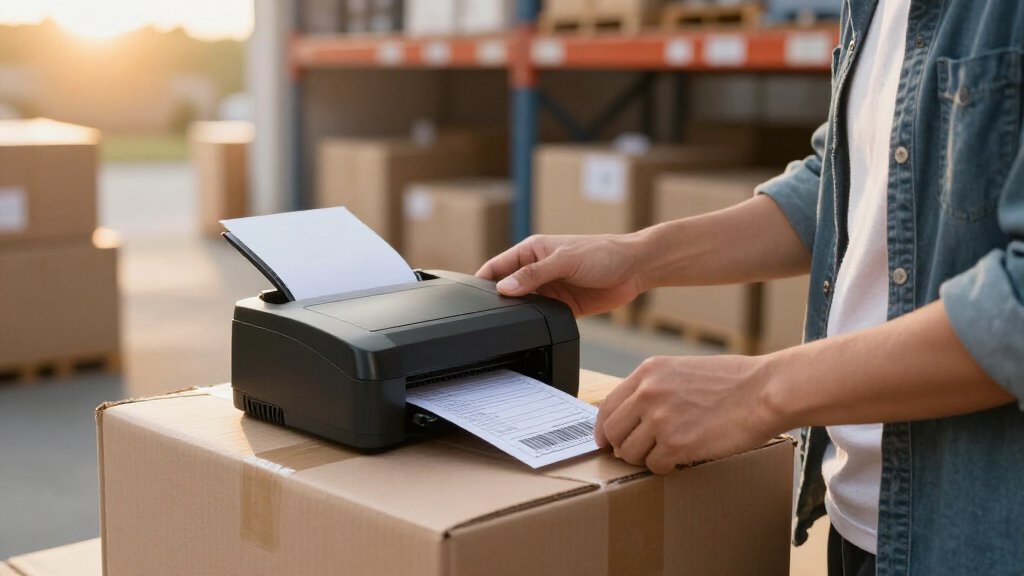
These products were selected based on performance, usability, build quality, and value. Priority was given to printers that reliably produce clear, scannable barcodes and shipping labels at standard sizes, especially 4×6 inches. Ease of setup and connectivity options—wired, Wi-Fi, Bluetooth—were key factors, as many users need flexible deployment. Durability and ongoing maintenance costs also influenced rankings, favoring thermal printers that eliminate ink and toner. Finally, user reviews and brand reputation helped ensure the models chosen are both dependable and capable of handling frequent, high-volume use.
Factors to Consider When Choosing Label Printer For Shipping And Barcodes
Choosing the right label printer for shipping and barcodes involves balancing several factors to match your specific needs. The most important considerations include compatibility, print speed, label sizes, and connectivity options. Understanding these factors helps avoid common pitfalls, such as buying a printer that can’t connect to your devices or one that struggles with the volume of labels you need to produce. A thoughtful purchase ensures long-term reliability and workflow efficiency, especially for busy shipping operations.Compatibility with Devices and Software
Check whether the printer supports your operating system and integrates smoothly with your shipping or inventory management software. Some models are designed primarily for Windows or macOS, while others support iOS and Android via Bluetooth or Wi-Fi. Incompatibilities can lead to frustrating setup issues or limit your ability to print directly from mobile devices. Prioritize a printer that connects easily to your existing hardware to save time and avoid additional expenses for adapters or drivers.
Print Speed and Volume Capacity
If your shipping volume is high, print speed becomes a critical factor. Thermal printers generally offer faster printing compared to direct thermal or inkjet options. Consider models with a high pages-per-minute rate if you need to print large batches quickly. However, faster printers may cost more upfront, so balance your volume needs against your budget. For occasional shipping, a slower or less expensive model might suffice, but for daily high-volume tasks, investing in speed pays off.
Label Size Compatibility
Most shipping labels are 4×6 inches, but some applications may require different sizes or formats. Confirm that the printer supports the dimensions you need without requiring extensive manual adjustments. Look for models that handle a range of widths or have adjustable guides, especially if your shipping labels vary in size. Buying a printer with limited support for common label sizes could lead to wasted labels or frequent reprints, impacting efficiency.
Connectivity Options
Flexibility in connection methods—USB, Ethernet, Wi-Fi, Bluetooth—can significantly influence ease of use. Wireless options enable placing printers away from your computer or mobile device, reducing clutter and increasing mobility. USB models tend to be more straightforward but limit placement options. If you need a shared printer in a busy warehouse, Ethernet or Wi-Fi models are preferable. Be mindful that some wireless models may have slower print speeds or occasional connectivity hiccups, so choose based on your environment.
Operational Costs and Maintenance
Most thermal printers eliminate ink and toner, reducing ongoing costs, but they still require replacement of thermal paper or labels. Consider the availability and cost of supplies in your area to avoid unexpected expenses. Durability and build quality also impact maintenance frequency; a well-made printer with a sturdy design tends to last longer and require fewer repairs. Evaluate initial costs against long-term operational savings to ensure your investment remains cost-effective over time.
Frequently Asked Questions
Can I use a regular laser printer for shipping labels?
While it is technically possible to print shipping labels on a regular laser printer, it’s generally not practical. Laser printers are slower and require special label paper or sticker sheets, which can jam or smudge more easily. They also lack the thermal printing technology that thermal label printers use, which is more reliable for high-volume, long-term shipping operations. For efficiency and durability, a dedicated thermal label printer is usually the better choice.
Are wireless label printers as reliable as wired ones?
Wireless printers offer excellent convenience, especially in flexible workspaces, but they can sometimes face connectivity issues or slower print speeds compared to wired models. Modern wireless options have improved significantly, making them suitable for most shipping needs, but stability depends on your network quality. If your environment has a strong Wi-Fi signal, wireless printers can be just as dependable. However, for high-volume or critical printing, wired connections may provide more consistent performance.
What is the main advantage of thermal printing for shipping labels?
Thermal printing is favored because it requires no ink or toner, reducing ongoing costs and maintenance. It produces clear, durable labels that resist smudging and water damage, which is essential for shipping labels that endure handling and environmental exposure. Thermal printers are also typically faster, making them ideal for high-volume shipping operations. The main tradeoff is that thermal paper can be more expensive upfront, and color printing is limited or unavailable.
How do I choose between a portable Bluetooth printer and a desktop model?
Portable Bluetooth printers are perfect if you need flexibility to print labels on the go, such as at warehouse docks or in the field. They are usually smaller, battery-powered, and connect wirelessly to smartphones or tablets. Desktop models generally handle higher volumes more efficiently and tend to have faster print speeds, making them suitable for a dedicated shipping station. Your choice depends on whether mobility or volume capacity is more important for your operation.
Is it worth paying more for a premium label printer?
Investing in a premium model often means better build quality, faster speeds, and more robust connectivity options, which can translate into long-term savings and fewer headaches. If your shipping volume is high or you require high reliability, paying more upfront can be justified. However, for occasional or small-scale use, a more affordable model may meet your needs without unnecessary expense. Consider your volume and growth expectations before investing in a premium option.
Conclusion
For most small to medium-sized businesses, the Brother QL-1100c offers a reliable, versatile, and wide-format solution that handles high-volume shipping labels efficiently. Those prioritizing budget should consider the Rollo USB Shipping Label Printer for solid performance at a lower cost. If portability and wireless connectivity are essential, the KNAON Bluetooth Thermal Shipping Label Printer is a strong choice. Beginners or those with lighter needs might find the DYMO LabelWriter 450 straightforward and easy to set up. Ultimately, your choice depends on your specific volume, connectivity, and budget requirements—match these factors to the options above for the best results.
Columbus Day / Indigenous Peoples' Day Picks
long weekend sales
As an affiliate, we earn on qualifying purchases.