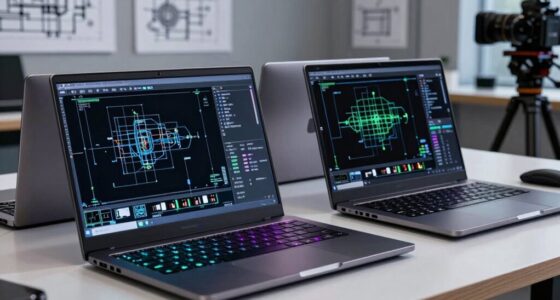

The best laptop for students in 2026 is the Apple MacBook Air 13-inch with M5 chip and 16GB of RAM, because it balances all-day battery life, silent performance, and enough storage to last through a full degree. For tighter budgets, the HP OmniBook 3 17.3-inch delivers a large screen and a 512GB SSD at a midrange price, while the 15.6-inch AI Laptop with 12GB RAM is the strongest of the affordable Windows options. The main tradeoff students face this year is between cheap Windows laptops with small 128GB drives and Apple machines that cost more but hold their value longer. Chromebooks like the Lenovo IdeaPad Flex 3i sit at the bottom of the price range but only make sense for coursework that lives in a browser. Keep reading for the full breakdown of all 15 picks, ranked by what actually matters for schoolwork.

Get business pricing on monitors, keyboards and dev gear
- Business-only prices and quantity discounts
- Tax-exempt purchasing
- Multiple users, one account, clear invoices
Key Takeaways
- 16GB of RAM became the dividing line in this roundup: every MacBook Air M5 config included it, while most sub-$400 Windows laptops shipped with 4-8GB, which limits how many browser tabs and documents a student can keep open during research.
- 128GB of storage was the most common weak point among budget picks — four of the fifteen laptops still use it, which fills up fast once a semester of lecture recordings and assignments accumulates.
- Apple‘s lineup dominated the premium tier, but the two MacBook Neo models differ from the Air only in chip and price, making the Air the smarter buy unless the Neo is heavily discounted.
- Chromebooks were the cheapest options here but the 4GB RAM on both picks means they’re best reserved for middle school and note-taking rather than college coursework.
- Several identical-spec Windows laptops appeared under different branding with only RAM varying — the 12GB model was the clear value winner over the 6GB and 8GB versions of the same chassis.


| laptops for student | Processor | Storage | Display | Battery Life |
|---|---|---|---|---|
| Apple 2026 MacBook Neo 13-inch | A18 Pro chip | 256GB SSD | 13-inch Liquid Retina | Up to 16 hours |
| Apple 2026 MacBook Air 13-inch | M5 chip | 512GB SSD | 13.6-inch Liquid Retina | Up to 18 hours |
| 15.6" FHD Laptop with AI Assis | Celeron J4105 quad-core | 128GB M.2 SSD, expandable to 2TB | 15.6" FHD (1920×1080) | — |
| HP New Everyday Slim Laptop 20 | Latest AMD Processor | 128GB SSD | — | — |
| 15.6” AI Laptop with Office 3 | Celeron J4105 | 256GB SSD (expandable to 2TB) | 15.6-inch FHD IPS | — |
| Apple 2026 MacBook Air 13-inch | Apple M5 chip | 512GB SSD | 13.6-inch Liquid Retina | Up to 18 hours |
| HP OmniBook 3 17.3 inch Laptop | AMD Ryzen 3 30 | 512 GB PCIe NVMe M.2 SSD | 17.3-inch FHD IPS | Up to 14 hours 15 minutes |
| 15.6-inch AI Laptop with Offic | Intel Celeron J4105 | 128GB SSD, expandable up to 2TB | 15.6-inch FHD IPS, 1920×1080 | — |
| Apple 2026 MacBook Air 15-inch | Apple M5 chip | 512GB SSD | 15.3-inch Liquid Retina | Up to 18 hours |
| HP Essential Laptop 2026 | Intel N150, up to 3.6 GHz Turbo Boost | 128GB UFS | 14-inch HD (1366×768), anti-glare | Up to 11 hours |
| Apple 2026 MacBook Neo 13-inch | A18 Pro chip | 256GB SSD | 13-inch Liquid Retina | Up to 16 hours |
| 15.6-inch Student Laptop with | Intel Celeron N | 256GB SSD | 15.6 inches with anti-glare coating | — |
| Lenovo IdeaPad Flex 3i Chromeb | Intel N100 (4 cores, up to 3.4GHz) | 128GB eMMC + 64GB SD card | 12.2" WUXGA (1920×1200) IPS touchscreen | — |
| HP 14" HD Chromebook Laptop fo | Intel Quad-Core N4120 | 64GB eMMC | 14-inch HD (1366×768), anti-glare | Up to 14 hours |
| HP Laptop 2026 Student Busines | Intel N150 (4 cores, up to 3.6GHz) | 128GB UFS | 14-inch HD (1366×768) anti-glare | Up to 11 hours of video playback |
More Details on Our Top Picks
Apple 2026 MacBook Neo 13-inch Laptop with A18 Pro Chip, Liquid Retina Display, 8GB RAM, 256GB SSD, Blush
This model makes the most sense for students who want the Apple ecosystem without paying MacBook Air money. The A18 Pro chip handles note-taking, browsing, and streaming with ease, and the 16-hour battery life comfortably outlasts a full day of lectures. Compared with the MacBook Air M5, you give up half the RAM and storage — 8GB and 256GB versus 16GB and 512GB — which is the real tradeoff here, not raw speed for everyday work. The aluminum build and vivid Liquid Retina display feel far more premium than the similarly priced 15.6-inch Celeron Windows laptops in this guide. That said, heavy multitaskers and anyone storing large media libraries will hit the storage ceiling quickly.
Pros:- Lightweight 2.71 lb aluminum build that survives backpack life
- Up to 16 hours of battery for full school days without a charger
- Seamless iPhone integration for file handoff and messaging
- Vivid Liquid Retina display with 1 billion colors
Cons:- 256GB storage fills up quickly with coursework and media
- 8GB unified memory limits heavy multitasking and pro apps
- No dedicated GPU for demanding graphics or 3D work
Best for: Students already invested in iPhone and iCloud who want a durable, all-day Apple laptop at the lowest entry price
Not ideal for: Engineering or design students who need lots of RAM and storage — the 8GB/256GB configuration will feel cramped fast
- Display:13-inch Liquid Retina
- Processor:A18 Pro chip
- Memory:8GB Unified Memory
- Storage:256GB SSD
- Battery Life:Up to 16 hours
- Weight:2.71 pounds
- Camera:1080p FaceTime HD
- Security:Touch ID, FileVault, Find My
Our verdict“A smart entry point into macOS for iPhone-owning students who prioritize battery and build over storage capacity.”
Apple 2026 MacBook Air 13-inch Laptop with M5 Chip, 16GB RAM, 512GB SSD, Liquid Retina Display, Midnight
If one laptop had to carry a student through four years, this is the one I’d point to. The M5 chip with 16GB of memory means this machine won’t choke on research papers alongside twenty browser tabs, and 512GB of storage removes the upgrade anxiety that plagues the cheaper MacBook Neo. Compared with the 15-inch MacBook Air in this guide, the 13-inch version is the better campus pick — same internals, easier fit in a tote. The 18-hour battery and MagSafe charging mean you can leave the brick at home. The honest downside is price: you’re paying a premium over every Windows laptop here, and the two-display limit frustrates anyone building a serious desk setup.
Pros:- 16GB RAM and 512GB storage headroom for years of coursework
- M5 chip stays fast under heavy multitasking and creative apps
- Up to 18 hours of battery life with MagSafe convenience
- 12MP Center Stage camera ideal for remote presentations
Cons:- Premium price well above Windows alternatives in this guide
- Supports only two external displays
- Memory and storage are not user-upgradeable
Best for: Students who want one laptop to last all four years — from first-year essays to final-year capstone projects
Not ideal for: Tight budgets — the same money buys a Windows laptop plus accessories, and the two-monitor limit annoys multi-display users
- Display:13.6-inch Liquid Retina
- Processor:M5 chip
- Memory:16GB Unified Memory
- Storage:512GB SSD
- Battery Life:Up to 18 hours
- Ports:Two Thunderbolt 4, MagSafe, headphone jack
- Wireless:Wi-Fi 7, Bluetooth 6
- Weight:2.71 pounds
Our verdict“The safest long-term buy in this roundup — pay more now, avoid replacement costs before graduation.”
15.6″ FHD Laptop with AI Assistant and Office 365
This is the floor of the roundup: a big-screen Windows laptop for the price of a textbook stack. The 1080p 15.6-inch display and 180° lay-flat hinge genuinely help with group work — you can flatten it on a library table for collaborative notes, something neither MacBook here can do. The bundled 1-year Office 365 subscription is a real value for students who’d otherwise pay monthly. But the Celeron J4105 is the bottleneck: next to the similarly priced 15.6″ AI Laptop with 12GB RAM, which doubles the memory, this one will stutter sooner with multiple apps open. Storage at 128GB is tight, though the 2TB SSD expansion path softens that blow. Treat it as a writing-and-browsing machine and expectations stay honest.
Pros:- Large FHD display with narrow bezels for readable coursework
- 180° lay-flat hinge for group study and presentations
- 1-year Office 365 included out of the box
- Storage expandable up to 2TB via SSD slot
Cons:- Celeron J4105 struggles with intensive multitasking
- 6GB RAM is the lowest in this roundup
- No published battery life figures
Best for: Budget-constrained students who mostly write papers, browse, and stream on a big screen
Not ideal for: Anyone running heavy software like coding IDEs, statistics packages, or video editing — the Celeron CPU and 6GB RAM will frustrate
- Display:15.6″ FHD (1920×1080)
- Processor:Celeron J4105 quad-core
- RAM:6GB
- Storage:128GB M.2 SSD, expandable to 2TB
- Connectivity:Wi-Fi 5, Bluetooth 4.2
- Ports:Type-C, USB 3.2, Mini-HDMI
- Design:180° lay-flat hinge
Our verdict“Acceptable as a bare-minimum homework machine, but spend slightly more on the 12GB model if you can.”
HP New Everyday Slim Laptop 2026 Edition with AMD Processor, 128GB SSD, Windows 11, and Microsoft 365
What separates this HP from the budget Celeron laptops nearby is polish: DDR5 memory, a current AMD processor, and a clean Windows 11 install with Copilot AI and Microsoft 365 preloaded. For a student who needs Word, Excel, and PowerPoint on day one without subscription math, that bundle is the headline. It’s also built slim, so it slides into a backpack the way the chunkier 15.6-inch models don’t. The catch is 128GB of storage — after Windows and Office, you’ll be managing space within a semester, and unlike the 15.6″ AI Laptop with 12GB RAM, HP doesn’t advertise an easy expansion path here. Battery life is promised as “long” but never quantified, which makes comparison shopping harder than it should be.
Pros:- Microsoft 365 and Copilot AI included from first boot
- DDR5 memory for snappier everyday performance
- Slim, backpack-friendly chassis from a major brand
- Windows 11 with current AI productivity tools
Cons:- 128GB storage is restrictive with no advertised upgrade path
- Battery life and weight specs are unspecified
- AMD chip model is vague, making performance hard to gauge
Best for: Students who need Microsoft Office immediately and want a name-brand, slim Windows laptop with modern AI features
Not ideal for: Students accumulating large files, games, or offline media — 128GB with no stated expansion will fill fast
- Processor:Latest AMD Processor
- Storage:128GB SSD
- Memory:DDR5
- Operating System:Windows 11
- Software:Microsoft 365, Copilot AI
- Design:Slim and portable
Our verdict“A sensible brand-name pick for Office-first students, provided you live in the cloud and off the local drive.”
15.6” AI Laptop with Office 365, 12GB RAM, 256GB SSD, Windows 11
This is the sweet spot of the budget tier. For roughly the same money as the 15.6″ FHD Laptop with 6GB RAM, you get double the memory and double the storage, and 12GB of RAM is what actually keeps a dozen research tabs and a video call alive at once. The FHD IPS panel offers wider viewing angles than the cheaper TN-feeling displays in this bracket, and the 7000mAh battery plus expandable storage up to 2TB give it genuine all-day, multi-year utility. It still runs the same aging Celeron J4105, so it’s a step behind the HP OmniBook’s AMD Ryzen hardware for raw compute — but for the price-to-capability ratio, nothing in the Windows side of this roundup matches it. Build quality details are thin, so a case and careful handling are advised.
Pros:- 12GB RAM — the most memory in the budget tier here
- 256GB SSD expandable up to 2TB for long-term storage
- FHD IPS display with wide viewing angles
- 7000mAh battery sized for all-day classes
Cons:- Celeron J4105 limits CPU-heavy workloads
- Build quality and durability details are unverified
- No dedicated graphics for gaming or rendering
Best for: Value-focused students who multitask heavily — lots of tabs, streaming, and documents — on a tight budget
Not ideal for: Students in demanding majors like engineering or media production who need real CPU and GPU horsepower
- Display:15.6-inch FHD IPS
- Processor:Celeron J4105
- RAM:12GB DDR4
- Storage:256GB SSD (expandable to 2TB)
- Battery:7000mAh
- Operating System:Windows 11
- Software:Office 365
- Connectivity:USB 3.2, Type-C, Mini HDMI, 5G WiFi, Bluetooth 4.2
Our verdict“The smartest cheap Windows buy in this guide: strong memory and storage where it counts, with an aging processor as the accepted compromise.”
Apple 2026 MacBook Air 13-inch Laptop with M5 Chip, 16GB RAM, 512GB SSD, Liquid Retina Display, Sky Blue
The 13-inch MacBook Air with M5 is the laptop I’d point most students toward if budget allows. Compared with the budget Windows options in this roundup, the M5 chip is in a different performance class — it handles video editing, coding, and dozens of browser tabs without the slowdowns a Celeron or Ryzen 3 will show. The 18-hour battery life means a full day of lectures without hunting for outlets, something no sub-$500 Windows machine here can match. The 512GB SSD also doubles the storage of most rivals. The tradeoff is price and ports: only two Thunderbolt connections, so dongle-haters should plan ahead. Compared with its 15-inch sibling, this one is the smarter pick for students who carry their laptop all day.
Pros:- M5 chip with AI features outclasses every budget Windows laptop here
- Up to 18 hours of battery life covers a full day of classes
- 2.71-pound design is the lightest full-power option in this lineup
- 512GB SSD is double the storage of most sub-$500 competitors
Cons:- Premium price is several times the cost of the budget Windows picks
- Only two Thunderbolt ports limits peripheral connectivity without a dock
- No dedicated GPU for serious gaming or 3D rendering
Best for: College students in demanding majors like engineering, design, or film who need serious performance and all-day battery in a backpack-friendly size
Not ideal for: Budget-conscious students or anyone whose workload is mostly Google Docs — the 15.6-inch AI Laptop handles that for a fraction of the price
- Display:13.6-inch Liquid Retina
- Processor:Apple M5 chip
- Memory:16GB Unified Memory
- Storage:512GB SSD
- Battery Life:Up to 18 hours
- Camera:12MP Center Stage
- Ports:Two Thunderbolt 4, MagSafe, headphone jack
- Wireless:Wi-Fi 7, Bluetooth 6
- Weight:2.71 pounds
Our verdict“Buy this if you can stretch the budget — it’s the most capable, longest-lasting machine in the roundup and will survive all four years of a degree.”
HP OmniBook 3 17.3 inch Laptop PC, FHD Display, AMD Ryzen 3 30, 8 GB RAM, 512 GB SSD, Windows 11 Home
The HP OmniBook 3 makes sense for a specific kind of student: one who mostly works at a desk and wants a big 17.3-inch FHD screen instead of a monitor. That display is the real story here — split-screen note-taking during lectures recorded at home is far more comfortable than on a 14-inch panel like the HP Essential Laptop 2026. With 512GB of SSD storage and 8GB of RAM, it outspecs every budget Windows pick in this roundup except the MacBooks. The Ryzen 3 30 is fine for writing, streaming, and light multitasking, but it will bog down on heavy workloads where the M5 MacBook Air wouldn’t blink. Portability is the real cost: a 17-inch chassis lives on a desk, not in a backpack.
Pros:- Huge 17.3-inch FHD IPS display makes split-screen work and study comfortable
- 512GB SSD matches the MacBooks’ storage at a much lower price
- Over 14 hours of rated battery life is excellent for a large-screen laptop
- Modern Wi-Fi 6 and Bluetooth 5.4 connectivity
Cons:- Ryzen 3 30 struggles with heavy multitasking or demanding software
- Integrated Radeon 610M graphics rule out serious gaming or 3D work
- Large chassis is impractical for mobile students
Best for: Students who work from a dorm or bedroom and want a large-screen, plug-in-most-of-the-time machine that replaces a monitor
Not ideal for: Commuters and anyone hauling a laptop across campus daily — the 17.3-inch footprint defeats the purpose of portability
- Display:17.3-inch FHD IPS
- Processor:AMD Ryzen 3 30
- RAM:8 GB LPDDR5
- Storage:512 GB PCIe NVMe M.2 SSD
- Graphics:AMD Radeon 610M
- Battery Life:Up to 14 hours 15 minutes
- Connectivity:Wi-Fi 6, Bluetooth 5.4
- Operating System:Windows 11 Home
Our verdict“This is the dorm-room workhorse — pick it for screen real estate and battery, not for performance or portability.”
15.6-inch AI Laptop with Office 365, 6GB RAM, 128GB SSD, Windows 11
This 15.6-inch laptop’s pitch is simple: a Full HD screen plus Office 365 included at a rock-bottom price. For a student whose entire workload lives in Word, PowerPoint, and a browser, that bundled subscription alone offsets a meaningful chunk of the cost — something the pricier HP OmniBook 3 doesn’t include. The FHD IPS panel is genuinely better than the HP Essential 2026’s 1366×768 screen, which matters if you read PDFs for hours. But the corners cut are real: the Celeron J4105 is the slowest processor in this roundup, 6GB of RAM is the practical minimum for Windows 11, and 128GB of storage fills up fast — plan on using the expandable slot. It’s a homework machine, full stop, and it needs to be treated like one.
Pros:- Office 365 included saves a real subscription cost on day one
- 15.6-inch FHD IPS display beats the HP Essential’s low-res panel for reading
- Expandable storage up to 2TB gives it room to grow
- Good port selection including USB-C, HDMI, and USB 3.2
Cons:- Celeron J4105 is the weakest processor in the roundup and shows it under load
- 128GB base storage fills up after a semester of files
- Lightweight build feels less durable for a life in a backpack
Best for: High school and early college students on tight budgets who mainly write papers, browse, and stream and want Office included
Not ideal for: STEM students or anyone running engineering software, virtual machines, or heavy multitasking — the Celeron processor will frustrate quickly
- Display:15.6-inch FHD IPS, 1920×1080
- Processor:Intel Celeron J4105
- RAM:6GB DDR4
- Storage:128GB SSD, expandable up to 2TB
- Graphics:Intel UHD Graphics 600
- Battery:7000mAh
- Operating System:Windows 11 Home
- Weight:Approximately 3.3 lbs
Our verdict“A cheap, capable-enough homework machine with Office baked in — just don’t expect it to do more than assignments and Netflix.”
Apple 2026 MacBook Air 15-inch Laptop with M5 Chip, 16GB RAM, 512GB SSD, Liquid Retina Display, Wi-Fi 7, Midnight
The 15-inch MacBook Air occupies a middle ground that’s easy to underestimate. It shares the M5 chip and 18-hour battery with its 13-inch sibling, so performance is identical — the difference is a larger 15.3-inch Liquid Retina display that changes how you work. For students in photography, video, or design courses, that extra screen area for timelines and editing panels is worth the added weight. Compared with the HP OmniBook 3’s 17.3-inch screen, you give up raw size but gain a machine that still fits in a bag and runs far faster. The compromises are familiar Apple ones: a premium price, only two Thunderbolt ports, and support limited to two external displays. At 3.32 pounds, it’s also the heaviest Air — closer to a Windows 15-inch than a featherweight.
Pros:- Same M5 performance as the 13-inch Air with meaningfully more screen space
- 18-hour battery life outlasts every Windows laptop in this roundup
- Wi-Fi 7 and Bluetooth 6 are the most modern connectivity here
- Bright, high-resolution display suited to color-critical work
Cons:- Premium price is a real barrier for most student budgets
- Supports only two external displays
- 3.32 pounds is heavy for a MacBook Air and reduces its portability advantage
Best for: Design, film, and media students who need MacBook-class performance with a bigger canvas for editing work
Not ideal for: Students who prioritize portability or price — the 13-inch Air is lighter and the same speed, while budget Windows options cost far less
- Display:15.3-inch Liquid Retina
- Processor:Apple M5 chip
- Memory:16GB Unified Memory
- Storage:512GB SSD
- Battery Life:Up to 18 hours
- Camera:12MP Center Stage
- Ports:Two Thunderbolt 4, MagSafe, headphone jack
- Wireless:Wi-Fi 7, Bluetooth 6
Our verdict“Pick this over the 13-inch Air only if screen size genuinely improves your coursework — otherwise save the money or the weight.”
HP Essential Laptop 2026, Intel CPU, 128GB Storage, Office 365, Windows 11
At the bottom of the price range sits the HP Essential 2026, and its name is honest. What you get is a light 3.24-pound chassis, a genuinely useful SD card reader (rare at this price, and handy for camera-toting students), Microsoft 365 included, and up to 11 hours of battery. What you give up is more noticeable: the 1366×768 HD display is noticeably softer than the FHD panels on the 15.6-inch AI Laptop or the OmniBook 3, and 4GB of RAM is the bare minimum Windows 11 accepts. Multitasking beyond a few tabs will hurt. Compared with the similarly priced Celeron laptop, this HP is the better-built option with faster wireless; the AI Laptop is the better one if screen quality matters more to you. That’s the honest trade at this tier.
Pros:- Light 3.24-pound design is easy to carry all day
- SD card reader included, unusual at this price point
- Microsoft 365 subscription included out of the box
- Up to 11 hours of battery with Wi-Fi 6 connectivity
Cons:- 1366×768 HD display is the lowest resolution in the roundup
- 4GB of RAM limits multitasking severely
- 128GB UFS storage fills up quickly
Best for: Students who need the cheapest possible reliable machine for notes, email, and web-based coursework — especially younger students or second devices
Not ideal for: Anyone who keeps many tabs open, works with photos or video, or cares about screen sharpness — 4GB RAM and an HD panel will both wear thin
- Processor:Intel N150, up to 3.6 GHz Turbo Boost
- RAM:4GB LPDDR5
- Storage:128GB UFS
- Display:14-inch HD (1366×768), anti-glare
- Battery Life:Up to 11 hours
- Weight:3.24 lbs
- Connectivity:Wi-Fi 6, Bluetooth 5.4, USB-C, USB-A, HDMI, SD card reader
Our verdict“The cheapest way to get a functional, portable student laptop — buy it for basics only, and choose the 15.6-inch AI Laptop instead if the screen matters more than the brand.”
Apple 2026 MacBook Neo 13-inch Laptop with A18 Pro Chip – Indigo
The MacBook Neo is the priciest direction a student can take in this lineup, and it earns that position through polish rather than raw specs. Compared with the MacBook Air with M5 chip, the Neo trades raw multicore horsepower for AI-optimized performance, which matters if coursework leans into machine learning tools or on-device AI features. The Liquid Retina display is sharper and more vibrant than any HD-panel Windows option here, like the HP 14″ Chromebook, making long reading sessions and media editing noticeably more pleasant. That 16-hour battery life comfortably outlasts a full day of lectures without a charger.
The tradeoffs are real, though: 8GB of unified memory and 256GB of storage match budget Windows machines at a fraction of the price, and Apple’s ecosystem means no native Windows software for specialized classes.
Pros:- Exceptional battery life of up to 16 hours for all-day campus use
- Vibrant Liquid Retina display that outclasses every HD panel in this roundup
- Lightweight, durable recycled aluminum build that survives backpack life
- A18 Pro chip tuned for AI workloads and smooth everyday performance
Cons:- Only 256GB of storage and 8GB of memory for a premium price
- No dedicated GPU, limiting high-end gaming and heavy graphics work
Best for: Students in creative or AI-focused programs who want maximum battery life, a premium display, and macOS software like Final Cut or Xcode
Not ideal for: Students on a tight budget or those whose courses require Windows-only software like SolidWorks or certain statistics packages
- Display:13-inch Liquid Retina
- Processor:A18 Pro chip
- Memory:8GB Unified Memory
- Storage:256GB SSD
- Battery Life:Up to 16 hours
- Camera:1080p FaceTime HD
- Material:Recycled aluminum
Our verdict“This pick makes the most sense for students who value battery life and display quality over storage capacity and price.”
15.6-inch Student Laptop with Intel Celeron N, 8GB RAM, 256GB SSD, Windows
This 15.6-inch Celeron laptop targets the student who wants a full Windows machine without paying Apple prices. Its key advantage over similarly priced Chromebooks like the Lenovo IdeaPad Flex 3i is double the RAM — 8GB keeps multiple browser tabs and a Word document open without the slowdown a 4GB machine suffers — plus full Windows compatibility for any software a course might demand. The large 15.6-inch screen with an anti-glare coating suits spread-out note-taking and split-screen research better than the smaller panels elsewhere in this guide.
Where it falls behind is horsepower: the Celeron N processor is the weakest CPU among the Windows options here, so video editing or programming workloads will feel sluggish compared with the AMD-based HP OmniBook 3. And 256GB fills up fast if you accumulate lecture recordings.
Pros:- 8GB of RAM handles everyday multitasking better than 4GB budget rivals
- Large 15.6-inch anti-glare display for comfortable all-day study
- Full Windows OS with no Chrome OS software limitations
- Lightweight build with a 180° rotatable hinge for group work
Cons:- Celeron N processor is underpowered for demanding applications
- 256GB of storage fills quickly with media files
Best for: Budget-conscious students who need full Windows software, a big screen for note-taking, and enough RAM for everyday multitasking
Not ideal for: Engineering, video, or computer science students — the Celeron processor will struggle with demanding coursework software
- Display:15.6 inches with anti-glare coating
- Processor:Intel Celeron N
- RAM:8GB
- Storage:256GB SSD
- Operating System:Windows
- Battery:Long-lasting with smart charging protections
Our verdict“A sensible low-cost choice for humanities and business students who need Windows and screen space, not processing power.”
Lenovo IdeaPad Flex 3i Chromebook 12.2″ 2-in-1 Laptop, Intel N100, 4GB DDR5
The IdeaPad Flex 3i is the only laptop in this batch that doubles as a tablet, and that flexibility is its entire reason for being here. Flipping it into tent or tablet mode for handwritten notes, flashcards, or reading is something neither the 15.6-inch Celeron laptop nor the HP Chromebook can replicate. Its 12.2-inch WUXGA touchscreen at 1920×1200 is also sharper than both HP options’ 1366×768 panels, which shows up as crisper text during long study sessions. The Intel N100 feels snappier than the older N4120 in the HP 14″ Chromebook, and Chrome OS keeps 4GB of RAM usable where Windows would choke.
The compromises: 4GB of RAM limits serious multitasking, the 720p webcam is mediocre for remote classes, and Chrome OS won’t run Windows-only course software.
Pros:- 2-in-1 convertible design supports tablet, tent, and laptop modes
- Sharper 1920×1200 touchscreen than comparably priced HP Chromebooks
- Up to 12 hours of battery with a light 2.76-pound body
- Useful port selection including USB-C, HDMI, and microSD expansion
Cons:- 4GB of RAM limits heavy multitasking and many open tabs
- 128GB eMMC storage requires cloud dependence for large files
- Basic speakers and a 720p webcam for a mediocre media experience
Best for: Students who take handwritten digital notes, read a lot of PDFs, and do most coursework in a browser
Not ideal for: Students who need Windows or macOS applications — Chrome OS compatibility gaps will block specialized course software
- Display:12.2″ WUXGA (1920×1200) IPS touchscreen
- Processor:Intel N100 (4 cores, up to 3.4GHz)
- RAM:4GB LPDDR5
- Storage:128GB eMMC + 64GB SD card
- Battery:47Wh, up to 12 hours
- Weight:2.76 lbs
- Operating System:ChromeOS
Our verdict“The strongest choice in this lineup for students whose workflow centers on note-taking, reading, and browser-based tools.”
HP 14″ HD Chromebook Laptop for Students, Intel Quad-Core N4120, 4GB RAM, 64GB eMMC, WiFi, Webcam, HDMI, USB-A & C, 14 Hours Battery Life
If surviving a full day of classes without an outlet is the top priority, this HP 14-inch Chromebook makes a strong case with up to 14 hours of battery — beating the Lenovo Flex 3i by two hours and nearly every Windows machine in this guide. Like the Flex 3i, it runs Chrome OS, so the 4GB of RAM goes further than it would on Windows, handling docs, email, and video calls without drama. The anti-glare HD display works well in bright lecture halls, and the port spread including HDMI is generous at this price.
Compared with the Flex 3i, though, you give up the touchscreen, the convertible hinge, and the sharper display — 64GB of eMMC storage is also the smallest in this entire roundup, so cloud storage is effectively mandatory.
Pros:- Class-leading 14-hour battery life for all-day campus use
- Anti-glare display performs well in bright classrooms
- Full port selection including USB-C and HDMI
- Lightweight, low-maintenance design with automatic Chrome OS updates
Cons:- 1366×768 HD display is the low end for media and reading comfort
- 64GB of eMMC storage is the smallest capacity in this roundup
Best for: Students with back-to-back schedules who need maximum battery runtime for browsing, docs, and streaming on a minimal budget
Not ideal for: Students storing large files locally or needing offline Windows software — 64GB and Chrome OS are hard limits
- Processor:Intel Quad-Core N4120
- Display:14-inch HD (1366×768), anti-glare
- RAM:4GB LPDDR4x
- Storage:64GB eMMC
- Battery Life:Up to 14 hours
- Ports:2x USB-A 3.0, 1x USB-C 3.0, HDMI, headphone jack
Our verdict“The best pick here for battery-obsessed budget students, as long as a low-res screen and tiny storage don’t bother you.”
HP Laptop 2026 Student Business with Copilot AI and Office 365, 128GB UFS, Intel CPU
What separates this HP 2026 laptop from the crowd is what comes in the box: a Microsoft Office 365 Personal subscription and Copilot AI built in, which covers Word, Excel, and PowerPoint from day one — a real cost saving when other picks here, like the Celeron 15.6-inch laptop, leave you sourcing software yourself. The UFS storage and LPDDR5 RAM combination makes it feel more responsive than its modest specs suggest, waking quickly and loading apps faster than the eMMC-based HP Chromebook. At 3.24 pounds with 11 hours of video playback, it splits the difference between portability and endurance.
The honest limits: 4GB of RAM and an HD 1366×768 panel put it behind the 8GB Celeron machine for multitasking and behind the Flex 3i for display sharpness. This is a get-started laptop, not a grow-into one.
Pros:- Includes Microsoft Office 365 Personal, saving a recurring subscription cost
- UFS storage and LPDDR5 RAM deliver quick wake and app load times
- Windows 11 with Copilot AI for built-in productivity assistance
- Light 3.24-pound body with up to 11 hours of video playback
Cons:- 4GB of RAM limits multitasking more than 8GB rivals
- 1366×768 HD display feels dated for media consumption
Best for: First-year students who want a ready-to-work Windows laptop with Office included and no setup hassle
Not ideal for: Anyone planning to multitask heavily or store large media libraries — 4GB RAM and 128GB will run out fast
- Processor:Intel N150 (4 cores, up to 3.6GHz)
- RAM:4GB LPDDR5-4800
- Storage:128GB UFS
- Display:14-inch HD (1366×768) anti-glare
- Operating System:Windows 11 Home
- Battery Life:Up to 11 hours of video playback
- Weight:3.24 lbs
Our verdict“A smart first laptop for students who value included software and simple setup over upgrade headroom.”

How We Picked
I ranked these fifteen laptops against what actually determines whether a machine survives a school year: real-world performance for coursework (RAM, processor class, and storage speed), battery life across a full day of classes, portability between lectures, and price relative to how long the laptop stays usable. A student laptop that feels slow by sophomore year is a bad purchase even at $299, so I weighted longevity heavily — that’s why 16GB MacBooks outrank cheaper Windows machines with faster-looking spec sheets but half the memory.
The ranking also separates duplicates and near-duplicates. Several 15.6-inch Windows laptops in this list share the same chassis and differ mainly in RAM and storage, so I ordered them by which configuration avoids the most common student bottleneck: running out of memory and storage mid-semester. Budget picks weren’t penalized for being cheap — they were penalized for cheap configurations, like 4GB of RAM, that create problems within months of purchase.
| laptops for student | Battery Life |
|---|---|
| Apple 2026 MacBook Neo 13-inch | Up to 16 hours |
| Apple 2026 MacBook Air 13-inch | Up to 18 hours |
| 15.6" FHD Laptop with AI Assis | — |
| HP New Everyday Slim Laptop 20 | — |
| 15.6” AI Laptop with Office 3 | — |
| Apple 2026 MacBook Air 13-inch | Up to 18 hours |
| HP OmniBook 3 17.3 inch Laptop | Up to 14 hours 15 minutes |
| 15.6-inch AI Laptop with Offic | — |
| Apple 2026 MacBook Air 15-inch | Up to 18 hours |
| HP Essential Laptop 2026 | Up to 11 hours |
| Apple 2026 MacBook Neo 13-inch | Up to 16 hours |
| 15.6-inch Student Laptop with | — |
| Lenovo IdeaPad Flex 3i Chromeb | — |
| HP 14" HD Chromebook Laptop fo | Up to 14 hours |
| HP Laptop 2026 Student Busines | Up to 11 hours of video playback |
Factors to Consider When Choosing Laptops For Students
Before picking a specific model, it helps to understand the patterns I found across these fifteen laptops — and the mistakes that make student purchases go wrong.RAM Is the Spec That Decides How Long the Laptop Lasts
Across this roundup, RAM separated the machines that will still feel fine in three years from the ones that will frustrate a student by second semester. 8GB is the practical floor for college work in 2026, and 16GB is the comfortable target, especially now that browsers, video calls, and AI assistants run simultaneously during a typical study session. The trap to avoid is a laptop with a decent processor paired with 4GB or 6GB of RAM — the chip can’t compensate, and the machine will stutter with more than a handful of tabs open. This is why the Chromebooks in this list rank below similarly priced Windows machines despite their excellent battery life. One warning specific to Apple: MacBooks can’t be upgraded later, so whatever RAM is bought initially is permanent. On most Windows laptops the RAM is soldered too, so treat memory as a decision you’re locking in for the whole degree.
Storage: Why 128GB Fills Up Faster Than You Think
Storage is the most commonly underestimated spec in student buying. 128GB sounds adequate until you factor in the operating system, installed apps, and a single semester of lecture recordings, PDFs, and project files — video-heavy courses can consume that space in a couple of months. A 256GB SSD is the realistic minimum for college, and 512GB, like the configs on the MacBook Air and HP OmniBook 3, removes storage anxiety almost entirely. Students who rely heavily on cloud storage can stretch a smaller drive, but that strategy depends on reliable campus Wi-Fi, which isn’t a safe assumption everywhere. Also watch the drive type: eMMC storage, found on the cheapest Chromebooks, is far slower than a true SSD, which shows up as sluggish boot times and slow file saves. If a budget laptop only offers 128GB, an external SSD is a cheaper fix than a whole machine upgrade.
MacBook, Windows, or ChromeOS: Match the System to the Coursework
The operating system decision matters more for students than for general buyers because specific majors have specific software demands. Engineering, computer science, and some business programs still require Windows-only applications, which makes any MacBook a risky sole machine for those students — check the department’s software requirements before paying Apple prices. ChromeOS, found on the two Chromebooks here, works well when coursework lives in Google Docs and a browser, but it can’t run installed desktop software at all. Windows offers the widest compatibility, though the budget Windows machines in this list make tradeoffs in build quality and battery life to hit their prices. macOS wins on battery life, resale value, and longevity, which is why the MacBook Air ranks highest for students in writing-heavy, design, or general-education programs. The honest answer is that the right OS depends on the major, not on brand loyalty.
Battery Life and Portability: The Campus Reality Check
A laptop that dies during an afternoon of back-to-back lectures is a daily problem no spec sheet fully captures. Arm-based chips — Apple’s M-series and the MacBook Neo’s A18 Pro — lead this category by a wide margin, routinely lasting a full day while the budget Windows laptops here typically need a midday charge. Weight matters too: a 15.6-inch or 17.3-inch laptop saves money per inch of screen but adds a pound or more to a backpack carried across campus all day. The larger HP OmniBook 3 makes sense for a student who mostly works from a dorm or apartment, while the 13-inch machines suit commuters. One often-ignored factor: chargers. Students should check whether a laptop charges over USB-C, since one charger can then power the laptop, phone, and tablet. Before buying, honestly estimate how many hours a day the laptop will spend unplugged — that number should drive the budget more than screen size does.
The Total Cost Mistake: Cheap Now, Expensive Later
The biggest pattern in this roundup is that the cheapest laptops often cost the most over four years. A $299 machine with 4GB of RAM and 64GB of storage may need replacing before graduation, while a MacBook Air M5, though triple the price, will likely last the full degree and still resell for hundreds afterward. Resale value alone can narrow the real price gap between Apple and budget Windows machines by 30-40%. That said, overspending is its own mistake: a student taking notes and writing essays doesn’t need a premium machine, and money saved can go toward a better phone or tablet. The middle of this market — the 12GB RAM Windows laptop and the OmniBook 3 — is where value concentrates this year. The practical rule: buy the cheapest machine that has 8GB+ of RAM, 256GB+ of storage, and acceptable battery, and stop there.
AI Features and Bundled Software: What’s Actually Useful
Many of the Windows laptops in this list advertise built-in AI assistants and bundled Office 365, and it’s worth knowing what those are worth before paying a premium for them. Copilot and similar assistants are genuinely helpful for summarizing readings and drafting outlines, but they’re available on any modern Windows 11 laptop, not just the ones marketing it loudest. Bundled Office 365 subscriptions are more valuable than they appear — a standalone student subscription runs around $70-100 per year — though many universities provide Office free through institutional licenses, so check with the school first. The AI-branded budget laptops here shouldn’t be bought for the AI branding alone; judge them on their RAM and storage like any other machine. What students should actually verify is whether the laptop supports the current generation of Windows AI features, since some older low-power chips don’t. Treat software bundles as a tiebreaker, never as the main reason to choose one laptop over another.
Frequently Asked Questions
Is a MacBook or a Windows laptop better for college students in 2026?
It depends on the major more than anything else. Majors that require Windows-only software — most engineering, some statistics and business programs — need a Windows laptop or a Mac plus a workaround, so checking the department’s software list should come first. For writing-heavy, design, and general programs, the MacBook Air M5 stands out for battery life, resale value, and the 16GB of RAM that will keep it fast for a full degree. Windows wins on upfront price and compatibility, and several picks in this roundup, like the OmniBook 3, offer more screen and storage per dollar. A reasonable rule: if the budget exceeds roughly $800 and the major allows macOS, Apple is the safer long-term buy; below that, Windows offers better configurations than any comparably priced MacBook.
Can a student survive on 8GB of RAM, or is 16GB necessary?
8GB remains workable for the core student workload — a browser, Word, and a video call — but it’s the point where multitasking starts to pinch. Once a student keeps fifteen research tabs open alongside Spotify and a Zoom lecture, 8GB machines begin slowing down, while 16GB configurations don’t. That’s why the 16GB MacBook Air configs rank at the top of this list and why the 12GB Windows laptop beat its 6GB and 8GB siblings. For students in lighter programs, 8GB is a fine way to save money; for computer science, engineering, or media work, 16GB avoids a mid-degree upgrade. Since RAM on nearly every laptop in this roundup is soldered and non-upgradeable, treat the initial choice as permanent.
Are Chromebooks good enough for college coursework?
For some students, yes — but only within clear limits. Chromebooks excel at browser-based work: Google Docs, email, streaming lectures, and web apps run smoothly, and battery life often beats Windows laptops. The problem is what they can’t do: no installed desktop software, which rules out many engineering, statistics, and media programs, and the 4GB of RAM on both Chromebooks in this roundup limits even browser multitasking. They’re strongest for middle school, high school, and college students whose institutions run on Google Workspace. Before choosing one, a student should verify that every required application for their program has a web or Android version. At their price, they’re a low-risk purchase — but a limited one.
How much should a student spend on a laptop?
The sweet spot in 2026 sits between $400 and $900, and spending outside that range needs justification. Below $350, laptops in this roundup carried 4-6GB of RAM or 64-128GB of storage — specs that cause problems within a year. Between $400 and $700, the 12GB Windows laptop and the OmniBook 3 offer configurations that comfortably handle four years of coursework. Above $800, the MacBook Air M5 justifies its price through longevity and resale value rather than raw specs, typically retaining 40-50% of its value after three years while budget Windows machines retain almost nothing. Students should also budget for real accessories — a sleeve, an external SSD if storage is small, and possibly a monitor for dorm use — which can add $100-200 to the true cost.
Is 128GB of storage enough for a student laptop?
Rarely, and it’s the most common regret among budget laptop buyers. After Windows itself and installed applications claim 30-40GB, a student has roughly 80GB of usable space, which a single semester of lecture recordings, textbooks, and projects can exhaust. 256GB is the practical minimum, and students in video, photography, or coding courses should treat 512GB as the baseline. Cloud storage can offset a small drive, but relying on it means depending on campus Wi-Fi for access to your own files, and large media files still need local space for editing. If a good deal only comes with 128GB, a $50 external SSD is a workable patch — but factor that into the total price before assuming the cheap laptop is actually cheaper.
Conclusion
Mapping this roundup to real buyers: the MacBook Air 13-inch M5 with 16GB of RAM is the best overall pick for most college students, offering the battery life, memory, and longevity that a four-year program demands. The 15.6-inch AI Laptop with 12GB of RAM is the best value, beating its 6GB and 8GB siblings at nearly the same price while avoiding the storage and memory traps of cheaper Windows machines. For premium buyers, the MacBook Air 15-inch M5 adds a larger screen and Wi-Fi 7 for students who edit media or want a dorm-only desktop replacement.
For younger students and beginners, the HP 14-inch Chromebook with 14 hours of battery is the safest low-risk choice for high school and note-taking. Specific needs: engineering and Windows-software majors should pick the HP OmniBook 3 17.3-inch for its big display, 512GB SSD, and full Windows compatibility; budget-conscious students who still need Windows should take the HP Everyday Slim; and anyone tempted by the MacBook Neo should only choose it over the Air if it’s meaningfully discounted. Whatever the budget, the rule from this comparison holds: prioritize 8GB+ of RAM and 256GB+ of storage, and the laptop will outlast the semester.
Fall Picks
fall essentials
As an affiliate, we earn on qualifying purchases.