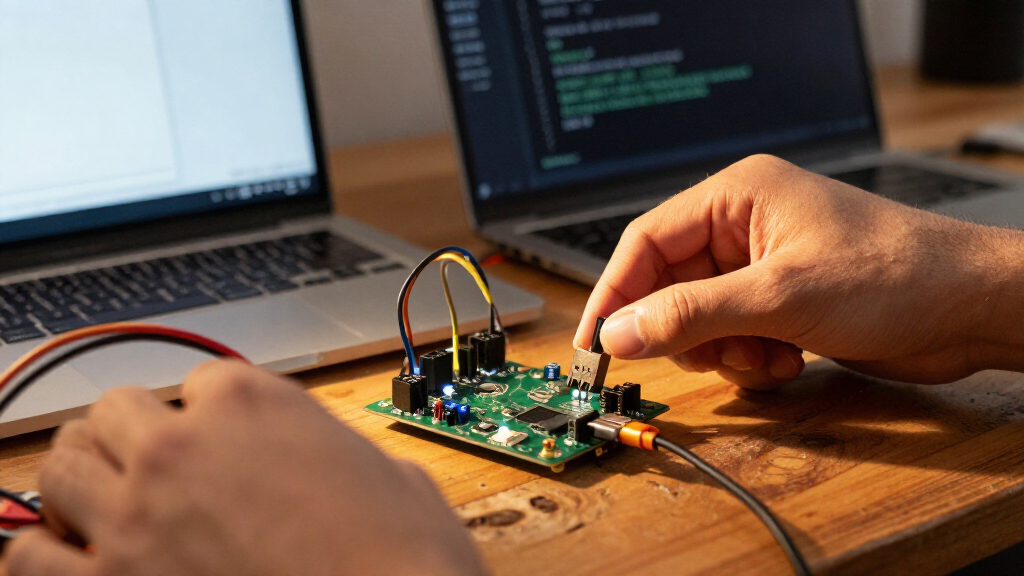
For most projects, I’d start with the Arduino Nano ESP32: it pairs a compact board format with ESP32 connectivity and an established software ecosystem. The Waveshare RP2350A USB Mini is a strong fit for small RP2350 builds, while the Freenove ESP32-S3 kit offers more room for wireless and peripheral experiments. The best USB microcontroller development boards differ most in processor capability, board size, USB connector style, and how much setup or expansion a project needs. Simple ATmega328P boards can be easier to approach, while ESP32 and RP2350 options offer more capability but may call for extra attention to voltage and software compatibility. Read on for a comparison of all 15 boards and a guide to choosing the right fit.

Get business pricing on monitors, keyboards and dev gear
- Business-only prices and quantity discounts
- Tax-exempt purchasing
- Multiple users, one account, clear invoices
Key Takeaways
- The lineup splits into three practical groups: ATmega328P boards for familiar, straightforward projects; ATmega32U4 boards for native USB tasks; and ESP32 or RP2350 boards for more capability and connectivity.
- USB connector shape is not the same as USB function. USB-C and USB-A describe the physical connection, while the microcontroller determines what the board can do with USB.
- The Nano ESP32 is the strongest general-purpose pick here for buyers who want a compact board, wireless capability, and an established development path in one option.
- Mini RP2350 boards favor compact builds over convenient access. Their small form factor can save space, but may require more care when attaching wires and peripherals than a larger development board.
- Multi-board packs make the most sense for repeat builds or spares. For a first project, a single well-documented board may be more useful than several similar boards with the same learning curve.
| FORIOT Pro Micro ATmega32U4 USB-C Development Board, 16 MHz, 3-Pack |  | Best for Compact Arduino Projects | Microcontroller: ATmega32U4 | Processor speed: 16 MHz | USB connector: USB-C | VIEW LATEST PRICE | See Our Full Breakdown |
| Waveshare RP2350A USB Mini Development Board |  | Best for Advanced Embedded Prototypes | Microcontroller: Raspberry Pi RP2350A | Processor architecture: Dual-core Arm Cortex-M33 and dual-core Hazard3 RISC-V | Maximum clock speed: 150 MHz | VIEW LATEST PRICE | See Our Full Breakdown |
| Freenove ESP32-S3 Development Board Kit, 8 MB Flash |  | Best for Wireless Learning Projects | Processor: Dual-core 32-bit ESP32-S3 | Maximum processor speed: 240 MHz | Flash: 8 MB | VIEW LATEST PRICE | See Our Full Breakdown |
| KEYESTUDIO UNO R3 ATmega328P Development Board with USB Cable |  | Best for Classic Arduino Prototyping | Microcontroller: ATmega328P-PU | USB-to-serial chip: CP2102 | Memory: 32 KB flash (0.5 KB used by bootloader); 2 KB SRAM; 1 KB EEPROM | VIEW LATEST PRICE | See Our Full Breakdown |
| M5Stack AtomS3U ESP32-S3 Development Kit with USB-A |  | Best Compact Wireless Controller | Model: AtomS3U | Microcontroller: ESP32-S3FN8 | Processor: Dual-core Xtensa LX7 | VIEW LATEST PRICE | See Our Full Breakdown |
| AITRIP ESP32-WROOM-32 Development Board with USB-C | 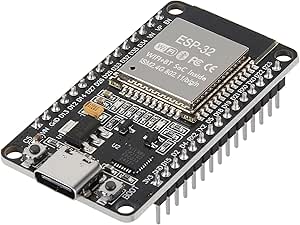 | Best for Wireless Prototyping | Module: ESP32-WROOM-32 | Processor: Dual-core 32-bit, up to 240 MHz | USB connection: USB-C | VIEW LATEST PRICE | See Our Full Breakdown |
| Waveshare RP2350-USB-A Mini Development Board |  | Best for USB-A Compact Builds | Microcontroller: Raspberry Pi RP2350A | Processor architecture: Dual-core Arm Cortex-M33 and dual-core Hazard3 RISC-V | Maximum clock speed: 150 MHz | VIEW LATEST PRICE | See Our Full Breakdown |
| Arduino Nano ESP32 with Headers (ABX00083) |  | Best for Arduino and MicroPython Workflows | Model: ABX00083 | Microcontroller: ESP32-S3, dual-core Xtensa 32-bit LX7 | Clock speed: 240 MHz | VIEW LATEST PRICE | See Our Full Breakdown |
| Leonardo R3 ATmega32U4 Microcontroller Development Board |  | Best for Classic USB Device Projects | Microcontroller: ATmega32U4 | Clock speed: 16 MHz | Digital I/O: 20 pins | VIEW LATEST PRICE | See Our Full Breakdown |
| RP2350-USB-C Microcontroller Development Board |  | Best for Carrier-Board Integration | Microcontroller: Raspberry Pi RP2350A (A4) | Processor options: Dual-core Arm Cortex-M33 or dual-core Hazard3 RISC-V | Maximum clock speed: 150 MHz | VIEW LATEST PRICE | See Our Full Breakdown |
| Teyleten Robot Pro Micro ATmega32U4 Development Board, USB-C, 5V/16MHz, 3-Pack |  | Best Compact Board in a Multi-Pack | Microcontroller: ATmega32U4 | Operating voltage: 5V | Processor speed: 16MHz | VIEW LATEST PRICE | See Our Full Breakdown |
| Waveshare RP2350 USB Mini Development Board |  | Best for USB Host Projects and Custom Carrier Builds | Microcontroller: Raspberry Pi RP2350A | Processor: Dual-core Arm Cortex-M33 and dual-core Hazard3 RISC-V | Maximum clock speed: 150MHz | VIEW LATEST PRICE | See Our Full Breakdown |
| ELEGOO UNO R3 Microcontroller Board with USB Cable |  | Best for Beginners | Microcontroller: ATmega328P | USB interface: ATmega16U2 | Clock speed: 16MHz | VIEW LATEST PRICE | See Our Full Breakdown |
| ELEGOO ESP32 Development Boards, 3-Pack, ESP-WROOM-32, USB-C, Wi-Fi and Bluetooth 4.2 |  | Best Wireless Value | Module: ESP-WROOM-32 | Processor: Espressif dual-core | Processor speed: Up to 240MHz | VIEW LATEST PRICE | See Our Full Breakdown |
| ESP32 ESP-WROOM-32 Development Board with Wi-Fi and Bluetooth, 3-Pack |  | Best for Arduino IDE Wireless Prototyping | Module: ESP-WROOM-32 | Processor: Dual-core Tensilica LX6 | Processor speed: Up to 240MHz | VIEW LATEST PRICE | See Our Full Breakdown |
| USB microcontroller development board | Microcontroller |
|---|---|
| FORIOT Pro Micro ATmega32U4 US | ATmega32U4 |
| Waveshare RP2350A USB Mini Dev | Raspberry Pi RP2350A |
| Freenove ESP32-S3 Development | — |
| KEYESTUDIO UNO R3 ATmega328P D | ATmega328P-PU |
| M5Stack AtomS3U ESP32-S3 Devel | ESP32-S3FN8 |
| AITRIP ESP32-WROOM-32 Developm | — |
| Waveshare RP2350-USB-A Mini De | Raspberry Pi RP2350A |
| Arduino Nano ESP32 with Header | ESP32-S3, dual-core Xtensa 32-bit LX7 |
| Leonardo R3 ATmega32U4 Microco | ATmega32U4 |
| RP2350-USB-C Microcontroller D | Raspberry Pi RP2350A (A4) |
| Teyleten Robot Pro Micro ATmeg | ATmega32U4 |
| Waveshare RP2350 USB Mini Deve | Raspberry Pi RP2350A |
| ELEGOO UNO R3 Microcontroller | ATmega328P |
| ELEGOO ESP32 Development Board | — |
| ESP32 ESP-WROOM-32 Development | — |
More Details on Our Top Picks
FORIOT Pro Micro ATmega32U4 USB-C Development Board, 16 MHz, 3-Pack
The FORIOT Pro Micro is a strong fit when your project needs a small USB-programmable Arduino board rather than a broad set of pins. Its ATmega32U4 connects over USB-C directly, so you can program it without a separate USB-to-serial converter, and the 34 × 18 mm footprint fits into enclosures where a UNO R3 such as the KEYESTUDIO is cumbersome. Three boards in the set also give you spares or room to build several small devices.
The tradeoff is capacity: it has just 9 digital I/O pins and 4 analog inputs, fewer than the KEYESTUDIO UNO R3’s 14 digital and 6 analog pins. That makes the FORIOT less suitable for sensor-heavy prototypes, even though it offers PWM, UART, I2C, and SPI. Its 3.3 V or 5 V power input adds flexibility, but buyers should match their connected components to the board’s operating voltage.
Pros:- USB-C programming works without a separate USB-to-serial converter
- Small 34 × 18 mm footprint fits space-limited builds
- Includes UART, I2C, SPI, PWM, digital, and analog connections
- Three boards provide useful spares or support multiple builds
Cons:- Only 9 digital I/O pins and 4 analog inputs limit larger projects
- Compact layout is less convenient for hands-on wiring than the KEYESTUDIO UNO R3
Best for: Arduino users building compact USB-connected controllers or small embedded projects who want multiple boards and need only a modest number of I/O pins.
Not ideal for: Beginners who want a full-size board with abundant labeled connections, or projects that need more than 9 digital I/O pins or 4 analog inputs.
- Microcontroller:ATmega32U4
- Processor speed:16 MHz
- USB connector:USB-C
- Dimensions:34 mm × 18 mm
- Digital I/O:9 pins, 5 with PWM support
- Analog inputs:4
- Communication:UART, I2C, SPI
- Power input:3.3 V or 5 V
- Quantity:3 boards
Our verdict“Choose the FORIOT when compact size and direct USB-C programming matter more than the UNO-style board’s larger I/O count.”
Waveshare RP2350A USB Mini Development Board
The Waveshare RP2350A USB Mini suits developers who want more processing headroom and peripheral flexibility than the ATmega-based FORIOT Pro Micro or KEYESTUDIO UNO R3 can provide. Its RP2350A architecture combines dual-core Arm Cortex-M33 and Hazard3 RISC-V processors, with up to 150 MHz operation, 520 KB SRAM, and 2 MB flash. That mix supports more demanding control logic and experimentation with the chip’s two processor architectures.
Despite its small footprint, it offers 15 multifunction GPIO pins, ADC, PWM, SPI, I2C, UART, and PIO. The castellated edges make it suitable for soldering onto a carrier board, while USB-C supports device and host functions. The tradeoff is that a module-style board may need a carrier for convenient prototyping. Its Type-A expansion port also relies on PIO, so it is not as straightforward as a standard onboard USB port for every use.
Pros:- Dual-core Arm Cortex-M33 and Hazard3 RISC-V processing options
- 520 KB SRAM and 2 MB flash provide more room than the ATmega328P UNO R3
- Castellated edges support direct integration onto carrier boards
- Broad interfaces include ADC, PWM, PIO, SPI, I2C, and UART
Cons:- Module format may call for a separate carrier board for convenient prototyping
- USB Type-A expansion uses PIO rather than a simple dedicated port implementation
Best for: Embedded developers and experienced makers prototyping custom carrier boards, experimenting with Arm and RISC-V, or needing more memory and peripherals than an 8-bit Arduino board provides.
Not ideal for: New Arduino learners who want a conventional, easy-to-wire board, or builders who need a full-size breadboard-friendly layout without designing or sourcing a carrier.
- Microcontroller:Raspberry Pi RP2350A
- Processor architecture:Dual-core Arm Cortex-M33 and dual-core Hazard3 RISC-V
- Maximum clock speed:150 MHz
- Memory:520 KB SRAM; 2 MB onboard flash
- GPIO:15 multifunction pins
- Analog and PWM:4 × 12-bit ADC; 14 controllable PWM channels
- Other interfaces:2 SPI, 2 I2C, 2 UART, 12 PIO state machines
- USB:Type-C connector; Type-A expansion port; USB 1.1 device and host support
- Board design:Castellated module
Our verdict“Pick the Waveshare RP2350A when processing flexibility and carrier-board integration matter more than plug-and-play UNO-style prototyping.”
Freenove ESP32-S3 Development Board Kit, 8 MB Flash
The Freenove ESP32-S3 kit is the most approachable choice here for learning with wireless projects, since its tutorials include example code in both MicroPython and C. Built-in 2.4 GHz Wi-Fi and Bluetooth 5 LE let a beginner move from basic input-and-output experiments to connected devices without adding a radio module. Its dual-core processor, 8 MB flash, and 8 MB PSRAM also give it substantially more room for code and data than the KEYESTUDIO UNO R3.
USB-OTG adds flexibility for USB-connected projects, but the board is not as self-contained for a first session as the UNO R3, which includes a cable and uses the familiar Arduino ecosystem. The Freenove lessons are online or downloadable, not printed, and setup still requires a computer with an IDE and driver. Choose it for wireless learning and richer examples; skip it if your priority is a simple, traditional Arduino starter board.
Pros:- Built-in 2.4 GHz Wi-Fi and Bluetooth 5 LE support connected projects
- Tutorial examples cover both MicroPython and C
- 8 MB flash and 8 MB PSRAM offer far more memory than the KEYESTUDIO UNO R3
- USB-OTG supports USB-oriented project ideas
Cons:- Tutorials are online or downloadable; no printed guide is included
- Requires a computer with an IDE and driver installed
- Wireless and higher-capacity features add complexity compared with a basic UNO R3
Best for: New makers and students who want guided MicroPython or C projects that use Wi-Fi or Bluetooth, and who are comfortable following digital tutorials and setting up an IDE.
Not ideal for: Learners who need a printed manual or want to start with straightforward wired Arduino exercises on a conventional UNO-style board.
- Processor:Dual-core 32-bit ESP32-S3
- Maximum processor speed:240 MHz
- Flash:8 MB
- PSRAM:8 MB
- Wireless connectivity:2.4 GHz Wi-Fi and Bluetooth 5 LE
- USB:USB-OTG; 2 USB ports
- RAM technology:LPDDR4
- Languages:MicroPython and C
- Tutorial format:Downloadable or online; English; no printed tutorial
Our verdict“Choose the Freenove kit if you want guided entry into Wi-Fi and Bluetooth microcontroller projects and are happy to learn from digital materials.”
KEYESTUDIO UNO R3 ATmega328P Development Board with USB Cable
The KEYESTUDIO UNO R3 is the clearest pick for conventional Arduino prototyping: its familiar layout, labeled pins, included USB cable, and compatibility with the Arduino Uno R3 ecosystem make it easier to follow common wiring examples than the compact FORIOT Pro Micro. A socketed ATmega328P-PU is a practical distinction, too; the chip can be replaced without soldering if a project damages it or calls for a spare.
It offers 14 digital I/O pins, 6 PWM pins, and 6 analog inputs, which makes it more comfortable for multi-sensor breadboard projects than the FORIOT. The tradeoff is its older, limited memory: just 2 KB SRAM and 32 KB flash. It also relies on a CP2102 USB-to-serial chip, unlike the FORIOT’s direct USB connection, and its DC jack is recommended for 7–12 V input. This is a teaching and prototyping board, not the strongest choice for memory-heavy or wireless work.
Pros:- UNO R3 ecosystem compatibility gives access to many shields and learning resources
- Socketed ATmega328P-PU can be replaced without soldering
- 14 digital I/O pins and 6 analog inputs suit common prototype wiring
- Includes a USB cable and has clearly labeled pins
Cons:- Only 2 KB SRAM limits memory-intensive programs
- Uses a separate CP2102 USB-to-serial chip rather than direct USB programming
- DC jack input is recommended for 7–12 V
Best for: Arduino beginners, educators, and makers following UNO R3 tutorials who want a full-size board, clear pin labels, and a replaceable microcontroller.
Not ideal for: Developers building wireless or memory-intensive projects, or users who need the compact footprint and direct USB connection of the FORIOT Pro Micro.
- Microcontroller:ATmega328P-PU
- USB-to-serial chip:CP2102
- Memory:32 KB flash (0.5 KB used by bootloader); 2 KB SRAM; 1 KB EEPROM
- Clock speed:16 MHz
- Digital I/O:14 pins, including 6 PWM pins
- Analog inputs:6
- Power options:USB, DC jack (7–12 V recommended), or Vin/GND
- Compatibility:Arduino IDE and Arduino Uno R3 ecosystem
- Included accessory:USB cable
Our verdict“Choose the KEYESTUDIO UNO R3 for familiar, well-labeled Arduino prototyping, but pick an ESP32-S3 board for wireless features or more memory.”
M5Stack AtomS3U ESP32-S3 Development Kit with USB-A
The M5Stack AtomS3U packs wireless control and useful onboard interaction into a compact ESP32-S3 kit. Its dual-core processor runs at 240 MHz, and built-in Wi-Fi and USB OTG support projects that would need extra modules on the FORIOT Pro Micro. A Grove port and 6-pin header give it straightforward expansion options, while programmable RGB LEDs, buttons, and an infrared emitter provide useful inputs and outputs before you attach anything else.
Compared with the Freenove ESP32-S3 board, the AtomS3U is the more compact, integrated option, but the provided details do not specify the Freenove’s 8 MB flash and 8 MB PSRAM capacity for this kit. The AtomS3U has just one USB port and a limited six-pin header, so it is not a substitute for a larger board with abundant connections. It makes the most sense for small wireless controllers and infrared projects, not broad breadboard experiments.
Pros:- 240 MHz dual-core ESP32-S3 with built-in Wi-Fi and USB OTG
- Grove port and 6-pin header offer two expansion paths
- Onboard programmable RGB LEDs and buttons simplify interaction prototypes
- Integrated infrared emitter suits remote-control projects
Cons:- Only one USB port is provided
- Six-pin expansion header limits direct connections compared with larger development boards
- The listed specifications do not state flash or PSRAM capacity
Best for: Makers building compact Wi-Fi or infrared controllers who want onboard buttons and LEDs plus Grove or header-based expansion, with MicroPython or Arduino support.
Not ideal for: Users who need multiple USB connections, many exposed pins, or a large memory specification for data-heavy ESP32-S3 projects.
- Model:AtomS3U
- Microcontroller:ESP32-S3FN8
- Processor:Dual-core Xtensa LX7
- Processor speed:240 MHz
- Connectivity:USB, Wi-Fi, USB OTG, infrared
- Expansion interfaces:Grove port; 6-pin 2.54 mm header
- Integrated peripherals:Programmable RGB LEDs, buttons, infrared emitter
- Development platforms:MicroPython and Arduino
- USB ports:1
Our verdict“Pick the AtomS3U for a compact wireless or infrared controller with built-in interaction features, not for projects that need extensive pin access.”
AITRIP ESP32-WROOM-32 Development Board with USB-C
The AITRIP is a strong fit for projects that need Wi-Fi and Bluetooth on the board without adding a separate radio module. Its dual-core ESP32-WROOM-32, USB-C connection, and selection of UART, SPI, I2C, ADC, and DAC interfaces give it more room for connected prototypes than the Leonardo R3 ATmega32U4, which focuses on simpler wired microcontroller tasks. Reset and programming-mode buttons also make repeated uploads more straightforward. The tradeoff is that the product data gives conflicting names for its USB-to-serial chip, listing CP2102 and CP2012, and cites 300 mA power consumption at 3.3 V, which deserves attention in a battery-powered design. I’d choose it for connected experiments, not for the smallest or most power-conscious build.
Pros:- Wi-Fi and Bluetooth are integrated, avoiding a separate wireless module.
- Offers UART, SPI, I2C, PWM, ADC, and DAC interfaces for varied prototypes.
- Reset and programming-mode buttons simplify the upload workflow.
- Onboard Hall, temperature, and capacitive-touch sensors add options for basic experiments.
Cons:- The USB-to-serial chip is identified inconsistently as CP2102 and CP2012.
- Listed power consumption of 300 mA at 3.3 V may be a drawback for battery-powered projects.
- The package contains one board, so multi-board projects require separate purchases.
Best for: Makers building Wi-Fi or Bluetooth prototypes who want USB-C, onboard controls, and a broad set of common interfaces.
Not ideal for: Battery-powered builders prioritizing low, well-documented power draw, or buyers who need consistent documentation for the USB-to-serial chip.
- Module:ESP32-WROOM-32
- Processor:Dual-core 32-bit, up to 240 MHz
- USB connection:USB-C
- Pins and I/O:30 pins; 22 I/O ports
- Flash:32 Mbit (4 MB)
- Wireless:2.4 GHz Wi-Fi and Bluetooth
- Interfaces:UART, SPI, SDIO, I2C, PWM, I2S, IR, ADC, DAC
- Power input:USB 5 V or pin input 5.0–12 V
Our verdict“Choose the AITRIP for an accessible USB-C ESP32 board with built-in wireless, but check its power requirements before using it in a battery-driven design.”
Waveshare RP2350-USB-A Mini Development Board
This mini board makes the most sense when a project needs a small RP2350 module with a USB-A plug and the option to mount it directly on a carrier board. Its 15 multifunction GPIO pins, 12 PIO state machines, and support for C/C++ and Arduino give it more hardware flexibility than its size suggests. Drag-and-drop programming over USB can also lower the barrier to quick experiments. Compared with the RP2350-USB-C Microcontroller Development Board, this version uses USB-A rather than USB-C, so the connector choice may suit existing host ports but is less convenient for many newer cable setups. It also has only one onboard USB port; its compact format and castellated edges favor embedded installation over a standalone, connector-rich development setup.
Pros:- Compact form factor with castellated edges for carrier-board soldering.
- 15 multifunction GPIO pins support a useful range of project connections.
- Includes two SPI, two I2C, two UART, ADC, PWM, and PIO resources.
- Supports C/C++, Arduino IDE, and drag-and-drop USB programming.
Cons:- USB-A may be less convenient than USB-C with newer computers and cables.
- Only one USB port is onboard.
- The compact layout can be less convenient for frequent jumper-wire changes than a larger development board.
Best for: Embedded-project builders who want an RP2350 board that can plug into a USB-A host or be soldered onto a custom carrier.
Not ideal for: Buyers who need USB-C, multiple onboard connectors, or a larger board with easier access to wiring during bench prototyping.
- Microcontroller:Raspberry Pi RP2350A
- Processor architecture:Dual-core Arm Cortex-M33 and dual-core Hazard3 RISC-V
- Maximum clock speed:150 MHz
- Memory:520 KB SRAM; 2 MB on-chip flash
- GPIO:15 multifunction pins
- USB:One USB 2.0/1.1-compatible port
- Peripherals:2 SPI, 2 I2C, 2 UART, 4 12-bit ADC, 14 PWM channels
- PIO:12 state machines
Our verdict“Pick this Waveshare when USB-A compatibility and a solderable mini form factor matter more than USB-C convenience or roomy bench access.”
Arduino Nano ESP32 with Headers (ABX00083)
The Nano ESP32 pairs an ESP32-S3 with the familiar Nano-style format, making it a compelling choice for developers who want wireless capability in a compact board supported by Arduino IDE and MicroPython. Bluetooth 5.0, Wi-Fi, USB-C, and HID support open paths from networked prototypes to custom USB input devices. Compared with the AITRIP ESP32-WROOM-32, this model emphasizes the newer ESP32-S3 platform and a documented Arduino/MicroPython workflow, while the AITRIP lists more interface types and onboard sensors. The Nano’s stated 4 MB flash and SRAM entry is limited detail for projects with larger assets, and many physical interfaces will call for external components or shields. It suits software-led prototyping better than builds that need sensors and connections built onto the board.
Pros:- ESP32-S3 dual-core processor supports demanding embedded and real-time tasks.
- Wi-Fi and Bluetooth 5.0 provide integrated wireless connectivity.
- USB-C and included headers support convenient development and installation.
- MicroPython and Arduino IDE compatibility give users two accessible development routes.
Cons:- The listed 4 MB flash capacity may constrain projects with large firmware or stored assets.
- Many physical interfaces require external components or shields.
- The supplied memory specification combines flash and SRAM, leaving SRAM capacity unclear.
Best for: Arduino users and Python learners who want a compact ESP32-S3 board for wireless prototypes, HID experiments, and rapid software iteration.
Not ideal for: Builders seeking many onboard sensors or a board with extensive physical interfaces ready to wire without extra components.
- Model:ABX00083
- Microcontroller:ESP32-S3, dual-core Xtensa 32-bit LX7
- Clock speed:240 MHz
- Memory:4 MB flash; SRAM capacity not specified
- Connectivity:Wi-Fi, Bluetooth 5.0, USB-C
- Development support:MicroPython and Arduino IDE
- Operating system:FreeRTOS
- Other features:HID support; headers included
Our verdict“Choose the Nano ESP32 for a compact, software-friendly ESP32-S3 board with Arduino and MicroPython support, not for extensive built-in hardware extras.”
Leonardo R3 ATmega32U4 Microcontroller Development Board
The Leonardo R3 is the lineup’s straightforward pick for USB device projects and classic Arduino-style prototyping. Its ATmega32U4 can handle USB communication directly, while the board provides 20 digital pins, six analog inputs, and common interfaces including UART, I2C, and SPI. That makes it a better match for modest control tasks than the wireless-focused AITRIP ESP32-WROOM-32, which brings far more processing and connectivity but may be unnecessary for a simple input device or sensor controller. The Leonardo’s 16 MHz clock and 2.5 KB of SRAM limit workloads that need substantial processing or memory, and the stated operating range of -10°C to 30°C is narrow. It is a focused choice for basic USB and I/O work, rather than connected or demanding applications.
Pros:- ATmega32U4-based board suits projects where USB device functionality is central.
- Provides 20 digital I/O pins and six analog inputs.
- Supports UART, I2C, SPI, PWM, GPIO, ADC, and ICSP.
- USB-C supports programming and power, with 7–12 V external input also listed.
Cons:- The 16 MHz clock and 2.5 KB SRAM limit more demanding applications.
- No Wi-Fi or Bluetooth is listed, unlike the ESP32 options in this roundup.
- The specified operating temperature range is limited to -10°C to 30°C.
Best for: Arduino builders making USB-connected controllers, small input devices, or basic sensor projects that do not need wireless networking.
Not ideal for: Developers who need Wi-Fi or Bluetooth, higher processing capacity, more memory, or operation across a wide temperature range.
- Microcontroller:ATmega32U4
- Clock speed:16 MHz
- Digital I/O:20 pins
- PWM:7 pins
- Analog inputs:6
- SRAM:2.5 KB
- USB:One USB Type-C port
- External input voltage:7–12 V
Our verdict“Choose the Leonardo R3 for modest USB-focused Arduino projects, but opt for an ESP32 board if wireless features or extra processing headroom are needed.”
RP2350-USB-C Microcontroller Development Board
This RP2350 board is the most flexible choice here for developers planning to integrate a compact module into a custom carrier. It combines castellated edges with 15 multifunction GPIO pins, USB-C, and a useful set of SPI, I2C, UART, ADC, PWM, and PIO resources. Its dual-core design offers a choice of Cortex-M33 or Hazard3 RISC-V cores, and support for C/C++, MicroPython, and Arduino suits mixed skill levels. Compared with the Waveshare RP2350-USB-A Mini, it brings USB-C and explicit USB host/device support, while both share a compact, solderable form and 15 GPIO pins. The tradeoff is that the module may need soldering or a carrier for practical installation, and the listed USB-C adapter compatibility is limited to PD-only adapters.
Pros:- Castellated form factor supports direct integration onto a custom carrier board.
- Offers Cortex-M33 or Hazard3 RISC-V processor options.
- Includes USB host/device support, 15 GPIO pins, and a broad set of peripherals.
- Supports C/C++, MicroPython, Arduino, and USB drag-and-drop programming.
Cons:- The compact module may require soldering or a carrier board for installation.
- USB-C power adapter compatibility is specified for PD-only adapters.
- Its 2 MB flash and 520 KB RAM may constrain projects with large firmware or data needs.
Best for: Embedded developers designing a carrier board who want RP2350 capabilities, USB-C, and a choice of supported programming languages.
Not ideal for: Beginners seeking a roomy board for direct jumper-wire prototyping, or users whose USB-C power source is not a PD-only adapter.
- Microcontroller:Raspberry Pi RP2350A (A4)
- Processor options:Dual-core Arm Cortex-M33 or dual-core Hazard3 RISC-V
- Maximum clock speed:150 MHz
- Memory:520 KB RAM; 2 MB flash
- GPIO:15 multifunction pins
- USB:USB-C; USB 1.1 device and host
- Interfaces:2 SPI, 2 I2C, 2 UART
- Other I/O resources:4 12-bit ADC channels, 14 PWM channels, 12 PIO state machines
- Programming languages:C/C++, MicroPython, Arduino
Our verdict“Pick this board for a custom embedded design that benefits from RP2350 flexibility and USB-C, provided its carrier-board and power-source requirements fit your setup.”
Teyleten Robot Pro Micro ATmega32U4 Development Board, USB-C, 5V/16MHz, 3-Pack
The Teyleten Robot Pro Micro suits projects where board size matters more than wireless features or a large header layout. Its ATmega32U4 runs at 5V and 16MHz, and built-in USB-C programming avoids the separate USB interface some compact boards need. You get 12 digital I/O pins, four 10-bit ADC inputs, five PWM-capable pins, and hardware serial connections, making this a capable fit for small controllers and input devices. Compared with the larger ELEGOO UNO R3, it takes less room but offers fewer analog inputs and can be less approachable for shield-based builds. The three-board pack is useful for repeated projects, though the power guidance is less forgiving: unregulated input belongs on RAW, and the recommended supply is 6–7V, below 9V. Choose it for compact wired builds, not as a general-purpose wireless board.
Pros:- USB-C supports programming without a separate USB interface.
- Compact format includes 12 digital I/O pins and four 10-bit ADC inputs.
- Five PWM-capable pins and hardware Rx/Tx support add flexibility for control and serial projects.
- Three boards are included, and the power circuit has PTC fuse and diode protection.
Cons:- Unregulated power must connect to RAW rather than VCC.
- Recommended supply is limited to 6–7V and should remain below 9V.
- No wireless connectivity, and its compact format is less convenient for shield-based builds than the ELEGOO UNO R3.
Best for: Makers building several compact USB-controlled projects, such as small input devices or custom controllers, who are comfortable following pin-specific power guidance.
Not ideal for: Beginners seeking a roomy, shield-friendly board, or builders who need Wi-Fi, Bluetooth, or a broad external power range.
- Microcontroller:ATmega32U4
- Operating voltage:5V
- Processor speed:16MHz
- USB interface:USB-C
- Digital I/O:12 pins
- ADC inputs:4 × 10-bit
- PWM-capable pins:5
- Package quantity:3 boards
Our verdict“Pick this three-pack for compact USB-controlled builds that need ATmega32U4 features, provided you can work within its narrow power guidance.”
Waveshare RP2350 USB Mini Development Board
The Waveshare RP2350 USB Mini is the most specialized pick here: its USB 1.1 device and host support, plus a USB Type-A expansion port, give it a path to projects that need a USB peripheral rather than only a programming connection. The RP2350A combines dual-core Arm Cortex-M33 and Hazard3 RISC-V processors, and 12 PIO state machines let advanced builders implement custom timing and I/O behavior. Compared with the ELEGOO ESP32 3-Pack, it offers more programmable I/O options but lacks built-in Wi-Fi and Bluetooth. Its 15 multifunction GPIO pins and castellated edges also make it a stronger candidate for soldering onto a custom carrier than for quick shield-style prototyping. The tradeoff is a more specialized workflow and limited onboard memory: 520 KB SRAM and 2 MB flash. Pick it for USB and custom hardware work, not wireless projects.
Pros:- USB 1.1 host and device support, with a Type-A expansion port.
- Dual-core Arm Cortex-M33 and Hazard3 RISC-V processor options.
- Twelve PIO state machines support custom peripheral and timing tasks.
- Castellated edges suit direct soldering onto a carrier board.
Cons:- 520 KB SRAM and 2 MB flash constrain larger programs and data-heavy applications.
- USB support is specified as USB 1.1, limiting its appeal for projects expecting faster USB performance.
- Unlike the ELEGOO ESP32 3-Pack, it has no stated built-in Wi-Fi or Bluetooth.
Best for: Embedded developers creating USB host or device projects, experimenting with PIO, or soldering a compact module onto a custom carrier board.
Not ideal for: Beginners who want plug-and-play wireless connectivity, abundant memory, or a conventional board layout for easy jumper-wire prototyping.
- Microcontroller:Raspberry Pi RP2350A
- Processor:Dual-core Arm Cortex-M33 and dual-core Hazard3 RISC-V
- Maximum clock speed:150MHz
- Memory:520 KB SRAM; 2 MB flash
- GPIO:15 multifunction pins
- Interfaces:2 SPI, 2 I2C, 2 UART
- USB:USB 1.1 device and host support; Type-A expansion port
- Programmable I/O:12 PIO state machines
Our verdict“Choose this board for compact USB host/device experiments or custom carrier designs, not for wireless connectivity or memory-heavy builds.”
ELEGOO UNO R3 Microcontroller Board with USB Cable
The ELEGOO UNO R3 makes a strong starting point for learning basic microcontroller projects because its labeled headers, familiar UNO layout, and included USB-A to USB-B cable reduce setup friction. Its ATmega328P offers 14 digital I/O pins, six PWM outputs, and six analog inputs, a practical spread for sensors, LEDs, and small motors. Compared with the compact Teyleten Robot Pro Micro, the UNO is easier to wire and pair with compatible shields, while taking up more space and lacking the Pro Micro’s ATmega32U4. The 16MHz processor and 32 KB flash are suited to introductory control tasks, not demanding applications. You will need to supply breadboard parts, sensors, shields, or an external adapter separately; the board is not a complete project kit. For learners who value clear connections over compactness, this is the least fussy route in this group.
Pros:- Labeled headers make module wiring and pin identification approachable.
- Includes a USB-A to USB-B data cable for programming and serial communication.
- Six analog inputs and six PWM outputs cover common beginner sensor and actuator projects.
- Compatible header layout supports UNO-style shields and modules.
Cons:- Breadboard, sensors, shields, and power adapter are sold separately.
- The 16MHz ATmega328P and 32 KB flash are limiting for larger or more demanding programs.
- Larger than the Teyleten Robot Pro Micro and has no stated Wi-Fi or Bluetooth.
Best for: New electronics learners and classroom project builders who want labeled connections, a standard UNO layout, and a USB cable in the box.
Not ideal for: Builders needing a tiny board, built-in wireless, or substantial memory and processing headroom for complex applications.
- Microcontroller:ATmega328P
- USB interface:ATmega16U2
- Clock speed:16MHz
- Flash memory:32 KB
- Digital I/O:14 pins
- PWM outputs:6
- Analog inputs:6
- Included:1 board and 1 USB-A to USB-B data cable
Our verdict“Choose the UNO R3 for a straightforward first board with familiar wiring, but skip it if compactness or wireless features matter more.”
ELEGOO ESP32 Development Boards, 3-Pack, ESP-WROOM-32, USB-C, Wi-Fi and Bluetooth 4.2
For projects that need network access across several builds, the ELEGOO ESP32 3-Pack combines dual-core processing with 2.4GHz Wi-Fi and Bluetooth 4.2 Classic and BLE. That makes it a more suitable choice for connected sensors, remote controls, and prototypes that may receive firmware through configured OTA updates than the wired-only ELEGOO UNO R3. USB-C and the CP2102 USB-to-serial chip handle programming and serial monitoring, while GPIO, UART, SPI, and I2C cover common peripheral connections. The three-board package is useful when you want to develop multiple nodes or keep a spare. Compared with the other ESP32 three-pack in this roundup, this listing specifies 520 KB RAM and 4 MB storage, but it does not provide a full GPIO count in the supplied data. A USB-C cable is not included, and OTA updates require compatible software setup.
Pros:- Three boards support multi-node projects or parallel prototyping.
- Built-in 2.4GHz Wi-Fi and Bluetooth 4.2 Classic and BLE enable wireless communication.
- USB-C with a CP2102 supports programming and serial monitoring.
- GPIO, UART, SPI, and I2C support common peripheral connections.
Cons:- USB-C cable is not included.
- OTA firmware updates require configuration through a compatible ESP32 software framework.
- The supplied specifications do not state the GPIO pin count, making pin planning less certain than with the ELEGOO UNO R3.
Best for: Makers building multiple Wi-Fi or Bluetooth prototypes, such as connected sensors or home-automation nodes, who are comfortable configuring ESP32 development tools.
Not ideal for: Beginners who need a complete cable-included kit, or projects that need a clearly documented pin count before board selection.
- Module:ESP-WROOM-32
- Processor:Espressif dual-core
- Processor speed:Up to 240MHz
- Installed RAM:520 KB
- Storage:4 MB
- Wireless:2.4GHz Wi-Fi 802.11b/g/n; Bluetooth 4.2 Classic and BLE
- Interfaces:GPIO, UART, SPI, I2C, USB-C
- Package quantity:3 boards
Our verdict“Pick this pack for several connected ESP32 projects, as long as you have a USB-C cable and are prepared to configure the software toolchain.”
ESP32 ESP-WROOM-32 Development Board with Wi-Fi and Bluetooth, 3-Pack
This ESP-WROOM-32 three-pack is a practical fit for Arduino IDE users who want Wi-Fi and Bluetooth on each board without moving to the ATmega-based options. Its dual-core Tensilica LX6 processor runs up to 240MHz, while the stated peripherals include capacitive touch, ADC, DAC, UART, SPI, and I2C. The boards also support Wi-Fi access point, station, and combined AP+STA modes, giving network prototypes more flexibility than the wired ELEGOO UNO R3. Reset and boot buttons simplify firmware installation and recovery. Compared with the ELEGOO ESP32 three-pack, this model explicitly lists Arduino IDE compatibility and Wi-Fi modes, but its product data is less reliable: the pin count varies between 30 and 36, and memory listings conflict. That uncertainty matters when checking compatibility or planning a build. Choose it when the stated ESP32 features fit your needs, but verify board details before committing to a pin-specific design.
Pros:- Three boards support parallel prototypes or multiple wireless nodes.
- Dual-core processor runs up to 240MHz, with Wi-Fi and Bluetooth Classic and LE.
- Arduino IDE compatibility and AP, STA, and AP+STA Wi-Fi modes are specified.
- Reset and boot buttons simplify firmware installation and recovery.
Cons:- The listed pin count conflicts between 30 and 36.
- Memory specifications conflict between the 512 KB SRAM description and other product information.
- Compared with the ELEGOO ESP32 3-Pack, the inconsistent board data makes pin and memory planning less certain.
Best for: Arduino IDE users prototyping several Wi-Fi or Bluetooth devices who value onboard reset and boot buttons and can verify the board layout before wiring.
Not ideal for: Builders who need dependable published pin counts or consistent memory specifications for a fixed design.
- Module:ESP-WROOM-32
- Processor:Dual-core Tensilica LX6
- Processor speed:Up to 240MHz
- RAM:512 KB SRAM stated; product information conflicts
- Wireless:2.4GHz Wi-Fi 802.11b/g/n; Bluetooth Classic and LE
- Wi-Fi modes:AP, STA, AP+STA
- Peripherals:Capacitive touch, ADC, DAC, UART, SPI, I2C
- Package quantity:3 boards
Our verdict“Choose this pack for Arduino IDE wireless prototyping if its feature set fits, but confirm pinout and memory details before designing around it.”
How We Picked
I compared the 15 boards by how well their features match common USB microcontroller tasks: learning, prototyping, compact installations, wireless projects, and native USB input or control. The main criteria were processor family and capability, USB connector and practical access, wireless support where specified, board size, expansion potential, included accessories, and the likely effort needed to get started. I also treated product naming carefully: a USB-C connector alone does not indicate native USB support, and capabilities depend on the board’s controller and implementation.
The ranking favors boards that offer a useful balance of capability, usability, and versatility for a broad range of buyers. More specialized picks rank higher for their specific strengths, such as compactness or USB-device projects, but lower as all-purpose choices when they offer less workspace or require a narrower use case. Similar variants and multipacks are distinguished by their stated connector, controller, and bundle format rather than treated as interchangeable. I did not infer unlisted features; buyers should confirm pinout, voltage levels, board dimensions, and software support before building around a particular model.
Factors to Consider When Choosing Best USB Microcontroller Development Boards
Choosing among these boards starts with the project’s requirements, not the connector printed in the product name. I’d first identify what the board must communicate with, what physical space it can occupy, and how much setup help the builder needs. These broader checks can prevent common mismatches that a feature list alone may not reveal.
Match the microcontroller to the job
Start by listing the tasks the board must perform: read sensors, control motors, handle a USB keyboard-like device, connect to Wi-Fi, or run several functions at once. An ATmega328P board can be a sensible fit for basic control and learning, while an ATmega32U4 is often chosen when a project needs USB-device behavior. ESP32 boards add wireless capability, and RP2350 boards offer a different modern platform for compact and general-purpose builds. More capable silicon does not automatically make a better beginner board; it can add software and configuration choices. Avoid selecting by processor name alone: check the specific board’s supported libraries, pin availability, and documentation for the task you plan to build.
Separate connector type from USB capability
USB-C and USB-A tell you about the connector, not the full USB role of the microcontroller. A board may use a modern connector for power and programming without supporting the USB-device behavior your project needs. Check whether the documentation describes native USB, the board’s USB interface circuitry, and its supported operating modes. Also verify that you have a suitable data cable; some cables provide power only, which can make a working board appear unresponsive during setup. For a fixed installation, connector orientation and cable clearance can matter as much as connector style. This check is especially useful when comparing boards that share a processor family but use different USB layouts.
Check voltage, logic levels, and pin compatibility
Before wiring modules, confirm the board’s operating voltage and the logic level expected at each input. A peripheral designed for one voltage may not connect safely to a board using another, even when the pins physically fit. Also check which pins have special functions, such as serial communication, boot selection, or onboard peripherals, because using one for a different purpose can complicate debugging. Buyers moving from an UNO-style board to an ESP32 or RP2350 should not assume old wiring diagrams transfer directly. A pinout diagram and a quick review of the peripheral datasheet can prevent damage and avoid redesigning a prototype. Leave room for level shifting or a compatible sensor module if the electrical requirements do not match.
Choose board size for wiring access, not just the final enclosure
A tiny board can fit into a finished product yet be awkward during the prototyping stage, when wires, adapters, and debugging access take up space. Larger boards usually give beginners more comfortable access to pins and make it easier to revise a circuit without disturbing neighboring connections. Mini boards suit projects with strict size limits, but may call for soldering, a breakout adapter, or a deliberate mounting plan. Consider how the board will be powered and programmed after installation, not only whether it fits inside the case. If the design is still changing, a larger layout can save time even when the final build will use a compact module. Decide whether the board is for experimentation, a permanent build, or both.
Weigh kit contents and multipacks against support needs
A cable or multi-board pack can be useful when you need spares, expect to build several units, or want to keep a dedicated board for testing. Those extras do less for a first-time builder who still needs clear setup instructions, example projects, and a reliable pinout. Compare what is actually included with what your project needs, including headers, cables, and any required programming accessories. Multipacks of similar boards can also lock you into one platform before you know whether its software ecosystem fits your work. For a first purchase, documentation and a simple path to a successful first upload may be more valuable than extra boards. For repeated builds, standardizing on the same board can make replacement and maintenance easier.
Frequently Asked Questions
Is a USB-C microcontroller board automatically better than a micro-USB board?
No. USB-C can make cable connection more convenient, but it does not by itself improve processing capability, USB-device support, or project compatibility. Check the board’s controller, documented USB functions, and power requirements rather than choosing by connector alone. You may also need a USB-C data cable and a computer port or adapter that supports your setup. For a permanent build, compare cable availability and enclosure clearance as well as the connector.
Which board type should I choose for a project that acts like a USB keyboard or controller?
Look for explicit support for native USB-device functions, then confirm that the board’s software tools support the keyboard or controller behavior you need. ATmega32U4 boards are commonly selected for this role, but the exact implementation and library support still matter. Do not assume every board with a USB connector can present itself to a computer as an input device. Check whether the project requires a particular operating system, USB protocol, or bootloader workflow before buying. If the device must be reliable after installation, test the full connection and reconnect behavior early.
Should I choose an ESP32 board or an RP2350 board for a wireless project?
Start by checking whether wireless connectivity is built into the particular board and whether the required network or protocol is supported. The ESP32 options in this roundup are the more direct starting point for projects that call for Wi-Fi or Bluetooth, based on their stated wireless features. An RP2350 board may suit a project where compact size or its processing platform matters more than built-in wireless, but confirm the exact model’s connectivity before planning around it. Also compare library support, power needs, and the peripherals you intend to connect. A short prototype with your intended sensor and software can reveal compatibility issues before you commit to an enclosure or production run.
Are small USB development boards a good choice for a first electronics project?
They can work for a first project, but compact boards often leave less room for wiring and make pin access less comfortable. If you are still learning how to connect components and diagnose mistakes, a larger board with an accessible pin layout is usually easier to work with. A mini board becomes more appealing once the circuit is stable or the finished project has a strict size limit. Check whether the board needs headers or soldering before it can connect to your parts. If you choose a small model, plan for a compatible breakout or mounting method rather than relying on the bare board to make prototyping easy.
When does a multi-board pack make more sense than buying one development board?
A pack is useful if you expect to build several identical devices, keep a spare available, or separate development from a finished installation. It can also simplify maintenance when every unit uses the same board and software setup. For a first project, extra boards may not help if you have not confirmed the processor, pinout, and development environment meet your needs. Compare the pack’s exact board variant and connector with your existing cables and accessories. If you are testing different kinds of projects, one board with stronger documentation may teach you more than several boards from the same family.
Conclusion
For the best overall balance, I’d choose the Arduino Nano ESP32 if you want a compact, wireless-capable board with a recognizable development path. For best value in a simple learning setup, compare the UNO R3 options and choose based on the documentation and included cable you prefer. Beginners who want a familiar starting point should favor an UNO-style board over a mini board with limited wiring access. For a premium-feature choice, the Freenove ESP32-S3 kit is better suited to buyers who want a broader platform for wireless and peripheral experiments. If your project needs a tiny footprint, consider a Waveshare RP2350 mini; for USB-device projects, focus on the ATmega32U4 boards and verify the needed USB behavior before ordering. Choose by project requirements first, then narrow the options by board size, connector, and support.