
The best ESP32 development boards balance easy programming, useful GPIO access, and the right features for your project. My best overall pick is the Freenove ESP32 Development Board Kit, which pairs two boards with guided learning materials; the ESP32-S3 board with power expansion stands out for extra memory and breakout access, while the ELEGOO ESP-32 Starter Kit suits learners who want a tutorial-led start. The main tradeoffs are choosing a classic ESP32 or a newer variant, buying a single board or a multipack, and deciding whether a kit’s extras justify its added complexity. Connector type, board width, pin layout, and USB-to-serial support can also affect how easily a board fits your setup. Read on for the full comparison and recommendations by project type.

Get business pricing on monitors, keyboards and dev gear
- Business-only prices and quantity discounts
- Tax-exempt purchasing
- Multiple users, one account, clear invoices
Key Takeaways
- Freenove is my best overall pick because its two-board kit and learning materials offer a more guided start than bare multipacks, without committing buyers to a touchscreen or expansion-heavy setup.
- The ESP32-S3 power-expansion board is the standout for memory and GPIO access, with 16 MB flash, 8 MB PSRAM, and a 44-pin breakout; those advantages matter most for projects that can use the added resources.
- Multipacks dominate the classic ESP32 options: hiBCTR, ELEGOO, and several AITRIP listings suit builders who want spares or parallel projects, but buyers should verify pin count and layout before ordering.
- Board variant matters more than pack size for specialized builds: the Teyleten Robot ESP32-C3 Supermini targets compact projects, while the ESP32-S3 boards offer a different feature set from standard ESP-WROOM-32 boards.
- Starter kits and display boards solve different problems: ELEGOO and LAFVIN add tutorial support, while AITRIP’s 2.8-inch touchscreen board targets a self-contained interface rather than a basic sensor or controller build.
| 3-Pack ESP32 Type-C 38-Pin Narrow Development Boards with GPIO Breakout Boards |  | Best for Breadboard Prototyping | Quantity: 3 development boards and 3 breakout boards | Board type: ESP32, narrow 38-pin version | USB connector: USB Type-C | VIEW LATEST PRICE | See Our Full Breakdown |
| ESP32-S3 Development Board with Power Expansion Board, 240 MHz Dual-Core, 16 MB Flash, 8 MB PSRAM, 44-Pin GPIO Breakout |  | Best for Peripheral-Heavy Projects | Processor: Dual-core, up to 240 MHz | Flash memory: 16 MB | PSRAM: 8 MB | VIEW LATEST PRICE | See Our Full Breakdown |
| hiBCTR 6-Pack ESP32-DevKitC-32 Development Boards, USB-C, 38-Pin |  | Best for Multi-Board Builds | Quantity: 6 boards | Model: ESP32-DevKitC-32 | Chip: ESP-32D | VIEW LATEST PRICE | See Our Full Breakdown |
| Freenove ESP32 Development Board Kit, 2-Pack |  | Best for Guided Learning | Package quantity: 2 boards | Processor: Dual-core 32-bit, up to 240 MHz | RAM: 520 KB SRAM | VIEW LATEST PRICE | See Our Full Breakdown |
| ELEGOO ESP32 Development Boards, 3-Pack, USB-C, Wi-Fi and Bluetooth 4.2 |  | Best Value for General-Purpose Projects | Quantity: 3 boards | Model: EL-SM-012 | Processor: Dual-core, up to 240 MHz | VIEW LATEST PRICE | See Our Full Breakdown |
| ELEGOO ESP-32 Starter Kit with Tutorial |  | Best for Guided Learning | Processor: Dual-core Espressif ESP-32 | Memory: 520 KB SRAM | Connectivity: Wi-Fi, Bluetooth 4.2, GPIO, I2C, USB | VIEW LATEST PRICE | See Our Full Breakdown |
| Teyleten Robot ESP32-C3 Supermini Development Boards, 3-Pack | 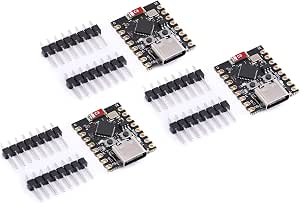 | Best for Compact Multi-Board Projects | Model: ESP32-C3 | Quantity: 3 boards | Connectivity: Wi-Fi, Bluetooth, USB | VIEW LATEST PRICE | See Our Full Breakdown |
| AITRIP ESP32 Development Boards, 3-Pack, USB-C, 30-Pin, Wi-Fi and Bluetooth |  | Best Value Multi-Board Set | Board: ESP32-WROOM-32 | Quantity: 3 boards | Pins: 30 | VIEW LATEST PRICE | See Our Full Breakdown |
| AITRIP ESP32 ESP-WROOM-32 USB-C Development Board, 30-Pin, Wi-Fi and Bluetooth | 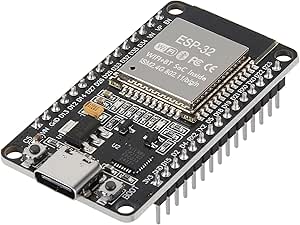 | Best for Interface Variety | Processor: Dual-core 32-bit | Processor speed: 240 MHz | Flash memory: 32 Mbit (4 MB); listing details are inconsistent | VIEW LATEST PRICE | See Our Full Breakdown |
| Hosyond 3-Pack ESP32-S3 Development Boards, N16R8 |  | Best for Memory-Heavy Projects | Model: ESP32-S3 N16R8 | Quantity: 3 boards | Processor: Dual-core Xtensa 32-bit LX7 | VIEW LATEST PRICE | See Our Full Breakdown |
| LAFVIN ESP32 Basic Starter Kit with Tutorial |  | Best for Guided Beginners | Brand: LAFVIN | Board: ESP32 development board | Wireless connectivity: Wi-Fi and Bluetooth | VIEW LATEST PRICE | See Our Full Breakdown |
| AITRIP ESP32 30-Pin Development Board with Wi-Fi and Bluetooth |  | Best for a Single Basic Wireless Board | Brand: AITRIP | Model: ESP-WROOM-32 ESP-32S | Board pins: 30 | VIEW LATEST PRICE | See Our Full Breakdown |
| AITRIP ESP32 Development Board, 2-Pack, with 2.8-Inch Touchscreen |  | Best for Touchscreen Prototypes | Brand: AITRIP | Model: ESP32-2432S028R | Quantity: 2 boards | VIEW LATEST PRICE | See Our Full Breakdown |
| ESP32 ESP-WROOM-32 Development Boards with Wi-Fi and Bluetooth (3-Pack) |  | Best Multi-Board General-Purpose Pack | Quantity: 3 boards | Processor: Dual-core Tensilica LX6 | Maximum clock speed: 240 MHz | VIEW LATEST PRICE | See Our Full Breakdown |
| ESP32 development board | Processor | Quantity |
|---|---|---|
| 3-Pack ESP32 Type-C 38-Pin Nar | Dual-core Tensilica LX6, up to 240 MHz | 3 development boards and 3 breakout boards |
| ESP32-S3 Development Board wit | Dual-core, up to 240 MHz | — |
| hiBCTR 6-Pack ESP32-DevKitC-32 | — | 6 boards |
| Freenove ESP32 Development Boa | Dual-core 32-bit, up to 240 MHz | — |
| ELEGOO ESP32 Development Board | Dual-core, up to 240 MHz | 3 boards |
| ELEGOO ESP-32 Starter Kit with | Dual-core Espressif ESP-32 | — |
| Teyleten Robot ESP32-C3 Superm | — | 3 boards |
| AITRIP ESP32 Development Board | — | 3 boards |
| AITRIP ESP32 ESP-WROOM-32 USB- | Dual-core 32-bit | — |
| Hosyond 3-Pack ESP32-S3 Develo | Dual-core Xtensa 32-bit LX7 | 3 boards |
| LAFVIN ESP32 Basic Starter Kit | — | — |
| AITRIP ESP32 30-Pin Developmen | Dual-core, 240 MHz | — |
| AITRIP ESP32 Development Board | ESP32-D0WDQ6 dual-core, up to 240 MHz | 2 boards |
| ESP32 ESP-WROOM-32 Development | Dual-core Tensilica LX6 | 3 boards |
More Details on Our Top Picks
3-Pack ESP32 Type-C 38-Pin Narrow Development Boards with GPIO Breakout Boards
The narrow 38-pin layout makes this set a practical choice for breadboard projects where access to more connections matters. Its defining extra is the included GPIO breakout boards, which split a pin into two connections, helping when a build needs to share a signal. You get three ESP32 boards, so separate prototypes can stay assembled at once. Compared with the hiBCTR 6-Pack ESP32-DevKitC-32, this set supplies fewer development boards but adds dedicated breakout boards; both offer 38-pin layouts and USB-C. The tradeoff is fit: these breakouts work only with narrow 38-pin boards without mounting holes and do not fit the ESP32 DevKit V1. Choose it for compatible breadboard builds, not a mixed-board parts bin.
Pros:- Includes three development boards and three GPIO breakout boards
- Narrow 38-pin design is suited to breadboard use
- Breakouts provide two connections from one GPIO pin
- Supports Wi-Fi and Bluetooth Classic and LE
Cons:- Breakout boards fit only narrow 38-pin ESP32 boards without mounting holes
- Not compatible with ESP32 DevKit V1
- The set has fewer development boards than the six-board hiBCTR pack
Best for: Makers building several breadboard prototypes who want 38-pin ESP32 boards and compatible GPIO-sharing breakouts in one set.
Not ideal for: Buyers using ESP32 DevKit V1 boards or 38-pin boards with mounting holes, since the included breakout boards are not compatible.
- Quantity:3 development boards and 3 breakout boards
- Board type:ESP32, narrow 38-pin version
- USB connector:USB Type-C
- Wireless:Wi-Fi 802.11b/g/n; Bluetooth Classic and LE
- Processor:Dual-core Tensilica LX6, up to 240 MHz
- RAM:512 KB
- Supported modes:AP, STA, and AP+STA
- Breakout function:Splits one GPIO pin into two connections
Our verdict“Choose this set for breadboard projects that can use its specialized 38-pin GPIO breakouts, and skip it if your boards have a different footprint.”
ESP32-S3 Development Board with Power Expansion Board, 240 MHz Dual-Core, 16 MB Flash, 8 MB PSRAM, 44-Pin GPIO Breakout
This ESP32-S3 board and power expansion board suit builds that need many GPIO connections and a clearer way to power peripherals. The 44-pin breakout provides 1-to-2 headers, while the expansion board offers 3.3 V and 5 V outputs; those features can reduce wiring compromises when several modules share a project. Dual USB-C ports also separate programming and debugging tasks more conveniently than the single USB-C connection on the ELEGOO ESP32 Development Boards, 3-Pack. Its 16 MB flash and 8 MB PSRAM give it more listed memory than the standard ESP32 boards in this group, though that added capacity may not matter for simple sensor projects. The main catch is power: the expansion board’s DC input needs an external 6.5–9 V supply.
Pros:- 44-pin GPIO breakout with 1-to-2 expansion headers
- Dual USB-C ports support programming and debugging workflows
- Expansion board provides regulated 3.3 V and 5 V outputs
- 16 MB flash and 8 MB PSRAM exceed the memory listed for the standard ESP32 options here
Cons:- The expansion board’s DC input requires an external 6.5–9 V power supply
- Its extra expansion hardware is unnecessary for many basic sensor projects
- The larger feature set may be less straightforward than the Freenove kit’s tutorial-led setup
Best for: Builders connecting multiple sensors, displays, or other peripherals who want 44-pin GPIO access and separate 3.3 V and 5 V expansion outputs.
Not ideal for: Beginners with simple, USB-powered projects who do not need the expansion board’s power outputs or additional GPIO access.
- Processor:Dual-core, up to 240 MHz
- Flash memory:16 MB
- PSRAM:8 MB
- SRAM:520 KB
- GPIO pins:44, with 1-to-2 expansion
- USB ports:2 USB Type-C
- Expansion board input:6.5–9 V DC
- Expansion board outputs:3.3 V and 5 V
- Compatibility:Arduino IDE
Our verdict“Pick this ESP32-S3 setup for peripheral-rich projects that can make use of its expanded GPIO and power options.”
hiBCTR 6-Pack ESP32-DevKitC-32 Development Boards, USB-C, 38-Pin
When one project needs several ESP32 nodes—or a classroom needs multiple boards—the six-board quantity is the main reason to choose this pack. Each board has a 38-pin layout, USB-C, Wi-Fi, Bluetooth, and support for common interfaces including UART, SPI, I2C, PWM, DAC, and ADC. That makes the pack better suited to distributed prototypes than the Freenove ESP32 Development Board Kit, which includes two boards but adds tutorials and example code. Compared with the three-board ELEGOO and AITRIP packs elsewhere in the roundup, hiBCTR gives you more identical boards to keep in circulation. Its tradeoff is a leaner package: no tutorials or expansion hardware are specified, and the listed product data leaves some hardware details, such as memory capacity, unclear.
Pros:- Six development boards support parallel projects or multiple connected nodes
- 38 pins provide broad access to board connections
- USB-C connector for programming
- Supports Wi-Fi, Bluetooth, UART, SPI, I2C, PWM, DAC, and ADC
Cons:- No tutorial or example-project package is specified, unlike the Freenove kit
- Memory capacity is not clearly stated in the supplied product data
- No breakout or power expansion hardware is listed
Best for: Teachers, labs, and makers building several Wi-Fi- or Bluetooth-connected prototypes that benefit from using matching 38-pin boards.
Not ideal for: New programmers who want bundled step-by-step lessons, or buyers who need clearly specified memory capacity before selecting a board.
- Quantity:6 boards
- Model:ESP32-DevKitC-32
- Chip:ESP-32D
- Pin count:38
- USB connector:USB Type-C
- Wireless:2.4 GHz Wi-Fi and Bluetooth
- Supported interfaces:UART, SPI, I2C, PWM, DAC, and ADC
Our verdict“Choose the hiBCTR pack when having six matching 38-pin ESP32 boards matters more than tutorials or included expansion hardware.”
Freenove ESP32 Development Board Kit, 2-Pack
The Freenove kit is the clearest pick here for learners who want example projects alongside the hardware. Its digital tutorials include code in both MicroPython and C, giving beginners a route into either language without limiting the kit to one programming style. The two boards let a learner keep one project assembled while trying another, though the hiBCTR 6-Pack is a better fit for classrooms or builds that need more simultaneous boards. The standard ESP32 hardware offers dual-core processing, Wi-Fi, Bluetooth 4.2 LE, and 4 MB flash, making it suitable for common connected-device exercises. The tradeoff is that lessons are online or downloadable rather than printed, and programming still requires a computer with the relevant IDE and driver installed.
Pros:- Digital tutorials include step-by-step example projects
- Examples cover both MicroPython and C
- Two boards allow separate or parallel practice projects
- Built-in Wi-Fi and Bluetooth 4.2 LE support connected-device learning
Cons:- Tutorials are digital only, with no printed copy
- Programming requires a computer with an IDE and driver installed
- Two boards are fewer than the six included in the hiBCTR pack
Best for: New ESP32 learners who want two boards and guided example projects in MicroPython or C.
Not ideal for: Buyers who need a printed manual, a large number of boards, or a setup that can be programmed without a computer and installed software.
- Package quantity:2 boards
- Processor:Dual-core 32-bit, up to 240 MHz
- RAM:520 KB SRAM
- Flash storage:4 MB
- Wireless connectivity:2.4 GHz Wi-Fi and Bluetooth 4.2 LE
- Programming languages:MicroPython and C
- USB ports:2
Our verdict“Choose Freenove if guided examples and language choice matter more than a larger board quantity or printed instructions.”
ELEGOO ESP32 Development Boards, 3-Pack, USB-C, Wi-Fi and Bluetooth 4.2
The ELEGOO three-pack is a straightforward choice for makers who want standard ESP32 capability across several projects without a specialized expansion setup. Each board pairs a dual-core processor with Wi-Fi, Bluetooth 4.2, 4 MB storage, and commonly used GPIO, UART, SPI, and I2C connections. Its CP2102 USB-to-serial chip supports programming and serial monitoring, which is useful when debugging connected devices. Compared with the ESP32-S3 Development Board with Power Expansion Board, this pack offers fewer listed memory and expansion features, but is a simpler fit for ordinary sensor, automation, or learning builds. It also includes one more board than the Freenove kit, though without Freenove’s tutorials. The practical omission is the USB-C cable, so check your parts supply before starting.
Pros:- Three boards support multiple projects or spare hardware
- Built-in 2.4 GHz Wi-Fi and Bluetooth 4.2
- CP2102 supports programming and serial monitoring
- GPIO, UART, SPI, and I2C support common peripherals
Cons:- USB-C cable is not included
- No tutorials are specified, unlike the Freenove two-board kit
- Lacks the 44-pin expansion and additional memory listed for the ESP32-S3 expansion-board option
Best for: Makers who want three general-purpose ESP32 boards for Wi-Fi, Bluetooth, and common peripheral projects, and already have a USB-C cable.
Not ideal for: Beginners who want bundled lessons or builders who need expanded GPIO, additional memory, or a power expansion board.
- Quantity:3 boards
- Model:EL-SM-012
- Processor:Dual-core, up to 240 MHz
- Memory:520 KB RAM
- Storage:4 MB
- Wireless:2.4 GHz Wi-Fi 802.11b/g/n and Bluetooth 4.2
- Interfaces:GPIO, UART, SPI, and I2C
- USB-to-serial chip:CP2102
- USB-C cable:Not included
Our verdict“Choose this ELEGOO pack for uncomplicated, multi-project ESP32 work if you already have a USB-C cable and do not need tutorials or expansion hardware.”
ELEGOO ESP-32 Starter Kit with Tutorial
I’d pick the ELEGOO ESP-32 Starter Kit when the board is only part of what a beginner needs. Its collection of more than 35 modules and components lets learners try different sensors and circuits without sourcing each part separately, while 30+ guided projects provide code and wiring diagrams to help turn setup into working experiments. It supports Wi-Fi and Bluetooth 4.2 and can progress from basic electronics to IoT projects, giving it a broader learning path than the single-board AITRIP ESP32 ESP-WROOM-32 USB-C board. The tradeoff is that this kit relies on online tutorials rather than a self-contained guide, and its emphasis on instruction and components may be unnecessary for someone who already has a parts collection and simply wants a compact board for a finished project.
Pros:- Includes more than 35 modules and components for varied experiments.
- Provides over 30 guided projects with code and circuit diagrams.
- Supports Wi-Fi and Bluetooth for IoT projects.
- Can serve learners moving from basic electronics toward more advanced projects.
Cons:- Project guidance depends on access to online tutorials.
- The larger kit is less focused than a board-only purchase for makers who already have components.
Best for: New Arduino IDE learners who want a board, components, and step-by-step circuit projects in one kit.
Not ideal for: Experienced makers who already own common modules and want only a low-profile board for a specific build.
- Processor:Dual-core Espressif ESP-32
- Memory:520 KB SRAM
- Connectivity:Wi-Fi, Bluetooth 4.2, GPIO, I2C, USB
- Wireless standard:802.11b/g/n
- Programming compatibility:Arduino IDE
- Included components:More than 35 modules and components
- Tutorial projects:30+
Our verdict“Choose this kit if you want guided ESP32 learning with components included, rather than just a development board.”
Teyleten Robot ESP32-C3 Supermini Development Boards, 3-Pack
The Teyleten Robot ESP32-C3 Supermini 3-pack suits builds where several small ESP32 nodes matter more than having a full-size, feature-rich development board. Three boards make it practical to prototype a group of connected devices or keep spares for parallel experiments, with Wi-Fi, Bluetooth, and FreeRTOS support. That gives it a different role from the AITRIP ESP32 30-pin, 3-pack, which specifies a dual-core ESP32-WROOM-32 and a CP2102 USB-to-TTL interface. Here, the appeal is the compact C3 format and multi-board setup, not a detailed list of pins or programming conveniences. Power can come from USB or an external 3.3–6 V supply, but those sources cannot be connected together. Download mode also requires a button sequence that may need repeating, a friction point for frequent firmware uploads.
Pros:- Three boards support multi-node projects and parallel prototyping.
- Provides Wi-Fi and Bluetooth connectivity.
- Supports FreeRTOS.
- Accepts USB or external 3.3–6 V power.
Cons:- USB and external power must not be connected at the same time.
- Entering download mode requires a button sequence that may need to be repeated.
- The supplied specifications do not detail pin count or memory.
Best for: Makers prototyping several compact Wi-Fi or Bluetooth nodes who can work with ESP32-C3 boards and manual download-mode entry.
Not ideal for: Beginners who want clearly specified pin layouts or frequent, straightforward firmware flashing with minimal button handling.
- Model:ESP32-C3
- Quantity:3 boards
- Connectivity:Wi-Fi, Bluetooth, USB
- Operating system:FreeRTOS
- External power input:3.3–6 V
- USB ports:1
Our verdict“Pick this set for compact ESP32-C3 prototypes across multiple devices, but skip it if easy repeated flashing is a priority.”
AITRIP ESP32 Development Boards, 3-Pack, USB-C, 30-Pin, Wi-Fi and Bluetooth
For buyers who want several familiar ESP32-WROOM-32 boards for parallel builds, the AITRIP 30-pin 3-pack offers a useful balance of quantity and specified connections. Each board has USB-C and a CP2102 USB-to-TTL module, so the set is equipped for USB programming without requiring a separate serial adapter. Its dual-core platform, 2.4 GHz Wi-Fi, Bluetooth, and support for MicroPython and FreeRTOS make it more flexible across firmware choices than the Teyleten Robot ESP32-C3 Supermini set, whose listing identifies FreeRTOS but gives fewer board-level details. AITRIP also lists AP, STA, and AP+STA network modes, useful when a project needs different Wi-Fi roles. The tradeoff is missing memory and board-dimension information, so I would not choose it when those details determine fit or workload.
Pros:- Includes three ESP32-WROOM-32 development boards.
- USB-C interface and built-in CP2102 USB-to-TTL module support USB programming.
- Supports MicroPython, FreeRTOS, and NodeLua.
- Lists AP, STA, and AP+STA Wi-Fi modes.
Cons:- Memory capacity is not specified.
- Board dimensions are not provided.
- The 30-pin layout may not suit projects planned around a different pin count.
Best for: Makers who need three USB-C ESP32-WROOM-32 boards for simultaneous prototypes and want firmware options beyond Arduino.
Not ideal for: Buyers selecting a board around known memory capacity, exact dimensions, or a compact footprint.
- Board:ESP32-WROOM-32
- Quantity:3 boards
- Pins:30
- USB interface:USB-C
- USB-to-TTL module:CP2102
- Wireless connectivity:2.4 GHz Wi-Fi and Bluetooth
- Network modes:AP, STA, AP+STA
- Supported firmware:MicroPython, FreeRTOS, NodeLua
Our verdict“Choose this set for three versatile USB-C ESP32 boards, provided unspecified memory and dimensions are acceptable.”
AITRIP ESP32 ESP-WROOM-32 USB-C Development Board, 30-Pin, Wi-Fi and Bluetooth
I’d favor this AITRIP ESP-WROOM-32 board when a project needs a broad set of named interfaces on one USB-C board rather than a bundle of spares. The listing specifies UART, SPI, SDIO, I2C, PWM, I2S, IR, ADC, and DAC, giving a clearer interface picture than the AITRIP 30-pin 3-pack, whose description emphasizes firmware choices and network modes instead. Its reset and programming-mode buttons can make routine development less fiddly, and the built-in antenna keeps wireless connectivity on the board. The main drawback is uncertainty in the product information: flash memory details are described inconsistently, so I would verify the exact board revision before depending on a particular capacity. It is also a single-board purchase, unlike the multi-board AITRIP set.
Pros:- Lists a wide selection of interfaces, including UART, SPI, I2C, ADC, and DAC.
- USB-C connection supports an Arduino-compatible development setup.
- Reset and programming-mode buttons provide direct board controls.
- Built-in antenna supports Wi-Fi and Bluetooth connectivity.
Cons:- Flash-memory information in the listing is inconsistent.
- Only one development board is included.
- The listing specifies 22 I/O ports, which may limit projects needing more connections.
Best for: Arduino-compatible makers who need a single ESP32 board with a broad mix of analog, digital, and serial interfaces.
Not ideal for: Buyers who need confirmed flash capacity before selecting a board or want multiple boards for a coordinated build.
- Processor:Dual-core 32-bit
- Processor speed:240 MHz
- Flash memory:32 Mbit (4 MB); listing details are inconsistent
- Wi-Fi:2.4 GHz, 802.11n
- USB connector:USB-C
- Pins:30
- I/O ports:22
- Interfaces:UART, SPI, SDIO, I2C, PWM, I2S, IR, ADC, DAC
- Input voltage:5 V via USB; 5.0–12 V via pin
Our verdict“Pick this single board for its broad interface list and onboard controls, but confirm flash details if memory capacity matters.”
Hosyond 3-Pack ESP32-S3 Development Boards, N16R8
The Hosyond ESP32-S3 N16R8 3-pack is the strongest fit here when a project benefits from more memory headroom or newer Bluetooth support. Each board pairs 16 MB flash with 8 MB PSRAM, plus a dual-core ESP32-S3 processor, which gives memory-intensive firmware more room than the specifications listed for the single-board AITRIP ESP-WROOM-32. Two USB-C ports provide separate USB and UART programming options, and the pack supplies three boards for parallel builds. Bluetooth 5.0 LE and low-power modes suit wireless devices where connectivity and energy use both matter. This added capability makes it less of a basic, minimal board than the Teyleten Robot C3 set, while the listed lack of a warranty is a real drawback for buyers who want product support.
Pros:- Three ESP32-S3 development boards are included.
- 16 MB flash and 8 MB PSRAM provide substantial memory capacity.
- Two USB-C ports support USB and UART programming.
- Supports 2.4 GHz Wi-Fi and Bluetooth 5.0 LE, with low-power modes listed.
Cons:- Warranty is listed as none.
- The added memory and dual USB-C connections may be unnecessary for simple starter projects.
Best for: ESP32 developers building several memory-demanding or wireless devices who want ESP32-S3 boards with USB and UART programming options.
Not ideal for: First-time learners who need guided projects, or buyers who require a stated warranty before purchasing.
- Model:ESP32-S3 N16R8
- Quantity:3 boards
- Processor:Dual-core Xtensa 32-bit LX7
- Processor speed:Up to 240 MHz
- Flash storage:16 MB
- PSRAM:8 MB
- Wireless connectivity:2.4 GHz Wi-Fi, Bluetooth 5.0 LE
- USB ports:2 USB-C ports
- Programming modes:USB and UART
Our verdict“Choose this pack for three ESP32-S3 boards with generous listed memory and dual USB-C connections, if the lack of warranty is acceptable.”
LAFVIN ESP32 Basic Starter Kit with Tutorial
The LAFVIN kit is the most learning-oriented choice in this group: alongside an ESP32 board, it supplies a breadboard, an OLED display, sensors, LEDs, and other parts for trying complete beginner projects. Its downloadable tutorial includes lessons and code, giving new Arduino IDE users a more direct route from wiring to a working example than the standalone AITRIP 30-pin board. Wi-Fi and Bluetooth also leave room to explore wireless projects after the basic exercises.
The tradeoff is that this is a starter kit, not a focused upgrade for an experienced builder seeking a particular board layout or advanced capability. The tutorial has to be downloaded, and the listed components point toward introductory experiments rather than demanding projects. Compared with the AITRIP touchscreen two-pack, LAFVIN offers more hands-on learning parts but no integrated touchscreen.
Pros:- Includes a varied set of components for introductory electronics projects
- Tutorial provides lessons and code to support guided learning
- Compatible with the Arduino IDE
- ESP32 supports Wi-Fi and Bluetooth
Cons:- Tutorial must be downloaded rather than used directly from the kit
- The component selection is aimed at introductory projects, not advanced builds
- A kit with many parts may be unnecessary for buyers who only need a development board
Best for: First-time ESP32 learners who want a tutorial, breadboard, sensors, and small components for guided Arduino IDE projects
Not ideal for: Experienced makers who already own components or need a board tailored to advanced, specialized projects
- Brand:LAFVIN
- Board:ESP32 development board
- Wireless connectivity:Wi-Fi and Bluetooth
- IDE compatibility:Arduino IDE
- Display:0.96-inch OLED
- Included components:Breadboard, obstacle avoidance module, photosensitive resistor, DHT11 sensor, HC-SR501 PIR sensor, potentiometer, resistors, buzzer, relay, switches, jumper wires, and LEDs
- USB ports:1
- Dimensions:7.09 × 3.46 × 1.77 in
- Warranty:1 year
Our verdict“Choose LAFVIN if you are learning ESP32 and want project parts and lessons in one kit rather than a bare board.”
AITRIP ESP32 30-Pin Development Board with Wi-Fi and Bluetooth
This AITRIP board is a straightforward pick for a buyer who wants one 30-pin ESP32 for Arduino IDE projects without a large kit or integrated display. Its listed 2.4 GHz Wi-Fi and Bluetooth support, integrated antenna, and AP, STA, and AP+STA modes give it flexibility for projects that connect to a router, host a network, or do both. That makes it a simpler starting point than the LAFVIN starter kit if you already have sensors and wiring parts.
The product data calls out a dual-core processor running at up to 240 MHz, but its memory figures are a concern: the listed 512 MB RAM and 512 KB storage may not match typical ESP32 specifications. Bluetooth version and board dimensions are also absent, so I would verify those details against the intended project before buying. Unlike the three-board ESP-WROOM-32 pack, this listing provides just one board.
Pros:- Supports 2.4 GHz Wi-Fi and Bluetooth
- Lists AP, STA, and AP+STA Wi-Fi modes
- Integrated antenna avoids needing a separate antenna attachment
- Compatible with the Arduino IDE
Cons:- Listed memory figures may be inconsistent with typical ESP32 board specifications
- Bluetooth version is not specified
- Board dimensions are not provided
Best for: Makers who already have prototyping parts and need one Arduino IDE-compatible ESP32 board with multiple Wi-Fi modes
Not ideal for: Buyers who need verified memory specifications, documented board dimensions, or several boards for parallel projects
- Brand:AITRIP
- Model:ESP-WROOM-32 ESP-32S
- Board pins:30
- Processor:Dual-core, 240 MHz
- Wireless connectivity:2.4 GHz Wi-Fi (802.11b/g/n) and Bluetooth
- Wi-Fi modes:AP, STA, AP+STA
- Memory (as listed):512 MB RAM; 512 KB storage
- Connectivity:UART and USB
- Package quantity:1
Our verdict“Pick this single-board option for basic wireless Arduino projects only if its memory and physical details match your requirements.”
AITRIP ESP32 Development Board, 2-Pack, with 2.8-Inch Touchscreen
These AITRIP boards stand apart from the simpler ESP32 options by putting a 2.8-inch TFT touchscreen directly on each board. That can shorten the path to a handheld control panel, status display, or other interface prototype: you can build around a 240 × 320 display without selecting and wiring a separate screen. The two-board set also gives a builder a second unit for another prototype or development alongside a spare, unlike the single-board AITRIP 30-pin model.
This specialization comes with less certainty in the product data. Although it lists common interfaces including UART, SPI, I2C, PWM, ADC, and DAC, some specifications and compatibility details are described unclearly, so I would check the exact board revision and project requirements before committing. Compared with the LAFVIN kit, it offers a more integrated visual interface but fewer listed learning components. It is a less direct fit for projects that do not need a screen.
Pros:- Integrated 2.8-inch TFT touchscreen with 240 × 320 resolution
- Includes two boards for separate prototypes or development and backup
- Lists Wi-Fi, Bluetooth, and common embedded interfaces
- Supports camera modules and TF cards according to the product data
Cons:- Some specifications and compatibility details are unclear and need project-specific verification
- The integrated display may add unnecessary complexity for projects that need only a basic board
- The listing does not give a clear breakdown of touchscreen or camera compatibility
Best for: Makers prototyping a compact ESP32 interface, touch-controlled device, or visual status panel who want a screen built into the board
Not ideal for: Buyers who need a plain, well-documented board for general-purpose wiring or do not need a touchscreen
- Brand:AITRIP
- Model:ESP32-2432S028R
- Quantity:2 boards
- Display:2.8-inch TFT touchscreen
- Display resolution:240 × 320
- Processor:ESP32-D0WDQ6 dual-core, up to 240 MHz
- Installed RAM:520 KB
- Connectivity and interfaces:Wi-Fi, Bluetooth, UART, SPI, I2C, PWM, ADC, DAC
- Operating system:FreeRTOS
Our verdict“Choose this two-pack when an integrated touchscreen is central to your prototype and you can verify board compatibility first.”
ESP32 ESP-WROOM-32 Development Boards with Wi-Fi and Bluetooth (3-Pack)
This three-pack suits builders who want several ESP-WROOM-32 boards for parallel prototypes, classroom exercises, or keeping a spare on hand. Each board lists dual-core Tensilica LX6 processing up to 240 MHz, 2.4 GHz Wi-Fi, Bluetooth Classic and LE, and Arduino IDE compatibility. The range of built-in peripherals—including capacitive touch, ADC, DAC, UART, SPI, and I2C—makes the boards useful for varied sensor and control projects without the touchscreen specialization of the AITRIP 2.8-inch display pack.
The main caution is the memory information: the product data lists 512 KB SRAM in one place and 512 MB RAM in another, so I would confirm the actual board specifications before choosing it for a memory-sensitive build. The pack also favors quantity over guided learning or included components; unlike the LAFVIN kit, it does not provide a tutorial and project parts. Its stated dimensions are useful for planning a build, but this is still a general-purpose board rather than a complete kit.
Pros:- Includes three boards for multiple builds or a spare
- Supports 2.4 GHz Wi-Fi and Bluetooth Classic/LE
- Dual-core Tensilica LX6 processor runs at up to 240 MHz
- Lists capacitive touch, ADC, DAC, UART, SPI, and I2C peripherals
Cons:- Memory information conflicts between 512 KB SRAM and 512 MB RAM
- No tutorial or project components are listed
- The general-purpose format lacks the integrated touchscreen of the AITRIP display boards
Best for: Makers, instructors, and hobbyists who need multiple Arduino IDE-compatible ESP32 boards for parallel or repeat projects
Not ideal for: Beginners seeking lessons and included components, or builders who need confirmed memory figures for a constrained design
- Quantity:3 boards
- Processor:Dual-core Tensilica LX6
- Maximum clock speed:240 MHz
- Memory:512 KB SRAM listed; product information also lists 512 MB RAM
- Wireless connectivity:2.4 GHz Wi-Fi (802.11b/g/n) and Bluetooth Classic/LE
- Wi-Fi modes:AP, STA, AP+STA
- Compatibility:Arduino IDE
- Peripherals:Capacitive touch, ADC, DAC, UART, SPI, I2C
- Dimensions:2.05 × 1.18 × 0.59 in
Our verdict“Choose this pack if you need three versatile ESP32 boards for general Arduino projects and can confirm the memory specification for your build.”
How We Picked
I ranked these boards by how well their stated hardware and included extras match common ESP32 project needs: programming access, chip variant, memory, GPIO availability, connector style, and the usefulness of bundled accessories or tutorials. I gave more weight to options that make a clear case for a particular buyer than to pack size alone; a board count does not compensate for unclear layout or a variant that does not suit the intended project.
The order reflects practical fit, not a claim that every board has identical capabilities. Tutorial-led kits rank well for newcomers, versatile classic ESP32 boards suit general prototyping, and the S3 expansion and touchscreen options serve narrower needs. I also account for tradeoffs such as limited pin access on compact boards, learning materials that may not match a buyer’s preferred workflow, and the need to check exact board revisions and USB compatibility before connecting peripherals.
Factors to Consider When Choosing Best ESP32 Development Boards
Before choosing from the roundup, match the board to the project’s electrical and physical requirements. I would start with the chip variant and pin map, then check how the board will be programmed, powered, mounted, and expanded. These choices can matter more than the number of boards in the package.
Choose the ESP32 variant for the workload
Classic ESP32, ESP32-C3, and ESP32-S3 boards are not interchangeable just because they share the ESP32 name. Check the exact chip and its supported wireless features, peripherals, memory, and software libraries against your project before buying. The S3’s extra memory can help with workloads that need more buffering or larger assets, while a C3 Supermini may fit a small, focused controller build. A common mistake is selecting by board photo or pack size and discovering later that a library, pin assignment, or peripheral behaves differently on the chosen variant. When following a tutorial, match its chip family where possible. If a project uses a specific feature, verify support in the chip documentation rather than assuming every ESP32 board includes it.
Read the pinout, not just the pin count
A higher GPIO count does not automatically mean more usable connections. Some pins have boot, input-only, or peripheral constraints, and board layouts can expose different subsets of the chip’s pins. Compare the board’s pinout with the sensors, display, and communications interfaces you plan to connect, leaving room for shared buses and future changes. Narrow boards and compact Supermini designs can save space but may be less convenient on a breadboard or with jumper wires. Breakout boards can make access easier, though they add another physical layer and may change the project footprint. I would sketch the connections before ordering, especially for builds that combine a display, sensors, and external storage.
Check USB and programming details
USB-C describes the connector shape, not every part of the programming experience. A board still needs a compatible USB-to-serial path, a suitable cable, and driver support for the computer and development environment. Some USB-C cables carry power only, which can make a working board appear unresponsive during setup. Check the product details for the chip variant, programming interface, and any stated driver requirements, then use a known data-capable cable. Also confirm whether the board’s USB connection supports the workflow you need rather than assuming it provides native USB features. These checks are especially useful when buying a multipack for a classroom or shared workbench, where several computers may be involved.
Decide whether a kit or bare board fits your learning style
A starter kit can save research time when its tutorial, parts, and example projects match the way you want to learn. It may be less useful if you already own components or prefer a different development environment, since included material can add clutter without improving your build. Bare development boards give experienced makers more freedom to choose sensors, wiring, and software, but require them to source compatible parts separately. Before paying for a kit, inspect what is actually included and whether instructions cover setup as well as sample projects. Tutorials tied to a particular board revision may need small adjustments if the pinout changes. For a first project, clear wiring guidance can be more valuable than a large assortment of parts.
Balance board count against project certainty
Multipacks make sense when you expect to build several devices, want spares, or plan to test different prototypes in parallel. They are a weaker choice if you are still deciding on a chip variant or have not checked whether the board fits your enclosure and wiring plan. Pack size also does not tell you whether each board has the same pin layout, connector, or revision, so confirm those details in the listing. A single-board option can reduce unused inventory while you validate a design. Once the prototype works, buying matching boards can make replication easier. For classroom or group use, consistent board revisions can simplify shared instructions and troubleshooting.
Account for power, mounting, and the finished enclosure
Development boards are convenient for prototyping, but their exposed headers, USB ports, and board dimensions can complicate a finished installation. Check the intended supply voltage and the current needs of attached sensors, radios, motors, or displays; the board alone may not provide enough power for every peripheral. Avoid treating a USB connector or onboard regulator as a substitute for checking the full circuit’s power budget. Compare board dimensions and connector placement with your enclosure before committing, particularly for touchscreen and expansion-board projects. Plan for safe access to reset and boot controls if your design will need firmware updates. A little mechanical planning can prevent a good prototype from becoming difficult to mount or service.
Frequently Asked Questions
Should I choose an ESP32-S3 board or a standard ESP-WROOM-32 board?
I would choose based on the project’s requirements rather than treating one variant as a universal upgrade. The S3 option in this roundup adds 16 MB flash, 8 MB PSRAM, and a 44-pin breakout, which may help when a build needs additional memory or convenient GPIO access. Standard ESP-WROOM-32 boards can be a straightforward fit for common Wi-Fi and Bluetooth prototyping and may align more closely with existing guides. Check that your libraries and peripheral wiring support the specific chip before switching variants. If you are following a tutorial, matching its board family can save setup and troubleshooting time.
Is a multipack a good choice if I am new to ESP32?
A multipack is useful if you expect to build more than one project or want a spare while learning, but it does not provide the same help as a guided kit. For a first build, tutorial-led choices such as the Freenove, ELEGOO, or LAFVIN kits may offer a clearer path if their instructions match your goals. If you choose a bare multipack, confirm that you have a data-capable USB cable and the components needed for your first circuit. It can also help to pick one board and complete a basic setup before wiring several at once. That way, any driver or pinout issue is easier to isolate.
Will a board with more GPIO pins always work better for my project?
No. The relevant question is whether the pins you need are exposed and usable for your chosen peripherals. Some pins have startup or input limitations, and multiple devices can share certain buses, so a raw pin count can mislead. Compare the board’s pinout with your wiring plan and leave spare connections for debugging or later changes. The 44-pin S3 breakout may be convenient for a larger prototype, but a smaller board can be a better fit when the project uses only a few connections. Physical width and breadboard access matter alongside the number of pins.
What should I verify before buying a USB-C ESP32 board?
Confirm the exact board variant, its programming interface, and whether the supplied or planned cable supports data. USB-C indicates the connector type; it does not guarantee that every cable will connect the board to a computer for programming. Check the operating system and development environment you plan to use for any stated driver requirements. Also compare the board’s pin layout and dimensions with your existing wiring or enclosure. These checks are especially helpful when selecting among similar 30-pin and 38-pin listings, since connector shape alone does not identify a compatible pinout.
When does an ESP32 board with a built-in touchscreen make sense?
A touchscreen board is a strong fit when the project needs a local interface for menus, status, or direct user input and you want the display integrated with the development board. It can reduce the need to source and connect a separate screen, but it also makes the board less suitable for a small, simple sensor node. Check the display dimensions, touch behavior, library support, and available GPIO against the rest of the project before choosing it. If your build only reports data remotely, a standard board may be easier to wire and enclose. Treat the display as a project requirement, not an automatic upgrade.
Conclusion
For a single recommendation, I would start with the Freenove ESP32 Development Board Kit as the best overall choice because it combines two boards with tutorial support. The best value depends on how many boards you will use: the hiBCTR, ELEGOO, and AITRIP multipacks are worth comparing by pin layout and connector details rather than pack count alone. For a best premium pick based on listed hardware, choose the ESP32-S3 board with power expansion for its 16 MB flash, 8 MB PSRAM, and 44-pin breakout. Beginners who want structured guidance can look at the ELEGOO ESP-32 Starter Kit or LAFVIN kit, while compact-build makers should compare the Teyleten Robot ESP32-C3 Supermini. For a project centered on a local visual interface, the AITRIP 2.8-inch touchscreen board is the specific-use option; otherwise, a standard board is likely the simpler route.