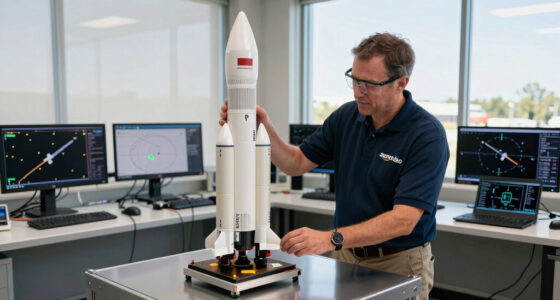
🔍 Read the full analysis: How To Check Your AI Automation Desk Setup For 2026 on ThorstenMeyerAI.com

Get business pricing on monitors, keyboards and dev gear
- Business-only prices and quantity discounts
- Tax-exempt purchasing
- Multiple users, one account, clear invoices
TL;DR
ThorstenMeyerAI.com has published a checklist for planning a desk setup for AI development, automation and hands-on experimentation. It lists six equipment categories, names a Dell Precision 7780 and an NVIDIA Jetson Orin Nano Developer Kit as picks, and leaves several categories without a named product. Its central advice is to match purchases to a specific workload and verify specifications and compatibility before buying.
ThorstenMeyerAI.com has published its AI automation desk setup checklist for people planning a desk setup for AI development, automation and experimentation, covering six equipment categories and advising readers to verify workload fit, device compatibility and exact specifications before making purchases. The guide names a Dell Precision 7780 laptop and an NVIDIA Jetson Orin Nano Developer Kit, but does not specify products for its USB accelerator, local AI server, docking station or portable storage slots.
The checklist groups equipment by role: a primary workstation laptop, hardware for local experimentation, desk connectivity and portable storage, much like a developer desk setup checklist. Its six entries are an AI workstation laptop, USB AI accelerator, local AI server, AI development board, Thunderbolt docking station and portable NVMe SSD. The source frames the accelerator and server as optional, and says optional hardware should be added only when it supports a project the user expects to do.
For the laptop slot, the guide lists the Dell Precision 7780, described in the source as a 17.3-inch FHD mobile workstation with an Intel Core i9-13. It cautions that the product name does not establish the exact processor configuration, memory, storage, operating system or ports. Buyers are advised to confirm those details in the seller’s listing and check that their software and peripherals support the chosen configuration.
The named development-board pick is the NVIDIA Jetson Orin Nano Developer Kit. The supplied material recommends checking its official documentation and the contents of the exact listing, including what accessories or setup items may need to be supplied separately. The source text cuts off during that list, so it does not provide a complete account of the kit’s requirements. For the other equipment categories, it offers selection advice rather than named models.
Dell Precision 7780 17.3-inch FHD Mobile Workstation, Intel Core i9-13950HX, 128

A professional mobile workstation built for engineering, design, software development, data analysis, and content creation. It includes an Intel Core i9-13950HX processor, NVIDIA RTX 3500 Ada graphics with 12GB VRAM, Windows 11 Pro with AI Copilot, and a Dell manufacturer warranty through March 2031.
Pros:
- High-performance processor for demanding applications
- 128GB RAM and 1TB NVMe SSD
- Professional NVIDIA graphics with 12GB VRAM
- ISV-certified for professional software
Cons:
- The 17.3-inch size may make it less portable than smaller laptops
Best for: A desk-centered setup that can accommodate a 17.3-inch laptop.
Not ideal for: A compact workspace or frequent travel if the size does not suit you.
Bottom line: Choose this workstation only after confirming the exact configuration and checking that its size and ports fit your setup.
Match Equipment to Real Workloads
The checklist’s practical point is that a desk assembled around broad labels such as “AI accelerator” or “local AI server” may not suit the software or projects a user intends to run. Checking operating system, frameworks, model requirements and host connections before buying can help identify incompatibilities early. A USB connector that fits a computer, for example, does not establish that the user’s tools support the attached accelerator.
Physical planning matters too. The source advises measuring space for a large laptop and accounting for dock placement, cables and neighboring ports. For a separate server, it says to check power, cooling, noise, network access and maintenance alongside processing and storage needs. These considerations affect whether equipment can be integrated into a desk setup, not just whether it appears suitable on a product page.
The guide also argues for delaying purchases that do not serve a defined project. Starting with an existing computer, where it can handle the intended work, may give users a clearer basis for deciding whether separate hardware is needed. That is advice from the checklist, not a reported performance comparison or a finding that any particular configuration is sufficient for all AI work.
Six Categories, Two Named Picks
The supplied source presents the material as a buying and setup checklist for 2026, rather than as a test of products or a report on measured AI performance. It sets out four broad roles: a main computer, ways to experiment with local hardware, desk connectivity and portable storage. Its scope is practical selection and compatibility, not a single recommended configuration for every user.
Only two checklist slots have named selections in the supplied text: the Dell Precision 7780 for the workstation laptop and the NVIDIA Jetson Orin Nano Developer Kit for the development board. The USB AI accelerator, local AI server, Thunderbolt dock and portable NVMe SSD sections do not identify a product. The source instead advises readers to define the workload, inspect manufacturer or seller documentation, and verify fit with existing equipment.
“Use the checklist to match each item to your actual workload.”
— ThorstenMeyerAI.com checklist
Specifications and Listings Need Checking
The source does not provide a publication date, product testing, pricing, or benchmark results, so it does not establish how the named picks compare with alternatives or whether they suit a particular user’s workload. It also does not give full configurations for the laptop or specify products for four of the six categories. Buyers must check the exact seller listing and current manufacturer documentation for configurations, included accessories, operating system support, ports and other requirements.
The supplied source text ends partway through the development-board advice, after mentioning items that may be supplied separately. Its remaining guidance on the Jetson kit is not available here. The checklist also does not prescribe a standard set of models, memory amounts, storage capacities or network requirements; those depend on the project and software in question.
Verify Before Buying or Expanding
The next step for readers is to define the work they expect to do, then compare each proposed device with the relevant software requirements and existing equipment. Check the laptop’s processor configuration, memory, storage, operating system and ports; measure available desk space; and confirm that a dock or other peripherals can connect as planned.
For an accelerator, server or development board, consult official compatibility and setup documents before purchase. Review the exact contents of the listing, plus power, cooling, storage and networking needs where relevant. The checklist’s own advice is to begin with existing equipment when it can support the first project, and add optional components when a concrete requirement emerges.
Key Questions
What equipment does the 2026 checklist cover?
It covers an AI workstation laptop, USB AI accelerator, local AI server, AI development board, Thunderbolt docking station and portable NVMe SSD. The source names a laptop and development board pick but does not name products for the other four categories.
Which laptop does the checklist name?
It lists the Dell Precision 7780, described as a 17.3-inch FHD mobile workstation with an Intel Core i9-13. The source tells buyers to confirm the exact configuration, memory, storage, operating system and ports in the listing they are considering.
Does the guide recommend a specific USB AI accelerator or local server?
No. The supplied checklist names no product for either slot. It advises readers to define a workload and check software, operating system, framework, connection, power and cooling requirements before selecting hardware.
What development board is listed?
The checklist names the NVIDIA Jetson Orin Nano Developer Kit. It advises checking official documentation and the exact listing for software, accessories and setup requirements. The supplied source cuts off before completing its list of items to verify.
Should users buy every item on the checklist?
No. The source says to add optional hardware only when it supports a project the user expects to do. It recommends starting with an existing computer if it can handle the initial work, then reconsidering extra equipment when a specific need arises.
Source: ThorstenMeyerAI.com