
TL;DR

Get business pricing on monitors, keyboards and dev gear
- Business-only prices and quantity discounts
- Tax-exempt purchasing
- Multiple users, one account, clear invoices
DiscImageStudio is a GitHub-hosted application for turning images into data patterns intended to appear as visible artwork on CDs, DVDs and single-layer 25 GB BD-R discs. Its Windows desktop version supports design and direct burning; experimental Linux and macOS command-line builds generate images for burning with other software. The project warns that direct burning is experimental and should be tested only on disposable blank discs.
DiscImageStudio, an open-source project published on GitHub, offers a way to turn an image into data intended to produce visible artwork on CDs, DVDs and single-layer BD-R discs. Its Windows desktop application combines disc design, preview and export, and includes an experimental option to burn directly to a blank disc; Linux and macOS users can use experimental command-line builds to generate images for burning separately.
The project says users can start a design by choosing a disc format, setting an output location and creating a project. Images can then be arranged using layers, with controls for dithering, gamma, brightness and grayscale levels. A preview shows the projected disc appearance before export. Depending on the medium, output options include ISO images, raw audio tracks, or WAV audio with a CUE file. The project describes its method as converting an image into data that follows physical-layer constraints for the disc format.
Disc support differs by format. The software generates CD audio tracks with optional accompanying data, ISO images for DVDs, and images for single-layer 25 GB BD-R. The supplied project documentation says dual-layer Blu-ray is not supported. Users can also include files on a disc and choose their placement; the design preview marks the data area on mixed-content discs. Windows releases are listed as self-contained executables, while the Linux and macOS command-line packages generate images locally and rely on other compatible software for physical writing.
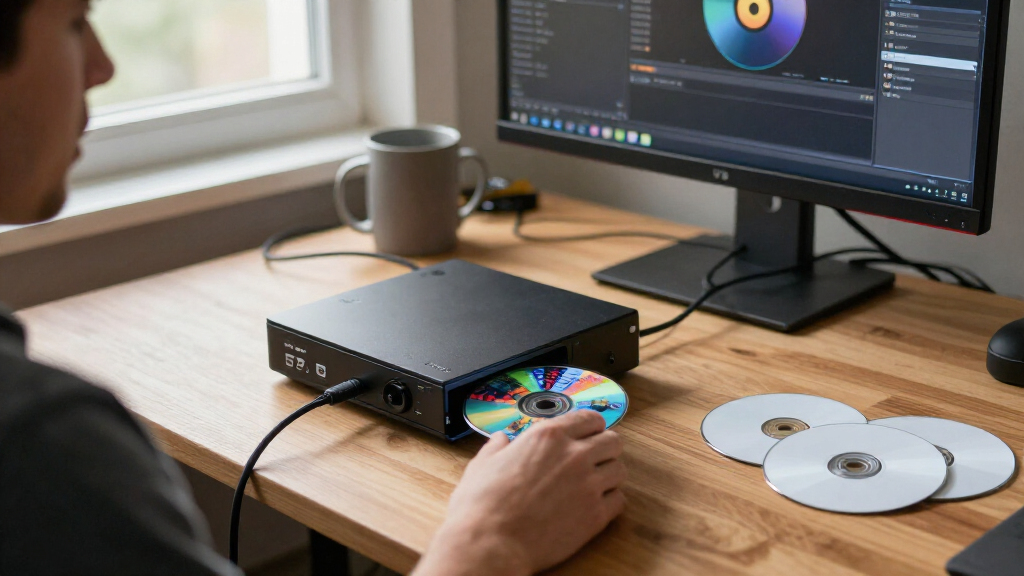
Direct, streaming burn is explicitly marked experimental. The project says this mode generates and writes data without saving a complete image first and uses Windows IMAPI2 for device access. It warns that users should use only disposable blank media: compatibility testing across drives, media and burning paths remains limited, and interrupted writing or insufficient generation speed can ruin a disc. The documentation also cautions that the visible result depends on the disc, drive, firmware and writing strategy.
Artwork Made Through Disc Data
DiscImageStudio targets a niche but distinctive use of optical media: making a disc’s recorded data create a visible pattern, rather than applying a printed label. For people who still use CDs, DVDs or recordable Blu-ray, that offers a way to combine a functional disc with customized artwork. The project also lets users add files, so a disc can carry both a designed image and stored content, subject to the format and layout selected.
The more immediate practical distinction is between creating an image file and burning it. Exporting an ISO or audio-track file allows users to work with their existing disc-writing tools and avoid relying on the application’s experimental direct-burn path. Direct writing may be convenient, but the project’s own warnings make clear that it is not presented as broadly validated. Readers should treat results as dependent on their equipment and media, not as guaranteed to look identical across systems.
Products Worth Considering

Bose SoundLink Flex Bluetooth Speaker (2nd Gen), Waterproof, Dustproof, USB‑C, Up to 12 hr Battery, Black

LG UltraGear 27GX704A-B 27-inch QHD OLED Gaming Monitor

Amazon Kindle Scribe Colorsoft, 64GB, 11-Inch Color Display with Premium Pen
As an affiliate, we earn on qualifying purchases.
Formats, Platforms and Limitations
The project offers a graphical Windows desktop application for Windows 10 version 2004 or later and Windows 11. The listed Windows release includes its runtime. Linux and macOS support is described as experimental and command-line only, with packages for common x64 and ARM64 systems. The CLI can read PNG, JPEG, BMP and GIF files; for animated GIFs, it uses the first frame. These platform differences mean the full design interface and direct-burning workflow are not presented as available across all operating systems.
DiscImageStudio documents its implementation against optical-disc standards, including references for CD-R, DVD and BD-R formats. Its project page also describes calibration tools intended to account for measured disc geometry, and provides validation records and technical documents. These are project descriptions, not independent verification of the software’s output or compatibility. The project credits the CDImage project as an influence on its CD image approach and says its CD interleaving implementation includes adapted code from that project. It is distributed under GPL-3.0-or-later, according to the repository.
Compatibility Still Needs Testing
The supplied material does not state a release date, version number, download count, independent test results or confirmed compatibility list for specific drives and media. It also does not quantify how often the direct-burn process succeeds or how consistently artwork appears across different disc brands. The project reports some real-disc feedback but says testing across devices, media and writing methods is limited. Its descriptions of calibration precision and physical modeling are project claims; the material provided does not include independent evaluation.
Users should also account for the consequences of failed writes. The project warns that a burn interrupted by a problem such as a power loss may leave a disc unusable; for BD-R, it says sequential writing does not provide spare-area remapping and an interrupted disc usually cannot be resumed. How a particular drive behaves, or whether a particular media combination produces a satisfactory image, remains dependent on equipment and conditions.
Check Releases Before Burning
Readers interested in trying the software can consult the project’s GitHub releases and documentation for the current package, supported commands and format-specific guidance. The repository describes build and regression-test procedures, but the supplied information does not identify a forthcoming release or a scheduled independent test. Before committing to a disc, users can export an image and review the preview, then use compatible burning software if they prefer not to use the experimental direct-write option.
Anyone testing direct burning should follow the project’s guidance to use a blank, disposable disc and a drive recognized by Windows. The project says it welcomes bug reports and code contributions, and invites users to submit calibrated disc presets. Whether later releases will broaden platform support, improve device validation or add dual-layer BD-R support is not stated.
Key Questions
What does DiscImageStudio do?
It converts an image into data intended to create a visible pattern on a CD, DVD or supported BD-R. Users can design a layout, preview it and export a disc image or audio tracks.
Can it burn a disc directly?
Yes, the Windows application offers direct streaming burns, but the project labels this feature experimental. It advises using only disposable blank media because compatibility testing is limited and failed writes can ruin a disc.
Which Blu-ray discs are supported?
The project documents support for single-layer 25 GB BD-R. It says dual-layer Blu-ray discs are not currently supported.
Can Linux and macOS users design discs?
The project offers experimental command-line builds for Linux and macOS that generate disc images locally. The supplied documentation describes the graphical design and direct-burning application as a Windows desktop version; CLI-generated files can be written with compatible burning software.
Is the visible result guaranteed to look the same on every drive?
No such guarantee is given. The project says appearance depends on the disc, burner, firmware and writing strategy, and its validation across different equipment remains limited.
Source: github.com