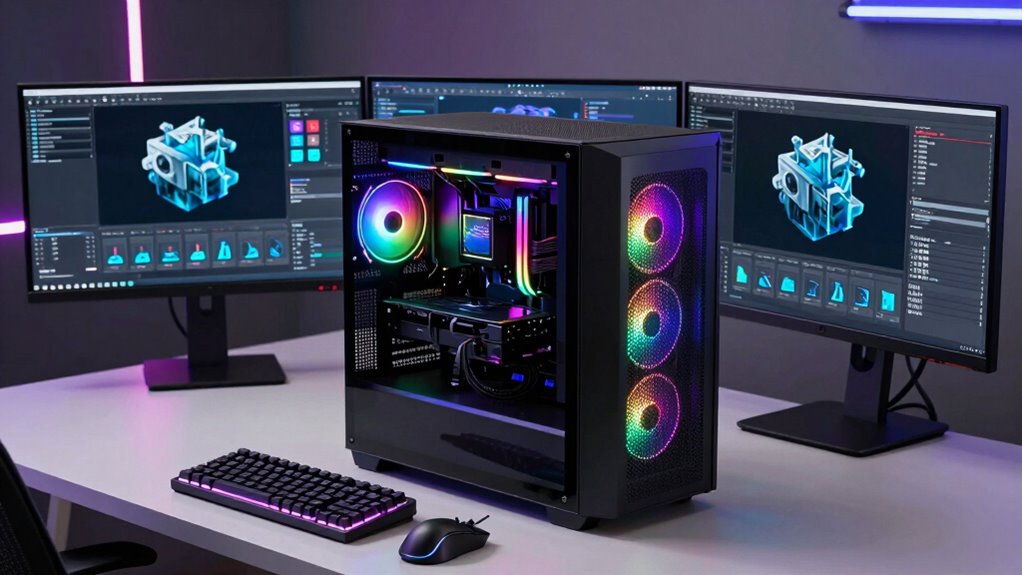

For demanding 3D rendering tasks, choosing the right workstation desktop is essential. The best options combine powerful CPUs, high-end GPUs, and ample RAM to handle complex models and animations efficiently. The Dell Tower Plus EBT2250 stands out as the top overall choice due to its robust specs and balanced performance. Meanwhile, the Lenovo ThinkStation P3 Tower Gen 2 offers cutting-edge components ideal for professionals pushing high workloads, and the HP Z2 Tower G4 provides a reliable, renewed option for those on a budget. Every model involves tradeoffs—whether it’s price, upgradeability, or noise levels—that buyers need to weigh carefully. Keep reading for a detailed breakdown to find the workstation that best matches your 3D rendering needs.

Get business pricing on monitors, keyboards and dev gear
- Business-only prices and quantity discounts
- Tax-exempt purchasing
- Multiple users, one account, clear invoices
Complete the kit



Key Takeaways
- High-end GPUs like the RTX 5070 significantly speed up rendering times compared to mid-range options.
- More RAM (64GB or more) is crucial for handling large, complex projects without bottlenecks.
- Workstations with Xeon processors excel in multi-threaded tasks but come at a premium price.
- Upgradeability and future-proofing vary widely; consider models with flexible expansion options.
- Refurbished and renewed desktops can save costs but may have limited warranties and upgrade paths.
| Dell Tower Plus EBT2250 Desktop Computer – Series 2 Intel Core Ultra 9 285K, 64GB DDR5 RAM, 2TB NVMe SSD, NVIDIA GeForce RTX 5070, Windows 11 Pro |  | Best Overall for High-End 3D Rendering and Creative Work | Processor: Intel Core Ultra 9 285K, 3.7 GHz up to 5.7 GHz | RAM: 64GB DDR5, 5600 MHz | Storage: 2TB NVMe SSD | VIEW ON AMAZON | See Our Full Breakdown |
| Dell Pro Max Tower T2 with NVIDIA RTX 2000 Ada 16GB and Intel Ultra 7 265 |  | Best for Professional Workflows with Multi-Display Support | Processor: Intel Ultra 7 265 vPro (20-Core, up to 5.3GHz) | Graphics Card: NVIDIA RTX 2000 Ada 16GB GDDR6 | RAM: 32GB DDR5 (max 64GB, 5600 MHz) | VIEW ON AMAZON | See Our Full Breakdown |
| HP Z2 Tower G4 Workstation, Intel Core i9-9900K, 64GB DDR4, 1TB NVMe SSD, Windows 11 Pro (Renewed) |  | Best for Demanding 3D Modeling with Upgrade Flexibility | Processor: Intel Core i9-9900K, 3.6GHz | RAM: 64GB DDR4 | Storage: 1TB NVMe SSD | VIEW ON AMAZON | See Our Full Breakdown |
| Dell Tower Plus EBT2250 AI Desktop, Ultra 7-265, GeForce RTX 5070, 64GB/4TB |  | Best for AI-Driven Workloads and Creative Professionals | Processor: Intel Core Ultra 7-265, 2.40GHz up to 5.3GHz | Graphics: GeForce RTX 5070 12GB GDDR7 | Memory: 64GB DDR5 | VIEW ON AMAZON | See Our Full Breakdown |
| Dell Tower Desktop Computer with Intel Ultra 7 265F, RTX 5060, 32GB RAM, 2TB SSD, Windows 11 Pro |  | Best Budget-Friendly Choice for Entry-Level 3D Rendering | Processor: Intel Ultra 7-265F, 2.40GHz up to 5.3GHz | Graphics Card: NVIDIA GeForce RTX 5060, 8GB GDDR7 | Memory: 32GB DDR5 | VIEW ON AMAZON | See Our Full Breakdown |
| HP Z840 Workstation with Dual Intel Xeon E5-2630 V3, 96GB RAM, 250GB SSD, NVIDIA Quadro M4000, Windows 10 (Renewed) |  | Best Overall for Heavy-Duty 3D Rendering | Processor: Dual Intel Xeon E5-2630 V3 2.4GHz | RAM: 96GB DDR4 SDRAM | Storage: 250GB SSD | VIEW ON AMAZON | See Our Full Breakdown |
| Lenovo ThinkStation P3 Tower Gen 2 Workstation with Intel Core Ultra 9 285 vPro, NVIDIA RTX 4000 Ada Graphics, 2TB NVMe SSD, 256GB DDR5 RAM, WiFi 7, Windows 11 Pro |  | Best for AI and High-End 3D Modeling | Processor: Intel Core Ultra 9 285 vPro | Graphics: NVIDIA RTX 4000 Ada, 20GB GDDR6 | Storage: 2TB NVMe SSD | VIEW ON AMAZON | See Our Full Breakdown |
| Lenovo ThinkStation P3 Tower Workstation with Intel Core Ultra 9 285 vPro, 64GB DDR5, 2TB SSD, NVIDIA RTX 2000 Ada 16GB, Windows 11 Pro |  | Best Balance of Performance and Affordability | Processor: Intel Core Ultra 9 285 vPro | Graphics Card: NVIDIA RTX 2000 Ada 16GB | Storage: 2TB SSD | VIEW ON AMAZON | See Our Full Breakdown |
| Lenovo Legion T7 Gaming Desktop with RTX 3050 and Intel Ultra 7 Processor |  | Best for Creative Gamers and Entry-Level 3D Artists | Processor: Intel Ultra 7 265K (20 cores, up to 5.40 GHz) | Graphics Card: GeForce RTX 3050 | Memory: Up to 128GB DDR5 | VIEW ON AMAZON | See Our Full Breakdown |
| Lenovo ThinkStation P2 Gen 2 Workstation Desktop with Intel Core Ultra 7 265K, 128GB DDR5 RAM, 3TB Storage, Windows 11 Pro |  | Best for Large-Scale 3D Projects and Virtualization | Processor: Intel Core Ultra 7 265K | RAM: 128GB DDR5 | Storage: 3TB (2TB SSD + 1TB HDD) | VIEW ON AMAZON | See Our Full Breakdown |
| HP Z4 G4 Workstation, Intel Xeon W-2133, 64GB RAM, 512GB NVMe SSD + 2TB HDD, Nvidia Quadro P400, Windows 11 Pro (Renewed) |  | Best Overall for Demanding Professional 3D Rendering | Processor: Intel Xeon W-2133 6-Core 3.6GHz (3.9GHz Turbo) | Memory: 64GB DDR4 | Storage: 512GB NVMe M.2 SSD + 2TB HDD | VIEW ON AMAZON | See Our Full Breakdown |
| PCSP Z4 G4 Workstation Tower with Intel Xeon W-2133, 64GB RAM, 512GB NVMe SSD, 2TB HDD, Quadro M4000 8GB, Windows 11 Pro (Refurbished) |  | Best for Budget-Conscious Professionals Needing Reliable Rendering Power | Processor: Intel Xeon W-2133 6-Core up to 3.9GHz | Memory: 64GB DDR4 | Storage: 512GB NVMe SSD, 2TB HDD | VIEW ON AMAZON | See Our Full Breakdown |
| workstation desktops for 3d rendering | Processor | Storage | Operating System | Memory |
|---|---|---|---|---|
| Dell Tower Plus EBT2250 Deskto | Intel Core Ultra 9 285K, 3.7 GHz up to 5.7 GHz | 2TB NVMe SSD | Windows 11 Pro | — |
| Dell Pro Max Tower T2 with NVI | Intel Ultra 7 265 vPro (20-Core, up to 5.3GHz) | 1TB SSD | — | — |
| HP Z2 Tower G4 Workstation | Intel Core i9-9900K, 3.6GHz | 1TB NVMe SSD | — | — |
| Dell Tower Plus EBT2250 AI Des | Intel Core Ultra 7-265, 2.40GHz up to 5.3GHz | 4TB PCIe NVMe SSD | — | 64GB DDR5 |
| Dell Tower Desktop Computer wi | Intel Ultra 7-265F, 2.40GHz up to 5.3GHz | 2TB NVMe PCIe SSD | — | 32GB DDR5 |
| HP Z840 Workstation with Dual | Dual Intel Xeon E5-2630 V3 2.4GHz | 250GB SSD | Windows 10 | — |
| Lenovo ThinkStation P3 Tower G | Intel Core Ultra 9 285 vPro | 2TB NVMe SSD | Windows 11 Pro | 256GB DDR5 6400MHz |
| Lenovo ThinkStation P3 Tower W | Intel Core Ultra 9 285 vPro | 2TB SSD | Windows 11 Pro | 64GB DDR5 |
| Lenovo Legion T7 Gaming Deskto | Intel Ultra 7 265K (20 cores, up to 5.40 GHz) | Up to 8TB SSD (4+4TB) | — | Up to 128GB DDR5 |
| Lenovo ThinkStation P2 Gen 2 W | Intel Core Ultra 7 265K | 3TB (2TB SSD + 1TB HDD) | Windows 11 Pro | — |
| HP Z4 G4 Workstation | Intel Xeon W-2133 6-Core 3.6GHz (3.9GHz Turbo) | 512GB NVMe M.2 SSD + 2TB HDD | Windows 11 Pro 64-bit | 64GB DDR4 |
| PCSP Z4 G4 Workstation Tower w | Intel Xeon W-2133 6-Core up to 3.9GHz | 512GB NVMe SSD, 2TB HDD | Windows 11 Pro 64-bit | 64GB DDR4 |
More Details on Our Top Picks
Dell Tower Plus EBT2250 Desktop Computer – Series 2 Intel Core Ultra 9 285K, 64GB DDR5 RAM, 2TB NVMe SSD, NVIDIA GeForce RTX 5070, Windows 11 Pro
This Dell Tower Plus EBT2250 stands out for its impressive blend of power and expandability, making it the most versatile choice for demanding 3D rendering tasks. The Intel Core Ultra 9 processor delivers exceptional multi-core performance, especially compared to less robust options like the Lenovo Legion T7, which may struggle with complex scenes. Its 64GB DDR5 RAM ensures smooth multitasking, while the 12GB NVIDIA GeForce RTX 5070 GPU accelerates rendering and viewport performance. Compared to the Dell Pro Max T2, which offers similar graphics but less RAM, the EBT2250 provides a more balanced setup for heavy workloads. However, its premium price and large size could be deterrents for those with limited space or budget. This pick makes the most sense for professionals who need maximum performance and expandability without compromise.
Pros:- Exceptional multi-core processing power for complex scenes
- Massive 64GB DDR5 RAM for multitasking and large project handling
- Fast 2TB NVMe SSD reduces wait times during data-heavy workflows
- High-end NVIDIA GeForce RTX 5070 GPU accelerates rendering and viewport responsiveness
Cons:- Premium price point may be out of reach for hobbyists or small studios
- Large size limits placement options in compact workspaces
- Limited details on upgrade paths could concern future-proofing
Best for: High-end 3D artists, visual effects professionals, and studios requiring top-tier rendering power
Not ideal for: Casual users or those with limited space, as the large footprint and cost may be prohibitive
- Processor:Intel Core Ultra 9 285K, 3.7 GHz up to 5.7 GHz
- RAM:64GB DDR5, 5600 MHz
- Storage:2TB NVMe SSD
- Graphics Card:NVIDIA GeForce RTX 5070 12GB GDDR7
- Operating System:Windows 11 Pro
- Form Factor:Desktop Tower
Our verdict“This desktop is ideal for professionals who demand maximum rendering performance and expandability regardless of cost or size.”
Dell Pro Max Tower T2 with NVIDIA RTX 2000 Ada 16GB and Intel Ultra 7 265
The Dell Pro Max Tower T2 offers a robust platform for demanding creative and technical tasks, especially with its Intel Ultra 7 265 vPro processor and NVIDIA RTX 2000 Ada 16GB GPU, making it suitable for CAD, engineering simulations, and multi-display setups. Compared to the Dell Tower Plus EBT2250, it provides a more workstation-oriented experience with extensive connectivity options like Thunderbolt 4 and multiple display outputs, ideal for multi-monitor configurations. Its 32GB DDR5 RAM is sufficient for most professional applications, but less than the 64GB offered by the Dell Tower Plus, which could limit heavy multitasking. The hefty size and weight may challenge placement in constrained spaces, and the high price might restrict casual or budget-conscious users. This model is best for those prioritizing professional-grade workflows and multi-display flexibility.
Pros:- Powerful 20-core Intel Ultra 7 265 processor for demanding tasks
- Supports multiple high-resolution displays via extensive ports
- Advanced AI and graphics capabilities suited for technical workloads
- Includes a 3-year warranty for peace of mind
Cons:- Large and heavy, requiring dedicated space
- Premium price may be prohibitive for casual users
- SSD upgrade access resealed, which might concern some buyers
Best for: Engineers, CAD designers, and professionals managing large, multi-monitor workflows
Not ideal for: Small office setups or casual users who don’t need extensive connectivity or high-end graphics
- Processor:Intel Ultra 7 265 vPro (20-Core, up to 5.3GHz)
- Graphics Card:NVIDIA RTX 2000 Ada 16GB GDDR6
- RAM:32GB DDR5 (max 64GB, 5600 MHz)
- Storage:1TB SSD
- Dimensions:17.24 x 15.24 x 7.4 inches
- Weight:18 pounds
Our verdict“This workstation excels for professionals who need reliable, multi-display capable performance with advanced connectivity.”
HP Z2 Tower G4 Workstation, Intel Core i9-9900K, 64GB DDR4, 1TB NVMe SSD, Windows 11 Pro (Renewed)
The HP Z2 Tower G4 provides a balanced mix of high performance and upgrade potential, making it suitable for intensive 3D modeling and rendering. The Intel Core i9-9900K ensures strong single-threaded performance, while the 64GB DDR4 RAM supports multitasking with demanding applications. Compared to the Lenovo ThinkStation P3, which features newer DDR5 RAM, the HP offers slightly older but still capable hardware with a more traditional upgrade pathway. Its expandable design allows future GPU or RAM upgrades, though the graphics card is sold separately, adding to the total cost. As a renewed product, it offers good value but might have limited warranty coverage. Best suited for users comfortable with upgrading components over time.
Pros:- Powerful Intel Core i9-9900K processor
- Ample 64GB DDR4 RAM for large projects
- Expandable architecture for future upgrades
- Pre-installed Windows 11 Pro
Cons:- Graphics card sold separately, increasing total cost
- Renewed status may limit warranty coverage
- Older DDR4 RAM slightly less fast than DDR5 alternatives
Best for: 3D artists and modelers who want a reliable workstation with room to upgrade
Not ideal for: Entry-level or casual users who prefer an all-in-one solution with included peripherals
- Processor:Intel Core i9-9900K, 3.6GHz
- RAM:64GB DDR4
- Storage:1TB NVMe SSD
- Graphics Card:Supports high-end graphics (sold separately)
Our verdict“This workstation fits users seeking a dependable, upgradeable system capable of handling demanding modeling tasks.”
Dell Tower Plus EBT2250 AI Desktop, Ultra 7-265, GeForce RTX 5070, 64GB/4TB
The Dell Tower Plus EBT2250 AI Desktop combines high-end specs with a focus on AI and creative workflows. Its Intel Core Ultra 7-265 processor paired with GeForce RTX 5070 graphics makes it well-suited for GPU-accelerated rendering, AI training, and content creation. Compared to the simpler Dell Tower Desktop, this model offers more RAM and storage, which are vital for large datasets and complex projects. The large 4TB SSD supports extensive file management, and its comprehensive connectivity, including Thunderbolt 4 and multiple display options, caters to demanding setups. The open seal due to upgrades might be a concern for some buyers, and price could be high for casual users. This desktop is ideal for professionals pushing AI or rendering boundaries.
Pros:- Powerful 20-core Intel Ultra 7-265 processor for demanding tasks
- RTX 5070 GPU accelerates rendering and AI workloads
- Large 4TB SSD provides ample fast storage
- Advanced connectivity with Thunderbolt 4 and multiple video outputs
Cons:- Original seal opened for upgrades, possibly affecting warranty perceptions
- High cost may limit accessibility for casual users
- Size and weight require dedicated space
Best for: AI developers, 3D rendering professionals, and multimedia creators needing substantial storage and GPU power
Not ideal for: Small studios or hobbyists with modest project needs due to its cost and size
- Processor:Intel Core Ultra 7-265, 2.40GHz up to 5.3GHz
- Graphics:GeForce RTX 5070 12GB GDDR7
- Memory:64GB DDR5
- Storage:4TB PCIe NVMe SSD
- Power Supply:750W
Our verdict“This desktop excels for professionals handling GPU-heavy workloads and large data sets needing maximum storage and performance.”
Dell Tower Desktop Computer with Intel Ultra 7 265F, RTX 5060, 32GB RAM, 2TB SSD, Windows 11 Pro
This Dell Tower Desktop with Intel Ultra 7 265F and RTX 5060 offers a capable yet economical option for those starting in 3D rendering or working on smaller projects. Its Intel Ultra 7 265F provides solid multi-core performance, while the RTX 5060 GPU supports GPU-accelerated rendering at a more accessible price point than higher-tier options like the RTX 5070. The 32GB DDR5 RAM balances performance and cost, suitable for mid-sized scenes. The 2TB SSD ensures fast load times, but lacks the expansive storage of higher-end models. Its compact size makes it easy to fit into limited spaces, though it means less room for future upgrades. This makes it a practical entry-level choice for hobbyists or small studios.
Pros:- Solid multi-core performance for budget-conscious users
- Supports GPU acceleration for rendering tasks
- Compact size fits smaller workspaces
- Affordable entry point for new users
Cons:- Limited future upgrade options due to smaller size
- Graphics card is less powerful than higher-tier models
- No included peripherals or additional storage
Best for: Beginners, students, or small studios with moderate rendering needs and limited budgets
Not ideal for: High-end professionals working on complex, large-scale projects that demand maximum power and expandability
- Processor:Intel Ultra 7-265F, 2.40GHz up to 5.3GHz
- Graphics Card:NVIDIA GeForce RTX 5060, 8GB GDDR7
- Memory:32GB DDR5
- Storage:2TB NVMe PCIe SSD
Our verdict“This desktop is best for entry-level users or small teams seeking reliable performance without the high price tag.”
HP Z840 Workstation with Dual Intel Xeon E5-2630 V3, 96GB RAM, 250GB SSD, NVIDIA Quadro M4000, Windows 10 (Renewed)
The HP Z840 stands out for its dual Xeon processors, offering exceptional multi-core performance that can handle complex 3D rendering tasks more efficiently than single-processor systems like the Lenovo ThinkStation P3. The 96GB RAM ensures smooth multitasking with large datasets, while the professional-grade NVIDIA Quadro M4000 delivers reliable GPU acceleration for CAD and rendering workflows. Compared to more modern GPU options, the Quadro M4000 may lag behind in raw graphics power, but its stability and driver support remain advantageous for professional software. The 250GB SSD improves responsiveness, but its capacity can be limiting for large project files. Its bulkier tower demands ample space, and being a renewed product, it might lack the warranty coverage of a new unit, adding some risk for critical projects. Overall, this workstation excels for users who prioritize raw processing power and GPU stability over portability or the latest hardware advancements.Pros:- Exceptional multi-core processing with dual Xeon CPUs
- Large 96GB RAM for heavy multitasking
- Reliable professional-grade NVIDIA Quadro GPU
Cons:- Bulky tower requires significant space
- Renewed product may have limited warranty
- Higher power consumption and noise
Best for: Professionals needing maximum processing and GPU stability for large-scale, resource-intensive 3D rendering workflows.
Not ideal for: Small studios or freelancers with limited space or budget constraints, due to its size and renewed status.
- Processor:Dual Intel Xeon E5-2630 V3 2.4GHz
- RAM:96GB DDR4 SDRAM
- Storage:250GB SSD
- Graphics:NVIDIA Quadro M4000 8GB GDDR5
- Operating System:Windows 10
- Dimensions:24 x 24 x 12 inches
Our verdict“This workstation suits demanding professionals who need raw power and stability over portability or budget.”
Lenovo ThinkStation P3 Tower Gen 2 Workstation with Intel Core Ultra 9 285 vPro, NVIDIA RTX 4000 Ada Graphics, 2TB NVMe SSD, 256GB DDR5 RAM, WiFi 7, Windows 11 Pro
The Lenovo ThinkStation P3 Tower Gen 2 offers a leap in performance with its Intel Core Ultra 9 285 vPro processor and NVIDIA RTX 4000 Ada GPU, making it well-suited for AI-driven 3D modeling and rendering tasks that demand both CPU and GPU power. Its 2TB NVMe SSD and 256GB DDR5 RAM deliver rapid data access and seamless multitasking, outperforming systems with less memory or slower storage, such as the Lenovo P3 with 64GB DDR5. The advanced cooling and security features serve enterprise environments, but this premium hardware comes at a high price point, which may be prohibitive for casual users. The bulk and cost make it less appealing for small offices or individual hobbyists. For those who need top-tier performance combined with enterprise-grade features, this pick delivers outstanding capabilities.Pros:- Exceptional CPU and GPU performance for demanding workloads
- Large 2TB NVMe SSD ensures fast data handling
- Enterprise-grade security and expandability
Cons:- Premium price limits accessibility for smaller budgets
- Large and heavy design reduces portability
- Designed primarily for professional use, not casual
Best for: High-end professionals working on AI, complex 3D rendering, or large-scale content creation in enterprise settings.
Not ideal for: Budget-conscious freelancers or small studios that do not require such extensive hardware or security features.
- Processor:Intel Core Ultra 9 285 vPro
- Graphics:NVIDIA RTX 4000 Ada, 20GB GDDR6
- Storage:2TB NVMe SSD
- Memory:256GB DDR5 6400MHz
- WiFi:WiFi 7
- Operating System:Windows 11 Pro
Our verdict“Ideal for enterprises or power users seeking maximum performance and security for intensive 3D rendering tasks.”
Lenovo ThinkStation P3 Tower Workstation with Intel Core Ultra 9 285 vPro, 64GB DDR5, 2TB SSD, NVIDIA RTX 2000 Ada 16GB, Windows 11 Pro
The Lenovo ThinkStation P3 Tower combines strong performance with a more accessible price point compared to its high-end sibling. Its Intel Core Ultra 9 285 vPro processor and NVIDIA RTX 2000 Ada 16GB GPU provide robust rendering capabilities suitable for mid-to-high-level 3D tasks, outperforming less capable workstations like some entry-level models. The 64GB DDR5 RAM and 2TB SSD cover most professional workloads comfortably, but may fall short for extremely large datasets or highly complex scenes. The system’s compact dimensions and standard warranty make it appealing for small studios, but it lacks some enterprise features of the higher-tier P3. This model strikes a good balance for users who want professional-grade hardware without the premium price of top-tier configurations.Pros:- Solid CPU and GPU performance for mid-level 3D work
- Fast 2TB SSD for quick project access
- Compact size with easy upgrade options
Cons:- Limited to 64GB RAM for the most demanding multitasking
- Less enterprise security and features than premium models
- GPU may be less powerful for very high-end rendering
Best for: Small studios or freelance professionals needing reliable, high-performance rendering without overextending their budget.
Not ideal for: Power users or large teams requiring maximum RAM and advanced security features.
- Processor:Intel Core Ultra 9 285 vPro
- Graphics Card:NVIDIA RTX 2000 Ada 16GB
- Storage:2TB SSD
- Memory:64GB DDR5
- Operating System:Windows 11 Pro
- Dimensions:16.3 x 7.1 x 14.6 inches
Our verdict“A well-rounded choice for users needing dependable performance at a reasonable price point for 3D rendering.”
Lenovo Legion T7 Gaming Desktop with RTX 3050 and Intel Ultra 7 Processor
The Lenovo Legion T7 offers impressive specs for gamers, but its high core count and RTX 3050 GPU also make it a capable option for entry-level 3D rendering and creative workloads. Compared to dedicated workstations like the Lenovo P3, it emphasizes gaming performance, but with sufficient hardware to handle basic rendering tasks and small projects. The 128GB DDR5 RAM and multi-terabyte SSD storage support multitasking and quick data access, yet its consumer-grade design and potential noise under load make it less suited for professional studios. Its portability and gaming focus also mean it lacks some of the durability and expandability found in workstation-class desktops. For hobbyists or those starting in 3D, this desktop provides a blend of gaming power and creative potential.Pros:- High core count and overclocking potential with Ultra 7 processor
- Decent GPU for entry-level rendering and creative tasks
- Large RAM and storage capacity for multitasking
Cons:- Heavy at over 35 lbs, limiting portability
- Potentially noisy and less durable for long-term professional use
- Designed primarily for gaming, not certified for professional workloads
Best for: Creative hobbyists or entry-level 3D artists who want gaming-inspired hardware at a reasonable price.
Not ideal for: High-end professionals or studios needing maximum stability and expandability for demanding rendering projects.
- Processor:Intel Ultra 7 265K (20 cores, up to 5.40 GHz)
- Graphics Card:GeForce RTX 3050
- Memory:Up to 128GB DDR5
- Storage:Up to 8TB SSD (4+4TB)
- Dimensions:18.80″ x 8.31″ x 16.34″
- Weight:35.27 lbs
Our verdict“Suitable for hobbyists or beginners looking for a versatile desktop with gaming and creative capabilities.”
Lenovo ThinkStation P2 Gen 2 Workstation Desktop with Intel Core Ultra 7 265K, 128GB DDR5 RAM, 3TB Storage, Windows 11 Pro
The Lenovo ThinkStation P2 Gen 2 offers substantial processing power with an Intel Core Ultra 7 265K and a massive 128GB DDR5 RAM, making it highly suitable for handling large 3D scenes, virtual machines, and complex simulations. Its 3TB of combined SSD and HDD storage provides ample space for project files and backups, outperforming smaller-capacity systems like the P3 with 2TB storage. The tool-less upgradeability and enterprise-level connectivity features make it a flexible choice for expanding workflows. However, its large size and high cost could be a drawback for smaller offices or users with limited space. This system is ideal for professionals who need serious multitasking capacity and large storage in a workstation that’s built for demanding 3D projects.Pros:- High-performance multi-core CPU and massive RAM for multitasking
- Large 3TB storage to handle extensive project files
- Easy to upgrade with tool-less design
Cons:- High cost may be prohibitive for some users
- Large footprint limits placement options
- Potentially overpowered for small-scale projects
Best for: Large studios or professionals managing extensive 3D projects, virtual environments, or complex rendering workflows.
Not ideal for: Single users or small teams with limited budgets or space constraints.
- Processor:Intel Core Ultra 7 265K
- RAM:128GB DDR5
- Storage:3TB (2TB SSD + 1TB HDD)
- Connectivity:Ethernet, WiFi 7
- Operating System:Windows 11 Pro
Our verdict“Best suited for professionals requiring extensive multitasking, large storage, and high processing power for demanding 3D work.”
HP Z4 G4 Workstation, Intel Xeon W-2133, 64GB RAM, 512GB NVMe SSD + 2TB HDD, Nvidia Quadro P400, Windows 11 Pro (Renewed)
This HP Z4 G4 stands out for its robust build and high-performance components tailored to complex rendering tasks, such as simulations and data processing. The Xeon W-2133 processor, combined with 64GB of RAM, ensures smooth multitasking and handling large 3D scenes, while the Nvidia Quadro P400 offers reliable professional-grade graphics. Compared to the more modest Quadro M4000 in the other pick, this GPU provides slightly better rendering stability, but it still isn’t ideal for GPU-heavy workloads like real-time ray tracing. Its ample storage with both NVMe SSD and HDD options supports fast project load times and extensive data storage. This model’s bulkier design and higher power draw may be less suitable for small offices or those seeking a compact system. This workstation excels for professionals needing reliability and raw power, but it’s more than most casual users require.
Pros:- High-performance Xeon processor for demanding tasks
- Ample 64GB RAM supports large projects
- Professional-grade Nvidia Quadro P400 for accurate rendering
- Flexible storage options for quick access and large data sets
Cons:- Relatively high power consumption and larger footprint
- GPU may be underwhelming for GPU-intensive real-time rendering
Best for: 3D artists and engineers working on complex scenes and simulations requiring a workstation that can handle intensive tasks without compromise.
Not ideal for: Home users or hobbyists with light rendering needs who may find the power and price unnecessary.
- Processor:Intel Xeon W-2133 6-Core 3.6GHz (3.9GHz Turbo)
- Memory:64GB DDR4
- Storage:512GB NVMe M.2 SSD + 2TB HDD
- Graphics:Nvidia Quadro P400 2GB
- Operating System:Windows 11 Pro 64-bit
- Power Supply:750W PSU (90% efficiency)
Our verdict“This workstation is best suited for professionals who need a reliable, high-powered machine for demanding 3D rendering and data tasks.”
PCSP Z4 G4 Workstation Tower with Intel Xeon W-2133, 64GB RAM, 512GB NVMe SSD, 2TB HDD, Quadro M4000 8GB, Windows 11 Pro (Refurbished)
This PCSP Z4 G4 offers a compelling balance between performance and cost, making it attractive for users who need serious rendering capability without the expense of brand-new hardware. The Xeon W-2133 processor and 64GB RAM ensure the system can handle large models and multitasking efficiently, while the NVIDIA Quadro M4000 8GB delivers solid professional graphics suitable for most 3D rendering workflows. Compared with the newer Quadro P400, the M4000’s larger VRAM allows for more complex scenes, though it may lag slightly behind in raw rendering speed. Its dual storage setup supports fast project access, but the absence of an optical drive and the refurbished condition might concern some users. This pick is ideal for those willing to compromise slightly on the latest hardware for a more affordable, certified refurbished workstation.
Pros:- Powerful Xeon W-2133 processor for demanding workloads
- 8GB VRAM Quadro M4000 for handling complex scenes
- Pre-installed Windows 11 Pro with tested reliability
- Dual storage options for fast data access
Cons:- Refurbished condition may lead to variability in appearance and longevity
- Lacks optical drive, which could be a drawback for some workflows
Best for: 3D professionals and CAD users who need dependable performance but are mindful of budget constraints and are comfortable with refurbished equipment.
Not ideal for: Users seeking brand-new systems or those requiring the latest GPU technologies for real-time rendering or GPU-accelerated tasks.
- Processor:Intel Xeon W-2133 6-Core up to 3.9GHz
- Memory:64GB DDR4
- Storage:512GB NVMe SSD, 2TB HDD
- Graphics:NVIDIA Quadro M4000 8GB GDDR5
- Operating System:Windows 11 Pro 64-bit
- Power Supply:750W
Our verdict“This workstation suits professionals needing dependable, high-performance rendering hardware at a more accessible price point, provided they’re comfortable with refurbished systems.”
How We Picked
The products were evaluated based on a combination of raw performance, build quality, upgrade potential, and value for money. Specific criteria included the CPU and GPU power, RAM capacity, storage options, and overall system stability during intensive rendering tasks. We prioritized models that strike a balance between high-performance components and reliability, avoiding overly niche or poorly supported options. The ranking reflects how well each desktop performs under sustained 3D rendering loads, alongside considerations like ease of upgrade and price-to-performance ratio.| workstation desktops for 3d rendering | Graphics Card | Operating System |
|---|---|---|
| Dell Tower Plus EBT2250 Deskto | NVIDIA GeForce RTX 5070 12GB GDDR7 | Windows 11 Pro |
| Dell Pro Max Tower T2 with NVI | NVIDIA RTX 2000 Ada 16GB GDDR6 | — |
| HP Z2 Tower G4 Workstation | Supports high-end graphics (sold separately) | — |
| Dell Tower Plus EBT2250 AI Des | — | — |
| Dell Tower Desktop Computer wi | NVIDIA GeForce RTX 5060, 8GB GDDR7 | — |
| HP Z840 Workstation with Dual | — | Windows 10 |
| Lenovo ThinkStation P3 Tower G | — | Windows 11 Pro |
| Lenovo ThinkStation P3 Tower W | NVIDIA RTX 2000 Ada 16GB | Windows 11 Pro |
| Lenovo Legion T7 Gaming Deskto | GeForce RTX 3050 | — |
| Lenovo ThinkStation P2 Gen 2 W | — | Windows 11 Pro |
| HP Z4 G4 Workstation | — | Windows 11 Pro 64-bit |
| PCSP Z4 G4 Workstation Tower w | — | Windows 11 Pro 64-bit |
Factors to Consider When Choosing Workstation Desktops For 3d Rendering
Choosing the right workstation desktop for 3D rendering involves more than just raw specs. Buyers should consider several key factors that influence performance, usability, and long-term value. Understanding your project scope and future needs ensures you avoid overspending or under-equipping your setup. The following sections outline essential considerations to help you make an informed decision beyond just the hardware specs.Performance and CPU Power
For 3D rendering, a powerful CPU with high core and thread counts accelerates processing times. Workstations with Intel Xeon or AMD Ryzen Threadripper processors excel at multi-threaded tasks, but they often cost more. Balancing CPU power with GPU capabilities is key, as rendering workloads can leverage both. Buyers should assess whether their projects require maximum speed or if moderate performance with upgrade potential suffices.
Graphics Card (GPU) Selection
The GPU is often the bottleneck in rendering workflows, especially with software that leverages GPU acceleration—like Blender, Maya, or 3ds Max. High-end cards like the NVIDIA RTX 5070 or RTX 4000 Ada enable faster rendering and viewport fluidity. However, premium GPUs come at a high price and may be overkill for simpler projects. Consider your typical workload, software compatibility, and budget when choosing a GPU, and avoid models that lack driver support or are difficult to upgrade.
Memory and Storage
Ample RAM (64GB or more) minimizes delays when working with large textures and complex scenes. Fast NVMe SSDs improve load times and file transfers, which can significantly boost productivity. Underestimating RAM capacity or opting for slower storage can lead to frustrating bottlenecks. Future expandability—such as additional RAM slots or storage bays—also matters for growing project demands.
Upgradeability and Longevity
Investing in a system that can be upgraded prolongs its usefulness. Check for accessible RAM slots, PCIe expansion, and power supply capacity to support future GPU or CPU upgrades. Some models, especially prebuilt workstations, may limit upgrade options, forcing buyers to replace the entire system sooner. Weigh the initial cost against potential future expenses to maximize value over the system’s lifespan.
Price and Total Cost of Ownership
High-performance workstations come with significant price tags, but cheaper models may lack necessary specs or upgrade paths. Consider the total cost, including potential future upgrades, maintenance, and warranty support. Refurbished options can reduce upfront costs but might involve tradeoffs in warranty and support. A balanced view helps prevent overspending on features you may not need while ensuring core rendering tasks are well-supported.
Frequently Asked Questions
Is a high-end GPU necessary for 3D rendering?
While a powerful GPU like the RTX 5070 can dramatically reduce rendering times, it isn’t always necessary for every user. For smaller projects or beginner workflows, mid-range graphics cards may suffice, especially if budgets are tight. However, for complex scenes, real-time viewport navigation, or software that leverages GPU acceleration, investing in a high-end GPU can lead to significant productivity gains. Consider your typical workload and software compatibility before choosing a GPU to avoid overspending on unnecessary power.
Can I upgrade my workstation in the future if I buy a mid-range system now?
Many workstations are designed with upgradeability in mind, allowing you to add more RAM, swap out GPUs, or upgrade storage. However, some prebuilt models restrict these options due to proprietary hardware or limited space. If future expansion matters to you, prioritize systems with accessible PCIe slots, ample RAM slots, and a robust power supply. Planning for upgradeability helps extend the lifespan of your investment and adapt to evolving project needs.
Is a refurbished workstation a risky choice for 3D rendering?
Refurbished or renewed desktops can offer substantial savings, but they may come with limited warranties and less assurance of longevity. It’s essential to buy from reputable vendors that perform thorough testing and provide support. For high-stakes professional work, consider whether the savings justify potential risks like shorter lifespan or limited upgrades. For hobbyist or less critical projects, refurbished options can be a cost-effective solution if carefully selected.
How much RAM do I really need for large-scale 3D projects?
For most complex 3D rendering tasks, 64GB of RAM provides a comfortable buffer, preventing slowdowns during multitasking or large scene manipulations. Projects involving detailed textures, high-poly models, or multiple simultaneous renders benefit from even more memory. Underestimating RAM can cause frequent swapping to disk, drastically reducing performance. Always consider future project expansion when choosing your system’s RAM capacity.
Should I prioritize CPU or GPU in my workstation for 3D rendering?
Both components are important, but the ideal balance depends on your software and workflow. CPU-heavy tasks like scene setup, modeling, and simulation benefit from high-core-count processors, while rendering acceleration often depends on a capable GPU. Many modern rendering engines leverage GPU power for faster results, making a high-end GPU a worthwhile investment. Evaluate your typical workload to decide whether to prioritize CPU, GPU, or a combination of both for optimal performance.
Conclusion
For most users seeking an all-around powerhouse, the Dell Tower Plus EBT2250 offers a strong balance of performance and value. Those on a tighter budget or upgrading later should consider the HP Z2 Tower G4 (Renewed), which provides reliable specs at a lower cost. Professionals demanding the highest speeds and future-proofing should look at the Lenovo ThinkStation P3 Tower Gen 2 or the Dell Pro Max Tower T2. Beginners or hobbyists may prefer more affordable, upgradeable options, while enterprise users should focus on workstations with enterprise-grade components and support. By matching your workload and budget, you can select a system that keeps pace with your 3D rendering ambitions in 2026.
Columbus Day / Indigenous Peoples' Day Picks
long weekend sales
As an affiliate, we earn on qualifying purchases.