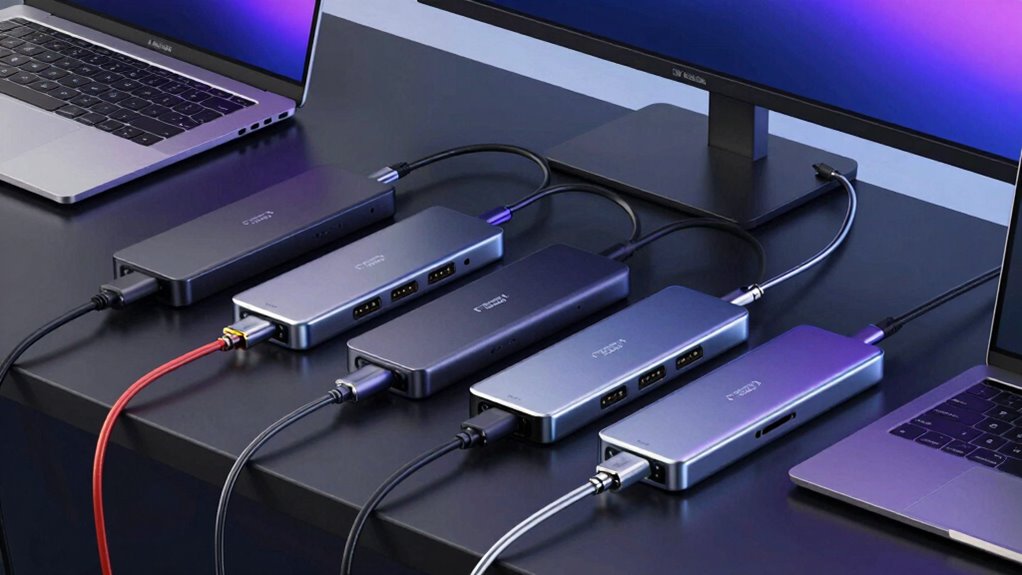

Thunderbolt 4 docks are essential for users seeking high-speed, versatile connectivity for their laptops. The best options combine fast data transfer, multiple display support, and reliable power delivery, but they vary significantly in capacity and price. The StarTech Thunderbolt 4 Dock stands out as the overall top choice thanks to its extensive ports and high bandwidth. Meanwhile, the CalDigit TS4 offers a premium build with the most ports, and the Plugable Thunderbolt 4 Dock provides excellent value for everyday use. The main tradeoffs involve balancing port variety, size, price, and performance. Keep reading for a detailed breakdown to find your ideal Thunderbolt 4 dock.

Get business pricing on monitors, keyboards and dev gear
- Business-only prices and quantity discounts
- Tax-exempt purchasing
- Multiple users, one account, clear invoices
Key Takeaways
- Top picks balance port variety with power delivery to support multiple peripherals and charging needs.
- High-end models like the CalDigit TS4 excel in build quality and port count but come at a higher price.
- Compact options are available but often sacrifice port numbers or charging capacity.
- Compatibility with Mac and Windows varies; some docks are optimized for specific systems.
- Price correlates strongly with features—more ports and higher performance typically mean higher costs.
| StarTech Thunderbolt 4 Dock, Quad 4K Win, Dual 4K Mac, 16-Port 40Gbps, 100W |  | Best Overall for Versatile Multi-Display Setups | Connectivity: Thunderbolt 4, USB4 | Display Support: Up to four 4K 60Hz on Windows, dual 4K on Mac | Ports: 16 | VIEW ON AMAZON | See Our Full Breakdown |
| Plugable Thunderbolt 4 Dock Quad Monitors, 100W Charging, 4K Support |  | Best Value for Multi-Display Flexibility | Hardware Interface: Ethernet, HDMI, Thunderbolt, USB 3.0 Type A | Compatible Devices: Windows 11, Thunderbolt 4 hosts, macOS 14+, ChromeOS | Total USB Ports: 6 | VIEW ON AMAZON | See Our Full Breakdown |
| Plugable Thunderbolt 4 Dock for M4/M5 MacBook Air & Pro, 100W Charging |  | Best for MacBook Users with Dual 4K Needs | Hardware Interface: Thunderbolt 4 | Compatible Devices: M4/M5 MacBook Air & Pro, Windows 11 | Ports: Multiple including USB-A, USB-C, Ethernet | VIEW ON AMAZON | See Our Full Breakdown |
| Dell Pro Thunderbolt 4 Smart Dock SD25TB4 – USB-C Station 130W, 4 Displays 4K, 2X DP 1.4, HDMI 2.1, 2X Thunderbolt 4, 2.5GbE, Wi-Fi, Sustainable Design |  | Best for Business with Eco-Friendly Design and Heavy-Duty Performance | Power Delivery: 130W | Display Support: Up to 4x 4K monitors | Video Outputs: 2x DisplayPort 1.4, HDMI 2.1, 2x Thunderbolt 4 | VIEW ON AMAZON | See Our Full Breakdown |
| CalDigit TS4 Thunderbolt 4 Dock with 18 Ports, 98W Charging, Space Gray, 0.8m Certified Cable |  | Best for Heavy Connectivity and High-Resolution Support | Hardware Interface: Thunderbolt, Thunderbolt 4, USB 3.2 Gen 2×2 | Total Ports: 18 | Wattage: 98W | VIEW ON AMAZON | See Our Full Breakdown |
| Dell Thunderbolt WD22TB4 4 Dock 130W |  | Best Overall Thunderbolt 4 Dock for Versatility and Modular Upgrades | Ports: 2 x Thunderbolt 4, 1 x USB-C 3.2 Gen 2, 1 x USB-A 3.2 Gen 1, 2 x DisplayPort 1.4, 1 x HDMI 2.0, 2 x USB-A 3.2 Gen 1, 1 x Gigabit Ethernet | Power Adapter: 180W | Compatibility: Windows 10, Windows 11 | VIEW ON AMAZON | See Our Full Breakdown |
| Kensington SD5910T DisplayLink Docking Station Thunderbolt 4, Quad 4K for MacBook Pro/Air M1/M2/M3/M4 with Pro and Max Chipsets, 100W PD, HDMI/DP/TB4, SD/Micro SD Card Slots (K35233NA), Black |  | Best for Mac Users Requiring Multiple 4K Displays and Eco-Friendly Build | Technology: Thunderbolt 4 Hybrid | Display Support: Quad 4K @ 60Hz, Triple 4K @ 60Hz | Video Ports: 2 x HDMI 2.0, 1 x DisplayPort 1.4, 2 x TB4 DFP | VIEW ON AMAZON | See Our Full Breakdown |
| UGREEN 8-in-1 Thunderbolt 4 Docking Station, Dual 4K@60Hz, 3xTBT4, 40Gbps |  | Best for Creative and Professional Users Needing Dual 4K or 8K Displays | Number of Thunderbolt 4 ports: 3 | USB A ports: 3 | Display support: Dual 4K@60Hz or single 8K | VIEW ON AMAZON | See Our Full Breakdown |
| Microsoft Surface Thunderbolt 4 Docking Station – Black |  | Best for Surface Device Users Needing Fast Data and Dual 4K Support | Connectivity: Thunderbolt 4, USB-C (3), USB-A (3), 3.5mm audio, 2.5G Ethernet | Charging: Rapid charging up to 2.5 hours | Display support: Supports 2x 4K monitors | VIEW ON AMAZON | See Our Full Breakdown |
| Plugable 16-in-1 Thunderbolt 4 Dock – Dual 4K Monitors, 100W Charging |  | Best for Heavy Multitasking and Content Creation with Extensive Ports | Hardware Interface: Thunderbolt | Compatible Devices: Windows 11 Thunderbolt 4 hosts and Thunderbolt 4 Macs | Total Usb Ports: 7 | VIEW ON AMAZON | See Our Full Breakdown |
| Dell Thunderbolt 4 Dock WD22TB4 |  | Best Overall for Modular High-Performance Setups | Hardware Interface: Thunderbolt 4 | Compatible Devices: Dell, HDMI, Thunderbolt, USB C, Windows 10 | Total USB Ports: 7 | VIEW ON AMAZON | See Our Full Breakdown |
| Belkin Connect Thunderbolt 4 Docking Station, 5-in-1 USB-C Multiport Hub with 96W Power Delivery for Mac and Windows |  | Best for Compact Dual-Monitor Setups | Ports: 3x Thunderbolt 4 USB-C, 1x USB-A | Power Delivery: 96W | Display Support: Dual 4K at 60Hz or 8K at 30Hz | VIEW ON AMAZON | See Our Full Breakdown |
| Lenovo ThinkPad Universal Thunderbolt 4 Dock | 4 Displays | 100W Charge |  | Best for Versatile Compatibility and Remote Management | Video Ports: 2 x DisplayPort 1.4, 1 x HDMI 2.1, 1 x Thunderbolt 4 | USB Ports: 4 x USB 3.1 Gen 2, 1 x USB-C | Power: 135W | VIEW ON AMAZON | See Our Full Breakdown |
| Plugable Thunderbolt 4 Dock with 100W Charging, Dual Monitor |  | Best for Dual 4K or 8K at a Competitive Price | Power Delivery: 100W | Display Support: Dual 4K at 60Hz or 8K | Ports: HDMI x2, Thunderbolt 4 downstream, USB x4, SD/microSD | VIEW ON AMAZON | See Our Full Breakdown |
| OWC 11-Port Thunderbolt Dock for Mac/PC with 96W Power Delivery and 3 Thunderbolt 4 Ports |  | Best for Extensive Port Needs and Dual 8K Support | Power Delivery: 96W | Display Support: Dual 8K or 8K at 60Hz | Ports: 3 Thunderbolt 4, USB, Ethernet, SD | VIEW ON AMAZON | See Our Full Breakdown |
| thunderbolt 4 dock | Display Support |
|---|---|
| StarTech Thunderbolt 4 Dock | Up to four 4K 60Hz on Windows, dual 4K on Mac |
| Plugable Thunderbolt 4 Dock Qu | — |
| Plugable Thunderbolt 4 Dock fo | Dual 4K on compatible models |
| Dell Pro Thunderbolt 4 Smart D | Up to 4x 4K monitors |
| CalDigit TS4 Thunderbolt 4 Doc | Dual 6K or 8K |
| Dell Thunderbolt WD22TB4 4 Doc | — |
| Kensington SD5910T DisplayLink | Quad 4K @ 60Hz, Triple 4K @ 60Hz |
| UGREEN 8-in-1 Thunderbolt 4 Do | Dual 4K@60Hz or single 8K |
| Microsoft Surface Thunderbolt | Supports 2x 4K monitors |
| Plugable 16-in-1 Thunderbolt 4 | — |
| Dell Thunderbolt 4 Dock WD22TB | — |
| Belkin Connect Thunderbolt 4 D | Dual 4K at 60Hz or 8K at 30Hz |
| Lenovo ThinkPad Universal Thun | Up to four 4K or 8K |
| Plugable Thunderbolt 4 Dock wi | Dual 4K at 60Hz or 8K |
| OWC 11-Port Thunderbolt Dock f | Dual 8K or 8K at 60Hz |
More Details on Our Top Picks
StarTech Thunderbolt 4 Dock, Quad 4K Win, Dual 4K Mac, 16-Port 40Gbps, 100W
This StarTech Thunderbolt 4 dock stands out for its impressive support for up to four 4K displays on Windows and dual 4K on Mac, making it ideal for power users who need extensive screen real estate. Its high-speed 40Gbps data transfer ensures quick peripheral connectivity, while the 98W power delivery keeps laptops charged during intensive workflows. Compared to the Plugable Thunderbolt 4 Dock Quad Monitors, it offers broader display support but requires specific system configurations, which could be daunting for less technical users. Its large port count provides excellent expandability, yet the complexity of setup might deter beginners. This makes it perfect for professionals with demanding multi-monitor needs who are comfortable with detailed configuration.
Pros:- Supports up to four 4K displays on Windows for expansive workspace
- High-speed 40Gbps data transfer for peripherals
- Powerful 98W charging for laptops
Cons:- Requires specific system configurations for optimal display support
- Setup can be complex for non-technical users
Best for: Creative professionals and power users demanding multiple high-resolution displays and high-speed data transfer.
Not ideal for: Casual users or those with simpler setups, as its extensive features and setup complexity may be unnecessary.
- Connectivity:Thunderbolt 4, USB4
- Display Support:Up to four 4K 60Hz on Windows, dual 4K on Mac
- Ports:16
- Power Delivery:98W
- Compatibility:Windows 10/11, macOS, Intel, Apple Silicon, AMD
Our verdict“This dock is best suited for tech-savvy users needing maximum display flexibility and high data throughput.”
Plugable Thunderbolt 4 Dock Quad Monitors, 100W Charging, 4K Support
The Plugable Thunderbolt 4 Dock offers a compelling balance of performance and price, supporting up to four displays, including 8K, with 100W charging. Its versatile port lineup—including HDMI, Ethernet, and multiple Thunderbolt and USB ports—provides broad connectivity options, making it more flexible than the StarTech Dock. However, it relies on DisplayLink software for HDMI outputs on macOS, which can introduce driver complications. The setup might seem complex for users unfamiliar with driver installations or multi-OS environments. This dock makes the most sense for users seeking a cost-effective way to connect multiple high-res displays across different systems, even if some features require extra configuration effort.
Pros:- Supports up to four 4K or 8K displays for enhanced productivity
- Provides 100W charging to keep laptops powered
- Multiple Thunderbolt and USB ports for extensive connectivity
Cons:- Requires DisplayLink software for HDMI outputs on macOS
- Setup may be complex for those unfamiliar with driver installations
Best for: Professionals needing multi-monitor setups across Windows, Mac, and ChromeOS with a limited budget.
Not ideal for: Less tech-savvy users who prefer plug-and-play solutions without driver dependencies.
- Hardware Interface:Ethernet, HDMI, Thunderbolt, USB 3.0 Type A
- Compatible Devices:Windows 11, Thunderbolt 4 hosts, macOS 14+, ChromeOS
- Total USB Ports:6
- Wattage:180W
- Dimensions:3.7″ L x 8.3″ W x 0.7″ H
Our verdict“This dock offers excellent multi-display support at a lower price point but demands careful setup, especially on Mac systems.”
Plugable Thunderbolt 4 Dock for M4/M5 MacBook Air & Pro, 100W Charging
The Plugable Thunderbolt 4 Dock tailored for MacBook M4/M5 models excels in delivering dual 4K displays without requiring drivers, making it a seamless plug-and-play option. Its sleek aluminum design complements Mac aesthetics and provides a broad port selection, including Thunderbolt 4, USB-A, USB-C, Ethernet, and SD card reader. While it supports dual 4K at 60Hz on compatible Macs, some M1 and M2 MacBooks still support only a single external display, which could disappoint users expecting full dual-monitor capabilities. Its compatibility with Windows 11 and macOS 13+ makes it versatile, but some features may be limited depending on the specific Mac model. Overall, this dock is a solid choice for MacBook users who prioritize simplicity and reliable dual display support.
Pros:- Supports dual 4K 60Hz displays natively on compatible Macs
- Includes a variety of ports for versatile connectivity
- Provides 100W charging for MacBooks
Cons:- Limited support for dual displays on some M1/M2 MacBooks
- Some features require specific Mac models or modes like clamshell
Best for: Creative professionals using M4 or M5 MacBook Air or Pro seeking reliable dual 4K display support.
Not ideal for: Users with older MacBooks or Windows laptops that cannot support dual external displays without additional hardware or software workarounds.
- Hardware Interface:Thunderbolt 4
- Compatible Devices:M4/M5 MacBook Air & Pro, Windows 11
- Ports:Multiple including USB-A, USB-C, Ethernet
- Wattage:100W
- Display Support:Dual 4K on compatible models
Our verdict“This dock offers a clean solution for dual 4K display support on newer MacBooks, with some limitations for older models.”
Dell Pro Thunderbolt 4 Smart Dock SD25TB4 – USB-C Station 130W, 4 Displays 4K, 2X DP 1.4, HDMI 2.1, 2X Thunderbolt 4, 2.5GbE, Wi-Fi, Sustainable Design
The Dell Pro Thunderbolt 4 Smart Dock is designed for professional environments demanding robust multi-display capabilities and reliable power delivery. Supporting up to four 4K monitors with versatile outputs like DisplayPort 1.4 and HDMI 2.1, it surpasses many docks with its 130W power delivery—ideal for charging high-performance laptops. Its 2.5GbE Ethernet and Wi-Fi features cater to business needs, while its eco-conscious design using recycled materials adds a sustainable touch. Compared with the CalDigit TS4, it offers similar display support but with a focus on security and management features suited for enterprise use. The setup complexity and premium price might be barriers for smaller or less tech-focused setups.
Pros:- Supports up to four 4K monitors with multiple video outputs
- High 130W charging capacity for demanding devices
- Eco-friendly design utilizing recycled materials
Cons:- Setup may be complex for non-technical users
- Premium price point may be a barrier for some
Best for: IT managers and professionals needing high-performance, multi-display support combined with sustainability and security features.
Not ideal for: Home users or small teams seeking simple plug-and-play solutions without enterprise-focused features.
- Power Delivery:130W
- Display Support:Up to 4x 4K monitors
- Video Outputs:2x DisplayPort 1.4, HDMI 2.1, 2x Thunderbolt 4
- Ethernet:2.5GbE
- Design:Sustainable, recycled materials
Our verdict“This dock excels for enterprise environments where performance, security, and sustainability matter most.”
CalDigit TS4 Thunderbolt 4 Dock with 18 Ports, 98W Charging, Space Gray, 0.8m Certified Cable
The CalDigit TS4 offers a staggering array of ports—18 in total—making it ideal for users who need to connect multiple peripherals, external drives, and displays simultaneously. Supporting dual 6K or 8K displays, it caters to professionals working with high-resolution content. Its 98W charging capacity complements its extensive connectivity, though the large port array and dimensions might be overkill for users with simpler needs. Compared to the StarTech Dock, the TS4 prioritizes sheer port variety and high-res display support but requires a certified Thunderbolt or USB4 cable for optimal performance, which can add to the setup cost. It’s best for power users who need maximum expansion in a professional environment.
Pros:- Supports dual 6K or 8K displays for high-end visual workflows
- Extensive port selection with 18 total connections
- Powerful 98W charging for multiple devices
Cons:- Requires certified Thunderbolt or USB4 cable for best performance
- Large size may be cumbersome for small desks
Best for: Media editors, content creators, and tech enthusiasts needing high-resolution display support and extensive device connections.
Not ideal for: Casual users or those with limited desk space who do not require such high port density.
- Hardware Interface:Thunderbolt, Thunderbolt 4, USB 3.2 Gen 2×2
- Total Ports:18
- Wattage:98W
- Display Support:Dual 6K or 8K
- Cable:0.8m certified Thunderbolt cable
Our verdict“This dock is perfect for professionals who need maximum port options and top-tier display resolution support, accepting the tradeoff in size and complexity.”
Dell Thunderbolt WD22TB4 4 Dock 130W
The Dell WD22TB4 stands out for its flexible modular design, allowing easy upgrades that can extend the dock’s lifespan—an advantage over the more fixed setup of the Plugable 16-in-1. It offers a broad array of ports, supporting multiple displays and peripherals, with fast data transfer speeds up to 40 GB/s, making it ideal for demanding multitasking environments. However, this dock is primarily tailored for Windows users and requires a Thunderbolt 4 port to unlock its full capabilities, which could limit Mac compatibility. Its modular approach means higher initial costs and complexity for setup, but the upgrade potential makes it a worthwhile investment for those needing flexibility. Compared with the Kensington SD5910T, it lacks some advanced security features but compensates with broader display support and more flexible port options.
Pros:- Supports multiple displays and a wide range of peripherals
- Fast data transfer speeds of up to 40 GB/s
- Modular design allows easy upgrades
Cons:- Designed mainly for Windows, limited Mac compatibility
- Requires Thunderbolt 4 port for full functionality
- Higher cost due to modular features
Best for: Power users and professionals who want a highly customizable dock that supports multiple displays and peripherals on Windows systems.
Not ideal for: Mac users or those seeking a straightforward, plug-and-play solution without upgrade considerations.
- Ports:2 x Thunderbolt 4, 1 x USB-C 3.2 Gen 2, 1 x USB-A 3.2 Gen 1, 2 x DisplayPort 1.4, 1 x HDMI 2.0, 2 x USB-A 3.2 Gen 1, 1 x Gigabit Ethernet
- Power Adapter:180W
- Compatibility:Windows 10, Windows 11
- Data Transfer Speed:40 GB/s
- Voltage:120/230 V AC (50/60 Hz)
- Modular Design:Yes
Our verdict“This dock suits tech-savvy users who prioritize customization and expansion, especially on Windows platforms.”
Kensington SD5910T DisplayLink Docking Station Thunderbolt 4, Quad 4K for MacBook Pro/Air M1/M2/M3/M4 with Pro and Max Chipsets, 100W PD, HDMI/DP/TB4, SD/Micro SD Card Slots (K35233NA), Black
The Kensington SD5910T excels for MacBook users needing up to four 4K displays, matching or surpassing the display support of the Plugable Dock but offering a more environmentally conscious aluminum build. Its extensive port selection includes HDMI, DisplayPort, Thunderbolt, and card readers, combined with 100W power delivery that supports most MacBook models effectively. The dock’s security features and recycled materials appeal to professional environments focused on sustainability and security. While its setup can be complex and the mounting options are sold separately, these tradeoffs are balanced by its high display capacity and robust construction. Unlike the Microsoft Surface Dock, which is more tailored to Surface devices, this model is a versatile choice for Mac users needing maximum display flexibility.
Pros:- Supports up to four 4K displays at 60Hz
- Includes SD and Micro SD card readers
- Eco-friendly aluminum construction with security features
Cons:- Mounting bracket sold separately, adds to setup complexity
- Setup may require technical familiarity
- Premium price may be prohibitive for some users
Best for: Mac professionals and creatives who need to connect multiple 4K displays with a focus on eco-friendly materials and security.
Not ideal for: Windows users seeking a more plug-and-play or budget-friendly dock, as it is optimized for Mac and has a higher price point.
- Technology:Thunderbolt 4 Hybrid
- Display Support:Quad 4K @ 60Hz, Triple 4K @ 60Hz
- Video Ports:2 x HDMI 2.0, 1 x DisplayPort 1.4, 2 x TB4 DFP
- USB Ports:2 x Thunderbolt 4, 1 x USB-C 3.2 Gen2, 1 x USB-A 3.2 Gen2, 2 x USB-A 3.2 Gen1
- Card Readers:SD and Micro SD
- Power Delivery:100W
Our verdict“This dock is ideal for Mac users who need high display capacity and value sustainability and security features.”
UGREEN 8-in-1 Thunderbolt 4 Docking Station, Dual 4K@60Hz, 3xTBT4, 40Gbps
The UGREEN 8-in-1 dock offers a compelling balance of performance and simplicity, supporting dual 4K displays or a single 8K output, making it perfect for creative workflows. Its three Thunderbolt 4 ports provide ample flexibility, and the 85W charging capacity covers most laptops without the need for an external charger, unlike some higher-powered docks. Compared to the Plugable 16-in-1, this model simplifies connectivity while still delivering high-speed data transfer at 40Gbps. However, its full display support depends on the host device, and it requires connection to a charger to deliver full power, which can be inconvenient. This dock is well-suited for on-the-go professionals who need reliable high-resolution output and quick data throughput.
Pros:- Supports dual 4K@60Hz or single 8K display
- Fast data transfer speeds up to 40Gbps
- Provides 85W charging for laptops
Cons:- Requires connection to charger for full power delivery
- Display support may vary based on device capabilities
- Limited compatibility with some older Macs
Best for: Creative professionals and power users who need dual 4K or single 8K display support with portable setup requirements.
Not ideal for: Users with older Mac mini models or those seeking a dock with extensive port options beyond Thunderbolt 4 and USB-A.
- Number of Thunderbolt 4 ports:3
- USB A ports:3
- Display support:Dual 4K@60Hz or single 8K
- Power delivery:85W
- Total ports:8
- Data transfer speed:40Gbps
Our verdict“This dock is best suited for mobile professionals and creatives who prioritize high-resolution display support and quick data transfer.”
Microsoft Surface Thunderbolt 4 Docking Station – Black
The Microsoft Surface Thunderbolt 4 Dock offers a streamlined solution for Surface device owners, delivering rapid data transfer and support for two 4K monitors—comparable to the Plugable Dock but with a focus on Surface ecosystem integration. Its multiple USB-C and USB-A ports, along with Ethernet and audio, cover standard connectivity needs, while the recyclable ocean-bound plastic enhances sustainability. While designed primarily for Surface devices, its high price and limited cross-platform compatibility could deter non-Surface users. Compared to the Dell WD22TB4, it lacks modular upgrade options but compensates with a sleek design tailored to Surface aesthetics and performance. Its security features and eco-conscious materials make it appealing for environmentally minded professionals with Surface hardware.
Pros:- Supports dual 4K monitors at 60Hz
- Fast Thunderbolt 4 data transfer and charging
- Made with 20% recycled ocean-bound plastic
Cons:- Primarily designed for Surface devices, limiting cross-platform use
- Higher price point compared to generic docks
- Limited expandability and modular features
Best for: Surface device owners seeking a reliable, fast docking station with dual 4K monitor support and a focus on sustainability.
Not ideal for: Users with non-Surface PCs or laptops who need broader compatibility or more extensive port options.
- Connectivity:Thunderbolt 4, USB-C (3), USB-A (3), 3.5mm audio, 2.5G Ethernet
- Charging:Rapid charging up to 2.5 hours
- Display support:Supports 2x 4K monitors
- Material:20% recycled ocean-bound plastic
Our verdict“This dock fits well for Surface users prioritizing speed, dual monitor support, and eco-friendly design, but less so for broader device ecosystems.”
Plugable 16-in-1 Thunderbolt 4 Dock – Dual 4K Monitors, 100W Charging
The Plugable 16-in-1 stands out for its extensive port array, supporting dual 4K displays at 60Hz and offering comprehensive connectivity options, including Ethernet, SD card slots, and multiple USB ports. Its 100W power delivery simplifies charging workflows, and compatibility across Thunderbolt 4, USB4, and USB-C devices ensures flexibility for diverse setups. Compared with the UGREEN dock, it provides more ports but at a larger size, which may take up more desk space. The setup can feel complex without clear instructions, yet it remains a strong choice for users who need maximum connectivity for professional multitasking or content creation. It’s ideal for those who require a highly versatile dock that can handle demanding workloads.
Pros:- Supports dual 4K monitors at 60Hz with no driver setup
- Provides 100W charging for laptops
- Numerous USB, Ethernet, and SD card slots for versatile connectivity
Cons:- Relatively large and desk-space consuming
- Setup complexity without detailed instructions
- Limited to Thunderbolt 4 and compatible devices
Best for: Content creators and professionals requiring a multitude of ports, dual 4K displays, and 100W charging on Windows or Mac systems.
Not ideal for: Users with limited desk space or those seeking a minimalistic, lightweight dock for casual use.
- Hardware Interface:Thunderbolt
- Compatible Devices:Windows 11 Thunderbolt 4 hosts and Thunderbolt 4 Macs
- Total Usb Ports:7
- Number of HDMI Ports:2
- Wattage:135 watts
- Input Voltage:20 volts
Our verdict“This dock is a top pick for busy professionals and content creators who need maximum port options and high-resolution display support.”
Dell Thunderbolt 4 Dock WD22TB4
The Dell Thunderbolt 4 Dock WD22TB4 stands out for its modular design, allowing users to swap modules for upgrades and tailored functionality. Compared to the OWC 11-Port Thunderbolt Dock, it offers more expandability with additional ports and a higher wattage, making it ideal for power users who need versatility. Its support for multiple 4K displays and fast data transfer up to 40 GB/s complements demanding workflows. However, its weight of 650 grams and regional power requirement (230V) may hinder portability and global use. This dock is best suited for professionals with fixed workstations in regions with 230V power.
Pros:- Multiple high-speed ports including Thunderbolt 4, HDMI, DisplayPort, and USB-A for versatile connectivity
- Modular design allows for easy upgrades and fast charging with SuperBoost technology
- Supports multiple 4K displays and high data transfer speeds up to 40 GB/s
Cons:- Limited to Windows 10 and 11, restricting macOS or Linux compatibility
- Relatively heavy at 650 grams, which may affect portability
- Requires a 230V power source, limiting use in regions with different voltages
Best for: Power users needing a highly customizable dock for a fixed office setup
Not ideal for: Travelers or users in regions with different voltage standards seeking portable solutions
- Hardware Interface:Thunderbolt 4
- Compatible Devices:Dell, HDMI, Thunderbolt, USB C, Windows 10
- Total USB Ports:7
- Number of Ports:11
- Total HDMI Ports:1
- Wattage:180 watts
Our verdict“This dock is perfect for users who prioritize modularity and high performance in a static workstation environment.”
Belkin Connect Thunderbolt 4 Docking Station, 5-in-1 USB-C Multiport Hub with 96W Power Delivery for Mac and Windows
The Belkin Connect Thunderbolt 4 Docking Station offers a sleek, compact solution supporting dual 4K monitors at 60Hz or an 8K display, making it ideal for users who need high-resolution output in a small form factor. Unlike the Plugable Thunderbolt 4 Dock with 100W Charging, it emphasizes a smaller footprint while providing robust display support and 96W charging. Its premium price reflects its build quality and display capabilities, but it’s limited to Thunderbolt 4-compatible devices, which could exclude some older systems. For those seeking a minimal yet powerful dock for high-res multi-monitor setups, this model provides a refined balance of portability and performance.
Pros:- Supports high-resolution dual monitors and 8K display
- Fast data transfer rates up to 40Gbps
- Powerful 96W charging for connected devices
Cons:- Limited to Thunderbolt 4 compatible devices
- Premium price might be prohibitive for some buyers
- Requires a Thunderbolt 4 host system for full functionality
Best for: Mac users or professionals with space constraints needing dual 4K or 8K support
Not ideal for: Users with non-Thunderbolt 4 systems or needing extensive port options beyond five
- Ports:3x Thunderbolt 4 USB-C, 1x USB-A
- Power Delivery:96W
- Display Support:Dual 4K at 60Hz or 8K at 30Hz
- Compatibility:Windows 11, Thunderbolt 4 Macs, M1/M2/M3 Macs, Surface Pro
- Cable Included:Thunderbolt 4 cable
- Housing Material:Recycled plastic (72%)
Our verdict“This dock is well-suited for Mac users or space-conscious professionals who need high-res dual monitors with reliable charging.”
Lenovo ThinkPad Universal Thunderbolt 4 Dock | 4 Displays | 100W Charge
The Lenovo ThinkPad Universal Thunderbolt 4 Dock simplifies connectivity with up to four 4K displays and 100W power delivery, making it ideal for remote workers and corporate environments. It supports Thunderbolt 3 and 4, USB 4, and USB-C, offering broad compatibility, unlike some docks limited to specific OS or hardware. Compared to the OWC 11-Port Thunderbolt Dock, it emphasizes remote management features, which can be a game-changer in enterprise settings. Its lack of wireless connectivity might be a drawback for those who prefer a fully wireless setup. This model suits organizations or professionals seeking a reliable, universal docking solution with remote management capabilities.
Pros:- Supports up to four 4K displays for productivity
- Provides up to 100W power delivery for laptops
- Universal compatibility with multiple connection standards
Cons:- Requires compatible Thunderbolt 4 or USB-C systems
- Limited to Windows-based systems, excluding some Mac configurations
- No built-in wireless features
Best for: Enterprise users or remote workers needing flexible, multi-display connectivity with management features
Not ideal for: Individual users without enterprise needs or those seeking wireless integration
- Video Ports:2 x DisplayPort 1.4, 1 x HDMI 2.1, 1 x Thunderbolt 4
- USB Ports:4 x USB 3.1 Gen 2, 1 x USB-C
- Power:135W
- Display Support:Up to four 4K or 8K
- Compatibility:Thunderbolt 3/4, USB 4, Windows
- Remote Management:Supported
Our verdict“This dock is perfect for enterprise environments needing a flexible, multi-display setup with remote management features.”
Plugable Thunderbolt 4 Dock with 100W Charging, Dual Monitor
The Plugable Thunderbolt 4 Dock with 100W Charging offers a comprehensive port array, supporting dual 4K displays at 60Hz or a single 8K monitor, making it a flexible choice for demanding workflows. Its 13 ports include HDMI, USB, Ethernet, and SD card slots, surpassing many competitors in connectivity options. Compared to the Belkin 5-in-1 Dock, it provides more ports and supports higher display resolutions, though its display support can vary depending on the system specifications. It’s best suited for users who want a feature-rich dock at a competitive price, but compatibility nuances and system support should be considered.
Pros:- High-speed 40Gbps Thunderbolt 4 performance
- Supports dual 4K displays or an 8K monitor
- Extensive port selection including SD card reader
Cons:- Display support varies depending on Mac or PC model
- Some systems only support a single display despite dual ports
- Full feature set requires compatible Thunderbolt or USB4 system
Best for: Creative professionals or power users needing multiple peripherals and high-resolution displays
Not ideal for: Owners of older systems or those seeking a compact, minimalist dock
- Power Delivery:100W
- Display Support:Dual 4K at 60Hz or 8K
- Ports:HDMI x2, Thunderbolt 4 downstream, USB x4, SD/microSD
- Compatibility:Thunderbolt 4, Thunderbolt 5, USB4, Windows 10+
- Weight:400 g
- Dimensions:2.87 x 7.8 x 1.02 inches
Our verdict“This dock is ideal for users needing a broad array of ports and high-res dual monitor support at a competitive price.”
OWC 11-Port Thunderbolt Dock for Mac/PC with 96W Power Delivery and 3 Thunderbolt 4 Ports
The OWC 11-Port Thunderbolt Dock excels in offering a large selection of ports, including three Thunderbolt 4 ports, USB, Ethernet, SD card reader, and audio, supporting dual 8K displays or a single 8K at 60Hz. Compared with the Lenovo ThinkPad Universal Dock, it provides more ports and greater display flexibility, ideal for professionals with complex peripheral needs. Its 96W power delivery and broad compatibility across Mac, Windows, and Chromebooks make it a versatile choice. Nevertheless, display support can be affected by the host system’s GPU capabilities, and its larger size might be less portable for mobile users. This dock suits those who need maximum expandability and high-resolution options.
Pros:- Multiple high-speed ports including three Thunderbolt 4 ports
- Supports dual 8K or single 8K displays
- Provides up to 96W charging for peripherals and laptops
Cons:- Display support depends on system GPU capabilities
- Relatively large and less portable
- Price may be high for casual users
Best for: Creative professionals or engineers requiring multiple high-speed ports and dual 8K display support
Not ideal for: Travelers or users with limited desk space seeking a lightweight, portable dock
- Power Delivery:96W
- Display Support:Dual 8K or 8K at 60Hz
- Ports:3 Thunderbolt 4, USB, Ethernet, SD
- Compatibility:Mac, Windows, Chromebooks
- Display Resolution:Up to 8K @ 60Hz
- Connectivity:Thunderbolt 4, USB
Our verdict“This dock is aimed at power users needing maximum port variety and high-res dual or single 8K display support in a fixed setup.”

How We Picked
Our selection process focused on performance, usability, build quality, and value. We evaluated each dock’s data transfer speeds, display support, power delivery capacity, port diversity, and compatibility across systems. Durability and user-friendly features like cable length and design also influenced rankings. Docks that offered the best combination of these factors for different user needs made it into this list, with a clear emphasis on real-world utility rather than just raw specs.Factors to Consider When Choosing Thunderbolt 4 Docks
Choosing the right Thunderbolt 4 dock requires understanding your specific needs and how each feature impacts your workflow. Not all docks are created equal, and a higher price doesn’t always mean better fit for your setup. Consider how many devices you need to connect simultaneously, whether you require multiple high-resolution displays, and if you prioritize compact design or extensive port options. Also, check compatibility with your system and ensure the dock provides enough power to charge your device comfortably. Being aware of these factors helps avoid common mistakes like underpowering your laptop or missing essential ports.Performance and Data Transfer Speeds
Most Thunderbolt 4 docks support data transfer speeds up to 40Gbps, but some models leverage this bandwidth better than others, especially when multiple devices are connected. Think about your workflow—if you transfer large files frequently or use demanding peripherals, prioritize docks with high throughput capabilities. Cheaper options may limit bandwidth or share ports, causing bottlenecks. Selecting a dock with robust performance ensures your devices operate smoothly without lag or interruptions.
Number and Types of Ports
The variety and quantity of ports determine how versatile your setup can be. While some docks focus on a few essential ports, others offer dozens, including HDMI, DisplayPort, SD card slots, and Ethernet. Consider what peripherals you use daily—if you need multiple 4K monitors, verify the dock supports that simultaneously. Be cautious of docks claiming high port counts but offering limited data bandwidth or slow charging, as these can hamper productivity.
Power Delivery and Charging
Power delivery (PD) is vital for keeping your laptop charged while using the dock. Docks with 85W or higher PD can support most laptops, but some high-performance models require 100W or more. Choosing a dock with insufficient power output risks slow charging or the need for a separate charger. Balance your power needs against the dock’s port selection—more ports may mean slightly lower PD, so verify the specifications carefully.
Build Quality and Design
Durability and size matter, especially if you plan to carry your dock frequently. Premium docks often feature robust construction, sleek designs, and better cable management options. However, these tend to be bulkier and more expensive. Conversely, compact docks are easier to transport but may sacrifice port variety or power capacity. Match your portability needs with a design that fits your workspace and lifestyle.
Compatibility and System Support
Ensure the dock is fully compatible with your laptop—whether Mac, Windows, or specific models like Surface or ThinkPad. Some docks are optimized for particular systems, offering better driver support and stability. Also, check for firmware updates and customer support reputation. Incompatible docks can lead to connectivity issues or limited functionality, so verify compatibility before purchasing.
Frequently Asked Questions
Will a Thunderbolt 4 dock work with my older USB-C laptop?
While Thunderbolt 4 docks are primarily designed for Thunderbolt 4-compatible devices, many features such as data transfer and display support may be limited or unavailable on older USB-C laptops lacking Thunderbolt 4 support. You can often connect such docks via USB-C, but the performance and features—like daisy chaining or high-speed data transfer—may not work as intended. Always check the dock’s compatibility with your specific system to ensure full functionality.
Can I connect multiple 4K monitors with a Thunderbolt 4 dock?
Yes, most Thunderbolt 4 docks support multiple 4K displays simultaneously, typically up to two or three at once. However, the actual number depends on the specific model and its display output capabilities, such as HDMI and DisplayPort versions. Be sure to review the dock’s specifications to confirm it can handle your desired monitor setup, especially if you need high refresh rates or extra features like HDR.
Is power delivery enough to charge my laptop and peripherals at the same time?
In most cases, a dock with 85W to 100W power delivery can adequately charge most laptops during typical use. However, if you run intensive applications or have a high-performance machine, check whether the dock’s PD capacity matches or exceeds your laptop’s charging requirements. Additional peripherals like external drives and accessories also draw power, so a dock with higher PD ensures everything stays powered without compromise.
Are there significant differences between Thunderbolt 4 and Thunderbolt 3 docks?
Thunderbolt 4 offers improvements over Thunderbolt 3, including mandatory support for daisy chaining, higher minimum performance standards, and enhanced compatibility with USB4 devices. While Thunderbolt 3 docks may work with Thunderbolt 4 ports, Thunderbolt 4 docks guarantee a more consistent experience with better future-proofing. If you’re buying new, opting for Thunderbolt 4 ensures broader compatibility and performance headroom.
Should I prioritize port quantity or build quality when choosing a dock?
This depends on your usage. If you require a wide range of connections for professional peripherals, prioritize port variety and compatibility. However, for frequent travelers or those with limited space, build quality and portability might matter more, even if it means fewer ports. Balancing both factors based on your specific needs helps avoid overspending on unnecessary features or missing critical connectivity options.
Conclusion
For most users seeking a dependable, versatile setup, the StarTech Thunderbolt 4 Dock offers excellent overall performance and extensive ports. If you want a high-end, feature-rich option and are willing to invest, the CalDigit TS4 provides unparalleled port variety and build quality. Beginners or those with minimal needs may find the Microsoft Surface Thunderbolt 4 Dock or Belkin Connect to be straightforward choices. For users with specific display or charging requirements, models like the Dell WD22TB4 or Lenovo ThinkPad Universal Dock deliver tailored solutions. Ultimately, your choice should reflect your device ecosystem, port needs, and budget—balancing performance with practicality.
As an affiliate, we earn on qualifying purchases.Halloween Picks
halloween