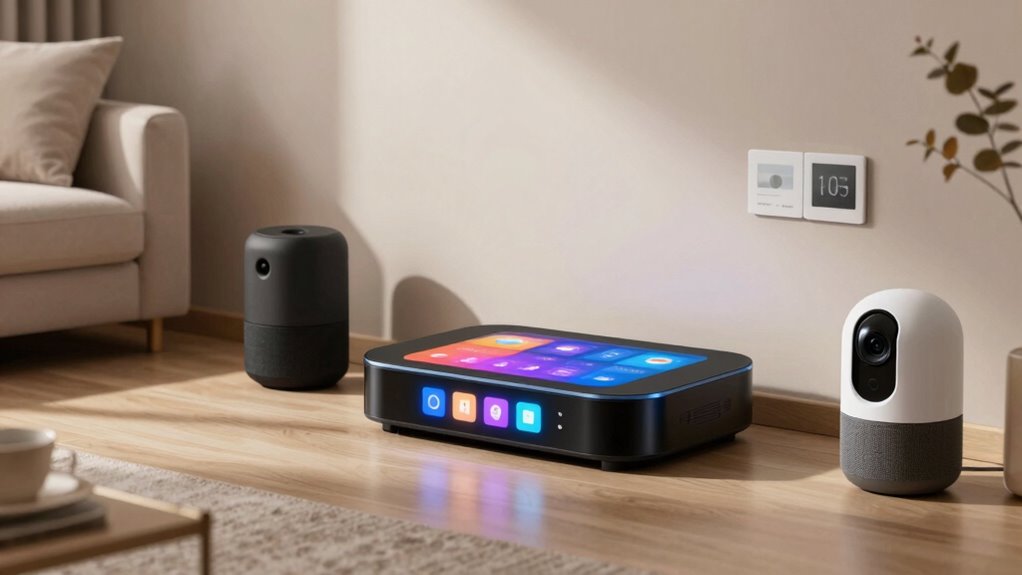

Smart home hubs serve as the central control point for managing multiple connected devices seamlessly. The best options balance ease of use, compatibility, and advanced automation features. The eufy Security eufy Smart Display E10 stands out for its user-friendly interface, while the Home Assistant Green offers deep customization for tech-savvy users. Tradeoffs in this category often involve compatibility limits, complexity, and price. Keep reading for a detailed breakdown of the top contenders and what makes each one unique.

Get business pricing on monitors, keyboards and dev gear
- Business-only prices and quantity discounts
- Tax-exempt purchasing
- Multiple users, one account, clear invoices
Key Takeaways
- The best overall smart amazon.com/dp/B0CXVKSG19?tag=featurebuddies-20&ascsubtag=dc-897208″ target=”_blank” rel=”nofollow sponsored noopener”>home hub balances ease of use with broad device compatibility, making it suitable for most users.
- Advanced automation features are often tied to open platforms like Home Assistant, which may require technical know-how.
- Compatibility with Zigbee, Z-Wave, and Matter is becoming a key differentiator for future-proofing your setup.
- Price and ease of setup vary widely; premium hubs often offer more features but at a higher cost.
- Choosing a hub tailored to your existing ecosystem (Alexa, Google, Apple) can simplify integration and reduce frustration.
| eufy Security eufy Smart Display E10, 8″ Control Panel |  | Best for Visual Security Monitoring | Display Size: 8 inches | Control Panel: Touchscreen | Storage: Local storage for video playback | VIEW ON AMAZON | See Our Full Breakdown |
| Home Assistant Green – Smart Home Hub with Advanced Automation |  | Best for Custom Automation Enthusiasts | Processor: Quad-core | Storage: 32GB | RAM: 4GB | VIEW ON AMAZON | See Our Full Breakdown |
| Aeotec Smart Home Hub2 – V4, SmartThings Hub, Zigbee, Matter Gateway, Compatible with Alexa and Google Assistant |  | Best for Broad Device Compatibility | Supported Standards: Zigbee, Matter | Connectivity: Wi-Fi, Ethernet | Compatibility: Alexa, Google Assistant | VIEW ON AMAZON | See Our Full Breakdown |
| Aqara Smart Home Hub M3 with Matter Support, Zigbee, Thread, IR Blaster, and PoE |  | Best for Versatile Protocol Support and Local Control | Protocols Supported: Zigbee, Thread, Matter, Bluetooth, Wi-Fi | Device Capacity: 127 Zigbee/Thread devices | Connectivity: Wired (PoE, USB-C), Wireless (Wi-Fi 2.4/5 GHz) | VIEW ON AMAZON | See Our Full Breakdown |
| Amazon Echo Hub (newest model), 8″ Smart Home Control Panel with Alexa+ |  | Best for Integrated Amazon Ecosystem Control | Display Size: 8 inches | Compatibility: WiFi, Bluetooth, Zigbee, Matter, Sidewalk, Thread | Control: Smart devices, cameras, routines, media | VIEW ON AMAZON | See Our Full Breakdown |
| Hubitat Elevation C-8 Pro Smart Home Hub – Z-Wave, Zigbee, Matter |  | Best for Local Control and Privacy | Dimensions: 3.23 x 2.95 x 0.67 inches | Weight: 0.16 lbs | Protocols Supported: Matter 1.5, Z-Wave 800 Series with Long Range, Zigbee 3.0, Bluetooth | VIEW ON AMAZON | See Our Full Breakdown |
| smart home hub | Storage |
|---|---|
| eufy Security eufy Smart Displ | Local storage for video playback |
| Home Assistant Green | 32GB |
| Aeotec Smart Home Hub2 | — |
| Aqara Smart Home Hub M3 with M | 8GB encrypted local storage |
| Amazon Echo Hub | — |
| Hubitat Elevation C-8 Pro Smar | — |
More Details on Our Top Picks
eufy Security eufy Smart Display E10, 8″ Control Panel
This 8-inch touchscreen hub excels at providing clear, real-time video feeds and instant alerts, making it ideal for households that prioritize visual monitoring. Unlike the Home Assistant Green, which focuses on automation and protocol support, the eufy Smart Display offers a straightforward, user-friendly interface for monitoring security cameras and packages. Its local storage ensures playback without relying on cloud services, but it lacks detailed integration info with other smart devices, which might limit its role in a larger ecosystem. The four-view display allows comprehensive oversight, making it a strong choice for family homes or small offices needing quick visual access at a glance.
Pros:- Clear live video feeds and instant alerts for security
- Four-view display for monitoring multiple cameras simultaneously
- Local storage for immediate playback without cloud dependency
Cons:- Limited integration details with other smart home devices
- No weather-resistant features for outdoor use
Best for: Homeowners seeking a dedicated visual security hub with easy setup and local storage
Not ideal for: Users wanting extensive device protocol support or smart automation—this device is primarily for visual monitoring
- Display Size:8 inches
- Control Panel:Touchscreen
- Storage:Local storage for video playback
- Recognition Features:Facial and package recognition
Our verdict“This display is perfect for users who prioritize visual security and easy access to camera feeds within a home or small office setting.”
Home Assistant Green – Smart Home Hub with Advanced Automation
This fanless, compact hub is designed for users who want powerful, local automation capabilities. Compared with the Aeotec Hub2, which supports Zigbee and Matter, the Home Assistant Green emphasizes ease of setup with pre-installed software and supports a wide array of protocols through USB expandability. Its quad-core processor and 32GB storage allow for robust automation routines, but it requires an Ethernet connection for initial setup, which could be inconvenient for some. Its strong focus on local control makes it ideal for tech-savvy users who prefer privacy and extensive customization, though those with many Z-Wave devices might find it lacking.
Pros:- Pre-installed with Home Assistant for quick setup
- Supports Z-Wave, Zigbee, and Thread for broad device compatibility
- Fanless, silent operation for discreet placement
- Keeps data local, enhancing security
Cons:- Requires Ethernet for initial setup, limiting flexibility
- Limited storage for large device networks
Best for: Enthusiasts seeking a flexible, privacy-focused automation hub with multiple protocol support
Not ideal for: Casual users or those heavily invested in Z-Wave ecosystems, since it lacks Z-Wave support
- Processor:Quad-core
- Storage:32GB
- RAM:4GB
- Power Consumption:A few watts
Our verdict“This hub is ideal for users who prioritize local automation, privacy, and protocol versatility over plug-and-play simplicity.”
Aeotec Smart Home Hub2 – V4, SmartThings Hub, Zigbee, Matter Gateway, Compatible with Alexa and Google Assistant
The Aeotec Smart Home Hub2 stands out for supporting the latest standards like Zigbee and Matter, enabling seamless integration of a wide range of smart devices. Compared to the Aqara M3, which offers extensive protocol support including Thread and IR, the Aeotec focuses on broad ecosystem compatibility with popular voice assistants. Its support for local automations enhances reliability during internet outages, but its lack of Z-Wave support could be a limitation for users with Z-Wave devices. Easy setup via Wi-Fi or Ethernet makes it accessible, but full benefits depend on a compatible ecosystem like SmartThings or Alexa.
Pros:- Supports Zigbee and Matter for broad device compatibility
- Easy setup with Wi-Fi or Ethernet
- Local processing enables automations during internet outages
Cons:- Does not support Z-Wave devices
- Full functionality depends on compatible ecosystems
Best for: Homeowners with diverse device ecosystems seeking a reliable, standards-based hub
Not ideal for: Users with Z-Wave devices or those without a compatible ecosystem, since Z-Wave isn’t supported
- Supported Standards:Zigbee, Matter
- Connectivity:Wi-Fi, Ethernet
- Compatibility:Alexa, Google Assistant
- Supports Z-Wave:No
Our verdict“This hub suits users who want a future-proof, standards-based solution for broad device integration and reliable automations.”
Aqara Smart Home Hub M3 with Matter Support, Zigbee, Thread, IR Blaster, and PoE
The Aqara M3 combines multiple protocols including Zigbee, Thread, and Matter, offering versatile integration that surpasses the Aeotec Hub2’s protocol support. Its built-in IR blaster adds control over traditional remotes, making it a multifunctional device. The PoE feature allows flexible placement, ideal for embedding into walls or mounting. While its extensive protocol support makes it suitable for complex setups, the need to stay within 6 to 19 feet from the router for optimal connectivity can be a limitation, and the power adapter is sold separately. It’s best for those who value privacy and extensive protocol compatibility, especially with Apple HomeKit support.
Pros:- Supports Zigbee, Thread, and Matter for maximum flexibility
- Local control and automations enhance privacy and reliability
- PoE and wall-mounting options for flexible placement
- IR blaster for traditional remote controls
Cons:- Placement distance from router affects connectivity
- Power adapter is sold separately
Best for: Tech-savvy users wanting a flexible, privacy-conscious hub supporting multiple smart protocols
Not ideal for: Less experienced users or those requiring Z-Wave support or a simple setup, since some functionalities depend on ecosystem support
- Protocols Supported:Zigbee, Thread, Matter, Bluetooth, Wi-Fi
- Device Capacity:127 Zigbee/Thread devices
- Connectivity:Wired (PoE, USB-C), Wireless (Wi-Fi 2.4/5 GHz)
- Storage:8GB encrypted local storage
Our verdict“This hub is well-suited for advanced users needing a multi-protocol, local-control device with flexible installation options.”
Amazon Echo Hub (newest model), 8″ Smart Home Control Panel with Alexa+
The Amazon Echo Hub offers a highly customizable 8-inch display with broad compatibility across smart devices, making it ideal for users already invested in the Amazon ecosystem. Its support for Wi-Fi, Zigbee, Matter, and other standards ensures control over a wide array of devices, rivaling the versatility of the Aqara M3. Privacy features like mic off and sustainable materials add value, but the need for a separate purchase for mounts and accessories can add to the overall cost. While some users may find setup complex, the intuitive dashboard and extensive device support make it a versatile choice for integrated smart homes.
Pros:- Customizable dashboard for personalized device control
- Supports a wide range of connectivity standards including Zigbee and Matter
- Privacy features like mic off button
- Made from recycled materials, promoting sustainability
Cons:- Requires separate purchase for mounts and accessories
- Full security features need a Ring subscription
Best for: Amazon ecosystem users seeking an adaptable, privacy-conscious control panel
Not ideal for: Those not committed to Alexa or who prefer an all-in-one device without additional accessories
- Display Size:8 inches
- Compatibility:WiFi, Bluetooth, Zigbee, Matter, Sidewalk, Thread
- Control:Smart devices, cameras, routines, media
- Privacy Features:Mic off button
Our verdict“This control panel works best for users embedded in the Amazon ecosystem who want flexible device management and privacy controls.”
Hubitat Elevation C-8 Pro Smart Home Hub – Z-Wave, Zigbee, Matter
The Hubitat Elevation C-8 Pro stands out for its emphasis on local processing, which ensures faster responses and greater privacy compared to cloud-dependent hubs like the Amazon Echo Hub. Its support for multiple protocols—Z-Wave, Zigbee, and Matter—means it can handle a broad array of devices, making it especially suitable for larger homes needing extended coverage. While the setup process can be complex for those unfamiliar with networking, its compatibility with Alexa, Google Home, and Apple HomeKit provides flexibility for voice control. The absence of a subscription model and continuous updates add value, but its limited device compatibility might require additional hubs for certain gadgets. This pick makes the most sense for technically inclined homeowners who prioritize privacy and a broad protocol ecosystem, even if setup is more involved.
Pros:- Supports Z-Wave, Zigbee, and Matter for broad device compatibility
- Local processing guarantees quick automation responses and privacy
- Extended range ideal for larger homes with multiple floors
- No subscription fees and ongoing software updates
Cons:- Setup can be complex and intimidating for non-technical users
- Limited compatibility with some newer or proprietary devices, potentially requiring additional hubs
Best for: Tech-savvy homeowners seeking fast, local automation with privacy considerations
Not ideal for: Less experienced users who prefer plug-and-play solutions or simple setup processes
- Dimensions:3.23 x 2.95 x 0.67 inches
- Weight:0.16 lbs
- Protocols Supported:Matter 1.5, Z-Wave 800 Series with Long Range, Zigbee 3.0, Bluetooth
- External Antennas:2 (Z-Wave and Zigbee)
Our verdict“This hub is best suited for users who need reliable, local control across multiple protocols and are comfortable with a more involved setup process.”

How We Picked
We evaluated smart home hubs based on several factors that matter most to users: performance, ease of setup, ecosystem compatibility, automation capabilities, build quality, and value for money. Devices that support multiple protocols like Zigbee, Z-Wave, and Matter scored higher for versatility. We prioritized user-friendly interfaces for beginners while also considering advanced options for experienced smart home enthusiasts. Our ranking reflects a balance between functionality, ease of use, and long-term flexibility, ensuring there’s a suitable pick for a range of needs.Factors to Consider When Choosing Smart Home Hubs
When choosing a smart home hub, it’s important to consider how well it integrates with your existing devices and ecosystems. Compatibility with protocols like Zigbee, Z-Wave, and Matter determines what devices you can connect easily. Ease of setup and user interface are critical for those new to smart home tech, while automation depth appeals to power users. Price varies significantly, with premium hubs offering more features at a higher cost. Understanding these factors can help you select a hub that fits your current setup and future plans.Compatibility and Protocol Support
Ensure the hub supports the protocols used by your devices, such as Zigbee, Z-Wave, or Matter. A hub with broad protocol support minimizes the need for multiple controllers and reduces integration headaches. Compatibility with voice assistants like Alexa, Google Assistant, or Siri can streamline control and automation. Consider future device plans; a hub supporting upcoming standards like Matter offers better longevity and flexibility.
Ease of Setup and User Interface
For most users, a straightforward setup process and an intuitive interface make a significant difference. Look for hubs with clear instructions, mobile app support, and reliable connectivity. Complex setups can lead to frustration and troubleshooting, especially if you’re not technically inclined. Conversely, advanced users might prefer more customizable interfaces, even if they involve a steeper learning curve.
Automation Capabilities and Ecosystem Integration
Automation depth varies across hubs. Some excel at simple routines, while others support complex, multi-device automations. Consider platforms that integrate with your preferred voice assistants and ecosystems. Open platforms like Home Assistant offer extensive customization but may require technical skills, whereas proprietary hubs tend to be more plug-and-play. Think about your long-term automation ambitions when evaluating options.
Price and Long-term Value
High upfront costs can be justified if the hub offers extensive features, broad compatibility, and future-proofing. Cheaper options may suffice for basic control, but they might lack the flexibility needed for expanding smart setups. Remember to factor in potential additional costs for compatible devices or subscription services. Balance your budget with desired features to avoid overpaying for capabilities you won’t use.
Design and Physical Placement
The hub’s size, design, and placement can influence usability and aesthetics in your home. Compact models are easier to hide or place discreetly, while larger displays may serve as central control points. Consider whether the device needs to be accessible or if it can be tucked away. Good placement ensures reliable connectivity and visibility, particularly for hubs with built-in screens or controls.
Frequently Asked Questions
Can I use multiple smart home hubs at the same time?
Yes, using multiple hubs is possible, especially if you want to segregate different device types or ecosystems. However, managing multiple hubs can introduce complexity and potential conflicts in automation rules. Some hubs can communicate with each other via protocols like Matter, reducing the need for separate controllers. Carefully consider whether the added complexity aligns with your smart home goals and whether your automation platform supports multi-hub setups seamlessly.
Is a more expensive smart home hub worth the investment?
Higher-priced hubs often offer broader protocol support, better build quality, and advanced automation features. If you plan to expand your smart home significantly or require seamless compatibility with multiple ecosystems, investing in a premium hub makes sense. However, if your needs are basic, a more affordable hub might suffice without sacrificing essential functionality. Evaluate your long-term plans and current ecosystem to determine if the extra cost aligns with your goals.
How important is protocol support like Zigbee or Z-Wave?
Protocol support is vital because it determines which devices you can connect easily. Zigbee and Z-Wave are popular for their reliability and low energy use, but not all hubs support both. A hub supporting multiple protocols or standards like Matter provides greater future-proofing and device flexibility. Ignoring protocol support can lead to compatibility issues and limit your ability to expand your smart home as planned.
Should I choose a hub with a built-in display?
Hubs with displays, such as the eufy Smart Display E10 or Amazon Echo Hub, offer quick access to controls and status updates, which can simplify daily use. However, these tend to be more expensive and may take up more space. If you prefer a sleek, minimal setup or already use voice assistants, a hub without a display might be sufficient. The decision depends on whether visual control and quick monitoring are priorities for you.
What is the benefit of supporting Matter in a smart home hub?
Matter support aims to unify smart home devices across different ecosystems, reducing compatibility issues. A hub with Matter support can connect a wider range of devices from various brands, simplifying automation and setup. This standard is promising for future-proofing your system, allowing easier integration of new devices as they become available. If you want a more flexible, evolving smart home, choosing a Matter-compatible hub is a smart move.
Conclusion
For most users, the eufy Security eufy Smart Display E10 offers a user-friendly experience with a built-in display for quick control, making it ideal for those seeking simplicity. The Home Assistant Green is best suited for tech enthusiasts who want deep customization and automation power. If compatibility with multiple protocols and future standards is your priority, the Aeotec Smart Home Hub2 or Hubitat Elevation C-8 Pro are excellent picks. Budget-conscious buyers will appreciate the Amazon Echo Hub as a straightforward, integrated voice control solution. Ultimately, your choice should align with your current ecosystem, automation needs, and technical comfort level.