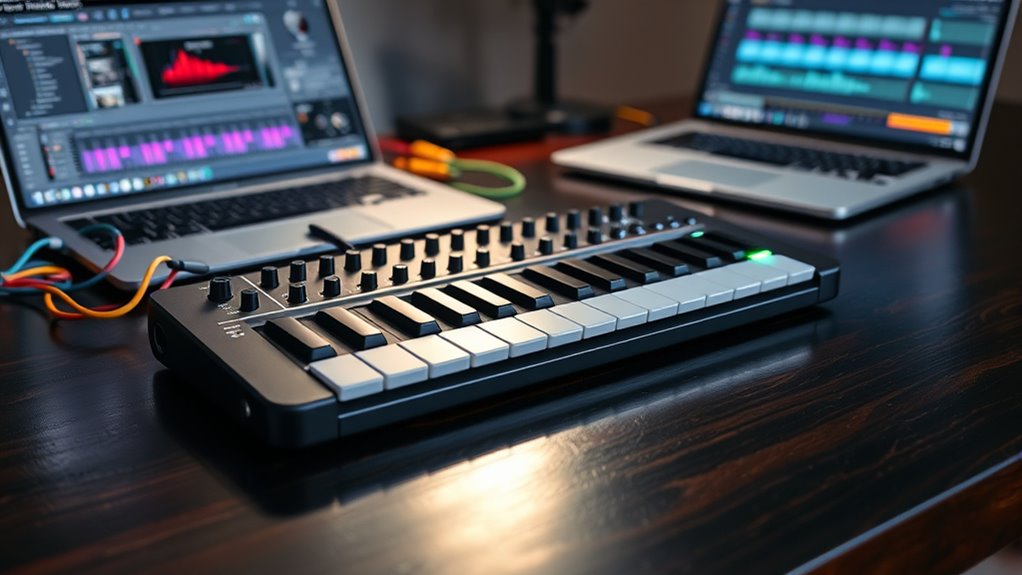

A MIDI keyboard controller lets you play and control virtual instruments, but the right choice depends on whether you value more keys, portable size, or hands-on controls. My best overall pick is the Arturia MiniLab 37, which balances a larger mini-key layout with useful controls for production. The Akai MPK Mini IV is a strong compact alternative, while the M-AUDIO Keystation 49 MK3 suits players who prioritize a wider keyboard range. The main tradeoffs are key feel and range versus portability, plus whether extra pads and knobs suit your workflow. Read on for how the 12 options compare and which one fits your setup.

Get business pricing on monitors, keyboards and dev gear
- Business-only prices and quantity discounts
- Tax-exempt purchasing
- Multiple users, one account, clear invoices
Key Takeaways
- Arturia MiniLab 37 is the most balanced pick here: its 37-key format offers more playing room than 25-key controllers without taking up the space of a 49-key model.
- M-AUDIO Keystation 49 MK3 stands apart for players who need a wider range of keys; its simpler control layout is a tradeoff for that extra playing span.
- Two listings are different finishes of the Akai MPK Mini IV, so buyers should choose between black and white rather than treating them as separate feature tiers.
- The roundup’s compact options serve different needs: the Akai LPK25 and Arturia MicroLab Mk3 favor portability, while the Donner N-25 adds learning-oriented extras.
- Bluetooth on the DaierTek 25-key may appeal to cable-light setups, but connectivity and control compatibility deserve more checking than a standard USB connection.
| Donner N-25 Mini MIDI Keyboard Controller, 25 Keys, Velocity-Sensitive, Light-Up Buttons, Compatible with Mac, Windows, iOS, Android, Includes Software and 40 Teaching Courses |  | Best for Beginners | Keys: 25 velocity-sensitive keys | Connection: USB | Supported platforms: Android, Mac, Windows, iOS | VIEW ON AMAZON | See Our Full Breakdown |
| Akai Professional MPK Mini Plus 37-Key USB MIDI Keyboard Controller |  | Best for Standalone-Style Studio and Hardware Setups | Keys: 37 mini keys | Connection: USB | Additional connections: MIDI I/O and CV/Gate | VIEW ON AMAZON | See Our Full Breakdown |
| Akai Professional LPK25 25-Key USB MIDI Keyboard Controller |  | Best for Simple, Portable Note Entry | Keys: 25 | Power and connection: USB | Arpeggiator: Built in | VIEW ON AMAZON | See Our Full Breakdown |
| 25-Key MIDI Keyboard Controller Portable USB MIDI Controller with Arpeggiator, Velocity Sensitive Keys, Beat Maker for Beginners |  | Best for USB-C Portability | Keys: 25 velocity-sensitive keys | Connection: USB Type-C | Supported platforms: Windows, iOS | VIEW ON AMAZON | See Our Full Breakdown |
| Akai Professional MPK Mini IV 25-Key USB-C MIDI Keyboard Controller, Black |  | Best Feature-Rich 25-Key Controller | Keys: 25 velocity-sensitive keys | Connection: USB-C | Supported platforms: Mac, Windows | VIEW ON AMAZON | See Our Full Breakdown |
| DaierTek 25-Key Portable MIDI Keyboard Controller with Bluetooth & USB, Backlit Drum Pads, Knobs, and Music Software |  | Best for Wireless Mobile Setups | Keys: 25 velocity-sensitive keys | Connectivity: Bluetooth and USB | Controls: Backlit drum pads and assignable knobs | VIEW ON AMAZON | See Our Full Breakdown |
| M-AUDIO Keystation 49 MK3 USB MIDI Controller |  | Best for Pianists and Two-Handed Parts | Keys: 49 full-size velocity-sensitive keys | Connectivity: USB; iOS support via Apple to USB Camera Adapter | Additional controls: Volume fader, transport buttons, pitch and modulation wheels, octave buttons | VIEW ON AMAZON | See Our Full Breakdown |
| M-AUDIO Keystation Mini 32 MK3 USB MIDI Controller |  | Best Lightweight USB Pick | Keys: 32 velocity-sensitive keys | Connectivity: USB | Dimensions: 4.2 × 16.44 × 0.72 inches | VIEW ON AMAZON | See Our Full Breakdown |
| Akai Professional MPK Mini IV 25-Key USB-C MIDI Keyboard Controller, White |  | Best for Pad-Based Beat-Making | Keys: 25 velocity-sensitive keys | Connectivity: USB | Pads and controls: RGB MPC pads and 8 assignable knobs | VIEW ON AMAZON | See Our Full Breakdown |
| Arturia MiniLab 37 MIDI Keyboard Controller |  | Best Compact Choice for More Playing Range | Keys: 37 | Connectivity: USB Type-C | Controls: DAW-integrated pads and faders | VIEW ON AMAZON | See Our Full Breakdown |
| Arturia MicroLab Mk3 Universal MIDI Controller, White |  | Best for Portable Keyboard Playing | Keys: 25 velocity-sensitive keys | Connection: USB-C | Controls: Buttons and touch strips | VIEW ON AMAZON | See Our Full Breakdown |
| Akai Professional MPK Mini MK3 25-Key USB MIDI Keyboard Controller |  | Best for Beat-Making Controls | Keys: 25 velocity-sensitive keys | Connection: USB; one USB port | Drum pads: MPC-style touch-sensitive pads | VIEW ON AMAZON | See Our Full Breakdown |
| midi keyboard controller | Keys | Connection | Controls |
|---|---|---|---|
| Donner N-25 Mini MIDI Keyboard | 25 velocity-sensitive keys | USB | Light-up buttons; programmable controls |
| Akai Professional MPK Mini Plu | 37 mini keys | USB | — |
| Akai Professional LPK25 25-Key | 25 | — | — |
| 25-Key MIDI Keyboard Controlle | 25 velocity-sensitive keys | USB Type-C | Buttons and keyboard |
| Akai Professional MPK Mini IV | 25 velocity-sensitive keys | USB-C | — |
| DaierTek 25-Key Portable MIDI | 25 velocity-sensitive keys | — | Backlit drum pads and assignable knobs |
| M-AUDIO Keystation 49 MK3 USB | 49 full-size velocity-sensitive keys | — | — |
| M-AUDIO Keystation Mini 32 MK3 | 32 velocity-sensitive keys | — | Customizable key response and octave controls |
| Akai Professional MPK Mini IV | 25 velocity-sensitive keys | — | — |
| Arturia MiniLab 37 MIDI Keyboa | 37 | — | DAW-integrated pads and faders |
| Arturia MicroLab Mk3 Universal | 25 velocity-sensitive keys | USB-C | Buttons and touch strips |
| Akai Professional MPK Mini MK3 | 25 velocity-sensitive keys | USB; one USB port | — |
More Details on Our Top Picks
Donner N-25 Mini MIDI Keyboard Controller, 25 Keys, Velocity-Sensitive, Light-Up Buttons, Compatible with Mac, Windows, iOS, Android, Includes Software and 40 Teaching Courses
The Donner N-25 is the most beginner-oriented pick here: its 25 velocity-sensitive keys keep the layout simple, while the included 40 teaching courses give new players a starting point beyond just connecting a controller to a DAW. Light-up buttons and support for computers, phones, and tablets make it approachable for a compact home setup. Compared with the Akai LPK25, Donner offers broader stated device compatibility and learning material, while the LPK25 adds an arpeggiator and programmable presets. The tradeoff is the N-25’s limited two-octave range, which can constrain parts that need both hands or a wider span. It also has no built-in sounds or speakers, so it depends on connected software for audio.
Pros:- Velocity-sensitive keys support more expressive note input than fixed-response keys.
- Compact, lightweight design suits small desks and portable setups.
- Works with Mac, Windows, iOS, and Android devices.
- Includes 40 teaching courses aimed at helping beginners get started.
Cons:- The 25-key range limits two-handed playing and parts spanning several octaves.
- No built-in speakers or sound engine; audio depends on connected software.
- Software setup may take extra effort for first-time users.
Best for: New producers or keyboard learners who want a small USB controller, cross-device compatibility, and included introductory lessons.
Not ideal for: Players who need a wider keyboard range, built-in sounds, or a ready-to-play setup without a computer or mobile device.
- Keys:25 velocity-sensitive keys
- Connection:USB
- Supported platforms:Android, Mac, Windows, iOS
- Supported devices:Laptop, PC, smartphone, tablet
- Compatible software:Ableton Live, Logic Pro, Pro Tools, Studio One, and more
- Controls:Light-up buttons; programmable controls
- Included learning material:40 teaching courses
Our verdict“Choose the Donner N-25 if you are learning keyboard or production and want a portable controller with lessons and broad device support.”
Akai Professional MPK Mini Plus 37-Key USB MIDI Keyboard Controller
The Akai MPK Mini Plus earns its place through connections and performance options that go beyond a basic portable keyboard. Its 37 mini keys provide more melodic room than the 25-key Donner N-25 or Akai LPK25, while RGB MPC pads, an arpeggiator, MIDI I/O, and CV/Gate support make it a stronger fit for producers combining a DAW with external gear. MPC Beats software and NKS integration add useful production and sound-library control. That flexibility comes with a steeper learning curve: buyers who only need simple note entry may find its controls excessive. The keys are still mini-sized, and the stated product information lists USB, CV/Gate, and MIDI I/O but not a detailed display for editing parameters.
Pros:- 37 keys give more playing range than the 25-key controllers in this group.
- MIDI I/O and CV/Gate support suit setups with external instruments and modular gear.
- RGB MPC pads, arpeggiator, and velocity-sensitive keys broaden performance options.
- Includes MPC Beats software and supports NKS integration.
Cons:- Mini keys may feel cramped for players accustomed to full-size keyboards.
- The expanded controls and connectivity can be unnecessary or confusing for basic use.
- Still a compact range compared with a 49-key controller such as the M-AUDIO Keystation 49 MK3.
Best for: DAW producers and live performers who want more than two octaves, drum pads, and connections for external MIDI or CV/Gate gear.
Not ideal for: Beginners seeking a straightforward, low-complexity note-entry keyboard, or players who require full-size keys and a wider range.
- Keys:37 mini keys
- Connection:USB
- Additional connections:MIDI I/O and CV/Gate
- Performance controls:RGB MPC pads and built-in arpeggiator
- Key response:Velocity-sensitive
- Supported platforms:Mac, Windows
- Included software:MPC Beats
- Software integration:NKS integration
Our verdict“Pick the MPK Mini Plus if you want a compact controller with wider range and hardware-friendly connections, rather than the simpler controls of a 25-key model.”
Akai Professional LPK25 25-Key USB MIDI Keyboard Controller
The Akai LPK25 suits buyers who want a small controller with useful playing functions but no extra pad-and-knob workstation layout. Its built-in arpeggiator, octave controls, sustain button, and programmable presets offer more hands-on utility than a bare 25-key keyboard. Compared with the Donner N-25, the LPK25 emphasizes quick musical control rather than included lessons or broad mobile-platform support; compared with the Akai MPK Mini Plus, it is simpler but gives up pads, additional connections, and 12 keys. The main caution is key-response information: the supplied product data does not confirm velocity sensitivity, so buyers who rely on expressive dynamics should verify that detail before choosing it. Its two-octave span also limits larger parts.
Pros:- Compact design is easy to carry between a desk, studio, and rehearsal space.
- Built-in arpeggiator adds rhythmic ideas without requiring a separate controller.
- Octave controls and sustain button provide practical tools for a small key count.
- Programmable presets and compatibility with common Mac and PC DAWs support varied workflows.
Cons:- Only 25 keys are available, limiting range for fuller performances.
- The supplied specifications do not confirm velocity sensitivity.
- USB connection ties placement and operation to a connected computer or compatible setup.
Best for: Songwriters and producers who need a lightweight USB keyboard for sketching melodies, triggering arpeggios, and entering notes in a computer DAW.
Not ideal for: Players who need a confirmed velocity-sensitive keybed, mobile-device compatibility, drum pads, or enough keys for broad two-handed parts.
- Keys:25
- Power and connection:USB
- Arpeggiator:Built in
- Preset control:Programmable presets
- Playing controls:Octave controls and sustain button
- Compatibility:Mac and PC
- Listed software compatibility:GarageBand, Logic, Ableton Live, Pro Tools, FL Studio, and more
Our verdict“Choose the LPK25 for compact computer-based note entry and arpeggiator control, but look elsewhere if velocity response or pads are a priority.”
25-Key MIDI Keyboard Controller Portable USB MIDI Controller with Arpeggiator, Velocity Sensitive Keys, Beat Maker for Beginners
This Rhymo 25-key controller is a practical pick for a mobile setup centered on USB-C. Velocity-sensitive keys, an arpeggiator, and transpose controls cover core performance needs while keeping the unit compact. Compared with the Donner N-25, Rhymo lists USB-C and hands-on performance controls, while Donner has clearer support for Android and a bundle of 40 teaching courses. The Akai LPK25 offers another compact alternative with programmable presets and octave controls, though its supplied data does not confirm velocity sensitivity. Rhymo’s shortcoming is that it remains a basic controller: it has no built-in sounds or speakers, and the 25-key layout restricts wider parts. Its listed software support also centers on selected DAWs, so buyers should check compatibility with their own setup.
Pros:- USB-C connection suits compatible modern devices and portable setups.
- Velocity-sensitive keys allow variation in note dynamics.
- Arpeggiator and transpose controls add useful performance options.
- Compact, lightweight design is easy to carry.
Cons:- The 25-key range is limiting for two-handed playing and wide parts.
- No built-in sounds or speakers; a device and music software are required for audio.
- Listed DAW compatibility is narrower than the broad compatibility stated for the Donner N-25.
Best for: Laptop or tablet producers who want a compact USB-C controller with velocity response and an arpeggiator for sketching ideas on the go.
Not ideal for: Players needing a wide key range, built-in audio, a bundled learning program, or confirmed compatibility with software outside the listed DAWs.
- Keys:25 velocity-sensitive keys
- Connection:USB Type-C
- Supported platforms:Windows, iOS
- Compatible devices:Laptop, PC, tablet, iOS devices
- Listed software:FL Studio, GarageBand, Ableton Live
- Performance features:Arpeggiator and transpose controls
- Controls:Buttons and keyboard
Our verdict“Choose Rhymo if USB-C portability and basic expressive controls matter more than a larger keyboard or included learning resources.”
Akai Professional MPK Mini IV 25-Key USB-C MIDI Keyboard Controller, Black
The Akai MPK Mini IV packs performance controls into the same two-octave footprint as the Donner N-25, making it a better match for producers who want pads and hands-on sound control without moving up to a larger keyboard. Its RGB MPC pads, velocity-sensitive keys, arpeggiator, display, and USB-C connection support compact studio or mobile workflows; the listed software bundle also includes sounds and templates. Compared with the 37-key MPK Mini Plus, the Mini IV is easier to fit into a small setup but gives up 12 keys and the Plus model’s CV/Gate and MIDI I/O. It is not a complete instrument on its own: full use depends on compatible DAW software, and its short key range remains a limit for broader performances.
Pros:- RGB MPC pads add drum and clip-triggering options beyond note entry.
- Velocity-sensitive keys and a built-in arpeggiator support expressive performance.
- USB-C connection and compact design suit portable production setups.
- Includes a software bundle with sounds and templates.
Cons:- The 25-key range limits melodic and two-handed playing.
- Full functionality depends on compatible DAW software.
- Offers less range and fewer stated hardware connections than the MPK Mini Plus.
Best for: Producers with limited desk or travel space who want drum pads, an arpeggiator, and real-time controls alongside a compact keyboard.
Not ideal for: Keyboardists who need more than 25 keys, standalone sounds, or the external MIDI and CV/Gate connections listed for the MPK Mini Plus.
- Keys:25 velocity-sensitive keys
- Connection:USB-C
- Supported platforms:Mac, Windows
- Performance controls:RGB MPC pads and built-in arpeggiator
- Additional controls:Digital display, programmable controls, integrated effect
- Software compatibility:DAWs compatible with Windows or Mac OS
- Included software:Software bundle with sounds and templates
Our verdict“Choose the MPK Mini IV if you want a pad-equipped, USB-C 25-key controller for compact production and can accept its limited range and software dependence.”
DaierTek 25-Key Portable MIDI Keyboard Controller with Bluetooth & USB, Backlit Drum Pads, Knobs, and Music Software
The DaierTek is the pick here for a setup where a cable is inconvenient: Bluetooth connectivity and a built-in battery give it more placement freedom than the USB-only M-AUDIO Keystation Mini 32 MK3. Its 25 velocity-sensitive keys suit short parts and beat-making, while backlit drum pads and assignable knobs add hands-on control without reaching for a mouse. Compatibility spans Windows, Mac, iOS, and Android, with support for several familiar DAWs. The tradeoff is the same one that affects most 25-key controllers: it is less comfortable for two-handed parts than the Arturia MiniLab 37. Bluetooth setup may also take extra configuration, and the keyboard needs a DAW or other music software to produce sound. Choose it for portable wireless control, not as a substitute for a larger playing range.
Pros:- Bluetooth and USB connectivity allow flexible wired or wireless use.
- Built-in 2,000 mAh battery is listed for approximately 16 hours of use.
- Backlit drum pads and assignable knobs provide extra hands-on control.
- Supports Android, iOS, and Windows, plus several popular DAWs.
Cons:- The 25-key range limits comfortable two-handed playing.
- Bluetooth pairing and setup may be less straightforward than USB-only controllers.
- Requires music software or a DAW to generate sound.
Best for: Mobile producers who want to sketch parts and trigger drum sounds on a phone, tablet, or computer without relying on a USB cable.
Not ideal for: Pianists who regularly play two-handed passages or users who want a straightforward wired setup with minimal connection configuration.
- Keys:25 velocity-sensitive keys
- Connectivity:Bluetooth and USB
- Controls:Backlit drum pads and assignable knobs
- Supported software:Ableton Live, FL Studio, Cubase, GarageBand
- Platform compatibility:Android, Windows, iOS
- Battery:Built-in 2,000 mAh battery; approximately 16 hours of use
Our verdict“Choose the DaierTek if wireless portability and built-in beat controls matter more than a wider keyboard range.”
M-AUDIO Keystation 49 MK3 USB MIDI Controller
The Keystation 49 MK3 earns its place by giving players more room than compact controllers such as the Akai Professional MPK Mini IV. Its 49 full-size velocity-sensitive keys make melodies, bass notes, and simple two-handed parts easier to reach without constant octave switching. Pitch and modulation wheels, octave buttons, a volume fader, transport controls, and a sustain-pedal input make it a practical keyboard-first controller for composing and performance. USB plug-and-play support keeps the setup simple on Mac or PC, and the included software offers several starting points. The compromise is portability: compared with the 32-key M-AUDIO Keystation Mini 32 MK3, this is a larger choice to carry and store. It also lacks built-in drum pads, and expressive sustain requires a separate pedal.
Pros:- Full-size, velocity-sensitive keys provide a familiar playing feel and wider range than 25-key models.
- Pitch and modulation wheels support expressive performance.
- Transport buttons, a volume fader, and octave controls put common actions on the keyboard.
- USB connection and included software support a direct start on Mac or PC.
Cons:- Larger than the 32- and 25-key alternatives, so it is less convenient to carry.
- A sustain pedal is not included, despite the pedal input.
- No built-in drum pads for finger-drumming or pad-based workflows.
Best for: Songwriters and keyboard players who want full-size keys and enough range for basic two-handed parts in a computer-based setup.
Not ideal for: Beat-makers seeking integrated pads and knobs, or mobile producers who prioritize a small, lightweight controller.
- Keys:49 full-size velocity-sensitive keys
- Connectivity:USB; iOS support via Apple to USB Camera Adapter
- Additional controls:Volume fader, transport buttons, pitch and modulation wheels, octave buttons
- Pedal input:Sustain pedal input
- Included software:MPC Beats, Ableton Live Lite, Velvet, XPand2, Mini Grand, Touch Loops
- Computer compatibility:Mac and PC
Our verdict“Pick the Keystation 49 MK3 if playing range and full-size keys matter more than compact dimensions or integrated pads.”
M-AUDIO Keystation Mini 32 MK3 USB MIDI Controller
The Keystation Mini 32 MK3 keeps the job simple: it supplies 32 velocity-sensitive keys in a lightweight USB design, without the pads, wireless pairing, and deeper controls found on the DaierTek or Akai Professional MPK Mini IV. That makes it a sensible fit for entering melodies and chords at a desk or packing a basic controller for travel. Octave controls and customizable key response cover useful adjustments, while bundled MPC Beats and lessons give new users a place to start. Its 32 keys offer a little more range than a 25-key board, but this remains a compact controller rather than a substitute for the 49-key M-AUDIO Keystation 49 MK3. The pared-back layout also means fewer performance controls, and a USB connection is required for operation.
Pros:- Lightweight 454 g body is easy to carry and store.
- 32 velocity-sensitive keys provide more range than a 25-key controller.
- Octave controls and customizable response support basic playing adjustments.
- Includes MPC Beats and educational lessons for getting started.
Cons:- USB is required, so it does not offer the DaierTek’s Bluetooth flexibility.
- Basic control set lacks drum pads and assignable knobs.
- The 32-key range still limits extended two-handed parts.
Best for: Beginning producers and traveling musicians who want a lightweight, no-frills keyboard for notes, chords, and DAW input.
Not ideal for: Performers who need built-in pads, knobs, wireless operation, or a wider key range for extended two-handed playing.
- Keys:32 velocity-sensitive keys
- Connectivity:USB
- Dimensions:4.2 × 16.44 × 0.72 inches
- Weight:454 g
- Controls:Customizable key response and octave controls
- Supported systems:Mac and Windows
- Software:MPC Beats; compatible with DAWs for Windows and Mac
Our verdict“Choose this M-AUDIO if you want a lightweight, straightforward USB keyboard and can do without pads or wireless control.”
Akai Professional MPK Mini IV 25-Key USB-C MIDI Keyboard Controller, White
The MPK Mini IV is the most control-dense 25-key option in this group. Its RGB MPC pads, eight assignable knobs, built-in arpeggiator, and digital display give beat-makers more ways to shape a performance than the simpler M-AUDIO Keystation Mini 32 MK3. Pre-mapped DAW controls and a virtual instrument collection also make it appealing to producers who want a compact centerpiece rather than just a note-entry keyboard. That extra control comes at a cost in simplicity: beginners may need time to learn the layout, and its 25 keys provide less playing range than the 37-key Arturia MiniLab 37. USB keeps the connection direct, but the supplied information lists no battery, so this is best treated as a computer-connected controller rather than a wireless mobile instrument.
Pros:- RGB MPC pads support hands-on beat triggering and performance.
- Eight assignable knobs offer extensive software control in a compact layout.
- Built-in arpeggiator and digital display add performance and editing options.
- Includes a virtual instrument collection and DAW integration.
Cons:- The 25-key range is restrictive for extended melodies and two-handed playing.
- Its many controls may take time for beginners to learn.
- USB connection means it is not a battery-powered wireless option like the DaierTek.
Best for: Beat-makers and electronic producers who want assignable controls, MPC-style pads, and an arpeggiator in a compact DAW controller.
Not ideal for: Pianists who need more than 25 keys, or beginners who prefer a minimal layout with fewer controls to learn.
- Keys:25 velocity-sensitive keys
- Connectivity:USB
- Pads and controls:RGB MPC pads and 8 assignable knobs
- Performance features:Built-in arpeggiator
- Display:Digital display
- Software compatibility:DAWs compatible with Windows and Mac OS
- Color:White
Our verdict“Pick the MPK Mini IV if pad performance and assignable controls matter more than key range or a beginner-simple layout.”
Arturia MiniLab 37 MIDI Keyboard Controller
The MiniLab 37 fills the gap between tiny beat-making boards and larger keyboard controllers: its 37 keys offer more room for melodies and chord work than the DaierTek or MPK Mini IV, while keeping the body suited to space-conscious studios. DAW-integrated pads and faders, a mini display, an arpeggiator, and Chord mode give it a broader creative toolkit than the simpler M-AUDIO Keystation Mini 32 MK3. That combination makes it a strong choice for producers who want a compact controller that can handle more than short note input. The limits are real: 37 keys still fall short of the Keystation 49 MK3 for pianists seeking a wider range, and its USB Type-C connection may call for an adapter in some setups. The small display is useful for quick feedback, not detailed editing.
Pros:- 37 keys give more playing range than the compact 25- and 32-key alternatives.
- DAW-integrated pads and faders keep common controls close at hand.
- Arpeggiator and Chord mode support quick musical ideas.
- Lightweight 1.17 kg design suits mobile and small-studio setups.
Cons:- Still has fewer keys than the 49-key Keystation for wider-range playing.
- USB Type-C may require an adapter with some computers or accessories.
- Mini display offers limited detail compared with a full-size screen.
Best for: Space-conscious producers who want more than 25 or 32 keys alongside integrated DAW controls and creative performance modes.
Not ideal for: Pianists who need a full-size playing range, or users whose computer setup lacks USB Type-C and who do not want to use an adapter.
- Keys:37
- Connectivity:USB Type-C
- Controls:DAW-integrated pads and faders
- Display:Real-time mini display
- Performance features:Arpeggiator and Chord mode
- Dimensions:20.98 × 7 × 3.11 inches
- Weight:1.17 kg
- Platform compatibility:Mac OS X and Windows
Our verdict“Choose the MiniLab 37 if you need a compact controller with useful extra range and performance tools, but do not need 49 keys.”
Arturia MicroLab Mk3 Universal MIDI Controller, White
The MicroLab Mk3 suits players who want a small, straightforward keyboard for sketching ideas on a laptop. Its 25 velocity-sensitive slim keys keep the footprint light, while touch strips and dedicated buttons provide basic control without adding a bank of knobs and pads to learn. Compared with the Akai Professional MPK Mini MK3, this Arturia puts more emphasis on a compact playing surface and quick software access than on beat-making controls. The listed bundle includes 500 presets and supports Ableton Live, which can help new users get started with sounds quickly. The tradeoff is limited range: two octaves can constrain fuller performances, and its simpler controls offer less hands-on customization than the Akai. There is also no built-in display for editing or browsing.
Pros:- Compact, lightweight design fits mobile setups and crowded desks.
- Velocity-sensitive slim keys support expressive performance in a small footprint.
- Touch strips and dedicated buttons provide direct basic control.
- USB-C connectivity and included software support a quick start with compatible computers.
Cons:- The 25-key range can limit two-handed playing and complex compositions.
- Basic controls provide less hands-on customization than the Akai MPK Mini MK3.
- No built-in display or extensive editing controls.
Best for: Laptop-based songwriters and beginner producers who prioritize a light, uncluttered keyboard for travel or a small desk.
Not ideal for: Beat-makers who want drum pads and multiple assignable knobs, or keyboard players who need more than two octaves for broader parts.
- Keys:25 velocity-sensitive keys
- Connection:USB-C
- Controls:Buttons and touch strips
- Compatible platforms:Mac, Windows 10, Windows 11
- Supported software:Ableton Live
- Compatible devices:Laptop, PC
- Included software content:500 presets
Our verdict“Choose the MicroLab Mk3 for portable keyboard playing and a simple control layout; pick the Akai MPK Mini MK3 if pads and deeper control matter more.”
Akai Professional MPK Mini MK3 25-Key USB MIDI Keyboard Controller
The Akai MPK Mini MK3 is the stronger fit for producers who want to tap out rhythms and shape a session without reaching for a separate controller. Alongside its 25 velocity-sensitive keys, it adds MPC-style drum pads, knobs, programmable controls, and a built-in arpeggiator. Those tools give it a broader beat-making role than the Arturia MicroLab Mk3, which is more focused on compact keyboard playing and simpler touch-strip control. Native software integration and the included starter kit also make the Akai a useful entry point for a laptop-based production setup. Its main compromise is the same short two-octave range found on the Arturia, while customizing controls requires software setup. The plastic body keeps the unit portable, but there is no display for direct editing.
Pros:- MPC-style velocity-sensitive pads support hands-on rhythm programming.
- Knobs, programmable controls, and an arpeggiator offer more production control than the MicroLab Mk3.
- USB-powered design is convenient for portable computer-based setups.
- Includes a starter kit with sounds and virtual instruments.
Cons:- The 25-key range can feel restrictive for extended melodies or two-handed parts.
- Full control customization requires software setup.
- No built-in display for editing or browsing.
Best for: Traveling producers and beat-makers who want keys, drum pads, knobs, and an arpeggiator in one compact controller.
Not ideal for: Players who need a wider keyboard for full-range parts, or beginners who want customization without configuring software.
- Keys:25 velocity-sensitive keys
- Connection:USB; one USB port
- Drum pads:MPC-style touch-sensitive pads
- Additional controls:Knobs and programmable controls
- Arpeggiator:Built in
- Supported software:DAWs compatible with Windows or Mac OS
- Material:Plastic
- Included software:Starter kit with sounds and virtual instruments
Our verdict“Choose the MPK Mini MK3 if you want an all-in-one portable beat-making surface; choose the MicroLab Mk3 for a simpler, keyboard-first layout.”

How We Picked
I ranked these controllers by how well their key count, control layout, portability, and connection options match common music-making setups. A useful controller should make playing and editing feel direct, work sensibly with a computer or mobile device, and offer a form factor that suits the space it will occupy. I also weighed practical differences such as a 25-key versus 37- or 49-key range, extra pads and knobs, and whether a model emphasizes learning or basic note input.
The order favors balanced utility over the longest feature list. The MiniLab 37 leads because it offers a middle ground between compact controllers and the wider Keystation 49, while the MPK Mini IV is a stronger fit for people who need a smaller pad-and-knob workflow. Simpler and more specialized models rank lower for general use, not because they cannot serve their intended purpose, but because their narrower role makes them less versatile for a broad range of buyers. The black and white MPK Mini IV listings are treated as one model with two finish options.
| midi keyboard controller | Connection | Controls |
|---|---|---|
| Donner N-25 Mini MIDI Keyboard | USB | Light-up buttons; programmable controls |
| Akai Professional MPK Mini Plu | USB | — |
| Akai Professional LPK25 25-Key | — | — |
| 25-Key MIDI Keyboard Controlle | USB Type-C | Buttons and keyboard |
| Akai Professional MPK Mini IV | USB-C | — |
| DaierTek 25-Key Portable MIDI | — | Backlit drum pads and assignable knobs |
| M-AUDIO Keystation 49 MK3 USB | — | — |
| M-AUDIO Keystation Mini 32 MK3 | — | Customizable key response and octave controls |
| Akai Professional MPK Mini IV | — | — |
| Arturia MiniLab 37 MIDI Keyboa | — | DAW-integrated pads and faders |
| Arturia MicroLab Mk3 Universal | USB-C | Buttons and touch strips |
| Akai Professional MPK Mini MK3 | USB; one USB port | — |
Factors to Consider When Choosing Midi Keyboard Controller
Before choosing a controller, I would match it to the way you actually play and produce rather than buying by feature count. These factors can help you avoid paying for controls you will not use or choosing a compact keybed that feels restrictive once your projects grow.
Choose Key Count Around Your Playing Style
Key count affects how comfortably you can play two-handed parts, span chords, and move between registers without using octave buttons. A 25-key controller is easy to fit on a desk, but it can feel cramped for piano-style arrangements or live parts with wide pitch movement. A 37-key model gives more room while staying compact, and a 49-key controller is a better match when keyboard range matters more than desk space. Do not assume a larger key count automatically means better playability: key size and action also shape how it feels to perform. If you mostly enter short bass lines, melodies, and chords, compact keys may be enough. If you plan to practice piano technique, favor a wider controller and check its key size before buying.
Decide Whether You Need Pads, Knobs, or Neither
Extra controls are useful only when they make a repeated task easier. Drum pads can help trigger beats and samples, while knobs can map to software instruments or mixer parameters; both can keep your hands away from a mouse. They also add setup work, since controls may need mapping and their functions can vary between music programs. A controller with fewer controls can be the better choice if you mainly want to play notes or have limited desk space. Before choosing, list the actions you perform most often and check whether the included controls serve those actions. A feature-heavy layout is not a substitute for software compatibility or a workflow you enjoy.
Check Key Feel, Not Just the Key Count
Mini keys save space, but their smaller playing surface can feel less natural if you are used to a full-size piano keyboard. Velocity sensitivity matters too: it lets playing force influence the sound, which can make parts feel more expressive than fixed-velocity input. Key action varies across compact controllers, so a specification sheet may not tell you whether the response suits your hands. Buyers who mainly program notes with a mouse may care less about key feel than players who perform parts in real time. If possible, compare the key dimensions and action with a keyboard you already know. Prioritize playing comfort over a long list of included software.
Treat Connectivity as a Compatibility Check
USB is a straightforward choice for many computer-based setups, while wireless connections can reduce cable clutter for compatible devices. Wireless support does not guarantee that every phone, tablet, or music application will work smoothly with a given controller. Check the operating-system and software requirements, then confirm whether the connection is wired, wireless, or dependent on an adapter. Mobile users should also account for power, hubs, and device ports before assuming a controller is ready to use. For a fixed desktop studio, dependable wired operation may be more useful than wireless flexibility. Choose connectivity around your actual devices rather than treating it as a bonus feature.
Pay for a Range You Will Use
Moving up to a wider or more feature-rich controller makes sense when it solves a recurring limitation, such as running out of keys or needing direct control of software instruments. It is less compelling if your music-making mostly involves short patterns and note entry. A smaller controller can be a sensible long-term tool for a laptop setup, not just a temporary starter choice. On the other hand, a basic controller may become frustrating if you routinely perform parts that need more range or control. Think about the tasks you expect to repeat in the next year, not only your first project. That approach helps separate useful headroom from features that will sit idle.
Look Beyond the Included Software
Bundled instruments, lessons, or production tools can help a new user get started, but they should not determine the purchase on their own. Software offers may have platform limits, registration steps, or different levels of ongoing support. Check whether the controller works with the music program you already use and whether its controls can be assigned there. Learning extras can be useful if you are new to keyboard playing, while an experienced producer may get more value from a layout that fits an established workflow. Also consider the physical build and whether the controller will travel or stay on a desk. A good match for your routine matters more than a large bundle of unfamiliar tools.
Frequently Asked Questions
Is a 25-key MIDI controller enough for making full songs?
Yes, a 25-key controller can handle melodies, bass lines, chords, and short performance parts, especially when you use octave controls or enter notes in a piano roll. It may feel limiting when playing two-handed arrangements or parts that span several registers. For a compact production desk, the smaller range can be a sensible space-saving choice. If you regularly perform piano-style parts, a 37- or 49-key model gives you more room before you need to change octaves. Choose based on how you play, not on the assumption that every song needs a large keyboard.
Should I choose a controller with drum pads if I already have a mouse?
Pads are most useful when you want to trigger drums, samples, or clips by hand and prefer a performance-oriented workflow. A mouse can handle those tasks, but it may feel slower when you are building rhythms or trying variations in real time. Pads do not automatically improve a setup; their value depends on whether you will use them often and whether your software maps them conveniently. If your main goal is playing keyboard parts, a simpler controller may be easier to use and take up less room. Consider pads a workflow preference, not a requirement for producing music.
Will a MIDI keyboard controller work with my phone or tablet?
Some controllers can connect to mobile devices, but support depends on the controller, device ports, operating system, app, and any required adapter or hub. A USB connection may need an adapter, and some setups also require a powered hub. Wireless connectivity can reduce cables, but it still needs to be supported by both the controller and the app. Check the manufacturer’s compatibility information for your exact device before choosing. If mobile use is central to your setup, treat connection support as a requirement rather than an assumed feature.
Do I need a 49-key controller if I want to learn piano?
A 49-key controller offers more room than a 25-key model and can make basic two-handed practice less cramped. However, MIDI controllers vary in key size and action, so a wider range alone does not make one equivalent to a piano or a dedicated digital piano. If learning piano technique is your main goal, pay attention to full-size keys and the feel of the action, as well as the number of keys. If you mainly want to learn melodies and use software instruments, a smaller controller may still meet your needs. Decide whether you want a production tool, a practice instrument, or a mix of both.
Are the black and white Akai MPK Mini IV listings different models?
The roundup lists the black and white versions of the Akai MPK Mini IV as separate product entries, but the listed model name and core specifications are the same. The distinction shown is the finish, not a different key count or feature tier. Check the specific listing for any package details or regional differences before choosing. If you are comparing functionality, compare the MPK Mini IV with other models such as the MPK Mini MK3 or the MiniLab 37 instead. Pick the color that suits your setup once you have confirmed the listing matches your needs.
Conclusion
For most producers seeking a balance of key range and desk-friendly size, I recommend the Arturia MiniLab 37 as best overall. The M-AUDIO Keystation 49 MK3 is my pick for value if a wider playing range matters more than onboard pads and knobs, while the Akai MPK Mini IV is the best compact, feature-focused option. Beginners who want learning-oriented extras can look at the Donner N-25, and buyers who need a particularly small controller should compare the Akai LPK25 with the Arturia MicroLab Mk3. For a wireless-oriented setup, the DaierTek is a specific alternative, but check device and app compatibility before committing. Choose by the parts you play and the controls you will use, not by the longest feature list.