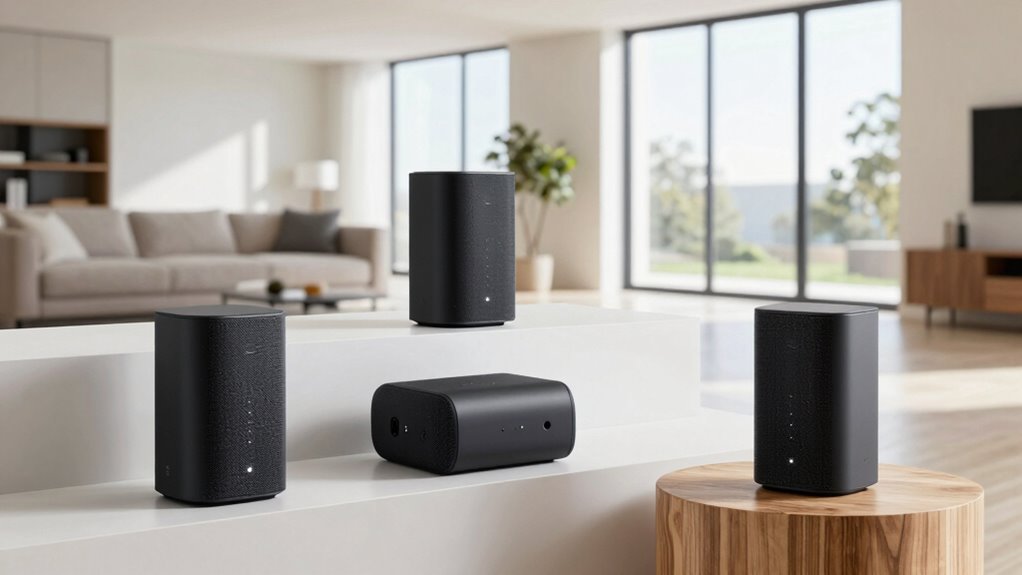

For most large homes, I would start with the NETGEAR Orbi 770 Series for its Wi-Fi 7 performance and three-unit setup; the TP-Link Deco X55 Pro is a more measured Wi-Fi 6 choice, while the NETGEAR Orbi 970 targets homes that need a premium, high-capacity network. The right mesh system depends on more than the advertised coverage: floor plan, wall materials, backhaul, wired ports, and the number of busy devices all affect real results. Paying more can bring newer standards and greater capacity, but it does not automatically solve poor satellite placement or a weak internet connection. I compare all 15 options by performance class, practical fit, usability, and tradeoffs. Read on for the full breakdown and guidance on matching a system to your home.

Get business pricing on monitors, keyboards and dev gear
- Business-only prices and quantity discounts
- Tax-exempt purchasing
- Multiple users, one account, clear invoices
Key Takeaways
- The Orbi 770 is my best overall balance: it brings Wi-Fi 7 to a three-unit large-home kit without going to the most specialized, high-end Orbi systems.
- Orbi 970 kits sit at the premium end: choose one when capacity and advanced Wi-Fi 7 hardware matter more than keeping the network straightforward or avoiding excess capability.
- TP-Link’s Deco X55 and X55 Pro make practical Wi-Fi 6 alternatives: they can suit households that want broad mesh coverage without prioritizing Wi-Fi 7.
- The lineup’s lowest-tier Wi-Fi 6 and dual-band kits trade headroom for simplicity: Deco S4, X15, eero 6+, and DBIT AX1800 are aimed at less demanding use than the tri-band premium systems.
- Three units do not guarantee reliable whole-home coverage: placement, building materials, wired backhaul options, and the home’s layout can matter as much as the system’s advertised area.
| eero Pro 6E Mesh Wi-Fi System (3-Pack) |  | Best for Wi-Fi 6E Homes | Coverage: Up to 6,000 sq. ft. | Wi-Fi standard: AX5400 | Supported bands: 6 GHz, 5 GHz, 2.4 GHz | VIEW ON AMAZON | See Our Full Breakdown |
| NETGEAR Orbi 770 Series WiFi 7 Mesh System, 3 Pack |  | Best for Maximum Coverage | Coverage: Up to 8,000 sq. ft. | Wi-Fi generation: Wi-Fi 7 | Wi-Fi configuration: Tri-band | VIEW ON AMAZON | See Our Full Breakdown |
| NETGEAR Orbi 370 Series WiFi 7 Mesh System, 3 Pack |  | Best Wi-Fi 7 Step-Up | Coverage: Up to 6,000 sq. ft. | Wi-Fi generation: Wi-Fi 7 | Maximum speed: Up to 5 Gbps | VIEW ON AMAZON | See Our Full Breakdown |
| TP-Link Deco S4 Mesh AC1900 WiFi System (3-Pack) |  | Best for Simple, Budget-Conscious Coverage | Coverage: Up to 5,500 sq. ft. | Number of units: 3 | Wi-Fi generation: Wi-Fi 5 (802.11ac) | VIEW ON AMAZON | See Our Full Breakdown |
| TP-Link Deco X55 Pro AX3000 Whole Home Wi-Fi 6 Mesh System, 3-Pack |  | Best Value for Wired Multi-Gig Setups | Coverage: Up to 6,500 sq. ft. | Number of units: 3 | Wi-Fi standard: Wi-Fi 6 (802.11ax) | VIEW ON AMAZON | See Our Full Breakdown |
| Deco 7 Pro Tri-Band WiFi 7 BE10000 Whole Home Mesh System 6-Stream 10 Gbps |  | Best for High-Capacity Homes | Coverage: Up to 7,600 sq. ft. | Wi-Fi generation: Wi-Fi 7 (802.11be) | Maximum stated speed: Up to 10 Gbps | VIEW ON AMAZON | See Our Full Breakdown |
| DBIT AX1800 WiFi 6 Mesh System – 3-Pack, Covers 6500 sq ft, Supports 150+ Devices |  | Best for Broad Coverage on Wi-Fi 6 | Coverage: Up to 6,500 sq. ft. | Wi-Fi generation: Wi-Fi 6 | Maximum stated speed: Up to 1.8 Gbps | VIEW ON AMAZON | See Our Full Breakdown |
| NETGEAR Orbi 870 Series WiFi 7 Mesh System, 3 Pack |  | Best for Maximum Stated Coverage | Coverage: Up to 9,000 sq. ft. | Wi-Fi generation: Wi-Fi 7 (802.11be) | Maximum stated speed: Up to 21 Gbps | VIEW ON AMAZON | See Our Full Breakdown |
| TP-Link Deco X15 Dual-Band AX1500 WiFi 6 Mesh Wi-Fi System (3-Pack) |  | Best for Straightforward Wi-Fi 6 Coverage | Coverage: Up to 5,600 sq. ft. | Wi-Fi generation: Wi-Fi 6 (802.11ax) | Maximum stated speed: 1,501 Mbps | VIEW ON AMAZON | See Our Full Breakdown |
| eero 7 Dual-Band Mesh Wi-Fi 7 Router (3-Pack) |  | Best for eero Households | Coverage: Up to 6,000 sq. ft. | Wi-Fi standard: Wi-Fi 7 (IEEE 802.11be) | Internet plan support: Up to 2.5 Gbps | VIEW ON AMAZON | See Our Full Breakdown |
| NETGEAR Orbi 970 Series WiFi 7 Mesh System, 3 Pack | 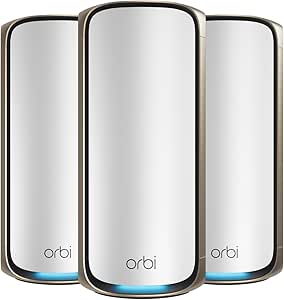 | Best for Maximum Coverage | WiFi standard: WiFi 7 | Maximum speed: Up to 27 Gbps | System configuration: 3 units: 1 router and 2 satellites | VIEW ON AMAZON | See Our Full Breakdown |
| NETGEAR Orbi 970 Series Quad-Band WiFi 7 Mesh Network System (RBE973S), Router + 2 Satellite Extenders | | Best for High-Demand WiFi 7 Homes | WiFi generation: WiFi 7 | Frequency design: Quad-band | Maximum speed: Up to 27 Gbps | VIEW ON AMAZON | See Our Full Breakdown |
| eero 6+ Mesh WiFi System – Supports Internet Plans up to 1 Gbps, Coverage up to 4,500 sq ft, Connects 75+ Devices, 3-Pack |  | Best for Straightforward Setup | WiFi standard: WiFi 6 (802.11ax) | Supported internet plans: Up to 1 Gbps | Supported devices: 75+ | VIEW ON AMAZON | See Our Full Breakdown |
| NETGEAR Orbi 360 Series WiFi 7 Mesh System, 3 Pack | | Best Midrange WiFi 7 Coverage | WiFi generation: WiFi 7 | Maximum speed: Up to 5 Gbps | System configuration: 3 units | VIEW ON AMAZON | See Our Full Breakdown |
| TP-Link Deco X55 AX3000 WiFi 6 Mesh System (3-Pack) |  | Best Value for Broad WiFi 6 Coverage | WiFi standard: WiFi 6 (802.11ax) | System configuration: 3 units | Maximum data rate: 3,000 Mbps | VIEW ON AMAZON | See Our Full Breakdown |
| mesh wifi systems for large home | Coverage | Security |
|---|---|---|
| eero Pro 6E Mesh Wi-Fi System | Up to 6,000 sq. ft. | WPA3, WPA2, TLS v1.2+ |
| NETGEAR Orbi 770 Series WiFi 7 | Up to 8,000 sq. ft. | WPA3; NETGEAR Armor 30-day trial |
| NETGEAR Orbi 370 Series WiFi 7 | Up to 6,000 sq. ft. | — |
| TP-Link Deco S4 Mesh AC1900 Wi | Up to 5,500 sq. ft. | — |
| TP-Link Deco X55 Pro AX3000 Wh | Up to 6,500 sq. ft. | — |
| Deco 7 Pro Tri-Band WiFi 7 BE1 | Up to 7,600 sq. ft. | TP-Link HomeShield |
| DBIT AX1800 WiFi 6 Mesh System | Up to 6,500 sq. ft. | WPA3, WPA2-PSK, and WPA-PSK |
| NETGEAR Orbi 870 Series WiFi 7 | Up to 9,000 sq. ft. | WPA3; NETGEAR Armor trial |
| TP-Link Deco X15 Dual-Band AX1 | Up to 5,600 sq. ft. | WPA3, WPA2, and WPA |
| eero 7 Dual-Band Mesh Wi-Fi 7 | Up to 6,000 sq. ft. | WPA3 and WPA2; eero Plus for full security features |
| NETGEAR Orbi 970 Series WiFi 7 | — | — |
| NETGEAR Orbi 970 Series Quad-B | — | WPA2/WPA3; NETGEAR Armor and automatic firmware updates listed |
| eero 6+ Mesh WiFi System | — | — |
| NETGEAR Orbi 360 Series WiFi 7 | — | — |
| TP-Link Deco X55 AX3000 WiFi 6 | — | — |
More Details on Our Top Picks
eero Pro 6E Mesh Wi-Fi System (3-Pack)
I’d pick the eero Pro 6E for a large home where several newer devices can use the 6 GHz band and easy network management matters. Its stated 6,000-square-foot coverage and support for 100+ devices put it in range with the NETGEAR Orbi 370, while the extra 6 GHz band gives compatible devices another route for low-latency connections. Each unit has a 2.5 Gb and 1 Gb Ethernet port, useful for wired links or faster broadband. Compared with the Deco X55 Pro, this eero’s appeal is its 6E band and app-led setup, not a higher device count or broader stated coverage. The tradeoffs are real: older devices cannot use 6 GHz, some advanced features require a subscription, and this is a premium-oriented choice.
Pros:- Three-unit coverage is rated up to 6,000 sq. ft.
- 6 GHz band can serve compatible Wi-Fi 6E devices
- Supports more than 100 connected devices
- Each unit includes 2.5 Gb and 1 Gb Ethernet ports
Cons:- Devices without Wi-Fi 6E cannot use the 6 GHz band
- Some advanced features require a subscription
- Coverage is below the Orbi 770’s stated 8,000 sq. ft.
Best for: Households with Wi-Fi 6E phones, laptops, or other newer devices that want broad coverage and straightforward app management.
Not ideal for: Buyers with mostly older Wi-Fi devices, or anyone seeking the broadest stated coverage and multi-gigabit ports on every unit.
- Coverage:Up to 6,000 sq. ft.
- Wi-Fi standard:AX5400
- Supported bands:6 GHz, 5 GHz, 2.4 GHz
- Supported speeds:Up to 2.3 Gbps
- Device support:100+ devices
- Ethernet per unit:One 2.5 Gb port and one 1 Gb port
- Security:WPA3, WPA2, TLS v1.2+
- Dimensions:5.6 x 5.4 x 2.0 in.
Our verdict“Choose the eero Pro 6E for a large, device-heavy home with Wi-Fi 6E clients; skip it if your devices cannot use its extra band.”
NETGEAR Orbi 770 Series WiFi 7 Mesh System, 3 Pack
The Orbi 770 earns its place for buyers whose first concern is covering a very large home: its stated 8,000-square-foot range is the largest among these five systems. Tri-band Wi-Fi 7 and support for up to 100 devices suit busy households with streaming, gaming, and smart-home traffic, while seven Ethernet ports give wired gear more options than the eero Pro 6E’s two ports per unit. It also works with Wi-Fi 6 and Wi-Fi 5 devices, so upgrading the mesh does not require replacing existing clients. Compared with the Orbi 370, the 770 offers substantially more stated coverage and a higher advertised speed ceiling. The cost of that headroom is a more feature-heavy system, and Armor’s full security features require a subscription after its 30-day trial. Actual coverage also depends on walls and layout.
Pros:- Highest stated coverage in this batch at 8,000 sq. ft.
- Tri-band Wi-Fi 7 with speeds up to 11 Gbps
- Seven Ethernet ports for wired devices
- Compatible with Wi-Fi 6 and Wi-Fi 5 devices
Cons:- Full NETGEAR Armor security features require a subscription after the trial
- Its coverage advantage may be unnecessary in a smaller home
- Real-world coverage can vary with layout and building materials
Best for: Owners of large or multi-level homes who need wide stated coverage, Wi-Fi 7 support, and several wired connections.
Not ideal for: People in smaller homes, or buyers who do not need Wi-Fi 7 and would rather avoid subscription-based security features.
- Coverage:Up to 8,000 sq. ft.
- Wi-Fi generation:Wi-Fi 7
- Wi-Fi configuration:Tri-band
- Maximum speed:Up to 11 Gbps
- Device support:Up to 100 devices
- Ethernet ports:7
- Compatibility:Wi-Fi 6 and Wi-Fi 5 devices
- Security:WPA3; NETGEAR Armor 30-day trial
Our verdict“Choose the Orbi 770 when a large home needs the widest stated coverage and Wi-Fi 7 capacity, rather than a simpler or smaller-scale system.”
NETGEAR Orbi 370 Series WiFi 7 Mesh System, 3 Pack
The Orbi 370 is a practical step into Wi-Fi 7 for a large home that does not need the Orbi 770’s larger coverage rating or 11 Gbps speed ceiling. This three-pack is rated for up to 6,000 sq. ft. and 70 devices, making it a better fit for a busy household with a moderate number of connected gadgets than for a particularly device-dense one. Its Wi-Fi 7 speed rating reaches 5 Gbps, and the listed 2.5 Gbps Ethernet offers a useful wired connection for compatible broadband or equipment. Compared with the eero Pro 6E, the Orbi 370 brings Wi-Fi 7 rather than Wi-Fi 6E, but it supports fewer devices and lists dual-band operation. It can expand with additional satellites, though the extra coverage comes with more hardware; Armor also requires a subscription after its trial.
Pros:- Wi-Fi 7 speeds are rated up to 5 Gbps
- Three-unit coverage is rated up to 6,000 sq. ft.
- 2.5 Gbps Ethernet supports a faster wired connection
- Expandable with additional satellites
Cons:- Device support is listed at up to 70, below the other Orbi model’s 100
- Dual-band design lacks the Orbi 770’s tri-band configuration
- NETGEAR Armor requires a subscription after its trial
Best for: Households wanting a Wi-Fi 7 mesh for a large home, with up to 70 connected devices and room to add satellites later.
Not ideal for: Homes with more than 70 connected devices or buyers who need the Orbi 770’s broader stated coverage and higher speed ceiling.
- Coverage:Up to 6,000 sq. ft.
- Wi-Fi generation:Wi-Fi 7
- Maximum speed:Up to 5 Gbps
- Frequency configuration:Dual-band
- Device support:Up to 70 devices
- Number of ports:10
- Ethernet speed:2.5 Gbps
- Security protocols:WPA3, WPA2-PSK
Our verdict“Pick the Orbi 370 for Wi-Fi 7 in a large home that needs moderate device capacity, not the Orbi 770’s extra coverage and headroom.”
TP-Link Deco S4 Mesh AC1900 WiFi System (3-Pack)
The Deco S4 is the straightforward choice here for covering a large home without making Wi-Fi 6 or Wi-Fi 7 the priority. Its three units are rated for up to 5,500 sq. ft., and the Deco app simplifies setup; wired backhaul support can also help link units when you can run Ethernet between rooms. Six gigabit Ethernet ports across the system give wired devices a place to connect. The tradeoff is age: this is Wi-Fi 5, not the Wi-Fi 6 offered by the Deco X55 Pro or the Wi-Fi 7 found in both Orbi systems. That limits its appeal for households buying newer high-speed devices or planning for a faster wireless network. I’d favor it for basic whole-home connectivity and family controls, but not for advanced performance demands.
Pros:- Three-unit coverage is rated up to 5,500 sq. ft.
- Deco app setup and Alexa voice-command support
- Supports wired backhaul between units
- Six gigabit Ethernet ports across the three units
Cons:- Uses Wi-Fi 5 rather than Wi-Fi 6 or Wi-Fi 7
- Listed speed is lower than the newer Deco X55 Pro
- Most ISP setups require a separate modem
Best for: Families who want app-guided mesh coverage, wired backhaul support, and parental controls without prioritizing the newest Wi-Fi generation.
Not ideal for: Households with Wi-Fi 6 or Wi-Fi 7 devices, multi-gigabit internet, or a need for the higher device capacity listed for the Deco X55 Pro.
- Coverage:Up to 5,500 sq. ft.
- Number of units:3
- Wi-Fi generation:Wi-Fi 5 (802.11ac)
- Speed:Up to 1,200 Mbps
- Frequency bands:Dual-band, 2.4 GHz and 5 GHz
- Ethernet:6 gigabit Ethernet ports total
- Wired backhaul:Supported
- Control:Deco app and Alexa voice commands
Our verdict“Choose the Deco S4 for simple, broad coverage and wired backhaul; choose the Deco X55 Pro if newer Wi-Fi and higher device capacity matter more.”
TP-Link Deco X55 Pro AX3000 Whole Home Wi-Fi 6 Mesh System, 3-Pack
The Deco X55 Pro balances large-home reach, current-generation Wi-Fi, and useful wired capacity. Its three units are rated for up to 6,500 sq. ft. and more than 150 devices, exceeding the eero Pro 6E’s stated coverage and device count while avoiding a 6 GHz band that many homes may not yet use. Each unit has two 2.5 Gbps Ethernet ports, a clear advantage for multi-gigabit broadband or wired equipment; that is more multi-gig connectivity per unit than the eero Pro 6E lists. It is still a Wi-Fi 6 system, not Wi-Fi 7 like the Orbi 370, so buyers seeking the newest standard should look elsewhere. The listed 3 Gbps maximum is not a guarantee of actual speeds, and full performance depends on a compatible internet plan. App and voice controls may also offer more than a hands-off buyer needs.
Pros:- Three-unit coverage is rated up to 6,500 sq. ft.
- Supports more than 150 devices
- Two 2.5 Gbps Ethernet ports on every unit
- Wi-Fi 6 and a listed maximum data rate of 3,000 Mbps
Cons:- Does not offer Wi-Fi 7 or a 6 GHz band
- Full performance depends on compatible internet service and equipment
- App and voice controls may be more involved than a basic setup requires
Best for: Large households with many devices, Wi-Fi 6 clients, and multi-gigabit internet or wired gear to connect.
Not ideal for: Buyers who specifically want Wi-Fi 7 or 6 GHz connectivity, or households that cannot use its multi-gigabit ports.
- Coverage:Up to 6,500 sq. ft.
- Number of units:3
- Wi-Fi standard:Wi-Fi 6 (802.11ax)
- Maximum data rate:3,000 Mbps
- Device support:150+ devices
- Ethernet per unit:2 x 2.5 Gbps ports
- Security protocols:WPA3, WPA2, WPA-PSK
- Warranty:2 years
Our verdict“Choose the Deco X55 Pro for wide Wi-Fi 6 coverage, a high device count, and multi-gigabit wired connections without stepping up to Wi-Fi 7.”
Deco 7 Pro Tri-Band WiFi 7 BE10000 Whole Home Mesh System 6-Stream 10 Gbps
For a large home with many active devices, the Deco 7 Pro pairs a stated 7,600-square-foot coverage area with tri-band Wi-Fi 7 and support for over 200 devices. That capacity makes it a stronger fit for crowded networks than the TP-Link Deco X15, which covers less area and supports fewer devices. Four 2.5G WAN/LAN ports also give wired PCs, consoles, or a fast internet connection more room than a basic gigabit setup.
The tradeoff is that its headline speed and coverage depend on the home layout, client devices, and internet plan; walls and floors can reduce performance. It also needs a separate modem, and the range of security and network controls may take more attention than simpler systems. I’d choose it for demanding households, not for someone who wants the simplest possible Wi-Fi upgrade.
Pros:- Stated coverage of up to 7,600 sq. ft. suits broad, multi-room layouts.
- Tri-band Wi-Fi 7 and support for over 200 devices target busy networks.
- Four 2.5G WAN/LAN ports provide flexible multi-gig wired connections.
- Deco app setup and AI-driven roaming support easier movement between nodes.
Cons:- A separate modem is required for internet access.
- Real-world coverage and throughput can fall with walls, floors, and other layout obstacles.
- Advanced security and network options may feel involved for less technical users.
Best for: Households spread across a large floor plan with many simultaneous users, smart devices, and multi-gig wired equipment.
Not ideal for: Buyers in smaller homes or anyone seeking a basic plug-and-play system without advanced network settings.
- Coverage:Up to 7,600 sq. ft.
- Wi-Fi generation:Wi-Fi 7 (802.11be)
- Maximum stated speed:Up to 10 Gbps
- Bands and streams:Tri-band, 6-stream
- Device capacity:Over 200 devices
- Ports:Four 2.5G WAN/LAN ports and one USB 3.0 port
- Security:TP-Link HomeShield
- Setup and roaming:Deco app; AI-driven roaming
Our verdict“Choose the Deco 7 Pro when a large, device-heavy home needs Wi-Fi 7 capacity and multiple multi-gig wired ports.”
DBIT AX1800 WiFi 6 Mesh System – 3-Pack, Covers 6500 sq ft, Supports 150+ Devices
The DBIT AX1800 makes its case with a three-unit design rated for 6,500 sq. ft. and support for more than 150 devices. For buyers focused on spreading Wi-Fi across a large home without moving to Wi-Fi 7, its stated coverage exceeds the TP-Link Deco X15 while retaining Wi-Fi 6 and a dual-band design. Two Ethernet ports per unit also give you options for wired devices near each node.
Its 1.8 Gbps maximum speed is a more modest ceiling than the Wi-Fi 7 systems in this roundup, including the eero 7. That difference matters most with very fast internet plans or demanding local transfers, rather than routine browsing and streaming. Product details also say less about update practices and extra network features, so I’d favor it for buyers who prioritize stated reach and straightforward essentials over a richly documented software platform.
Pros:- Three units are rated to cover up to 6,500 sq. ft.
- Supports over 150 devices, according to the product specifications.
- Two Ethernet ports on each unit allow wired connections in multiple rooms.
- Supports WPA3 alongside WPA2-PSK and WPA-PSK security.
Cons:- Dual-band Wi-Fi 6 and a 1.8 Gbps stated maximum speed trail the Wi-Fi 7 options here.
- The product information gives limited detail about firmware update frequency.
- A compatible cable or fiber modem is needed for internet service.
Best for: Owners of large homes who want a three-node Wi-Fi 6 system, broad stated coverage, and Ethernet ports at every unit.
Not ideal for: Households with multi-gig internet plans or buyers who want Wi-Fi 7 performance and detailed information about ongoing software support.
- Coverage:Up to 6,500 sq. ft.
- Wi-Fi generation:Wi-Fi 6
- Maximum stated speed:Up to 1.8 Gbps
- Bands:Dual-band, 2.4 GHz and 5 GHz
- Units:3
- Device capacity:Over 150 devices
- Ethernet:2 ports per unit; 6 total
- Security:WPA3, WPA2-PSK, and WPA-PSK
Our verdict“Pick the DBIT AX1800 if wide stated coverage and a three-unit Wi-Fi 6 setup matter more than Wi-Fi 7 speed or extra documented features.”
NETGEAR Orbi 870 Series WiFi 7 Mesh System, 3 Pack
Among these five systems, the Orbi 870 has the largest stated coverage figure: up to 9,000 sq. ft. from its three-unit setup. It also lists Wi-Fi 7 speeds up to 21 Gbps, giving it more headroom on paper than the eero 7, whose coverage is rated to 6,000 sq. ft. For large, busy homes, that combination makes the Orbi the range-focused pick, while its multi-gig ports can support wired equipment and faster connections.
The headline figures are not a promise of that coverage or speed in every building; layout, obstacles, client hardware, and internet service all matter. Its maximum speed also requires a compatible internet plan, and the system supports up to 150 devices rather than the Deco 7 Pro’s stated capacity of over 200. NETGEAR Armor is offered as a free trial and then requires a subscription, so I’d weigh its larger stated footprint against ongoing security costs.
Pros:- Three-unit system is rated for coverage up to 9,000 sq. ft.
- Wi-Fi 7 speed is listed up to 21 Gbps.
- Multi-gig ports offer wired connectivity for compatible equipment.
- Orbi app supports setup and adding compatible satellites.
Cons:- Maximum listed speed depends on a compatible internet plan and client devices.
- NETGEAR Armor requires a subscription after its free trial.
- The stated device capacity is up to 150, lower than the Deco 7 Pro’s over-200 figure.
Best for: Owners of very large homes who want a three-unit Wi-Fi 7 system with a high stated coverage area and multi-gig wired connections.
Not ideal for: Buyers who do not need broad whole-home coverage, want to avoid subscription-based security features, or cannot use a high-speed internet plan.
- Coverage:Up to 9,000 sq. ft.
- Wi-Fi generation:Wi-Fi 7 (802.11be)
- Maximum stated speed:Up to 21 Gbps
- Bands:Tri-band
- Units:3
- Device capacity:Up to 150 devices
- Ports:12 ports; LAN port bandwidth listed at 2,500 Mbps
- Security:WPA3; NETGEAR Armor trial
Our verdict“Choose the Orbi 870 when the largest stated coverage area in this group is your priority and you can make use of its Wi-Fi 7 and multi-gig features.”
TP-Link Deco X15 Dual-Band AX1500 WiFi 6 Mesh Wi-Fi System (3-Pack)
The Deco X15 is the straightforward Wi-Fi 6 option here: its three units are rated for up to 5,600 sq. ft., and the system supports up to 120 devices. The Deco app and AI-driven mesh features make it a sensible fit for buyers who want to extend coverage through a large home without stepping up to Wi-Fi 7. Compared with the DBIT AX1800, the X15 has a lower stated coverage area and device limit; the DBIT is the better match if those figures are your main priority.
The X15’s dual-band AX1500 design is a practical rather than high-headroom choice. Its three Gigabit Ethernet ports can serve wired devices, but the listed details do not suggest the multi-gig connectivity found on the Deco 7 Pro. The three-pack may also fall short in unusually large or divided layouts, where node placement or extra compatible equipment can matter. I’d choose it for a typical large household, not a home seeking the fastest available backhaul.
Pros:- Three-unit system is rated for coverage up to 5,600 sq. ft.
- Supports up to 120 devices, according to the product specifications.
- Deco app and AI-driven mesh features simplify setup and roaming.
- Three Gigabit Ethernet ports support wired devices.
Cons:- Dual-band Wi-Fi 6 and AX1500 speed offer less headroom than the Wi-Fi 7 systems here.
- The three-pack may not cover unusually large or highly divided homes.
- A separate modem is required for internet access.
Best for: Households that want app-managed Wi-Fi 6 coverage across a large home and have up to 120 connected devices.
Not ideal for: Buyers with multi-gig wired needs, very high-speed internet plans, or layouts that need more than the three included units.
- Coverage:Up to 5,600 sq. ft.
- Wi-Fi generation:Wi-Fi 6 (802.11ax)
- Maximum stated speed:1,501 Mbps
- Bands:Dual-band
- Units:3
- Device capacity:Up to 120 devices
- Ports:3 Gigabit Ethernet ports
- Security:WPA3, WPA2, and WPA
Our verdict“Choose the Deco X15 for app-managed Wi-Fi 6 coverage in a large but not unusually demanding home, and skip it if you need multi-gig ports or Wi-Fi 7.”
eero 7 Dual-Band Mesh Wi-Fi 7 Router (3-Pack)
The eero 7 combines a three-unit mesh setup, Wi-Fi 7, and stated coverage up to 6,000 sq. ft. It supports internet plans up to 2.5 Gbps and more than 120 devices, making it a balanced choice for a large household that wants newer Wi-Fi without aiming for the Orbi 870’s much higher stated speed and 9,000-square-foot coverage. Two 2.5 GbE ports per unit also give compatible wired devices a faster connection than standard Gigabit Ethernet.
Its dual-band design is the main compromise: unlike the tri-band Deco 7 Pro and NETGEAR Orbi 870, it has fewer listed bands to handle mesh traffic and connected devices. eero Plus is required for full security features, adding a subscription consideration. Thread, Zigbee, Matter, and Alexa support can also appeal to smart-home households, though those extras do not replace good node placement in a sprawling or obstacle-heavy home.
Pros:- Three-unit system is rated for coverage up to 6,000 sq. ft.
- Wi-Fi 7 supports internet plans up to 2.5 Gbps.
- Two 2.5 GbE ports on each unit support multi-gig wired connections.
- Includes Thread, Zigbee, Matter, and Alexa integrations.
Cons:- Dual-band design has fewer listed bands than the tri-band Deco 7 Pro and Orbi 870.
- Full security features require an eero Plus subscription.
- Its stated coverage is lower than the Orbi 870 and Deco 7 Pro.
Best for: Existing eero households and smart-home owners who want Wi-Fi 7, 2.5 GbE ports, and coverage for a large home.
Not ideal for: Buyers who need tri-band mesh, the widest stated coverage, or full security features without an eero Plus subscription.
- Coverage:Up to 6,000 sq. ft.
- Wi-Fi standard:Wi-Fi 7 (IEEE 802.11be)
- Internet plan support:Up to 2.5 Gbps
- Device capacity:Over 120 devices
- Ports:Two 2.5 GbE ports and one USB-C port
- Processor and memory:1.1 GHz quad-core; 1,024 MB
- Smart-home features:Thread, Bluetooth 5.0, Zigbee, Alexa, and Matter
- Security:WPA3 and WPA2; eero Plus for full security features
Our verdict“Pick the eero 7 if you want a Wi-Fi 7 mesh system that fits an eero or smart-home setup, but choose a tri-band alternative for more listed coverage headroom.”
NETGEAR Orbi 970 Series WiFi 7 Mesh System, 3 Pack
For a very large home where coverage is the first priority, the Orbi 970’s stated reach of 10,000 sq. ft. gives this three-piece WiFi 7 system a clear advantage over the eero 6+, which is rated for 4,500 sq. ft. Its claimed 27 Gbps maximum speed and support for up to 200 devices also suit busy households with many connected devices, though those headline speeds depend on compatible equipment and an internet plan that can supply them. The 10 Gig internet port, plus 10 Gig and 2.5 Gig LAN ports, gives wired connections more room to grow than the Deco X55’s gigabit-focused setup. The tradeoff is scale: this system can be excessive in a smaller home, and some security features require a subscription. I’d choose it for reach and wired capacity, not as a cost-conscious upgrade.
Pros:- Rated to cover up to 10,000 sq. ft. with a router and two satellites
- WiFi 7 system with a stated maximum speed of 27 Gbps
- Supports up to 200 devices
- Includes a 10 Gig internet port and 10 Gig and 2.5 Gig LAN ports
Cons:- Full performance depends on a compatible high-speed internet plan and client devices
- Some NETGEAR Armor security features require a subscription
- Its coverage and capacity may be more than smaller households need
Best for: Owners of large or sprawling homes who need broad mesh coverage, support for many connected devices, and multi-gig wired connections.
Not ideal for: People in smaller homes, or households with basic internet service and few WiFi 7 devices that would not make much use of its capacity.
- WiFi standard:WiFi 7
- Maximum speed:Up to 27 Gbps
- System configuration:3 units: 1 router and 2 satellites
- Supported devices:Up to 200
- Internet port:10 Gig
- LAN ports:10 Gig and 2.5 Gig
Our verdict“Choose the Orbi 970 if your large home needs exceptional stated coverage and multi-gig ports, but skip it if your internet plan and devices cannot use that headroom.”
NETGEAR Orbi 970 Series Quad-Band WiFi 7 Mesh Network System (RBE973S), Router + 2 Satellite Extenders
This Orbi 970 configuration is aimed at households that want WiFi 7, quad-band networking, and 10,000 sq. ft. of stated coverage in one mesh system. Like the other Orbi 970 listing, it claims speeds up to 27 Gbps and supports up to 200 devices; the differentiator here is the specified quad-band design, which is suited to homes with many simultaneous connections and demanding wireless use. Compared with the dual-band Orbi 360, it has far more stated speed and device capacity, but that extra headroom is most useful when client devices and broadband service can take advantage of it. The listing also specifies WPA2/WPA3 security and automatic firmware updates. Setup may feel less straightforward for non-technical owners, and NETGEAR Armor features and the system’s premium positioning make it a less appealing fit for buyers seeking a simple, modestly sized network.
Pros:- Quad-band WiFi 7 design with a stated maximum speed of 27 Gbps
- Rated to cover up to 10,000 sq. ft.
- Supports up to 200 devices
- Lists WPA2/WPA3 security and automatic firmware updates
Cons:- WiFi 7 speed claims require compatible devices and suitable broadband service
- Setup may be complex for less technical users
- The high-capacity design is unnecessary for many households
Best for: Tech-forward households in large homes with many simultaneous users, newer WiFi 7 devices, and high-bandwidth streaming or gaming needs.
Not ideal for: Buyers who want the simplest setup, have mostly older devices, or need only moderate coverage and bandwidth.
- WiFi generation:WiFi 7
- Frequency design:Quad-band
- Maximum speed:Up to 27 Gbps
- System configuration:Router and 2 satellite extenders
- Supported devices:Up to 200
- Internet port:10 Gbps
- Security:WPA2/WPA3; NETGEAR Armor and automatic firmware updates listed
Our verdict“Pick this Orbi 970 variant when your large home has heavy, simultaneous WiFi 7 demands; the Orbi 360 is a more sensible match for less demanding networks.”
eero 6+ Mesh WiFi System – Supports Internet Plans up to 1 Gbps, Coverage up to 4,500 sq ft, Connects 75+ Devices, 3-Pack
The eero 6+ is the approachable choice for a household that wants mesh coverage without buying into the scale of the Orbi 970. Its 4,500 sq. ft. rating and support for 75+ devices can suit a medium-to-large home with gigabit service, while the app-based setup keeps network management accessible. Unlike the Orbi 360, this is a WiFi 6 system rated for plans up to 1 Gbps, so it is a better fit when simplicity and everyday connectivity matter more than WiFi 7 speeds. The built-in Zigbee and Thread smart home hub is a useful extra for compatible devices, not a reason to expect greater WiFi reach. Its coverage is more limited than the Deco X55’s stated 6,500 sq. ft., and homes with dead zones beyond its reach may need more equipment. Advanced security features require a subscription.
Pros:- Three-unit mesh system rated for up to 4,500 sq. ft.
- WiFi 6 support for internet plans up to 1 Gbps
- Connects 75+ devices
- Built-in Zigbee and Thread smart home hub
Cons:- Less stated coverage than the Deco X55 and Orbi systems in this batch
- Advanced security features require a subscription
- WiFi 6 and gigabit-rated capacity offer less headroom than WiFi 7 options
Best for: Households with gigabit internet that want app-guided mesh setup, straightforward management, and a built-in hub for compatible smart home devices.
Not ideal for: Owners of very large homes who need more than 4,500 sq. ft. of stated coverage, or users seeking WiFi 7 and multi-gig performance.
- WiFi standard:WiFi 6 (802.11ax)
- Supported internet plans:Up to 1 Gbps
- Supported devices:75+
- System configuration:3-pack
- Ethernet ports:2 gigabit Ethernet ports
- Smart home hub:Zigbee and Thread
- Warranty:1 year
Our verdict“Choose the eero 6+ for easy management and smart-home convenience in a moderately large home, not for the broadest reach or newest WiFi standard.”
NETGEAR Orbi 360 Series WiFi 7 Mesh System, 3 Pack
The Orbi 360 offers a useful middle ground for large homes: its 6,000 sq. ft. stated coverage exceeds the eero 6+’s 4,500 sq. ft., while its WiFi 7 support brings newer-generation connectivity without the Orbi 970’s claimed 27 Gbps maximum. NETGEAR lists speeds up to 5 Gbps, making this a better match for households that want WiFi 7 headroom but do not need the 970’s 10,000 sq. ft. reach or 200-device capacity. The three-unit kit is designed for streaming, gaming, and smart devices, and the Orbi app handles setup. Its dual-band design and listed single Ethernet port are more restrained than the quad-band Orbi 970’s wired options, so buyers with extensive wired equipment should compare ports carefully. NETGEAR Armor security requires a subscription after its trial, and real coverage depends on the home layout.
Pros:- Three-unit WiFi 7 system rated for up to 6,000 sq. ft.
- Stated maximum speed of up to 5 Gbps
- Supports WiFi 5 and WiFi 6 devices
- App-based setup with WPA2 and WPA3 security
Cons:- Dual-band design offers less band capacity than the quad-band Orbi 970
- Product data lists only one Ethernet port
- NETGEAR Armor security requires a subscription after the trial
Best for: Large households looking for WiFi 7 and broad mesh coverage, but without the Orbi 970’s maximum coverage and multi-gig port requirements.
Not ideal for: Owners of exceptionally large homes, users needing extensive wired connections, or buyers who want listed capacity for 200 devices.
- WiFi generation:WiFi 7
- Maximum speed:Up to 5 Gbps
- System configuration:3 units
- Frequency design:Dual-band
- Ethernet ports:1 listed
- Compatible WiFi standards:WiFi 5 and WiFi 6
- Security protocols:WPA2 and WPA3
Our verdict“Choose the Orbi 360 for WiFi 7 and 6,000 sq. ft. of stated coverage when the larger Orbi 970 would be more system than your home needs.”
TP-Link Deco X55 AX3000 WiFi 6 Mesh System (3-Pack)
The Deco X55 makes a strong case for buyers who want wide stated coverage and practical wired connections without moving to a WiFi 7 system. Its 6,500 sq. ft. coverage rating is higher than the eero 6+’s 4,500 sq. ft., and support for up to 150 devices gives a busy home room to connect cameras, TVs, and personal devices. Each unit has three Ethernet ports, with six ports listed across the system, a useful advantage over the Orbi 360’s single listed port. The tradeoff is its dual-band WiFi 6 design: it lacks the newer standard and higher claimed speeds of the Orbi 360 or Orbi 970. The supplied data gives a 3,000 Mbps maximum rate, but does not establish real-world performance across a specific house. I’d favor it for coverage and wired flexibility, not for WiFi 7 future-proofing.
Pros:- Three-unit system rated for up to 6,500 sq. ft.
- Supports up to 150 devices
- Three Ethernet ports per unit, with six total listed
- WiFi 6 with WPA3, WPA2, and WPA security protocols
Cons:- Dual-band WiFi 6 rather than the WiFi 7 standard found in the Orbi systems
- Listed maximum data rate is lower than the Orbi 970’s stated 27 Gbps
- A modem is required for most internet service providers
Best for: Families in large homes who need broad WiFi 6 coverage, support for many devices, and several Ethernet connections for fixed equipment.
Not ideal for: Buyers who want WiFi 7, multi-gig port speeds, or the highest stated coverage in this group.
- WiFi standard:WiFi 6 (802.11ax)
- System configuration:3 units
- Maximum data rate:3,000 Mbps
- Frequency bands:Dual-band: 2.4 GHz and 5 GHz
- Supported devices:Up to 150
- Ethernet ports:3 per unit; 6 total listed
- Security protocols:WPA3, WPA2, and WPA
- Warranty:2 years
Our verdict“Pick the Deco X55 if broad coverage, device capacity, and multiple Ethernet ports matter more than WiFi 7 or the Orbi 970’s higher stated reach.”

How We Picked
I compared the 15 systems as choices for large-home coverage, not as isolated router spec sheets. The main criteria were wireless generation and band configuration, the potential for capacity in busy households, the role of the included nodes, wired connection options where specified, setup and management demands, and the usefulness of the kit for different home layouts. I also weighed whether a system’s capabilities are likely to be useful in a typical large home or mostly benefit demanding networks with newer devices and faster internet plans.
The ranking favors systems that balance strong large-home potential with practical value and room to grow. That puts the Orbi 770 ahead as a Wi-Fi 7 middle ground, while the Orbi 870 and 970 options suit buyers seeking higher-end capability. Wi-Fi 6 Deco and eero kits rank as more accessible alternatives rather than direct substitutes for premium Wi-Fi 7 systems. Lower-cost or less capable dual-band choices can still make sense for modest demands, but I rank them below systems with more headroom for large, busy homes. Advertised coverage figures are not guarantees: walls, distance between nodes, interference, and backhaul affect results.
Factors to Consider When Choosing Mesh Wifi Systems For Large Homes
For a large home, choosing a mesh kit is partly a network decision and partly a floor-plan decision. I would match the system to the structure, devices, and internet service first, then decide how much future capacity is worth paying for.
Start With the Floor Plan, Not the Coverage Claim
Advertised coverage is a planning reference, not a promise that every room will get fast service. A long, narrow house, a home spread across several floors, and a wide layout with a central open space create different demands. Brick, concrete, foil-backed insulation, and dense interior walls can weaken links between nodes more than a larger square-footage figure suggests. Map the rooms where you need reliable service and note likely obstructions before choosing a kit. A third node can help fill a distant area, but placing it too far from the main router may leave it with a poor connection of its own. If possible, choose a system that lets you add nodes or connect them by Ethernet later.
Understand Backhaul Before Paying for More Bands
Backhaul is the connection that carries traffic between the main router and satellite nodes, so its quality affects devices connected to those satellites. A wireless mesh uses some of its radio capacity for this link, while Ethernet backhaul can give nodes a direct wired path if the home has suitable cabling. Tri-band systems may have more room to handle device traffic and node communication, but the benefit depends on the system design and placement. Do not assume every extra band is a dedicated backhaul channel or that a tri-band kit will outperform a wired dual-band setup in every home. Check whether nodes support Ethernet connections and whether the ports fit your plan. For homes with existing cabling, wired backhaul can be a better use of the budget than moving up a product tier.
Match Wi-Fi Generation to Your Devices and Internet Plan
Wi-Fi 7 offers newer capabilities, but those gains matter most when your devices support the standard and your network has enough capacity to use them. A home filled with Wi-Fi 6 phones and laptops may see more practical benefit from well-placed nodes than from buying a top-tier Wi-Fi 7 system. The internet plan is another limit: faster wireless hardware cannot make a slower service plan deliver more bandwidth from the provider. On the other hand, a household adding newer devices over time may value a newer generation for its longer useful life. Compare the capabilities you can use now with what you expect to add, rather than choosing by generation name alone. This is where the Wi-Fi 6 Deco and eero options can be sensible alternatives to the more expensive Orbi Wi-Fi 7 tiers.
Count Busy Devices, Not Just Household Members
A small household can still put heavy demand on a network if it streams, games, backs up files, and holds video calls at the same time. Smart-home equipment also adds many connections, though a connected sensor may use far less capacity than a 4K stream or a large download. Focus on the number and type of devices active at once, especially in distant rooms where satellites will serve them. A higher-capacity system can help with concurrency, but it cannot fix congestion caused by poor node placement or interference from nearby networks. Look at wired connections for stationary equipment such as desktop PCs, game consoles, and storage devices. Keeping high-demand devices wired can reduce pressure on the wireless network.
Plan for Ports, Expansion, and Network Management
Mesh systems vary in how well they fit homes with wired devices, network switches, or future expansion plans. Check the port configuration on the router and satellites rather than assuming every node offers the same connections. If the main router will sit near a modem, media cabinet, or wired switch, port placement can simplify installation. Also think about how you want to manage the network: some buyers prefer guided app setup, while others want more control over settings and diagnostics. A system that is easy to maintain can matter more over several years than a small difference in headline speed. Before buying, check whether adding nodes requires matching models or whether the manufacturer supports mixing compatible units. This can prevent a full replacement if your coverage needs change.
Spend for a Specific Need, Not the Largest Number
Premium mesh hardware makes the most sense when the home has many high-demand devices, a fast internet plan, newer Wi-Fi clients, or a need to serve multiple areas at once. For a family with moderate use, paying for every high-end feature may bring little day-to-day improvement over a capable Wi-Fi 6 kit. Budget systems can cover basic needs, but a low-cost dual-band choice may offer less headroom when several people are online in distant rooms. Decide which limitation you are trying to solve: weak coverage, crowded wireless capacity, insufficient ports, or old client devices. If coverage is the sole issue, a better node layout may solve more than a more expensive router. Prioritize the feature that addresses your actual bottleneck.
Frequently Asked Questions
Is a Wi-Fi 7 mesh system worth choosing if most of my devices use Wi-Fi 6?
It can be worthwhile if you have a fast internet plan, many simultaneous users, or expect to keep the system through a gradual device upgrade. Wi-Fi 7 does not make older devices operate as Wi-Fi 7 clients, so those devices will not gain every newer-standard benefit. If your main issue is dead zones rather than network capacity, node placement may matter more than the generation. The Orbi Wi-Fi 7 options offer a path to newer hardware, while Deco X55 and eero 6+ are more grounded choices for Wi-Fi 6 households. I would pay extra for Wi-Fi 7 only when you can name a present or likely future need it serves.
Should I buy a three-pack if my home is large but has an open layout?
Not automatically: a large open floor plan can need fewer nodes than a smaller home divided by dense walls and multiple floors. Extra nodes help only when each one has a strong enough connection to the router or another node. Too many nodes placed close together can add unnecessary wireless traffic and make placement harder. Start by mapping the areas with weak service and checking whether a two-node layout could cover them. A three-pack is more useful when you have separated wings, multiple floors, or distant work and entertainment areas. Treat the included node count as a starting point, not a coverage guarantee.
Can mesh Wi-Fi fix slow internet in every room?
Mesh can improve the connection between your router and rooms where a single router struggles, but it cannot increase the speed supplied by your internet provider. It also cannot remove every obstacle, interference source, or limitation of an older device. If service is slow near the main router too, check the modem, service plan, and wired connection before replacing your Wi-Fi system. If speeds are good by the router but drop in distant rooms, mesh placement or wired backhaul may help. Testing near the main unit and at problem locations can clarify which issue you are trying to solve. This distinction can prevent paying for a more powerful kit when the bottleneck lies elsewhere.
Is wired backhaul worth the work in a large house?
Wired backhaul can be a strong choice when Ethernet is already available or can be installed without major disruption. It gives satellite nodes a direct connection and can reduce the wireless capacity used to carry traffic between nodes. That can help systems serving busy rooms or nodes separated by thick walls. If running cable is difficult, a wireless mesh remains easier to install, but node placement becomes more important. Check that the system supports Ethernet backhaul and that the satellites have compatible ports before relying on this setup. For some homes, wiring only the most distant or busiest node is a practical middle ground.
How should I choose between the Orbi 770, Orbi 870, and Orbi 970 systems?
I would treat them as different levels of headroom rather than assume the most advanced tier is right for every home. The Orbi 770 is the most balanced starting point in this roundup for buyers who want Wi-Fi 7 in a three-unit setup. The Orbi 870 and 970 are better fits when your network has greater capacity demands or you have a specific reason to favor higher-end hardware. The Orbi 970 options are especially hard to justify if your devices and internet plan cannot use their added capability. Compare the exact kit, node arrangement, and connections in the listing, since the roundup includes both a named Orbi 970 Series three-pack and a quad-band router-plus-two-satellite system.
Conclusion
For the broadest mix of large-home coverage potential and newer Wi-Fi capability, I recommend the NETGEAR Orbi 770 Series as best overall. Buyers seeking a more restrained spend and Wi-Fi 6 performance should look at the TP-Link Deco X55 or Deco X55 Pro; those are my value picks for households that do not need Wi-Fi 7. The Orbi 970 Series is my best premium direction for homes with demanding networks and a clear use for its higher-end hardware. For beginners who want a familiar, app-led setup, I would start with the eero 6+ or eero 7, choosing between Wi-Fi 6 and Wi-Fi 7 based on device needs. For a specific need—high-end Wi-Fi 7 capacity, consider the Orbi 870 or 970; for basic coverage with modest demands, compare the Deco S4, Deco X15, and DBIT AX1800. Match the kit to your walls, layout, and backhaul options before deciding that a larger coverage claim or newer generation alone will solve the problem.