If you’re looking to boost your home network in 2025, I recommend exploring the top mesh Wi-Fi systems like the TP-Link Deco Wi-Fi 7 models, eero 6+, and Netgear Orbi Tri-Band systems. These offer superb coverage, fast speeds, and support multiple devices, perfect for large homes or busy households. I’ll guide you through the best options and key factors to contemplate so you can find the right system for your needs. Keep going to discover more.
Key Takeaways
- The latest systems support Wi-Fi 7 and Wi-Fi 6E for ultra-fast, future-proof home connectivity.
- Coverage options range from 4,500 to over 8,100 sq.ft., ideal for various home sizes and layouts.
- Devices support over 75 to 200+ connections, ensuring reliable performance for smart homes and multiple users.
- Setup is simplified via dedicated apps, with features like mesh technology and wired backhaul for stability.
- Security features include WPA3, threat detection, parental controls, and regular firmware updates for safety.
TP-Link Deco Wi-Fi 7 Mesh System (Deco BE67 3-Pack)
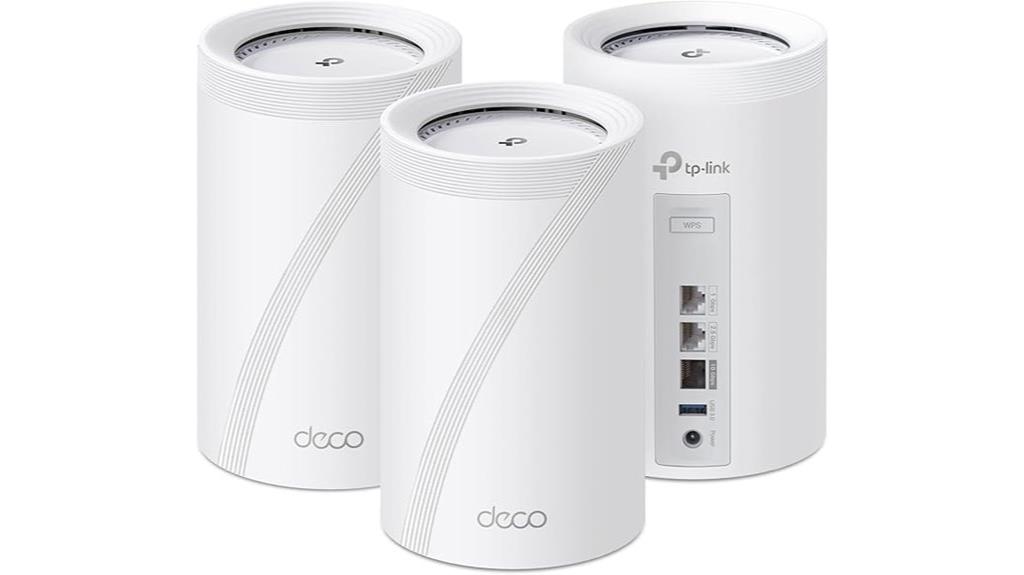
If you’re looking for a mesh Wi-Fi system that can handle heavy streaming, gaming, and smart home devices simultaneously, the TP-Link Deco Wi-Fi 7 Mesh System (Deco BE67 3-Pack) is an excellent choice. It uses cutting-edge Wi-Fi 7 technology with 8-stream tri-band support, delivering speeds up to 14 Gbps. With features like Multi-Link Operation, Multi-RUs, and 4K-QAM, it optimizes device performance across the board. Covering up to 8,100 sq.ft. and supporting over 200 devices, it’s perfect for large homes. Plus, its built-in multi-gig ports and AI-Roaming ensure seamless connectivity and smooth user experiences everywhere.
Best For: households needing high-speed, reliable Wi-Fi coverage for large areas with multiple devices, including streaming, gaming, and smart home applications.
Pros:
- Supports Wi-Fi 7 with speeds up to 14 Gbps and advanced features like Multi-Link Operation for optimized performance
- Provides extensive coverage up to 8,100 sq.ft. and supports over 200 devices simultaneously
- Includes multi-gig WAN/LAN ports and built-in USB 3.0 for flexible wired connectivity
Cons:
- Premium price point due to advanced technology and features
- Large size of units may require significant space for optimal placement
- Complex setup for users unfamiliar with mesh networking and advanced configurations
TP-Link Deco BE63 Tri-Band WiFi 7 Mesh System (3-Pack)
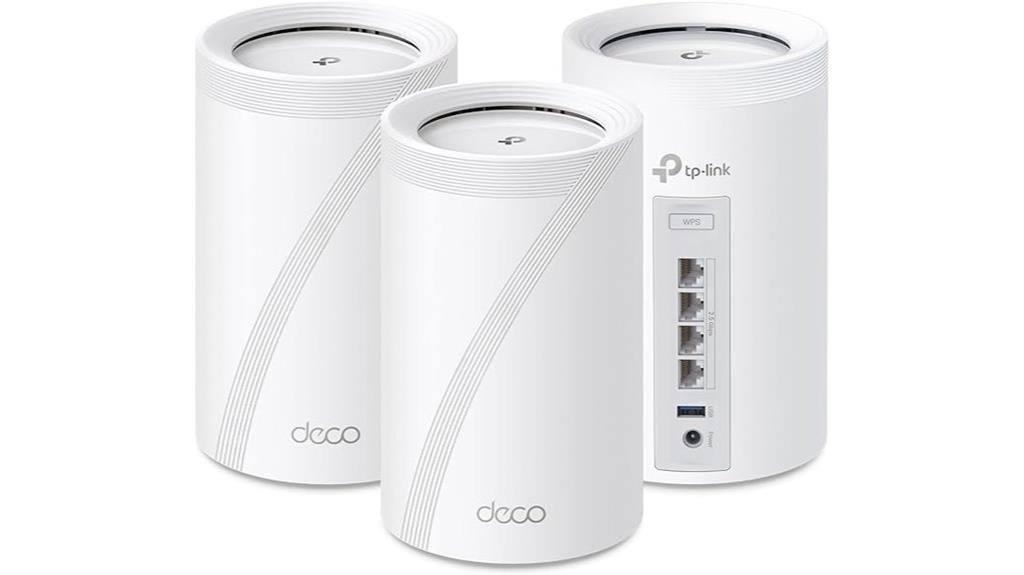
The TP-Link Deco BE63 Tri-Band WiFi 7 Mesh System is an excellent choice for large households or smart homes that demand high-speed, reliable coverage across extensive areas. It harnesses Wi-Fi 7 technology, delivering combined speeds up to 10 Gbps, perfect for streaming 4K/8K content, gaming, and fast downloads. Covering up to 7,600 sq.ft., this 3-pack creates a seamless mesh network with AI-Roaming, eliminating dead zones. It supports over 200 devices and offers flexible wired and wireless backhaul options. Easy to set up via the Deco app, it provides robust security and management features, making it a future-proof solution for demanding smart homes.
Best For: households or smart homes that require extensive, high-speed, reliable Wi-Fi coverage across large areas with support for many devices and future-proof technology.
Pros:
- Delivers ultra-fast Wi-Fi 7 speeds up to 10 Gbps, ideal for streaming, gaming, and downloads
- Covers up to 7,600 sq.ft. with seamless mesh connectivity and AI-Roaming technology
- Supports over 200 devices, making it perfect for large, device-rich environments
Cons:
- Higher cost compared to Wi-Fi 6 systems, though becoming more affordable
- Requires compatible devices to fully utilize Wi-Fi 7 features
- Setup may be complex for users unfamiliar with mesh networking or advanced configurations
TP-Link Deco S4 Mesh WiFi System (3-Pack)

For those seeking reliable, whole-home Wi-Fi coverage without the hassle of multiple routers or extenders, the TP-Link Deco S4 Mesh WiFi System (3-Pack) stands out as a top choice. It covers up to 5,500 sq.ft., combining three units that create a seamless network with a single SSID. Supports AC1900 speeds, handling up to 100 devices with fast, stable connections. Setup is simple via the Deco app, and the system supports wired Ethernet backhaul for enhanced stability. Compatible with all major ISPs, it’s perfect for large or multi-story homes. Users praise its ease of use, solid performance, and reliable coverage, making it a smart upgrade for any home.
Best For: homeowners seeking reliable, seamless Wi-Fi coverage for large or multi-story homes without complex setup or multiple routers.
Pros:
- Easy setup and management via the user-friendly Deco app.
- Seamless coverage up to 5,500 sq.ft. with three units working together.
- Supports wired Ethernet backhaul for enhanced stability and speed.
Cons:
- Firmware updates may require manual intervention due to app or portal issues.
- Limited advanced network customization options compared to enterprise solutions.
- Regular rebooting recommended for optimal performance, which may be inconvenient.
Amazon eero 6+ Mesh Wi-Fi System (3-Pack)
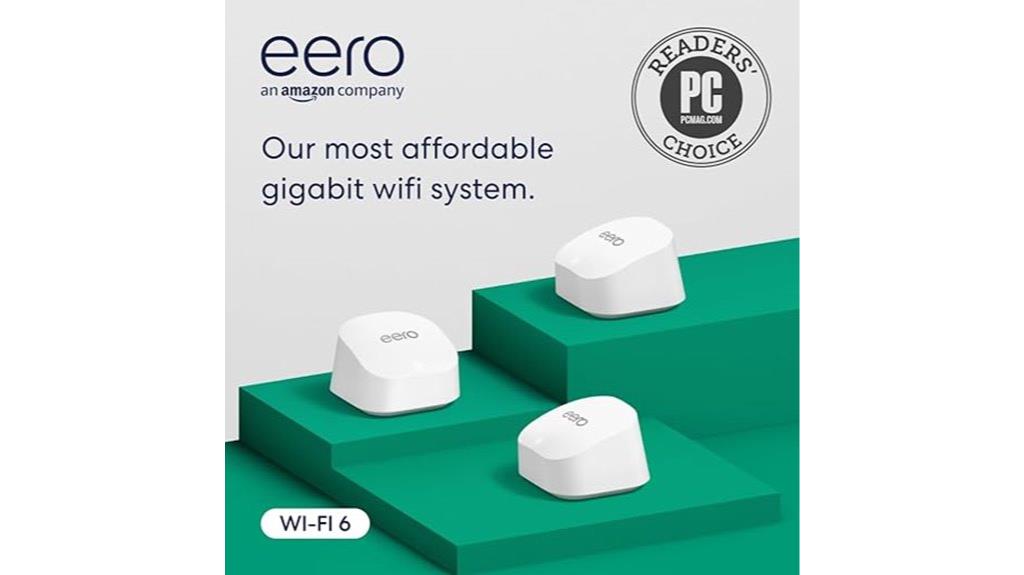
The Amazon eero 6+ Mesh Wi-Fi System (3-Pack) stands out as an excellent choice for homes needing reliable gigabit-speed coverage across large spaces. Supporting internet plans up to gigabit speeds, it covers up to 4,500 sq ft with three units. Utilizing Wi-Fi 6 dual-band technology, it offers speeds up to 1 Gbps and reduces dead spots with patented TrueMesh routing. Easy to set up via the eero app, it provides robust security with WPA3 and automatic updates. Its built-in Zigbee and Thread hubs make smart home integration seamless, and its compact design fits discreetly into any environment. It’s a versatile, high-performance system for modern connected homes.
Best For: households seeking reliable, high-speed Wi-Fi coverage across large areas with smart home integration capabilities.
Pros:
- Supports gigabit internet plans and delivers speeds up to 1 Gbps with Wi-Fi 6 technology.
- Covers up to 4,500 sq ft with a 3-pack setup, reducing dead spots and ensuring seamless connectivity.
- Built-in Zigbee and Thread hubs facilitate easy smart home device integration without additional hubs.
Cons:
- Some advanced network management features require a subscription.
- Performance can be affected by interference, building materials, and device placement.
- The system’s full capabilities depend on compatible devices and internet service quality.
Amazon eero 6 Mesh WiFi System (3-Pack)

If you’re looking to upgrade your home Wi-Fi with a system that supports numerous devices and offers easy management, the Amazon eero 6 Mesh WiFi System (3-Pack) is an excellent choice. It covers up to 4,500 sq ft with a router and two extenders, supporting internet plans up to 500 Mbps. Powered by Wi-Fi 6, it delivers faster speeds and handles over 75 connected devices without dead spots or buffering. Setup is straightforward via the eero app, and you can manage your network remotely. Plus, it doubles as a Zigbee smart home hub, making automation simple. Automatic updates keep your system secure and optimized over time.
Best For: those seeking a reliable, high-speed mesh Wi-Fi system with smart home integration capable of supporting many devices across a large home.
Pros:
- Supports internet plans up to 500 Mbps and covers up to 4,500 sq ft with a 3-pack.
- Handles over 75 devices simultaneously, reducing dead spots and buffering.
- Easy to set up via the eero app and doubles as a Zigbee smart home hub for automation.
Cons:
- May be limited for internet plans exceeding 500 Mbps.
- Requires a compatible smart home ecosystem (Alexa) for full smart hub features.
- Automatic updates are beneficial but could occasionally cause brief disruptions during updates.
TP-Link Deco XE75 WiFi 6E Mesh System (3-Pack)
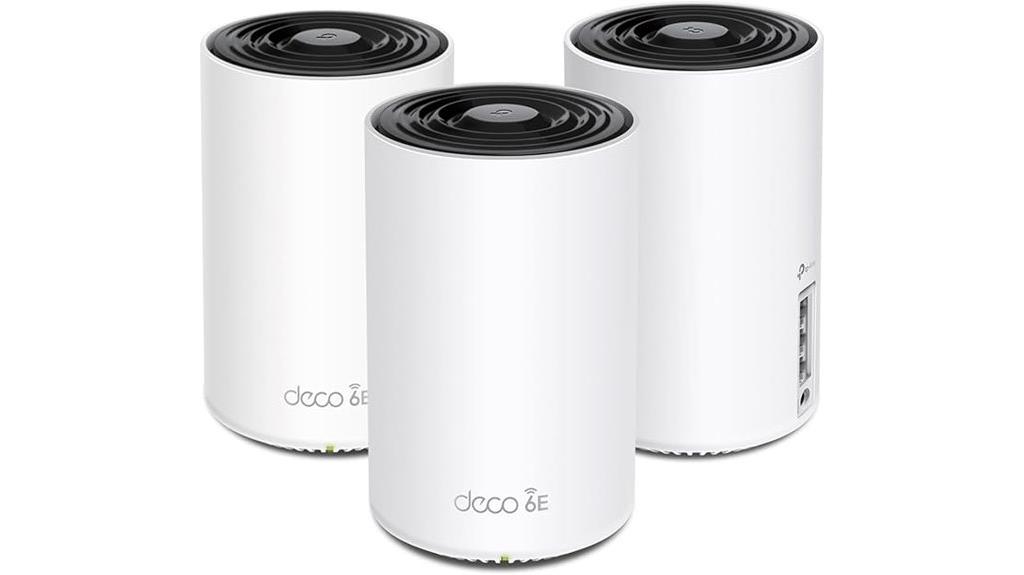
With its tri-band WiFi 6E technology and coverage of up to 7,200 square feet, the TP-Link Deco XE75 Mesh System is a top choice for large households or small businesses seeking seamless, high-speed internet across multiple devices. It delivers combined speeds up to 5,400 Mbps and features an exclusive 6 GHz band to reduce interference and improve efficiency. The system’s AI-driven mesh technology automatically adapts to the environment, providing stable connections and eliminating dead zones. Easy to set up and manage through the Deco app, it also offers robust security, 24/7 support, and a two-year warranty, ensuring reliable, future-proof networking.
Best For: households or small businesses requiring extensive, high-speed, reliable WiFi coverage across large areas with multiple devices.
Pros:
- Tri-band WiFi 6E technology offers combined speeds up to 5,400 Mbps, supporting many devices simultaneously.
- AI-driven mesh system automatically adapts to the environment for stable, seamless connections.
- Easy setup and management via the Deco app, with added security features and 24/7 support.
Cons:
- May be more expensive than traditional routers or dual-band systems.
- Requires a modem for most internet service providers, adding to initial setup complexity.
- Larger physical size of units might be less suitable for tight spaces.
NETGEAR Orbi 970 Series WiFi 7 Mesh System
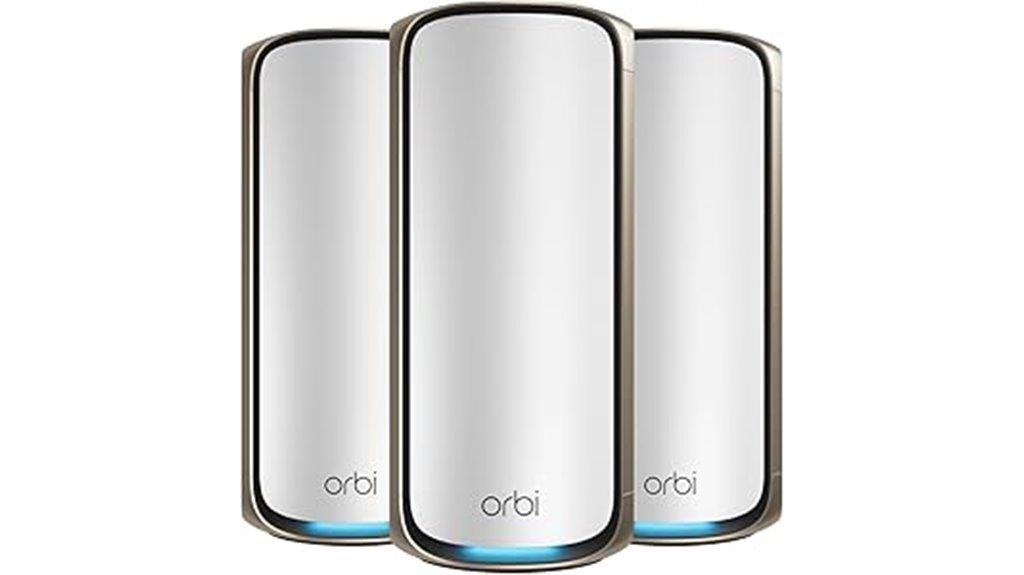
Looking for a mesh Wi-Fi system that can handle large homes and numerous devices without sacrificing speed? The NETGEAR Orbi 970 Series WiFi 7 Mesh System might be just what you need. It offers speeds up to 27Gbps, supporting up to 200 devices simultaneously, thanks to its exclusive Quad-Band technology with Enhanced Dedicated Backhaul. Designed for large spaces up to 10,000 sq. ft., it provides seamless coverage from basement to rooftop. Setup is straightforward via the Orbi app, and it’s compatible with all ISPs, including fiber and multi-gig connections. While some users report stability issues, it’s a solid choice for those seeking fast, reliable Wi-Fi across a sprawling home.
Best For: users with large, multi-story homes seeking high-speed, reliable Wi-Fi coverage capable of supporting numerous devices simultaneously.
Pros:
- Supports speeds up to 27Gbps and up to 200 devices, ideal for bandwidth-intensive activities and smart homes.
- Seamless coverage up to 10,000 sq. ft. with easy setup via the Orbi app.
- Compatible with all ISPs and future-proof with a 10 Gig internet port.
Cons:
- Some users experience stability issues, such as dropouts and connectivity drops.
- App interface can be slow and intrusive with advertising for paid subscriptions.
- High price point may be prohibitive for smaller homes or users with fewer devices.
TP-Link Deco BE25 Dual-Band WiFi 7 Mesh System (3-Pack)
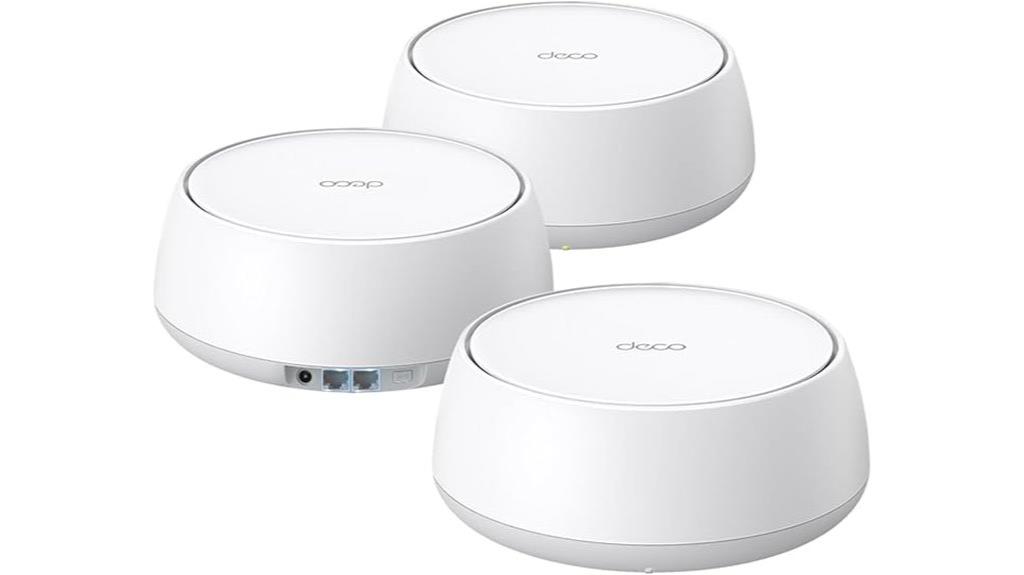
The TP-Link Deco BE25 Dual-Band WiFi 7 Mesh System (3-Pack) stands out as an ideal choice for large homes or properties demanding seamless, high-speed coverage across multiple floors. It supports Wi-Fi 7 with speeds up to 5 Gbps, covering up to 6,600 sq. ft. and over 150 devices. Its mesh architecture, combined with AI-Roaming and multi-gigabit wired backhaul, ensures stable, fast connections even in hard-to-reach areas. Setup is quick via the app, and security features like HomeShield provide robust protection. Customers praise its easy installation, reliable performance, and ability to eliminate dead zones, making it perfect for demanding, multi-story environments.
Best For: large households or properties requiring extensive, high-speed Wi-Fi coverage across multiple floors and devices with easy setup and robust security.
Pros:
- Supports Wi-Fi 7 with speeds up to 5 Gbps and extensive coverage up to 6,600 sq. ft.
- Seamless AI-Roaming and mesh architecture ensure stable, fast connections in hard-to-reach areas.
- User-friendly TP-Link app simplifies setup, management, and security features like HomeShield.
Cons:
- Higher price point compared to traditional routers or simpler mesh systems.
- Requires compatible devices to fully utilize Wi-Fi 7 features and speeds.
- Some users may experience a learning curve with advanced security and management options.
TP-Link Deco WiFi 6 Mesh System (Deco X20)

If you’re seeking a reliable mesh system that can handle a large number of devices without sacrificing speed, the TP-Link Deco WiFi 6 Mesh System (Deco X20) is an excellent choice. Covering up to 5800 sq. ft., it replaces traditional routers and extenders with seamless Wi-Fi 6 performance. Supporting up to 150 devices simultaneously, it ensures smooth connectivity for all your smartphones, tablets, and smart home gadgets. Easy to set up via the Deco app, it also offers remote management and voice control with Alexa. Each unit has 2 Gigabit Ethernet ports, making wired backhaul simple and flexible. It’s a future-proof, high-performance solution for any busy home.
Best For: households or small offices needing reliable, high-speed Wi-Fi coverage across a large area with many connected devices.
Pros:
- Seamless coverage up to 5800 sq. ft. eliminates dead zones and buffering
- Supports up to 150 devices simultaneously for reliable multi-device connectivity
- Easy setup and management via the Deco app, with remote access and voice control compatibility
Cons:
- Requires a modem for most internet service providers, adding an extra setup step
- Might be more expensive than traditional routers or extenders for smaller spaces
- Limited to Wi-Fi 6 AX1800, which may be less future-proof compared to higher Wi-Fi standards
NETGEAR Orbi 370 Series WiFi 7 Mesh Network System
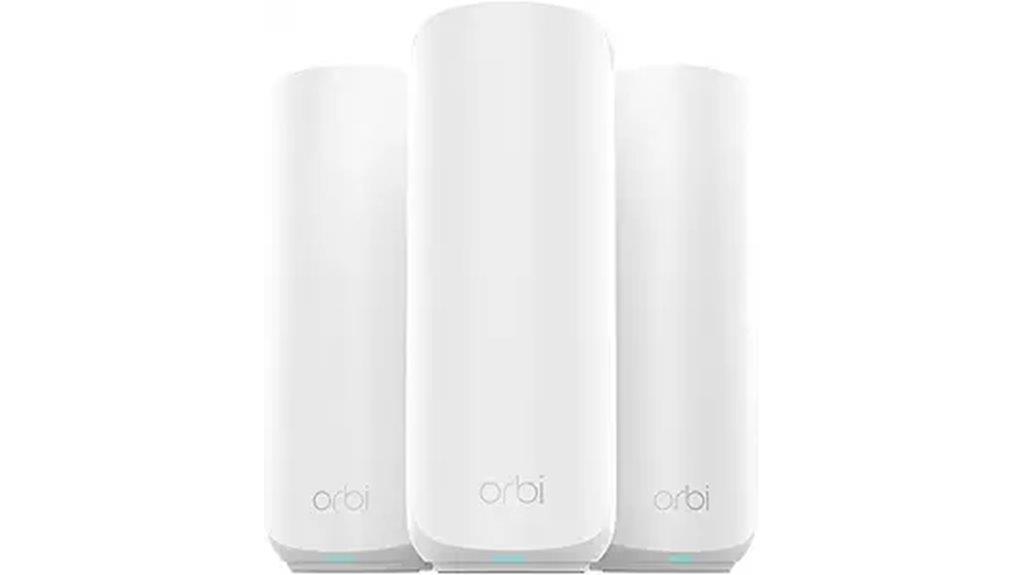
Seeking a mesh Wi-Fi system that can handle large homes and multiple high-bandwidth devices effortlessly? The NETGEAR Orbi 370 Series WiFi 7 Mesh System delivers speeds up to 5 Gbps, supporting up to 70 devices across 6,000 sq.ft. It features dual-band technology, enhanced backhaul, and a 2.5 Gbps internet port, making it perfect for 4K streaming, gaming, and video calls. Easy to set up via the Orbi app, it’s compatible with any provider and offers reliable, high-performance coverage. Its sleek design and advanced security features make it ideal for those needing robust, future-proof Wi-Fi for demanding environments.
Best For: homeowners and professionals who require ultra-fast, extensive Wi-Fi coverage across large, multi-story properties with multiple high-bandwidth devices.
Pros:
- Supports speeds up to 5 Gbps and up to 70 devices, ideal for demanding activities like 4K streaming and gaming.
- Easy setup with the Orbi app and compatibility with any internet provider, plus flexible wired or wireless backhaul options.
- Advanced security features including automatic firmware updates, Armor security, and Bitdefender protection for secure, reliable networks.
Cons:
- Higher price point compared to typical Wi-Fi mesh systems, reflecting its premium features.
- Occasional satellite disconnects reported by some users, possibly requiring reboots.
- Physical imperfections like dents in used or open-box units, and optional accessories such as wall mounts sold separately.
NETGEAR Orbi 770 Series Tri-Band WiFi 7 Mesh Network System
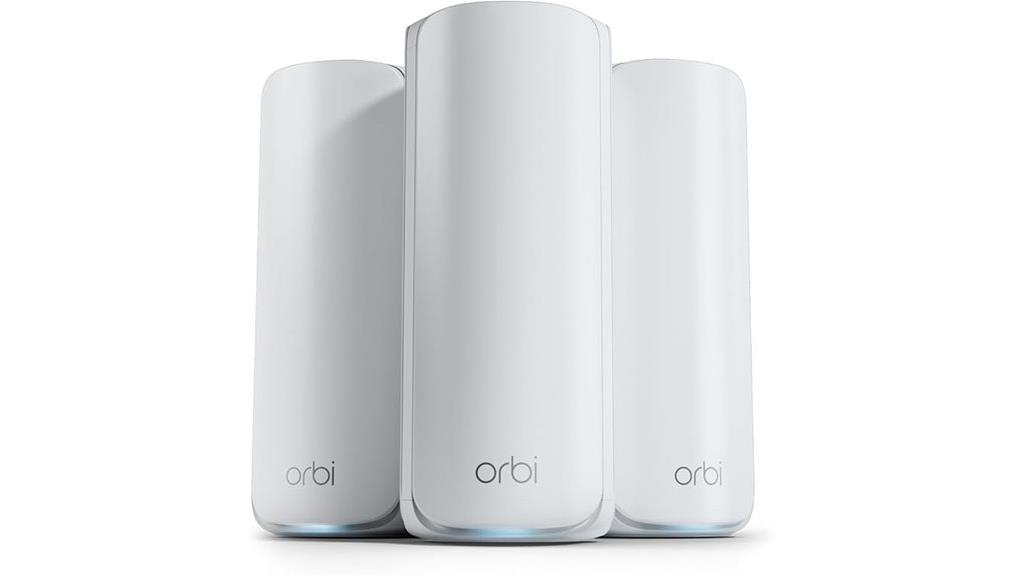
For large homes that demand high-speed, reliable internet across multiple devices, the NETGEAR Orbi 770 Series Tri-Band WiFi 7 Mesh Network System stands out as an excellent choice. It delivers speeds up to 11Gbps, supporting full-home coverage of up to 8,000 sq. ft. and connecting over 100 devices seamlessly. The tri-band setup and Enhanced Backhaul ensure fast, stable connections even with heavy smart home, gaming, and streaming use. Setup is quick via the Orbi app, and security features protect your network, though some management tasks can be tricky. Overall, it’s a powerful, high-performance system ideal for large, device-rich households.
Best For: large households needing high-speed, reliable WiFi coverage across extensive spaces with multiple connected devices.
Pros:
- Delivers up to 11Gbps speeds with full-home coverage up to 8,000 sq. ft.
- Supports over 100 devices simultaneously, ideal for smart homes and gaming.
- Easy setup via the Orbi app with strong, consistent signals throughout the home.
Cons:
- Firmware updates and adding new satellites can be complex and time-consuming.
- Some features, like advanced security and parental controls, require costly subscriptions.
- Customer support experiences are inconsistent, with some users facing difficulty resolving hardware or firmware issues.
Google Nest WiFi Pro 3-Pack Mesh Router

The Google Nest WiFi Pro 3-Pack Mesh Router stands out for households that demand fast, reliable Wi-Fi 6E coverage across large or multi-story homes. It supports speeds up to twice as fast as Wi-Fi 6, utilizing three bands — 2.4, 5, and 6 GHz — with the latter limited to indoor use. A single unit covers about 2,200 sq ft, with three providing up to 6,600 sq ft. The system automatically optimizes performance, monitors itself, and prioritizes activities like video calls. Setup via the Google Home app is simple, but performance can vary with home size and layout, and some users report speed drops or setup challenges.
Best For: households requiring fast, reliable Wi-Fi 6E coverage across large or multi-story homes with minimal setup effort.
Pros:
- Supports speeds up to 2x faster than Wi-Fi 6 with three-band Wi-Fi 6E technology
- Easy setup via the Google Home app with automatic device detection
- Covers up to 6,600 sq ft with three units, reducing dead zones and enhancing coverage
Cons:
- Limited Ethernet WAN speed of 1 Gbps, less than some competitors’ 2.5 Gbps ports
- Performance can vary depending on home size, layout, and interference, with potential speed drops
- Some users experience setup challenges and inconsistent speeds, especially in large or complex homes
Netgear Nighthawk Whole Home Mesh WiFi 6 System, 3-Pack , BLK (Renewed)
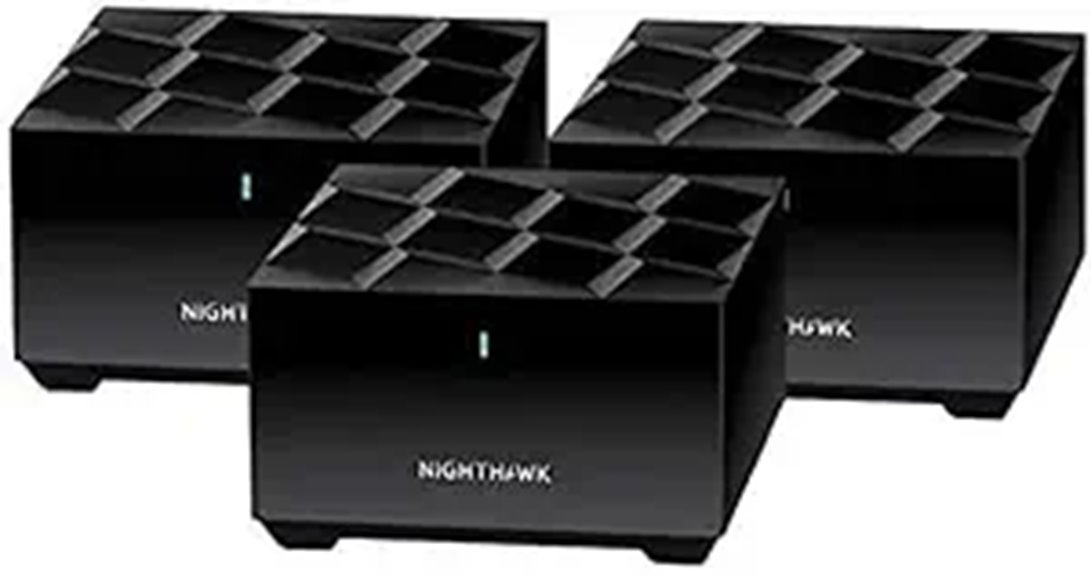
If you have a medium to large home and need reliable, high-speed internet throughout, the Netgear Nighthawk Whole Home Mesh WiFi 6 System, 3-Pack (Renewed) is an excellent choice. It covers up to 4,500 sq. ft. with speeds exceeding 100MBps, perfect for streaming, gaming, and video calls. Thanks to Wi-Fi 6 technology, it offers up to 1.8Gbps, supporting over 25 devices simultaneously with enhanced efficiency. The dual-band setup and OFDMA technology guarantee smooth connectivity, while WPS security keeps your network safe. This renewed 3-pack provides consistent, high-speed coverage, making it ideal for large homes with multiple connected devices.
Best For: households with medium to large homes needing reliable, high-speed WiFi coverage for multiple devices and activities like streaming, gaming, and video calls.
Pros:
- Covers up to 4,500 sq. ft. with seamless high-speed internet
- Supports over 25 devices simultaneously with Wi-Fi 6 technology
- Ensures secure wireless connection with WPS security protocol
Cons:
- Renewed (refurbished) item may have limited warranty or unknown previous usage history
- Setup and management might be complex for non-technical users
- As a 3-pack, it may be more than needed for smaller spaces or less demanding users
Factors to Consider When Choosing a Mesh Wi‑Fi System
When selecting a mesh Wi-Fi system, I consider factors like coverage area, device compatibility, and speed needs to guarantee I get the right fit for my home. I also look at wired versus wireless backhaul options and security features to keep my network safe. These points help me choose a system that’s reliable and meets all my connectivity requirements.
Coverage Area Needs
Choosing the right mesh Wi-Fi system starts with understanding your coverage needs. I recommend measuring your total square footage to determine what size system is required. Keep in mind that walls, floors, and building materials can block signals, reducing coverage. When planning placement, make sure your routers and mesh nodes are positioned to create overlapping coverage zones without gaps. For large or multi-story homes, select a system that supports up to 8,100 sq.ft. to cut down on the number of units needed. Don’t forget outdoor spaces or garages—they often need extra mesh nodes or extenders for reliable connectivity. By evaluating these factors, you’ll choose a system that effectively covers your entire property without dead zones or signal drops.
Device Compatibility
Ever wonder if your mesh Wi-Fi system will play nicely with all your devices? It’s essential to check compatibility before buying. Make sure the system supports the latest Wi-Fi standards like Wi-Fi 6 or Wi-Fi 7, which guarantee faster, more reliable connections. Verify that it works with your existing modem and router to avoid connectivity hiccups. Also, consider whether your smart home gadgets, gaming consoles, and other devices are compatible with the system’s network protocols and security features. Supporting security protocols like WPA3 is a big plus for keeping your devices safe. Finally, guarantee the system offers app-based management that’s compatible with your smartphone or tablet’s OS—whether iOS or Android—for easy control and setup.
Speed Requirements
To guarantee your mesh Wi-Fi system keeps up with your internet needs, it’s essential to verify that it supports your plan’s maximum speed. If your plan offers up to 1 Gbps, ensure the system can handle that without becoming a bottleneck, with support for speeds like 10 or 14 Gbps. Check the Wi-Fi standard—Wi-Fi 6 or Wi-Fi 7—to ensure compatibility and future-proofing. Look at the system’s combined wireless throughput, which should support multiple high-bandwidth activities such as 4K streaming and online gaming simultaneously. Also, consider how many devices it can handle—more gadgets mean higher demands on your network. Features like Multi-Link Operation, Multi-RUs, and 4K-QAM can optimize performance, guaranteeing your entire home stays fast and responsive.
Wired Vs Wireless Backhaul
When selecting a mesh Wi-Fi system, understanding the differences between wired and wireless backhaul is essential because it directly impacts your network’s speed, reliability, and ease of setup. Wired backhaul uses Ethernet cables to connect nodes, offering a dedicated, high-speed link that reduces wireless congestion and boosts overall stability. It’s ideal for large or demanding environments, supporting multi-gigabit speeds and consistent performance. Wireless backhaul, on the other hand, relies on Wi-Fi signals, making installation simpler and more flexible since no cables are needed. However, it’s more susceptible to interference, distance, and obstacles, which can reduce bandwidth and reliability. Your choice depends on your environment and performance needs—wired for demanding tasks, wireless for convenience.
Security Features
Choosing a mesh Wi-Fi system with strong security features is vital to safeguarding your network and connected devices. Look for systems that support WPA3 encryption, as it offers enhanced protection against hacking. VPN support and automatic firmware updates help maintain security by patching vulnerabilities quickly. Many systems include integrated security services like HomeShield or Armor, providing real-time threat detection, parental controls, and IoT protection. Secure guest networks and device-specific access controls further limit exposure and improve privacy. Regular firmware updates are important—they fix security flaws and ensure compatibility with the latest protocols. Some systems also add layers like malicious site blocking, intrusion detection, and encrypted channels for sensitive data, giving you peace of mind that your home network remains protected from evolving threats.
Ease of Setup
Ease of setup is a critical factor when selecting a mesh Wi-Fi system, especially for users who aren’t tech experts. Most systems come with dedicated mobile apps that guide you through quick, straightforward installation, often taking just 10-15 minutes. Many support automatic device detection and configuration, so you don’t have to manually adjust settings or troubleshoot complex network issues. The plug-and-play design allows you to connect units to power and your internet source with minimal effort, simplifying the process even further. User-friendly interfaces, including step-by-step instructions and visual aids, make setting up your network accessible for everyone. Some advanced systems even feature auto-sensing ports and AI-driven setup options, ensuring a smooth deployment in any home environment without technical hassle.
Scalability Options
Adding more nodes to your mesh Wi-Fi system can markedly improve coverage and support a larger number of devices, but it’s vital to think about how easily your system can scale. Many systems allow for simple expansion through compatible mesh units, often with plug-and-play setup, making growth seamless without major reconfigurations. Wired backhaul options are essential for maintaining high speeds and stability as you add more nodes, especially in larger or complex homes. Keep in mind that the number of nodes supported varies—some systems can handle over 10 units, while others are limited, impacting long-term scalability. Finally, verify that new units are compatible with your existing setup to maintain consistent performance and management across your network.
Budget Considerations
When selecting a mesh Wi-Fi system, budget plays a crucial role in balancing performance and features. Prices range from about $150 for basic models to over $1,000 for premium setups with advanced features. Cheaper options often support fewer devices and offer lower maximum speeds, which may slow down busy households. Investing in newer technologies like Wi-Fi 6E or Wi-Fi 7 can cost more upfront but provides better speeds and future-proofing. Keep in mind that additional costs might include extra nodes, wired backhaul adapters, or subscription services for security and management. When choosing, consider your home size, device load, and how much you’re willing to spend to get the coverage and performance you need without overspending.
Frequently Asked Questions
How Does Mesh Wi-Fi Improve Internet Coverage Compared to Traditional Routers?
Mesh Wi-Fi improves internet coverage by creating a seamless network with multiple nodes that communicate with each other. Unlike traditional routers, which can leave dead zones, mesh systems dynamically direct traffic, ensuring strong signals throughout your home. I’ve seen how this setup eliminates dead spots and maintains fast speeds everywhere, making it perfect for homes with multiple devices or larger spaces. It’s a game-changer for reliable, widespread Wi-Fi.
Can Mesh Wi-Fi Systems Support Multiple Devices Simultaneously Without Lag?
Think of a mesh Wi-Fi system like a team of runners passing the baton smoothly. Yes, it can support multiple devices at once without lag. I’ve seen it handle streaming, gaming, and smart home devices all simultaneously, thanks to its intelligent traffic management. This setup guarantees your entire home stays connected and fast, even when everyone’s online at the same time. It’s a game-changer for busy households.
Are Mesh Wi-Fi Systems Easy to Set up for Non-Technical Users?
Yes, mesh Wi-Fi systems are generally very easy to set up, even for non-technical users. I found that most come with straightforward instructions and user-friendly apps that guide you step-by-step. I just plugged in the main unit, followed the app prompts, and added a few nodes. It took me less than 30 minutes, and now my whole home has seamless Wi-Fi coverage without any hassle.
How Do I Choose the Best Mesh System for Large Homes?
I recommend choosing a mesh system with multiple nodes, ideally designed for large homes. Look for models that offer extensive coverage, such as those claiming over 5,000 square feet. Prioritize systems with easy expandability, robust bandwidth, and strong signals on each node. Also, consider features like parental controls and app management. Ultimately, matching your home’s size and layout with the system’s capabilities guarantees seamless Wi-Fi coverage everywhere.
Do Mesh Wi-Fi Systems Require a Wired Backbone Connection?
No, mesh Wi-Fi systems don’t require a wired backbone connection, but having one can improve performance. I’ve found that many modern systems work wirelessly, which makes setup easier and more flexible. However, if you want the best speeds and stability, especially in large homes, connecting some nodes via Ethernet can substantially boost your network’s reliability. So, it’s optional but beneficial depending on your needs.
Conclusion
If you want a home network so powerful it could handle a thousand devices at once and still run smoother than a race car on a track, these mesh Wi-Fi systems are your answer. They’re not just good—they’re the difference between living in the digital stone age and surfing the web at lightning speed. Choose one, and prepare to have your entire home transformed into a blazing-fast internet paradise that leaves lag in the dust!