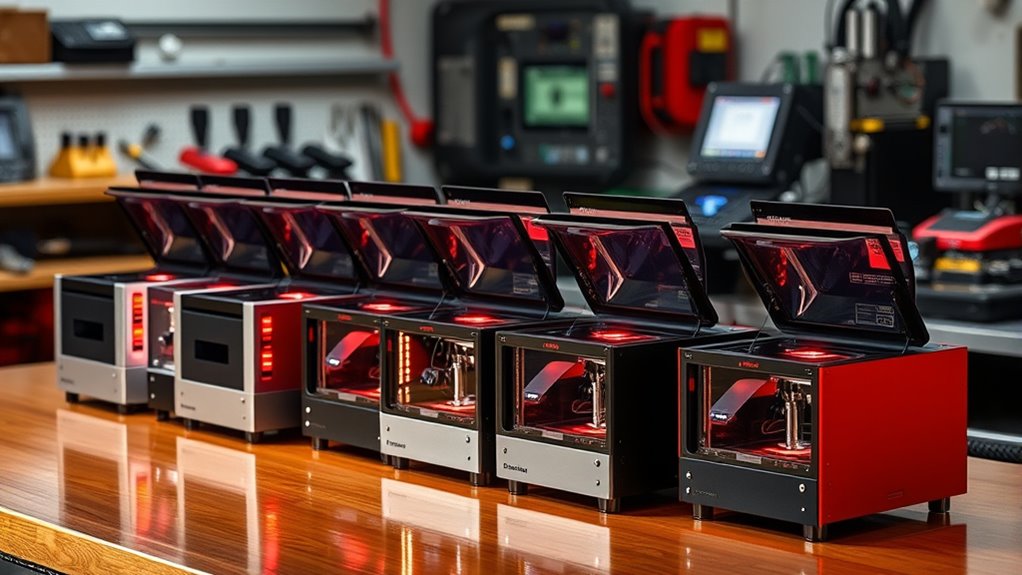

A desktop laser engraving machine can handle anything from simple wood projects to detailed glass work or metal marking, but no single laser type does it all. My best overall pick is the xTool F2 Dual Laser Engraver, whose diode and IR sources give it broader material options than a single-laser desktop unit. The Creality Falcon A1C stands out for camera-assisted setup, while the ComMarker B4 is a more focused choice for fiber-laser metal marking. The main tradeoffs are material compatibility, usable work area, safety enclosure, and how much setup or software work you are willing to handle. Read on for the full breakdown of how these 12 machines fit different desktop workflows.

Get business pricing on monitors, keyboards and dev gear
- Business-only prices and quantity discounts
- Tax-exempt purchasing
- Multiple users, one account, clear invoices
Key Takeaways
Laser type sets the main boundary: the F2 combines diode and IR sources, while the F2 Ultra UV and fiber models target more specialized marking jobs.
A large bed favors batch work: the Aliencell X1’s 26 x 21-inch work area suits larger layouts better than compact desktop options, but takes more bench space.
Camera features reduce alignment work: the xTool M2 and Creality Falcon A1C models add camera-based workflow help, which can matter more than raw laser power for repeated small projects.
Power ratings alone do not settle the choice: the 2.5W and 6W ACMER S1 models suit different engraving and cutting expectations, while material compatibility still depends on the laser source and workpiece.
Specialty machines are not general-purpose upgrades: the UV F2 Ultra and 100W JPT MOPA fiber marker may fit glass-detailing or metal-marking work, but are less versatile choices for mixed craft materials.
| ARTILUME Laser Engraver APP Control Laser Cutter for DIY, A4-7W, Black |  | Best for Large Desktop Work Areas | Work area: 400 × 400 mm | Laser power: 7W listed; 12W and 22W options described | Laser wavelength: 450 nm | VIEW ON AMAZON | See Our Full Breakdown |
| ACMER S1 Laser Engraver Machine, 2500mW Diode Laser Cutter for Wood and Acrylic |  | Best for Compact Beginner Projects | Laser power: 2500 mW | Machine output: 24 W | Wavelength: 455 ± 5 nm | VIEW ON AMAZON | See Our Full Breakdown |
| xTool F2 Ultra UV Laser Engraver, 5W UV Laser 3D Inner Fine Glass Engraving |  | Best for Engraving Inside Glass | Laser type: UV | Laser power: 5 W (5000 mW) | Engraving speed: Up to 15,000 mm/s | VIEW ON AMAZON | See Our Full Breakdown |
| xTool M2 10W Laser Engraver with Built-in Dual Cameras, Class 1 Enclosed Safe Machine for DIY Craft on Wood, Leather, Felt, Fabric, Paper |  | Best Enclosed Desktop Pick for Home Crafting | Laser type: Diode | Laser power: 10 W | Safety classification: Class 1 | VIEW ON AMAZON | See Our Full Breakdown |
| K15 Pro Laser Engraver 10W Laser Engraving Machine for Metal, Wood, Acrylic, Glass, Stone |  | Best A4-Size Desktop for Small-Business Work | Laser power: 10 W | Work area: 11.8 × 7.9 inches (A4) | Material compatibility: Wood, acrylic, leather, coated metal, and more | VIEW ON AMAZON | See Our Full Breakdown |
| xTool F2 Dual Laser Engraver (15W Diode & 5W IR) with 50MP Camera |  | Best for Portable, Multi-Material Work | Laser power: 15W diode, 5W infrared | Maximum speed: 6000 mm/s | Camera resolution: 50MP | VIEW ON AMAZON | See Our Full Breakdown |
| Aliencell 20W X1 Laser Engraver & Cutter, 26 x 21″ Bed, No PC Needed |  | Best for Large Desktop Projects | Bed size: 26 x 21 inches | Laser power: 20W | Acceleration: 20,000 mm/s² | VIEW ON AMAZON | See Our Full Breakdown |
| 100W JPT MOPA M7 2D Fiber Marking Machine with Rotary Axis and Dual Lenses |  | Best for Metal-Focused Production | Laser source and power: 100W JPT MOPA | Wavelength: 1064 nm | Field lenses: 175 mm and 300 mm | VIEW ON AMAZON | See Our Full Breakdown |
| ACMER S1 Laser Engraver Machine, 6000mW Laser Cutter for Wood and Acrylic | 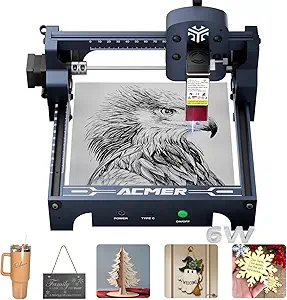 | Best Compact Desktop Pick | Laser type and power: 6000 mW diode | Listed output power: 48W | Wavelength: 455 ± 5 nm | VIEW ON AMAZON | See Our Full Breakdown |
| ComMarker B4 20W Fiber Laser Engraver with LightBurn Compatibility |  | Best Desktop Fiber Marker for Flexible Setup | Laser power: 20W | Wavelength: 1064 nm | Lens sizes: 110 x 110 mm and 200 x 200 mm | VIEW ON AMAZON | See Our Full Breakdown |
| Creality Falcon A1C 10W AI Laser Engraver with AI Camera |  | Best for Camera-Assisted Setup | Laser power: 10W | Work area: 150 × 150 × 148 mm | Maximum speed: 15,000 mm/min | VIEW ON AMAZON | See Our Full Breakdown |
| Creality Falcon A1C 10W Mini Laser Engraver with Auto Focus and Smart Camera |  | Best for Modular Material Range | Laser power: 10W; compatible with separately sold 5W and 1.2W IR modules | Maximum speed: 15,000 mm/min | Materials: Wood, leather, bamboo, cardboard, paper, fabric, rubber, felt, dark opaque acrylic; metals with separate module | VIEW ON AMAZON | See Our Full Breakdown |
| laser engraving machine desktop | Laser power |
|---|---|
| ARTILUME Laser Engraver APP Co | 7W listed; 12W and 22W options described |
| ACMER S1 Laser Engraver Machin | 2500 mW |
| xTool F2 Ultra UV Laser Engrav | 5 W (5000 mW) |
| xTool M2 10W Laser Engraver wi | 10 W |
| K15 Pro Laser Engraver 10W Las | 10 W |
| xTool F2 Dual Laser Engraver | 15W diode, 5W infrared |
| Aliencell 20W X1 Laser Engrave | 20W |
| 100W JPT MOPA M7 2D Fiber Mark | — |
| ACMER S1 Laser Engraver Machin | — |
| ComMarker B4 20W Fiber Laser E | 20W |
| Creality Falcon A1C 10W AI Las | 10W |
| Creality Falcon A1C 10W Mini L | 10W; compatible with separately sold 5W and 1.2W IR modules |
More Details on Our Top Picks
ARTILUME Laser Engraver APP Control Laser Cutter for DIY, A4-7W, Black
The ARTILUME stands apart from the compact ACMER S1 by offering a 400 × 400 mm work area, giving desktop users more room for signs, panels, and larger craft layouts without splitting a design into sections. Its 0.01 mm spot size is aimed at detailed engraving, while app control offers a simpler route for basic jobs alongside LightBurn and LaserGRBL support. The listed 7W version sits within a family that also has optional 12W and 22W power levels, though buyers should confirm which configuration they are getting. The tradeoff is a setup that may take more technical effort than the nearly preassembled ACMER, plus a footprint that is not especially small. I would choose it for bed area, not portability or uncomplicated setup.
Pros:- 400 × 400 mm work area accommodates larger layouts than the ACMER S1.
- 0.01 mm spot size is suited to fine engraved details.
- Supports app control as well as LightBurn and LaserGRBL.
- Optional higher-power configurations and add-on modules allow expansion.
Cons:- Setup may demand more technical knowledge than the near-preassembled ACMER S1.
- The listed dimensions indicate a large footprint for a desktop machine.
- The stated laser-module lifespan of up to 10,000 hours may be a limitation for sustained heavy use.
Best for: Makers who need a desktop-style machine with room for larger wood, leather, or craft projects and are comfortable with software setup.
Not ideal for: Apartment users with very limited bench space or beginners who want a small, nearly ready-to-run engraver.
- Work area:400 × 400 mm
- Laser power:7W listed; 12W and 22W options described
- Laser wavelength:450 nm
- Precision:0.01 mm spot size
- Engraving speed:Up to 10,000 mm/min
- Control and software:App, Wi-Fi, LightBurn, and LaserGRBL
- Frame materials:Anodized aluminum alloy and ABS components
- Dimensions and weight:22.44 × 21.38 × 59.84 inches; 7.19 lb
Our verdict“Choose the ARTILUME if a generous work area matters more than a compact footprint and easy first-time setup.”
ACMER S1 Laser Engraver Machine, 2500mW Diode Laser Cutter for Wood and Acrylic
Where the ARTILUME prioritizes bed size, the ACMER S1 keeps its 130 × 130 mm work area and overall footprint small. That makes it a more practical desktop pick for tags, small ornaments, and samples than larger-format machines, though it cannot handle the ARTILUME’s bigger layouts. Its 99% preassembly and included Acmerstudio software lower the friction for a first project, and compatibility with LightBurn and LaserGRBL leaves room to change tools later. The 2500mW diode is intended for engraving and light cutting, not fast work through thick stock; the product data also distinguishes 2500mW laser power from 24W machine output, so those figures should not be treated as the same rating. The small bed is the defining compromise, not a minor footnote.
Pros:- 99% preassembled design reduces the work required before a first project.
- Compact 130 × 130 mm bed suits small desktop crafts and samples.
- Lightweight aluminum-alloy construction makes it easier to move than the ARTILUME.
- Works with included Acmerstudio software plus LightBurn and LaserGRBL.
Cons:- The 130 × 130 mm work area rules out many larger designs.
- The 2500mW diode is less suited to thick or hard stock than higher-power options.
- Class 4 laser classification calls for appropriate laser safety precautions.
Best for: First-time makers who want a light, compact machine for small wood, leather, and acrylic projects and value minimal assembly.
Not ideal for: Buyers making large signs or regularly cutting thick or hard materials; the small work area and diode output limit those jobs.
- Laser power:2500 mW
- Machine output:24 W
- Wavelength:455 ± 5 nm
- Working area:130 × 130 mm
- Engraving speed:Up to 10,000 mm/min
- Positioning accuracy:0.01 mm
- Dimensions and weight:250 × 250 × 162 mm; 2 kg
- Compatibility:macOS, Windows, and Linux; Acmerstudio, LightBurn, and LaserGRBL
- Safety classification:Class 4, IEC 60825-1
Our verdict“Pick the ACMER S1 for a small, beginner-friendly desktop engraver, but skip it if your projects need a larger bed or substantial cutting power.”
xTool F2 Ultra UV Laser Engraver, 5W UV Laser 3D Inner Fine Glass Engraving
The xTool F2 Ultra UV has a specialized job in this group: engraving inside glass and crystal, including work where a conventional desktop diode machine such as the K15 Pro is not the natural fit. Its 5W UV laser is described for micron-level detail and transparent or fragile materials, while auto-focus and dual 48MP cameras help with positioning and setup. At up to 15,000 mm/s, it also has a speed specification well above the ACMER S1’s listed 10,000 mm/min, though the units differ and do not directly establish like-for-like job times. This is not the flexible choice for general wood cutting: the product data gives no exact engraving-area dimensions, and its Class 4 status means safety procedures remain part of operation despite the enclosure. Choose it for its glass specialty, not as an all-purpose replacement.
Pros:- UV laser is specifically suited to fine engraving inside glass and crystal.
- Supports transparent and delicate materials beyond the core use cases of the K15 Pro.
- Auto-focus and dual 48MP cameras aid positioning.
- Enclosed design contains the work area during operation.
Cons:- Class 4 classification still requires careful laser safety practices.
- Exact engraving-area dimensions are not provided in the product data.
- Its specialized glass capability may be unnecessary for buyers focused on routine wood projects.
Best for: Gift makers, trophy shops, and studios whose desktop work centers on detailed internal engraving in glass or crystal.
Not ideal for: DIY users mainly engraving or cutting wood and seeking a clearly specified work area or a general-purpose desktop machine.
- Laser type:UV
- Laser power:5 W (5000 mW)
- Engraving speed:Up to 15,000 mm/s
- Camera system:Dual 48MP cameras
- Supported materials:Glass, crystal, acrylic, ceramics, plastic, and more
- Engraving area:Exact dimensions not specified
- Safety classification:Class 4
- Enclosure:Fully enclosed design
Our verdict“Choose the xTool F2 Ultra UV when internal glass or crystal engraving is the main job, rather than general desktop cutting.”
xTool M2 10W Laser Engraver with Built-in Dual Cameras, Class 1 Enclosed Safe Machine for DIY Craft on Wood, Leather, Felt, Fabric, Paper
For home crafting, the xTool M2 puts enclosure and workflow convenience ahead of a large open-frame bed. Its Class 1 design and two built-in cameras support a more contained setup and a visual preview before engraving, a useful contrast with the open-frame ACMER S1, which is lighter and simpler but provides no built-in camera system in the supplied details. The 10W diode and support for materials such as wood, leather, felt, fabric, and paper suit varied craft work; xTool Studio templates and an AI image generator can also shorten the path from idea to layout. Optional CMYK inkjet and IR modules broaden its uses, but they are separate purchases, not included capabilities. I would favor the M2 for a camera-assisted enclosed workflow, while buyers seeking bigger-format work should compare it with the ARTILUME’s specified 400 × 400 mm area.
Pros:- Class 1 enclosed design suits a more contained home or workshop setup.
- Dual cameras provide a real-time preview for positioning work.
- 10W diode supports a range of common craft materials.
- Template tools and AI image generation can simplify artwork preparation.
Cons:- CMYK inkjet, rotary, and IR capabilities depend on optional modules.
- The product data does not specify the engraving-area dimensions.
- An enclosed camera-focused workflow may be less suitable than an open, larger bed for oversized materials.
Best for: Home crafters who want an enclosed desktop engraver with camera-assisted placement for frequent projects on wood, fabric, paper, and leather.
Not ideal for: Buyers who need a confirmed large work area, or who expect inkjet color printing and IR metal engraving without buying optional modules.
- Laser type:Diode
- Laser power:10 W
- Safety classification:Class 1
- Camera system:Two built-in cameras
- Supported materials:Wood, leather, felt, fabric, paper, cardstock, and more
- Software:xTool Studio with templates and AI image generation
- Optional modules:CMYK inkjet, RA3 Lite rotary, and 3W IR laser
Our verdict“Choose the xTool M2 for enclosed, camera-guided home crafting, but check the work-area dimensions and add-on costs against your project needs.”
K15 Pro Laser Engraver 10W Laser Engraving Machine for Metal, Wood, Acrylic, Glass, Stone
The K15 Pro is a middle ground between the ACMER S1’s compact 130 × 130 mm bed and the ARTILUME’s much larger 400 × 400 mm area. Its A4-sized work area can handle more substantial craft pieces without taking the full scale of the ARTILUME, while 10W power and stated cutting limits give buyers a clearer reference for plywood and acrylic jobs. At up to 15,000 mm/min, it is specified for faster engraving than the ACMER S1, though real job times depend on material and settings. The machine supports offline control and offers optional IR and rotary upgrades, but the IR head is not included, so metal work should not be assumed to match its wood performance. With some assembly required and limited bed space, this suits small-batch work rather than oversized production.
Pros:- A4 work area is larger than the ACMER S1’s 130 × 130 mm bed.
- 10W laser and stated cutting thicknesses help set practical expectations for common stock.
- Offline control offers an option beyond computer-based operation.
- Optional IR head, rotary roller, air pump, and other upgrades add flexibility.
Cons:- A4 workspace remains too small for large signs and panels.
- Some assembly and setup are required.
- The optional IR laser head is needed for the described metal upgrade, and thick-material work can exceed the diode’s strengths.
Best for: DIY sellers and small-shop makers who need an A4 desktop bed, offline control, and a 10W diode for modest craft runs.
Not ideal for: Users producing large panels or expecting heavy cutting and broad metal capability from the included diode setup.
- Laser power:10 W
- Work area:11.8 × 7.9 inches (A4)
- Material compatibility:Wood, acrylic, leather, coated metal, and more
- Maximum cutting thickness:12 mm plywood; 8 mm acrylic
- Precision:0.01 mm
- Maximum speed:15,000 mm/min
- Cooling:Dual-fan system
- Upgrade options:Optional 1W IR head, honeycomb plate, air pump, rotary roller, and air purifier
Our verdict“Choose the K15 Pro for A4-sized craft and small-batch work with upgrade options, but look elsewhere for large-bed production or demanding cuts.”
xTool F2 Dual Laser Engraver (15W Diode & 5W IR) with 50MP Camera
The xTool F2 earns its place among desktop engravers by pairing a 15W diode laser with a 5W infrared laser, giving makers more range across materials than the single-laser ACMER S1. The infrared source supports metal marking, while the diode handles a broader mix of everyday engraving tasks; the 50MP camera and 0.1 mm alignment accuracy help place jobs precisely for repeat work. At 4.6 kg, it is easier to move between a home workspace and an event booth than the much heavier ComMarker B4. Its 6000 mm/s maximum speed also suits short production runs. The tradeoffs are real: it is a Class 4 machine requiring strict safety practices, and the fume purifier is optional. I’d choose it for flexibility and portability, not for a large work area or a ready-to-use ventilation package.
Pros:- Dual diode and infrared lasers broaden material options, including metal marking.
- 50MP camera and 0.1 mm alignment accuracy support precise placement.
- Maximum speed of 6000 mm/s suits small-batch work.
- At 4.6 kg, it is more portable than the ComMarker B4.
Cons:- Class 4 classification calls for strict laser-safety procedures.
- Fume purifier is optional, so indoor use may require additional ventilation planning.
- The listed data does not provide a work-area size, making project-fit comparisons harder.
Best for: Makers and small custom-gift businesses that need a portable desktop machine for varied materials and occasional on-site personalization.
Not ideal for: Users who want a large bed, included fume purification, or a lower-safety-burden enclosed setup.
- Laser power:15W diode, 5W infrared
- Maximum speed:6000 mm/s
- Camera resolution:50MP
- Alignment accuracy:0.1 mm
- Motion accuracy:0.00199 inches
- Weight:4.6 kg
- Laser class:Class 4
Our verdict“Choose the xTool F2 if you need a portable desktop engraver with both diode and infrared capability and can manage its safety and fume-control requirements.”
Aliencell 20W X1 Laser Engraver & Cutter, 26 x 21″ Bed, No PC Needed
The Aliencell X1 is the lineup’s clear choice when a desktop machine needs room for oversized pieces or batches: its 26 x 21-inch bed is far larger than the 130 x 130 mm area listed for the ACMER S1. Its standalone touchscreen operation also lets users prepare and run jobs without keeping a PC connected, while AI vision and real-time previews help position work before the laser starts. Built-in flame sensors add a useful layer of monitoring, though they do not replace safe operation. The X1’s 20W laser is a practical fit for hobby and small-business work, but it is not positioned as heavy industrial equipment. Compared with the more portable xTool F2, this is a workspace-first machine: I’d pick it for large formats, and skip it if bench space or budget is tight.
Pros:- 26 x 21-inch bed accommodates large projects and batch layouts.
- Touchscreen supports standalone operation without a PC.
- AI-powered vision and real-time previews assist with job placement.
- Built-in flame sensors provide additional safety monitoring.
Cons:- The large bed demands substantial workspace compared with compact machines such as the xTool F2.
- 20W output is not intended for heavy-duty industrial production.
- Users still need to understand laser safety despite the built-in sensors.
Best for: Small makerspaces and craft businesses that routinely engrave large panels, multiple pieces per run, or projects that benefit from touchscreen control.
Not ideal for: Apartment users with limited bench space, buyers seeking a portable unit, or industrial shops needing more laser power.
- Bed size:26 x 21 inches
- Laser power:20W
- Acceleration:20,000 mm/s²
- Frequency:20 kHz
- Camera resolution:8MP
- Touchscreen:6.86-inch, Linux-based OS
- Supported materials:Wood, leather, acrylic, metal
Our verdict“Pick the Aliencell X1 when a large bed and PC-free touchscreen workflow matter more than portability or a compact desktop footprint.”
100W JPT MOPA M7 2D Fiber Marking Machine with Rotary Axis and Dual Lenses
The M7 is the most specialized and production-oriented desktop option here. Its 100W JPT MOPA fiber source is built for marking metals and plastics, rather than the broad craft-material work associated with the diode-based ACMER S1 or Aliencell X1. Two field lenses give buyers a choice between a 175 mm field for more focused jobs and a 300 mm field for larger marking areas; the included D80 rotary axis extends that capability to cylindrical items. At 96.1 pounds and roughly 13.78 x 21.65 x 24.8 inches, it is a stationary benchtop machine, not a portable desktop engraver. Air cooling avoids a water-cooling setup, but the listed specs don’t establish suitability for uninterrupted high-duty operation. I’d shortlist it for metal parts and repeatable marking, not general-purpose craft cutting.
Pros:- 100W MOPA fiber source targets precise metal and plastic marking.
- Interchangeable 175 mm and 300 mm lenses support different marking areas.
- D80 rotary axis accommodates cylindrical objects.
- EZCAD compatibility and multiple language support suit varied workflows.
Cons:- At 96.1 pounds, it is difficult to move and needs a dedicated workspace.
- Fiber marking is more specialized than the material range of the diode-based ACMER S1.
- Air cooling may be a limitation for continuous operation compared with systems designed for water cooling.
Best for: Jewelry, electronics, or parts businesses that need a stationary fiber marker for metal and plastic items, including cylindrical work.
Not ideal for: Beginners seeking a compact all-purpose craft engraver, or buyers who need portability, a large diode-style cutting bed, or a water-cooled system.
- Laser source and power:100W JPT MOPA
- Wavelength:1064 nm
- Field lenses:175 mm and 300 mm
- Rotary axis:D80
- Cooling system:Air-cooled
- Voltage:110V
- Dimensions:13.78 x 21.65 x 24.8 inches
- Weight:96.1 pounds
Our verdict“Choose the M7 for stationary, metal-centered marking and rotary work, but not as a general-purpose desktop craft cutter.”
ACMER S1 Laser Engraver Machine, 6000mW Laser Cutter for Wood and Acrylic
The ACMER S1 is the smallest-footprint choice in this group, with a 130 x 130 mm work area and a 2 kg frame that can fit a compact bench or move between workspaces. That makes it a sharper match for small plaques, tags, and other modest pieces than the expansive Aliencell X1, whose 26 x 21-inch bed is better for large jobs. Its 6000 mW diode laser works across listed materials such as wood, acrylic, leather, PCB, and ceramics, while compatibility with LightBurn and LaserGRBL gives buyers familiar software options. The listed 0.01 mm repeatable positioning accuracy and 10,000 mm/min engraving speed are useful for detailed work, but don’t change the bed-size limit. Setup is aided by near-complete assembly; ventilation and Class 4 safety precautions remain the buyer’s responsibility.
Pros:- Compact 2 kg body and 250 x 250 x 162 mm dimensions suit small workspaces.
- 130 x 130 mm area fits small-format engraving projects.
- Works with LightBurn, LaserGRBL, and ACMER Studio across macOS, Windows, and Linux.
- Listed as 99% pre-assembled for a simpler initial setup.
Cons:- The 130 x 130 mm work area is much smaller than the Aliencell X1’s bed.
- Class 4 output requires careful safety practices and suitable ventilation.
- The 6000 mW diode is less suited to specialized metal marking than the infrared xTool F2 or fiber models.
Best for: Beginners, hobbyists, and makers with limited desk space who mostly engrave small designs and want compatibility with common laser software.
Not ideal for: Users producing large panels or batches, or anyone who needs a machine with included fume management and a documented enclosed design.
- Laser type and power:6000 mW diode
- Listed output power:48W
- Wavelength:455 ± 5 nm
- Working area:130 x 130 mm
- Engraving speed:10,000 mm/min
- Positioning accuracy:0.01 mm repeatable
- Dimensions and weight:250 x 250 x 162 mm; 2 kg
- Supported software:LightBurn, LaserGRBL, ACMER Studio
Our verdict“Choose the ACMER S1 for small, detailed desktop projects and easy placement; move up to the Aliencell X1 if your work needs a much larger bed.”
ComMarker B4 20W Fiber Laser Engraver with LightBurn Compatibility
The ComMarker B4 brings fiber marking into a desktop-oriented format, with the added option of desktop or handheld operation. Its 20W source and 1064 nm wavelength target metals and plastics, making it a more focused material choice than the diode-based Aliencell X1. The listed 110 x 110 mm and 200 x 200 mm lens areas let buyers choose between a smaller marking field and a larger one, while LightBurn and EzCad2 support familiar control paths. A stated Class 1 classification separates it from the Class 4 ACMER S1, though that does not remove the need to follow operating and safety instructions. This model offers less power than the 100W M7, but is the more approachable fiber option for many desktop workflows. Setup can be complex, and it is still not a broad-format craft engraver.
Pros:- Desktop and handheld operation accommodate different workpiece setups.
- 110 x 110 mm and 200 x 200 mm lens options offer different marking areas.
- LightBurn and EzCad2 compatibility gives users software choices.
- Class 1 classification is a distinction from the Class 4 ACMER S1.
Cons:- 20W fiber output is less powerful than the 100W M7 for production-focused marking.
- Fiber capability is geared toward metals and plastics rather than broad craft-material cutting.
- Setup with multiple accessories may take more effort than the compact, near-assembled ACMER S1.
Best for: Metalworking hobbyists and small businesses that want a desktop fiber marker, software choice, and the option to handle certain jobs by hand.
Not ideal for: Buyers who need diode-style cutting on wood or acrylic, large-format engraving, or the higher output of the 100W M7 for demanding production.
- Laser power:20W
- Wavelength:1064 nm
- Lens sizes:110 x 110 mm and 200 x 200 mm
- Marking speed:0–15,000 mm/s
- Frequency:20–60 kHz
- Laser class:Class 1
- Minimum line width:0.01 mm
- Engraving depth:0.3–0.5 mm
Our verdict“Pick the ComMarker B4 if you want a desktop fiber marker with flexible operation and software support, rather than a general-purpose diode engraver.”
Creality Falcon A1C 10W AI Laser Engraver with AI Camera
The Falcon A1C suits desktop makers who want help positioning work accurately without stepping up to a larger machine. Its AI HD camera and autofocus can reduce alignment and setup work, while the interchangeable laser platform leaves room to adapt as projects change. Compared with the Creality Falcon A1C Mini in this roundup, this version is described with a defined 150 × 150 mm work area and wood, leather, and acrylic compatibility, making its working limits clearer. The 10W laser and 15,000 mm/min speed fit small creative jobs, but they do not make it a heavy-duty production engraver or a strong choice for thick-material cutting. The compact, Class 1 design is practical for home and studio use; buyers who want a simple, low-cost hobby machine may find its AI workflow and modular features more than they need.
Pros:- AI camera and autofocus can speed up positioning and setup.
- Interchangeable laser modules offer room to adapt the machine for different tasks.
- Compact Class 1 design fits home, studio, and educational settings.
- 15,000 mm/min stated speed supports efficient small-format engraving.
Cons:- The 10W laser is not suited to heavy-duty production or demanding cutting work.
- Getting the most from the AI features may require software learning.
- The 150 × 150 mm work area limits the size of projects.
Best for: Home and studio makers who frequently align small wood, leather, or acrylic projects and want camera assistance plus a modular upgrade path.
Not ideal for: Production shops and buyers focused on thick-material cutting, since its 10W laser is better suited to engraving and lighter projects.
- Laser power:10W
- Work area:150 × 150 × 148 mm
- Maximum speed:15,000 mm/min
- Safety classification:Class 1
- Supported materials:Wood, leather, acrylic
- Autofocus:Yes
- Camera:AI HD camera
- Laser modules:Interchangeable
Our verdict“Choose this Falcon A1C if camera-guided alignment and modular flexibility matter more than a large work area or higher-power output.”
Creality Falcon A1C 10W Mini Laser Engraver with Auto Focus and Smart Camera
This Mini version is the more material-flexible pick on paper: its listed compatibility spans everyday craft materials, with metals requiring a separate module. Quick-swap modules make that expansion appealing to makers whose projects may change, while the smart camera and autofocus help with placement and focus. Compared with the other Falcon A1C in this roundup, its description calls out an enclosed design and automatic flame detection, but it does not give the same specific work-area dimensions or a defined short material list. Its 10W laser and 15,000 mm/min speed are suited to desktop engraving, not thick-material cutting. The extra module options also mean broader capability is not included by default, and software setup may take time. I would choose it over a basic compact engraver for modularity, but not over a larger-bed machine for oversized work.
Pros:- Quick-swap module system offers flexibility across different engraving applications.
- Smart camera and autofocus support accurate positioning and setup.
- Enclosed Class 1 design includes automatic flame detection.
- Listed material range includes wood, leather, paper, fabric, rubber, and dark opaque acrylic.
Cons:- Additional laser modules are sold separately, so the listed material range may require extra equipment.
- Software setup can take effort before workflows are tuned.
- The 10W laser is not intended for thick-material cutting.
Best for: Desktop hobbyists and small studios that want camera-assisted alignment now and the option to add separately sold laser modules for varied materials.
Not ideal for: Buyers who need an out-of-box metal engraving setup, a clearly specified large work area, or a machine for cutting thick stock.
- Laser power:10W; compatible with separately sold 5W and 1.2W IR modules
- Maximum speed:15,000 mm/min
- Materials:Wood, leather, bamboo, cardboard, paper, fabric, rubber, felt, dark opaque acrylic; metals with separate module
- Design:Enclosed, portable, lightweight
- Safety classification:Class 1
- Autofocus:Yes
- Camera:Smart camera
- Laser modules:Quick-swap modular system
- Software:AI software
Our verdict“Pick this Mini Falcon A1C if expandable material options and enclosed camera-assisted operation matter more than included modules or thick-stock cutting.”

How We Picked
I ranked these machines by how well they serve a defined desktop job, not by headline wattage alone. My main criteria were the laser source and its material fit, usable work area, stated cutting or marking capability, enclosure and safety features, alignment aids, software or standalone workflow, and the practical demands of setup and maintenance. I gave more weight to options that make sense for a broad range of common desktop projects, while reserving specialist positions for UV and fiber machines with narrower strengths.
The lineup spans low-power diode engravers, enclosed camera-assisted machines, dual-source systems, a large-bed cutter, and dedicated fiber and UV equipment, so the ranking reflects different buyer priorities rather than treating them as direct substitutes. Models with similar names remain distinct: the ACMER S1 versions differ in stated output, and the Creality Falcon A1C listings describe different configurations. I also considered the tradeoff between convenience and flexibility: cameras, enclosures, and no-PC workflows can simplify routine use, while open or specialist machines may demand more planning around ventilation, workholding, and material choice.
Factors to Consider When Choosing Laser Engraving Machine Desktop
Before choosing a desktop engraver, I would start with the work you expect to repeat, then check whether the machine’s laser type, footprint, and workflow match it. These broader decision points help avoid buying a capable machine that is poorly suited to your materials or workspace.
Match the Laser Source to Your Materials
Choose by the materials you need to mark, not by the longest material list in a product title. Diode machines are common for wood, paper, leather, and some coated or dark materials, while IR, UV, and fiber systems address different marking tasks and surfaces. Bare metals and clear glass often need a more specialized source or a suitable coating or process, so verify the exact material and finish before buying. A dual-source machine can widen your options, but it does not make every material straightforward or replace process testing. Ask whether your work requires surface engraving, color or fine marking, or cutting through stock; those are different jobs. When your material list is narrow and consistent, a dedicated machine may be a better fit than paying for flexibility you will not use.
Size the Work Area for Real Projects
Compare the usable engraving area with the dimensions of your largest regular workpiece, including room for jigs and positioning. A large bed like the Aliencell X1’s can reduce repositioning and support batch layouts, but it also claims more desk or bench space. Compact machines may suit tags, ornaments, and small craft pieces while limiting signs or multi-item layouts. Check whether the published area assumes the machine’s full travel and whether rotary accessories reduce that space. Leave clearance for loading material, opening an enclosure, and routing exhaust; a machine that technically fits can still be awkward to operate. Buying extra bed capacity makes sense when it supports repeat work, not just a rare oversized project.
Treat Safety and Ventilation as Part of the Setup
An enclosure can reduce exposure to laser light and make a machine easier to place in a shared workspace, but it does not remove the need for suitable ventilation or safe operating habits. Open-frame machines need a more deliberate work area, appropriate eye protection, and controls that prevent bystanders from looking into the beam. Smoke and fumes depend on the material being processed, so plan for extraction before the first job rather than after the room smells of residue. Never assume a material is safe to laser just because it can be engraved. Check the manufacturer’s material guidance and avoid unknown plastics or treated surfaces. The tradeoff is straightforward: enclosed designs can simplify day-to-day use, while open designs may offer easier access but need more workspace controls.
Choose Workflow Features That Solve Your Actual Bottleneck
Cameras, autofocus, app control, and standalone operation can save time, but their value depends on how you prepare jobs. A camera helps place artwork over irregular or already-positioned pieces; it is less useful if every job uses a fixed jig and repeated coordinates. Autofocus reduces manual height adjustment, while an app or no-PC workflow may suit quick personal projects but offer less comfort for complex file preparation. Check supported file formats, software compatibility, and whether the camera view covers the full working area. Also find out how calibration works and whether the machine can recover a job after interruption. Pay for convenience features when they remove a recurring step, not simply because they sound advanced.
Compare Cutting Needs, Not Just Engraving Power
Engraving and cutting place different demands on a machine, so a wattage figure cannot predict every result. Cutting depends on material type, thickness, focus, air assist, speed, and repeated passes, alongside laser output. If you mainly add logos or fine text, a machine optimized for marking may be a better choice than a larger cutter. If you plan to cut sheet goods, check the manufacturer’s stated examples and the need for accessories such as an air-assist pump or honeycomb bed. Expect thicker stock to take longer and produce more edge residue than thin craft material. A realistic sample project is a better benchmark than assuming a higher wattage guarantees a clean cut on every material.
Budget for Accessories, Maintenance, and Space
The machine itself is only part of a desktop laser setup. Exhaust equipment, protective housing, a rotary attachment, material-holding fixtures, air assist, and replacement components can affect both the total setup and the jobs you can complete. Fiber and UV systems may call for a different workspace and handling routine than a small diode engraver, so check their operating and maintenance requirements before choosing a specialist machine. Consider access to consumables and technical support, especially if the machine will be used for paid work. Keep room for safe material storage and cleaning; residue buildup can affect both results and reliability. A less expensive, simpler machine can be the better value when it fits your recurring tasks without a long accessory list.
Frequently Asked Questions
Can one desktop laser engraver handle wood, glass, and metal?
Sometimes, but the machine’s laser source determines which materials it can process effectively. A diode may suit common wood and craft work, while metal marking often calls for an IR or fiber source, and detailed work on glass can favor a UV system. Coatings or other preparation can let some machines mark surfaces outside their easiest range, but that adds steps and may not match a purpose-built result. A dual-source option broadens the material range, though each source still has limits. Make a list of your actual materials and finishes, then confirm the intended process for each one before buying.
Should I choose a camera-equipped engraver if I make small batches?
A camera can be useful when each piece is positioned by hand, has an irregular outline, or needs artwork aligned to an existing feature. For repeated batches using a fixed jig, saved coordinates may be faster and more consistent than camera placement. Camera alignment also depends on calibration and a clear view of the work area, so it is not a substitute for checking focus and position. If you often engrave personalized items with changing layouts, the convenience may justify the added feature. For standardized production, prioritize repeatable workholding and software workflow instead.
Is a 20W desktop engraver automatically better for cutting than a 10W model?
Higher stated output can help with cutting, but it does not settle performance on its own. The laser type, lens and focus, air assist, material, thickness, and machine speed all influence the result. A 10W machine with a suitable setup may fit thin craft stock, while a higher-output model may handle a broader cutting workload or larger projects. Compare stated cutting examples for the materials you plan to use and check what accessories those results require. If your work is mostly fine engraving, extra output may not improve the part of the workflow that matters most.
What should I plan for before putting a desktop laser in a home workspace?
Measure the machine footprint, then add clearance for loading pieces, opening the enclosure, and accessing controls. Plan smoke extraction to a suitable location and follow the manufacturer’s guidance for ventilation and eye protection. Keep children, pets, and other bystanders away during operation, and do not leave an active laser unattended. Check whether the machine is enclosed and what safety measures still apply, since an enclosure does not remove the need for supervision. Also confirm that your planned materials are approved for laser processing; fumes from unsuitable materials can create serious hazards.
When is a dedicated fiber or UV engraver a better choice than a diode machine?
A dedicated fiber machine makes more sense when metal marking is the regular job and speed, repeatability, or metal-focused capability matters more than general craft use. A UV model may suit work that needs fine marking on glass or other materials that a typical diode handles less readily. These specialist machines are not automatic upgrades for wood, leather, and mixed hobby projects, where a diode system may be more practical. Compare the actual material and finish requirements with the machine’s stated capabilities, and factor in workspace and workflow needs. If specialty materials are occasional rather than central to your work, a broader-purpose machine plus a suitable process may be the more sensible route.
Conclusion
For a mixed desktop workflow, I recommend the xTool F2 Dual Laser Engraver as best overall because its diode and IR sources offer broader options than a single-source craft machine. The ACMER S1 2500mW is my best value-style entry point for buyers focused on modest engraving jobs, while the Creality Falcon A1C models are my beginner-friendly picks for camera-assisted setup; check the exact configuration before choosing between them. For a premium specialty need, the xTool F2 Ultra UV suits buyers prioritizing fine glass work, and the 100W JPT MOPA M7 is aimed at a dedicated fiber-marking workflow. Choose the Aliencell X1 if a large work area and no-PC operation matter more than a compact footprint, or the ComMarker B4 if metal marking is the main task. The best desktop laser is the one that matches your regular materials, available space, and safety setup—not simply the one with the biggest power figure.
Halloween Picks
halloween
As an affiliate, we earn on qualifying purchases.