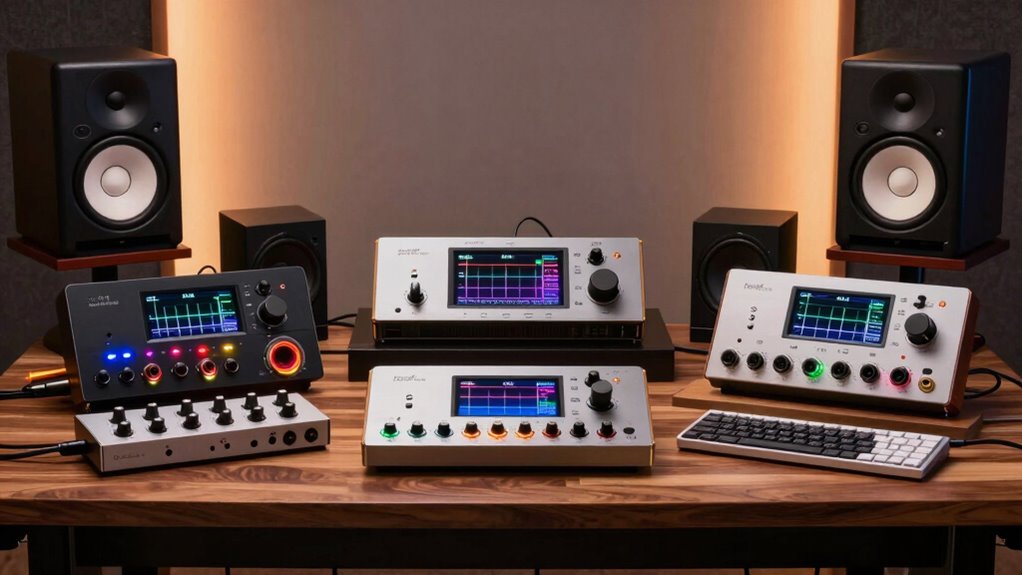

Choosing the right audio interface for home studio use can determine the clarity and workflow of your recordings. The Focusrite Scarlett 2i2 (4th Gen) stands out as the best overall pick due to its balanced feature set, reliable preamps, and industry-standard status. For those prioritizing modern connectivity and a sleek design, the Yamaha URX22 offers a compelling touchscreen interface and USB-C compatibility that simplifies complex routing. Meanwhile, the Universal Audio Volt 1 appeals to vocalists seeking built-in vintage compression without external hardware. This guide breaks down the key tradeoffs between entry-level simplicity and professional flexibility to help you select the right unit for your specific needs.

Get business pricing on monitors, keyboards and dev gear
- Business-only prices and quantity discounts
- Tax-exempt purchasing
- Multiple users, one account, clear invoices
Key Takeaways
- The Focusrite Scarlett 4th Gen series dominates the mid-range due to its ‘Air’ mode, which effectively brightens dull vocal recordings without EQ.
- USB-C connectivity has become the standard for new interfaces, but compatibility with older USB-A ports remains a consideration for some desktop setups.
- Budget interfaces like the BOMGE Mini often lack true phantom power or have noisy preamps, making them unsuitable for professional condenser microphones.
- Bundled kits (like the Scarlett Solo Studio) offer better initial value but limit upgrade paths, as the included microphones are often entry-level.
- The Yamaha URX22 is the only interface in this roundup with a built-in touchscreen, reducing reliance on software mixers for basic monitoring.
| CIXUN 2×2 USB‑C Audio Interface for PC/Mac Recording |  | Best for a Flexible Two-Input Starter Setup | Inputs: 2 XLR/TS combo jacks | Channels: 2 | Maximum sample rate: 192 kHz | VIEW ON AMAZON | See Our Full Breakdown |
| Yamaha URX22 4-In / 2-Out USB-C Audio Interface with Touchscreen |  | Best for Hands-On Control and DSP Monitoring | Inputs: 4 | Outputs: 2 | Connectivity: USB-C, AUX, Bluetooth | VIEW ON AMAZON | See Our Full Breakdown |
| Focusrite Scarlett Solo (4th Gen) USB-C Audio Interface Bundle with Headphones, Pop Filter, and XLR Cable |  | Best Beginner Recording Bundle | Channels: 2 | Connectivity: USB, XLR | Maximum sample rate: 192 kHz | VIEW ON AMAZON | See Our Full Breakdown |
| Universal Audio Volt 1 USB Audio Interface |  | Best for Characterful One-Mic Recording | Inputs: 1 mic/line input | Outputs: 2 line outputs | Maximum sample rate: 192 kHz | VIEW ON AMAZON | See Our Full Breakdown |
| Focusrite Scarlett Solo 4th Gen USB-C Audio Interface |  | Best Compact Solo Interface | Audio inputs: 1 | Channels: 2 | Maximum sample rate: 192 kHz | VIEW ON AMAZON | See Our Full Breakdown |
| BOMGE Mini 2 Channel USB Audio Interface for Recording, Streaming, and Podcasting |  | Best Compact Starter Interface | Connectivity: USB | Channels: 2 | Inputs: Two XLR/line combo inputs | VIEW ON AMAZON | See Our Full Breakdown |
| Focusrite Scarlett 2i2 4th Gen USB-C Audio Interface |  | Best Overall for a Two-Input Home Studio | Connectivity: USB | Channels: 2 | Maximum sample rate: 192 kHz | VIEW ON AMAZON | See Our Full Breakdown |
| Focusrite Scarlett Solo 3rd Gen USB-C Audio Interface |  | Best for Solo Singer-Songwriters | Connectivity: USB | Channels: 2 | Maximum sample rate: 192 kHz | VIEW ON AMAZON | See Our Full Breakdown |
| Focusrite Scarlett Solo Studio USB-C Audio Interface (4th Gen) Bundle with Mic, Headphones, Stand & Pop Filter |  | Best Complete Recording Starter Bundle | Connectivity: USB, XLR | Channels: 2 | Maximum sample rate: 192 kHz | VIEW ON AMAZON | See Our Full Breakdown |
| Audio Interface, 2X2 24-bit/192kHz Studio Quality USB C Recording Interface with XLR/TRS Combo Inputs, Monitor Loopback, One-Cable Setup (Alloy Red) |  | Best for High-Resolution Mobile Recording | Connectivity: USB | Channels: 2 | Inputs: XLR/TRS combo | VIEW ON AMAZON | See Our Full Breakdown |
| Focusrite Scarlett 4i4 4th Gen USB-C Audio Interface |  | Best for Expanding Home Studios | Connectivity: USB-C | Mic preamps: 2 Scarlett 4th Gen | Hi-Z inputs: 2 | VIEW ON AMAZON | See Our Full Breakdown |
| Focusrite Scarlett Solo Studio 4th Gen USB-C Audio Interface Bundle |  | Best Starter Bundle for Solo Songwriters | Connectivity: USB | Channels: 2 | Audio input: 1 | VIEW ON AMAZON | See Our Full Breakdown |
| Focusrite Scarlett 2i2 Studio 4th Gen USB-C Audio Interface Bundle |  | Best Complete Recording Setup | Connectivity: USB | Channels: 2 | Audio inputs: 2 | VIEW ON AMAZON | See Our Full Breakdown |
| M-AUDIO M-Track Solo USB Audio Interface |  | Best Simple, Budget-Conscious Recording Pick | Sample rate: 48 kHz | Inputs: 1 combo XLR/line input with phantom power; 1 line/instrument input | Outputs: 3.5 mm headphone jack and stereo RCA outputs | VIEW ON AMAZON | See Our Full Breakdown |
| M-AUDIO M-Track Duo USB Audio Interface |  | Best Two-Mic Entry-Level Option | Audio resolution: 48 kHz | Inputs: 2 combo XLR/line/instrument inputs with phantom power | Outputs: Stereo 1/4-inch main outputs and 1/4-inch headphone output | VIEW ON AMAZON | See Our Full Breakdown |
| audio interfaces for home studio | Connectivity | Maximum sample rate | Channels | Dimensions |
|---|---|---|---|---|
| CIXUN 2×2 USB‑C Audio Interfac | USB | 192 kHz | 2 | 6 × 6.5 × 1.75 in |
| Yamaha URX22 4-In / 2-Out USB- | USB-C, AUX, Bluetooth | 192 kHz | — | — |
| Focusrite Scarlett Solo | USB, XLR | 192 kHz | 2 | — |
| Universal Audio Volt 1 USB Aud | USB | 192 kHz | — | 5.12 × 5.71 × 1.97 in |
| Focusrite Scarlett Solo 4th Ge | USB-C | 192 kHz | 2 | 3.78 × 5.63 × 1.83 in |
| BOMGE Mini 2 Channel USB Audio | USB | 48 kHz | 2 | — |
| Focusrite Scarlett 2i2 4th Gen | USB | 192 kHz | 2 | 4.61 x 7.09 x 1.87 in |
| Focusrite Scarlett Solo 3rd Ge | USB | 192 kHz | 2 | 1.71 x 5.65 x 3.77 in |
| Focusrite Scarlett Solo Studio | USB, XLR | 192 kHz | 2 | — |
| Audio Interface | USB | 192 kHz | 2 | — |
| Focusrite Scarlett 4i4 4th Gen | USB-C | — | — | 5.08 x 7.09 x 2.32 inches |
| Focusrite Scarlett Solo Studio | USB | 192 kHz | 2 | 3.78 x 5.63 x 1.83 inches |
| Focusrite Scarlett 2i2 Studio | USB | 192 kHz | 2 | 4.6 x 7.1 x 1.87 inches |
| M-AUDIO M-Track Solo USB Audio | — | — | — | — |
| M-AUDIO M-Track Duo USB Audio | — | — | — | — |
More Details on Our Top Picks
CIXUN 2×2 USB‑C Audio Interface for PC/Mac Recording
The CIXUN makes sense for a home-studio beginner who wants two combination inputs without building a setup around a larger interface. Its XLR/TS connections, Hi-Z switch, and phantom power accommodate a mic and an instrument, while direct monitoring helps keep headphone monitoring immediate. The listed 24-bit/192 kHz recording capability matches the maximum sample rate of the Focusrite Scarlett Solo models, but the CIXUN offers two combo inputs rather than the Solo’s more limited input arrangement. That flexibility comes with a caveat: the supplied compatibility details name Windows 10 but do not clearly confirm macOS, despite the product title. I’d choose it over the single-input Universal Audio Volt 1 when simultaneous input options matter, but skip it if dependable Mac compatibility documentation is a priority.
Pros:- Two XLR/TS combo inputs accept microphones and instruments.
- Hi-Z switching and +48 V phantom power suit common guitar and condenser-mic setups.
- Direct monitoring supports straightforward headphone recording.
- Bus-powered, driver-free setup is convenient for a compact desk or mobile rig.
Cons:- The listed operating-system specification names Windows 10 only, leaving Mac support uncertain.
- Two channels limit expansion for recording a larger group or multiple sources.
- The provided specifications do not identify a dedicated hardware control layout or detailed monitoring features.
Best for: Windows-based home-studio beginners who want to connect a microphone and an instrument using one compact interface.
Not ideal for: Mac users who need clearly documented operating-system support, or producers who need more than two channels.
- Inputs:2 XLR/TS combo jacks
- Channels:2
- Maximum sample rate:192 kHz
- Bit depth:24-bit
- Connectivity:USB
- Phantom power:+48 V
- Listed operating system:Windows 10
- Dimensions:6 × 6.5 × 1.75 in
Our verdict“Choose the CIXUN for a simple Windows home studio that benefits from two combo inputs, but favor a better-documented option if you record on Mac.”
Yamaha URX22 4-In / 2-Out USB-C Audio Interface with Touchscreen
The Yamaha URX22 is the most control-focused pick here: its 4.3-inch touchscreen, physical knobs, and built-in DSP give a home-studio user more direct control over sessions and monitoring than the streamlined Scarlett Solo models. The DSP is especially useful when you want effects in the headphone mix without adding the same latency burden as software monitoring. Its 32-bit/192 kHz recording specification and 78 dB of stated preamp gain also place it above the more basic CIXUN and Scarlett Solo offerings on paper. The tradeoff is that this is a more involved, higher-tier choice, yet its two output channels still constrain speaker and routing flexibility. I’d pick it over the Universal Audio Volt 1 for touchscreen control and the stated four inputs; I’d skip it if a compact, uncomplicated two-input interface is all your studio needs.
Pros:- Touchscreen and physical knobs provide direct control over interface functions.
- Built-in DSP supports latency-free monitoring with effects.
- Four stated inputs offer more source capacity than the two-input Scarlett Solo models.
- 32-bit/192 kHz recording and 78 dB of stated preamp gain provide substantial technical headroom.
Cons:- Two output channels limit separate speaker, headphone, or outboard routing options.
- Its broad control set may be unnecessary for a one-microphone home setup.
- The stated warranty is one year.
Best for: Home-studio musicians and streamers who want touchscreen control, onboard DSP monitoring, and several input sources in one interface.
Not ideal for: First-time buyers seeking a bare-bones interface, or producers who need more than two output channels for multiple monitor feeds.
- Inputs:4
- Outputs:2
- Connectivity:USB-C, AUX, Bluetooth
- Maximum sample rate:192 kHz
- Bit depth:32-bit
- Preamp gain:78 dB
- Display:4.3-inch touchscreen
- Operating systems:Windows, macOS
Our verdict“Pick the URX22 if you’ll use its touchscreen, DSP, and four inputs; otherwise, a simpler Scarlett Solo is easier to justify for a small recording setup.”
Focusrite Scarlett Solo (4th Gen) USB-C Audio Interface Bundle with Headphones, Pop Filter, and XLR Cable
This Scarlett Solo bundle is aimed at the person who wants to start recording vocals or guitar with fewer separate purchases. Alongside the 4th-generation Solo, it supplies headphones, a pop filter, and an XLR cable, giving a beginner several basic pieces for a first home-studio recording chain. Its 24-bit/192 kHz converters and software bundle support a familiar recording setup, while the single-interface format stays simpler than the four-input Yamaha URX22. The catch is that the Solo itself has limited input and output capacity, and the bundle’s accessories are described as basic rather than as a full studio kit. Compared with the standalone Scarlett Solo 4th Gen, this package is more convenient if you need those extras; compared with the Focusrite Scarlett 2i2, it is less suitable for recording two microphones at once.
Pros:- Includes headphones, a pop filter, and an XLR cable for a starter recording setup.
- 24-bit/192 kHz conversion supports high-resolution recording.
- Software bundle includes Pro Tools Artist, Ableton Live Lite, and Hitmaker Expansion.
- Compact Solo format is simpler to set up than a higher-input interface such as the Yamaha URX22.
Cons:- Limited input and output capacity restricts simultaneous recording and routing.
- The included accessories may not satisfy buyers seeking a more complete studio package.
- The listed product specifications do not detail the interface’s input count or operating-system compatibility.
Best for: New vocalists, guitarists, and podcasters who need a basic interface plus headphones, a pop filter, and an XLR cable to begin recording.
Not ideal for: Duos, interview hosts, or small-band players who need multiple microphone inputs at the same time.
- Channels:2
- Connectivity:USB, XLR
- Maximum sample rate:192 kHz
- Bit depth:24-bit
- Compatible devices:Computer, headphones, microphone, electric guitar, laptop, tablet
- Supported software:Pro Tools Artist, Ableton Live Lite, Hitmaker Expansion
- Included accessories:Headphones, pop filter, XLR cable
Our verdict“Choose this bundle if you’re starting with one main performer and want basic recording accessories included, but choose a Scarlett 2i2 for two-mic sessions.”
Universal Audio Volt 1 USB Audio Interface
The Volt 1 is the specialist choice for a home studio built around one microphone or instrument at a time. Its Vintage Mic Preamp mode is designed to add a 610-style tonal character, giving vocal and instrument recordings a different starting point from the more neutral, utility-focused CIXUN 2×2. The included UAD plug-ins and LUNA DAW also make this a more software-centered package than the standard Scarlett Solo 4th Gen. Its compact body and stated support for Mac, Windows, iPad, and iPhone suit a desktop that also travels. The limitation is physical: it has only one mic/line input and two line outputs, so it cannot match the CIXUN’s two combo inputs for simultaneous sources. Mobile use may also require an external power supply and, for some Apple devices, an adapter.
Pros:- Vintage Mic Preamp mode offers a 610-style tonal option for vocals and instruments.
- Includes UAD plug-ins and the LUNA DAW.
- Listed compatibility covers Windows, macOS, iPad, and iPhone.
- Compact 544 g design suits a mobile home-studio setup.
Cons:- One mic/line input cannot record two independent sources at once.
- Some mobile configurations require an external power supply and an Apple Lightning to USB Camera Adapter.
- Two line outputs provide limited routing flexibility compared with more expandable interfaces.
Best for: Solo vocalists, singer-songwriters, and mobile creators who want a one-input interface with a vintage-style preamp option and bundled recording tools.
Not ideal for: Bands, co-hosts, or musicians who need to record multiple microphone or instrument sources simultaneously.
- Inputs:1 mic/line input
- Outputs:2 line outputs
- Maximum sample rate:192 kHz
- Bit depth:24-bit
- Connectivity:USB
- Operating systems and devices:Windows, macOS, iPad, iPhone
- Dimensions:5.12 × 5.71 × 1.97 in
- Weight:544 g
Our verdict“Choose the Volt 1 for one-source recording with vintage-preamp character and bundled software, but pick the CIXUN if you need two simultaneous inputs.”
Focusrite Scarlett Solo 4th Gen USB-C Audio Interface
The standalone Scarlett Solo 4th Gen is a tidy fit for a home studio centered on one vocalist, guitarist, or other solo source. Its Air mode gives vocals and guitar a tonal option without requiring an added plug-in, while the stated 120 dB dynamic range and 192 kHz maximum sample rate make it a capable recording base. Compared with the bundled Scarlett Solo in this lineup, this version suits buyers who already own headphones and cables and would rather choose their own accessories. It is also smaller and lighter than the CIXUN 2×2, but that compactness comes with less input flexibility: the listing specifies one audio input, so simultaneous mic-and-instrument recording is not its role. There’s no built-in MIDI support, either, which matters if a hardware keyboard needs a direct connection.
Pros:- Air mode provides an onboard tonal option for vocal and guitar recording.
- 120 dB stated dynamic range and 192 kHz maximum sample rate.
- Compact 14.4-ounce design fits a small recording desk or mobile kit.
- Listed compatibility includes Mac, Windows, and iOS.
Cons:- One listed audio input limits simultaneous recording options.
- No built-in MIDI support for direct connection of MIDI hardware.
- USB-C connectivity may call for adapters with some devices.
Best for: Solo musicians and home recordists who already own basic accessories and want a compact interface with Air mode for vocals or guitar.
Not ideal for: Duos, multi-mic podcasters, and keyboard players who need simultaneous inputs or built-in MIDI connectivity.
- Audio inputs:1
- Channels:2
- Maximum sample rate:192 kHz
- Dynamic range:120 dB
- Connectivity:USB-C
- Supported devices:Microphone, instrument, computer, headphones, studio monitors
- Operating systems:Mac OS, Windows OS, iOS
- Dimensions:3.78 × 5.63 × 1.83 in
Our verdict“Choose the standalone Scarlett Solo if you record one source at a time and already have accessories; opt for the bundled Solo or CIXUN when included gear or extra inputs matter more.”
BOMGE Mini 2 Channel USB Audio Interface for Recording, Streaming, and Podcasting
The BOMGE Mini suits a small home setup where portability and straightforward connections matter more than advanced recording features. Its two combo inputs and phantom power let you connect a microphone and an instrument or use a condenser mic, while zero-latency monitoring helps you hear a live input without distracting delay. Compared with the Focusrite Scarlett 2i2 4th Gen, it offers a simpler, lighter option, but the Scarlett provides a higher maximum sample rate and level-setting tools such as Auto Gain and Clip Safe. The BOMGE’s listed ceiling is 48 kHz, and reports of possible noise make it a less reassuring choice for critical or especially quiet recordings. I’d choose it for basic recording on the move, not a growing studio that needs more headroom or a stronger feature set.
Pros:- Two combo inputs and phantom power accommodate microphones and line-level sources.
- Zero-latency monitoring supports live recording without distracting delay.
- Lightweight 0.32 kg design is easy to move between home and mobile setups.
- Mac and Windows plug-and-play support reduces setup steps.
Cons:- Two-channel capacity limits simultaneous recording options.
- The 48 kHz maximum sample rate is below the Scarlett 2i2 4th Gen’s 192 kHz ceiling.
- Some users report noise issues, and no software bundle is listed.
Best for: Mobile beginners and solo creators who need two inputs for occasional vocals, guitar, or podcast recording with a lightweight interface.
Not ideal for: Producers recording several sources at once or creators who need a higher sample-rate ceiling, bundled software, or extra confidence against noise.
- Connectivity:USB
- Channels:2
- Inputs:Two XLR/line combo inputs
- Phantom power:Supported
- Maximum sample rate:48 kHz
- Supported devices:Personal computer, iPhone
- Supported software:Ableton, Auria Pro, FL Studio, GarageBand, Live Lite, Pro Tools First
- Weight:0.32 kg
- Warranty:1 year
Our verdict“Choose the BOMGE Mini for a portable, basic two-input setup, but pick the Scarlett 2i2 4th Gen for more recording headroom and added level-control features.”
Focusrite Scarlett 2i2 4th Gen USB-C Audio Interface
The Scarlett 2i2 4th Gen earns the broadest recommendation here because it combines two mic preamps with practical recording safeguards and a 192 kHz maximum sample rate. Auto Gain can help set input levels, while Clip Safe is designed to reduce the chance of overloaded takes—useful when recording alone and unable to watch meters constantly. Its 120 dB dynamic range and Air mode add further flexibility for vocals and instruments. Compared with the BOMGE Mini, it is the more capable studio centerpiece, but it is also heavier and asks for a USB-C connection that may require an adapter in older setups. Like the Scarlett Solo Studio 4th Gen, it remains a two-channel interface; unlike that bundle, it does not supply a microphone and headphones. I’d favor it for a home studio that already has recording essentials and wants room to refine its workflow.
Pros:- Two ultra-low-noise mic preamps support recording two microphone sources.
- Auto Gain and Clip Safe help manage levels during solo recording.
- Maximum sample rate of 192 kHz and 120 dB dynamic range support high-resolution sessions.
- Air mode and a software bundle add recording and production flexibility.
Cons:- Two-channel capacity is limiting for drum kits, bands, or multi-mic sessions.
- USB-C may call for adapters in setups built around older connections.
- No built-in effects or processing hardware is listed.
Best for: Home-studio musicians and producers who record one or two sources at a time and want dependable level-setting tools with high-resolution recording.
Not ideal for: New creators seeking an all-in-one mic-and-headphone package, or bands needing more than two channels for simultaneous recording.
- Connectivity:USB
- Channels:2
- Maximum sample rate:192 kHz
- Dynamic range:120 dB
- Mic preamps:Two ultra-low-noise preamps
- Features:Auto Gain, Clip Safe, Air mode
- Dimensions:4.61 x 7.09 x 1.87 in
- Weight:1.7 lb
- Operating systems:Mac OS, Windows OS, iOS
Our verdict“Pick the Scarlett 2i2 4th Gen if you want a capable two-input hub with level-setting aids, and choose the Scarlett Solo Studio bundle if you also need a mic and headphones.”
Focusrite Scarlett Solo 3rd Gen USB-C Audio Interface
The Scarlett Solo 3rd Gen is aimed at a focused home-studio routine: record a vocal through its mic input and a guitar or other instrument through the high-headroom instrument input. That pairing suits a singer-songwriter who layers parts rather than tracking a group live. Its 24-bit/192 kHz converters and switchable Air mode provide more recording flexibility than the BOMGE Mini’s 48 kHz specification, while the Solo’s compact footprint makes it easier to keep on a crowded desk. The tradeoff is that it is less adaptable than the Scarlett 2i2 4th Gen for two-microphone sessions: the Solo is built around a single mic preamp and an instrument input, not two mic preamps. Its USB connection may also need an adapter with some devices. I’d pick it for a compact, established solo workflow, not a setup likely to expand into multi-mic recording.
Pros:- 24-bit/192 kHz converters support high-resolution recording.
- High-headroom instrument input helps accommodate guitar and other instrument signals.
- Switchable Air mode offers an alternate tonal character for recordings.
- Compact dimensions and 12.32-ounce weight suit small desks and portable setups.
Cons:- A single mic preamp makes simultaneous multi-microphone recording impractical.
- Less flexible for expanding sessions than the Scarlett 2i2 4th Gen.
- A USB connection may require an adapter in some device setups.
Best for: Solo vocalists and guitarists who want a compact interface for recording one microphone and one instrument in a home studio.
Not ideal for: Podcasters recording multiple voices, or musicians who need two microphone preamps and expect to record several sources simultaneously.
- Connectivity:USB
- Channels:2
- Maximum sample rate:192 kHz
- Converters:24-bit
- Features:Switchable Air mode, high-headroom instrument input
- Dimensions:1.71 x 5.65 x 3.77 in
- Weight:12.32 oz
- Supported software:All audio recording software
- Warranty:3 years
Our verdict“Choose the Scarlett Solo 3rd Gen for a compact vocal-and-instrument workflow, but step up to the Scarlett 2i2 4th Gen if you need two mic preamps.”
Focusrite Scarlett Solo Studio USB-C Audio Interface (4th Gen) Bundle with Mic, Headphones, Stand & Pop Filter
The Scarlett Solo Studio 4th Gen bundle is the easiest route into a home recording setup when the buyer has little or no gear already. Alongside the interface, it supplies a condenser microphone, closed-back headphones, a stand, pop filter, and cables, so a new vocalist or podcaster can assemble a basic recording position without sourcing each piece separately. The loopback feature also suits streaming and podcasting workflows that need computer audio alongside a live microphone. Compared with the standalone Scarlett 2i2 4th Gen, this package prioritizes getting started over input capacity: it has only one mic preamp, so two-mic interviews or ensemble recording are a poor fit. The included kit adds convenience, but buyers who already own a suitable mic and headphones may prefer the 2i2’s two preamps instead. I’d choose this bundle for a first home studio built around one voice or instrument at a time.
Pros:- Bundle includes a condenser microphone, closed-back headphones, stand, pop filter, and cables.
- Ultra-low-noise mic preamp and Hi-Z instrument input support vocal and instrument recording.
- 24-bit/192 kHz converters support high-resolution capture.
- Loopback can bring computer audio into streaming and podcast workflows without extra hardware.
Cons:- Only one mic preamp limits simultaneous multi-microphone recording.
- The bundled accessories may be redundant for buyers who already own a mic and headphones.
- The bundle’s features may be more involved than a beginner needs for very simple recording.
Best for: First-time home-studio users, solo singers, and podcasters who need an interface plus the basic microphone and monitoring accessories in one package.
Not ideal for: Creators who already own recording accessories or need to record two microphones at once; the Scarlett 2i2 4th Gen offers two mic preamps.
- Connectivity:USB, XLR
- Channels:2
- Maximum sample rate:192 kHz
- Converters:24-bit
- Included accessories:Condenser microphone, closed-back headphones, tripod stand with boom, pop filter, cables
- Features:Ultra-low-noise mic preamp, Hi-Z instrument input, loopback
- Operating systems:Mac, Windows, iPadOS
- Supported software:Ableton, Pro Tools, Hitmaker Expansion
Our verdict“Choose this bundle if you are building a solo recording setup from scratch; choose the Scarlett 2i2 4th Gen if two microphone inputs matter more than included accessories.”
Audio Interface, 2X2 24-bit/192kHz Studio Quality USB C Recording Interface with XLR/TRS Combo Inputs, Monitor Loopback, One-Cable Setup (Alloy Red)
The PIYONE 2X2 brings a useful pairing of two XLR/TRS combo inputs, phantom power, and 24-bit/192 kHz recording to a portable home-studio format. That makes it a flexible match for a vocalist with an instrument, or a creator who wants to connect different source types without swapping interfaces. Zero-latency monitoring helps keep live takes comfortable, and loopback is relevant for streaming or podcasting. Compared with the BOMGE Mini, PIYONE specifies a much higher maximum sample rate, though its 0.74 kg weight makes it less featherlight. The Scarlett 2i2 4th Gen adds Auto Gain and Clip Safe, while PIYONE’s appeal is its high-resolution specification and illuminated controls. Its two-channel limit and lack of a listed software bundle leave it less suited to expanding studios. I’d shortlist it for a small PC, Mac, or iOS recording rig, while checking connection compatibility before buying.
Pros:- 24-bit/192 kHz recording specification supports high-resolution sessions.
- Two XLR/TRS combo inputs with phantom power accommodate microphones and instruments.
- Zero-latency monitoring and loopback support recording and streaming workflows.
- Illuminated controls make adjustments easier to see in a dim workspace.
Cons:- Two-channel capacity limits recording of larger ensembles and multi-mic setups.
- No included software bundle or extensive processing features are listed.
- At 0.74 kg, it is heavier than the BOMGE Mini, and USB-C is preferred for connectivity.
Best for: Mobile musicians and streamers who want two combo inputs, phantom power, and high-resolution recording in a compact home or travel setup.
Not ideal for: Producers planning multi-mic sessions or buyers who want a bundled software package and established level-setting tools such as Auto Gain and Clip Safe.
- Connectivity:USB
- Channels:2
- Inputs:XLR/TRS combo
- Maximum sample rate:192 kHz
- Bit depth:24-bit
- Features:Phantom power, zero-latency monitoring, loopback, illuminated controls
- Compatible devices:Guitar, PC, Mac, iOS
- Weight:0.74 kg
- Warranty:2-year limited
Our verdict“Pick the PIYONE 2X2 for a portable, high-resolution two-input setup with loopback, but consider the Scarlett 2i2 4th Gen for its level-setting aids.”
Focusrite Scarlett 4i4 4th Gen USB-C Audio Interface
I’d rank the Scarlett 4i4 4th Gen above the Solo and 2i2 for home studios that need room to connect more than a mic and an instrument. It pairs two mic preamps and two Hi-Z inputs with four line inputs and outputs, so a musician can keep outboard gear or additional sources connected instead of repeatedly swapping cables. MIDI I/O also helps when a keyboard or other MIDI hardware is part of the setup. Its 24-bit/192 kHz conversion and included recording software give it a broader production role than the simpler M-Track Solo. The tradeoff is that its input count still falls short of larger multichannel rigs, and its extra connections are unnecessary for a solo vocalist who only records one source at a time.
Pros:- Two mic preamps and two Hi-Z inputs support simultaneous vocal and instrument recording.
- Four line inputs and four line outputs accommodate additional gear without constant repatching.
- MIDI input and output support hardware keyboards and other MIDI devices.
- 24-bit/192 kHz conversion and a broad included software bundle suit varied recording workflows.
Cons:- Four-channel capacity may still be restrictive for recording a full band or several microphones at once.
- More connections and routing options than a basic songwriter setup may need.
Best for: Home-studio musicians who record vocals and instruments while keeping line-level gear and MIDI equipment connected.
Not ideal for: Solo creators who need only one or two recording inputs and would rather choose a simpler interface than pay for unused connections.
- Connectivity:USB-C
- Mic preamps:2 Scarlett 4th Gen
- Hi-Z inputs:2
- Line I/O:4 line inputs and 4 line outputs
- MIDI I/O:Yes, in and out
- Sample rate:Up to 192 kHz
- Dimensions:5.08 x 7.09 x 2.32 inches
- Included software:Pro Tools Intro+, Ableton Live Lite, Cubase LE, Hitmaker Expansion
Our verdict“Choose the Scarlett 4i4 if your home studio needs more I/O and MIDI than a 2i2 provides, but not a larger multichannel system.”
Focusrite Scarlett Solo Studio 4th Gen USB-C Audio Interface Bundle
I’d pick the Scarlett Solo Studio 4th Gen for a first home recording setup centered on one person: its appeal is the bundled recording package and compact interface, not a large channel count. Compared with the Scarlett 2i2 Studio bundle, the Solo version is the more pared-back choice for a songwriter who records one source at a time; its two-channel format is less suited to tracking a vocalist and instrument simultaneously. The product data highlights a software bundle, but does not specify included microphone or headphones, so I wouldn’t assume those are in the box when planning a complete setup. Its converters support up to 192 kHz, while the interface remains portable enough for a small desk or mobile rig. Buyers who want included recording accessories should compare the bundle contents carefully.
Pros:- Compact interface suits small desks and portable recording setups.
- Up to 192 kHz sample rate and 120 dB dynamic range are specified.
- Software bundle supports recording and music production workflows.
- Compatible with Mac, Windows, and iOS according to the product information.
Cons:- Two-channel capacity limits simultaneous recording compared with the Scarlett 2i2 Studio.
- The listed product information does not confirm an included microphone or headphones.
- Bundled software may require setup and learning for newcomers.
Best for: Solo songwriters and beginning home recordists who want a compact Focusrite interface and bundled software for one-source-at-a-time recording.
Not ideal for: Singers who want to record vocals and guitar simultaneously, or buyers who need a confirmed microphone and headphones in the package.
- Connectivity:USB
- Channels:2
- Audio input:1
- Maximum sample rate:192 kHz
- Frequency response:20 kHz
- Dimensions:3.78 x 5.63 x 1.83 inches
- Weight:3 pounds
- Supported operating systems:Mac OS, Windows OS, iOS
Our verdict“Choose this Solo Studio bundle for compact, one-source-at-a-time recording with software included, but verify accessory contents before buying.”
Focusrite Scarlett 2i2 Studio 4th Gen USB-C Audio Interface Bundle
The Scarlett 2i2 Studio 4th Gen is the more ready-to-record bundle in this group: its product description lists a condenser microphone, headphones, and recording software alongside the interface. That makes it a stronger starting point than the Scarlett Solo Studio when a buyer wants a named set of recording accessories, and the two audio inputs let a singer-songwriter capture a vocal and instrument together. Auto Gain and Clip Safe are useful for home recording because they help manage levels and reduce the chance of a take clipping. Like the Solo Studio, it remains a two-channel interface, so it won’t grow into a multitrack setup like the Scarlett 4i4. The extra bundle contents are valuable for a new setup, but less compelling if you already own a suitable mic and headphones.
Pros:- Bundle includes a condenser microphone, headphones, and professional recording software.
- Two inputs allow simultaneous vocal and instrument recording.
- Auto Gain and Clip Safe assist with setting levels and avoiding clipped takes.
- Up to 192 kHz sample rate and 120 dB dynamic range are specified.
Cons:- Two-channel capacity is less flexible than the Scarlett 4i4 for expanding setups.
- Included accessories may be redundant for buyers who already have a microphone and headphones.
- Full functionality depends on compatible recording software.
Best for: First-time home-studio buyers who need an interface, condenser microphone, headphones, and recording software for vocals and instruments.
Not ideal for: Producers who already own recording accessories or need more than two simultaneous input channels.
- Connectivity:USB
- Channels:2
- Audio inputs:2
- Maximum sample rate:192 kHz
- Frequency response:20 kHz
- Dimensions:4.6 x 7.1 x 1.87 inches
- Operating systems:Mac OS, Windows OS, iOS
- Included features:Auto Gain, Clip Safe, Air mode
Our verdict“Pick the Scarlett 2i2 Studio if you need a bundled mic-and-headphone setup and want to record two sources at once.”
M-AUDIO M-Track Solo USB Audio Interface
The M-Track Solo is the straightforward choice for a home studio built around one microphone and a second line or instrument source. Its combo mic/line input includes phantom power, while the switchable line/instrument input covers a guitar or other source; direct monitoring helps you hear the input without relying on software playback. Compared with the M-Track Duo, the Solo has only one XLR preamp, so it won’t handle two microphone-based sources at once. It also records at 48 kHz, a more limited ceiling than the 192 kHz Scarlett bundles in this roundup. USB bus power and class-compliant operation keep the setup simple, but the specified compatibility covers older operating-system versions, so buyers with newer systems should check support before choosing it.
Pros:- Combo XLR/line input with phantom power supports a condenser microphone.
- Separate switchable line/instrument input handles a guitar or line-level source.
- USB bus-powered design and direct monitoring keep the setup uncomplicated.
- MPC Beats software is included.
Cons:- One XLR preamp cannot record two microphones simultaneously.
- 48 kHz maximum sample rate is lower than the Scarlett 4th Gen options.
- No MIDI connectivity is listed, and the stated OS compatibility is limited to older versions.
Best for: A beginner or solo podcaster who needs one microphone input, a second instrument or line input, and simple USB-powered monitoring.
Not ideal for: Two-mic podcast teams, users who want higher sample rates or MIDI, and buyers who need confirmed support for current operating systems.
- Sample rate:48 kHz
- Inputs:1 combo XLR/line input with phantom power; 1 line/instrument input
- Outputs:3.5 mm headphone jack and stereo RCA outputs
- Power:USB bus-powered
- Monitoring:Zero-latency direct monitoring
- Compatibility:Windows 7–10, macOS High Sierra–Big Sur; iOS with Lightning to USB adapter
- Included software:MPC Beats, Pro Tools First (registration required)
Our verdict“Choose the M-Track Solo for a simple one-mic home setup, but choose the Duo or a Scarlett if you need more mic inputs or higher sample rates.”
M-AUDIO M-Track Duo USB Audio Interface
For recording two microphones without stepping up to the more feature-rich Scarlett 2i2, I’d look at the M-Track Duo. Its two combo XLR/line/instrument inputs both provide phantom power, so it can handle a pair of microphones or a mic-and-instrument combination; the adjustable direct-monitor mix also lets performers balance input and playback while tracking. Compared with the M-Track Solo, the second combo input is the key practical difference for interviews, two-person podcasts, and simple duets. The tradeoff is a 48 kHz ceiling and a more basic feature set than the Scarlett 2i2, whose description lists Auto Gain and Clip Safe. USB power makes the Duo easy to place in a small home studio, though the product data lists older OS versions, so check compatibility with your computer.
Pros:- Two combo inputs accept XLR, line, or instrument sources and provide phantom power.
- Direct monitoring with an adjustable mix supports comfortable tracking.
- USB-powered design is convenient for compact home studios and mobile recording.
- Includes MPC Beats and supports Ableton Live Lite according to the product data.
Cons:- 48 kHz resolution is limited compared with the Scarlett 2i2 Studio’s 192 kHz maximum.
- Does not list level-assistance features such as the Scarlett 2i2’s Auto Gain and Clip Safe.
- Specified operating-system support is limited to older versions.
Best for: Two-person podcasters, interviewers, and musicians who need two mic-capable inputs and direct monitoring in a portable USB interface.
Not ideal for: Producers seeking higher sample rates, advanced level-assistance features, or confirmed support for newer operating systems.
- Audio resolution:48 kHz
- Inputs:2 combo XLR/line/instrument inputs with phantom power
- Outputs:Stereo 1/4-inch main outputs and 1/4-inch headphone output
- Power:USB-powered
- Monitoring:Zero-latency direct monitoring with adjustable mix
- Supported software:Ableton Live Lite, MPC Beat, compatible with various DAWs
- Operating systems:Windows 7–10, Mac OS High Sierra–Big Sur, iOS
Our verdict“Choose the M-Track Duo when two mic-capable inputs matter more than high sample rates or advanced recording aids.”
How We Picked
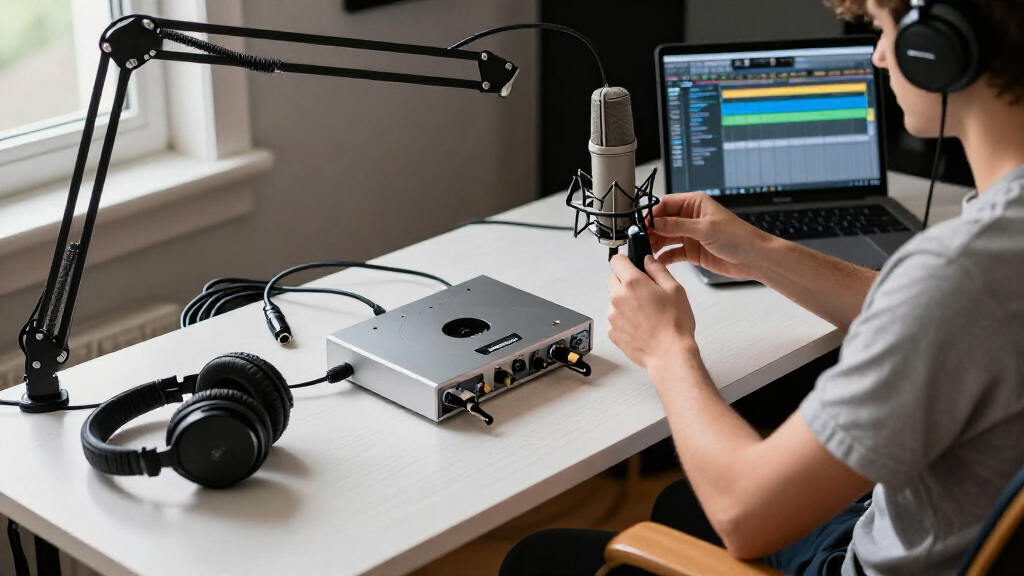
To rank these interfaces, I evaluated three core pillars: preamp quality, driver stability, and connectivity options. Preamp quality was assessed based on headroom and noise floor specifications, ensuring that the interface can handle dynamic sources like drums or loud vocals without distortion. Driver stability is critical for home studios where computer resources are shared with other applications; I prioritized models with a proven track record for low-latency performance on both Windows and macOS.
Connectivity was weighed by looking at input types (XLR/TRS combos vs. dedicated jacks) and digital outputs (S/PDIF, MIDI). I also considered the physical footprint and build quality, as home studios often have limited desk space. Products were ranked higher if they offered a clear upgrade path or specific features that solve common recording problems, such as direct monitoring buttons or built-in DSP effects.
| audio interfaces for home studio | Connectivity |
|---|---|
| CIXUN 2×2 USB‑C Audio Interfac | USB |
| Yamaha URX22 4-In / 2-Out USB- | USB-C, AUX, Bluetooth |
| Focusrite Scarlett Solo | USB, XLR |
| Universal Audio Volt 1 USB Aud | USB |
| Focusrite Scarlett Solo 4th Ge | USB-C |
| BOMGE Mini 2 Channel USB Audio | USB |
| Focusrite Scarlett 2i2 4th Gen | USB |
| Focusrite Scarlett Solo 3rd Ge | USB |
| Focusrite Scarlett Solo Studio | USB, XLR |
| Audio Interface | USB |
| Focusrite Scarlett 4i4 4th Gen | USB-C |
| Focusrite Scarlett Solo Studio | USB |
| Focusrite Scarlett 2i2 Studio | USB |
| M-AUDIO M-Track Solo USB Audio | — |
| M-AUDIO M-Track Duo USB Audio | — |
Factors to Consider When Choosing Audio Interfaces For Home Studio
Selecting an audio interface is not just about counting inputs; it is about matching the hardware to your workflow. Below are the critical factors to weigh before making your purchase.
Input Count and Type Flexibility
The number of inputs dictates what you can record simultaneously. A 2-in/2-out interface like the Scarlett 2i2 is ideal for solo musicians recording one vocal and one guitar at a time. However, if you plan to record drums or a band, you need at least 4 inputs, such as the Scarlett 4i4. Pay attention to whether the inputs are combo jacks (accepting both XLR and TRS) or separate jacks. Combo jacks save desk space but can be fiddly with certain cable types, while separate jacks offer a cleaner signal path and easier cable management.
Preamp Headroom and Gain Structure
Headroom refers to the amount of gain a preamp can provide before the signal clips or distorts. Low-cost interfaces often have limited headroom, forcing you to record at lower levels and introduce noise when boosting the signal later. Look for specifications indicating at least 50-60dB of gain on microphone inputs. This is particularly important for dynamic microphones like the SM7B, which require significant gain to reach proper recording levels. Interfaces with higher headroom provide a cleaner signal chain and more flexibility during mixing.
Latency and Driver Reliability
Latency is the delay between playing a note and hearing it through your headphones. High latency makes it difficult to play in time or sing in tune. While most modern USB interfaces have acceptable latency, driver quality varies by manufacturer. Focusrite and Yamaha generally provide stable, low-latency drivers that work well with ASIO (Windows) and Core Audio (Mac). Avoid generic, unbranded interfaces, as they often lack dedicated drivers and rely on class-compliant drivers that may introduce higher latency or dropouts during long sessions.
Direct Monitoring vs. Software Monitoring
Direct monitoring allows you to hear your input signal with zero latency by bypassing the computer’s processing power. This is essential for tracking vocals or instruments where timing is critical. Check if the interface has a dedicated Direct Monitor button or a hardware mixer knob. Some interfaces, like the Yamaha URX22, offer advanced on-board DSP that allows for zero-latency effects. Without direct monitoring, you must rely on software monitoring, which requires a very fast computer and can still result in audible delays.
Power Supply and Portability
Most small interfaces are bus-powered, drawing energy directly from the USB port. This is convenient for laptop users but can cause noise issues if the computer’s ground loop is poor. Larger interfaces with more inputs often require an external power supply, which offers more stable voltage to preamps and converters, potentially improving audio quality. If you travel frequently, prioritize bus-powered models with robust metal chassis. If your studio is stationary, an externally powered unit might offer better long-term reliability and lower noise floors.
Frequently Asked Questions
Do I need a USB-C interface if my computer only has USB-A ports?
Not necessarily. Most modern USB-C interfaces, including the Focusrite Scarlett 4th Gen series, come with or support USB-C to USB-A cables. The physical connector type does not inherently change the audio quality. However, if you plan to upgrade your computer in the next few years, USB-C is becoming the standard for faster data transfer and power delivery. Ensure your current computer supports USB 3.0 or higher via USB-A to avoid bottlenecking the interface’s performance.
Is the ‘Air’ mode on Focusrite interfaces worth paying extra for?
The ‘Air’ mode is a high-frequency boost that mimics the effect of classic transformer-based preamps. It is particularly useful for dull-sounding microphones or vocals that lack presence. If you record vocals frequently and find yourself constantly applying high-shelf EQ in post-production, this feature saves time. However, it is not a magic fix for poor mic technique or bad room acoustics. For instrumentalists or producers who prefer a flat, neutral signal, the extra cost may not be justified compared to a standard preamp.
Can I use a 2-input interface to record a drum kit?
Recording a full drum kit with a 2-input interface like the Scarlett Solo or 2i2 is technically possible but severely limited. You would need to use a stereo microphone setup (like two overheads) rather than individual mics for each drum. This results in a less controllable mix, as you cannot adjust individual drum levels or apply compression to specific elements after recording. For serious drum recording, a minimum of 4 inputs is recommended, with 8+ being ideal for multi-mic setups.
What is the difference between the Scarlett Solo and the Scarlett 2i2?
The primary difference is the number of inputs. The Scarlett Solo has one XLR microphone input and one instrument input, making it perfect for singer-songwriters who record one at a time. The Scarlett 2i2 has two combo inputs, allowing you to record two microphones or instruments simultaneously. The 2i2 also typically has slightly better preamp headroom and additional outputs for studio monitors. If you ever plan to record interviews, podcasts with co-hosts, or layered instruments, the 2i2 is the more versatile choice.
Do I need an interface with MIDI inputs for a home studio?
If you use hardware synthesizers, drum machines, or MIDI controllers, having MIDI inputs is beneficial. Interfaces like the Scarlett 4i4 include MIDI I/O, allowing you to connect these devices directly. However, if you work exclusively with software instruments (VSTs) and a USB MIDI controller, you do not need MIDI ports on your audio interface. You can simply connect your MIDI controller via USB, freeing up your audio interface for analog signals only.
Conclusion
Choosing the right audio interface for home studio use depends on your specific recording needs and budget. For most beginners and intermediate producers, the Focusrite Scarlett 2i2 (4th Gen) offers the best balance of preamp quality, driver stability, and versatility. If you are a solo vocalist looking for a streamlined, all-in-one solution, the Focusrite Scarlett Solo Studio Bundle provides a cost-effective entry point, though you may want to upgrade the microphone later. For those who prioritize modern connectivity and innovative monitoring features, the Yamaha URX22 is a standout premium option that simplifies the recording process with its touchscreen interface. Ultimately, avoid the cheapest generic options if you plan to use professional microphones, as their preamps will limit your audio quality from the start.
Halloween Picks
halloween
As an affiliate, we earn on qualifying purchases.