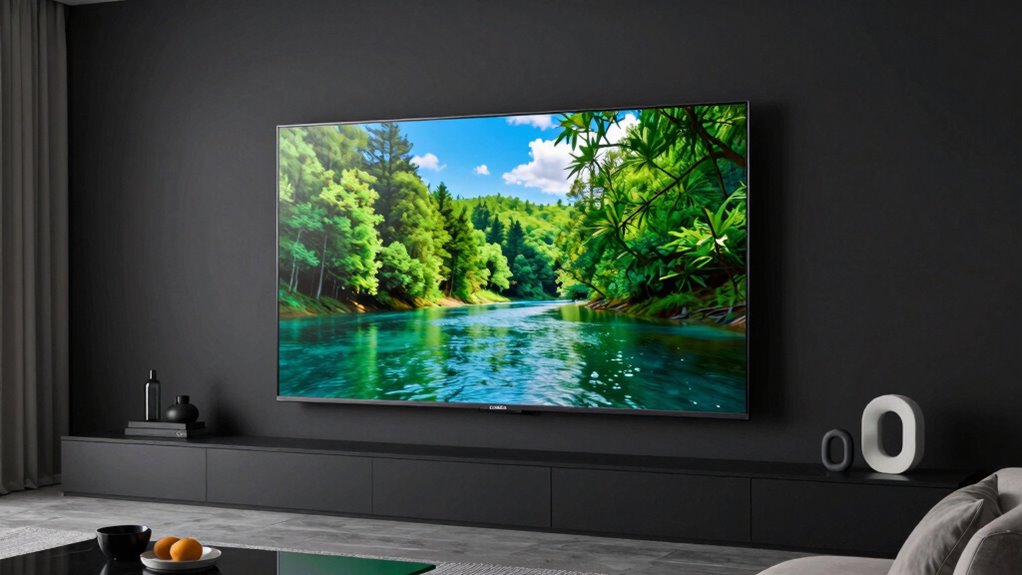
Among these 65 inch OLED TVs, I rank the LG C6 as the best overall for its balance of premium picture features, gaming flexibility, and everyday usability. The Samsung S90H is a strong alternative for buyers who want a newer Samsung model, while the LG B6 stands out as a simpler route into OLED. The main tradeoffs are how much you value bright-room viewing, movie processing, gaming features, and a familiar smart-TV interface. Paying more can make sense for a particular viewing habit, but not every room or viewer needs a premium tier. Read on for the full breakdown of all 10 models and which one fits your setup.

Get business pricing on monitors, keyboards and dev gear
- Business-only prices and quantity discounts
- Tax-exempt purchasing
- Multiple users, one account, clear invoices
Key Takeaways
The LG C6 is my best overall pick because it sits between entry-level OLED and higher-end feature sets, making it a balanced choice for mixed viewing and gaming.
The LG B6 and Samsung S85H are the value-oriented choices in this lineup; buyers should compare their everyday needs against the added features of the C-series and S90 models before paying more.
Samsung, LG, Sony, and Roku offer different strengths beyond panel type. Their smart-TV interfaces, picture processing, and gaming approaches can matter as much as the OLED label.
Sony has two BRAVIA 8 listings and a BRAVIA 6 listing. Buyers should verify the exact model identifier and feature set, especially when comparing K-65XR80 with K-65XR80M2.
A 65-inch OLED is not automatically right for every room. Seating distance, window glare, daily usage patterns, and sound plans can change which model makes the most sense.
| Samsung 65-Inch Class OLED S90F 4K Smart TV (2025 Model) |  | Best Overall for High-Refresh Gaming | Screen size: 65 inches | Display technology: OLED | Resolution: 4K | VIEW ON AMAZON | See Our Full Breakdown |
| Samsung 65-Inch Class S90H Series OLED 4K Smart TV (2026 Model) |  | Best for Bright Rooms and PC Gaming | Screen size: 65 inches | Display technology: OLED | Resolution: 4K | VIEW ON AMAZON | See Our Full Breakdown |
| LG 65-Inch OLED evo AI 4K C5 Series Smart TV (OLED65C5PUA, 2025) |  | Best for Dolby Vision and Flexible Gaming | Screen size: 65 inches | Display technology: OLED evo | Resolution: 4K | VIEW ON AMAZON | See Our Full Breakdown |
| Roku 65-Inch Pro Series Smart TV 4K OLED 120Hz 2026 |  | Best for Straightforward Streaming | Screen size: 65 inches | Display technology: OLED, self-luminous | Resolution: 4K | VIEW ON AMAZON | See Our Full Breakdown |
| Sony 65-Inch BRAVIA 8 OLED 4K HDR Smart Google TV (K-65XR80) | 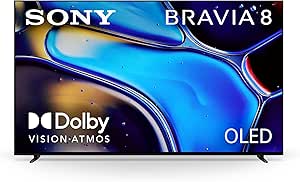 | Best for Screen-Based Sound and Google TV | Screen size: 65 inches | Display technology: OLED | Resolution: 4K | VIEW ON AMAZON | See Our Full Breakdown |
| Sony 65 Inch BRAVIA 6 OLED 4K HDR Smart Google TV with Gemini |  | Best for Google TV and Voice Control | Display: 65-inch OLED | Resolution: 4K | Refresh rate: 120Hz | VIEW ON AMAZON | See Our Full Breakdown |
| LG 65-Inch OLED AI 4K B6 Series Smart TV, 2026 Model |  | Best Straightforward OLED Pick | Screen size: 65 inches | Display technology: OLED | Resolution: 4K | VIEW ON AMAZON | See Our Full Breakdown |
| LG 65‑Inch OLED evo AI 4K C6 Series Smart TV (2026) |  | Best for High-Refresh-Rate Gaming | Screen size: 65 inches | Display technology: OLED evo | Resolution: 4K | VIEW ON AMAZON | See Our Full Breakdown |
| Sony 65 Inch BRAVIA XR OLED 4K HDR Smart Google TV (K-65XR80M2) |  | Best for Built-In Home-Cinema Audio | Screen size: 65 inches | Display technology: OLED | Resolution: 4K | VIEW ON AMAZON | See Our Full Breakdown |
| Samsung 65-Inch Class S85H Series OLED 4K Smart TV (2026 Model) |  | Best for Bright-Room OLED Viewing | Screen size: 65 inches | Display technology: OLED | Resolution: 4K | VIEW ON AMAZON | See Our Full Breakdown |
| inch oled tv | Resolution | Screen size | Display technology | Refresh rate |
|---|---|---|---|---|
| Samsung 65-Inch Class OLED S90 | 4K | 65 inches | OLED | 144 Hz |
| Samsung 65-Inch Class S90H Ser | 4K | 65 inches | OLED | 165 Hz |
| LG 65-Inch OLED evo AI 4K C5 S | 4K | 65 inches | OLED evo | — |
| Roku 65-Inch Pro Series Smart | 4K | 65 inches | OLED, self-luminous | 120 Hz |
| Sony 65-Inch BRAVIA 8 OLED 4K | 4K | 65 inches | OLED | 120 Hz |
| Sony 65 Inch BRAVIA 6 OLED 4K | 4K | — | — | 120Hz |
| LG 65-Inch OLED AI 4K B6 Serie | 4K | 65 inches | OLED | 120Hz |
| LG 65‑Inch OLED evo AI 4K C6 S | 4K | 65 inches | OLED evo | Native 120Hz; up to 165Hz |
| Sony 65 Inch BRAVIA XR OLED 4K | 4K | 65 inches | OLED | 120Hz |
| Samsung 65-Inch Class S85H Ser | 4K | 65 inches | OLED | 120Hz |
More Details on Our Top Picks
Samsung 65-Inch Class OLED S90F 4K Smart TV (2025 Model)
The S90F is my strongest all-round pick for buyers who want a 65-inch OLED that can handle movies, sports, and fast gaming without leaning too heavily toward just one use. Its 144Hz refresh rate and NQ4 AI Gen3 processor give it an edge over the Roku Pro Series’ 120Hz panel for compatible PC gaming, while OLED contrast keeps dark scenes distinct. AI upscaling can make lower-resolution material look cleaner, though the result depends on the source. Samsung’s HDR10+ support also differs from the LG C5 and Sony BRAVIA 8, which support Dolby Vision instead. The tradeoff is that reaching 4K at 144Hz depends on a compatible PC and graphics card; console viewers won’t get the full refresh-rate advantage. I’d choose it for versatility, not for Dolby Vision viewing.
Pros:- 144Hz refresh rate suits compatible PC gaming and fast-moving sports.
- OLED panel produces deep blacks and strong contrast.
- NQ4 AI Gen3 processing can improve the appearance of lower-resolution content.
- Built-in Alexa and Dolby Atmos-capable 2.1-channel audio add convenient smart control and sound features.
Cons:- 4K at 144Hz depends on compatible PC hardware.
- HDR support is HDR10+, not Dolby Vision like the LG C5 and Sony BRAVIA 8.
- Upscaling quality varies with the source material.
Best for: Viewers who split time between streaming, sports, and PC gaming and want a 65-inch OLED with a high refresh rate.
Not ideal for: Dolby Vision-focused movie viewers or console-only players seeking a reason to prioritize 144Hz PC support.
- Screen size:65 inches
- Display technology:OLED
- Resolution:4K
- Refresh rate:144 Hz
- Processor:NQ4 AI Gen3
- HDR format:HDR10+
- Audio:2.1-channel, 40W, Dolby Atmos
- VESA mount:300 x 200 mm
Our verdict“Choose the S90F if you want one 65-inch OLED for varied viewing and compatible high-refresh PC gaming, but look to the LG C5 or Sony BRAVIA 8 for Dolby Vision.”
Samsung 65-Inch Class S90H Series OLED 4K Smart TV (2026 Model)
The S90H stands apart from the S90F by pairing a listed 2,000-nit maximum brightness with glare-reducing display technology and a 165Hz refresh rate. That combination is appealing for bright living rooms and PC players with hardware that can use the higher refresh rate. Against the LG C5, it offers a higher stated refresh rate, while the C5 brings Dolby Vision and broad gaming compatibility including G-Sync and FreeSync Premium. The S90H’s HDR10+ support makes it a different fit for movie libraries, and its 4K 165Hz advantage is chiefly relevant to compatible PC content rather than ordinary streaming or console use. AI picture and sound processing add convenience, but buyers should not treat them as a substitute for good source material. I’d put this ahead of the S90F for glare-conscious PC gaming, not for every viewing setup.
Pros:- Glare-reducing display technology is useful in rooms with competing light.
- 165Hz refresh rate targets compatible PC gaming.
- AI upscaling and motion processing can refine varied content.
- 2.1-channel, 40W audio includes Dolby Atmos and Object Tracking Sound.
Cons:- The 4K 165Hz feature depends on compatible PC hardware and content.
- HDR format support is HDR10+, unlike Dolby Vision support on the LG C5 and Sony BRAVIA 8.
- Its specialized gaming features may be underused by streaming- and console-focused households.
Best for: PC gamers and households with bright rooms who want a 65-inch OLED with glare reduction and a high stated refresh rate.
Not ideal for: Viewers who prioritize Dolby Vision films, or console players unlikely to use the 165Hz PC-focused capability.
- Screen size:65 inches
- Display technology:OLED
- Resolution:4K
- Refresh rate:165 Hz
- Maximum display brightness:2,000 nits
- HDR format:HDR10+
- Audio:2.1-channel, 40W, Dolby Atmos
- Operating system:Tizen
- Weight:45 pounds
Our verdict“Pick the S90H for a bright room and compatible high-refresh PC gaming; choose the LG C5 instead if Dolby Vision and broader listed gaming support matter more.”
LG 65-Inch OLED evo AI 4K C5 Series Smart TV (OLED65C5PUA, 2025)
The C5 is my pick for buyers who want a well-rounded gaming OLED without tying their choice to a single console or PC setup. Its native 120Hz panel supports up to 144Hz VRR, with G-Sync and FreeSync Premium listed alongside four HDMI 2.1 ports; that makes its gaming feature set more explicit than the Roku Pro Series’ 120Hz offering. For films, Dolby Vision gives it a clear format advantage over both Samsung S90 models, which list HDR10+. The α9 Gen8 processor and OLED evo panel support its picture-focused appeal, while webOS 25 and Art Gallery Mode add everyday flexibility. The compromises are a learning curve for users new to its many settings and a feature set that may be more than casual streamers need. I’d favor it over the BRAVIA 8 when gaming flexibility takes priority over Sony’s screen-based audio.
Pros:- Dolby Vision support suits compatible film and streaming libraries.
- Up to 144Hz VRR with NVIDIA G-Sync and AMD FreeSync Premium.
- Four HDMI 2.1 ports provide connection flexibility for modern gaming devices.
- Art Gallery Mode and a nearly invisible bezel offer added room-display appeal.
Cons:- The range of features and settings may take time for new users to learn.
- Its advanced gaming options offer less benefit to casual streaming-only households.
- The 120Hz native rate is lower than the Samsung S90F and S90H listed rates.
Best for: Movie fans with Dolby Vision libraries and gamers who want VRR support across compatible PC and console setups.
Not ideal for: Casual streamers who want a simple television and will not use the gaming settings or extra picture modes.
- Screen size:65 inches
- Display technology:OLED evo
- Resolution:4K
- Processor:α9 AI Processor Gen8
- Native refresh rate:120 Hz
- VRR refresh rate:Up to 144 Hz
- HDR format:Dolby Vision
- HDMI ports:4 HDMI 2.1
- Smart platform:webOS 25
Our verdict“Choose the LG C5 if Dolby Vision and flexible VRR gaming matter more to you than Samsung’s higher listed refresh rates or Sony’s screen-based audio.”
Roku 65-Inch Pro Series Smart TV 4K OLED 120Hz 2026
The Roku Pro Series makes the most sense for buyers who want a 65-inch OLED built around accessible streaming, rather than the highest refresh rate or most elaborate processing list. Its 120Hz panel, VRR, and Game Mode cover the needs of many sports viewers and console players, while Dolby Vision and Dolby Atmos support give it a useful home-theater foundation. Compared with the Samsung S90F, it gives up the listed 144Hz rate; compared with the LG C5, it has fewer specified gaming features, such as named G-Sync and FreeSync Premium support. In return, Roku highlights setup, app access, a backlit voice remote, and Bluetooth headphone mode—handy when a viewer wants private listening without adding a separate audio system. The tradeoff is that some advertised convenience depends on compatible services, and this line is listed only in 65 inches.
Pros:- Dolby Vision, HDR10+, and HLG support a range of HDR content.
- 120Hz refresh rate and VRR suit sports and many gaming setups.
- Bluetooth headphone mode supports private listening.
- Backlit voice remote and Roku streaming interface emphasize straightforward daily use.
Cons:- Its 120Hz rate is below the Samsung S90F and S90H listed rates.
- Gaming specifications are less detailed than the LG C5’s listed G-Sync and FreeSync support.
- The product is listed only in a 65-inch size.
Best for: Streaming-focused households that want a simple Roku-centered setup, voice remote, and Bluetooth headphone option.
Not ideal for: PC gamers chasing refresh rates above 120Hz, or buyers who want more detailed gaming specifications than VRR and Game Mode.
- Screen size:65 inches
- Display technology:OLED, self-luminous
- Resolution:4K
- Refresh rate:120 Hz
- HDR formats:Dolby Vision, HDR10+, HLG
- HDMI ports:4
- USB ports:2
- Connectivity:Bluetooth, Ethernet, Wi-Fi
- VESA mount:400 x 200 mm
Our verdict“Choose the Roku Pro Series if easy streaming and private headphone listening matter more than the higher refresh rates and expanded gaming options of the Samsung and LG picks.”
Sony 65-Inch BRAVIA 8 OLED 4K HDR Smart Google TV (K-65XR80)
The BRAVIA 8 is the choice I’d make when integrated sound and Sony picture processing matter as much as the OLED panel. Acoustic Surface Audio+ sends sound from the screen itself, a distinctive approach compared with the Samsung S90F’s conventional 2.1-channel, 40W specification. Its XR processor, Triluminos Pro, and Dolby Vision target polished movie and streaming playback, while Google TV gathers major streaming apps in one interface. For gaming, it supports 120Hz and includes Auto HDR Tone Mapping for PlayStation 5, but it does not match the Samsung S90F’s 144Hz or the LG C5’s listed G-Sync and FreeSync support. Its 51.2-pound weight and broad 49-inch base also make placement and mounting worth planning. I’d favor it for a movie-focused living room, not for buyers chasing the highest refresh rate.
Pros:- Acoustic Surface Audio+ produces sound from the screen itself.
- Dolby Vision support suits compatible movie and streaming content.
- Google TV provides access to major streaming services.
- Auto HDR Tone Mapping is tailored to PlayStation 5 gaming.
Cons:- Its 120Hz refresh rate is below the Samsung S90F and S90H listed rates.
- At 51.2 pounds, it is heavier than the listed Samsung alternatives.
- The 49-inch base width can constrain furniture placement.
Best for: Movie and streaming viewers who want Dolby Vision, Google TV, and audio integrated into the screen, especially PlayStation 5 owners.
Not ideal for: High-refresh PC gamers or buyers who need a lighter set or a compact stand footprint.
- Screen size:65 inches
- Display technology:OLED
- Resolution:4K
- Refresh rate:120 Hz
- HDR formats:Dolby Vision, HDR10, HLG
- Picture processing:XR Processor, XR Triluminos Pro, XR Clear Image
- Audio:Acoustic Surface Audio+, 50W, 2 channels
- Smart platform:Google TV
- Weight:51.2 pounds
Our verdict“Pick the BRAVIA 8 for a film-centered setup where screen-based audio and Google TV appeal more than higher refresh rates or a lighter installation.”
Sony 65 Inch BRAVIA 6 OLED 4K HDR Smart Google TV with Gemini
The BRAVIA 6 pairs a 65-inch 4K OLED panel with Sony’s Triluminos Pro color and Google TV with Gemini, making it a strong fit for viewers who want a streamlined mix of streaming, voice control, and gaming. Its 120Hz refresh rate and four HDMI ports suit current consoles, while Dolby Vision support gives compatible films and shows richer scene detail. Compared with the LG B6, this Sony centers the experience on Google TV rather than webOS; that difference may matter more to app navigation than picture basics. The tradeoff is that the supplied specs do not spell out advanced gaming features such as VRR, and its 38.2-pound weight calls for a properly rated mount. I’d shortlist it for a Google-oriented living room, not for buyers seeking the most detailed gaming specification sheet.
Pros:- OLED pixels provide high contrast and deep blacks for dark-room viewing.
- Google TV with Gemini supports voice-led browsing and smart-home integration.
- 120Hz refresh rate and four HDMI ports suit console gaming and connected devices.
- Dolby Vision, Dolby Atmos, and DTS:X support broadens its home-cinema format coverage.
Cons:- The listed gaming specifications do not confirm VRR support.
- At 38.2 pounds, it needs a sturdy stand or compatible wall mount.
- Its Google TV interface may be a poor fit for buyers who prefer LG’s webOS.
Best for: Households that use Google TV, voice search, and smart-home controls and want a 65-inch OLED for both streaming and console play.
Not ideal for: Competitive gamers who want clearly specified VRR support, or anyone using a wall mount that cannot accommodate a 38.2-pound television.
- Display:65-inch OLED
- Resolution:4K
- Refresh rate:120Hz
- HDR formats:Dolby Vision, HDR10, HLG
- HDMI ports:4
- Smart platform:Google TV with Gemini
- Weight:38.2 pounds
- VESA mount:400 x 200 mm
Our verdict“Choose the BRAVIA 6 if Google TV and voice control matter as much as OLED picture quality, but compare its gaming details carefully with the LG B6.”
LG 65-Inch OLED AI 4K B6 Series Smart TV, 2026 Model
The LG B6 is the simpler route to a 65-inch 4K OLED: it combines deep blacks and vivid color with a 120Hz panel, AI processing, and webOS without leaning on the C6’s higher-end gaming figures. That makes it a sensible choice for mixed-use households that watch streaming shows, films, and sports and also play on a console. Compared with the LG OLED evo C6, the B6 has fewer stated performance extras: the C6 lists OLED evo, a native 120Hz panel with higher-rate support, and expanded gaming features. The B6’s stated specs still cover four HDMI ports and Dolby Vision, but do not list VRR, so buyers should verify gaming requirements before choosing it. Its webOS app selection is a practical alternative to the Sony BRAVIA 6’s Google TV, though platform preference is personal. The weight also warrants a sturdy setup.
Pros:- OLED display produces deep blacks and strong color for films and shows.
- 120Hz refresh rate is suited to sports and console gaming.
- Four HDMI ports provide room for consoles and other source devices.
- webOS includes popular streaming apps and a broad channel selection.
Cons:- The provided specifications do not list VRR support.
- It lacks the C6’s stated OLED evo, 165Hz-capable, and G-Sync/FreeSync gaming feature set.
- At 38.1 pounds, it needs a stable stand or adequately rated mount.
Best for: Viewers who want a 65-inch OLED for everyday streaming, movies, and console use, with LG webOS and a 120Hz refresh rate.
Not ideal for: PC gamers seeking the C6’s stated 165Hz capability and G-Sync/FreeSync features, or buyers who specifically want Google TV.
- Screen size:65 inches
- Display technology:OLED
- Resolution:4K
- Refresh rate:120Hz
- Processor:a8 AI Processor 4K Gen3
- HDR support:Dolby Vision, HDR10, HLG
- Smart platform:webOS
- HDMI ports:4
- Weight:38.1 pounds
Our verdict“Pick the B6 for a 120Hz LG OLED with webOS and everyday versatility, but step up to the C6 if advanced PC gaming features are a priority.”
LG 65‑Inch OLED evo AI 4K C6 Series Smart TV (2026)
Among these five, the C6 has the clearest case for a gaming-focused buyer: its four HDMI 2.1 ports, 0.1ms response time, and stated support up to 165Hz pair with G-Sync and FreeSync Premium. The higher refresh rate is especially relevant to compatible PC setups; the TV’s native refresh rate is 120Hz, so console players should not assume they will see 165Hz. OLED evo and Brightness Booster also distinguish it from the LG B6, while Dolby Vision, Filmmaker Mode, and Dolby Atmos help it work as a film-and-streaming display too. The added gaming headroom makes this a more specialized pick than the Sony BRAVIA 6, whose supplied listing confirms 120Hz but gives fewer gaming details. Some smart-channel content requires internet access or subscriptions, and full-rate PC gaming depends on compatible hardware.
Pros:- Four HDMI 2.1 ports support a full set of current gaming connections.
- 0.1ms response time and stated G-Sync and FreeSync Premium support target responsive gameplay.
- OLED evo, Brightness Booster, and Dolby Vision support high-contrast viewing.
- Filmmaker Mode and Dolby Atmos make it capable beyond gaming.
Cons:- The 165Hz figure requires compatible PC hardware; the native refresh rate is 120Hz.
- Some channels and on-demand content depend on internet access or subscriptions.
- Its advanced gaming features may be unnecessary for viewers who only stream films and shows.
Best for: PC gamers with a compatible high-refresh graphics card who also want a 65-inch OLED for 4K movies and streaming.
Not ideal for: Console-only buyers who will not use refresh rates beyond 120Hz, or viewers who want a TV without internet-dependent smart features.
- Screen size:65 inches
- Display technology:OLED evo
- Resolution:4K
- Processor:Alpha 11 AI Processor Gen 3
- Refresh rate:Native 120Hz; up to 165Hz
- Response time:0.1ms
- HDMI:4 x HDMI 2.1
- Video features:Dolby Vision, Filmmaker Mode, Brightness Booster
- Audio:Dolby Atmos
Our verdict“Choose the C6 if your compatible PC can use its high-refresh gaming features; for ordinary 120Hz console use, the LG B6 may cover the basics.”
Sony 65 Inch BRAVIA XR OLED 4K HDR Smart Google TV (K-65XR80M2)
The BRAVIA XR is the pick here for buyers who want a more cinema-oriented package, pairing a 65-inch 4K OLED with a listed 50-watt, 5.1-channel speaker system and Google TV. Dolby Vision and Dolby Atmos support suit compatible films, while the stated 120Hz refresh rate also keeps motion ready for sports and gaming. Compared with the BRAVIA 6, this model’s listing gives more audio and brightness detail, but the BRAVIA 6 is substantially lighter at 38.2 pounds versus 52.9. That weight difference matters for wall installation. The supplied specs also omit HDMI-port counts and gaming features such as VRR, so I would not rank it ahead of the LG C6 for a PC gaming setup. Its 397-watt listed power draw is another practical drawback for buyers tracking electricity use.
Pros:- OLED display and Dolby Vision support suit high-contrast film viewing.
- Listed 50-watt, 5.1-channel audio offers more built-in speaker detail than the BRAVIA 6 listing.
- Google TV provides access to a wide range of streaming apps.
- 120Hz refresh rate supports smooth motion for sports and compatible games.
Cons:- At 52.9 pounds, it is considerably heavier than the BRAVIA 6 and needs careful mounting.
- The listed power consumption is 397 watts.
- The supplied specs do not state HDMI-port count or VRR support.
Best for: Film-focused households that want Google TV, Dolby formats, and a listed 5.1-channel speaker system without making an external sound system the first priority.
Not ideal for: Wall-mount buyers who need a lighter set, power-conscious households, or gamers who require clearly specified HDMI and VRR details.
- Screen size:65 inches
- Display technology:OLED
- Resolution:4K
- Refresh rate:120Hz
- Maximum display brightness:1000 nits
- Contrast ratio:3000000:1
- Audio:50 watts, 5.1 channels
- Smart platform:Google TV
- Weight:52.9 pounds
Our verdict“Choose the BRAVIA XR if built-in audio and Sony’s Google TV experience are priorities, but the lighter BRAVIA 6 is easier to accommodate on a wall.”
Samsung 65-Inch Class S85H Series OLED 4K Smart TV (2026 Model)
The S85H stands out on its listed 1300-nit maximum brightness, making it a candidate for viewers whose 65-inch OLED will handle daytime sports and streaming in a brighter room. Its 120Hz panel, four HDMI ports, and stated G-Sync and FreeSync support also give it a solid gaming brief. Compared with the LG C6, the Samsung listing offers fewer specific high-refresh details: it does not state a 165Hz mode or a response time, while the C6 does. Conversely, the S85H lists four USB ports, useful for buyers who connect several accessories. Its AI upscaling is intended to improve lower-resolution sources, but results can vary with the material, and the specs do not identify HDR formats. I’d verify the HDR and smart-platform details before buying if those are central to your setup.
Pros:- Listed maximum brightness of 1300 nits may suit brighter viewing spaces.
- OLED contrast supports deep blacks in films and games.
- Four HDMI ports and stated G-Sync and FreeSync support serve gaming setups.
- Four USB ports give flexibility for connected accessories.
Cons:- The supplied specs do not identify supported HDR formats.
- No response-time figure or refresh rate above 120Hz is listed, unlike the LG C6.
- At 39.2 pounds, it needs a sturdy stand or compatible mount.
Best for: Viewers who place a premium on the listed peak brightness and want a 65-inch OLED for daytime viewing, streaming, and 120Hz gaming.
Not ideal for: Buyers who need confirmed Dolby Vision support, detailed HDR-format information, or the C6’s explicitly stated 165Hz PC gaming capability.
- Screen size:65 inches
- Display technology:OLED
- Resolution:4K
- Refresh rate:120Hz
- Maximum brightness:1300 nits
- HDMI ports:4
- USB ports:4
- VESA mount:300 x 200 mm
- Weight:39.2 pounds
Our verdict“Consider the S85H for its stated brightness and gaming support, but choose the LG C6 if you need clearer HDR-format and high-refresh specifications.”

How We Picked
I compared these 65-inch OLED TVs by looking at the factors that change the ownership experience: picture and HDR capabilities, motion handling, gaming support, smart-TV usability, connectivity, and the fit between features and common viewing habits. I gave more weight to well-rounded performance than to a single headline feature, since many buyers use one screen for streaming, films, live TV, and games. Brand-specific interface and processing differences also mattered because they affect setup and everyday operation.
The ranking favors models that make a persuasive all-around choice, then separates alternatives by their likely buyer: value-focused shoppers, gamers, film fans, and people who want a straightforward interface. Premium placement depends on features that provide a meaningful benefit for the buyer, not simply a newer model year or a longer feature list. Product names and model identifiers can overlap across generations, so I recommend checking the exact listing and regional specifications before purchase.
| inch oled tv | Display technology | Smart platform |
|---|---|---|
| Samsung 65-Inch Class OLED S90 | OLED | — |
| Samsung 65-Inch Class S90H Ser | OLED | — |
| LG 65-Inch OLED evo AI 4K C5 S | OLED evo | webOS 25 |
| Roku 65-Inch Pro Series Smart | OLED, self-luminous | — |
| Sony 65-Inch BRAVIA 8 OLED 4K | OLED | Google TV |
| Sony 65 Inch BRAVIA 6 OLED 4K | — | Google TV with Gemini |
| LG 65-Inch OLED AI 4K B6 Serie | OLED | webOS |
| LG 65‑Inch OLED evo AI 4K C6 S | OLED evo | — |
| Sony 65 Inch BRAVIA XR OLED 4K | OLED | Google TV |
| Samsung 65-Inch Class S85H Ser | OLED | — |
Factors to Consider When Choosing 65 Inch Oled Tvs
Before choosing among these 65-inch OLED TVs, I would start with the room and the way the screen will be used. The best match is not always the model with the most features: a bright living room, a console setup, and a dedicated movie space can call for different priorities.
Match the Screen to Your Room and Seating Distance
A 65-inch screen can feel cinematic at a moderate viewing distance, but it may dominate a small room or sit too far away in a large one. Measure the space from the main seat to the screen before deciding, and account for side seating if several people watch together. OLED’s contrast can make dark scenes look especially absorbing, though direct window light and reflections still affect comfort. A common mistake is choosing screen size from the wall alone rather than checking viewing distance and sightlines. Also check the stand width and placement, since a television can fit the panel area but not the furniture beneath it. If wall mounting, confirm the mount pattern, wall support, cable route, and desired screen height before ordering.
Choose Features for Your Actual Gaming Setup
Console and PC players should check the exact number and type of HDMI ports, supported refresh rates, variable refresh rate, and automatic low-latency features. A television may support a fast refresh rate but still leave a buyer short on ports if a console, PC, and sound system all need connections. Consider whether the TV’s game menu and input switching are easy to use, not just whether a specification appears on the box. If you play casually, paying extra for features you rarely use may not improve your day-to-day experience. Competitive players should also check the current model’s supported resolutions and refresh rates against their hardware. Confirm those details for the exact regional model, since product-family names do not always describe every configuration.
Think About Bright-Room Viewing and HDR Habits
OLED contrast is a major draw for films and evening viewing, but it does not remove the effects of glare or strong daylight. If the TV faces windows, compare reflection handling and brightness information from reliable tests for the exact model rather than relying on a broad series name. HDR formats also differ across brands, so check whether the services and discs you use support the formats you care about. Do not assume that a single peak-brightness figure predicts the look of every scene; sustained brightness and tone mapping shape the result too. If most viewing happens at night, shadow detail and film presentation may matter more than extra brightness. For a sunlit room, curtains or repositioning the screen can help as much as selecting a different model.
Compare Smart-TV Systems Before You Commit
The built-in interface affects how quickly you can find shows, change inputs, and manage connected devices. Consider which streaming apps you rely on, whether household members will find the menus familiar, and how much voice control you actually want. A feature-rich interface can feel cluttered if you mainly open a few apps, while a simpler layout may suit less technical viewers. Check the remote design and available accessibility options as well as the app list. Buyers who already use a streaming device can treat the TV platform as less important, but should still check that input switching and wake behavior suit their setup. The best interface is the one your household will use comfortably, not necessarily the one with the most functions.
Plan for Sound, Connections, and Installation
A slim television leaves limited room for built-in speakers, so dialogue and action may sound less substantial than the picture suggests. Decide whether you will use the TV speakers, a soundbar, or a receiver, then check available HDMI eARC and other connection needs. Make sure the stand leaves enough clearance for any soundbar and that the screen’s feet fit your furniture. Count devices before buying: game systems, streaming boxes, antennas, and audio equipment can quickly use the available ports. Wall mounting changes cable access and can make later port swaps awkward, so plan the layout before installation. These practical details often prevent more frustration than a small difference in picture specifications.
Set a Sensible OLED Usage and Care Plan
OLED is well suited to varied viewing, but buyers who leave static menus, news tickers, or game HUDs on screen for long stretches should understand image-retention guidance for the specific TV. Use the manufacturer’s screen-care settings and avoid disabling protective functions just to keep a static image unchanged. If the television will run the same channel or display for many hours each day, compare usage guidance and warranty terms before choosing. Varying content is a practical habit, not a reason to avoid OLED outright. Also leave room for software updates and keep ventilation clear around the set. A little planning helps the screen fit long-term habits instead of forcing new ones.
Frequently Asked Questions
Should I choose a 2026 model over a 2025 OLED TV?
Not automatically. A newer model year can bring changes to processing, software, gaming support, or panel performance, but the year alone does not show how meaningful those changes are for your setup. Compare the exact model numbers and published specifications, especially when two listings share a similar series name. If a 2025 model already has the inputs and features you need, a newer option may offer little practical benefit. I would pay more for a newer set only when its specific improvements solve a real need, such as a desired gaming feature or interface change.
Which of these TVs makes the most sense if I use both a PlayStation and an Xbox?
Start by checking the exact HDMI capabilities and gaming features on each model, then count how many devices need the fastest connections at once. A TV with strong gaming support can still be inconvenient if you must frequently swap cables between consoles and a sound system. The Samsung S90 models and LG C-series are natural candidates to compare for gaming-focused setups, while the right choice depends on the ports and functions in the specific model year. Also check whether your consoles use variable refresh rate or high-refresh output, so you do not pay for features your games will not use. Keep the soundbar’s eARC connection in your port plan.
Is Sony BRAVIA 8 K-65XR80 the same TV as K-65XR80M2?
The model identifiers are similar, but I would not assume the listings are identical based on the name alone. Check the manufacturer’s specification page for each full identifier, including region, included features, connections, and software details. Retail listings can abbreviate model names or describe variants inconsistently, which makes this comparison especially worth verifying. Confirm the exact identifier on the product page and packaging before purchase. If the specifications cannot be matched clearly, choose a listing with explicit model details rather than relying on the shared BRAVIA 8 label.
Do I need a soundbar with a 65-inch OLED TV?
No, but a soundbar can make dialogue clearer and give films and games more scale than the TV’s built-in speakers. Whether it is worth adding depends on room size, listening habits, and how much you value strong bass or surround effects. Before buying one, check for HDMI eARC support and make sure the stand or wall arrangement leaves room for it. A soundbar may also reduce cable clutter if it connects to several devices, though a receiver can suit a larger speaker setup better. If you mostly watch casual programs at modest volume, try the television’s speakers first and upgrade only if they fall short.
Can I leave an OLED TV on a news channel or game screen all day?
OLED owners should be cautious about leaving bright, static elements on screen for long periods, since prolonged repeated exposure can increase image-retention risk over time. This does not mean ordinary varied viewing is unsuitable, but an always-on channel logo or fixed game interface calls for more care. Review the manufacturer’s usage advice and keep the screen-care functions enabled. For a household that needs a persistent display throughout the day, compare the TV’s care guidance and warranty terms with that specific use. Changing content and turning the screen off when it is not needed are sensible habits.
Conclusion
For most buyers, I recommend the LG C6 as the best overall because it aims for a strong balance across everyday viewing and gaming. For value, compare the LG B6 and Samsung S85H against the features you will actually use rather than paying for a higher tier by default. For a premium shortlist, look at the Samsung S90H, LG C6, or Sony BRAVIA models according to whether gaming, an all-around feature mix, or Sony’s processing and platform appeal matters most to you; confirm the exact model specifications before choosing. For beginners, the LG B6 is a straightforward starting point, while Roku’s Pro Series may appeal to shoppers who prefer a familiar streaming-first approach. If your main need is console play, focus on the exact HDMI and gaming support; for bright rooms, prioritize reflections and daylight performance; and for movie nights, weigh HDR presentation and sound planning. The right 65-inch OLED is the one whose strengths match your room and habits, not simply the one with the longest feature list.
Halloween Picks

Spirit Halloween 54-Inch Sitting Scarecrow Animatronic

ELAMAS 11ft Animatronic Flying Witch Halloween Decoration

Kalolary 12ft Halloween Witch Haunted House Inflatable Archway
As an affiliate, we earn on qualifying purchases.