For competitive gamers, a 240Hz esports monitor can make a significant difference in responsiveness and smoothness. The LG 27GR83Q-B stands out as the best overall choice thanks to its sharp QHD resolution, fast 1ms response time, and excellent adaptive sync support. The BenQ Zowie XL2540X+ offers ultra-high 280Hz refresh rate, making it ideal for fast-paced esports titles, while the ASUS TUF VG259QM5A provides a budget-friendly option with solid performance. However, the tradeoff often involves balancing resolution, refresh rate, and budget. Keep reading for an in-depth comparison to help you find the perfect fit for your needs.

Get business pricing on monitors, keyboards and dev gear
- Business-only prices and quantity discounts
- Tax-exempt purchasing
- Multiple users, one account, clear invoices
Key Takeaways
- The top monitors balance high refresh rates with low response times for smooth gameplay.
- QHD resolution offers a sharper image but may require more graphics power compared to FHD options.
- Adaptive sync features like G-Sync and FreeSync are key for tear-free gaming at 240Hz.
- Build quality and ergonomic features significantly impact long gaming sessions.
- Price varies widely; investing more often yields better color accuracy and higher build quality.
| LG 27GR83Q-B 27-inch Ultragear QHD Gaming Monitor, 240Hz, 1ms, DisplayHDR 400, G-Sync, FreeSync Premium, HDMI 2.1, DisplayPort, Adjustable Stand |  | Best Overall for Versatile High-Performance Gaming | Display Size: 27 inches | Resolution: 2560×1440 (QHD) | Refresh Rate: 240Hz | VIEW ON AMAZON | See Our Full Breakdown |
| Dell 24 240Hz Gaming Monitor – SE2426HG – 23.8-inch FHD IPS Display with FreeSync Premium |  | Best for Budget-Conscious 1080p Gaming | Display Size: 23.8 inches | Resolution: 1920 x 1080 pixels | Refresh Rate: 240Hz | VIEW ON AMAZON | See Our Full Breakdown |
| BenQ Zowie XL2540X+ 24.1-inch 280Hz Fast TN Gaming Monitor for Esports |  | Best for Competitive Esports with Extra High Refresh Rate | Display Size: 24.1 inches | Resolution: 1920 x 1080 | Refresh Rate: 280Hz | VIEW ON AMAZON | See Our Full Breakdown |
| AOC 27-Inch Gaming Monitor QHD 260Hz Overclocked IPS NVIDIA G-SYNC Q27G41ZE |  | Best for Vibrant QHD Gaming with Adaptive Sync | Display Size: 27 inches | Resolution: 2560×1440 (QHD) | Refresh Rate: 260Hz (overclocked) | VIEW ON AMAZON | See Our Full Breakdown |
| ASUS TUF Gaming VG259QM5A 25-Inch 1080p 240Hz G-SYNC Gaming Monitor |  | Best for Vibrant Colors and Extended Warranty | Display Size: 25 inches | Resolution: 1920×1080 (Full HD) | Refresh Rate: 240Hz | VIEW ON AMAZON | See Our Full Breakdown |
| SANSUI 24.5 Inch Gaming Monitor QHD 1440P 300Hz 1ms IPS with HDMI 2.1 and VESA Support |  | Best Overall for Competitive Gamers Needing Versatility | Size: 24.5 inches | Resolution: 2560×1440 (QHD) | Refresh Rate: 300Hz | VIEW ON AMAZON | See Our Full Breakdown |
| ASUS TUF VG279QM5A 27-Inch 1080p 240Hz Fast IPS G-SYNC Gaming Monitor |  | Best for Fast-Paced Esports at 1080p | Size: 27 inches | Resolution: 1920 x 1080 | Refresh Rate: 240Hz | VIEW ON AMAZON | See Our Full Breakdown |
| Dell 27-Inch 240Hz Gaming Monitor – SE2726HG |  | Best for Vivid Visuals and Eye Comfort in 1080p | Size: 27 inches | Resolution: 1920 x 1080 | Refresh Rate: 240Hz | VIEW ON AMAZON | See Our Full Breakdown |
| GIGABYTE G25F2A 24.5″ SuperSpeed IPS FHD Gaming Monitor |  | Best for HDR and Color Coverage in 24.5-inch Size | Size: 24.5 inches | Resolution: FHD | Refresh Rate: 240Hz | VIEW ON AMAZON | See Our Full Breakdown |
| KTC 24M1 240Hz Gaming Monitor with QHD 23.8 Inch Display and Hood |  | Best for Overclocked Speed and Ergonomics in a Compact Size | Size: 23.8 inches | Resolution: 2560×1440 (QHD) | Refresh Rate: 240Hz support, 260Hz overclocked | VIEW ON AMAZON | See Our Full Breakdown |
| KTC 24.5 Inch 240Hz Gaming Monitor, FHD Computer Monitor with Fast IPS |  | Best Budget-Friendly 240Hz Esports Monitor | Screen Size: 24.5 inches | Resolution: 1920 x 1080 (FHD) | Refresh Rate: 240Hz | VIEW ON AMAZON | See Our Full Breakdown |
| 240hz esports monitor | Resolution | Refresh Rate | Response Time |
|---|---|---|---|
| LG 27GR83Q-B 27-inch Ultragear | 2560×1440 (QHD) | 240Hz | 1ms (GtG) |
| Dell 24 240Hz Gaming Monitor | 1920 x 1080 pixels | 240Hz | 0.5ms |
| BenQ Zowie XL2540X+ 24.1-inch | 1920 x 1080 | 280Hz | 0.5ms |
| AOC 27-Inch Gaming Monitor QHD | 2560×1440 (QHD) | 260Hz (overclocked) | 0.3ms MPRT |
| ASUS TUF Gaming VG259QM5A 25-I | 1920×1080 (Full HD) | 240Hz | 0.3ms (GTG) |
| SANSUI 24.5 Inch Gaming Monito | 2560×1440 (QHD) | 300Hz | 1ms |
| ASUS TUF VG279QM5A 27-Inch 108 | 1920 x 1080 | 240Hz | 0.3ms |
| Dell 27-Inch 240Hz Gaming Moni | 1920 x 1080 | 240Hz | 0.5ms |
| GIGABYTE G25F2A 24.5" SuperSpe | FHD | 240Hz | 1ms GTG |
| KTC 24M1 240Hz Gaming Monitor | 2560×1440 (QHD) | 240Hz support, 260Hz overclocked | 1ms |
| KTC 24.5 Inch 240Hz Gaming Mon | 1920 x 1080 (FHD) | 240Hz | 2 milliseconds |
More Details on Our Top Picks
LG 27GR83Q-B 27-inch Ultragear QHD Gaming Monitor, 240Hz, 1ms, DisplayHDR 400, G-Sync, FreeSync Premium, HDMI 2.1, DisplayPort, Adjustable Stand
This monitor stands out for balancing a sharp 1440p resolution with a fast 240Hz refresh rate and a responsive 1ms response time, making it highly suitable for both competitive and immersive gaming. Unlike the Dell SE2726HG, which has a similar refresh rate but lacks HDR support, the LG model offers vibrant visuals with HDR400 and an extensive array of features including G-SYNC and FreeSync Premium. Its adjustable stand enhances ergonomics, but the HDR performance remains limited compared to higher-end displays, and the complex menu could be daunting for some users. This makes it a well-rounded choice for gamers seeking flexibility without sacrificing speed.
Pros:- High refresh rate and 1ms response time for smooth gameplay
- Supports HDR400 for vibrant visuals
- Multiple ergonomic adjustments for comfort
- G-SYNC and FreeSync Premium compatibility
Cons:- HDR performance is limited compared to premium HDR monitors
- Menu system can be complicated for some users
- Limited to 27-inch size, which may not suit all setups
Best for: gamers who want a versatile, high-quality monitor with adaptive sync and HDR capabilities for both competitive and casual play
Not ideal for: users who prioritize higher HDR performance or a larger display size, as its HDR is modest and screen size is limited to 27 inches
- Display Size:27 inches
- Resolution:2560×1440 (QHD)
- Refresh Rate:240Hz
- Response Time:1ms (GtG)
- HDR:DisplayHDR 400
- Connectivity:HDMI 2.1, DisplayPort 1.4
Our verdict“This monitor suits gamers seeking a balanced blend of speed, color, and adjustability in a 27-inch size.”
Dell 24 240Hz Gaming Monitor – SE2426HG – 23.8-inch FHD IPS Display with FreeSync Premium
Compared with the LG 27GR83Q-B, this Dell offers a more affordable entry point into high-refresh-rate gaming with its 240Hz IPS panel and fast 0.5ms response time. While it lacks the higher resolution and HDR capabilities of the LG, its vibrant IPS display ensures wide viewing angles and accurate colors, making it ideal for gamers on a budget. The limited size and resolution might not appeal to those wanting sharper visuals or more screen real estate, and it only offers tilt adjustment. This monitor is best suited for gamers who want smooth performance without the need for higher resolutions or HDR.
Pros:- High 240Hz refresh rate for ultra-smooth gameplay
- Fast 0.5ms response time reduces motion blur
- IPS technology provides vivid colors and wide viewing angles
- Supports FreeSync Premium for tear-free gaming
Cons:- Limited to 1080p resolution, not suitable for high-res gaming or productivity
- No built-in speakers or height adjustments
- Only tilt adjustment, restricting ergonomic customization
Best for: entry-level gamers or those with smaller desk spaces looking for a reliable 1080p 240Hz display
Not ideal for: users seeking higher resolution or HDR performance, as it is limited to Full HD and lacks HDR support
- Display Size:23.8 inches
- Resolution:1920 x 1080 pixels
- Refresh Rate:240Hz
- Response Time:0.5ms
- Display Technology:IPS
- Connectivity:2x HDMI, DisplayPort 1.4
Our verdict“This monitor offers solid performance for gamers who prioritize speed and color accuracy at a lower price point.”
BenQ Zowie XL2540X+ 24.1-inch 280Hz Fast TN Gaming Monitor for Esports
This pick is built for serious esports competitors, offering a blazing 280Hz refresh rate that surpasses most rivals like the ASUS VG259QM5A. Its TN panel emphasizes ultra-fast response times, providing sharp, tear-free visuals critical in fast-paced games. The adjustable height and auto game mode optimize ergonomics and visual settings for intense sessions. However, the TN technology limits color accuracy and viewing angles compared to IPS alternatives, making it less suitable for casual or creative tasks. This monitor is ideal for players prioritizing speed and responsiveness over color richness.
Pros:- Extremely high 280Hz refresh rate for ultra-smooth action
- 0.5ms response time minimizes motion blur
- Adjustable height for ergonomic comfort
- Auto game mode enhances visual settings for competitive play
Cons:- TN panel has limited color accuracy and viewing angles
- Less visually appealing design compared to modern IPS monitors
- Limited port options, only one HDMI port
Best for: professional or highly competitive gamers needing the fastest possible response and refresh rates
Not ideal for: users who prefer rich colors or wider viewing angles, as TN panels are inherently limited in color fidelity
- Display Size:24.1 inches
- Resolution:1920 x 1080
- Refresh Rate:280Hz
- Response Time:0.5ms
- Panel Type:TN
- Connectivity:1 HDMI port
Our verdict“This monitor is best for gamers who need every millisecond advantage in fast-paced esports environments.”
AOC 27-Inch Gaming Monitor QHD 260Hz Overclocked IPS NVIDIA G-SYNC Q27G41ZE
This monitor strikes a balance between high refresh rates and stunning visuals, with a 27-inch QHD IPS panel and a 260Hz overclocked refresh rate. Its vibrant colors and wide viewing angles make it ideal for immersive gaming, especially compared to the smaller, FHD-only Dell SE2426HG. Its adaptive sync support reduces tearing, while the sleek frameless design adds to its aesthetic appeal. On the downside, it requires DisplayPort for 240Hz overclocked performance, and lacks integrated speakers. This pick makes the most sense for gamers who want sharp, colorful images at high frame rates without sacrificing visual quality.
Pros:- Vibrant QHD IPS display with wide viewing angles
- Overclocked 260Hz refresh rate enhances motion clarity
- Adaptive-Sync support reduces tearing
- Frameless, ergonomic design
Cons:- Requires DisplayPort for maximum refresh rate
- No built-in speakers
- Limited to 27 inches, which might be small for some users
Best for: competitive gamers who value detailed visuals and smooth gameplay at 1440p resolution
Not ideal for: users with limited desk space or those who prefer a larger, more premium monitor with higher HDR capabilities
- Display Size:27 inches
- Resolution:2560×1440 (QHD)
- Refresh Rate:260Hz (overclocked)
- Response Time:0.3ms MPRT
- Panel Type:IPS
- Connectivity:1x DisplayPort 1.4, 2x HDMI 2.0
Our verdict“This monitor offers a compelling mix of speed, color, and size for gamers seeking high-quality visuals at 1440p.”
ASUS TUF Gaming VG259QM5A 25-Inch 1080p 240Hz G-SYNC Gaming Monitor
While it shares the same 240Hz refresh rate as the Dell SE2426HG, the ASUS TUF VG259QM5A adds a fast IPS panel with 0.3ms response times and excellent sRGB coverage, making it appealing for gamers who also do creative work. Its 25-inch size offers a slightly larger display than some 24-inch options, and the inclusion of a 3-year warranty plus a free Adobe Creative Cloud subscription adds value. However, it doesn’t surpass the Dell in terms of resolution or screen size, and G-SYNC compatibility requires a compatible GPU. This monitor makes the most sense for gamers who want vibrant visuals and added software perks.
Pros:- Fast IPS panel with 0.3ms response time
- Vivid color accuracy with 99% sRGB coverage
- Includes 3-year warranty and free Adobe subscription
- Supports G-SYNC and FreeSync
Cons:- Limited to 25 inches, smaller than some competitors
- Requires compatible GPU for G-SYNC features
- No built-in speakers
Best for: gamers who want fast response, vibrant colors, and extended warranty coverage with occasional creative tasks
Not ideal for: those seeking a larger screen or higher resolution for productivity or immersive experiences
- Display Size:25 inches
- Resolution:1920×1080 (Full HD)
- Refresh Rate:240Hz
- Response Time:0.3ms (GTG)
- Color Gamut:99% sRGB
- Connectivity:1x DisplayPort, 2x HDMI
Our verdict“This monitor is ideal for gamers wanting excellent color fidelity, speed, and extra software support in a 25-inch package.”
SANSUI 24.5 Inch Gaming Monitor QHD 1440P 300Hz 1ms IPS with HDMI 2.1 and VESA Support
This monitor stands out for its impressive combination of a high 300Hz refresh rate and a 1ms IPS panel, delivering exceptionally smooth motion and vibrant colors. Compared to the ASUS TUF VG279QM5A, it offers a higher refresh rate, which can be a game-changer for competitive play. Its wide color gamut and ergonomic adjustments enhance long gaming sessions, while the inclusion of HDMI 2.1 and DisplayPort 1.4 supports the latest consoles and GPUs. However, the absence of built-in speakers is a minor inconvenience, requiring external audio solutions. This pick makes the most sense for gamers who prioritize peak performance and flexible setup options over integrated audio features.
Pros:- 300Hz refresh rate for ultra-smooth gameplay
- 1ms IPS response time minimizes motion blur
- Wide color coverage and ergonomic design for comfort
- Multiple modern ports including HDMI 2.1 and DisplayPort 1.4
Cons:- No built-in speakers, requiring external audio setup
- Higher price point due to premium features
Best for: Competitive gamers seeking a high refresh rate, wide color gamut, and flexible mounting options
Not ideal for: Casual gamers or those wanting built-in audio or simpler setups, as it lacks speakers and might be overkill for less demanding gaming
- Size:24.5 inches
- Resolution:2560×1440 (QHD)
- Refresh Rate:300Hz
- Response Time:1ms
- Color Gamut:130% sRGB
- VESA Compatibility:100mm x 100mm
Our verdict“This monitor is ideal for gamers who need top-tier performance and versatile connectivity, despite the lack of integrated audio.”
ASUS TUF VG279QM5A 27-Inch 1080p 240Hz Fast IPS G-SYNC Gaming Monitor
The ASUS TUF VG279QM5A excels with its 27-inch size and blistering 240Hz refresh rate, combined with a 0.3ms response time that reduces motion blur more effectively than the GIGABYTE G25F2A. While it offers vibrant colors and G-Sync compatibility, its 1080p resolution limits detail compared to the higher-res options like the KTC 24M1. The higher response speed makes it ideal for twitch shooters, but it’s less suited for gamers who prefer sharper images or higher resolutions for more immersive experiences. This monitor is best suited for players who prioritize speed and responsiveness over resolution fidelity.
Pros:- 0.3ms response time minimizes motion blur
- Supports G-Sync and FreeSync for tear-free gaming
- Vivid color coverage and 240Hz refresh rate
Cons:- Limited to 1080p resolution, less sharp for detailed scenes
- No built-in speakers or advanced ergonomic features
Best for: Esports athletes and fast-shooting game enthusiasts who want ultra-responsive gameplay at 1080p
Not ideal for: Players seeking higher resolution or more detailed visuals, as it caps at 1080p
- Size:27 inches
- Resolution:1920 x 1080
- Refresh Rate:240Hz
- Response Time:0.3ms
- Panel Type:Fast IPS
- Color Coverage:99% sRGB
Our verdict“This monitor is best for competitive players who need ultra-fast response times at a lower resolution for maximum reaction speed.”
Dell 27-Inch 240Hz Gaming Monitor – SE2726HG
The Dell SE2726HG is a solid choice for those who want vibrant colors and eye comfort, thanks to its IPS panel and TÜV Rheinland certification. Its 240Hz refresh rate and 0.5ms response time make it suitable for fast-paced gaming, yet it remains more affordable and accessible than premium models like the LG 27GR83Q-B. Compared with the GIGABYTE G25F2A, it offers a more basic stand without height adjustment, but it compensates with excellent color fidelity and eye care features. This monitor is better suited for gamers who want a balance of vivid visuals and comfort over extensive ergonomic customization.
Pros:- Vivid 99% sRGB color coverage
- IPS panel for wide viewing angles
- Eye comfort with TÜV Rheinland certification
Cons:- Basic stand with limited ergonomic adjustments
- Limited to 1080p resolution, less future-proof
Best for: Casual or enthusiast gamers who prioritize image quality and eye comfort at 1080p
Not ideal for: Professional esports players requiring maximum adjustability or higher resolutions
- Size:27 inches
- Resolution:1920 x 1080
- Refresh Rate:240Hz
- Response Time:0.5ms
- Panel Type:IPS
- Brightness:300 nits
Our verdict“This monitor is ideal for gamers who want vibrant, comfortable visuals without sacrificing speed, but it’s less suited for high-res or highly adjustable setups.”
GIGABYTE G25F2A 24.5″ SuperSpeed IPS FHD Gaming Monitor
The GIGABYTE G25F2A offers a compelling mix of a 240Hz refresh rate, 1ms GTG response time, and HDR10 support, making it a strong performer for immersive gaming. Its wide 120% sRGB color coverage surpasses many competitors, and AMD FreeSync Premium ensures tear-free gameplay. Compared with the KTC 24M1, it provides a more standard size and slightly simpler ergonomic options, but its HDR support and wider color gamut make it more versatile for visually rich titles. The smaller size might be a drawback for some who prefer larger screens, but its excellent color and responsiveness suit fast-paced, visually demanding games.
Pros:- 240Hz refresh rate with 1ms GTG response
- HDR10 support for enhanced visuals
- Wide 120% sRGB color coverage
Cons:- Limited to 24.5-inch size, may feel small
- No built-in speakers or advanced stand features
Best for: Gamers who want vibrant visuals with HDR support in a compact 24.5-inch size
Not ideal for: Users seeking larger screens or extensive ergonomic adjustments, as it’s limited to 24.5 inches
- Size:24.5 inches
- Resolution:FHD
- Refresh Rate:240Hz
- Response Time:1ms GTG
- Color Gamut:120% sRGB
- HDR:HDR10
Our verdict“This monitor suits gamers prioritizing color richness and HDR in a smaller size, though it may not satisfy those wanting a larger display.”
KTC 24M1 240Hz Gaming Monitor with QHD 23.8 Inch Display and Hood
The KTC 24M1 stands out with its support for a 260Hz overclocked refresh rate, combined with a 23.8-inch QHD resolution that offers a sharper image than full HD competitors. Its HDR400 and wide color gamut provide richer visuals, while the ergonomic adjustments and included monitor hood suit extended gaming and streaming. Compared to the Sansui model, the KTC’s overclocking capability offers extra speed, but it requires a compatible graphics card to fully utilize this feature. Its compact size and HDR support make it a versatile choice for players who need precision and rich visuals in a smaller footprint, though the hood may feel bulky to some.
Pros:- Supports 260Hz overclocked refresh rate for ultra-smooth motion
- QHD resolution with rich color and HDR400
- Ergonomic adjustments and included hood for extended use
Cons:- Requires compatible graphics card for full overclocking benefits
- Hood can be bulky and may interfere with desk space
Best for: High-level competitive gamers who want overclocked refresh rates and ergonomic flexibility in a smaller display
Not ideal for: Users who prefer larger screens or do not have compatible hardware for overclocking, as well as those who dislike bulky accessories
- Size:23.8 inches
- Resolution:2560×1440 (QHD)
- Refresh Rate:240Hz support, 260Hz overclocked
- Response Time:1ms
- Color Coverage:125% sRGB
- HDR:HDR400
Our verdict“This monitor is designed for competitive gamers who want the ultimate speed and visual clarity in a compact form, accepting some bulk from additional accessories.”
KTC 24.5 Inch 240Hz Gaming Monitor, FHD Computer Monitor with Fast IPS
This KTC monitor stands out for delivering a 240Hz refresh rate at an affordable price point, making it an attractive choice for gamers seeking high frame rates without breaking the bank. Unlike the LG 27GR83Q-B, which offers higher resolution and HDR, the KTC’s 1080p screen keeps costs low but limits sharpness and detail, especially on larger displays. Its Fast IPS technology ensures vibrant colors and wide viewing angles, which enhance immersion, while the HDR 10 support adds some visual punch. However, the 2ms response time, while decent, may not satisfy the most competitive players demanding lower latency. The tilt-only adjustment also falls short for ergonomic customization compared to premium models like the ASUS TUF VG259QM. Still, it provides essential features like multiple connectivity options and eye-care tech—ideal for budget-conscious gamers who prioritize smooth gameplay over resolution.
Pros:- Affordable price point for a 240Hz gaming monitor
- Vivid colors and wide viewing angles thanks to Fast IPS technology
- HDR 10 support adds visual richness
Cons:- Limited to 1080p resolution, which may feel lacking compared to higher-res options
- Response time of 2ms may not satisfy the most competitive gamers demanding <1ms latency
- Only tilt adjustment, no height or swivel options for ergonomic flexibility
Best for: Budget-conscious esports players or newcomers who want a 240Hz monitor without paying a premium.
Not ideal for: Players seeking 1440p or 4K clarity, or esports professionals requiring ultra-low response times and extensive ergonomic adjustments.
- Screen Size:24.5 inches
- Resolution:1920 x 1080 (FHD)
- Refresh Rate:240Hz
- Response Time:2 milliseconds
- Contrast Ratio:1000:1
- Color Gamut:114% sRGB
- HDR:HDR 10
- Ports:2 HDMI, 1 DisplayPort, 1 USB
- VESA Mount:Yes (100×100 mm)
Our verdict“This monitor makes the most sense for gamers who want a high-refresh-rate display on a budget and are okay with lower resolution and basic ergonomics.”
How We Picked
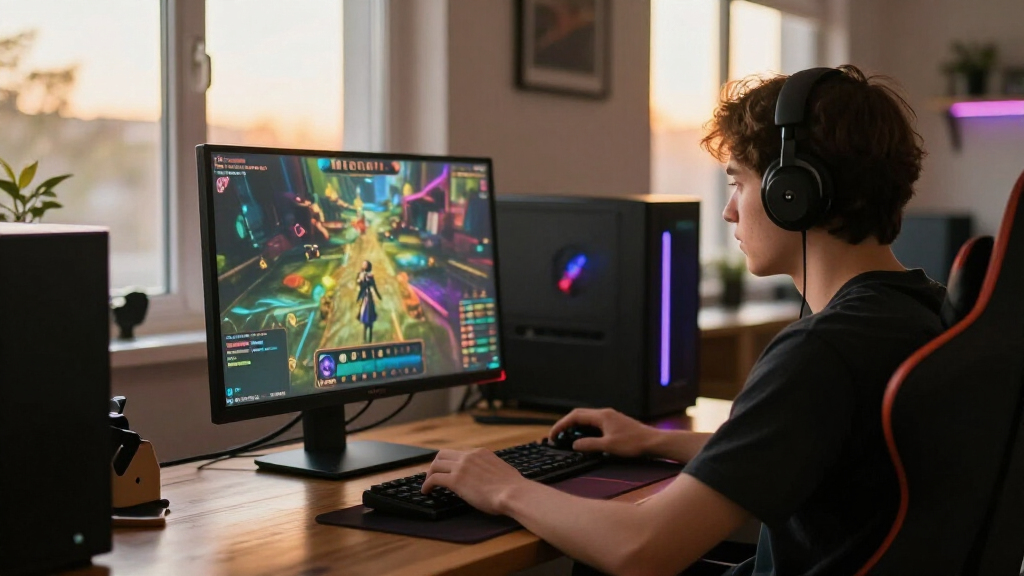
These monitors were selected based on their refresh rate, response time, and adaptive sync support, which are critical for competitive gaming. We prioritized models that are widely recognized in the esports community and have proven reliability. Additional factors like screen size, resolution, build quality, and connectivity options influenced the rankings. The goal was to identify monitors that deliver the best balance of performance, durability, and value, helping gamers find options suited to different budgets and play styles.Factors to Consider When Choosing 240hz Esports Monitors
Choosing the right 240Hz esports monitor involves several key considerations. Beyond raw refresh rate, factors like resolution, response time, and adaptive sync technology directly impact gameplay smoothness and visual quality. It’s also important to match the monitor’s size and ergonomics to your setup for comfort during long gaming sessions. Budget constraints can influence which features are feasible, so understanding the tradeoffs is essential for making an informed decision.Refresh Rate and Response Time
While 240Hz is the standard for competitive gaming, the actual response time can vary. A lower response time, such as 1ms, reduces motion blur and ghosting, giving you a clearer advantage in fast-paced games. However, extremely high refresh rates like 280Hz or 300Hz can offer marginal gains but often come with increased cost or hardware requirements. Balance your desired responsiveness with system capabilities and budget to avoid overpaying for minimal performance gains.
Resolution and Screen Size
Higher resolutions like QHD (1440p) provide sharper images and more detailed visuals, but they demand more from your graphics card. FHD (1080p) monitors are generally easier to drive at 240Hz, which can be a decisive factor for gamers with less powerful PCs. Screen size impacts immersion and visibility; larger monitors enhance the experience but may lead to higher costs and space considerations. Match resolution and size to your gaming setup and preferences for optimal performance.
Adaptive Sync Technology
Features like G-Sync and FreeSync help eliminate screen tearing and minimize stuttering, which is especially beneficial at high refresh rates. G-Sync is typically more seamless for NVIDIA GPU users, while FreeSync is often more affordable and compatible with a broader range of AMD graphics cards. Choosing a monitor with adaptive sync support compatible with your GPU ensures smoother gameplay, particularly during rapid scene changes.
Build Quality and Ergonomics
Sturdy construction and ergonomic adjustments like height, tilt, and swivel are vital for long gaming sessions. An adjustable stand can reduce fatigue and help position the monitor for optimal visibility. Cheap build quality may result in stability issues or premature wear, undermining the investment. Prioritizing durability and comfort features ensures your monitor remains reliable and comfortable over time.
Connectivity and Additional Features
Modern esports monitors should have multiple HDMI and DisplayPort options to accommodate various gaming setups. HDMI 2.1 is beneficial for high bandwidth and future-proofing, especially if you plan to use the monitor with next-gen consoles or high-end PCs. Additional features like USB hubs, onboard speakers, or customizable settings can enhance usability but may add to the cost. Consider which extras genuinely improve your gaming experience before paying extra.
Frequently Asked Questions
Is a 240Hz monitor worth upgrading to from 144Hz?
Upgrading to a 240Hz monitor from 144Hz can provide noticeably smoother motion and quicker response times, especially in fast-paced competitive games. However, the real benefit depends on your hardware and skill level; if your system can consistently push high frame rates, you’ll notice the difference. For casual gamers or those with less powerful PCs, the upgrade may be less impactful, so weigh the cost against potential performance gains.
Does higher resolution impact 240Hz gaming performance?
Yes, higher resolutions like QHD demand more from your graphics card, which can affect your ability to consistently hit 240 frames per second. If your hardware is not capable of maintaining high frame rates at higher resolutions, you might experience stuttering or tearing despite having a 240Hz monitor. Many gamers opt for FHD for smoother performance or upgrade their GPU alongside the monitor to maximize benefits.
Are curved monitors better for esports gaming at 240Hz?
Curved monitors can enhance immersion and reduce eye strain, which is beneficial during long gaming sessions. However, in competitive esports, flat screens are often preferred for their precise image reproduction and minimal distortion. The choice depends on personal preference and your gaming environment; both curved and flat models can perform equally well at 240Hz if other specs align.
What should I prioritize if I have a limited budget?
For tighter budgets, prioritize models with a solid 240Hz refresh rate, low response time, and adaptive sync support. FHD displays are generally more affordable and less demanding for your GPU. Avoid overly high resolutions or premium features unless your system can handle them, as they can inflate costs without providing proportional benefits at lower budgets.
How important is build quality and ergonomics in a competitive monitor?
Build quality and ergonomic features are often overlooked but are vital for maintaining comfort during extended gaming sessions. A sturdy stand with height, tilt, and swivel adjustments helps you find the optimal viewing position, reducing fatigue and improving focus. Investing in a well-built monitor ensures longevity and consistent performance, which can make a real difference in serious gaming setups.
Conclusion
If you’re after the best overall experience and have a capable system, the LG 27GR83Q-B stands out as the top choice, offering a blend of sharp resolution, fast response, and adaptive sync. Budget-conscious gamers should consider the ASUS TUF VG259QM5A for reliable performance at a lower cost, while esports professionals seeking ultra-high refresh rates may prefer the BenQ Zowie XL2540X+ with its 280Hz update. For newcomers, a FHD model with 240Hz can provide excellent value, whereas those with high-end hardware might opt for QHD options for sharper visuals. Matching your specific needs—whether competitive edge, budget, or comfort—will help you pick the perfect monitor.