
A dual monitor stand can free up desk space and make two screens easier to position, but the right choice depends on your desk, monitor weight, and preferred range of movement. My best overall pick is the HUANUO FlowLift Dual Monitor Stand for buyers who want flexible positioning; the Amazon Basics Adjustable Dual Monitor Desk Mount stands out for support of screens up to 32 inches, while the Gianotter riser adds a drawer and pen holders without clamping to the desk. The main tradeoff is between a freestanding base that needs more surface area and a clamp or grommet mount that saves space but must fit the desk. Arm range, VESA compatibility, and each screen’s weight also narrow the field. Read on for the full breakdown and a guide to matching a stand to your setup.

Get business pricing on monitors, keyboards and dev gear
- Business-only prices and quantity discounts
- Tax-exempt purchasing
- Multiple users, one account, clear invoices
Key Takeaways
- Mounting style shapes desk fit: freestanding models such as the amazon.com/dp/B018MU3SAS?tag=featurebuddies-20&ascsubtag=dc-899064″ target=”_blank” rel=”nofollow sponsored noopener”>WALI and VIVO stands avoid desk-edge clamps, while clamp and grommet models from HUANUO, ErGear, and others keep the base footprint smaller.
- Screen size alone is not enough: several mounts list support for screens up to 32 inches, but buyers still need to check per-arm weight limits and VESA patterns.
- Movement and simplicity pull in different directions: full-motion arms offer more ways to position screens, while a riser or basic stand can suit buyers who want a simpler arrangement.
- Some picks solve a second desk problem: the Gianotter adds a drawer and pen holders, and the Perlegear includes a power strip, features that matter only if those extras match the workspace.
- The shortlist has distinct desk-fit options: glass-base and other freestanding stands suit buyers who cannot clamp their desk, while clamp-and-grommet models suit those prioritizing a smaller footprint.
| WALI Freestanding Dual Monitor Stand for 13-27 inch Screens |  | Best for Clamp-Free Setups | Screen size: 13–27 inches | Weight capacity: 22 lbs per arm | VESA compatibility: 75 x 75 mm or 100 x 100 mm | VIEW ON AMAZON | See Our Full Breakdown |
| VIVO Dual Monitor Desk Mount (STAND-V002) |  | Best for Large Clamp-Mounted Displays | Screen size: 13–30 inches | Weight capacity: 22 lbs per monitor | VESA compatibility: 75 x 75 mm or 100 x 100 mm | VIEW ON AMAZON | See Our Full Breakdown |
| Mount-It! Dual Monitor Desk Stand Mount for 2 Screens VESA 75×75 & 100×100 |  | Best for Large Freestanding Screens | Maximum screen size: 32 inches | Weight capacity: 19.8 lbs per arm | VESA compatibility: 75 x 75 mm or 100 x 100 mm | VIEW ON AMAZON | See Our Full Breakdown |
| Gianotter Dual Monitor Stand Riser with Drawer and Pen Holders |  | Best for Desk Storage | Monitor capacity: One monitor, per supplied product information | Dimensions: 40.6 x 9.3 x 4.3 inches | Item weight: 3.08 kg | VIEW ON AMAZON | See Our Full Breakdown |
| Perlegear Dual Monitor Stand with Power Strip for 2 Screens up to 32 Inch |  | Best for Built-In Desk Power | Screen size: 13–32 inches | Weight capacity: 22 lbs per arm | VESA compatibility: 75 x 75 mm or 100 x 100 mm | VIEW ON AMAZON | See Our Full Breakdown |
| VIVO Freestanding Dual Monitor Stand with Glass Base and Adjustable Arms, Supports 2 Screens up to 32 inch and 22 lbs Each, Black | 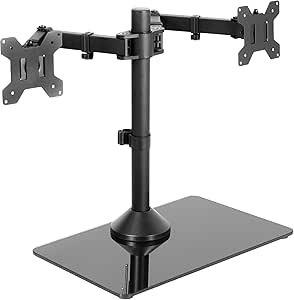 | Best Freestanding Pick for Larger Screens | Compatible screen size: 13–32 inches | Maximum weight per monitor: 22 lbs | VESA compatibility: 75×75 mm or 100×100 mm | VIEW ON AMAZON | See Our Full Breakdown |
| HUANUO FlowLift Dual Monitor Stand |  | Best for Wooden Desks and Straightforward Adjustments | Model: HNDS6 | Monitor size compatibility: 13–32 inches | Weight capacity per arm: 4.4–19.8 lbs | VIEW ON AMAZON | See Our Full Breakdown |
| HUANUO Dual Monitor Stand (HNDS7) |  | Best for Heavy and Large Monitors | Screen size compatibility: 13–40 inches | Weight capacity per arm: 26.4 lbs | Material: Aluminum | VIEW ON AMAZON | See Our Full Breakdown |
| VIVO Dual Monitor Stand for 13-27 Inch Screens, Heavy-Duty Free-Standing Desk Mount with Fully Adjustable Arms |  | Best Compact-Screen Freestanding Value | Model: STAND-V002F | Compatible screen size: 13–27 inches | Maximum weight per monitor: 22 lbs | VIEW ON AMAZON | See Our Full Breakdown |
| ErGear Dual Monitor Stand, Heavy Duty Adjustable Desk Mount for 2 Screens up to 32 Inches |  | Best for a Simple Clamp-or-Grommet Setup | Model: EGCM1 | Compatible screen size: 13–32 inches | Weight capacity per monitor: 17.6 lbs | VIEW ON AMAZON | See Our Full Breakdown |
| HUANUO Dual Monitor Stand – Full Adjustable Desk Mount with C-Clamp and Grommet Base |  | Best for Smooth, Frequent Adjustments | Compatible screen size: 13–32 inches | Weight capacity: 4.4–19.8 lbs per arm | VESA compatibility: 75 × 75 mm or 100 × 100 mm | VIEW ON AMAZON | See Our Full Breakdown |
| Mount Pro Dual Monitor Stand, Full Motion Desk Mount for 2 Screens up to 27 inches, Height Adjustable, Swivel, Tilt, Rotation, VESA 75×75/100×100, Black |  | Best for Desks That Need a Freestanding Base | Compatible screen size: 13–27 inches | Maximum supported weight: 17.6 lbs per arm | Maximum height adjustment: 18.1 inches | VIEW ON AMAZON | See Our Full Breakdown |
| ErGear Dual Monitor Arm for 13-32″ Screens, Full Adjustable Monitor Mount with Tool-Free VESA Mount |  | Best for Quick Monitor Installation | Compatible screen size: 13–32 inches | Maximum load capacity: 19.8 lbs | VESA compatibility: 75 × 75 mm or 100 × 100 mm | VIEW ON AMAZON | See Our Full Breakdown |
| Amazon Basics Adjustable Dual Monitor Desk Mount Supports up to 32-inch Monitors and 22 lbs per Arm | 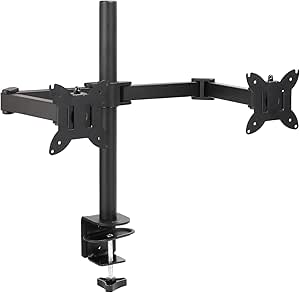 | Best for Heavier Monitors | Maximum screen size: 32 inches | Maximum load: 22 lbs per arm | VESA compatibility: 75 × 75 mm or 100 × 100 mm | VIEW ON AMAZON | See Our Full Breakdown |
| dual monitor stand | VESA compatibility | Warranty |
|---|---|---|
| WALI Freestanding Dual Monitor | 75 x 75 mm or 100 x 100 mm | 10 years |
| VIVO Dual Monitor Desk Mount | 75 x 75 mm or 100 x 100 mm | 3 years |
| Mount-It! Dual Monitor Desk St | 75 x 75 mm or 100 x 100 mm | — |
| Gianotter Dual Monitor Stand R | — | — |
| Perlegear Dual Monitor Stand w | 75 x 75 mm or 100 x 100 mm | — |
| VIVO Freestanding Dual Monitor | 75×75 mm or 100×100 mm | 3 years |
| HUANUO FlowLift Dual Monitor S | 75×75 mm or 100×100 mm | 5 years |
| HUANUO Dual Monitor Stand | 75×75 mm or 100×100 mm | 5 years |
| VIVO Dual Monitor Stand for 13 | 75×75 mm or 100×100 mm | 3 years |
| ErGear Dual Monitor Stand | 75×75 mm or 100×100 mm | — |
| HUANUO Dual Monitor Stand | 75 × 75 mm or 100 × 100 mm | — |
| Mount Pro Dual Monitor Stand | 75 × 75 mm or 100 × 100 mm | — |
| ErGear Dual Monitor Arm for 13 | 75 × 75 mm or 100 × 100 mm | 5 years |
| Amazon Basics Adjustable Dual | 75 × 75 mm or 100 × 100 mm | — |
More Details on Our Top Picks
WALI Freestanding Dual Monitor Stand for 13-27 inch Screens
The WALI MF002 suits desks where a clamp or grommet mount is not practical: its freestanding V-base holds two monitors without attaching to the desk. Tilt, swivel, and 360-degree rotation give it useful positioning flexibility, including portrait orientation, while built-in cable management helps keep the area around the stand neater. Compared with the VIVO STAND-V002, WALI avoids relying on a desk edge, but its 27-inch screen limit is lower than VIVO’s 30-inch limit. The tradeoff is desk footprint: a stable tabletop base takes up surface area that a clamp-mounted arm leaves free. Its 22-pound-per-arm capacity fits many standard displays, though buyers should check their monitor weight and VESA pattern before choosing. Assembly is also required.
Pros:- Freestanding base avoids clamps, grommet holes, and desk modifications.
- Supports two monitors weighing up to 22 pounds each.
- Tilt, swivel, and 360-degree rotation allow portrait or landscape positioning.
- Cable management helps reduce visible wire clutter.
Cons:- The V-base occupies a noticeable portion of the desktop.
- The 27-inch screen limit is less accommodating than the VIVO STAND-V002’s 30-inch limit.
- Pole and arm assembly is required.
Best for: People with desks that cannot accept a clamp or grommet mount who need two VESA-compatible monitors up to 27 inches.
Not ideal for: Owners of monitors larger than 27 inches or people who want to preserve as much desktop surface as possible.
- Screen size:13–27 inches
- Weight capacity:22 lbs per arm
- VESA compatibility:75 x 75 mm or 100 x 100 mm
- Mounting type:Freestanding tabletop
- Movement:Tilt, swivel, and rotation
- Maximum tilt:90 degrees
- Item weight:3.37 kg
- Warranty:10 years
Our verdict“Choose the WALI if your desk rules out clamping and both monitors are 27 inches or smaller; skip it if desktop space is scarce.”
VIVO Dual Monitor Desk Mount (STAND-V002)
The VIVO STAND-V002 is the clamp-mounted choice for buyers whose displays exceed the size range of the WALI MF002: it supports screens up to 30 inches, with a 22-pound limit per monitor. Its steel arms offer tilt, swivel, and full rotation, so a mixed portrait-and-landscape layout is possible without replacing the mount. A C-clamp fits desk edges up to 3.25 inches thick, and a grommet option provides another installation route. Compared with the freestanding Mount-It! MI-4781, VIVO keeps a base off the desktop, but it needs a suitable edge or grommet hole and careful setup. Its 30-inch screen limit is also smaller than Mount-It!’s 32-inch limit. The result is a practical fit for compatible desks, not a universal solution for every workstation.
Pros:- Supports two monitors up to 30 inches and 22 pounds each.
- C-clamp and grommet mounting options suit different compatible desk layouts.
- Tilt, swivel, and 360-degree rotation support flexible screen positioning.
- Cable clips help guide wires along the mount.
Cons:- Installation requires a suitable desk edge or grommet hole.
- Assembly and alignment take more care than placing a freestanding base on the desk.
- Its screen-size ceiling is lower than the Mount-It! MI-4781’s 32-inch limit.
Best for: Desk users with a sturdy edge or grommet hole who want articulated arms for two monitors up to 30 inches.
Not ideal for: People who cannot clamp to their desk, have an edge thicker than 3.25 inches without a usable grommet, or use monitors larger than 30 inches.
- Screen size:13–30 inches
- Weight capacity:22 lbs per monitor
- VESA compatibility:75 x 75 mm or 100 x 100 mm
- Mounting type:C-clamp or grommet
- Maximum desk thickness:3.25 inches
- Adjustment:+90°/-90° tilt, 180° swivel, 360° rotation
- Material:Steel
- Warranty:3 years
Our verdict“Pick the VIVO for larger displays on a clamp-compatible desk, but choose a freestanding model if desk attachment is not an option.”
Mount-It! Dual Monitor Desk Stand Mount for 2 Screens VESA 75×75 & 100×100
For buyers who need freestanding support for screens up to 32 inches, the Mount-It! MI-4781 bridges a gap between smaller tabletop stands and clamp-mounted arms. Its 19.8-pound-per-arm capacity is a little lower than the WALI MF002’s 22 pounds, so screen weight matters as much as screen size here. Height adjustment, tilt up to 45 degrees, swivel, and portrait-or-landscape rotation let users set up a useful viewing arrangement without fixing hardware to the desk. Compared with the VIVO STAND-V002, it accepts larger screens and avoids a clamp, but it gives up desktop area to its heavy base and has a lower stated capacity per arm. VESA plate installation may take time, and buyers with especially heavy displays should check the limits carefully before choosing it.
Pros:- Supports screens up to 32 inches without requiring a clamp or grommet.
- Height, tilt, swivel, and rotation adjustments help tailor screen placement.
- Portrait and landscape orientations support different monitor layouts.
- Integrated cable management helps organize connected displays.
Cons:- The heavy freestanding base takes up desktop space.
- Its 19.8-pound-per-arm limit is lower than the WALI MF002’s 22-pound limit.
- Installing the VESA plates can be time-consuming.
Best for: Users who need a clamp-free stand for two VESA-compatible monitors up to 32 inches, provided each weighs no more than 19.8 pounds.
Not ideal for: People with heavy monitors above 19.8 pounds per arm or small desks where a substantial freestanding base would crowd the work surface.
- Maximum screen size:32 inches
- Weight capacity:19.8 lbs per arm
- VESA compatibility:75 x 75 mm or 100 x 100 mm
- Mount type:Freestanding tabletop
- Adjustment:Height, tilt, swivel, and rotation
- Maximum tilt:45 degrees
- Material:Alloy steel
- Color:Black
Our verdict“Choose the Mount-It! for large, relatively light monitors when you need a freestanding mount and can spare the desk space.”
Gianotter Dual Monitor Stand Riser with Drawer and Pen Holders
The Gianotter riser is the storage-first option in this group, with a drawer and magnetic pen holders built into a raised platform. That can help organize small desk items and lift a display to a more comfortable viewing height without assembling an articulated arm. Its key limitation changes the buying decision: despite “dual monitor” in the product name, the supplied product information says it supports only one monitor. It is not a substitute for the two-arm WALI MF002 or the VIVO STAND-V002 if you need to mount two screens. Instead, it suits someone prioritizing a tidy desk and a simple riser. The listed 40.6-inch length gives room for a broad monitor, but the stand has one level and does not offer the tilt, swivel, or rotation adjustments found on the arm mounts.
Pros:- Drawer and magnetic pen holders provide built-in storage for small desk items.
- Raises a monitor to support a more comfortable viewing position.
- Metal construction with a powder-coated finish.
- No assembly is required, according to the supplied product information.
Cons:- The supplied specifications limit it to one monitor despite the dual-monitor wording in the title.
- A fixed riser does not provide the arm articulation available on the WALI MF002 or VIVO STAND-V002.
- Its single-level design offers no listed height adjustment range.
Best for: Single-monitor users who want a raised screen plus a drawer and pen holders for everyday desk organization.
Not ideal for: Anyone who needs a genuine dual-monitor setup or wants independent tilt, swivel, and rotation adjustments.
- Monitor capacity:One monitor, per supplied product information
- Dimensions:40.6 x 9.3 x 4.3 inches
- Item weight:3.08 kg
- Material:Metal
- Finish:Powder coated
- Storage features:Drawer and magnetic pen holders
- Levels:1
- Color:Black
Our verdict“Choose this riser for storage and a single raised monitor, not for mounting two independently adjustable screens.”
Perlegear Dual Monitor Stand with Power Strip for 2 Screens up to 32 Inch
The Perlegear stands apart by combining a freestanding dual-monitor mount with a built-in power strip, USB ports, and outlets. That makes it a better match for users who want charging and screen positioning in one desktop unit than the WALI MF002, which offers a simpler V-base and cable management. Perlegear also supports screens up to 32 inches and 22 pounds per arm, giving it a larger stated screen range than the WALI. Its height adjusts from 10.79 to 14.92 inches, while tilt, swivel, and rotation help position each display. The tradeoff is a glass pedestal that occupies desk space, plus assembly that may take more effort. Monitor VESA compatibility needs checking, and the 32-inch ceiling rules out larger screens.
Pros:- Built-in power strip combines outlets and USB ports with the monitor stand.
- Supports two screens up to 32 inches and 22 pounds per arm.
- Height adjustment and articulated arms allow a range of viewing positions.
- Cable management and non-slip pads support a tidier, more stable setup.
Cons:- The glass pedestal occupies desktop surface area, unlike a clamp-mounted option such as the VIVO STAND-V002.
- Assembly may be complex for some users.
- Screens larger than 32 inches or without compatible VESA holes are not supported.
Best for: People who want a freestanding two-screen setup with built-in outlets and USB charging, using compatible monitors up to 32 inches.
Not ideal for: Users with larger-than-32-inch screens, monitors without compatible VESA mounting, or limited desktop space for a pedestal base.
- Screen size:13–32 inches
- Weight capacity:22 lbs per arm
- VESA compatibility:75 x 75 mm or 100 x 100 mm
- Number of arms:2
- Base type:Glass pedestal
- Height adjustment:10.79–14.92 inches
- Materials:Carbon steel and tempered glass
- Features:Built-in power strip and cable management
Our verdict“Choose Perlegear if built-in desktop power is a priority and your monitors fit its VESA, size, and weight limits.”
VIVO Freestanding Dual Monitor Stand with Glass Base and Adjustable Arms, Supports 2 Screens up to 32 inch and 22 lbs Each, Black
For a desk where clamping is impractical, I’d shortlist this freestanding VIVO first. Its tempered-glass base avoids a clamp or grommet, while the arms support monitors up to 32 inches and 22 pounds each—a broader size range than the freestanding VIVO STAND-V002F, which is limited to 27-inch screens. Tilt, swivel, rotation, and height adjustment also allow portrait setups and side-by-side positioning. The removable VESA plates make mounting less awkward, though both screens need compatible 75×75 or 100×100 mm holes. The tradeoff is the base: it occupies a sizable patch of desk, and the product notes that bolting down is needed for maximum stability. I’d choose it over a clamp-style model when desk attachment is off the table, but not if a glass base feels too delicate for the workspace.
Pros:- Supports monitors up to 32 inches and 22 pounds each
- Freestanding base works without a desk clamp or grommet
- Offers tilt, swivel, rotation, and height adjustment
- Removable VESA plates simplify screen mounting
Cons:- The glass base takes up desk space and may be damaged by rough handling
- Maximum stability calls for bolting the stand down
- Requires monitors with 75×75 or 100×100 mm VESA holes
Best for: People with desks that cannot take a clamp or grommet mount who still need adjustable support for two monitors up to 32 inches.
Not ideal for: Buyers with crowded desks, non-VESA monitors, or a preference for a mount secured directly to the desk.
- Compatible screen size:13–32 inches
- Maximum weight per monitor:22 lbs
- VESA compatibility:75×75 mm or 100×100 mm
- Base material:Tempered glass
- Base dimensions:15.2 x 10.2 inches
- Mounting type:Tabletop
- Movement:Tilt, swivel, rotation, and height adjustment
- Warranty:3 years
Our verdict“Choose this freestanding VIVO if desk-edge mounting is not an option and you need support for larger screens.”
HUANUO FlowLift Dual Monitor Stand
The HUANUO FlowLift suits buyers who want a clamp- or grommet-mounted pair of adjustable arms without stepping up to the larger-screen capacity of HUANUO’s HNDS7. It fits monitors from 13 to 32 inches, but each screen must weigh 4.4 to 19.8 pounds; that lower ceiling makes it a poorer match for heavier displays. Tilt, swivel, and rotation help set viewing angles, while built-in cable management keeps cords from spilling across the desk. C-clamp and grommet installation give it more placement flexibility than the freestanding VIVO glass-base model, but the desk itself narrows the options: this stand is recommended for wooden desks, and underside beams or panels can block installation. I’d favor it for a compatible wood desk and ordinary dual-screen setup, not for glass, plastic, or unusually heavy monitors.
Pros:- Fits monitors from 13 to 32 inches
- Supports both C-clamp and grommet installation
- Tilt, swivel, and rotation allow flexible screen positioning
- Built-in cable management helps keep the desk orderly
Cons:- Recommended only for wooden desks
- Underside crossbeams or panels may prevent installation
- 19.8-pound per-arm limit is lower than the HUANUO HNDS7
Best for: People with a wooden desk, two standard VESA monitors within the stated weight range, and a preference for clamp or grommet mounting.
Not ideal for: Owners of glass or plastic desks, desks with obstructed undersides, or monitors heavier than 19.8 pounds each.
- Model:HNDS6
- Monitor size compatibility:13–32 inches
- Weight capacity per arm:4.4–19.8 lbs
- VESA compatibility:75×75 mm or 100×100 mm
- Mounting options:C-clamp and grommet
- Desk thickness compatibility:0.59–3.54 inches
- Movement:Tilt, swivel, and rotation
- Warranty:5 years
Our verdict“Pick the FlowLift for a compatible wooden desk and midweight monitors; skip it if your screens exceed its arm limit.”
HUANUO Dual Monitor Stand (HNDS7)
The HUANUO HNDS7 is the capacity-focused choice here: each arm supports up to 26.4 pounds, above the 17.6-pound limit of the ErGear EGCM1 and the 22-pound limits of both VIVO freestanding options. Its stated screen range reaches 40 inches, making it a better fit for large displays, while the long extension and height adjustment offer room to arrange a wide workstation. Two built-in USB ports add handy access without changing the core mounting job. The aluminum arms and full motion come with a more involved setup, though, and clamp or grommet mounting still depends on desk thickness and grommet fit. I’d pick it over the FlowLift for heavier screens, but buyers with lighter monitors and a simpler installation in mind may not need its extra capacity.
Pros:- Supports up to 26.4 pounds per arm and screens up to 40 inches
- Offers up to 25.59 inches of arm extension and 21.1 inches of height adjustment
- Includes two USB ports
- Provides 360-degree rotation, tilt, and swivel
Cons:- Assembly can be more involved than with simpler dual-arm stands
- Desk thickness and grommet fit restrict installation options
- Its higher capacity may be unnecessary for lighter monitors
Best for: People mounting two large or heavy VESA monitors who want extended reach, broad adjustment, and accessible USB ports.
Not ideal for: Buyers with lightweight screens who want simpler assembly, or desks that do not fit its clamp or grommet requirements.
- Screen size compatibility:13–40 inches
- Weight capacity per arm:26.4 lbs
- Material:Aluminum
- VESA compatibility:75×75 mm or 100×100 mm
- Mounting type:Clamp or grommet
- Maximum arm extension:25.59 inches
- Height adjustment:Up to 21.1 inches
- USB ports:2
- Warranty:5 years
Our verdict“Choose the HNDS7 when your monitors need more weight capacity and reach than the ErGear EGCM1 or FlowLift can offer.”
VIVO Dual Monitor Stand for 13-27 Inch Screens, Heavy-Duty Free-Standing Desk Mount with Fully Adjustable Arms
This VIVO stand is the more restrained freestanding choice: it supports two monitors up to 27 inches and 22 pounds each, with a padded base that avoids desk clamps and helps protect the surface. Its tilt, swivel, rotation, and height adjustment give smaller screens plenty of positioning options, and detachable VESA plates plus cable clips simplify setup. Compared with the other freestanding VIVO in this roundup, it gives up support for screens above 27 inches and swaps that model’s glass base for a padded base. Against clamp-mounted options such as the ErGear EGCM1, it uses more desktop area but does not depend on a compatible desk edge. The 13 x 10.5-inch footprint is a real cost in compact workspaces, and stability can suffer when arms extend far forward unless the stand is bolted down.
Pros:- Supports two monitors up to 27 inches and 22 pounds each
- Padded base helps protect the desk surface
- Offers tilt, swivel, rotation, and height adjustment
- Includes detachable VESA plates and cable management clips
Cons:- Base occupies a 13 x 10.5-inch area on the desk
- Screens above 27 inches fall outside its stated compatibility
- Stability may suffer when monitors are extended forward without bolting down
Best for: People using two monitors no larger than 27 inches who need a freestanding mount and want a padded base to protect the desktop.
Not ideal for: Owners of larger screens or small desks where a 13 x 10.5-inch base would take up too much usable area.
- Model:STAND-V002F
- Compatible screen size:13–27 inches
- Maximum weight per monitor:22 lbs
- VESA compatibility:75×75 mm or 100×100 mm
- Material:Alloy steel
- Base dimensions:13 x 10.5 inches
- Adjustability:Tilt, swivel, rotation, and height adjustment
- Warranty:3 years
Our verdict“Choose this VIVO over the glass-base model if your screens are 27 inches or smaller and you prefer a padded freestanding base.”
ErGear Dual Monitor Stand, Heavy Duty Adjustable Desk Mount for 2 Screens up to 32 Inches
The ErGear EGCM1 is a practical clamp-mounted option for a pair of screens up to 32 inches, with a 17.6-pound limit per monitor. That capacity is lower than the HUANUO FlowLift’s 19.8 pounds and well below the HNDS7’s 26.4 pounds, so I’d reserve it for lighter displays rather than heavy panels. Tilt, swivel, rotation, and height adjustment make it easier to set the screens to a comfortable position, while integrated cable management keeps cords along the mount. C-clamp and grommet installation free up the desktop compared with either freestanding VIVO, but the desk must suit the hardware; the supplied information recommends wooden tables and does not give a specific thickness range. Its 31.22-inch arm span can suit side-by-side placement, though the setup is a poor fit when desk material or VESA spacing is incompatible.
Pros:- Supports screens up to 32 inches
- Offers C-clamp or grommet installation
- Adjusts for tilt, swivel, rotation, and height
- Integrated cable management helps clear the desktop
Cons:- 17.6-pound capacity per monitor is lower than the HUANUO FlowLift and HNDS7
- Recommended only for wooden tables
- Requires compatible VESA spacing and a desk that fits the clamp or grommet
Best for: People with a compatible wooden desk who want a clamp- or grommet-mounted setup for two VESA monitors weighing no more than 17.6 pounds each.
Not ideal for: Owners of heavier monitors, non-wood tables, or screens without 75×75 mm or 100×100 mm VESA holes.
- Model:EGCM1
- Compatible screen size:13–32 inches
- Weight capacity per monitor:17.6 lbs
- VESA compatibility:75×75 mm or 100×100 mm
- Mounting type:C-clamp or grommet
- Arm span:31.22 inches
- Bar height:16 inches
- Item weight:3.3 lbs
Our verdict“Pick the ErGear EGCM1 for a space-saving desk-mounted setup with lighter screens, but choose the HNDS7 for heavier monitors.”
HUANUO Dual Monitor Stand – Full Adjustable Desk Mount with C-Clamp and Grommet Base
The HUANUO HNDS6W-US suits a dual-monitor desk where screens need repositioning throughout the day. Its pneumatic spring arms adjust height and angle without screw tightening, while support for monitors up to 32 inches and 19.8 pounds per arm accommodates a broad range of setups. Compared with the Mount Pro Dual Monitor Stand, it supports larger screens and has a higher per-arm weight limit; the Mount Pro instead uses a V-shaped base, which may suit desks where clamping is not an option. HUANUO’s C-clamp or grommet mounting frees the desktop, but requires a suitable desk edge or a drilled hole. Check that both monitors have compatible VESA holes and meet the stated size and weight limits before choosing it.
Pros:- Pneumatic arms allow height and angle changes without screw adjustments.
- Supports screens up to 32 inches and 19.8 pounds per arm.
- C-clamp and grommet mounting offer two ways to secure the stand.
- Integrated cable management helps keep the desktop neater.
Cons:- Requires VESA-compatible monitors within the specified size and weight limits.
- Installation depends on a suitable desk edge or a pre-drilled grommet hole.
Best for: People with two VESA-compatible monitors up to 32 inches who regularly adjust screen height or angle and want to reclaim desk space.
Not ideal for: Buyers with non-VESA monitors, monitors outside the listed weight range, or desks without a clamp-compatible edge or grommet hole.
- Compatible screen size:13–32 inches
- Weight capacity:4.4–19.8 lbs per arm
- VESA compatibility:75 × 75 mm or 100 × 100 mm
- Mounting type:C-clamp or grommet
- Movement:Tilt, swivel, rotate, and height adjustment
- Maximum tilt:85 degrees
- Material:Alloy steel
- Color:White
Our verdict“Choose the HUANUO if you want easily repositioned screens up to 32 inches and your desk supports clamp or grommet mounting.”
Mount Pro Dual Monitor Stand, Full Motion Desk Mount for 2 Screens up to 27 inches, Height Adjustable, Swivel, Tilt, Rotation, VESA 75×75/100×100, Black
The Mount Pro Dual Monitor Stand is the lineup’s freestanding choice: its V-shaped base avoids dependence on a clamp-ready desk edge or grommet hole. It supports two monitors from 13 to 27 inches, with up to 17.6 pounds on each arm and height adjustment reaching 18.1 inches. That makes it a practical fit for standard, lighter dual-screen setups, though it offers less screen and weight headroom than the HUANUO HNDS6W-US or Amazon Basics Adjustable Dual Monitor Desk Mount. Its 45-degree maximum tilt also gives less range than HUANUO’s listed 85 degrees. Cable clips and labeled assembly parts help with setup, but the base occupies desk surface, and monitors of similar weight are preferable for balanced positioning.
Pros:- Freestanding V-shaped base does not require clamp or grommet installation.
- Provides height adjustment up to 18.1 inches plus swivel and rotation.
- Supports monitors up to 17.6 pounds per arm.
- Labeled parts and cable clips simplify assembly and wire routing.
Cons:- Base takes up desk surface that a clamp-mounted arm would leave open.
- Maximum tilt is limited to 45 degrees.
- Works best with monitors of similar weight for balanced positioning.
Best for: Desk users with two VESA-compatible monitors no larger than 27 inches who cannot clamp a mount to their desk or use a grommet hole.
Not ideal for: Owners of larger or heavier monitors, people who need a wide tilt range, or anyone short on free desk space for a stand base.
- Compatible screen size:13–27 inches
- Maximum supported weight:17.6 lbs per arm
- Maximum height adjustment:18.1 inches
- VESA compatibility:75 × 75 mm or 100 × 100 mm
- Movement:Articulating, swivel, tilt, and rotation
- Maximum tilt:45 degrees
- Materials:Alloy steel and aluminum
- Color:Black
Our verdict“Pick the Mount Pro when desk-mounted clamps are not workable and both monitors fit within its 27-inch and 17.6-pound limits.”
ErGear Dual Monitor Arm for 13-32″ Screens, Full Adjustable Monitor Mount with Tool-Free VESA Mount
The ErGear Dual Monitor Arm makes installation its distinguishing feature: a tool-free VESA mounting system can simplify attaching compatible screens, while independent arm adjustments let each display sit at its own height and angle. It supports monitors from 13 to 32 inches, with a maximum load of 19.8 pounds, and offers 17.5 inches of height adjustment and 18.1 inches of extension. Compared with the Amazon Basics Adjustable Dual Monitor Desk Mount, ErGear gives clearer published reach and movement ranges and includes a five-year warranty; Amazon Basics lists a higher 22-pound-per-arm capacity. ErGear’s stated desk guidance is a real constraint: the manufacturer recommends wooden desks, and under-desk crossbeams can block installation. Verify desk construction, clearance, VESA pattern, and monitor weight before buying.
Pros:- Tool-free VESA mounting can make screen attachment quicker.
- Independent arms support separate positioning for each monitor.
- Fits screens from 13 to 32 inches with up to 19.8 pounds per arm.
- Includes integrated cable management and a five-year warranty.
Cons:- Manufacturer recommends installation on wooden desks only.
- Under-desk crossbeams may interfere with clamp or grommet installation.
- Monitor VESA pattern and weight must fall within the stated limits.
Best for: People setting up two VESA-compatible monitors who value tool-free screen attachment, independent positioning, and published arm reach.
Not ideal for: Buyers with glass or other non-wood desks, obstructive under-desk crossbeams, or monitors heavier than 19.8 pounds each.
- Compatible screen size:13–32 inches
- Maximum load capacity:19.8 lbs
- VESA compatibility:75 × 75 mm or 100 × 100 mm
- Maximum height adjustment:17.5 inches
- Maximum extension:18.1 inches
- Tilt range:+80° / −50°
- Swivel and rotation:±90° swivel; 360° rotation
- Mounting and desk thickness:C-clamp: 0.39–2.56 inches; grommet: 0.39–2.95 inches
- Warranty:5 years
Our verdict“Choose ErGear for tool-free monitor attachment and independent adjustments if your wooden desk has clear mounting space.”
Amazon Basics Adjustable Dual Monitor Desk Mount Supports up to 32-inch Monitors and 22 lbs per Arm
The Amazon Basics Adjustable Dual Monitor Desk Mount has the highest listed per-arm capacity in this group: 22 pounds per arm, paired with support for screens up to 32 inches. That added headroom makes it a stronger fit for heavier displays than the ErGear Dual Monitor Arm, which lists a 19.8-pound limit and more detailed extension and height figures. This model offers tilt from −45 to +90 degrees, ±90-degree swivel, 360-degree rotation, and both C-clamp and grommet mounting. Its listed mounting thickness reaches 4.25 inches, but the product information does not give a height or extension measurement. Tension also needs careful adjustment for stable, smooth movement, so buyers wanting a more fully specified setup may prefer ErGear’s published arm dimensions.
Pros:- Highest stated per-arm capacity among these four options at 22 pounds.
- Supports monitors up to 32 inches.
- Offers tilt, swivel, and full 360-degree rotation.
- Includes both C-clamp and grommet mounting options.
Cons:- Stability and smooth movement depend on careful tension adjustment.
- Product data does not specify height adjustment or arm extension.
- Installation requires careful setup to balance two monitors.
Best for: Users with two VESA-compatible monitors up to 32 inches that approach 22 pounds each and a desk within the listed mounting thickness range.
Not ideal for: Buyers who want detailed arm reach and height measurements upfront or prefer a mount that needs little tension tuning after installation.
- Maximum screen size:32 inches
- Maximum load:22 lbs per arm
- VESA compatibility:75 × 75 mm or 100 × 100 mm
- Mounting options:C-clamp or grommet
- Mounting thickness:0.39–4.25 inches
- Tilt range:−45° to +90°
- Swivel range:±90°
- Rotation:360°
- Material and weight:Alloy; 7.8 lbs
Our verdict“Choose Amazon Basics when your screens are heavy enough to benefit from its 22-pound-per-arm limit and you are comfortable fine-tuning tension.”

How We Picked
I compared the 14 stands by the decisions that most affect a two-screen setup: mounting method, monitor compatibility, adjustability, and desk footprint. I also considered how clearly each option serves a distinct need, from a simple riser to a freestanding stand or a full-motion desk mount. Screen-size claims are useful, but they do not replace checking the arm’s weight limit, the monitor’s VESA pattern, or the available clearance around the desk.
The ranking favors versatility and practical fit over feature count alone. Models with wider screen support or flexible mounting options have an advantage for buyers with changing layouts, while stands with special extras rank for the specific jobs those features solve. A freestanding base can be the right answer when a desk cannot take a clamp, but it uses more surface area; a clamp mount saves that area but depends on a compatible desk edge. No single style is right for every workspace, so the picks are separated by the tradeoffs they ask buyers to accept.
Factors to Consider When Choosing Dual Monitor Stand
Before choosing a model, I’d start with the desk and monitors you already own rather than the stand’s headline features. A good match depends on how the stand attaches, how much each screen weighs, and how you work across both displays. These checks can prevent a mount that technically fits but leaves screens crowded, unstable, or difficult to position.
Match the mounting style to your desk
A freestanding base avoids clamps and desk modifications, making it useful for desks with fragile edges, unusual frames, or no accessible lip. Its tradeoff is the space occupied beneath the screens, which can compete with a keyboard, speakers, or paperwork. A clamp mount usually clears more of the desktop, but the desk edge needs enough thickness and a shape the clamp can grip. A grommet mount can work when the desk has a suitable opening, though drilling solely for a stand may not suit every workspace. Measure the mounting area and check for drawers, braces, and cable trays before deciding. The mounting method often matters more than small differences in advertised arm movement.
Check each monitor’s weight and VESA pattern
Look up the weight of each monitor without its original stand, then compare it with the stand’s per-arm limit. A combined weight figure can be misleading if one screen is much heavier than the other. Confirm that the back of each monitor has a supported VESA mounting pattern, commonly listed as a pair of hole dimensions. Some screens use nonstandard fittings or require an adapter, which can add cost and affect how securely they attach. Screen size is not a reliable substitute for weight or mounting compatibility. Check the monitor manual and the stand specifications before ordering, especially when mixing different displays.
Choose movement that fits your daily workflow
Full-motion arms help when screens need frequent repositioning, such as switching between shared work and focused tasks. If both monitors stay in one arrangement, a simpler stand may provide the needed height and alignment with fewer adjustment points. Consider whether you need tilt, swivel, rotation, or independent height changes; not every buyer benefits from every motion. More joints can make positioning more flexible, but they also mean more adjustments during setup and a greater need to check that the arms hold their position. Think through where the screens should sit at the end of a normal workday. That layout gives a clearer target than choosing a mount based on movement claims alone.
Plan for screen width, bezels, and viewing angle
Two monitors that fit each arm can still feel cramped if their combined width exceeds the usable desk area. Include the bezels and the angle between displays when measuring; angled screens may need less straight-line width but more depth. Curved or unusually wide monitors can also change how closely the screens sit together. Before buying, mark the intended screen positions or measure from the desk’s rear edge to the viewing area. Check whether the arms can place the screens at the height and distance you prefer without hitting a wall or shelf. A mount with adequate capacity is not automatically a good ergonomic fit.
Treat cable routing and built-in extras as secondary needs
Integrated cable management can reduce visible clutter, but it does not remove the need to leave enough slack for arm movement. Route cables after setting the screens in their widest and most extended positions to avoid pulling connectors. Features such as a drawer, pen holders, or a power strip can add value when they address a real desk problem, but they should not outweigh compatibility and stability. Check where a built-in power strip’s cord will reach and whether it adds bulk where you need workspace. Avoid paying attention to extras before confirming the mount fits the desk and displays. A plain stand that fits well is a better choice than a feature-rich one that obstructs the setup.
Decide how much adjustment you will actually use
Paying more for extensive articulation makes the most sense when the screens move often or need to serve different users. For a fixed home-office layout, a basic freestanding mount or riser may cover the main need without extra joints and setup steps. If you are new to monitor arms, prioritize clear compatibility information and a mounting method you can install confidently. Keep the possibility of a future monitor upgrade in mind, but do not choose based on a larger screen claim alone; check weight and VESA support as well. A stand with room to adjust can help a changing setup, while unnecessary flexibility can add complexity without improving everyday use. Let your actual routine set the feature level.
Frequently Asked Questions
Can a dual monitor stand hold two monitors of different sizes?
Often, yes, if each screen fits the stand’s individual weight limit and VESA mounting pattern. A size limit describes a supported range, but it does not confirm that a heavier screen is safe on an arm. Different-sized displays may also sit at different heights or have different bezel widths, so check whether each arm adjusts independently. If one monitor is substantially heavier, avoid relying on a combined load figure without confirming the per-arm rating. Compare both monitors’ specifications with the stand before purchase.
Should I choose a freestanding stand or a clamp mount?
Choose a freestanding stand when you cannot clamp to the desk, want to avoid modifying it, or need a stand that can move with the workspace. Expect its base to occupy more desktop area. A clamp mount can leave more surface clear, but it needs an accessible, sturdy desk edge that fits the clamp. Grommet mounts are another route when the desk already has a compatible opening. Measure the attachment point and check for braces or drawers before deciding; the best mount is the one your desk can support securely.
Will a dual monitor stand work with monitors that do not have VESA holes?
Not always. Many arms attach through a VESA plate, so a monitor without matching holes may need a separate adapter, and some models may not support an adapter at all. Check the monitor manual and the stand’s listed VESA patterns before buying. An adapter can add weight or alter how the screen sits, so its compatibility should be confirmed with both manufacturers’ specifications. If no supported attachment method exists, a freestanding riser may be a simpler option than an arm mount.
Do I need a full-motion arm if I mostly keep my monitors in place?
No. If your screens rarely move, a simpler stand may give you the height and arrangement you need without paying for articulation you will not use. Full-motion arms are more useful when you regularly swivel, tilt, rotate, or reposition displays. They can also help when multiple people share a desk, though the added joints may require more setup and adjustment. Decide on the screen positions you use most often, then check whether a basic design can hold them there comfortably.
What should I check before mounting two heavy monitors?
Confirm the weight of each monitor without its factory stand, then compare each figure with the stand’s per-arm capacity. Check VESA compatibility, the desk’s thickness and construction, and any support requirements for a clamp or grommet attachment. Heavy screens may make the arms harder to position, so stay within the stated limits rather than relying on a close estimate. After installation, check that the desk and mount remain stable as the screens move through their intended range. If either display exceeds the supported limit, choose a mount rated for that load instead.
Conclusion
For most buyers who want a flexible two-screen setup, my best overall recommendation is the HUANUO FlowLift Dual Monitor Stand. The best value choice depends on your mounting needs: the WALI is a straightforward freestanding option, while a clamp mount may suit buyers who want to reclaim desktop space. For a more feature-focused setup, the Perlegear stand with a power strip is worth a look when that added utility fits your desk. Beginners who want to avoid clamp installation may prefer a freestanding model, while the Gianotter riser best suits readers who want storage rather than articulated arms. If your desk cannot take a clamp, compare the freestanding VIVO and WALI options; if a compact footprint and arm movement matter more, consider the clamp or grommet mounts. Before choosing, verify monitor weight, VESA fit, and desk clearance.
Fall Picks
fall essentials
As an affiliate, we earn on qualifying purchases.