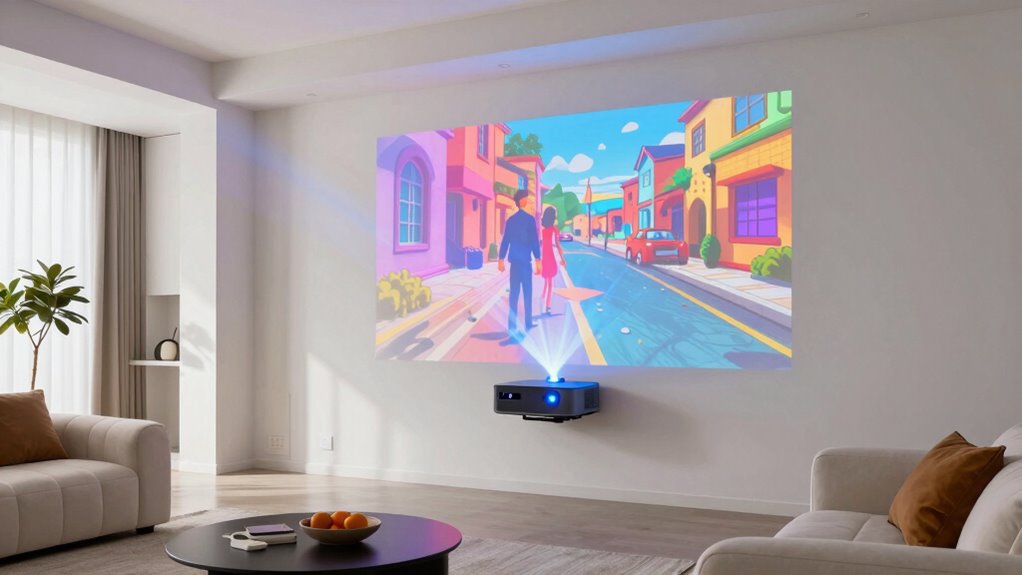

For bright rooms, I’d start with the Hisense L9Q as the best overall pick: its 5,000-lumen output and ultra-short-throw design suit daytime viewing without a ceiling-mounted projector. The ViewSonic LS901-4K is a strong fit for larger or more flexible installations, while the BenQ TK710 combines 3,200 lumens with gaming-focused appeal. The main tradeoffs are brightness versus contrast, installation distance versus room flexibility, and an all-in-one laser TV setup versus a separate screen and sound system. Read on for how the full lineup compares and which compromises matter most for your room.

Get business pricing on monitors, keyboards and dev gear
- Business-only prices and quantity discounts
- Tax-exempt purchasing
- Multiple users, one account, clear invoices
Key Takeaways
Brightness and placement lead the shortlist: the Hisense L9Q, ViewSonic LS901-4K, and ViewSonic LS740-4K are rated at 5,000 lumens or more, making them the lineup’s most direct candidates for rooms with substantial ambient light.
Ultra-short-throw models solve a different problem: the Hisense L9Q and AWOL VISION Aetherion Max can sit near the screen, reducing the need for a long throw across a shared living room.
Not every bright-room buyer needs maximum output: the BenQ TK710’s 3,200 lumens may suit controlled daytime light and gaming, while its lower stated brightness makes it less compelling for a very bright space.
Installation flexibility distinguishes the high-output models: the ViewSonic LS901-4K is positioned for flexible installation, while the short-throw BenQ LK936ST is better matched to limited throw distance than to a conventional long room.
Feature-rich and specialized picks carry different tradeoffs: the Hisense L9Q adds integrated Google TV and Dolby Vision, while the Panasonic PT-FRQ60 is a more installation-oriented option; buyers should weigh ease of use against setup needs and intended use.


| 4k laser projectors for bright room | Brightness | Contrast ratio | Maximum image size | Native resolution |
|---|---|---|---|---|
| BenQ TK710 4K HDR Laser Projec | 3200 lumens | — | 144 inches | 3840 x 2160 |
| Hisense L9Q Ultra Short Throw | 5000 lumens | 5000:1 | 200 inches | 3840 x 2160 |
| JMGO N1S Ultimate Triple Laser | 3300 lumens | 1600:1 | 300 inches | 3840 x 2160 |
| BenQ LK936ST 4K Ultra HD Short | 5100 lumens | 3,000,000:1 | 120 inches | 3840 x 2160 |
| AWOL VISION Aetherion Max 4K L | 3000 lumens | 3,000,000:1 | 150 inches | 3840 x 2160 |
| ViewSonic LS740-4K 4K UHD Lase | 5,000 lumens | 3,000,000:1 | 300 inches | — |
| ViewSonic LS901-4K 4K UHD Lase | 5,500 lumens | 3,000,000:1 | 300 inches | — |
| Optoma UHZ36 4K UHD Laser HDR | 3,500 lumens | 1,500,000:1 | 300 inches | — |
| Panasonic PT-FRQ60 DLP Project | 6,000 lumens | 20,000:1 | — | — |
| Epson Home Cinema LS11000 4K H | 2,500 lumens | 1,200,000:1 | — | — |
More Details on Our Top Picks
BenQ TK710 4K HDR Laser Projector with 3200 Lumens for Home Entertainment and Gaming
The BenQ TK710 is the gaming-focused pick for buyers who want a 4K picture in a room with some ambient light, without giving up responsive play. Its 3,200-lumen rating is lower than the Hisense L9Q and BenQ LK936ST, so those are stronger candidates when room brightness is the main challenge. The TK710 counters with 16ms input lag at 4K/60Hz and support for refresh rates up to 240Hz, making fast games a more natural fit than on a projector chosen chiefly for a large, bright image. Its laser light source also avoids routine lamp replacement. The tradeoff is a smaller maximum image size than the L9Q and a conventional rather than ultra-short-throw setup, which calls for more placement distance. I’d shortlist it for a mixed gaming-and-movie room, not the brightest sunlit space.
Pros:- 3,200 lumens suit rooms with some ambient light.
- 16ms input lag is specified at 4K/60Hz, with support for up to 240Hz.
- 4K resolution and HDR10 support serve both games and movies.
- Laser light source is rated for 20,000 hours.
Cons:- Lower listed brightness than the Hisense L9Q and BenQ LK936ST.
- Maximum image size is 144 inches, below the L9Q’s 200-inch specification.
- Its 8-pound weight and standard throw range require deliberate placement.
Best for: Console and PC gamers who want 4K resolution, low listed input lag, and enough brightness for a moderately lit multipurpose room.
Not ideal for: Buyers projecting a very large image in a sunlit room, or anyone who needs an ultra-short-throw projector that sits close to the screen.
- Native resolution:3840 x 2160
- Brightness:3200 lumens
- Light source life:20,000 hours
- Maximum image size:144 inches
- Throw distance:8.4–16.3 feet
- Input lag:16ms at 4K/60Hz
- Refresh rate:Up to 240Hz
- HDR support:HDR10
- Weight:8 pounds
Our verdict“Choose the TK710 for responsive 4K gaming in a moderately bright room, but pick a higher-lumen model for stronger daylight performance.”
Hisense L9Q Ultra Short Throw Triple Laser Projector, 4K UHD, 5,000 Lumens, Dolby Vision & Atmos, IMAX Enhanced, Google TV, Pantone Validated, Tuned by Devialet
For a large image in a bright living space, the Hisense L9Q combines the roundup’s highest listed brightness here, at 5,000 lumens, with an ultra-short-throw design. Its 0.18–0.25 throw ratio lets it sit close to the wall, unlike the BenQ TK710, which needs several feet of throw distance and tops out at a smaller listed image size. The L9Q also pairs 4K with Dolby Vision, HDR10+, Google TV, and a broad stated color gamut, giving it a more built-out living-room role than the gaming-first TK710. That brightness and 200-inch image capability make it the most persuasive fit for shared viewing in a bright room, though ambient light can still affect projected contrast. It also draws 350 watts, and the supplied data says a compatible screen is needed for best results.
Pros:- 5,000-lumen brightness is the highest listed among these five models.
- Ultra-short-throw ratio supports large images with little room depth.
- Supports Dolby Vision and HDR10+ alongside Google TV.
- Rated for projection sizes up to 200 inches.
Cons:- The listed 350-watt draw is substantial.
- A compatible screen is recommended for optimal performance.
- No input-lag or refresh-rate figures are provided in the supplied specs.
Best for: Households seeking a large 4K living-room image from a projector placed near the wall, with integrated streaming and HDR format support.
Not ideal for: Buyers seeking a low-power setup, a simple wall-only installation, or a projector primarily selected for specified gaming latency.
- Native resolution:3840 x 2160
- Brightness:5000 lumens
- Contrast ratio:5000:1
- Throw ratio:0.18–0.25
- Maximum image size:200 inches
- Light source life:25,000 hours
- HDR support:Dolby Vision, HDR10+
- Color coverage:110% BT.2020
- Power draw:350 watts
Our verdict“Pick the L9Q for a bright, large-screen living room where close placement and integrated streaming matter more than gaming specifications.”
JMGO N1S Ultimate Triple Laser 4K Projector with Google TV
The JMGO N1S Ultimate makes the most sense when the projector needs to move between rooms or go outdoors, rather than stay installed as a living-room fixture. Its 3,300-lumen rating is close to the BenQ TK710’s 3,200 lumens and below the Hisense L9Q’s 5,000, so I’d favor the Hisense for a consistently bright room. The JMGO’s differentiators are its 360-degree gimbal, auto focus, auto keystone, and Google TV: flexible positioning and automatic image adjustments can make temporary setups less demanding. Triple-laser color claims, including 110% BT.2020 and stated ΔE<1 accuracy, add appeal for color-conscious viewing. The compromise is a 1600:1 listed contrast ratio, well below the figures supplied for the BenQ LK936ST and AWOL Aetherion Max. Weight is also unspecified, so portability is suggested by the design, not confirmed by a listed carry weight.
Pros:- 3,300-lumen rating is close to the BenQ TK710’s listed brightness.
- 360-degree gimbal gives more freedom to aim the image.
- Auto focus and auto keystone can simplify changing locations.
- Google TV, triple-laser color, and stated 110% BT.2020 coverage add versatility.
Cons:- 1600:1 listed contrast ratio is lower than the figures supplied for the BenQ LK936ST and AWOL Aetherion Max.
- Brightness is below the Hisense L9Q and BenQ LK936ST.
- Weight is not specified, limiting confidence about how easy it is to carry.
Best for: Viewers who move a projector between rooms or use it outdoors and value a flexible gimbal, automatic setup aids, and built-in streaming.
Not ideal for: Buyers needing the strongest listed brightness for a fixed sunlit room, or those who prioritize a high stated contrast ratio.
- Native resolution:3840 x 2160
- Brightness:3300 lumens
- Contrast ratio:1600:1
- Light source life:30,000 hours
- Maximum image size:300 inches
- Projection distance:5.2–25.1 feet
- Color gamut:110% BT.2020
- Color accuracy:ΔE<1
- Built-in 3D:Yes
Our verdict“Choose the JMGO for flexible indoor and outdoor placement, but favor the brighter Hisense L9Q for a fixed room with substantial ambient light.”
BenQ LK936ST 4K Ultra HD Short-Throw Laser DLP Projector
The BenQ LK936ST is the installation-minded option for buyers who want 5,100 lumens and 4K resolution in a permanently arranged room. It edges the Hisense L9Q on the listed lumen figure, while offering a short-throw format and connections including DisplayPort and HDBaseT that suit more involved home or professional setups. Its 19-pound weight and tabletop form factor make it less appealing for frequent relocation than the JMGO N1S Ultimate. The listed maximum image size is 120 inches, though, so it is not the pick for the L9Q’s stated 200-inch scale. The supplied specs list keystone correction, but not a throw ratio, and installation may take more planning than an all-in-one streaming model. I’d choose it for a fixed bright room where connection flexibility matters; I’d choose the Hisense for a larger image and integrated Google TV.
Pros:- 5,100-lumen rating is the highest listed among these five products.
- Native 4K UHD resolution pairs with a long-life laser source.
- HDBaseT and DisplayPort support more installation and source options.
- Short-throw design can reduce the distance needed to fill the screen.
Cons:- At 19 pounds, it is less convenient to move than the JMGO N1S Ultimate.
- Maximum image size is listed as 120 inches, below the Hisense L9Q’s 200 inches.
- No built-in streaming platform or gaming latency figure is listed in the supplied data.
Best for: Home theater or presentation buyers planning a fixed installation in a bright room who need high listed brightness and wired connection options.
Not ideal for: People who want a portable projector, a very large image, or integrated streaming features described in the supplied product data.
- Native resolution:3840 x 2160
- Brightness:5100 lumens
- Contrast ratio:3,000,000:1
- Projection technology:DLP
- Light source life:20,000 hours
- Maximum image size:120 inches
- Projection distance:10.6–15 feet
- Connectivity:HDMI 2.0b/HDCP 2.2, DisplayPort, HDBaseT
- Weight:19 pounds
Our verdict“Choose the LK936ST for a fixed, bright-room setup that benefits from wired installation connections, not for portability or oversized projection.”
AWOL VISION Aetherion Max 4K Laser Projector, Triple Laser UST, 3300 Lumens, 200″ Laser TV, Dolby Vision, Gaming, Google TV
The AWOL VISION Aetherion Max targets buyers who want an ultra-short-throw gaming and movie setup rather than the brightest possible projector. At 3,000 lumens, it falls below the Hisense L9Q’s 5,000 and the BenQ LK936ST’s 5,100, a meaningful gap for rooms with strong ambient light. Its listed 0.5-foot minimum throw distance, 4K output, Dolby Vision support, and Google TV point toward a compact living-room arrangement; supplied product details also claim 240Hz gaming support and multiple HDMI 2.1 ports. The listed maximum image size is 150 inches, not the 200 inches suggested in the product title, so I’d rely on the spec figure when planning a screen. The contrast ratio is strikingly high on paper, but the provided brightness figure makes this a less convincing daylight choice than the L9Q.
Pros:- Ultra-short-throw placement starts at a listed 0.5 feet.
- 4K resolution, Dolby Vision support, and Google TV suit mixed entertainment.
- Product details claim 240Hz support and multiple HDMI 2.1 ports.
- Listed contrast ratio is 3,000,000:1.
Cons:- 3,000 lumens is below the Hisense L9Q and BenQ LK936ST figures.
- The listed maximum image size is 150 inches, despite the 200-inch wording in the title.
- Listed power draw is 300 watts, and the supplied data does not give an input-lag figure.
Best for: Gamers and movie viewers who need an ultra-short-throw 4K projector near the wall and want streaming and HDR features in the same setup.
Not ideal for: Buyers prioritizing maximum brightness for a sunlit room or planning a screen larger than the listed 150-inch maximum.
- Native resolution:3840 x 2160
- Brightness:3000 lumens
- Contrast ratio:3,000,000:1
- Maximum image size:150 inches
- Minimum throw distance:0.5 feet
- Light source life:25,000 hours
- HDR support:Dolby Vision
- Maximum white brightness:3000 ANSI lumens
- Listed power:300 watts
Our verdict“Pick the Aetherion Max for near-wall gaming and streaming in a controlled-light room, but choose the brighter Hisense L9Q for stronger bright-room performance.”
ViewSonic LS740-4K 4K UHD Laser Projector, 5000 Lumens, Home Theater, HDMI
The ViewSonic LS740-4K pairs 5,000 lumens with 4K UHD, making it a stronger fit for rooms with ambient light than the Epson Home Cinema LS11000, whose 2,500-lumen output is better matched to controlled lighting. Its 1.6x optical zoom gives installers room to adjust image size without moving the projector, and the listed 300-inch maximum image size suits larger spaces. The laser source is described as supporting up to 30,000 hours of maintenance-free operation, though the listed operating-life spec says 20,000 hours, so buyers should confirm the applicable figure. The tradeoff is a more installation-led setup: ceiling mounting is recommended, and its mounting options are limited. Choose it for a bright, fixed installation rather than a simple portable living-room setup.
Pros:- 5,000-lumen output is suited to rooms with some ambient light.
- 4K UHD resolution supports detailed large-screen images.
- 1.6x optical zoom helps adapt placement to the room.
- Laser light source reduces routine lamp replacement.
Cons:- Ceiling mounting is the recommended setup, limiting placement flexibility.
- The supplied data lists 20,000 hours for light-source life but also claims up to 30,000 hours.
- Advanced installation features may be unnecessary for casual, occasional viewing.
Best for: Buyers planning a ceiling-mounted home theater, classroom, or presentation room who need high brightness and zoom flexibility.
Not ideal for: People who need a tabletop-friendly projector or want the simplest setup; its listed mounting options favor ceiling or portrait installation.
- Resolution:3840 x 2160
- Brightness:5,000 lumens
- Display type:Laser
- Contrast ratio:3,000,000:1
- Optical zoom:1.6x
- Maximum image size:300 inches
- Connectivity:HDMI, USB, 3.5mm jack
- Mounting type:Ceiling mount
Our verdict“Choose the LS740-4K if you want a bright 4K projector for a planned fixed installation and can accommodate ceiling mounting.”
ViewSonic LS901-4K 4K UHD Laser Projector with HDR, 5500 Lumens, and Flexible Installation
With 5,500 lumens, the ViewSonic LS901-4K has the highest listed brightness among the ViewSonic models here, edging the LS740-4K for spaces where daylight or room lighting is hard to control. Its HDR/HLG support and 4K UHD resolution add appeal for film and sports, while the 1.7x optical zoom and keystone correction give installers useful framing adjustments. The listing also names a 21:9 aspect ratio, a fit that may appeal to widescreen content but is less straightforward if most viewing is standard 16:9. Compared with the Panasonic PT-FRQ60, it is lighter on listed brightness but has more installation adjustments and HDR support. Its 520-watt, 240-volt specification and ceiling-mount orientation make it a deliberate installation, not a plug-in-and-move option.
Pros:- 5,500 lumens helps maintain visibility in brighter rooms.
- 4K UHD resolution with HDR/HLG support suits detailed video content.
- 1.7x optical zoom and keystone correction aid installation.
- Listed maximum image size reaches 300 inches.
Cons:- The listed 520-watt, 240-volt requirement may not suit every room or electrical setup.
- Ceiling mounting and several adjustment options can make setup more involved.
- The 21:9 aspect ratio may require buyers to check compatibility with their usual content.
Best for: Owners of large entertainment rooms who want high brightness, HDR support, and adjustment range for a permanent setup.
Not ideal for: Buyers seeking a low-power, simple living-room projector or a flexible tabletop model; this listing specifies 520 watts, 240 volts, and ceiling mounting.
- Resolution:3840 x 2160
- Brightness:5,500 lumens
- Display type:Laser
- Contrast ratio:3,000,000:1
- Aspect ratio:21:9
- Optical zoom:1.7x
- Maximum image size:300 inches
- Power specification:520 watts, 240 volts
Our verdict“Pick the LS901-4K for a large, bright room where HDR and installation adjustments matter more than a simple setup.”
Optoma UHZ36 4K UHD Laser HDR Home Theater Projector – Black
The Optoma UHZ36 takes a more restrained approach to bright-room performance than the 5,000-lumen ViewSonic LS740-4K: its 3,500 lumens can handle some ambient light, but it is the less compelling choice when a room stays very bright. Instead, this model leans into HDR and Filmmaker Mode, which is aimed at preserving a director-oriented presentation, and its stated 30,000-hour DuraCore life reduces lamp-replacement concerns. A built-in 15W speaker can help get a basic setup running without separate audio, though dedicated sound equipment is a better match for a full theater. The UHZ36 reaches a listed 300-inch image size, but its 1,500,000:1 contrast figure is below the ViewSonic LS740-4K’s listed ratio. Choose it for film features and straightforward HDMI-connected use, not maximum daylight punch.
Pros:- 4K UHD resolution with HDR support.
- Filmmaker Mode offers a film-oriented picture option.
- DuraCore light source is specified for up to 30,000 hours.
- Built-in 15W speaker supports a basic setup without external audio.
Cons:- 3,500 lumens is lower than the ViewSonic LS740-4K and Panasonic PT-FRQ60.
- The 10.4-pound weight calls for a sturdy mounting surface.
- The listed warranty is limited to one year.
Best for: Movie-focused viewers with some light control who value HDR, Filmmaker Mode, and a long-life laser source.
Not ideal for: Buyers whose main priority is watching in a consistently bright room; the ViewSonic LS740-4K and Panasonic PT-FRQ60 list higher lumen output.
- Resolution:3840 x 2160
- Brightness:3,500 lumens
- Display technology:DLP
- Contrast ratio:1,500,000:1
- Light-source life:Up to 30,000 hours
- Maximum image size:300 inches
- Connectivity:HDMI, USB
- Weight:10.4 pounds
Our verdict“Choose the UHZ36 for film-centered viewing in a room with some light control, rather than for the strongest bright-room output.”
Panasonic PT-FRQ60 DLP Projector – 4K UHD, 16:9, Ceiling/Floor Mount, White
The Panasonic PT-FRQ60 is the lineup’s brightest listed option at 6,000 lumens, making it the clearest fit for large venues or rooms where ambient light is difficult to tame. That output exceeds the ViewSonic LS901-4K’s 5,500 lumens, though the ViewSonic listing includes HDR/HLG support and more setup-adjustment details. Panasonic’s ceiling, floor, and rear mounting options offer a different kind of flexibility, useful when a venue’s layout rules out a standard ceiling position. Its 16:9 format suits conventional widescreen content. The cost of this venue-ready approach is substantial: at 47.1 pounds, it needs a properly supported installation, and the supplied data gives less detail about connectivity and picture-processing features than the LS901-4K listing. This is a specialized bright-room choice, not the easiest home setup.
Pros:- 6,000 lumens is the highest brightness figure in this batch.
- 4K UHD resolution with a conventional 16:9 aspect ratio.
- Ceiling, floor, and rear mounting options suit varied venue layouts.
- Economy-mode lamp life is listed at up to 24,000 hours.
Cons:- At 47.1 pounds, installation requires substantial support.
- The listed contrast ratio is lower than the ViewSonic LS740-4K and LS901-4K figures.
- The supplied product data does not specify connectivity or HDR support.
Best for: Schools, event spaces, and large-room buyers who prioritize strong light output and need ceiling, floor, or rear mounting.
Not ideal for: Home users looking for a lightweight projector with clearly specified HDR features and connectivity; this model weighs 47.1 pounds and the supplied specs are sparse on those details.
- Resolution:3840 x 2160
- Brightness:6,000 lumens
- Display technology:DLP
- Aspect ratio:16:9
- Contrast ratio:20,000:1
- Lamp life:20,000 hours normal mode; 24,000 hours economy mode
- Mounting options:Ceiling, floor, rear
- Weight:47.1 pounds
Our verdict“Choose the PT-FRQ60 when venue-scale brightness and multiple mounting positions outweigh weight and limited listed feature detail.”
Epson Home Cinema LS11000 4K HDR Laser Projector
The Epson Home Cinema LS11000 ranks behind the brighter options for this roundup’s bright-room focus: its 2,500-lumen output is half the LS740-4K’s listed brightness, so it makes more sense when curtains or evening viewing can limit ambient light. Its strengths are elsewhere. Motorized lens shift, zoom, and focus let owners fine-tune placement from the seating position, while 120Hz support and under-20ms input lag make it the most explicitly gaming-oriented model in this batch. HDR10+, HDR10, and HLG add format flexibility for compatible sources. Compared with the Optoma UHZ36, the Epson offers more detailed gaming specifications and a two-year warranty, but its lower brightness makes it a weaker match for daylight viewing. Pick it for a dedicated theater or gaming room, not an open, sunlit space.
Pros:- Motorized lens shift, zoom, and focus simplify fine placement adjustments.
- 120Hz refresh rate and under-20ms input lag support gaming use.
- HDR10+, HDR10, and HLG format support.
- Two-year warranty is longer than the Optoma UHZ36’s listed one-year warranty.
Cons:- 2,500 lumens is the lowest brightness figure in this batch.
- Best suited to rooms where ambient light can be controlled.
- Motorized adjustments may add complexity for buyers seeking a basic setup.
Best for: Home theater and gaming buyers who can control room light and want motorized lens adjustment plus specified high-refresh gaming support.
Not ideal for: Anyone who regularly watches with daylight or strong room lighting; the 2,500-lumen rating trails every other projector in this batch.
- Display technology:4K
- Brightness:2,500 lumens
- Contrast ratio:1,200,000:1
- HDR support:HDR10+, HDR10, HLG
- Lens:15-element aspheric glass; motorized lens shift, zoom, and focus
- Connectivity:Dual HDMI, one with eARC
- Gaming features:120Hz refresh rate; under 20ms input lag
- Warranty:2 years
Our verdict“Choose the LS11000 for gaming and flexible installation in a controlled-light room, but select a higher-lumen model for daytime viewing.”

How We Picked
I ranked these projectors around the problems a bright-room buyer actually faces: enough light output for daytime use, a practical image size at the available throw distance, and features that make the system usable in a living room or dedicated space. I also weighed stated brightness alongside installation type, gaming and HDR features, built-in smart functions, and whether a model is designed more for home viewing or installation flexibility. A high lumen figure is useful, but it does not erase glare, screen limitations, or the effect of direct sunlight.
The ranking favors models that pair strong stated brightness with a clear fit for common bright-room setups. The Hisense L9Q leads for its 5,000-lumen output and all-in-one ultra-short-throw design; the ViewSonic LS901-4K and LS740-4K follow as high-output choices for buyers who need a more conventional projector arrangement. Models with lower stated brightness or narrower use cases rank lower for this specific roundup, even if they may be better choices in darker rooms, for gaming, or for specialized installations.
Factors to Consider When Choosing 4k Laser Projectors For Bright Rooms
Brightness is only one part of a successful bright-room setup. Before choosing a projector, I’d match its output and throw type to the room, screen, viewing times, and the amount of light you can actually control.
Match Projector Brightness to the Light You Cannot Control
Start by separating ambient room light from direct sunlight on the screen. A projector with a high lumen rating can better compete with ordinary room light, but direct sun can wash out contrast even on a powerful model. Think about when you watch: a room used mostly at night has different needs from a family room used throughout the day. Dark curtains, shades, and careful screen placement may improve the image more than moving one step up in projector brightness. Avoid treating lumen figures from different product lines as a perfect apples-to-apples guarantee; screen size and picture settings affect perceived brightness. If you cannot shade the room at all, favor a high-output model and plan the viewing area around it.
Choose Throw Distance Before You Choose a Screen
Measure the distance from the proposed projector location to the screen, then check whether the model’s throw design can create your target image there. An ultra-short-throw projector sits close to the wall, which can simplify a living-room setup, but it needs a suitable surface and careful alignment. A conventional projector needs clear space behind or above the seating area, and people crossing the beam can become a nuisance. Short-throw models such as the BenQ LK936ST serve rooms where a standard throw is difficult, but they are not interchangeable with ultra-short-throw laser TVs. Do not buy on screen-size claims alone: confirm the installation range and account for furniture, cables, and ventilation. A projector that fits the room is more useful than one with a larger headline specification.
Treat the Screen as Part of the Brightness System
A projector and screen work together, especially when the room has windows or light-colored walls. A standard matte screen may be appropriate when you can control lighting, while an ambient-light-rejecting screen can help in some brighter spaces by directing more of the projected image toward viewers. Screen type, viewing angle, and projector placement all affect how evenly the picture looks. Ultra-short-throw models often need a screen designed for that projection geometry; a mismatched surface can cause distracting brightness variation. A screen cannot remove every effect of direct sunlight, and a specialized screen may narrow ideal seating positions. Budget and plan for the screen before settling on the projector rather than assuming a bare wall will deliver the same result.
Balance Brightness Against Contrast and Picture Quality
Bright-room viewing involves a tradeoff: raising output can make an image easier to see, but the room’s light still lifts dark areas and reduces perceived contrast. If you mostly watch films at night, black levels and HDR handling may matter more than having the highest lumen rating in the group. If daytime sports, news, or games are your priority, usable brightness and a screen that handles room light may take precedence. Compare the viewing conditions you actually have instead of choosing by brightness alone. Some projectors also offer picture modes that balance output and image presentation differently, so check what the product supports. Buyers often overspend on maximum brightness they rarely need while overlooking the room treatments that would improve every viewing session.
Decide How Much You Want Built In
An all-in-one projector with smart TV features and integrated audio can reduce setup work and the number of boxes around the room. That convenience may be valuable in a shared living space, particularly when you want streaming to work without a separate media player. A projector without the same built-in ecosystem can still make sense if you already own a streaming device, receiver, or sound system. Check the connections and control setup you need before buying, including how you plan to route audio and switch between sources. Integrated sound is convenient, but buyers prioritizing cinematic audio may still prefer external speakers. The right choice depends on whether you value a simpler setup or more freedom to assemble a system piece by piece.
Pay for Features That Match Your Use
Gaming, films, and general daytime viewing place different demands on a projector. Gamers should check the specific resolution and refresh-rate combinations, input lag, and available connections rather than relying on a broad gaming label. Film viewers may put more weight on HDR support, color presentation, and performance in a dimmed room. Buyers fitting a large room or a specialized installation should prioritize mounting options and setup flexibility. A feature-rich model is not automatically the best fit if its standout extras will go unused. Compare the cost of those extras against practical needs such as screen, mount, and sound, and spend on the parts that improve your own viewing setup.
Frequently Asked Questions
Can a 5,000-lumen projector make a good picture in a room with sunlight?
It can make daytime viewing more practical, but no projector fully cancels direct sunlight falling on the screen. High stated brightness helps with general ambient light, while curtains, screen placement, and a suitable screen can make a large difference to contrast. If sunlight hits the image directly, try to block or redirect it before relying on projector output alone. The Hisense L9Q and ViewSonic LS901-4K are among this roundup’s higher-output options, but room conditions still decide how clear the picture looks. Consider the brightest part of your usual viewing day when planning the setup.
Should I choose an ultra-short-throw projector or a standard-throw model for a living room?
Choose based on where you can place the projector and how much installation work you want. An ultra-short-throw model sits close to the screen and can avoid a ceiling mount or a unit behind the seating area, but it needs precise placement and a compatible screen surface. A standard-throw projector offers a different installation layout and may suit rooms with a clear mounting position. The Hisense L9Q and AWOL VISION Aetherion Max represent the near-screen approach, while the ViewSonic models suit buyers considering a more conventional installation. Measure your room and check the required throw range before deciding.
Is the BenQ TK710 bright enough for daytime gaming?
The BenQ TK710 is listed at 3,200 lumens, which can suit a room with some daylight if you can reduce glare and avoid direct sun on the screen. It is a more specialized fit for buyers who value its home entertainment and gaming focus than for spaces that demand the highest output available here. The Hisense L9Q and ViewSonic LS901-4K have higher stated brightness, so they are stronger starting points for very bright rooms. Check the gaming specifications that matter to your console or PC, as brightness alone does not determine responsiveness. Your screen size and ability to shade the room will also affect daytime visibility.
Do I need to buy a special screen for an ultra-short-throw laser projector?
A screen made for ultra-short-throw projection is often a sensible choice because these projectors send light toward the screen at a steep angle. A compatible surface can help produce a more even image and may manage ambient light better than a plain wall or standard screen. The screen should match both the projector type and your room layout, including the height and viewing positions. A regular wall may work for a temporary setup, but texture, color, and imperfections can show in the image. Check the projector maker’s screen guidance before purchasing accessories.
When does it make sense to choose a lower-lumen projector over the brightest model?
A lower-lumen option can make sense when you can dim the room, want a gaming-focused feature set, or do not need a large image during daytime viewing. Higher output does not by itself guarantee better contrast or a more pleasing film image, especially in a darkened room. The BenQ TK710, for example, has a more modest stated output than the high-lumen ViewSonic and Hisense options, which may be acceptable when its other strengths fit the buyer’s use. Think about your screen size and viewing schedule rather than paying for output you will not use. For a room with uncontrolled light, the higher-output models remain safer candidates.
Conclusion
Best overall: I’d choose the Hisense L9Q for a bright shared living room where high stated output, near-screen placement, and built-in smart features matter. Best value: the ViewSonic LS740-4K is a strong high-output contender for buyers who want a straightforward 4K projector without making ultra-short-throw convenience the priority. Best premium: the AWOL VISION Aetherion Max suits shoppers drawn to a triple-laser ultra-short-throw setup and its large-screen feature set. Best for beginners: the Hisense L9Q is the clearest starting point for someone seeking an all-in-one living-room setup, though screen choice and placement still need attention. Best for specific needs: choose the BenQ TK710 for a gaming-oriented setup, the BenQ LK936ST when short-throw placement is the constraint, or the ViewSonic LS901-4K when installation flexibility and high output lead your priorities. Match the projector to your light levels, screen, and placement before settling on a model.
Halloween Picks
halloween
As an affiliate, we earn on qualifying purchases.