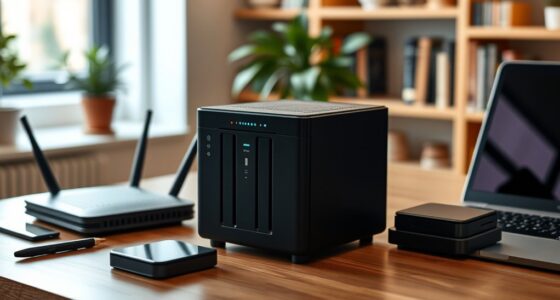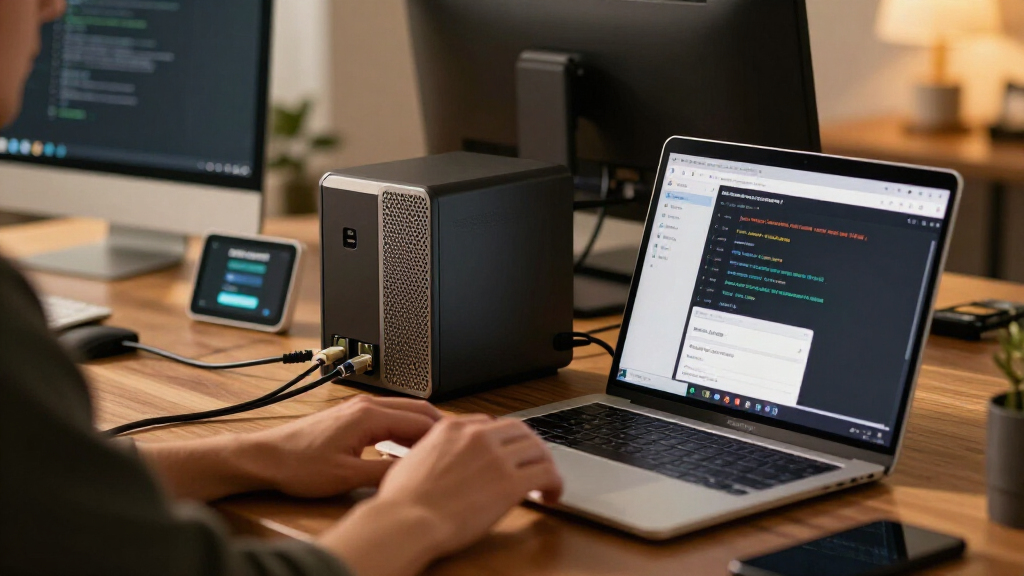

Developers need network attached storage that goes beyond simple file backup — it has to run containers, host self-managed services, and handle fast incremental syncs without choking. The Synology DS425+ earns the best overall spot here thanks to its polished DSM platform, strong Docker support, and NVMe caching for fast builds and package mirrors. If raw hardware per dollar matters more, the UGREEN DXP4800 Pro delivers a faster Intel CPU and more RAM at a lower cost, while the TerraMaster F4-425 Pro offers an eight-core N305 that suits heavier virtualization. The main tradeoff in this category is software maturity versus hardware value: Synology wins on ecosystem, UGREEN and TerraMaster win on specs. Keep reading for the full breakdown of all twelve options.

Get business pricing on monitors, keyboards and dev gear
- Business-only prices and quantity discounts
- Tax-exempt purchasing
- Multiple users, one account, clear invoices
Key Takeaways
- Synology‘s DSM software remains the safest pick for developers who want Docker, Git hosting, and package mirrors to ‘just work’, even though Synology hardware costs more per core and per gigabyte than UGREEN or TerraMaster rivals.
- UGREEN dominates raw value: the DXP4800 Pro and DXP4800 Plus both out-spec similarly positioned Synology boxes, making them the better choice for developers comfortable running their own Docker or virtualization stack.
- Two-bay models like the DS225+ and DXP2800 only make sense for a single developer — the moment you mirror containers or keep snapshots, the two-bay capacity ceiling becomes the limiting factor, not the CPU.
- The included-battery bundles (DXP4800 Pro + US3000 and DXP2800 + US3000) are the only picks here that solve power-loss protection out of the box, which matters for databases and container state you cannot easily rebuild.
- The Buffalo LinkStation 210 and Yxk Zero1 fill niche roles only — they lack container support and adequate RAM for a real dev workflow, and I ranked them strictly as budget fallbacks rather than developer machines.
| UGREEN NAS DXP4800 Pro 4-Bay Network Attached Storage |  | Best Overall | Processor: Intel Core i3-1315U, 6 cores / 8 threads, up to 4.5GHz | Memory: 8GB DDR5, expandable to 96GB | Drive Bays: 4 HDD bays, 2 PCIe 4.0 M.2 slots | VIEW LATEST PRICE | See Our Full Breakdown |
| Synology DS425+ 4-Bay Diskless NAS Media Server |  | Best Software Experience | Drive Bays: 4 (diskless) | Transfer Speed: Up to 278 MB/s | Concurrent Users: 10+ | VIEW LATEST PRICE | See Our Full Breakdown |
| Synology DS225+ 2-Bay Diskless NAS |  | Best Compact Synology | Drive Bays: 2 (diskless) | Transfer Speed: 282 MB/s rated | Media: 4K streaming to multiple devices | VIEW LATEST PRICE | See Our Full Breakdown |
| UGREEN DXP4800 Plus 4-Bay NAS |  | Best Value 10GbE Option | Drive Bays: 4 (2.5-inch and 3.5-inch, diskless) | Processor: Intel 5-core CPU | Memory: 8GB DDR5 (fixed) | VIEW LATEST PRICE | See Our Full Breakdown |
| Yxk Zero1 2-Bay Desktop NAS for Home and Personal Storage (Diskless) |  | Best Budget Starter NAS | Drive Bays: 2 (diskless; drives sold separately) | RAM: 4GB | Ethernet: 2.5GbE | VIEW LATEST PRICE | See Our Full Breakdown |
| BUFFALO LinkStation 210 2TB 1-Bay NAS with Included Hard Drive |  | Best Plug-and-Play Starter | Storage capacity: 2TB | Drive bays: 1 | Hard drive: Included | VIEW LATEST PRICE | See Our Full Breakdown |
| Synology DiskStation DS223j 2-Bay NAS Enclosure (Diskless) |  | Best Software Ecosystem on a Budget | Brand: Synology | Model: DS223j | Drive bays: 2 | VIEW LATEST PRICE | See Our Full Breakdown |
| TerraMaster F4-425 Pro 4-Bay NAS, Intel N305 8-Core, 8GB RAM, Diskless |  | Best Value Performance Hardware | Processor: Intel N305 8-core | Memory: 8GB | Drive bays: 4 (diskless) | VIEW LATEST PRICE | See Our Full Breakdown |
| UGREEN DXP4800 Pro 4-Bay NAS and US3000 12000mAh Battery Bundle |  | Best Premium Dev Workhorse | Processor: Intel Core i3-1315U, 6 cores / 8 threads, up to 4.5GHz | Memory: 8GB DDR5, expandable to 96GB | Drive bays: 4 HDD bays, diskless | VIEW LATEST PRICE | See Our Full Breakdown |
| UGREEN DXP2800 2-Bay NAS and US3000 12000mAh UPS Bundle |  | Best Small Setup with Power Protection | NAS bays: 2 | Storage capacity: 80TB (76TB usable) | UPS battery: 12000mAh | VIEW LATEST PRICE | See Our Full Breakdown |
| Synology DS223 2-Bay Diskless NAS for Home and Office |  | Best Budget Entry into the Synology Ecosystem | Model: DS223 | Drive bays: 2 | Drive configuration: Diskless (drives sold separately) | VIEW LATEST PRICE | See Our Full Breakdown |
| UGREEN DXP4800 Plus GT 4-Bay NAS |  | Best for 10GbE Networking and Container Workloads | Processor: AMD Ryzen Embedded R2514, 4 cores / 8 threads, up to 3.70GHz | Memory: 8GB DDR4, expandable to 64GB (non-ECC pre-installed) | Drive bays: 4 SATA bays; 2 bays support U.2 NVMe SSDs | VIEW LATEST PRICE | See Our Full Breakdown |
| network attached storage for developer | Drive Bays | Warranty |
|---|---|---|
| UGREEN NAS DXP4800 Pro 4-Bay N | 4 HDD bays, 2 PCIe 4.0 M.2 slots | — |
| Synology DS425+ 4-Bay Diskless | 4 (diskless) | 3 years |
| Synology DS225+ 2-Bay Diskless | 2 (diskless) | 3 years |
| UGREEN DXP4800 Plus 4-Bay NAS | 4 (2.5-inch and 3.5-inch, diskless) | 2 years |
| Yxk Zero1 2-Bay Desktop NAS fo | 2 (diskless; drives sold separately) | 2 years |
| BUFFALO LinkStation 210 2TB 1- | 1 | 2 years, including hard drive |
| Synology DiskStation DS223j 2- | 2 | 2 years |
| TerraMaster F4-425 Pro 4-Bay N | 4 (diskless) | — |
| UGREEN DXP4800 Pro 4-Bay NAS a | 4 HDD bays, diskless | — |
| UGREEN DXP2800 2-Bay NAS and U | — | — |
| Synology DS223 2-Bay Diskless | 2 | 2 years |
| UGREEN DXP4800 Plus GT 4-Bay N | 4 SATA bays; 2 bays support U.2 NVMe SSDs | — |
More Details on Our Top Picks
UGREEN NAS DXP4800 Pro 4-Bay Network Attached Storage
UGREEN’s DXP4800 Pro earns the top spot because it takes the developer workload seriously. The Intel Core i3-1315U with 8GB of DDR5 — expandable to 96GB — means you can actually run containers and VMs without the NAS choking, and the dual 10GbE plus 2.5GbE ports handle concurrent builds, transfers, and media streams without contention. The two PCIe 4.0 M.2 slots let you create a fast SSD cache or scratch volume for databases and CI artifacts, something the Synology DS425+ approach of closed, app-centric software doesn’t match. The tradeoff: UGOS Pro is younger and less polished than Synology’s DSM, with a smaller package ecosystem, and hitting the 144TB ceiling requires buying drives and memory beyond what ships in the box. Compared with its sibling, the DXP4800 Plus, the Pro’s stronger CPU and RAM ceiling make it the safer long-term bet for serious dev work.
Pros:- Core i3 CPU and DDR5 memory expandable to 96GB handle containers and VMs comfortably
- Dual 10GbE and 2.5GbE ports plus dual PCIe 4.0 M.2 slots for caching or fast scratch storage
- Docker and virtual machine support out of the box
- Up to 144TB raw capacity across four bays and two M.2 slots
Cons:- Drives and RAM upgrades needed to realize the advertised maximums, adding real cost
- UGOS Pro software is newer and less refined than Synology DSM, with a smaller app catalog
- Overkill if you only need file sharing and backups
Best for: Developers running Docker containers, VMs, and self-hosted services who want room to scale hardware for years
Not ideal for: Buyers who want the most mature software ecosystem and plug-and-play simplicity — Synology’s DSM is still the smoother daily experience
- Processor:Intel Core i3-1315U, 6 cores / 8 threads, up to 4.5GHz
- Memory:8GB DDR5, expandable to 96GB
- Drive Bays:4 HDD bays, 2 PCIe 4.0 M.2 slots
- Maximum Capacity:144TB
- Networking:1x 10GbE, 1x 2.5GbE
- RAID:RAID 0, 1, 5, 10
- Software:UGOS Pro with Docker and VM support
Our verdict“The strongest all-around pick for developers who need container and VM headroom plus fast networking, provided they accept a less mature OS.”
Synology DS425+ 4-Bay Diskless NAS Media Server
If the UGREEN DXP4800 Pro wins on raw hardware, the Synology DS425+ wins on everything you touch daily. Synology’s DSM remains the most polished NAS operating system available, with snapshot technology, automated backups, and fine-grained access controls that just work — a meaningful advantage when your NAS holds source code archives and team file shares. Surveillance support for up to 30 IP cameras adds a surveillance license value most competitors charge extra for. The tradeoff is raw speed: 278 MB/s tops out near gigabit limits, so developers moving large build artifacts or running containerized workloads will feel constrained compared with UGREEN’s 10GbE options. There’s also no Docker or VM story here at this performance level. This model makes the most sense for developers who prioritize reliability and software maturity over transfer throughput, and its 3-year warranty backs that up.
Pros:- DSM is the most mature and reliable NAS operating system in this lineup
- Snapshots, automated backups, and granular access controls included
- Supports up to 30 IP cameras without added licensing
- 3-year manufacturer warranty
Cons:- 278 MB/s ceiling with no 10GbE path limits large transfers
- No meaningful Docker or VM support for self-hosted dev services
- Diskless — drives add substantial cost
Best for: Developers and small teams who value mature backup, snapshot, and access-control software over raw speed
Not ideal for: Anyone moving multi-gigabyte build artifacts regularly — gigabit-class throughput and limited container support will frustrate power users
- Drive Bays:4 (diskless)
- Transfer Speed:Up to 278 MB/s
- Concurrent Users:10+
- IP Camera Support:Up to 30
- Backup Features:RAID redundancy, automated backups, snapshots
- Warranty:3 years
Our verdict“The right choice when dependable software and data protection matter more than fast networking or container workloads.”
Synology DS225+ 2-Bay Diskless NAS
The Synology DS225+ distills the DS425+’s software strengths into a two-bay chassis. You still get DSM, snapshots, automated backups, RAID 1 redundancy, and even the same 30-camera surveillance support — genuinely unusual for a unit this size. For a solo developer who mainly wants a trustworthy private Git mirror, Time Machine target, and 4K media server, the smaller footprint and lower entry cost make more sense than the four-bay DS425+. Compared with the Yxk Zero1, the DS225+ trades away 2.5GbE speed (its 282 MB/s rating assumes ideal conditions on gigabit-class networking) but gains a far more battle-tested ecosystem. The obvious ceiling is capacity: two bays in mirrored RAID mean you effectively halve whatever drives you buy, and there’s no expansion path beyond swapping drives. Anyone anticipating a growing media library or long retention backups should step up to a four-bay model.
Pros:- Full DSM experience with snapshots, automated backups, and RAID redundancy
- Streams 4K media to multiple devices
- Surveillance support for up to 30 IP cameras despite the compact size
- 3-year warranty
Cons:- Two bays cap usable capacity and offer no expansion path
- Real-world throughput is gigabit-bound, slower than 2.5GbE rivals like the Yxk Zero1
- Diskless, and setup requires genuine network storage knowledge
Best for: Solo developers who want Synology-grade backup and streaming software in a compact two-bay footprint
Not ideal for: Users with growing storage needs — mirrored two-bay capacity halves your raw drive space with no expansion path
- Drive Bays:2 (diskless)
- Transfer Speed:282 MB/s rated
- Media:4K streaming to multiple devices
- Backup Features:RAID redundancy, automated backups, snapshots
- IP Camera Support:Up to 30
- Warranty:3 years
Our verdict“A great fit for one-person setups that need dependable backups and media streaming more than capacity or speed.”
UGREEN DXP4800 Plus 4-Bay NAS
The DXP4800 Plus sits in a smart middle position: it delivers 10GbE networking, Docker, and VM support at a lower rung than its sibling, the DXP4800 Pro. The differences are real — a weaker 5-core CPU, a fixed 8GB of RAM, and only the internal 128GB SSD for caching versus the Pro’s expandable memory and dual M.2 slots. But for a developer whose NAS mostly hosts a handful of containers — reverse proxy, Pi-hole, a database — rather than heavy virtualization, that’s an acceptable compromise in exchange for 10GbE and 10Gbps USB transfer speeds. A built-in 128GB SSD covers light caching duties and gives the OS breathing room separate from your data drives. Compared with the Synology DS425+, you give up software polish but gain roughly four times the transfer ceiling. Note the constraints: Ethernet only, no Wi-Fi, and drives are sold separately.
Pros:- 10GbE and 10Gbps USB connectivity at a lower tier than the Pro model
- Docker and virtual machine support for self-hosted services
- Built-in 128GB SSD separates OS and light cache from data drives
- Up to 144TB capacity with RAID, encryption, and remote access
Cons:- Non-expandable 8GB RAM and weaker CPU limit demanding workloads
- No Wi-Fi support — wired Ethernet required
- Drives sold separately, and real speeds depend on drives and network
Best for: Budget-conscious developers who want 10GbE speeds and Docker support without paying for the Pro’s expandable hardware
Not ideal for: Users planning heavy virtualization or large multi-service stacks — the fixed 8GB RAM and weaker CPU will bottleneck quickly
- Drive Bays:4 (2.5-inch and 3.5-inch, diskless)
- Processor:Intel 5-core CPU
- Memory:8GB DDR5 (fixed)
- Internal Storage:128GB SSD
- Networking:1x 10GbE, 1x 2.5GbE (no Wi-Fi)
- Maximum Capacity:144TB
- Warranty:2 years
Our verdict“The value play for developers who need fast networking and containers but can live within fixed memory limits.”
Yxk Zero1 2-Bay Desktop NAS for Home and Personal Storage (Diskless)
The Yxk Zero1 is the cheapest credible entry point in this roundup for a developer who wants to learn NAS fundamentals — RAID modes, snapshots, permissions, Docker — without a large upfront commitment. Its 2.5GbE port alone outclasses the networking on the similarly sized Synology DS223j tier of entry-level units, and snapshot recovery plus Docker at this price bracket is uncommon. The tradeoff is everywhere else: 4GB of RAM keeps you to lightweight containers only, the two-bay chassis mirrors the DS225+’s capacity ceiling, and the software carries none of Synology’s track record for reliability or updates. Think of it as a lab machine rather than a data trust. For a first home server, a personal backup target, or a low-stakes Docker sandbox, this pick makes the most sense; for anything holding irreplaceable data long-term, the DS225+’s proven software justifies its premium.
Pros:- 2.5GbE connectivity beats typical entry-level gigabit NAS units
- Docker support plus RAID, snapshots, backups, and encryption at a low entry point
- Compact 2kg design with 4K HDMI output
- Cross-platform access across Windows, macOS, iOS, and Android
Cons:- 4GB of RAM restricts containers to lightweight services
- Two bays cap capacity, and drives are sold separately
- Brand-new software ecosystem with a limited reliability track record
Best for: Students and hobbyist developers experimenting with RAID, Docker, and self-hosting on a tight budget
Not ideal for: Anyone storing critical or long-term data — an unproven software platform and 4GB RAM don’t inspire the confidence Synology does
- Drive Bays:2 (diskless; drives sold separately)
- RAM:4GB
- Ethernet:2.5GbE
- Video Output:4K HDMI
- Features:Docker, RAID modes, automated backups, snapshot recovery, remote access, encryption
- Platform Support:Windows, macOS, iOS, Android, web browsers
- Warranty:2 years
Our verdict“A low-risk learning machine for developers entering self-hosting, not a home for data you can’t afford to lose.”
BUFFALO LinkStation 210 2TB 1-Bay NAS with Included Hard Drive
Most NAS enclosures arrive empty and expect you to research drives before you can store a single file. The LinkStation 210 flips that: a 2TB drive is pre-installed, so it works the moment you plug it in. For a developer setting up a quick network share for logs, backups, or build artifacts on a home LAN, that simplicity has real value.
The tradeoff is structural. With only one drive bay, there is no redundancy — a failed disk means failed data, something the Synology DS223j solves with its second bay and mirrored RAID. Buffalo also locks down the platform, so compared with the TerraMaster F4-425 Pro and its Docker support, there is no path to self-hosted tooling. This pick makes the most sense as a zero-friction network drive rather than a lab server.
Pros:- Ready to use immediately with an included 2TB hard drive
- Subscription-free personal cloud access
- Folder-level access controls and SSL-encrypted transfers
- 24/7 US-based support with a 2-year warranty covering the drive
Cons:- Single drive bay means no redundancy or drive expansion
- Closed system with no Docker, VMs, or third-party apps
Best for: Developers or small offices who want a working network drive out of the box with no drive research or assembly
Not ideal for: Anyone storing irreplaceable code or data — a single bay means no RAID redundancy if the drive fails
- Storage capacity:2TB
- Drive bays:1
- Hard drive:Included
- Compatibility:Windows and macOS 15 (Sequoia) and earlier
- Security:Closed system and SSL-encrypted file transfers
- Support:24/7 US-based support
- Warranty:2 years, including hard drive
Our verdict“Buy this only if you value instant setup over expandability — anyone planning a real dev lab should look at the DS223j instead.”
Synology DiskStation DS223j 2-Bay NAS Enclosure (Diskless)
What separates the DS223j from cheaper boxes like the LinkStation 210 isn’t hardware — it’s Synology’s DSM operating system, which behaves like a small server platform rather than a dumb share. For developers, that means proper user management, scheduled snapshots on mirrored drives, and a package ecosystem that runs git servers, containers, and monitoring tools without fuss.
The two bays allow RAID 1 mirroring, so a drive failure becomes an inconvenience instead of a disaster. The compromise is modest: drives are sold separately, and the Realtek-based hardware is modest compared with the TerraMaster F4-425 Pro, so heavy Docker workloads or 4K transcoding will strain it. This option stands out as the entry point where Synology’s mature software becomes affordable, as long as your ambitions stay home-lab scale.
Pros:- Synology DSM offers mature package ecosystem including Docker and git servers
- Two bays support RAID 1 mirroring for data redundancy
- Compact, quiet, energy-efficient operation
- Remote file access and IP camera recording support
Cons:- Diskless — drives must be purchased separately
- Modest CPU limits heavy container or transcoding workloads
Best for: Developers building their first self-hosted setup who want Synology’s DSM platform and mirrored redundancy at the lowest entry cost
Not ideal for: Power users running multiple containers or VMs — the CPU will bottleneck before the DS223j’s software does
- Brand:Synology
- Model:DS223j
- Drive bays:2
- Drive status:Diskless
- Features:Private cloud, device backup, remote access, IP camera recording
- Warranty:2 years
Our verdict“The cheapest legitimate on-ramp to the Synology ecosystem, ideal if software maturity matters more than raw horsepower.”
TerraMaster F4-425 Pro 4-Bay NAS, Intel N305 8-Core, 8GB RAM, Diskless
The F4-425 Pro attacks the value equation from the opposite direction of the Synology DS223j: instead of modest hardware with premium software, you get an Intel N305 8-core CPU, 8GB of RAM, dual 5GbE ports, and three M.2 NVMe slots at a price Synology’s DS425+ territory usually beats you over the head for. For a developer running Docker containers, a CI cache, or a Plex instance, that NVMe cache and link aggregation translate directly into snappier builds and faster file serving.
TOS 7 supports Docker, VirtualBox, and flexible TRAID arrays, but it remains less polished and less battle-tested than DSM — fewer packages, a smaller community, and rougher edges when something breaks. Compared with the UGREEN DXP4800 Pro, you trade a slightly slower CPU for an extra NVMe slot. This model suits builders who prioritize hardware per dollar and don’t mind a leaner software experience.
Pros:- Eight-core Intel N305 with 8GB RAM handles containers and virtualization comfortably
- Three M.2 NVMe slots for cache acceleration
- Dual 5GbE ports with link aggregation
- Supports Docker, VirtualBox, TRAID, and 4K hardware decoding
Cons:- Diskless — drives and NVMe SSDs add substantial cost
- TOS 7 software is less mature than Synology DSM
Best for: Hardware-focused developers who want maximum CPU, cache, and networking per dollar for Docker and media workloads
Not ideal for: Buyers who want a polished, long-supported ecosystem — TOS 7 lags Synology’s DSM in apps, documentation, and community depth
- Processor:Intel N305 8-core
- Memory:8GB
- Drive bays:4 (diskless)
- Ethernet:Dual 5GbE ports
- M.2 slots:3 NVMe
- Operating system:TOS 7
- Storage modes:RAID 0/1/5/6/10 and TRAID
- Video support:Hardware 4K decoding
Our verdict“The strongest raw hardware value in this lineup for hands-on builders willing to tolerate a younger operating system.”
UGREEN DXP4800 Pro 4-Bay NAS and US3000 12000mAh Battery Bundle
This is the roundup’s ceiling-pusher. An Intel Core i3-1315U with 8 threads up to 4.5GHz, DDR5 RAM expandable to 96GB, and a 10GbE port pushing up to 1.25GB/s make the DXP4800 Pro a genuine build server, not just a file server. A developer compiling containers, hosting VMs, or serving a large media library will feel the difference against the TerraMaster F4-425 Pro, whose N305 and 5GbE ports trail it in both compute and network throughput.
The bundled US3000 battery is a smart inclusion — graceful shutdowns during outages protect RAID arrays, which is where most NAS data loss actually happens. Tradeoffs are real: 10GbE only pays off if your switch and clients match it, the full 144TB capacity and expanded RAM mean a much larger total spend, and UGOS Pro is younger than DSM with a thinner app catalog. This pick makes the most sense when performance headroom justifies the premium.
Pros:- Core i3-1315U delivers genuine build-server and VM performance
- 8GB DDR5 expandable to 96GB and up to 144TB storage
- 10GbE plus 2.5GbE networking with two PCIe 4.0 M.2 slots
- Bundled UPS battery enables safe shutdowns during outages
Cons:- Reaching full capacity requires substantial additional drive and memory spending
- UGOS Pro ecosystem is younger and less extensive than Synology DSM
Best for: Developers who want a 10GbE-connected Docker and VM host with expandable memory and battery-backed data protection
Not ideal for: Casual home users — the 10GbE networking and Core i3 power are wasted money if you’re just sharing files and backups
- Processor:Intel Core i3-1315U, 6 cores / 8 threads, up to 4.5GHz
- Memory:8GB DDR5, expandable to 96GB
- Drive bays:4 HDD bays, diskless
- Maximum storage:144TB
- M.2 slots:2 PCIe 4.0
- Network ports:10GbE and 2.5GbE
- RAID modes:0, 1, 5, 10
- Operating system:UGOS Pro
- Bundle includes:US3000 12000mAh battery
Our verdict“The performance ceiling of this batch — buy it if you’ll actually use 10GbE and containers, skip it if you won’t.”
UGREEN DXP2800 2-Bay NAS and US3000 12000mAh UPS Bundle
Power loss is the unglamorous failure mode that corrupts arrays and truncates writes, and this bundle treats it as a first-class problem. The DXP2800 is a compact two-bay NAS, but the US3000 UPS adds app-based alerts, shutdown policies, and automatic restart — a combination the LinkStation 210 and Synology DS223j leave entirely to your own surge protector budget. For a developer running an always-on git mirror or home automation stack, that graceful-shutdown discipline matters more than raw specs.
Those specs are the compromise. Two bays cap capacity and redundancy options well below the TerraMaster F4-425 Pro, and roughly ten minutes of runtime is enough for a clean shutdown, not for riding out an evening outage. The UPS is also incompatible with UGREEN’s DXP6800 and DXP8800 models, limiting reuse later. This option stands out for reliability-minded minimalists rather than performance seekers.
Pros:- Seamless UPS power transfer prevents data loss and array corruption during outages
- App-based alerts with configurable NAS shutdown policies
- Automatic restart when power returns
- Quiet, compact design fits tight desk or shelf setups
Cons:- Only about 10 minutes of backup runtime — shutdown only, not continued operation
- UPS is not compatible with UGREEN DXP6800 or DXP8800 models
Best for: Developers with a compact always-on setup who want built-in outage protection and graceful shutdowns from day one
Not ideal for: Users planning to scale up — two bays and the UPS’s limited model compatibility leave little growth room
- NAS bays:2
- Storage capacity:80TB (76TB usable)
- UPS battery:12000mAh
- UPS runtime:About 10 minutes
- Connectivity:Ethernet
- Protection features:Power failure, surge, over-charge, over-current, short-circuit
- Compatible NAS models:DXP2800, DXP4800, DXP4800Plus, DXP480T, DH4300Plus, DH2300
Our verdict“A smart pick for small always-on setups where outage protection is a priority — underpowered for anyone needing serious capacity.”
Synology DS223 2-Bay Diskless NAS for Home and Office
For a developer who wants Synology’s DSM software without paying for the hardware they don’t need, the DS223 is the sensible entry point. It lacks the extra bays of the Synology DS425+ and the faster CPU of the DS225+, but it keeps the parts that matter most: automated multi-destination backups, file versioning for shared projects, and the mature package ecosystem that makes self-hosted Git mirrors, CI artifact archives, and media servers painless to run. Compared with the entry-level DS223j, this model offers a more capable platform that holds up better under multi-user load. The tradeoff is real, though: two bays cap you at mirrored pairs, so anyone with growing storage demands will outgrow it.
Pros:- Full access to Synology’s DSM ecosystem and package center for self-hosted dev tools
- Automated backups to cloud, external drives, and multiple devices
- Built-in file version control for shared project folders
- Surveillance Station support with motion alerts and scheduled recording
- 2-year warranty included
Cons:- Diskless — drives must be purchased separately
- Only two bays limits capacity and redundancy options as data grows
- Underpowered for virtualization or heavy container workloads
Best for: Solo developers or small teams who want Synology’s software ecosystem for backups, versioned file sharing, and light self-hosted services on a modest budget
Not ideal for: Developers with large media libraries or multiple VM workloads — two bays and modest hardware will bottleneck quickly
- Model:DS223
- Drive bays:2
- Drive configuration:Diskless (drives sold separately)
- Backup support:Macs, PCs, mobile devices, cloud, and external drives
- Surveillance:Motion alerts, recording schedules, remote viewing
- Warranty:2 years
Our verdict“This pick makes the most sense for developers prioritizing software polish and reliability over raw specs, at the cost of expansion headroom.”
UGREEN DXP4800 Plus GT 4-Bay NAS
Where the Synology DS425+ leans on software polish, the UGREEN DXP4800 GT leans on hardware muscle: a Ryzen Embedded R2514 with 8 threads, expandable DDR4 up to 64GB, and dual 10GbE ports that can be aggregated for up to 20Gbps. For a developer running Docker containers, virtual machines, and large build-artifact transfers over LAN, that networking headroom is the standout difference versus the TerraMaster F4-425 Pro, which stops at 2.5GbE. Flexible storage tiers — SATA, U.2 NVMe on two bays, and twin M.2 slots — let you cache hot data properly. The compromises: Plex needs manual Docker setup rather than native support, ECC memory requires an upgrade, and UGOS Pro is younger and less refined than DSM.
Pros:- Dual 10GbE ports with up to 20Gbps aggregate bandwidth for fast LAN transfers
- Ryzen R2514 with 8 threads and RAM expandable to 64GB handles VMs and containers well
- Mixed storage options: SATA, U.2 NVMe on two bays, and dual M.2 slots up to 16TB
- Native Docker and virtual machine support with privacy-focused LAN-only account mode
Cons:- Drives not included, and Plex requires manual setup through Docker
- Pre-installed memory is non-ECC; ECC requires a compatible upgrade
- UGOS Pro is a younger platform with a smaller app ecosystem than Synology
Best for: Developers running Docker, VMs, and large-file workflows who need 10GbE throughput and memory expandability on a LAN
Not ideal for: Buyers who want a turnkey, polished OS experience — UGOS Pro lacks the maturity of Synology’s DSM and requires more manual configuration
- Processor:AMD Ryzen Embedded R2514, 4 cores / 8 threads, up to 3.70GHz
- Memory:8GB DDR4, expandable to 64GB (non-ECC pre-installed)
- Drive bays:4 SATA bays; 2 bays support U.2 NVMe SSDs
- M.2 storage:2 M.2 slots, up to 16TB total
- Max capacity:Up to 144TB
- Networking:2 × 10GbE (up to 20Gbps with link aggregation)
- Operating system:UGOS Pro with Docker and VM support
Our verdict“The strongest choice here for developers who need raw throughput and container horsepower and are willing to trade software polish for it.”

How We Picked
I judged every option through a single lens: can this box serve as a serious developer workstation companion? That meant prioritizing CPU headroom for compiling and container workloads, upgradable RAM (8GB minimum, ideally expandable to 16GB or more), native or easily installed Docker support, at least two drive bays with RAID options, and NVMe slots for caching or fast scratch storage. Software maturity counted heavily too — a NAS that fights you on container deployment or update cycles is a liability, no matter how good the silicon is.
The ranking also factors in expandability and total cost trajectory. Diskless multi-bay units rank higher because developers tend to outgrow initial capacity, while single-bay and bundled-drive units rank lower since they lock you into a fixed configuration. Finally, I weighted ecosystem lock-in: Synology’s package ecosystem earns a premium for buyers who value turnkey tooling, while UGREEN and TerraMaster earn placement for buyers who bring their own stack and want maximum hardware per dollar.
Factors to Consider When Choosing Network Attached Storage For Developers
Choosing a NAS as a developer is a different exercise than choosing one for home media. The decisions below are the ones that most often make or break a dev NAS six months after purchase.RAM: The First Bottleneck You Will Hit
Most entry-level NAS units ship with 2–4GB of non-upgradable RAM, which is fine for file serving and fatal for containers. Running Docker, a Git mirror, and a database simultaneously can consume 6–8GB on its own, and swap on spinning disks makes everything crawl. My advice: treat 8GB as the floor for a developer NAS, and confirm whether the memory is soldered or slotted before buying. A cheaper box with one open SO-DIMM slot will outlast a more expensive sealed unit. This single spec separates the real developer options in this roundup from the lifestyle-storage ones.
Docker and Container Ecosystem Support
Not every NAS platform treats containers as a first-class citizen. Synology’s Container Manager is well integrated and handles updates cleanly, while UGREEN and TerraMaster often require you to install Docker yourself or run a full VM — workable, but you become the maintainer of that layer. Before choosing, check whether the platform’s package repository is actively updated, because abandoned container runtimes are a security liability on an always-on network device. If your workflow depends on specific images (databases, CI runners, monitoring agents), verify ARM vs. x86 compatibility too — several budget NAS units use ARM chips that silently break popular images. x86 Intel-based models dominate this roundup for exactly that reason.
Drive Bays and the Capacity Planning Mistake
The most common mistake developers make is buying a two-bay unit, filling it with two large drives in RAID 1, and discovering that mirrored containers, snapshots, and package caches eat the usable space within a year. A four-bay box gives you RAID 5 headroom and a growth path without forcing a full migration later. Also remember that NAS-rated drives (CMR, not SMR) matter more than raw capacity — SMR drives in a RAID array cause multi-day rebuilds and timeouts under database workloads. Buy one bay more than you think you need, or accept that you will be migrating data sooner than planned.
NVMe Slots: Caching, Scratch Space, or Both
NVMe bays on a NAS can serve three distinct purposes, and vendors are rarely clear about which they support. Read caching speeds up repeated access to package mirrors and build artifacts; read-write caching helps databases but doubles the failure surface; and direct NVMe storage volumes give containers and VMs near-SSD performance. For developers, using NVMe as a direct volume for your container workloads is usually the highest-value configuration, because it removes disk I/O from your inner development loop. Check whether the model you are eyeing allows NVMe as storage rather than cache-only — several budget models restrict this, which quietly halves their usefulness.
Power Protection and Always-On Reliability
A developer NAS often holds stateful services — databases, message queues, CI caches — that corrupt badly on power loss. Two strategies exist: a bundled or third-party UPS, or a filesystem that handles dirty shutdowns gracefully. Bundles like the UGREEN DXP4800 Pro + US3000 battery package address this out of the box, which is rare in this category. If you skip power protection to save money, plan for regular snapshot schedules so a corrupted volume costs you hours, not weeks. This is the least glamorous line item in a NAS purchase and the one most buyers regret skipping.
Software Ecosystem: Turnkey vs. Bring Your Own
Synology’s DSM justifies its hardware premium through polished first-party packages, predictable updates, and security patches that arrive for years after purchase. UGREEN and TerraMaster trade that maturity for better hardware at the same price, expecting you to deploy your own stack — often via Docker or a hypervisor. Neither approach is wrong; it depends on whether your evenings are spent coding or administering. Ask yourself honestly: do you want a NAS that is also a hobby, or infrastructure that disappears into the background? The answer should drive your brand choice more than any spec sheet.
Frequently Asked Questions
Can I use a NAS as a Docker host for my development services instead of a dedicated server?
Yes, and this is exactly why the picks in this roundup skew toward x86 models with 8GB+ of RAM. A four-bay NAS with an Intel CPU can comfortably run databases, reverse proxies, Git mirrors, and monitoring containers alongside its storage duties. The constraints to respect are CPU headroom — compiling on the NAS itself is usually a bad idea — and I/O contention when heavy container workloads share disks with file serving. Pairing the NAS with NVMe storage for containers largely solves the I/O problem. If your ambitions extend to running full VMs or Kubernetes nodes, treat the NAS as a supplement to a real server rather than a replacement.
Is a two-bay NAS enough for a solo developer, or should I stretch to four bays?
Two bays work well if your NAS is purely storage plus a handful of lightweight containers, and models like the Synology DS225+ handle that role capably. The pressure point is redundancy plus growth: with two bays you choose between mirroring (halving capacity) or running unprotected. Add container images, database snapshots, and Time Machine-style backups, and 2-bay usable space shrinks faster than most buyers expect. Four-bay units with RAID 5 give you two-thirds of raw capacity with single-drive fault tolerance and a free bay for expansion later. If the budget difference is manageable, the four-bay route avoids a painful data migration in year two.
Why do UGREEN NAS units offer better specs than Synology for the money — what’s the catch?
The catch is software. Synology sells an ecosystem: DSM is mature, its package center is curated, security patches arrive on a predictable schedule, and third-party tooling assumes it works. UGREEN’s hardware is genuinely stronger per dollar — faster CPUs, more RAM, more NVMe slots — but the software layer is younger and less battle-tested, and you may end up running your own Docker setup or alternative OS to get the workflow you want. That trade is excellent for developers who already administer Linux systems and poor for anyone who wants turnkey reliability. Neither choice is wrong; it maps directly to how much of your own time you are willing to spend on maintenance.
Do I need a UPS with my NAS, or are the battery bundles a gimmick?
For pure file storage, a modern journaling filesystem usually survives a dirty shutdown with minor damage. The calculus changes when the NAS runs databases, container state, or build caches — abrupt power loss can corrupt those workloads in ways snapshots only partially mitigate. The bundled-battery options in this roundup, like the DXP4800 Pro + US3000 package, exist because integrated power protection is genuinely useful for exactly this scenario, and buying the pair separately usually costs more. If you skip a UPS, at minimum configure automatic snapshots and test your restore path once. Treat power protection as insurance priced against the cost of rebuilding your environment from scratch.
Can I upgrade the RAM and add NVMe drives later, or should I buy everything upfront?
It depends entirely on the model, which is why I flagged upgradability throughout the roundup. UGREEN’s DXP4800 line and TerraMaster’s F4-425 Pro use standard SO-DIMM slots and M.2 bays you can populate later, making them safe to buy in a minimal configuration. Several Synology models officially restrict third-party RAM and may void warranty coverage, even when the slots physically accept standard memory — check the official compatibility list before planning an upgrade. NVMe is the one component worth buying early if you can, because migrating container volumes onto NVMe after the fact is more disruptive than starting there. A staged upgrade path is a legitimate strategy as long as you confirm the slots exist on day one.
Conclusion
For best overall, the Synology DS425+ balances Docker-ready software, NVMe caching, and four-bay expandability in a package that stays out of your way. The UGREEN DXP4800 Plus takes best value by delivering comparable bays and stronger internals at a lower cost of entry, provided you are comfortable running your own container stack. For best premium, the UGREEN DXP4800 GT pushes into workstation-class territory for developers who compile, virtualize, and serve from one box, with the TerraMaster F4-425 Pro as the value-flavored alternative in that same performance bracket. Beginners should start with the Synology DS223j or DS223 — cheap, forgiving, and a gentle on-ramp to NAS concepts before committing real money. For specific needs: the DXP4800 Pro + US3000 battery bundle for developers running stateful databases, the Buffalo LinkStation 210 for a zero-setup backup target, and the DS225+ for a quiet two-bay personal dev NAS. Match the pick to your tolerance for administration, and you will land on the right box.
Halloween Picks
halloween
As an affiliate, we earn on qualifying purchases.